

YT-DLP-Web-Player
Docker app from Matszwe02's Repository
Overview
Readme
View on GitHub
YT-DLP Web Player
Internet video player powered by yt-dlp

Features
- Daily auto update of yt-dlp to immediately support new yt-dlp codecs and sites
- everything you would expect from a modern player
- fast loading speed (most videos load within 3s)
- livestream support
- minimalistic UI, configurable theme color
- paste video URL / type search query / auto pasting from clipboard
- zoom to fill for all devices
- download and loop videos
- optional music visualizer
- browser extension
- installable PWA
- HTTP proxy support with automatic fallback
Some of these features are off by default and need to be turned on in .env.
|
Multi-Platform Server app for Linux and Windows, docker images, unraid app |
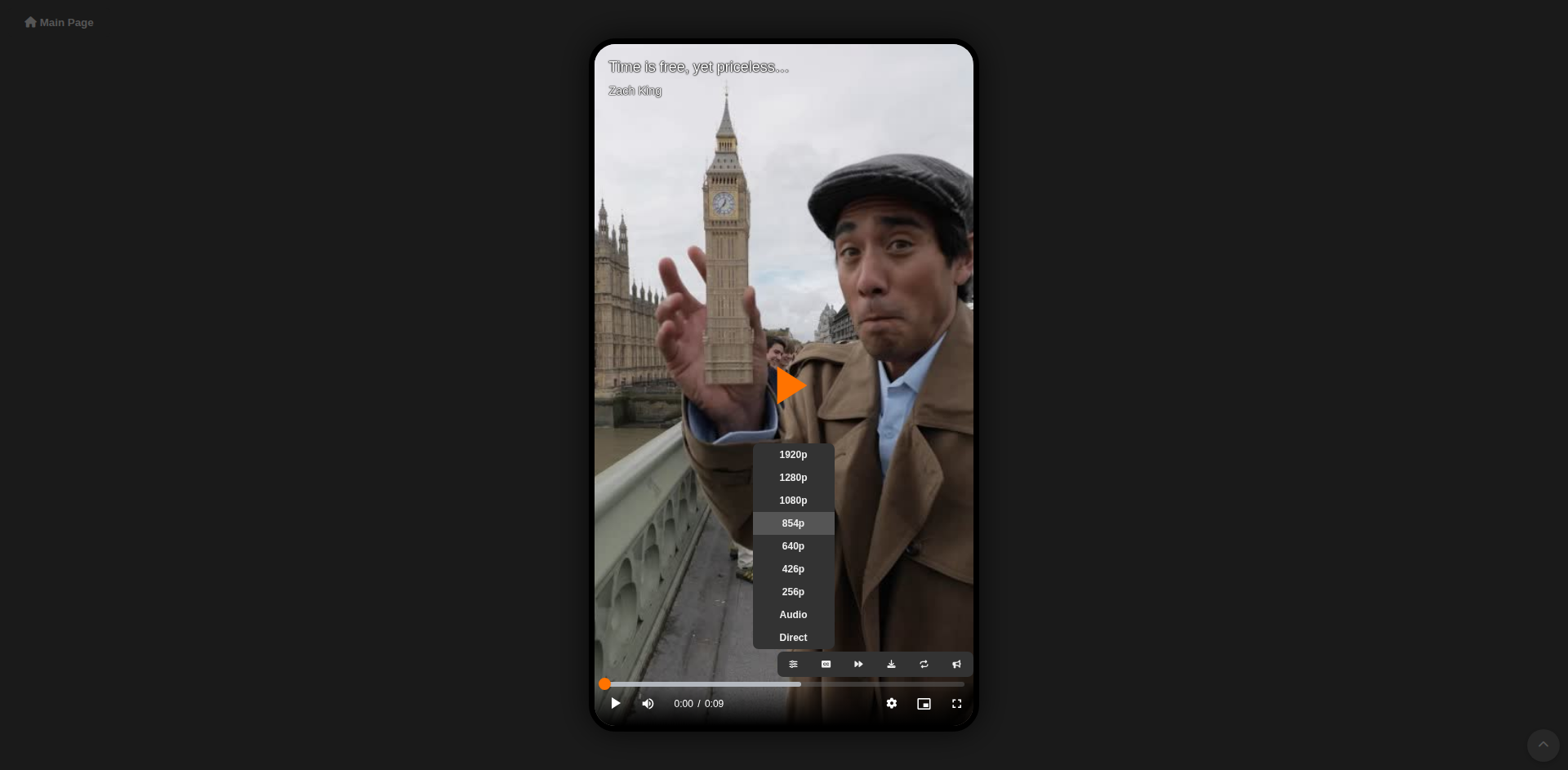
Vertical Video Support Player automatically adjusts its aspect ratio to each video, in fullscreen you can zoom to fill |
|
|
|
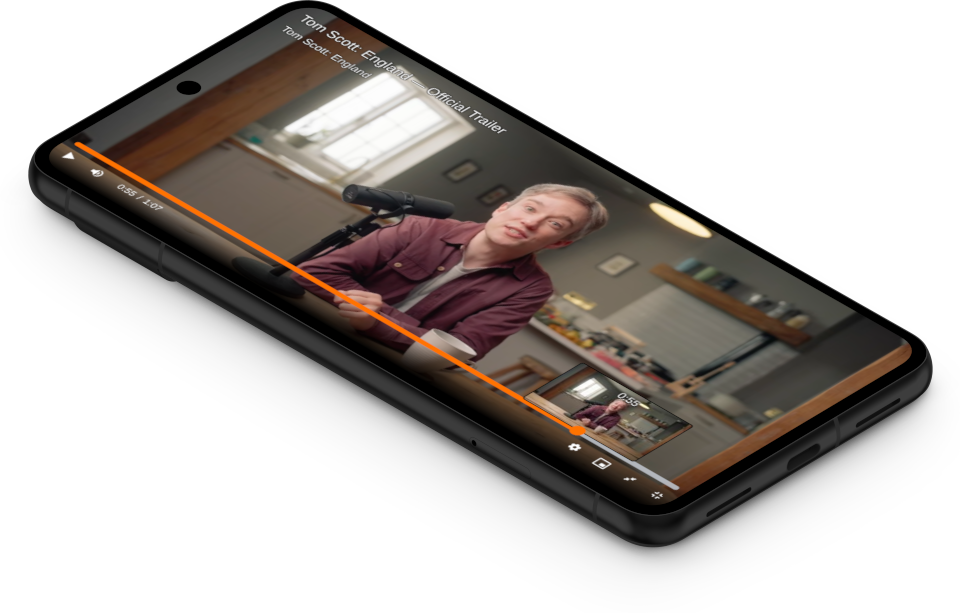
Phone App Installable as PWA app - native phone experience, opening links with "share with YT-DLP Player" |
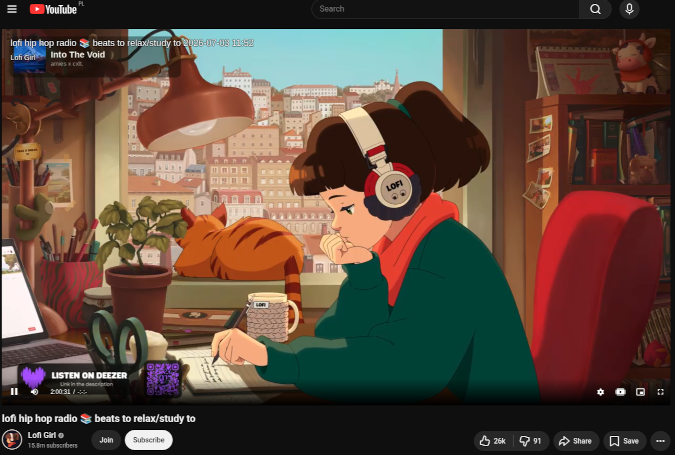
Browser Extension Replace all videos seamlessly - consistent UI across every website |
|
|
Planned
- video quality changing without interrupts
- user-side player configuration
Limitations
- only YT-DLP supported videos work
- video loading times and fallbacks:
- most videos load in around 3 seconds
- if it fails, transcoding starts and video loads in around 10s
- if it also fails, the whole video is getting downloaded until it becomes available
Technologies used
- yt-dlp as a video downloader
- videojs as a robust player
- HLS transcoding for the most reliable playback
- ffmpeg for better format support
- node / deno for solving YT-DLP's js challenges
- sponsorblock integration
- Media Session API integration for system playback controls
- Audio Context API for audio over-amplification and music visualizer
How to run
App should be accessible at http://localhost:5000
Docker
docker run -p 5000:5000 matszwe02/ytdlp_web_player:stable- stable version, ready for everyday use
docker run -p 5000:5000 matszwe02/ytdlp_web_player:latest- latest version - may have new and experimental features
Or with Docker Compose:
- Clone the repo
- Run
docker compose up - For automatic app updates, see
compose.yml - To enable environment:
- Uncomment:
# env_file: # - src/.env - Copy
src/example.envtosrc/.env, modify as needed
- Uncomment:
Run locally (Python)
- Create and activate a virtual environment in
src/and installrequirements.txt - optionally install
ffmpegandnode/deno, otherwise they will be automatically installed to your venv - run
main.py - To enable environment:
- Copy
src/example.envtosrc/.env, modify as needed
- Copy
PC Application (Windows / Linux)
Due to the packaging of necessary python modules, yt-dlp update may break on older builds when yt-dlp updates its dependencies. In this case a manual app update is necessary
- Download from Releases and run
- YT-DLP Web Player - a windowed app that also exposes port 5000 to access from any web browser
- YT-DLP Web Player CLI - terminal-only version - a replacement to Python / Docker version
If you want to build this app:
- install python3 and nodejs
- Create and activate a virtual environment
- run
/app/build_app.py - app and CLI should appear in
/dist
Run with unraid
You can install the official unraid application:
https://ca.unraid.net/apps/yt-dlp-web-player-1ueyzjo0lupqig
Configuration
All configurable options are environment variables, set in src/.env (copy src/example.env and uncomment what you want to change).
See src/example.env for the full list.
Hardware Acceleration
FFmpeg automatically detects the best supported hardware encoder. NVIDIA NVENC is used when available, and transcoding automatically falls back to CPU (libx264) when hardware acceleration is unavailable or fails.
For NVIDIA GPU acceleration in Docker, install the NVIDIA Container Toolkit, uncomment the build block that uses Dockerfile.hwaccel and gpus: all in compose.yml, then run docker compose up --build.
Cookies (video streaming sites authentication)
Some video streaming websites need you to be logged in. With cookies you will be logged in to these websites automatically while using the app.
- Create a
src/cookies.txtfile and enable it incompose.yml(if using Docker) - Install an extension such as Get cookies.txt LOCALLY and activate it on the desired website when logged in
- full guide and explanation can be found in yt-dlp's wiki
- Copy the cookies and paste them into that file
- If using extension, you can instead enable automatic sending of browser cookies in extension settings, they will be used automatically
Keep in mind that cookies work the same way as your account credentials - anyone having them may mess up your account.
I do not guarantee that cookies file is completely secure from accessing it through the player. Additionally yt-dlp uses them when playing videos on behalf of the provided account. So I only recommend putting throwaway accounts here.
HTTPS and exposing it to the internet
Some features (like extension and PWA) require HTTPS to work.
If you don't own any HTTPS proxy, the easiest solution is to set PUBLISH_WITH_CLOUDFLARE environment variable to true and access it through the generated cloudflare link. With this link you can also access this app from anywhere in the world, without the need of port forwarding.
Link is generated and visible in app logs just before app starts.
Note that it is a temporary link that changes each time this app starts. For a more robust way, you need to set up your own proxy with HTTPS certificate.
Security notes
This app fetches and transcodes arbitrary URLs on behalf of anyone who can reach it, and has no built-in authentication. It blocks requests to local network addresses where it can, but this is best-effort. It is adviced that if you expose it to the global network, you take appropriate safety precautions, like isolating its LAN from the rest of your network.
Extension
YT-DLP Web Player provides an extension that replaces every video in allowed (in extension settings) domains with YT-DLP Player. That results with all of the default video players to be seamlessly replaced with YT-DLP Player
- This extension will disable all media playback on the website, disable native player and create YT-DLP Player's iframe in its place
There are 3 ways of running this extension:
Browser Extension
Additionally adds Open in YT-DLP Player context menu for all links. So you can right-click any link and it is opened in YT-DLP Player directly
- Extension available in Chrome Web Store and Firefox Add-ons
- alternatively, you can clone this repo and load it from
/extensiondirectory
- alternatively, you can clone this repo and load it from
- Put player's URL in extension settings
- In extension settings: enable/disable domains or start/stop temporarily
Tampermonkey script
- Install userscript from player's dropdown menu (you need to have
Tampermonkey/Violentmonkeyextension installed) - In script settings: enable/disable domains or start/stop temporarily
- For some websites you need to install one of
disable CSMextensions
Developer Tools script
It is a temporary solution, every page reload clears it
- copy extension js from player's dropdown menu (or
/extension/extension.js) and paste into developer tools - For some websites you need to install one of
disable CSMextensions
Demo, other use cases
Demo server
Low performance and may be IP blacklisted due to this server's limitations
https://ytdlp-web-player.vercel.app
Proof-of-Concept YT-DLP Web Player inside Invidious
https://hub.docker.com/r/matszwe02/invidious_ytdlp_web_player
Sharing
This player fully supports Open Graph - sharing it through social media and messaging apps shows video's title, thumbnail, and allows for direct playback
Embedding player
If you want to embed this player, use /iframe?url=... endpoint
Troubleshooting
I can't install PWA / embed it as an iframe / extension does not load
You need a working HTTPS for this, see in HTTPS and exposing it to the internet. Some features will work when you run through HTTP from localhost, but it may not work properly.
I can't play some videos
Check whether the site is supported by yt-dlp here.
Also check yt-dlp's issues.
You can even try to download yt-dlp and download that video with it, to ensure there is a way to download it.
If it appears to be supported, file a bug report with app logs.
Can this app do XYZ?
This readme does not mention every configuration option. See src/example.env and check if the feature you want is already settable. If not, I'm open for feature requests.
Other issues
Please file a bug report. Attach browser and app logs if relevant, app version, browser name, etc.
Star History
Categories
Download Statistics
Total Downloads Over Time
Related apps
Explore more like this
Explore allDetails
ghcr.io/matszwe02/ytdlp_web_player:stableRuntime arguments
- Web UI
http://[IP]:[PORT:5000]- Network
bridge- Shell
sh- Privileged
- false
Template configuration
HTTP port for the WebUI.
- Target
- 5000
- Default
- 5000
- Target
- APP_TITLE
- Default
- YT-DLP Player
- Target
- THEME_COLOR
- Default
- #ff7300
generate sprites for videos below this duration (0 to disable)
- Target
- GENERATE_SPRITE_BELOW
- Default
- 1800
- Target
- AMOLED_BG
- Default
- false
inactivity after which video is removed
- Target
- MAX_VIDEO_AGE
- Default
- 3600
- Target
- MAX_VIDEO_DURATION
- Default
- 36000
- Target
- DEFAULT_QUALITY
- Default
- 720
- Target
- MAX_QUALITY
- Default
- 2160
- Target
- AUTOPLAY
- Default
- false
prevent livestreams from having less buffer than this value, in seconds (0 to disable)
- Target
- MIN_LIVE_BUFFER
- Default
- 1
- Target
- ALWAYS_TRANSCODE
- Default
- false
useful for low-performance machines, only basic features will work
- Target
- DISABLE_TRANSCODING
- Default
- false
number of FFMPEG and YT-DLP processes combined, allowed to run at once
- Target
- MAX_PROCESSES
- Default
- 5
comma separated, e.g. selfpromo,outro,sponsor,preview,interaction,intro,music_offtopic
- Target
- AUTOSKIP_SB_SEGMENTS
only use cookies if necessary
- Target
- COOKIES_ONLY_ON_FAILURE
- Default
- true
keep playing videos in background after leaving application or locking screen
- Target
- AUTO_BG_PLAYBACK
- Default
- true
- Target
- AUDIO_VISUALIZER
- Default
- false
proxies for accessing videos to try until it finds a working one, e.g. "local,http://127.0.0.1:8888"; local = no proxy
- Target
- PROXIES
- Default
- local
set to true to generate a temporary public link with https
- Target
- PUBLISH_WITH_CLOUDFLARE
- Default
- false