
All apps · 0 apps

absulli
Docker app from operationETH's Repository
Overview
Readme
View on GitHub

A self-hosted companion dashboard for Audiobookshelf






[!NOTE] AI assistance was used during development of this project. The code has been reviewed and tested to the best of my ability, but ABSulli is still under active development. Users should review and validate it for their own environment before relying on it. If you find a bug, please open an issue.
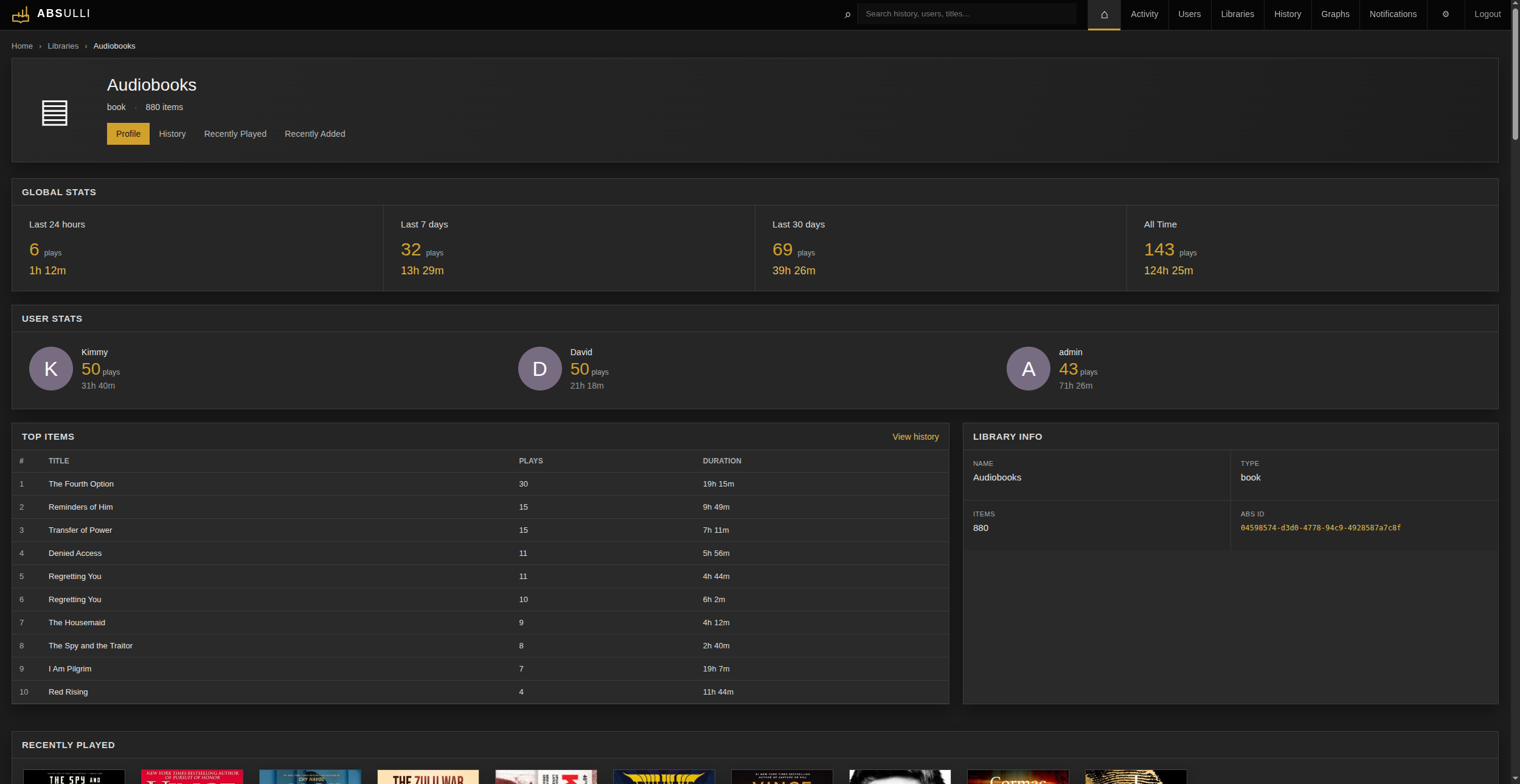
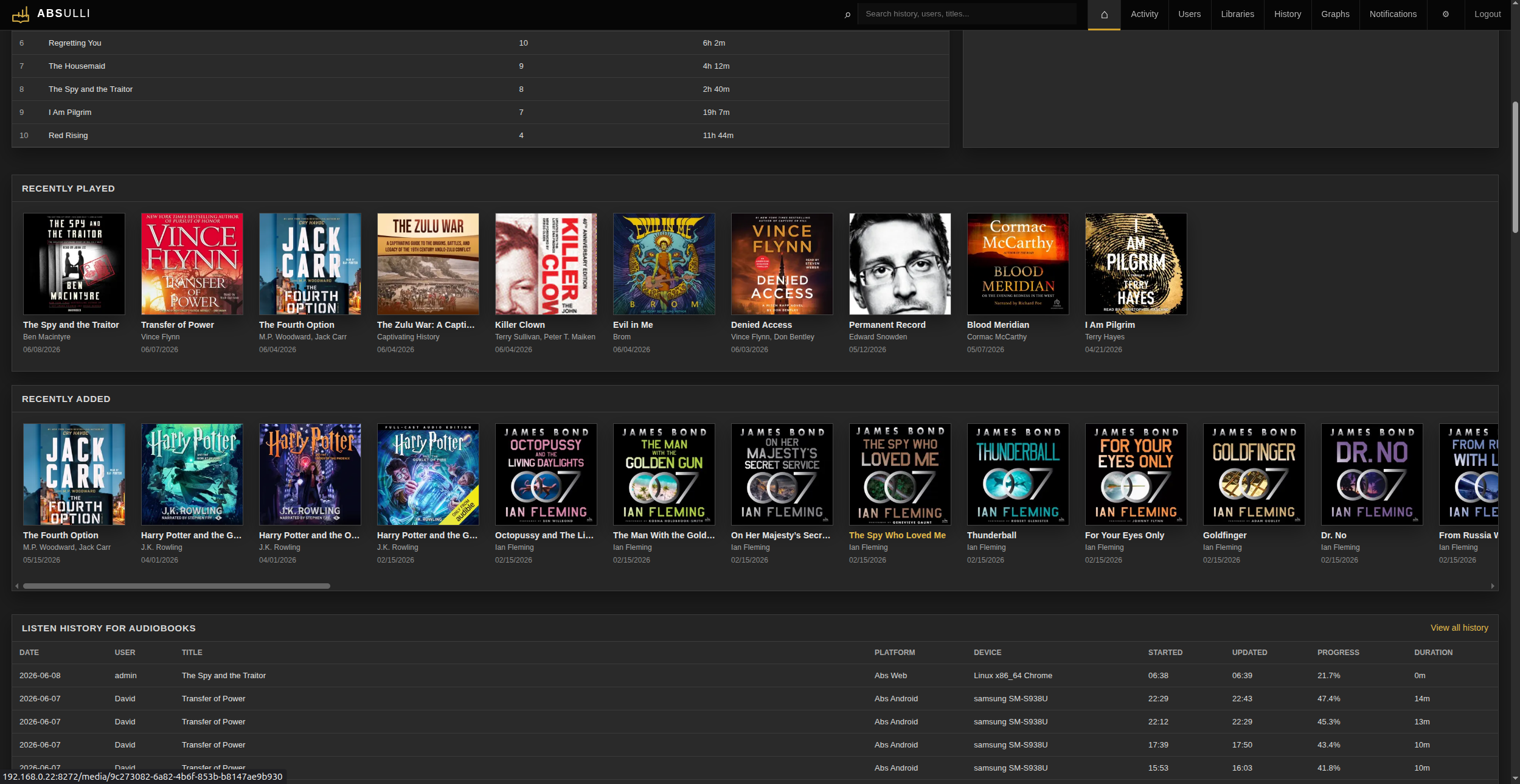
ABSulli is an Audiobookshelf companion dashboard inspired by the concept of Tautulli. Track audiobook and podcast listening activity, browse library stats, view history, manage notifications, and expose Prometheus metrics from one self-hosted web interface.
Features
- First-run setup wizard - no config file needed to get started
- GUI settings management with optional environment variable overrides
- Current listening activity
- Library and user overview
- Recently added media
- Listening history
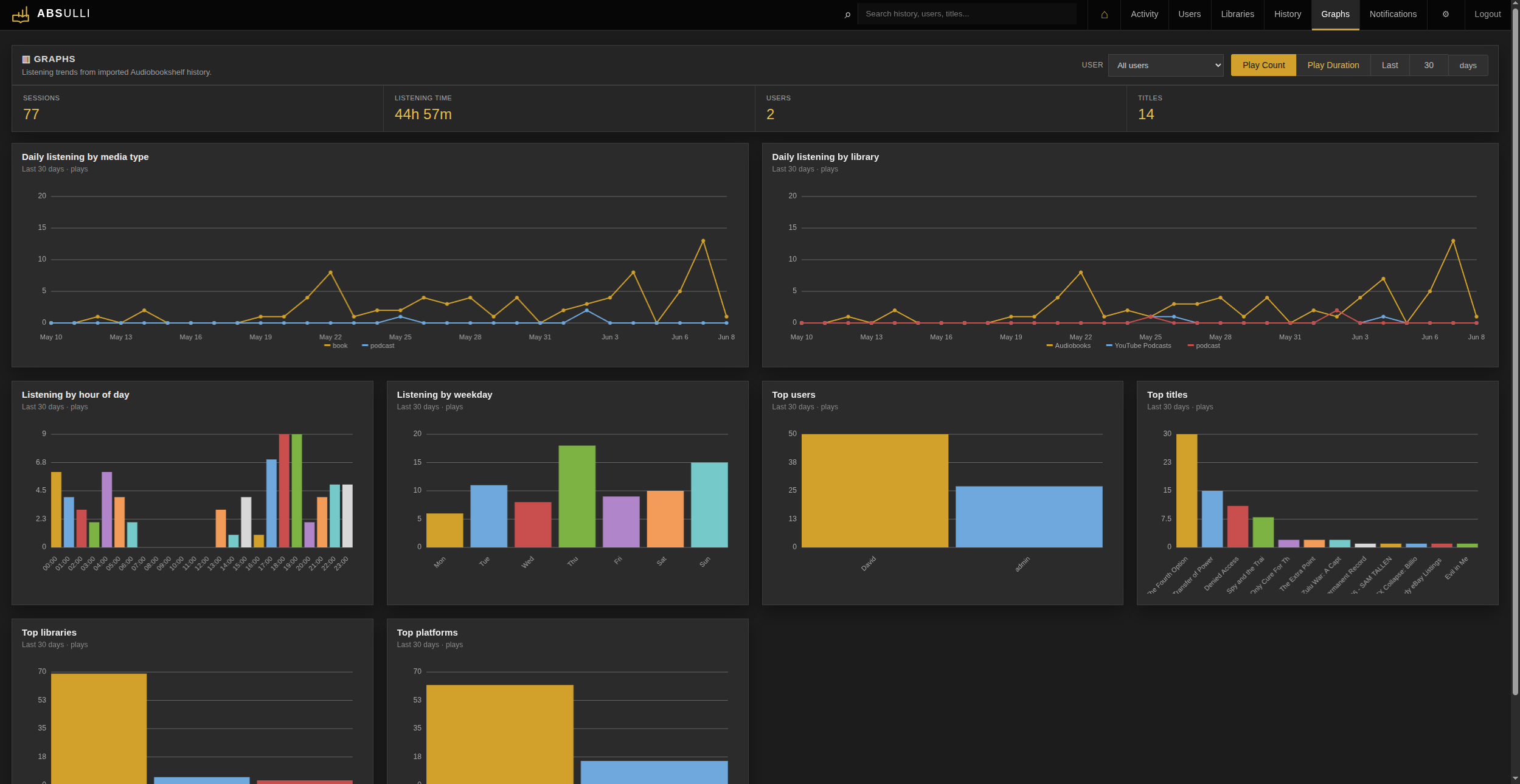
- Built-in graphs and Prometheus metrics endpoint
- Notification support (Gotify, ntfy, Discord, Slack, Telegram, Pushover, Pushbullet, Email, Webhook)
- Private RSS feed for newly added media
- Local SQLite storage - no external database
- Built-in login with rate limiting and audit logging
Screenshots
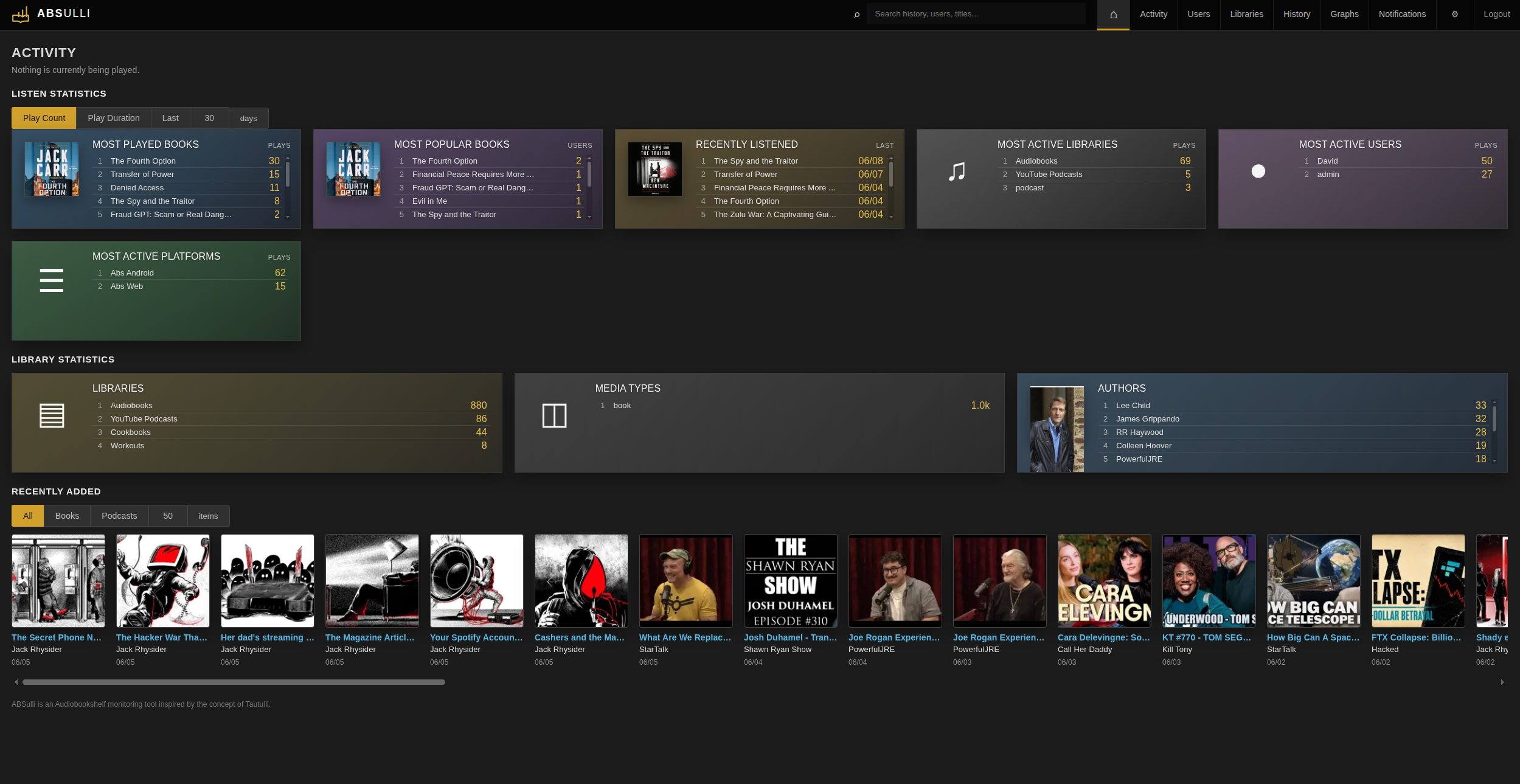
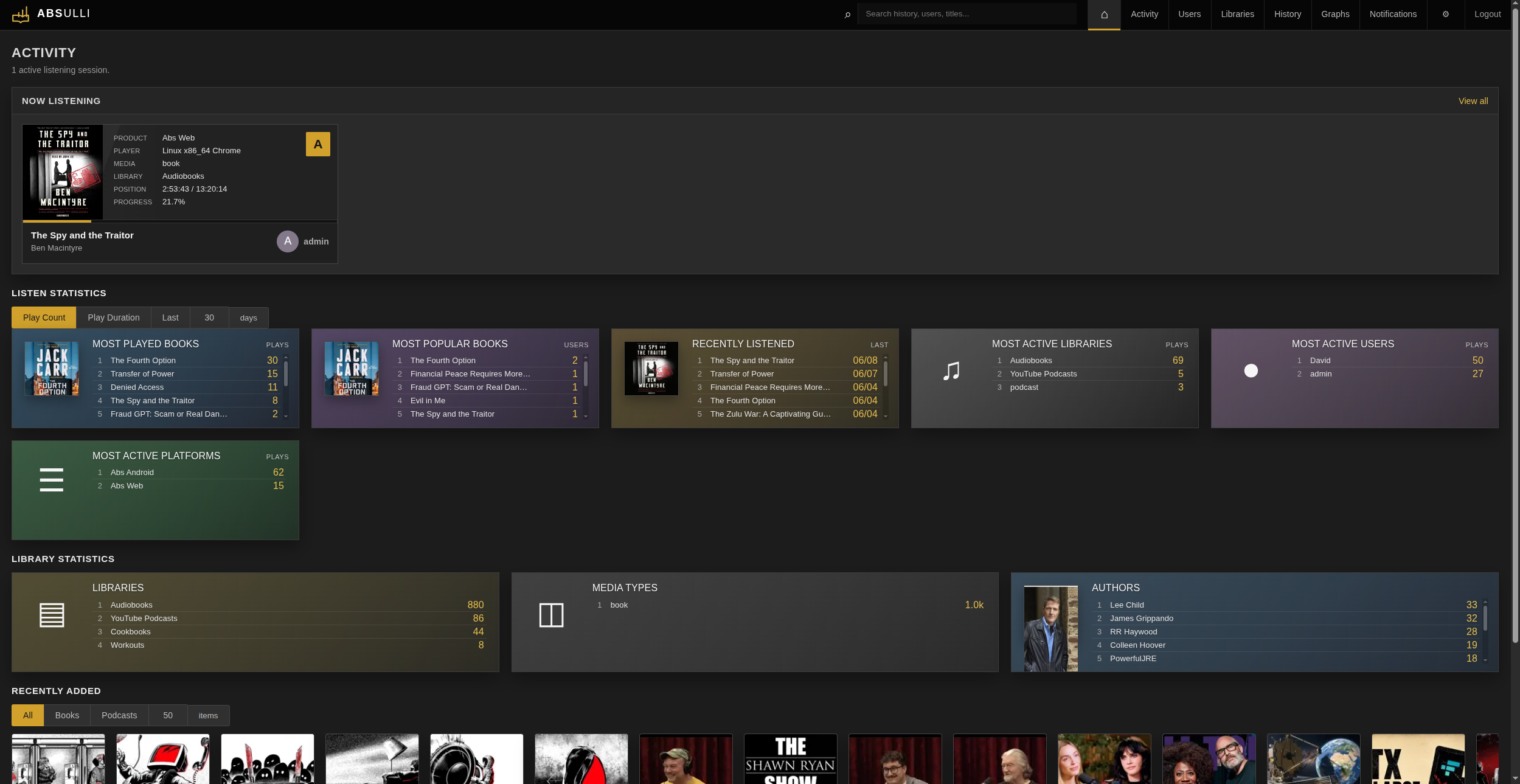
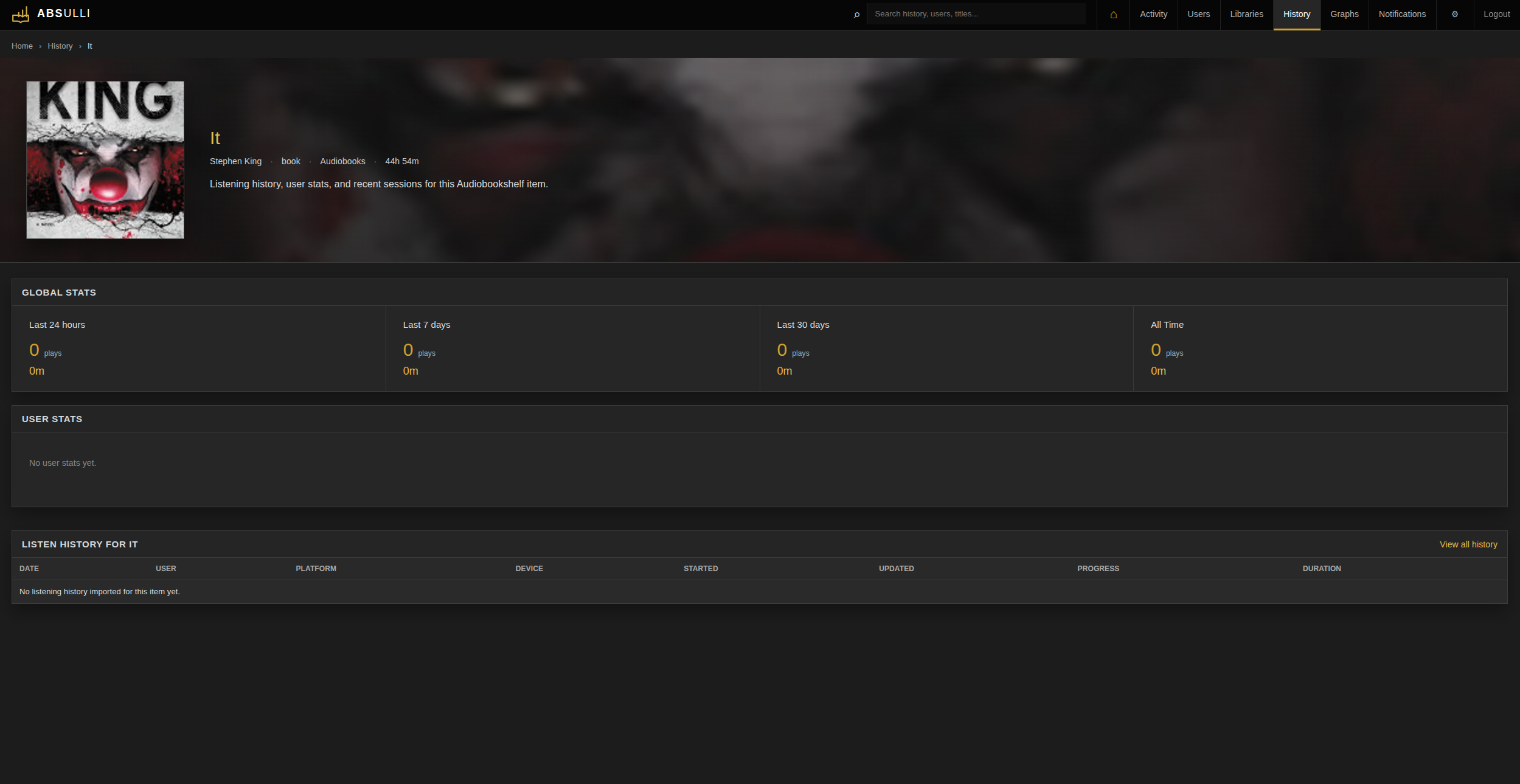
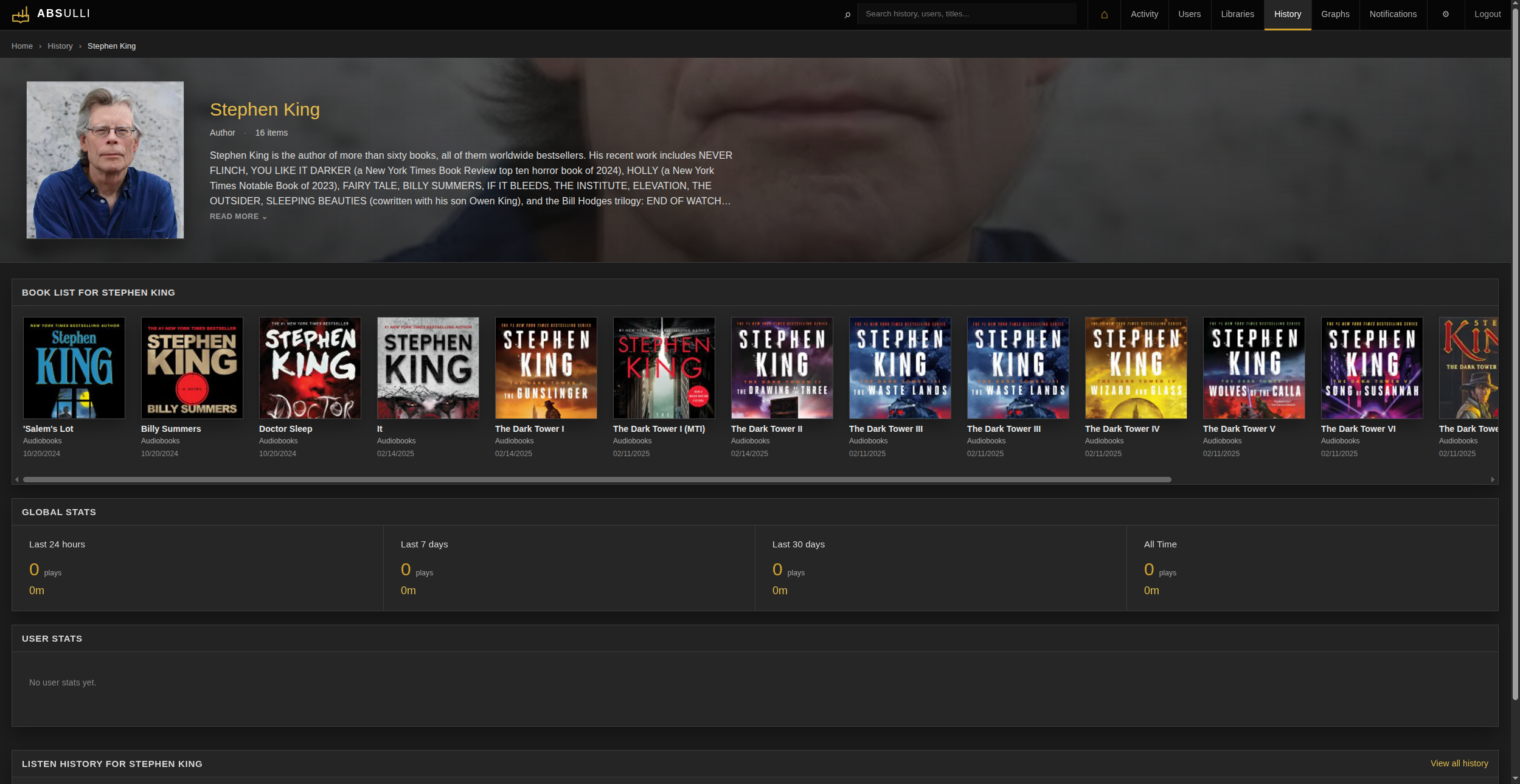
Quick start
docker-compose.yml
services:
  absulli:
    image: ghcr.io/operationeth/absulli:latest
    container_name: absulli
    restart: unless-stopped
    ports:
      - "8272:8272"
    environment:
      - TZ=America/Phoenix
      - PUID=1000
      - PGID=1000
    volumes:
      - ./data:/config
docker compose up -d
Then open http://<server-ip>:8272 and follow the setup wizard.
The wizard will ask for your Audiobookshelf URL and API key, create an admin login, and immediately start importing your data. No .env file required.
After setup, application settings can be managed from the Settings page.
Getting your Audiobookshelf API key
- Open Audiobookshelf and go to Settings → API-keys → Add API Key
- Name ABSulli
- Select your admin user
- Copy the API token from the token field
Optional: pre-fill with environment variables
If you prefer to manage the Audiobookshelf connection via env rather than the setup wizard, create a .env file next to your docker-compose.yml:
ABS_URL=http://192.168.1.50:13378
ABS_API_KEY=your_abs_api_key_here
When these are set, the setup wizard shows them as read-only and uses them automatically.
Prometheus metrics
ABSulli exposes Prometheus metrics at /metrics. This can be scraped by Prometheus for Grafana dashboards or external monitoring.
If you configure a metrics token, include it as a bearer token or with the X-Absulli-Metrics-Token header. The metrics token can be configured in Settings → Network.
RSS feed
ABSulli can provide a private RSS feed containing new books, podcasts, and podcast episodes detected after the feed is enabled. Open Settings → Notifications, enable the RSS feed, save the settings, and copy the generated URL into your feed reader.
The feed contains up to 100 of the most recently detected books, podcasts, and podcast episodes. Anyone with the URL can read it without signing in to ABSulli. Disabling the feed blocks access. Regenerating the URL immediately invalidates the previous one.
Set the ABSulli Public URL under Settings → Network when the generated feed URL should use a reverse proxy address.
[!NOTE] The RSS feed must be reachable by the RSS reader. Remote readers may require a VPN, reverse proxy, or other external access configuration.
Data and privacy
ABSulli stores all data locally in /config:
| File | Contents |
|---|---|
absulli.db |
SQLite database - activity, history, settings |
secret_key |
Session signing key - keep private |
By default, no data is sent anywhere outside your network. ABSulli communicates with your Audiobookshelf instance, and only sends outbound notification requests if you configure notification agents.
The /config directory and its backups contain listening data and sensitive credentials, including Audiobookshelf and notification tokens. Keep the directory and all backups private. Do not upload absulli.db to bug reports or commit it to a repository. ABSulli restricts the directory to its container user and creates sensitive files with owner-only permissions.
Upgrading
Before upgrading, back up your config directory. The most important file is /config/absulli.db, which contains your ABSulli settings, activity, and listening history. If you use the example compose file, that is usually ./data/absulli.db on the host.
To upgrade a Docker install:
docker compose pull
docker compose up -d
ABSulli runs database migrations automatically during startup. Watch the logs after upgrading to confirm the app starts cleanly:
docker logs absulli -f
For local development builds, rebuild and restart instead:
docker compose build --no-cache
docker compose up -d
Database migrations
ABSulli uses Alembic for database schema migrations. Migrations run automatically on startup.
Existing installs created before Alembic are safely baselined on first start: ABSulli keeps the old additive column check for that one upgrade path, stamps the database at the current migration, and future schema changes are handled through Alembic revisions.
Reverse proxy
ABSulli runs on port 8272 by default. To put it behind Nginx or Traefik, proxy to http://absulli:8272 and set ABSULLI_COOKIE_SECURE=true in your .env or enable "HTTPS Secure Cookies" in Settings → Network if serving over HTTPS.
ABSulli sets its own security headers (Content-Security-Policy, X-Frame-Options, Referrer-Policy, etc.) on every response. You do not need to add these in your proxy config.
Security
ABSulli ships with the following enabled by default:
- PBKDF2-SHA256 (600,000 iterations) for password storage
- Signed session cookies with server-side revocation
- Per-request CSP nonces - no
unsafe-inline - Login rate limiting with lockout, persisted across restarts
- Login audit log (IP, user agent, outcome, reason)
- CSRF protection on all form submissions
- Separate API and metrics tokens with independent scopes
Authentication is required after setup and recommended for all installs.
Categories
Download Statistics
Related apps
Explore more like this
Explore allDetails
ghcr.io/operationeth/absulli:latestRuntime arguments
- Web UI
http://[IP]:[PORT:8272]/- Network
bridge- Shell
sh- Privileged
- false
- Extra Params
--restart unless-stopped
Template configuration
- Target
- 8272
- Value
- 8272
- Target
- /config
- Default
- /mnt/user/appdata/absulli
- Value
- /mnt/user/appdata/absulli
- Default
- 1000
- Value
- 1000
- Value
- 1000
- Value
- UTC