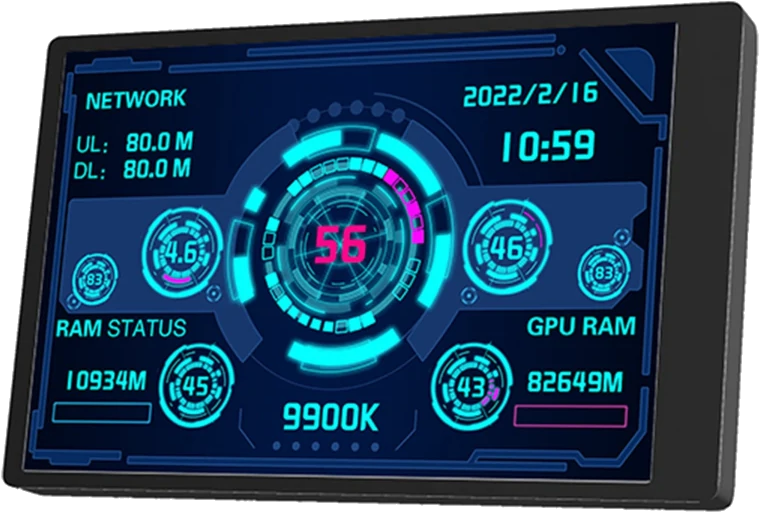
turing-smart-screen
Docker 应用程序 from waazaa's Repository
概述
FR:
Statistiques monitorées vers écran compatibles.
Le projet turing-smart-screen en container Docker.
Plus d'informations sur les écrans compatibles et la configuration sur le github du projet:
https://github.com/mathoudebine/turing-smart-screen-python
EN:
Monitor statistics on compatibles screens.
Project turing-smart-screen in Docker.
More informations about material compatibility and settings on the github's project link:
https://github.com/mathoudebine/turing-smart-screen-python
Setup:
- setup variables and mapping
- don't forget to modify the device name of your screen (see result of command dmesg just after connecting your screen)
- if you need to add an nvidia GPU set same variables as Plex/emby/Jellyfin to work with
Start:
Look at the console if your screen didn't work.
Customization:
you will find on the /app's mapped folder the source of the project. On the res/ folder you will find a themes/ folder container some themes.
You can take the name of a folder inside /app/res/themes and set it up to the THEME variable.
运行时参数
- 网络
host- 外壳
bash- 特权
- false
模板配置
Your screen device. Found it by connecting it and see just after the result of this console command: dmesg
- 价值
- /dev/ttyACM0
- 目标
- /app
- 默认值
- /mnt/user/appdata/turing-smart-screen/
- 价值
- /mnt/user/appdata/turing-smart-screen/
The name of the theme. Must be the name of one subfolder of /app/res/themes.
- 价值
- Cyberpunk-net
The name of the ethernet interface.
- 默认值
- br0
- 价值
- eth0
To identify your smart screen: https://github.com/mathoudebine/turing-smart-screen-python/wiki/Hardware-revisions
- 默认值
- A
- 价值
- A
Percent of the brightness
- 默认值
- 20
- 价值
- 40
If true the video result will be in landscape mode
- 默认值
- false
- 价值
- false
Version of the release needed
- 默认值
- 3.9.1
- 价值
- 3.9.1
下载统计数据
详细信息
waazaafr/turing-smart-screen:testing在Unraid 上运行 turing-smart-screen 。
turing-smart-screen 已被列入Unraid OS 的社区应用程序。探索Unraid ,构建灵活的家庭服务器、NAS 或家庭实验室。