
All apps · 0 apps

YAMZ
Docker app from ZombifiedTurkey's Repository
Overview
Readme
View on GitHub
YAMZ — Yet Another Media Zombie
A "vibe coded" media manager.
▶ Try the live demo — runs entirely in your browser with a sample library (sign in with demo / zombies123).
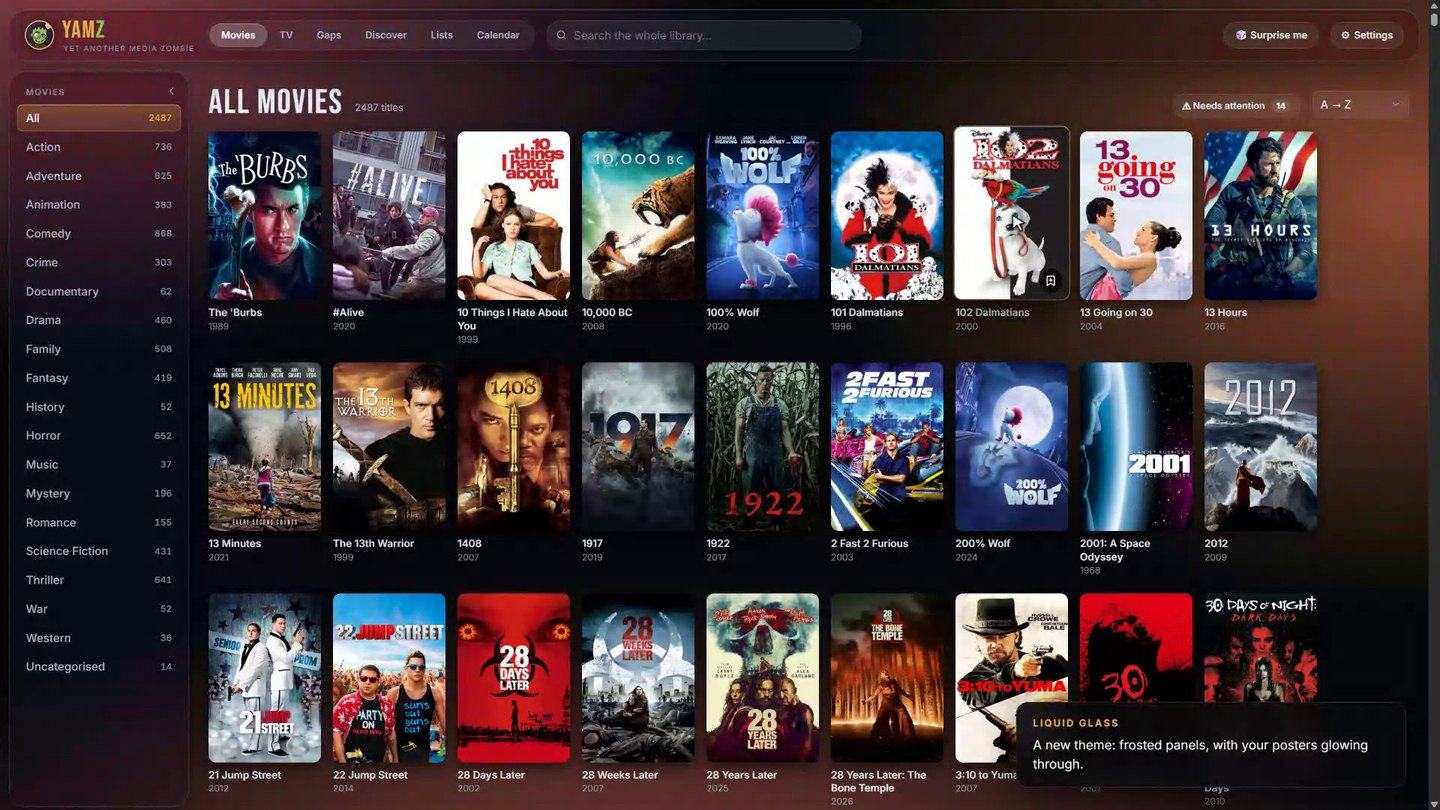
A good-looking, self-hosted browser for your movie and TV collection. Point it at Plex or Jellyfin and get a poster wall with ratings, cast and photos — plus tools for finding what you're missing, discovering what to watch next, tracking releases, and sending titles to Radarr and Sonarr.
https://github.com/user-attachments/assets/50e57c1c-911d-4a4a-8e89-16c3db479537
Jellyfin support is still being tested. YAMZ is developed and tested day to day against Plex. Jellyfin uses Jellyfin's documented API and should work, but it hasn't had much real-world testing yet. If something doesn't look right with Jellyfin, please open an issue and say which Jellyfin version you're on.
Run it as a Docker container (Unraid Community Applications, Synology, any Linux box) and use it from any browser on your network or through a reverse proxy — or just open the single YAMZ.html file.
 |
 |
 |
 |
 |
 |
Features
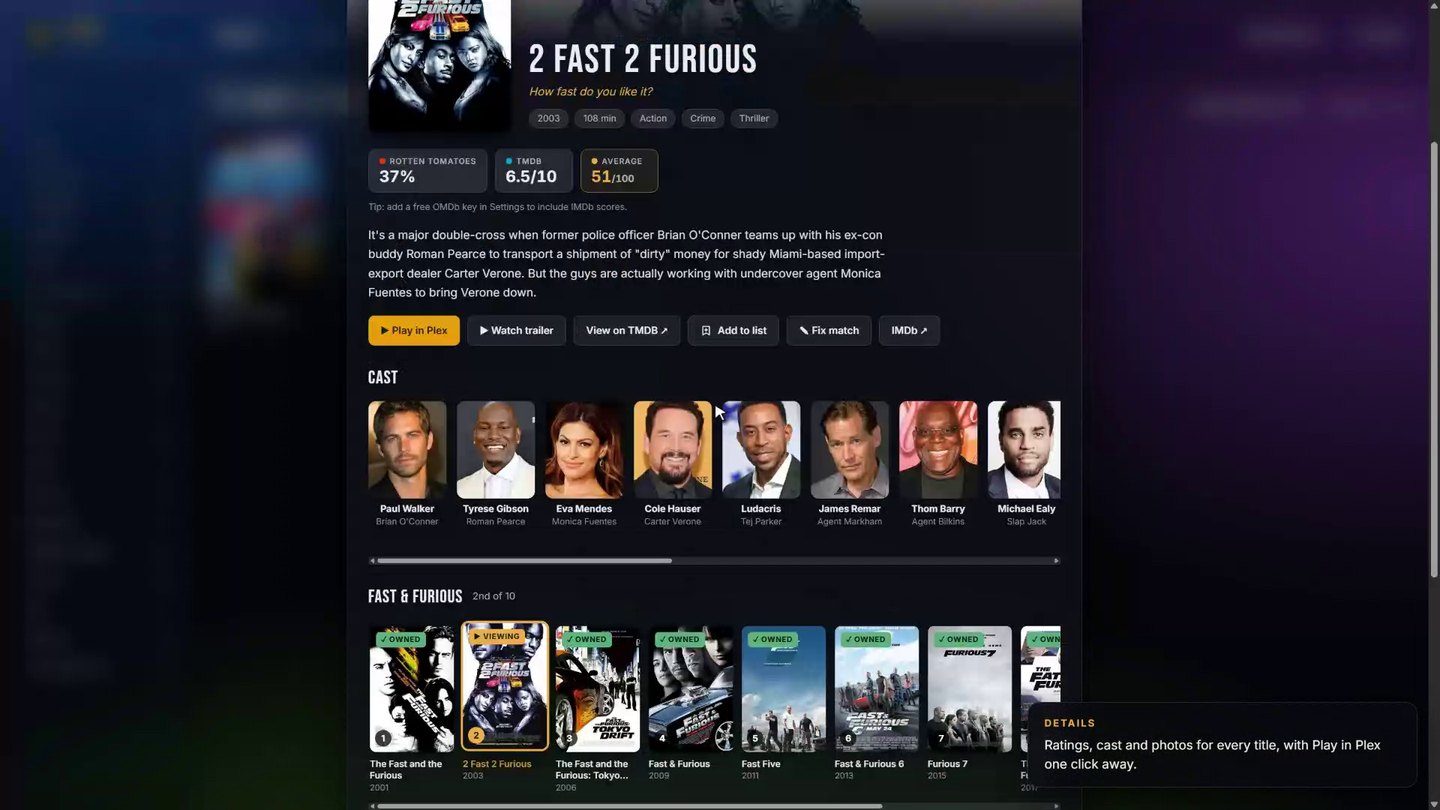
- Library — Plex and/or Jellyfin (Jellyfin still being tested, see the note above), or plain folders, merged and de-duplicated. Posters, genres, ratings from several sources, cast, photos and a Play in Plex/Jellyfin button.
- TV — seasons and episodes you have vs. what exists, with episode lists and descriptions (via TVmaze).
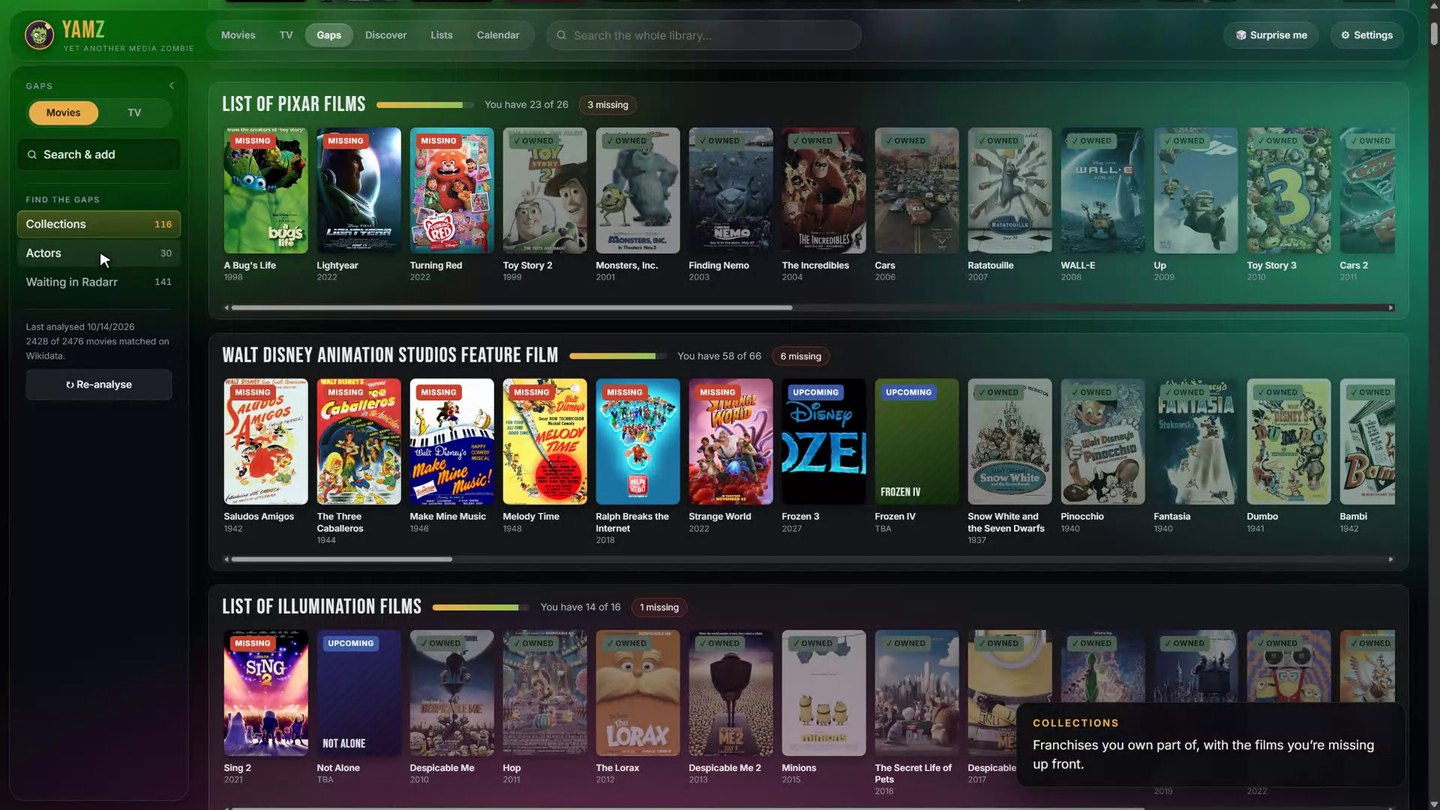
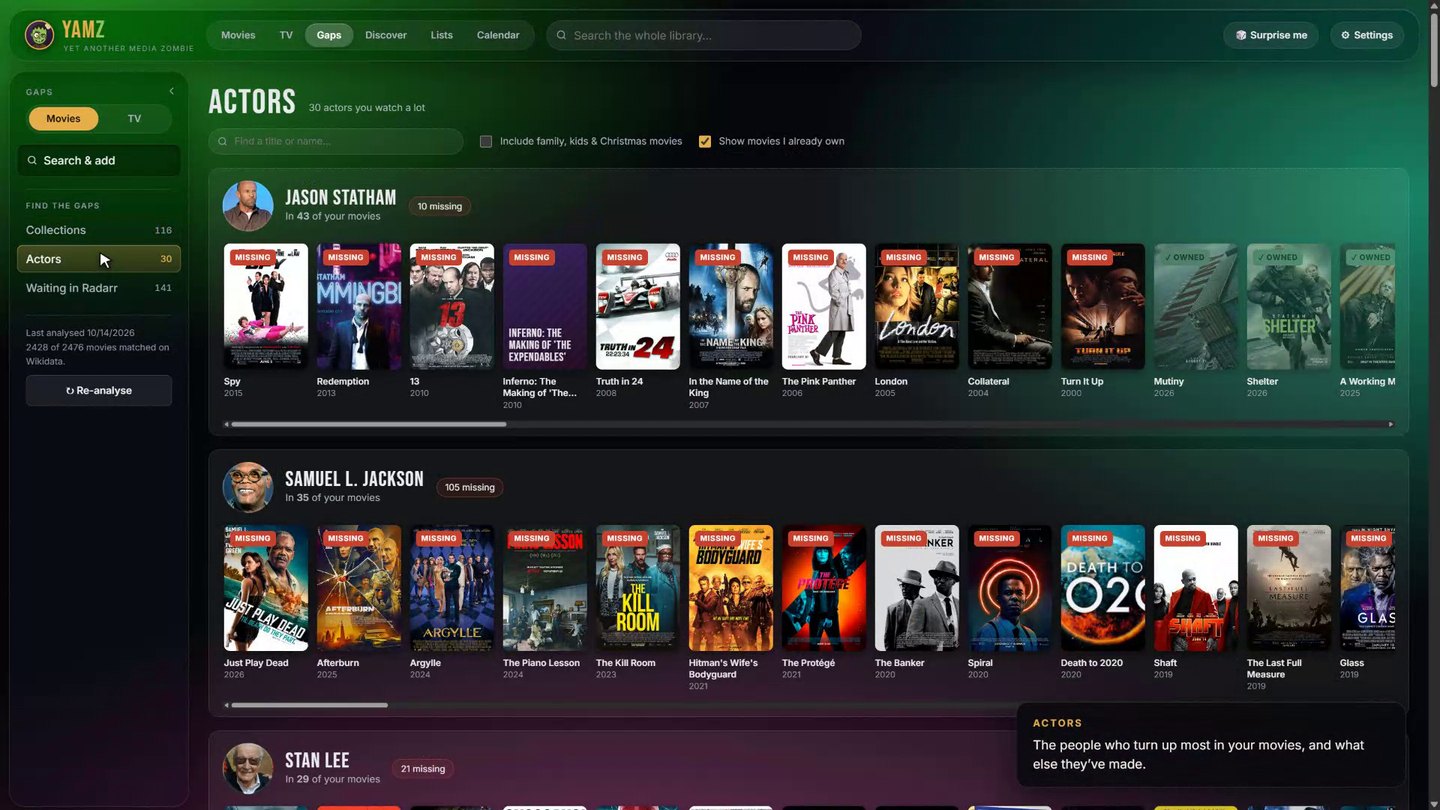
- Gaps — search for any movie or show and add it to a list, Plex Watchlist, Radarr or Sonarr; incomplete franchises/collections (missing films first), your most-watched actors and the films of theirs you don't own, and TV shows with missing seasons or episodes.
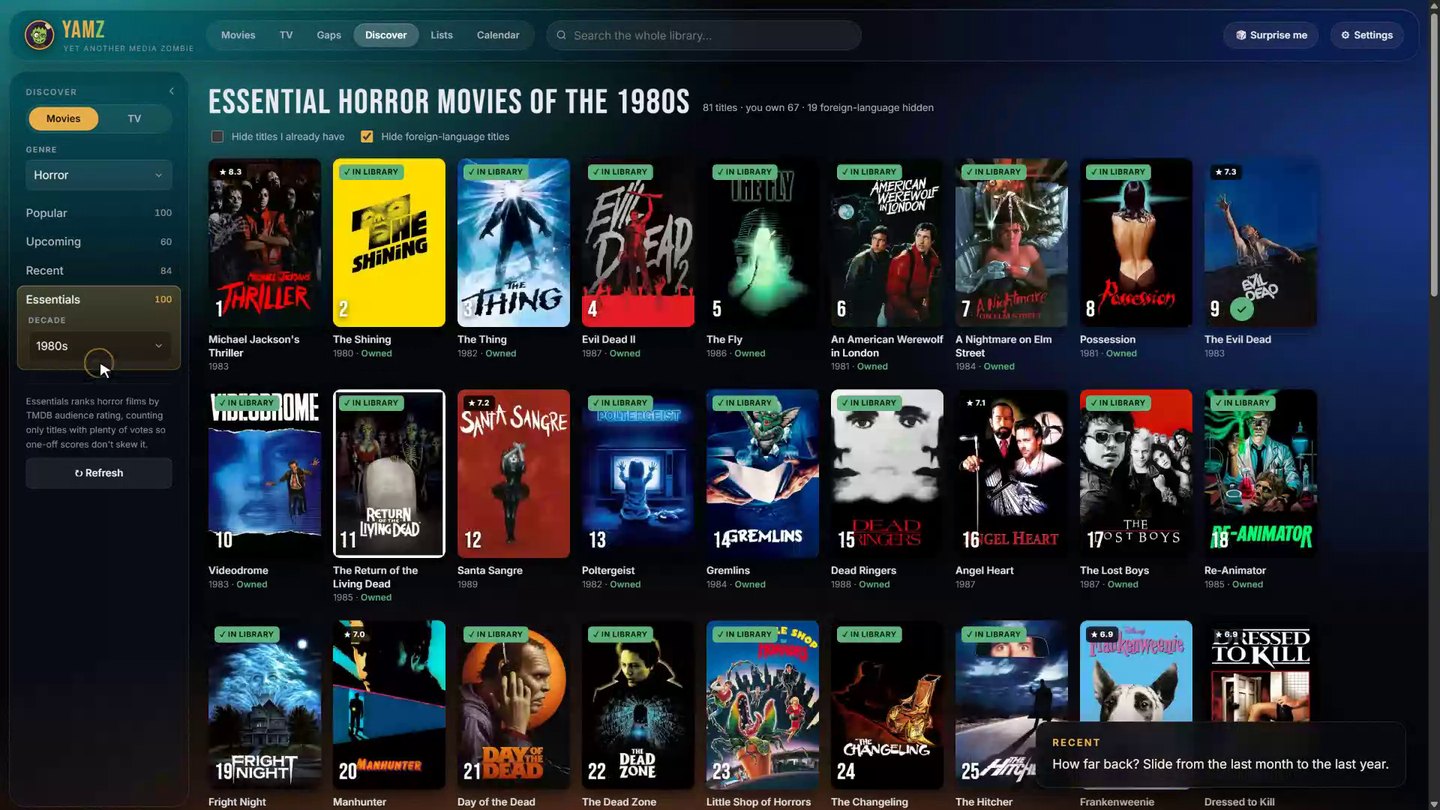
- Discover — Popular, Upcoming and Recent (last 1–12 months) for movies or TV, filterable by genre. Pick a genre to unlock Essentials: the greatest titles in that genre, all time or by decade.
- Lists — your own lists (marathons, shopping lists, films to lend a mate), plus your Plex Watchlist synced alongside.
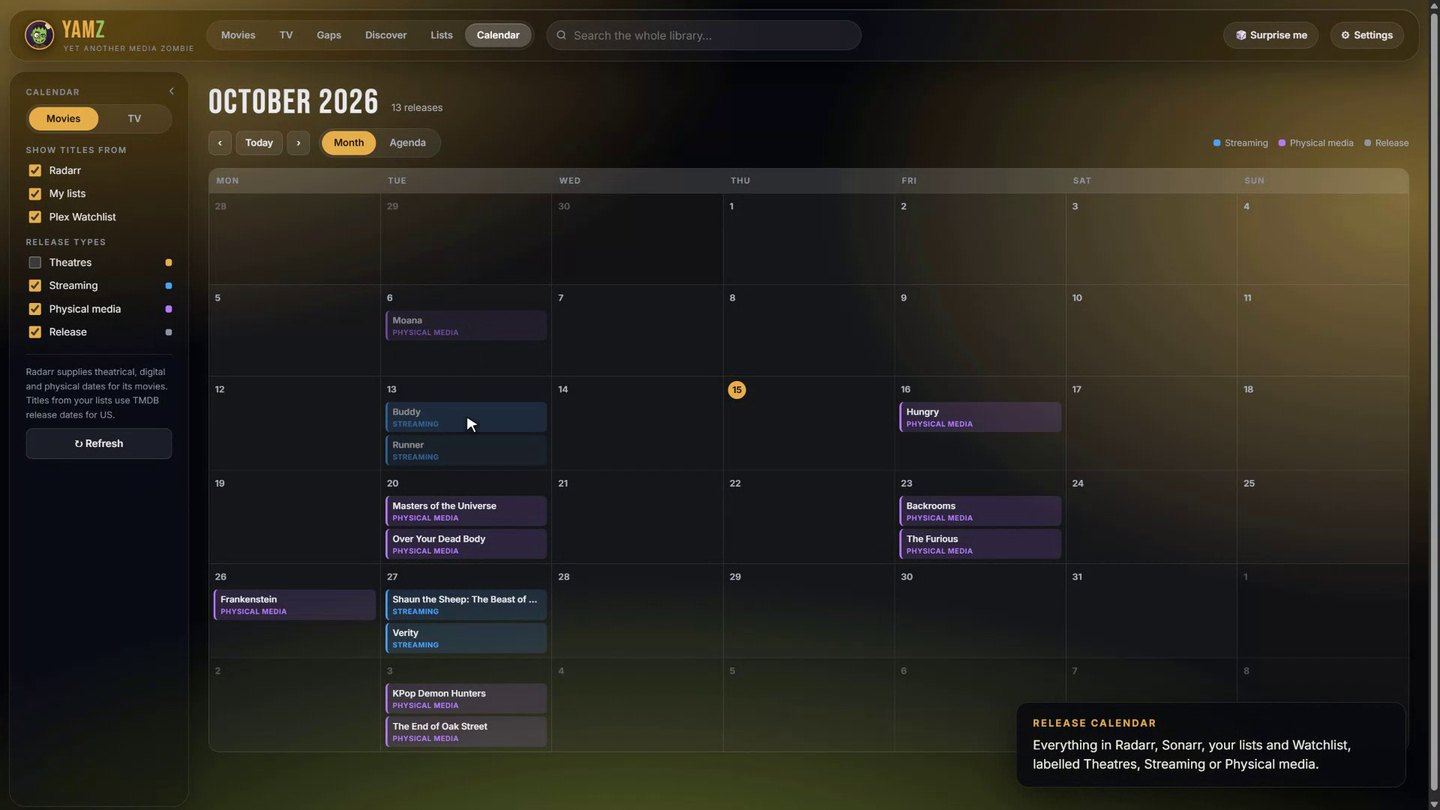
- Calendar — month or agenda view of upcoming releases for everything in Radarr, Sonarr, your lists and your Plex Watchlist, labelled Theatres, Streaming or Physical media (episodes for TV).
- Connections — Plex Watchlist, Radarr and Sonarr (documented v3 API only: look up and add titles with your root folder, quality profile, tags and monitoring options).
- Make it yours — dark, light, auto or Glass theme (frosted panels with an ambient glow that follows the poster you're on), 9 accent colours, 5 poster sizes, rounded or square corners, and a side menu that can auto-hide.
- Server mode — built-in sign-in, settings shared across every device, backups, and requests to your LAN servers relayed by YAMZ (no CORS or mixed-content problems behind https).
No API keys are required. Metadata comes from Wikipedia/Wikidata and TVmaze; a free TMDB key gives richer data, TMDB-powered Discover lists (trending, release dates, audience-rated Essentials) and theatrical/digital/physical release dates.
Install with Docker
docker run -d --name yamz \
  -p 7979:7979 \
  -v /path/to/appdata/yamz:/config \
  -e PUID=1000 -e PGID=1000 -e TZ=Australia/Brisbane \
  --restart unless-stopped \
  ghcr.io/zombifiedturkey/yamz:latest
Then open http://<server-ip>:7979 and create your account.
Or with Compose — see docker-compose.yml.
Unraid
YAMZ is in Community Applications:
- Apps tab → search for YAMZ → Install.
- Check the settings (the defaults are fine for most people) → Apply.
- Click the YAMZ icon → WebUI, and create your account.
Installing the template by hand instead
- Open a terminal (the >_ icon at the top right of the Unraid web UI) and run:
wget -O /boot/config/plugins/dockerMan/templates-user/my-YAMZ.xml \ https://raw.githubusercontent.com/zombifiedturkey/YAMZ/main/unraid/yamz.xml - Docker tab → Add Container → in the Template dropdown pick YAMZ (under User templates) → Apply.
- Click the YAMZ icon → WebUI, and create your account.
Appdata defaults to /mnt/user/appdata/yamz, running as 99:100 (nobody:users).
Settings (environment variables)
| Variable | Default | What it does |
|---|---|---|
PORT |
7979 |
Port inside the container. |
PUID / PGID |
99 / 100 |
User/group YAMZ runs as and owns /config. |
TZ |
Etc/UTC |
Timezone for logs. |
YAMZ_AUTH |
on |
none turns off YAMZ's own sign-in — only if your reverse proxy already requires a login (Authelia, Authentik…). |
YAMZ_TRUST_PROXY |
false |
true when behind a reverse proxy: secure cookies over https and real client IPs for sign-in rate-limiting. |
YAMZ_ALLOW_SELF_SIGNED |
false |
true if Plex/Jellyfin/Radarr/Sonarr use https with self-signed certificates. |
YAMZ_BASE_PATH |
(empty) | Only if your proxy serves YAMZ under a sub-folder without stripping it, e.g. /yamz. |
YAMZ_USER / YAMZ_PASSWORD |
(empty) | Optional: create the first account automatically instead of the setup screen. |
YAMZ_SESSION_DAYS |
30 |
How long a sign-in lasts. |
Reverse proxy
YAMZ works behind SWAG, Nginx Proxy Manager, Traefik or Caddy on its own (sub)domain. Set YAMZ_TRUST_PROXY=true.
yamz.example.com {
    reverse_proxy 192.168.1.10:7979
}
location / {
    proxy_pass http://192.168.1.10:7979;
    proxy_set_header Host $host;
    proxy_set_header X-Forwarded-Proto $scheme;
    proxy_set_header X-Forwarded-For $proxy_add_x_forwarded_for;
}
Because YAMZ relays requests to Plex, Jellyfin, Radarr and Sonarr itself, those servers can stay on plain http on your LAN — the browser only ever talks to YAMZ.
The standalone file
YAMZ.html is the whole app in one file. Download it, open it in Chrome, Edge or Firefox, and connect your library — no install. Everything is stored in that browser.
- To move to the Docker version: Settings → Backup → Download backup in the file, then Restore backup in the server.
- Browsers limit what a local file can reach. If Jellyfin, Radarr or Sonarr connections fail from the file, use the Docker version.
Data & privacy
- Server mode keeps everything in
/config:state.json(settings, lists, connections, caches),auth.json(account, scrypt-hashed password) andsessions.json(hashed sign-in tokens). Back up the folder, or use Settings → Backup. - Server addresses, API keys and tokens are stored on your server and only delivered to signed-in browsers. They are never sent anywhere except to the servers they belong to.
- Lookups go directly from your browser to Wikipedia, Wikidata, TVmaze and (if you add a key) TMDB/OMDb.
- Forgot your password? Stop the container, delete
auth.jsonfrom your appdata folder, start it again and create a new account. Your library and settings are kept.
Live demo
The demo at https://zombifiedturkey.github.io/YAMZ/ is the real app with a service worker standing in for the YAMZ server, Plex, Radarr, Sonarr, Wikidata and TVmaze (demo/sw.js). Everything stays in your browser; Reset in the corner puts it back to the start. It's rebuilt on every push to main by .github/workflows/pages.yml; demo/seed.json is the starting library.
Development
npm run dev # http://localhost:7979, data in ./config
No dependencies — Node 20+ only. The UI is YAMZ.html; the server is server/server.js. Images are built for linux/amd64 and linux/arm64 by GitHub Actions and published to ghcr.io on every push to main (:edge) and every v* tag (:latest, :1.1.0, :1.1).
Found a bug? Got an idea?
Please open an issue: there's a quick form for bug reports and one for feature ideas. YAMZ is new and vibe-coded, so reports are genuinely helpful. Please leave API keys, tokens and passwords out of anything you paste.
Credits
Metadata: Wikipedia & Wikidata (CC BY-SA / CC0), TVmaze (CC BY-SA), optional TMDB and OMDb. This product uses the TMDB API but is not endorsed or certified by TMDB. Not affiliated with Plex, Jellyfin, Radarr or Sonarr.
License
Categories
Related apps
Explore more like this
Explore allDetails
ghcr.io/zombifiedturkey/yamz:latestRuntime arguments
- Web UI
http://[IP]:[PORT:7979]/- Network
bridge- Shell
sh- Privileged
- false
Template configuration
Port for the YAMZ web interface.
- Target
- 7979
- Default
- 7979
- Value
- 7979
Where YAMZ keeps its settings, lists, account and cache.
- Target
- /config
- Default
- /mnt/user/appdata/yamz
- Value
- /mnt/user/appdata/yamz
User ID YAMZ runs as (Unraid default: 99 = nobody).
- Default
- 99
- Value
- 99
Group ID YAMZ runs as (Unraid default: 100 = users).
- Default
- 100
- Value
- 100
Keep 'on'. Choose 'none' ONLY if a reverse proxy in front of YAMZ already requires a login (Authelia, Authentik, etc.).
- Target
- YAMZ_AUTH
- Default
- on|none
- Value
- on
Set to true when you reach YAMZ through a reverse proxy (SWAG, Nginx Proxy Manager, Traefik, Caddy). Enables secure cookies over https and correct client addresses for sign-in protection.
- Target
- YAMZ_TRUST_PROXY
- Default
- false|true
- Value
- false
Set to true if your Plex, Jellyfin, Radarr or Sonarr use https with a self-signed certificate.
- Target
- YAMZ_ALLOW_SELF_SIGNED
- Default
- false|true
- Value
- false
Only needed if your reverse proxy serves YAMZ under a sub-folder (e.g. /yamz) WITHOUT stripping it. Leave empty otherwise.
- Target
- YAMZ_BASE_PATH
Optional. Creates this account on first start instead of the in-browser setup screen.
- Target
- YAMZ_USER
Optional. Password for the initial account (at least 8 characters). You can remove it after the first start.
- Target
- YAMZ_PASSWORD