
All apps · 0 apps

WeatherNode
Docker app from centauri's Repository
Overview
Readme
View on GitHubWeatherNode
WeatherNode is a self hosted weather dashboard for your personal weather station. It combines live station readings with external data like forecasts, alerts, radar, air quality, astronomy, and more.
I built WeatherNode for my own station first. I wanted a dashboard that loads fast, stays usable during API outages, and lets me choose where the data comes from. Once it worked well enough for daily use, I decided to share it so you can run it too.
Screenshots
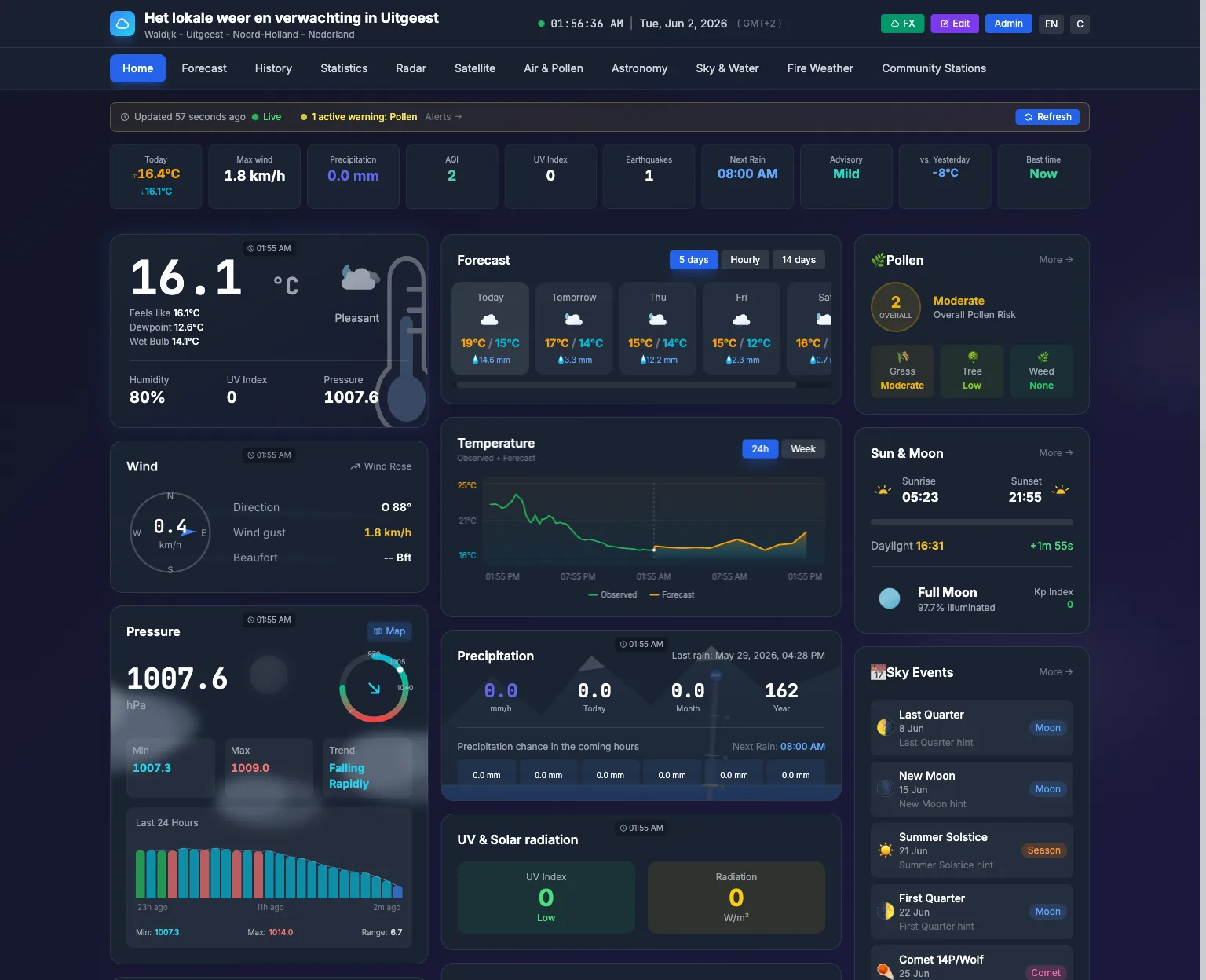
The public dashboard — live station readings, the current forecast, and the day's trends:
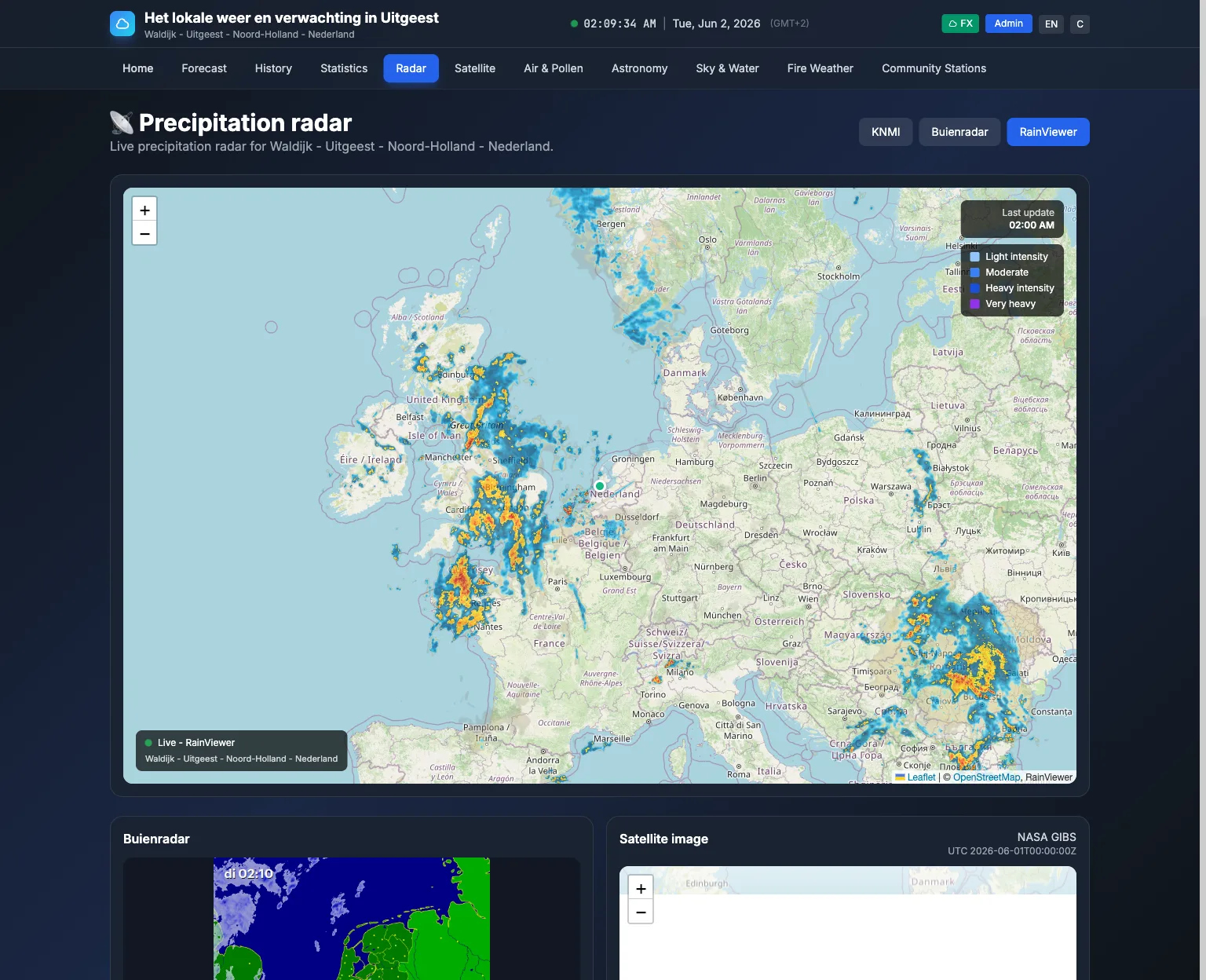
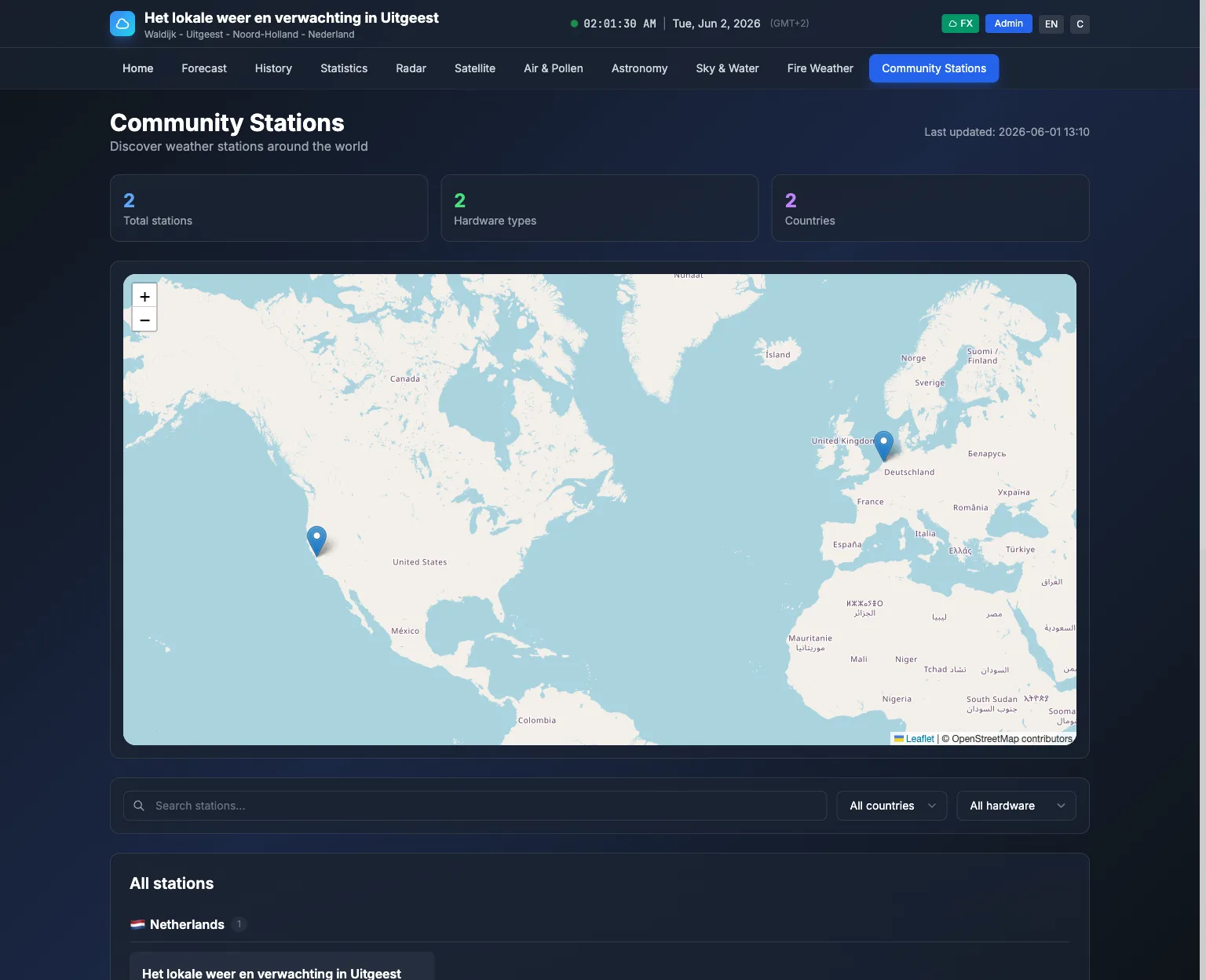
| Precipitation radar | Community stations map |
|---|---|
 |
 |
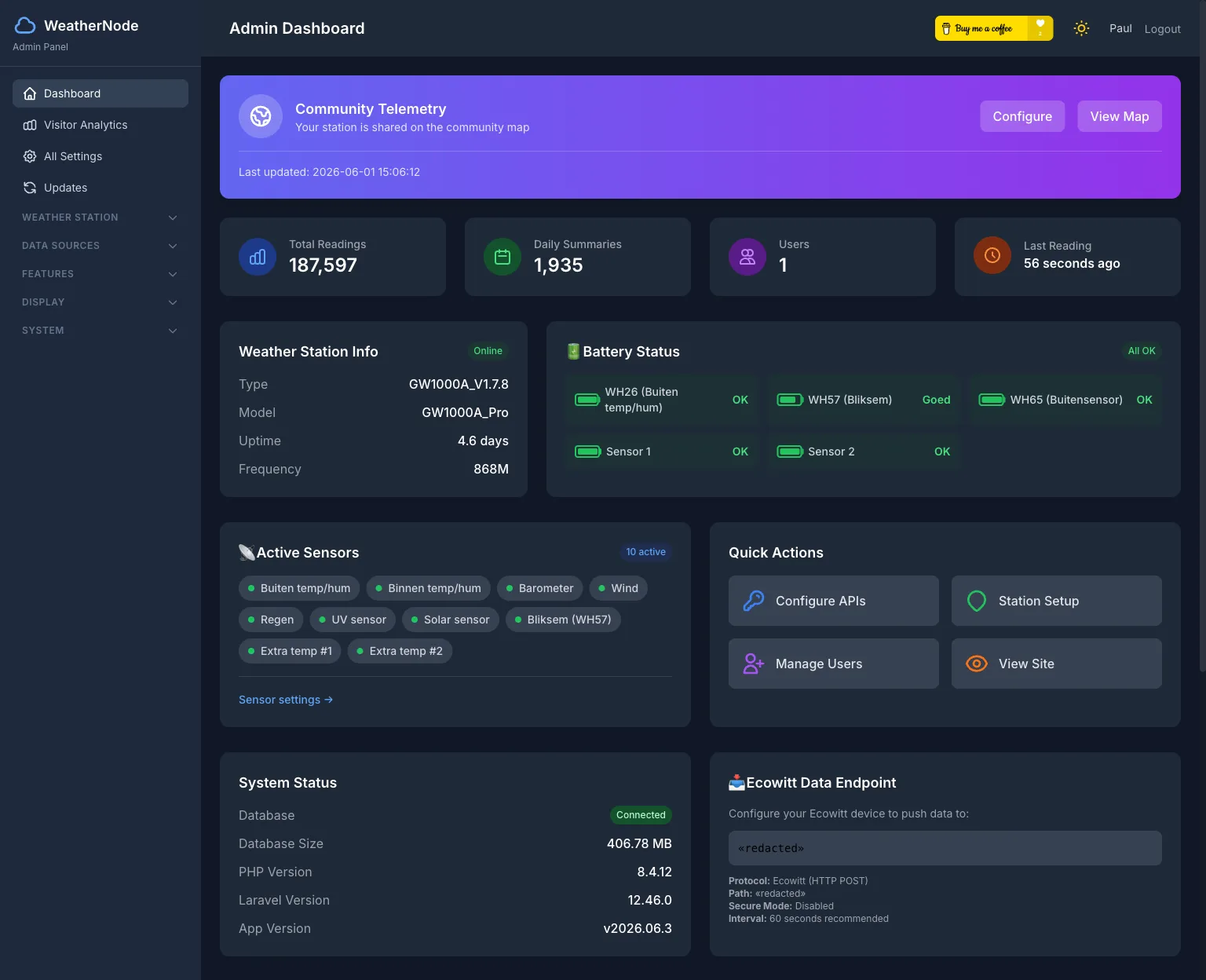
The admin panel — a dashboard with live ingest stats and station status, and settings to configure dozens of data sources, sensors, widgets and themes:
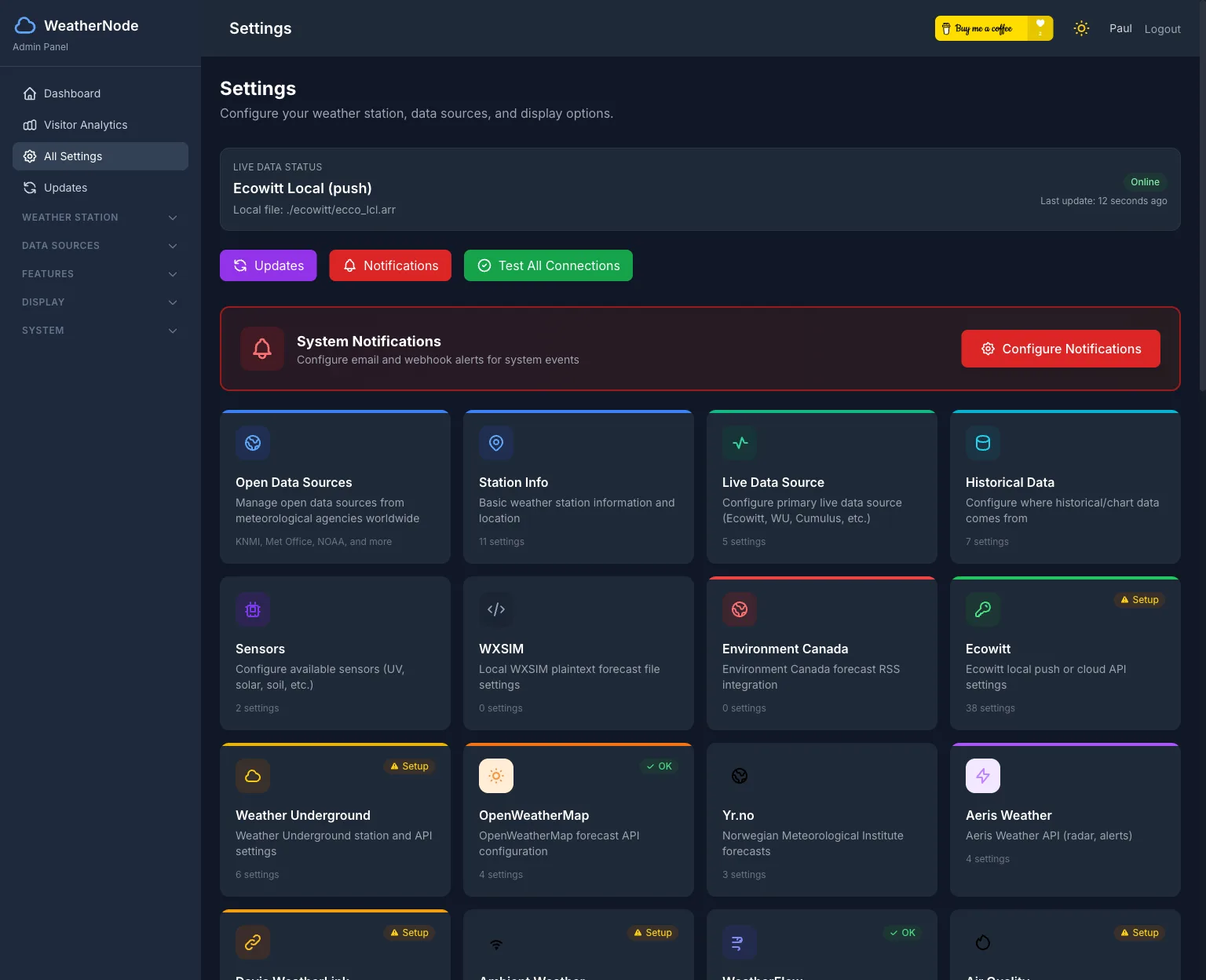
More pages
WeatherNode has dedicated pages for each data source — a few more:
| Forecast | Satellite |
|---|---|
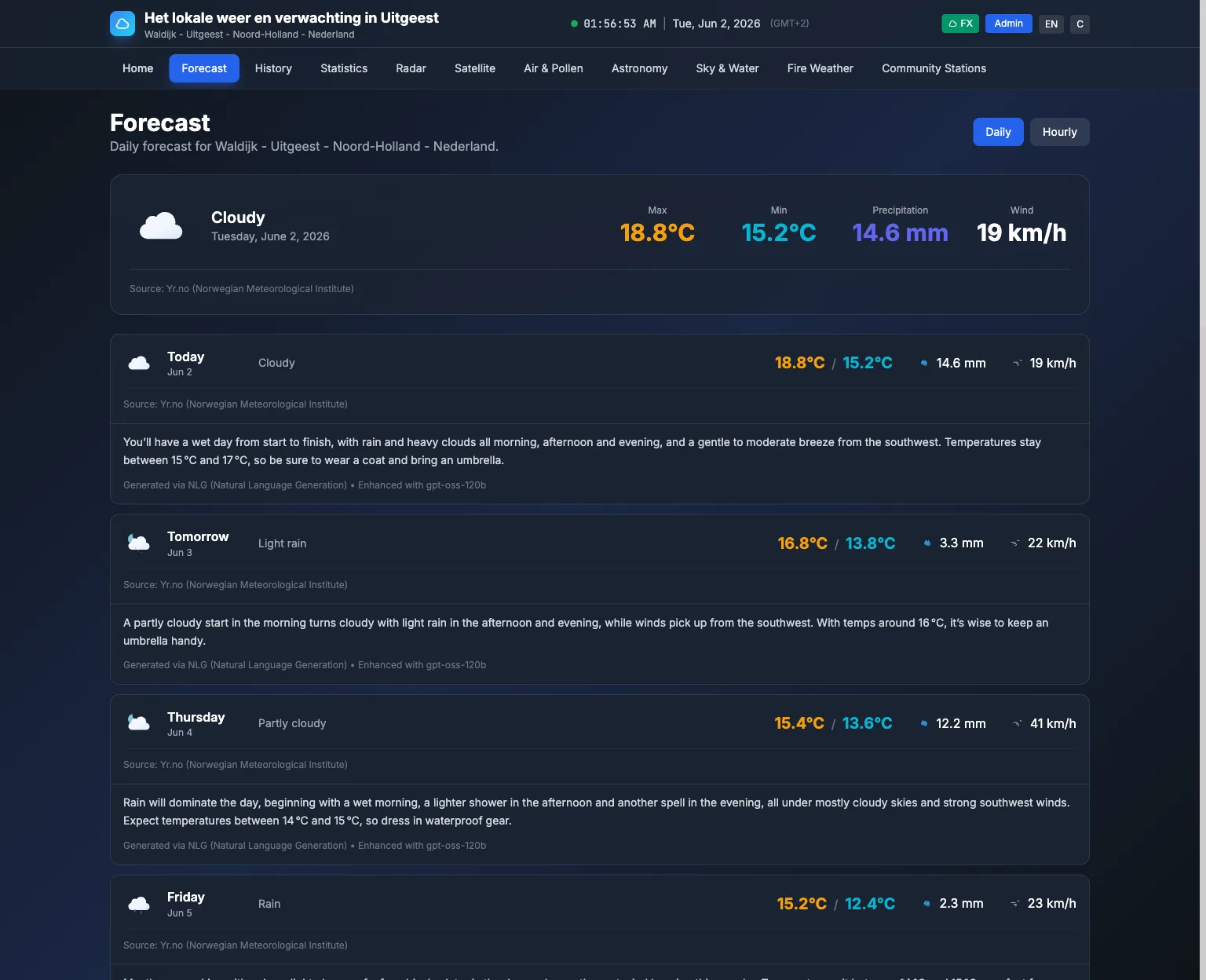 |
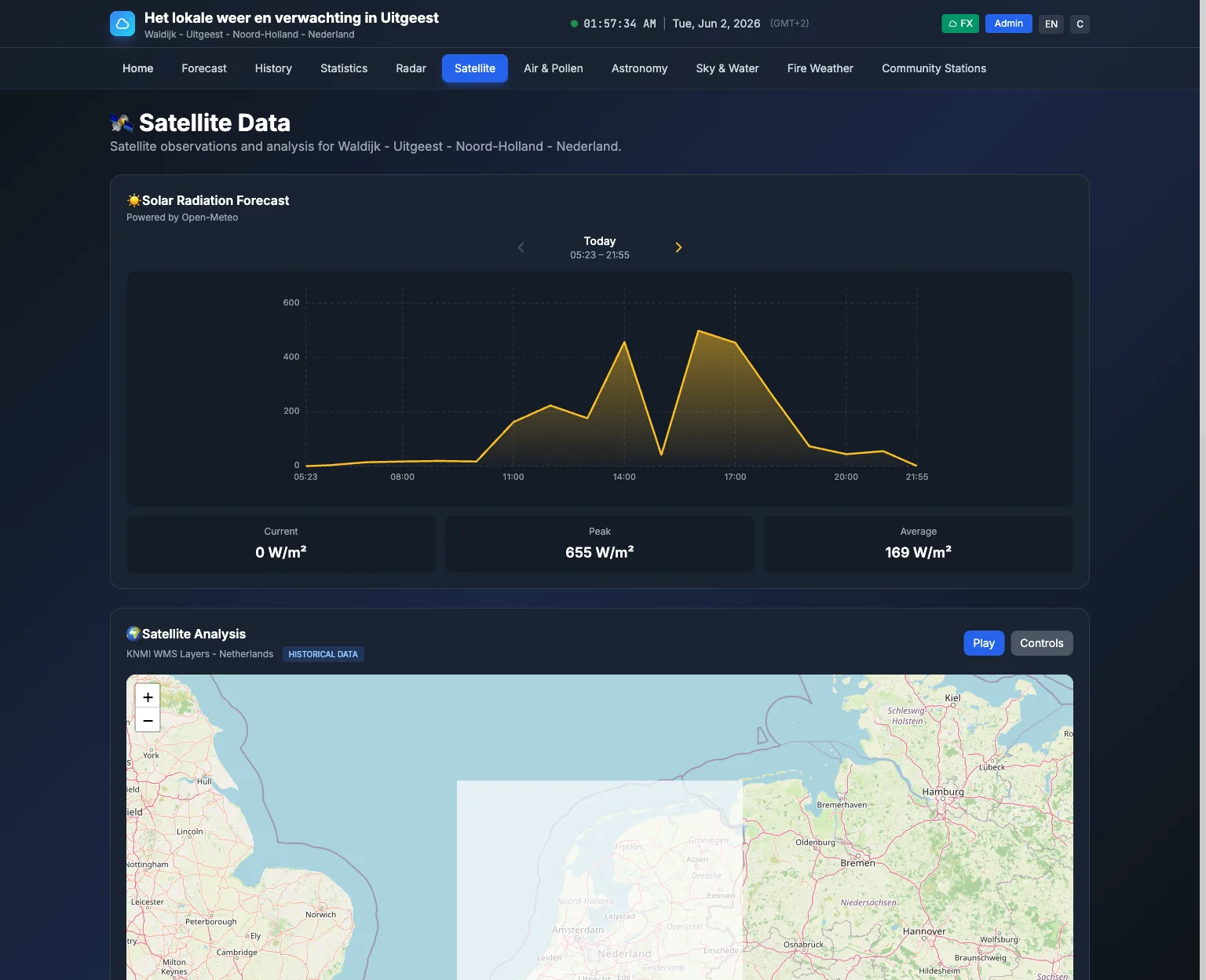 |
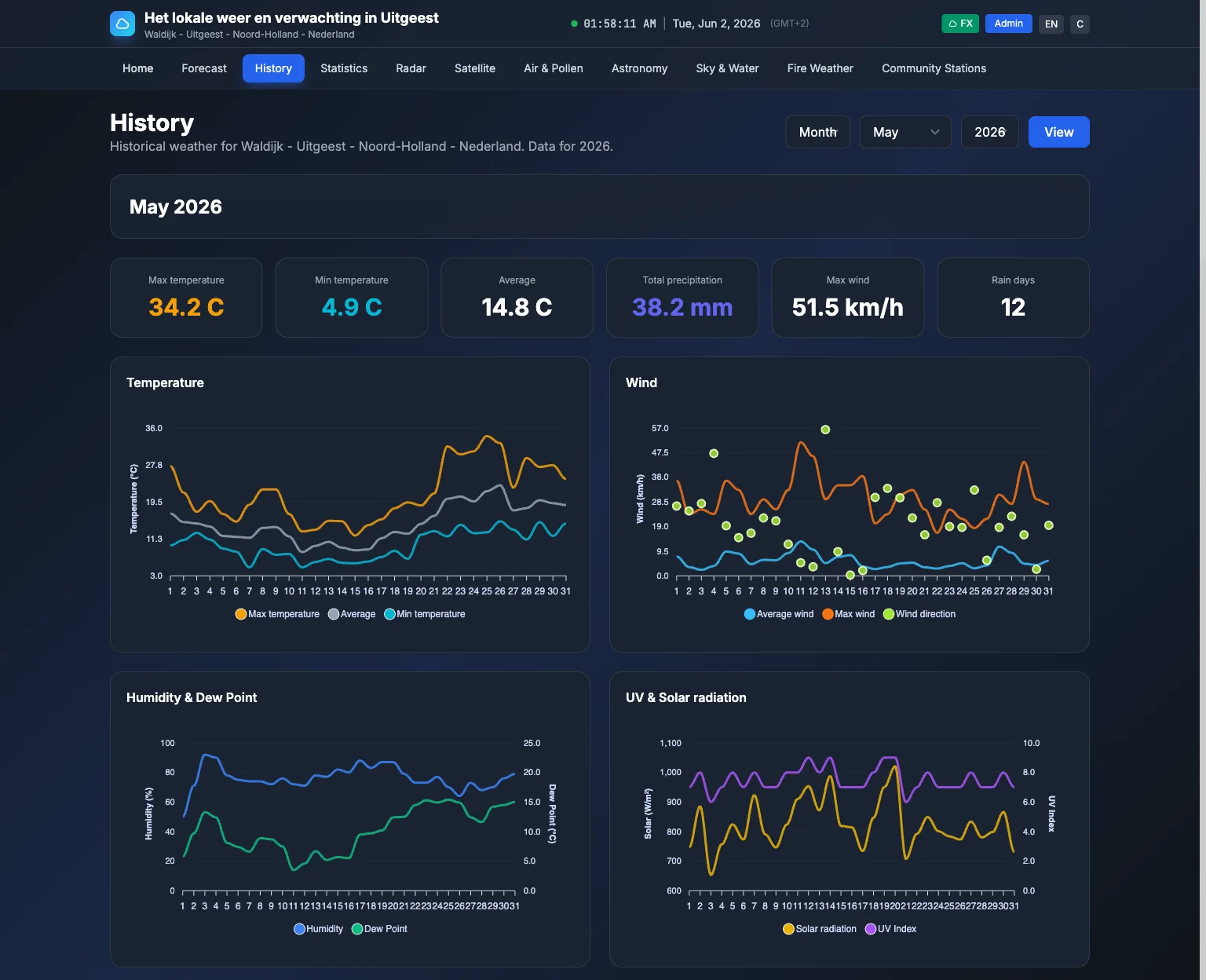
| Statistics & records | History |
|---|---|
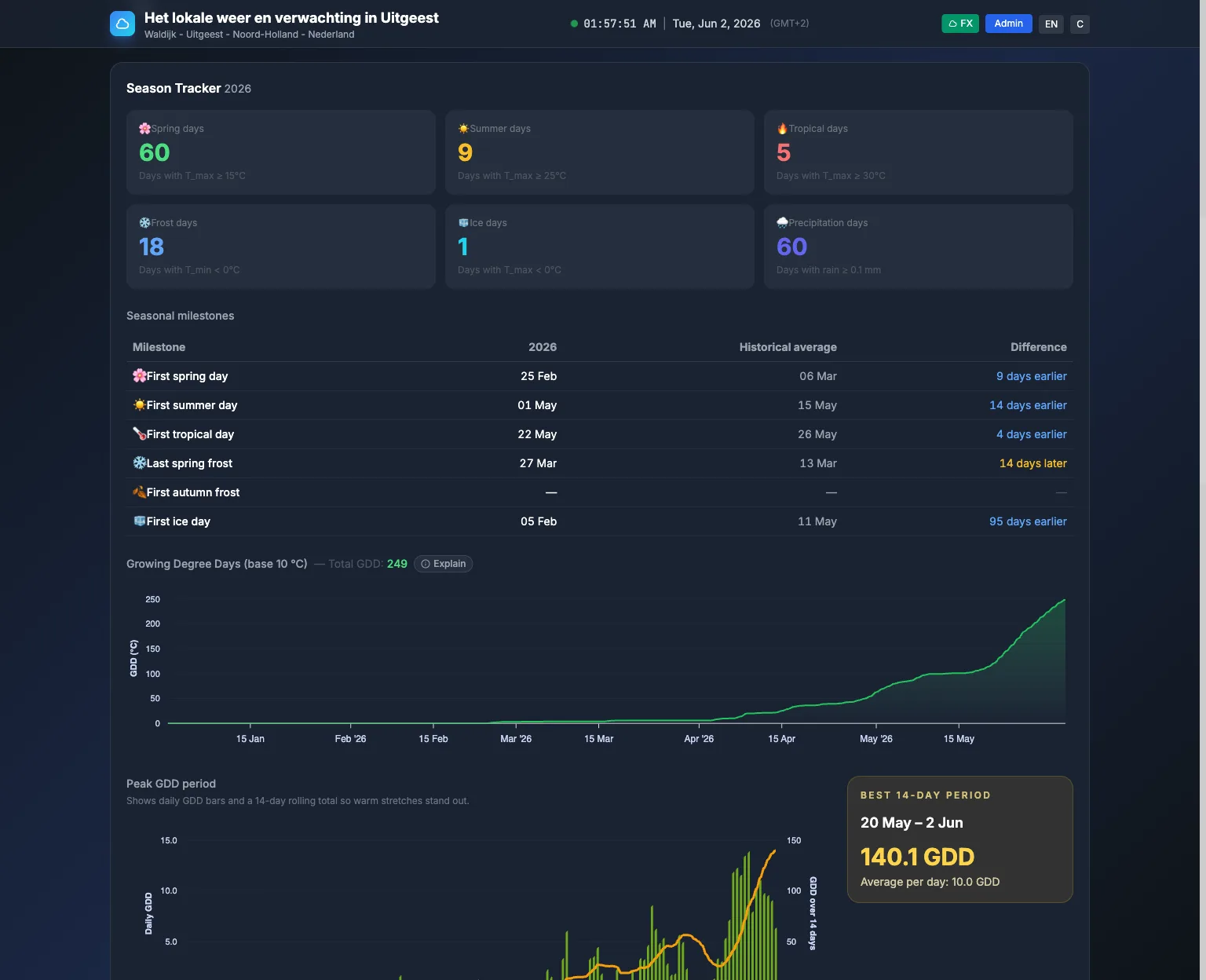 |
 |
| Air quality | Fire weather |
|---|---|
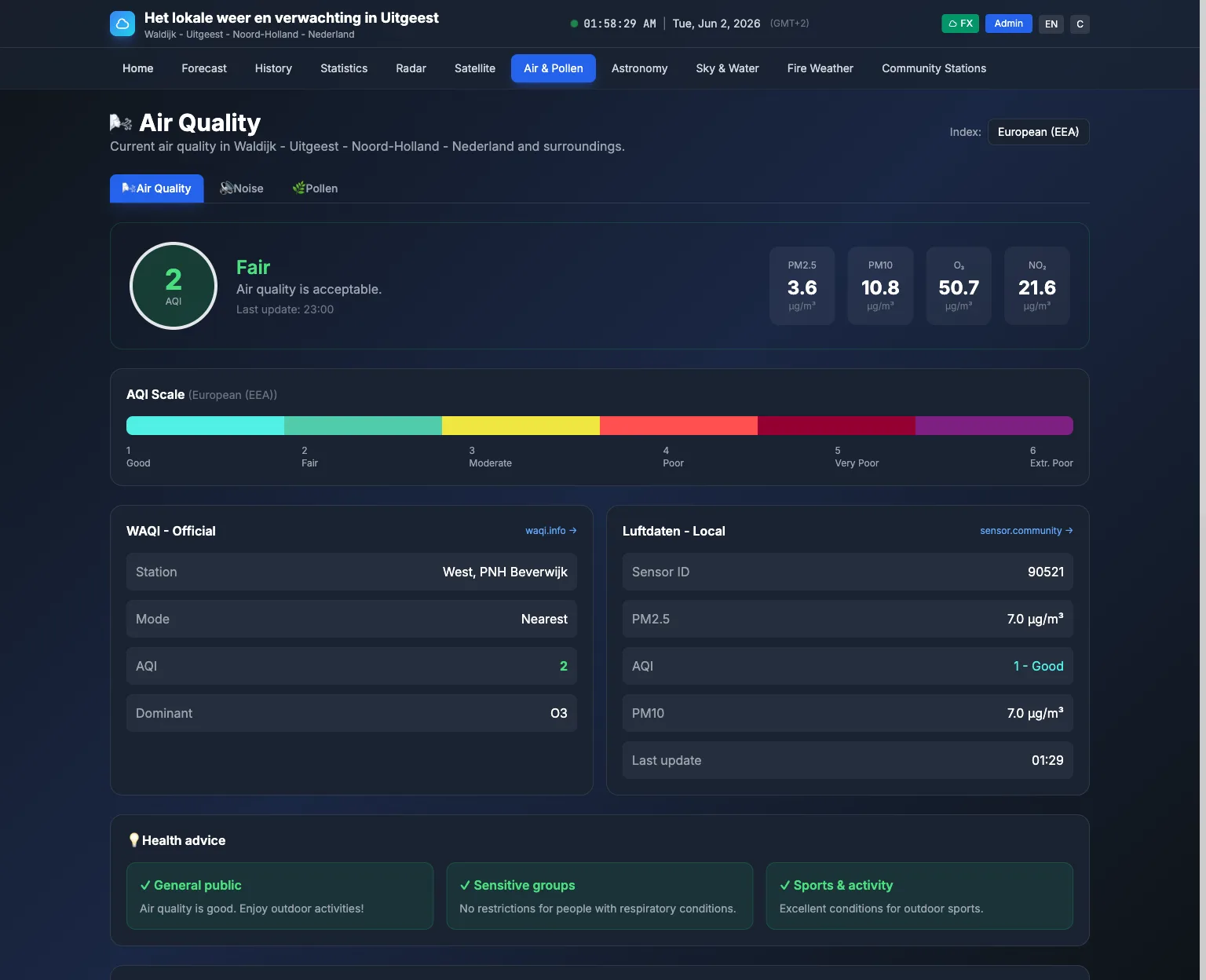 |
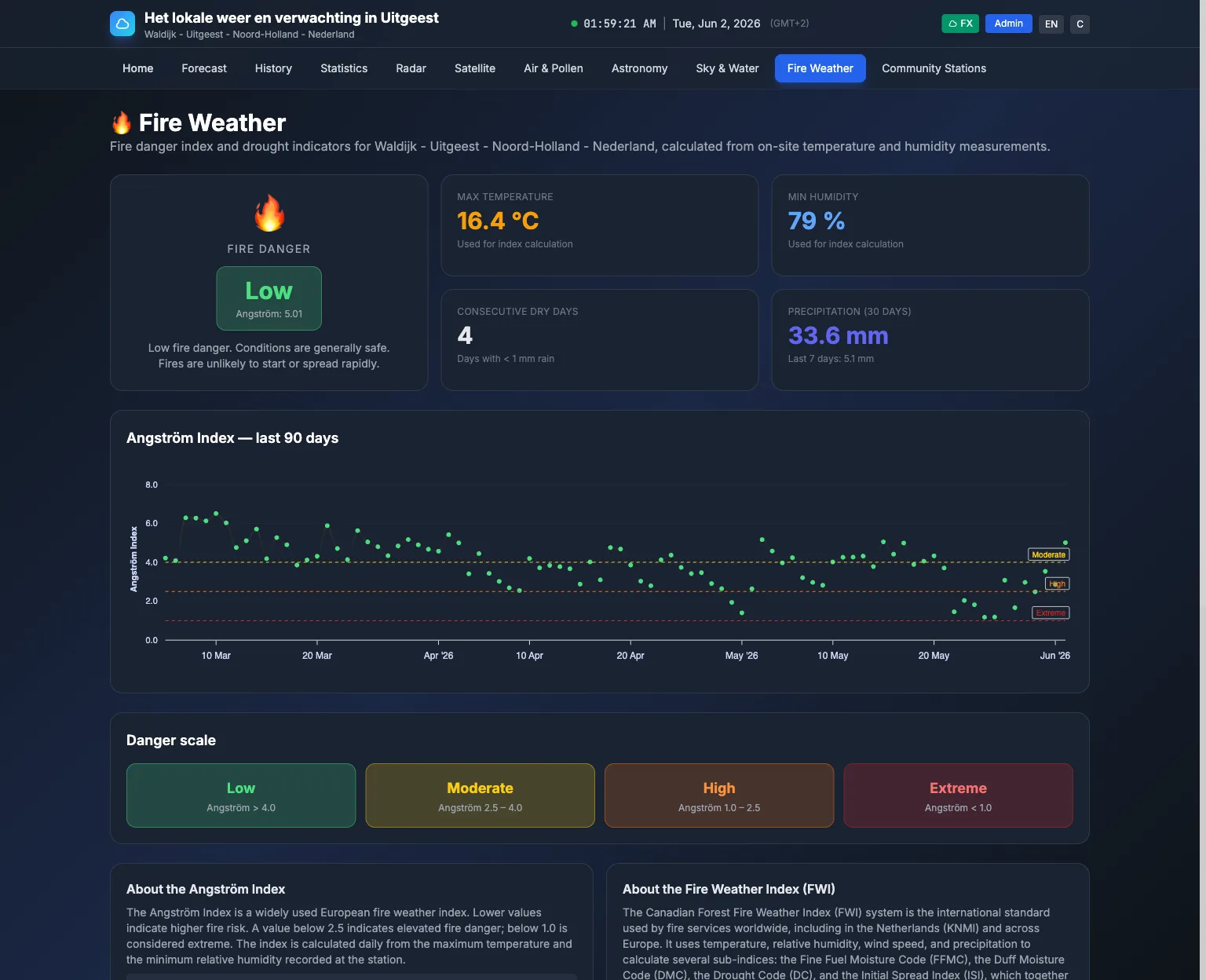 |
| Pollen forecast | Aviation / METAR |
|---|---|
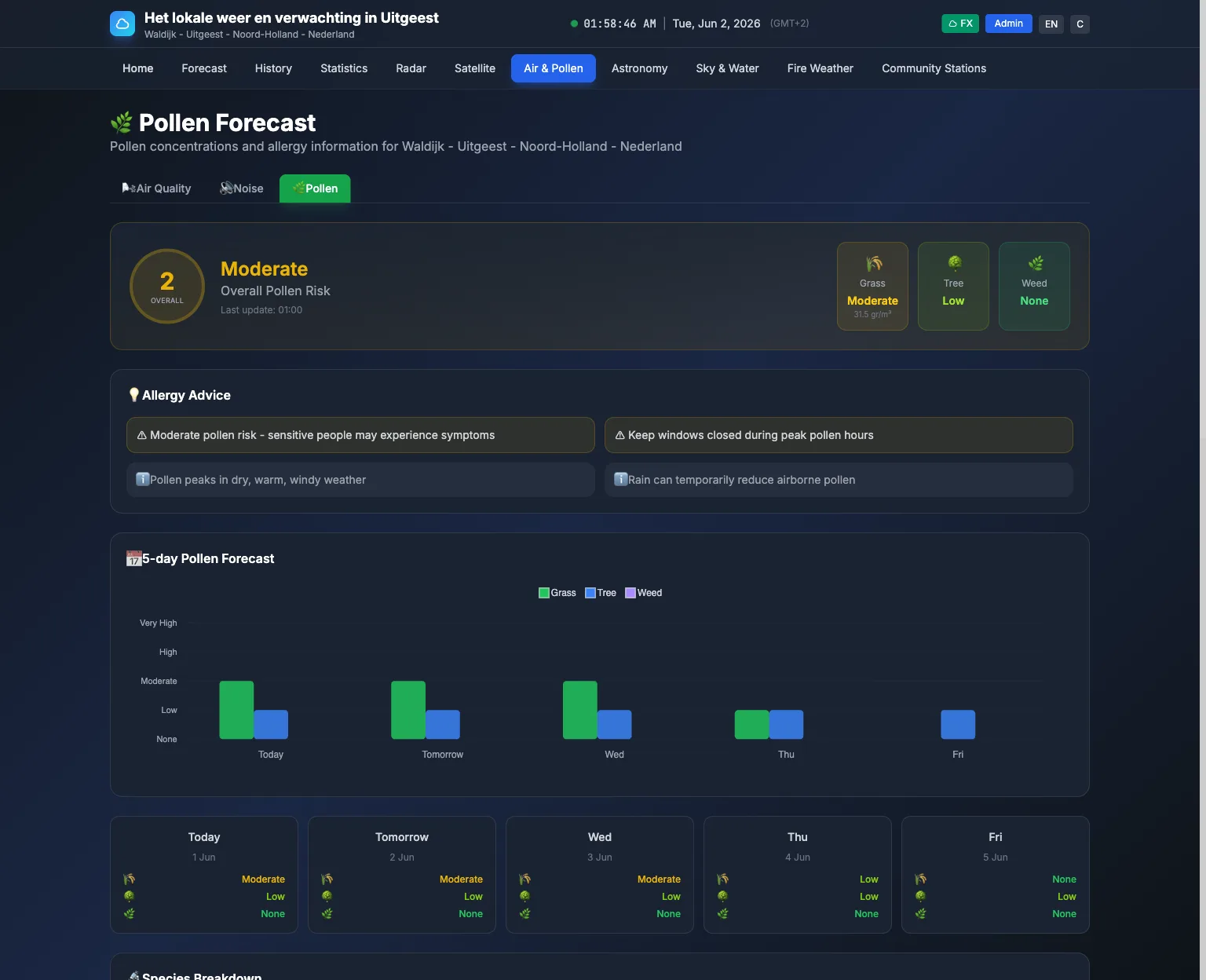 |
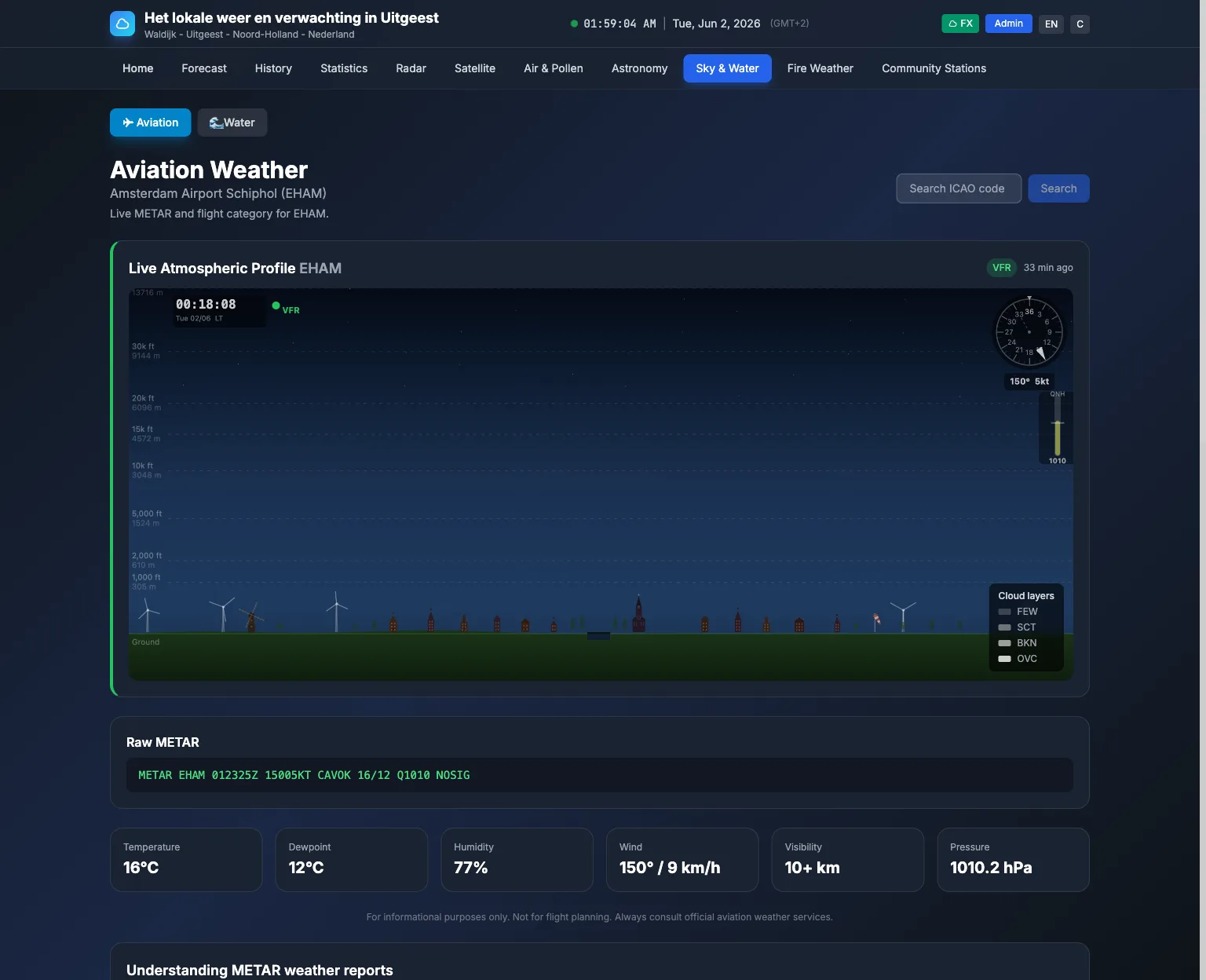 |
| Tides | River levels |
|---|---|
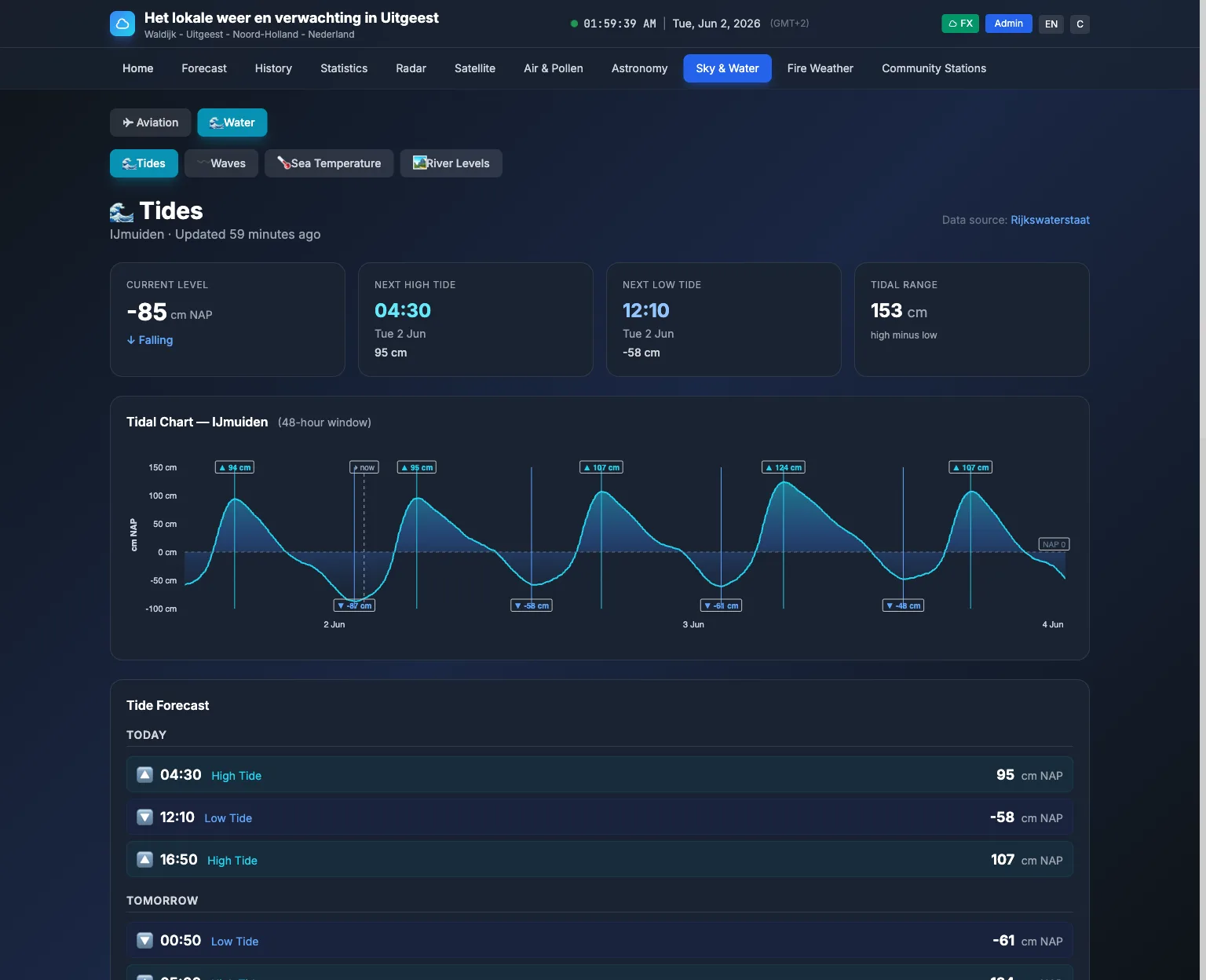 |
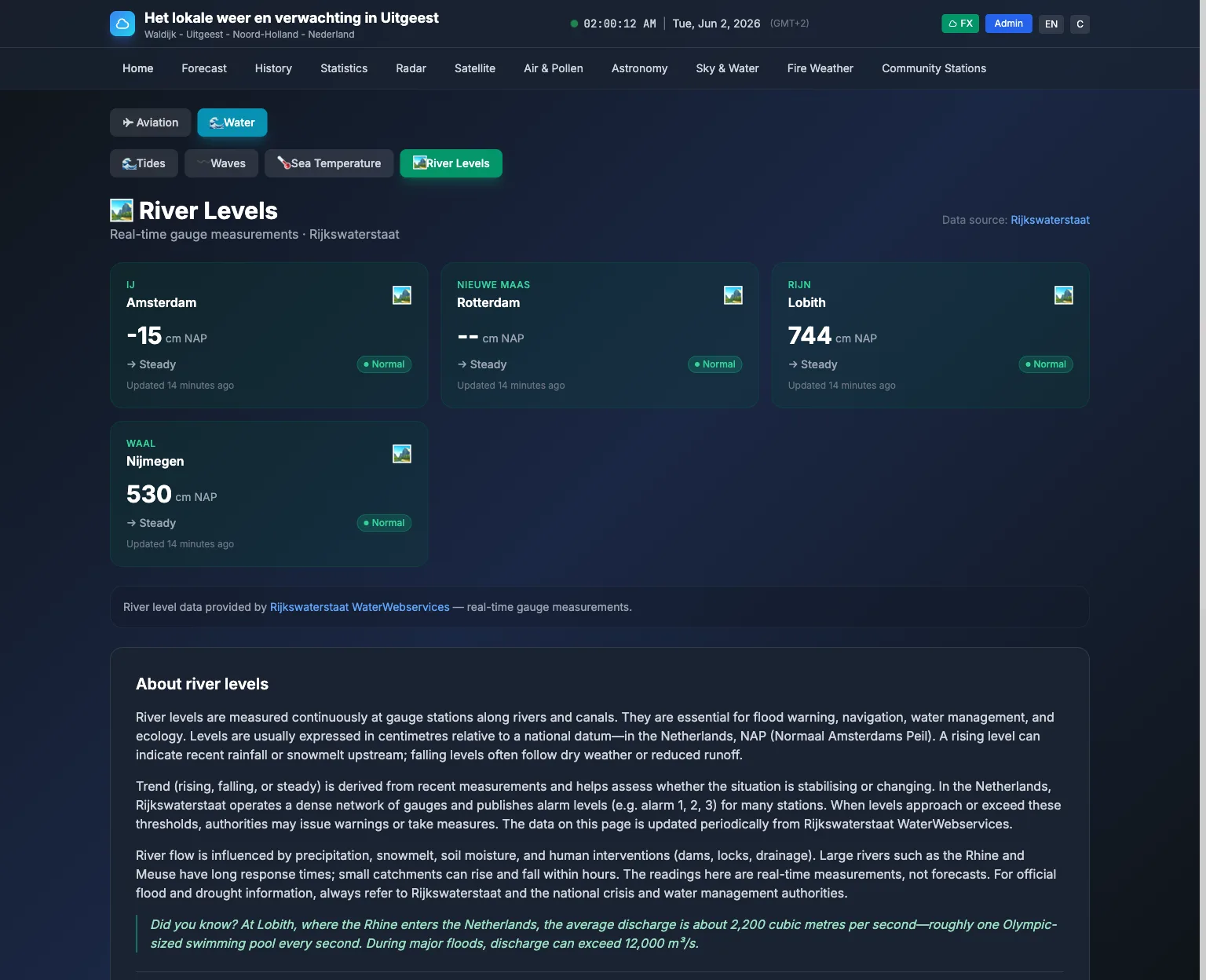 |
| Noise level | Astronomy |
|---|---|
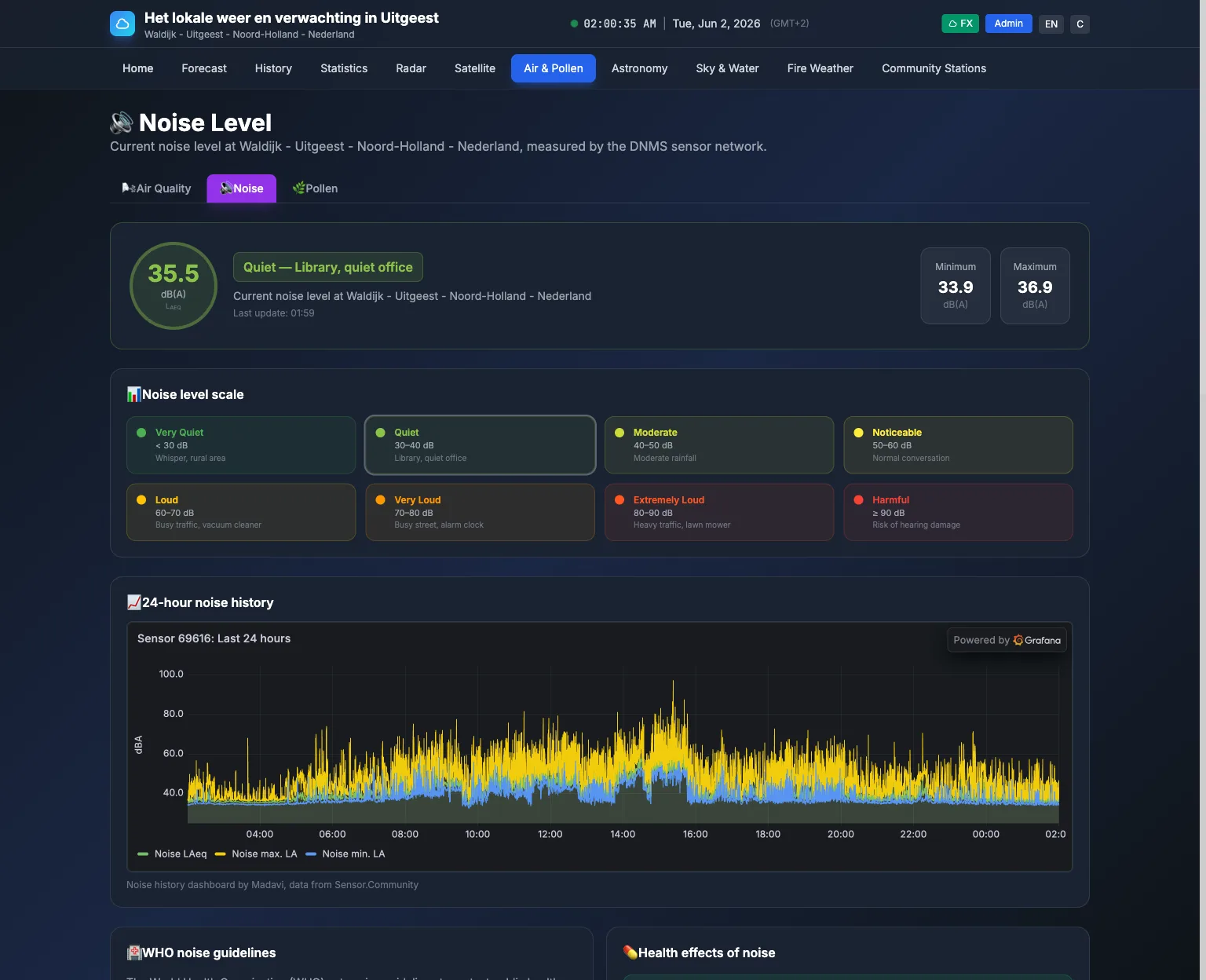 |
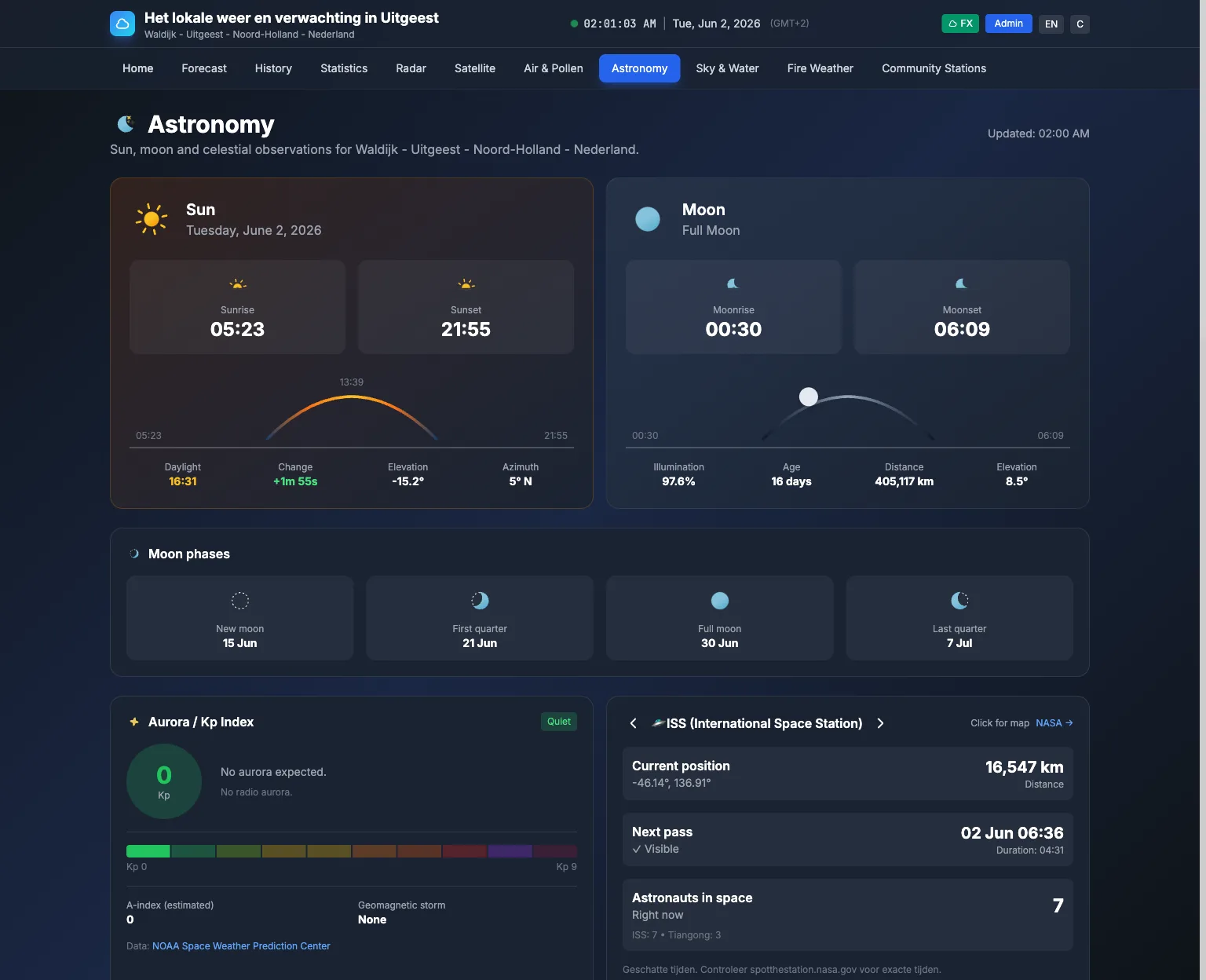 |
Live demo running a real station: meteouitgeest.nl
If you are setting up a server, start with HOSTING.md to choose the right setup for your situation (VPS, shared hosting, or Docker), then follow DEPLOYMENT.md for the step-by-step install.
Support

Documentation
- Admin guide, ADMIN_GUIDE.md. Use this if you run the site.
- User guide, USER_GUIDE.md. Use this if you visit the site.
- Hosting guide (start here to choose a setup), HOSTING.md
- Deployment guide (step-by-step install), DEPLOYMENT.md
- Shared hosting quickstart (no server npm), SHARED_HOSTING_QUICKSTART.md
- Development guide, DEVELOPMENT.md
- Versioning guide, VERSIONING_GUIDE.md
- Release runbook (commit/build/release flow), docs/RELEASE_RUNBOOK.md
- GitHub (source control and releases), GITHUB.md
- Changelog, CHANGELOG.md
- Telemetry aggregator notes, docs/AGGREGATOR_SERVICE.md
- License, LICENSE.txt
- Trademarks, TRADEMARKS.md
Where the details live
This README stays focused on what WeatherNode is and what you get. Detailed server setup lives in DEPLOYMENT.md. Detailed admin operations live in ADMIN_GUIDE.md.
Features
🌡️ Live station data
- Live station readings from Ecowitt, WeatherFlow, WeatherLink, Ambient Weather, Wunderground, and local file sources.
- Per card timestamps so you see when each data source last updated.
- Sensor health detection and OFFLINE badges when a source goes stale.
- Optional alert notifications when fetching or saving fails.
🌤️ External data
- Forecast sources include Yr.no, OpenWeatherMap, Weather Underground, Environment Canada, and Wxsim.
- Weather alerts support multiple providers by region.
- Air quality from WAQI and Sensor.Community.
- Aurora, ISS passes, astronomy calculations, earthquakes, and METAR.
🗺️ Pages
- Radar and satellite pages.
- Forecast, air quality, astronomy, earthquakes, lightning, and pressure map pages.
- History and statistics pages.
- Community stations map.
🧰 Admin and operations
- Admin panel for data sources, widgets, appearance, effects, mail, and updates.
- In app updater with preview, backups, and rollback.
- Cache first public site. WeatherNode updates data in the background and serves public pages from cache.
🎨 Customization
- FX and Flat visual modes, with WeatherNode, Ocean, Forest, and Solar Flare colour palettes and visitor-selectable light/dark/system modes.
- Admin drag and drop widget ordering on the dashboard.
- Optional visual effects like rain, snow, wind, lightning, and fog.
🌐 Locale and units
- Language and unit defaults set by the site admin.
- Optional browser based locale and region detection, with fallback to the site defaults.
🔐 API and security
- JSON API is protected by API keys. You manage keys at /admin/api-keys.
- Authentication, endpoints, response details, and integration examples are documented in docs/API.md.
- Optional secure push mode for Ecowitt receivers.
📡 Community telemetry
- Optional station telemetry upload to a community aggregator.
- Community stations map page, if you enable telemetry.
🤖 Optional AI
- Built in forecast narrator.
- Optional AI rephrasing for forecast text, off by default.
Requirements
- PHP 8.2 or newer.
- SQLite or MySQL.
- Composer.
- Node.js and npm for building frontend assets.
Quick start for local development
git clone https://github.com/centauri/WeatherNode.git
cd WeatherNode
composer install && npm install
cp .env.example .env && php artisan key:generate
php artisan migrate && php artisan db:seed
php artisan admin:create
npm run build && php artisan serve
Open your site and sign in at /admin using the admin account you created with php artisan admin:create.
Local development helpers
composer run setup
composer run dev
composer test
Admin bootstrap
php artisan db:seed seeds system settings.
Create your first admin account with:
php artisan admin:create
For automation, use non-interactive flags:
php artisan admin:create --email=admin@example.com --password="strong-password" --name="Administrator"
After login, users can change their own password from /profile.
If you lose admin access, use php artisan admin:fix-access <email> --password="new-strong-password".
Deployment
DEPLOYMENT.md covers production setup, cron, storage permissions, and web server configuration. For in-app updater behavior (what it runs and what it does not), see the "In-app updater command behavior" section in DEPLOYMENT.md. If you do not have Node.js/npm available, use SHARED_HOSTING_QUICKSTART.md for a no-npm deployment flow.
Docker container
WeatherNode is also available as a Docker image (published on GitHub Container Registry):
docker pull ghcr.io/centauri/weathernode:latest
Recommended Docker setup (compose-first):
git clone https://github.com/centauri/WeatherNode.git
cd WeatherNode
# Edit docker-compose.yml: set APP_URL and APP_KEY
php artisan key:generate --show
make docker-up
The container startup runs migrations automatically. On first startup it also runs one-time bootstrap (storage:link, db:seed, and optional admin:create when ADMIN_EMAIL + ADMIN_PASSWORD are set in docker-compose.yml).
If you leave ADMIN_EMAIL / ADMIN_PASSWORD empty, create the first admin account in the browser at /setup/admin (available only while no users exist).
Log in and WeatherNode asks where the station is and where its readings come from, with a map for the coordinates. It ships knowing nothing about any particular place, so this is the one thing it needs before the weather pages mean anything. It takes a minute and can be put off.
For a friendlier startup check flow, use:
make docker-up
If you changed Docker build files, rebuild with:
make docker-rebuild
For full Docker usage (including the scheduler container), see DOCKER.md.
Release artifacts: why no ZIP on normal push?
A normal commit + push to main only builds/publishes the Docker image (latest).
The deploy ZIP (weathernode-deploy.zip) is created only for tag pushes (v*), for example:
git tag v2026.05.1
git push origin v2026.05.1
AI features
WeatherNode can generate short forecast text. It uses a built in narrator. You can enable optional AI rephrasing for that text, it is off by default. Configuration lives in config/nlg.php and the related environment variables. If you enable AI rephrasing, the app may send forecast text to the configured provider.
Developer utilities
make clean
make release
make release expects a plain text/Markdown changelog bullet (raw HTML tags are rejected).
Media gallery
1 / 4Install WeatherNode on Unraid in a few clicks.
Find WeatherNode in Community Apps on your Unraid server, review the template, and click Install. Unraid handles the Docker app or plugin setup from the published template.
Requirements
Categories
Related apps
Explore more like this
Explore allDetails
ghcr.io/centauri/weathernode:latestRuntime arguments
- Web UI
http://[IP]:[PORT:80]/- Network
bridge- Shell
bash- Privileged
- false
Template configuration
Port for the website. 10130 is unused by other apps in Community Applications (and a nod to 1013 hPa, normal air pressure at sea level).
- Target
- 80
- Default
- 10130
- Value
- 10130
Logs, caches, uploads and the saved secret key (.app-key). Keep this folder in your backups: without the key, saved API keys and passwords cannot be read.
- Target
- /var/www/html/storage
- Default
- /mnt/user/appdata/weathernode/storage
- Value
- /mnt/user/appdata/weathernode/storage
The SQLite database with all readings and settings.
- Target
- /var/lib/weathernode
- Default
- /mnt/user/appdata/weathernode/database
- Value
- /mnt/user/appdata/weathernode/database
The address you open WeatherNode on, for example http://192.168.1.10:10130 or https://weather.example.com. Used for links in e-mails and share images.
- Target
- APP_URL
Creates the first admin account on first start. Leave empty to create it in the browser instead.
- Target
- ADMIN_EMAIL
Password for the admin account above. Only used on first start.
- Target
- ADMIN_PASSWORD
Leave empty. A key is generated on first start and saved in the Storage folder. Only set this to move an existing install; changing it later makes saved API keys and passwords unreadable.
Runs the background tasks that fetch weather data every minute. Leave this on.
- Target
- DOCKER_RUN_SCHEDULER
- Default
- true
- Value
- true
Database type. Leave on sqlite unless you run MySQL yourself (then also set DB_HOST, DB_PORT, DB_USERNAME and DB_PASSWORD).
- Default
- sqlite
- Value
- sqlite
Location of the SQLite file inside the container. It must stay inside the Database folder above.
- Default
- /var/lib/weathernode/database.sqlite
- Value
- /var/lib/weathernode/database.sqlite
Where the cache is kept. Leave on file.
- Default
- file
- Value
- file
Tells WeatherNode it runs in a container, so the Updates page tells you to update the container instead of using the in-app updater.
- Default
- true
- Value
- true
Leave on production.
- Default
- production
- Value
- production
Shows detailed error pages. Only turn on briefly while troubleshooting, as it can reveal settings.
- Default
- false
- Value
- false