

WatchSense
Docker app from UnraidUser-9872395760's Repository
Overview
Readme
View on GitHub
WatchSense
🇮🇹 Italiano · 🇬🇧 English
Self-hosted TV series recommendations driven by your own viewing history and an LLM of your choice.
WatchSense collects what you watched on Netflix, Prime Video, Stremio and Trakt, enriches it with TMDB metadata and asks an OpenAI-compatible LLM (cloud or local) to suggest what to watch next. Your feedback (👍/👎, completed or dropped series, taste notes) is fed back into the next recommendations.
Languages. The UI is in English and Italian. The app language, the language of TMDB metadata and the region used for streaming availability are set separately in Settings (see Language and region); a new install starts in English with the
USregion.
Features
- History import from Netflix (session cookies with automatic sync, bookmarklet, CSV), Prime Video (bookmarklet, CSV), Stremio (account sync) and Trakt (data export). Films found in these histories are stored but not shown or used: WatchSense is for TV series.
- TMDB enrichment: titles and overviews in your language, posters, genres, keywords and the streaming providers of your region.
- LLM recommendations from any OpenAI-compatible endpoint (Kilo, OpenRouter, OpenAI, Groq, DeepSeek, Mistral, Ollama, LM Studio, ...), with presets in the settings page.
- Feedback loop: ratings, show status and free-text taste notes shape the next suggestions.
- Export your whole cross-platform history (CSV) and viewer profile (JSON) anytime.
- Single SQLite file for all data; runs as one Node.js process or one container.
Supported sources
| Source | How |
|---|---|
| Netflix | session cookies with automatic sync, bookmarklet, CSV |
| Prime Video | bookmarklet, CSV |
| Stremio | account sync |
| Trakt | one-off import of the data export |
Details in Sync methods.
Not supported: Disney+, Apple TV+, Paramount+, HBO Max and other services. Many of them do not expose a viewing history at all (Disney+ and Apple TV+ in particular). Their series still appear in the Home charts and in the recommendations, because the charts come from the TMDB watch providers.
Alternatives for now:
- Mark a series yourself from its page with Mark as watching or Mark as completed.
- If you already track on Trakt, import its data export. One way to get your history from several services into Trakt is the browser extension Universal Trakt Scrobbler: it is a third-party project, not affiliated with WatchSense, and WatchSense has not tested it.
More direct sources (e.g. Jellyfin or Plex) may come later; contributions are welcome.
Screenshots
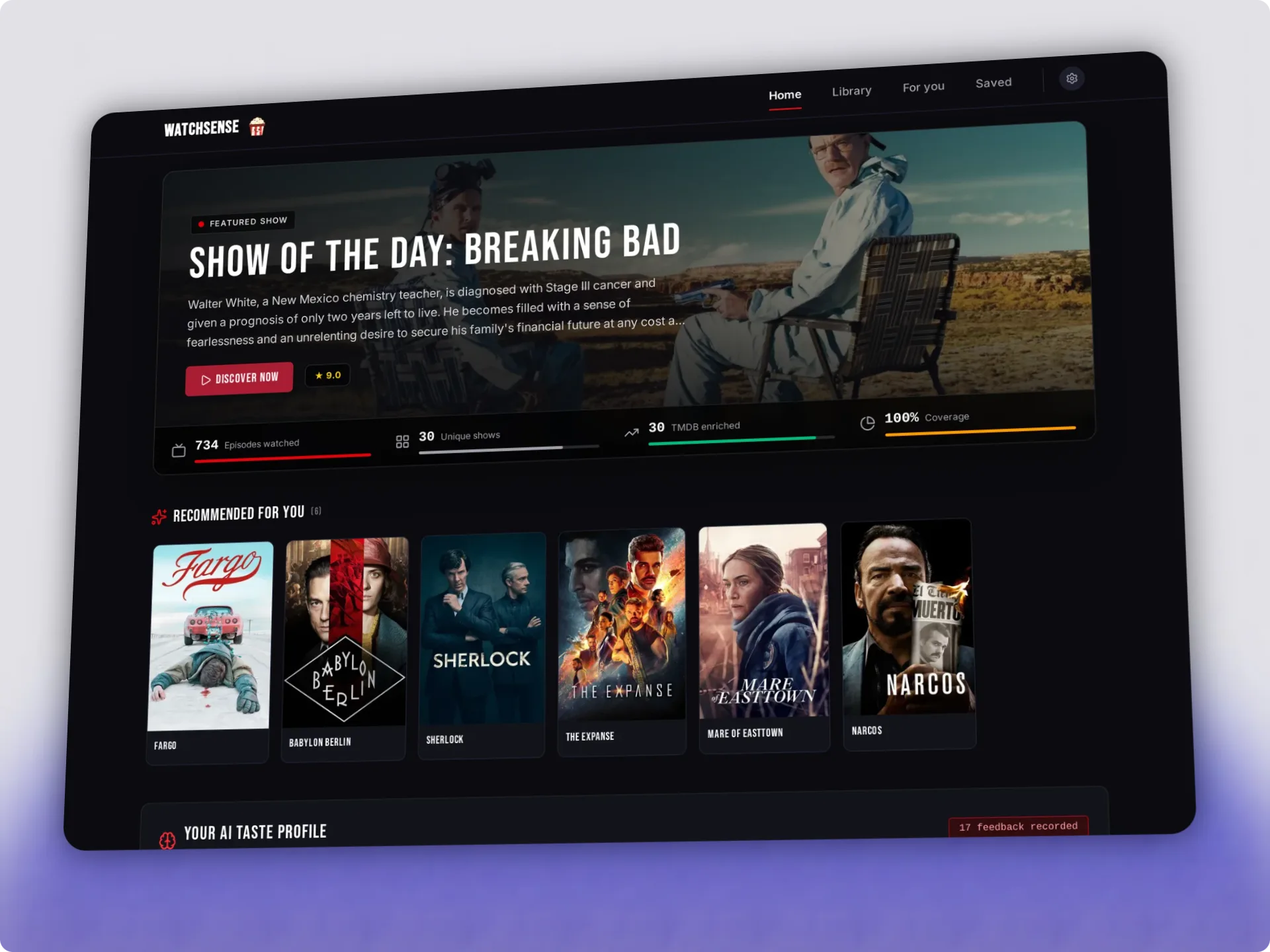
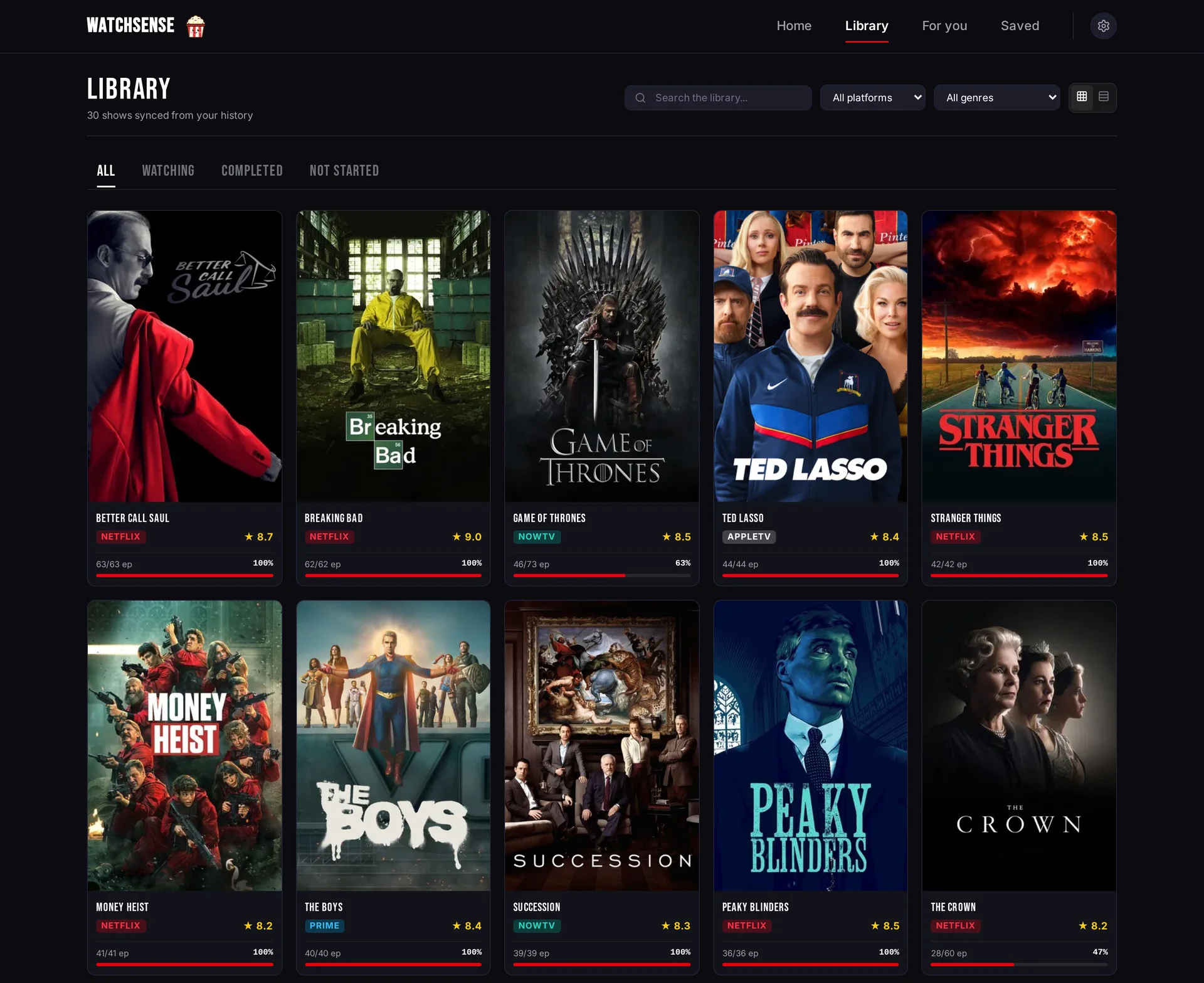
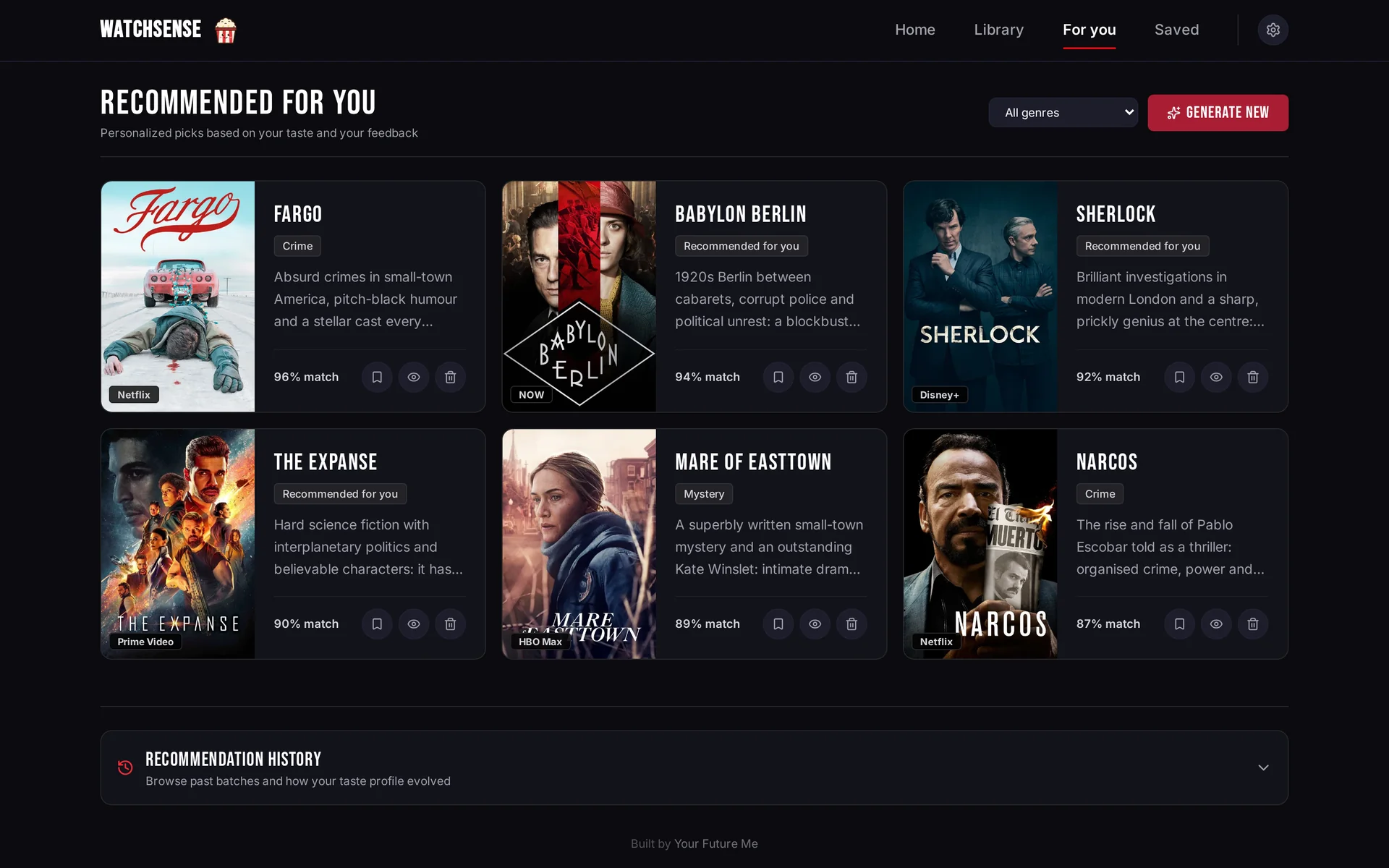
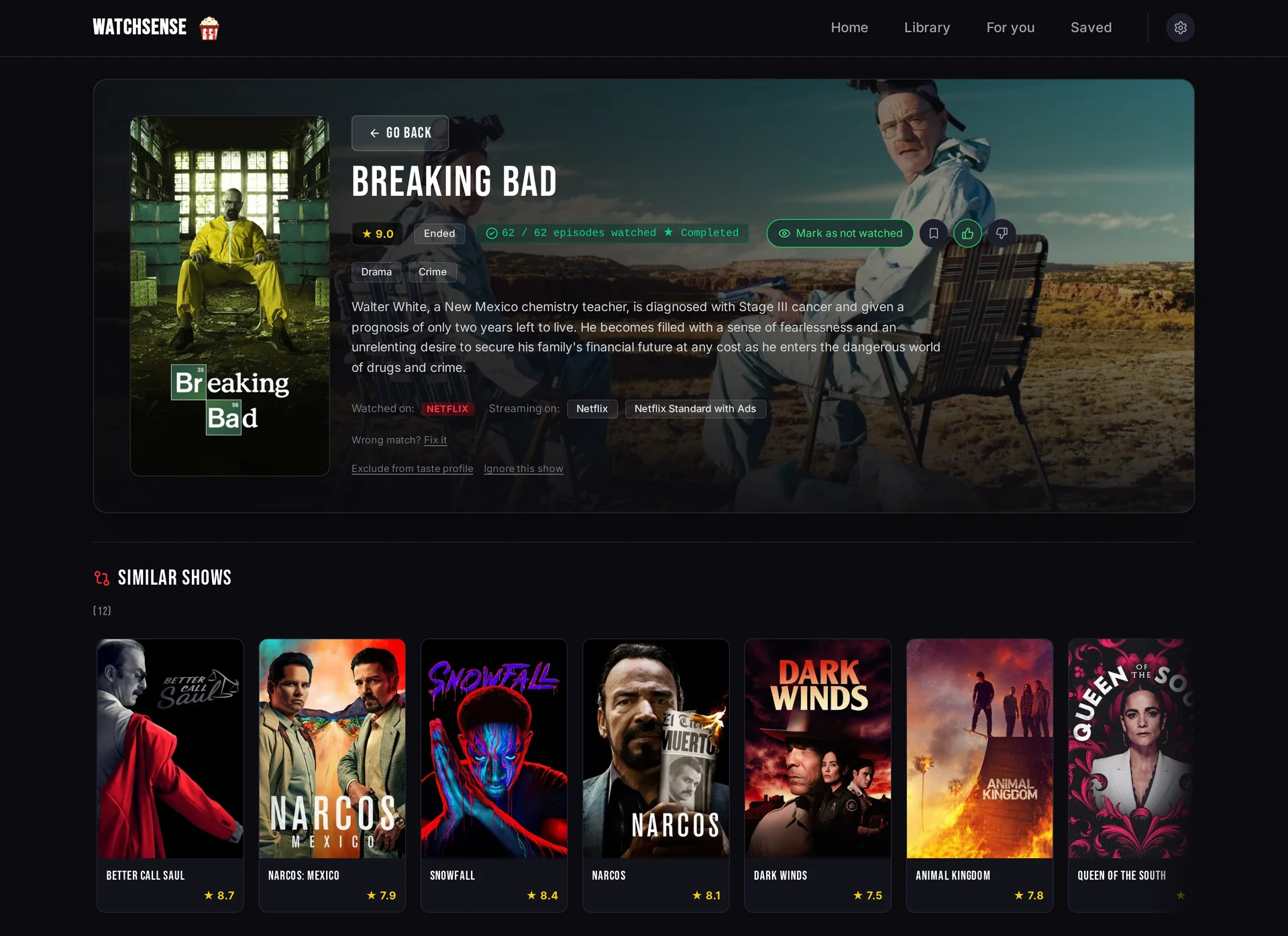
The screenshots were taken from a demo database with fictional viewing history, with the app in English and the US region (see ui/scripts/seed-demo.mjs); the charts are live TMDB data.
| Library | Recommendations ("For you") |
|---|---|
 |
 |
To regenerate them, create a demo database and start the app on it (never on your real data/watchsense.db):
cd ui
TMDB_API_KEY=... node scripts/seed-demo.mjs --locale en /tmp/watchsense-demo/watchsense.db   # --locale it for the Italian demo
npm run build
DATABASE_PATH=/tmp/watchsense-demo/watchsense.db TMDB_API_KEY=... HOST=127.0.0.1 PORT=4400 node .output/server/index.mjs
🚀 Quickstart (Docker)
Requires Docker with Compose, or Podman with podman compose. The image ghcr.io/peppeg/watchsense is published for linux/amd64 and linux/arm64 (e.g. a Raspberry Pi 4/5 with a 64-bit OS): nothing to clone or build.
mkdir watchsense && cd watchsense
curl -fsSLO https://raw.githubusercontent.com/peppeg/watchsense/main/docker-compose.yml
curl -fsSL https://raw.githubusercontent.com/peppeg/watchsense/main/.env.example -o .env
# Edit .env: set TMDB_API_KEY and an LLM provider (LLM_BASE_URL / LLM_API_KEY / LLM_MODEL),
# or set both later in Settings

mkdir -p data exports     # before the first start, as your user (see below)
docker compose up -d      # or: podman compose up -d
Open http://localhost:3000 (the host port follows PORT in .env). The database is created in ./data/ on first start; Trakt exports go in ./exports/.
On first start the Home page shows a Getting started list that walks you through language and country, the TMDB key, a viewing source and the AI model, each linking straight to the right Settings section.
Folder permissions. The app runs as PUID:PGID (default 1000:1000, the node user). At startup the container gives ./data to that user if something in it belongs to someone else, e.g. a folder created by Docker or by a NAS as root: no sudo chown needed. To keep the files owned by your user set PUID/PGID in .env to id -u/id -g (Unraid: 99/100). With --user or user: in the compose file the container never changes owners: the folder must already belong to that user. With rootless Podman the files end up owned by a subordinate uid of your user (edit them with podman unshare); to keep them yours add userns_mode: keep-id to the service (podman run --userns=keep-id), the app then runs with your uid. On Fedora, RHEL or CentOS with SELinux enforcing, label the bind mounts with :Z (./data:/app/data:Z, ./exports:/app/exports:Z), otherwise the container gets "Permission denied" even as root; named volumes do not need it. ./exports is only read: mkdir -p data exports before the first start is still the simplest setup.
Update:
docker compose pull && docker compose up -d
Pending database migrations are applied at startup (Schema upgrades). Back up ./data/ first: the database and secret.key, see Backup and restore. To stay on a version, replace latest in docker-compose.yml with a tag such as 1.0.1 or 1.
Compose UIs (Portainer, Dockge, CasaOS)
For interfaces where you paste a compose file (Portainer stacks, Dockge, a CasaOS custom app, ...) this is enough: no .env needed, the TMDB key and the AI model are set in Settings on first start.
services:
  watchsense:
    image: ghcr.io/peppeg/watchsense:latest
    restart: unless-stopped
    ports:
      - "3000:3000"
    volumes:
      - watchsense-data:/app/data
volumes:
  watchsense-data:
    name: watchsense-data
The named volume keeps the data out of the UI's own folders, where these UIs resolve a relative ./data. A host folder with an absolute path works too, even if created as root (e.g. - /DATA/AppData/watchsense:/app/data): the container fixes its owner at startup, add PUID/PGID under environment: to choose it. The volume holds the database and secret.key: back it up with the container stopped, e.g. docker run --rm -v watchsense-data:/data:ro -v "$PWD":/backup alpine tar czf /backup/watchsense-data.tgz -C /data . (more in Backup and restore). The Trakt import reads files from /app/exports (there is no upload): only if you use it, add a host folder with an absolute path, e.g. - /srv/watchsense/exports:/app/exports:ro, and put the files in its trakt/ subfolder.
Build from source
git clone https://github.com/peppeg/watchsense.git
cd watchsense
cp .env.example .env
mkdir -p data exports
docker compose -f docker-compose.yml -f docker-compose.build.yml up -d --build
docker-compose.build.yml adds the build: section and tags the result watchsense:local. To update: git pull, then the same command.
Local development
cd ui
npm install
npm run dev               # http://localhost:3333
The server also loads the root .env at startup (see below), so nuxt dev picks up the same variables; ui/.env, if present, takes precedence.
Production without Docker
Requires Node.js 22 (plus a C/C++ toolchain if better-sqlite3 has to be compiled).
cd ui
npm ci
npm run build
PORT=3000 HOST=0.0.0.0 DATABASE_PATH=../data/watchsense.db \
TMDB_API_KEY=... LLM_BASE_URL=... LLM_API_KEY=... LLM_MODEL=... \
node .output/server/index.mjs
At startup the server loads .env from the project root (the folder with db/schema.sql) if the file exists. Variables already set in the environment are never overridden, so the command line, systemd or Docker always win. An example systemd user unit is in the configuration guide.
Configuration
- TMDB API key
- LLM provider and presets
- Sync methods: Netflix cookies, bookmarklet, Stremio, Trakt, CSV
- Access and security
- Environment variables
- Backup and restore
🔒 Security
- Authentication is off by default. Without
WATCHSENSE_TOKEN, anyone who can reach the port can read your history, change settings and trigger LLM calls billed to your API key. - On a private network (trusted LAN, Tailscale, WireGuard) that is usually fine. Otherwise set
WATCHSENSE_TOKEN(login screen +Authorization: Bearer) and serve it over HTTPS through a reverse proxy;HOST=127.0.0.1limits it to the local machine. See Access and security. - Mutating API requests are rejected when they come from another origin or have a non-JSON body (exceptions: the CSV upload, and the bookmarklet endpoint, which requires the per-instance bookmarklet token).
- Netflix session cookies, the Stremio authKey, the API keys saved from the UI and the bookmarklet token are encrypted in the SQLite database (AES-256-GCM) with a key kept outside it:
data/secret.key, created at the first start, orWATCHSENSE_SECRET_KEY. Back up the key separately: the database alone does not reveal the secrets, and without the key they have to be entered again. Anyone with full access to the server can still read both. See Stored secrets. - To report a vulnerability privately, see SECURITY.md.
Privacy
- History, feedback and settings live in the local SQLite database. There is no telemetry.
- To generate recommendations and the taste profile, watched titles, feedback and taste notes are sent to the LLM provider you configure, unless you use a local model (Ollama, LM Studio, ...).
- Show metadata, posters and streaming availability are requested from TMDB.
- Sync methods contact the respective services (Netflix, Stremio) with your credentials.
Project structure
watchsense/
├── Dockerfile               # multi-stage production image (Node 22)
├── docker-compose.yml       # one service (GHCR image), volumes ./data and ./exports
├── docker-compose.build.yml # override: build the image from source
├── .env.example             # environment variables template
├── db/schema.sql            # SQLite baseline schema (migration v1)
├── ui/                      # Nuxt 4 app (Vue UI + Nitro server)
│   ├── app/                 # app.vue, components, styles
│   └── server/
│       ├── api/             # REST endpoints (sync, LLM, feedback, shows, config)
│       ├── db/              # versioned schema migrations
│       ├── middleware/      # same-origin / JSON-only check for mutating requests
│       ├── plugins/         # background scheduler (Netflix and Stremio sync)
│       └── utils/           # DB, TMDB, LLM and sync helpers
├── data/                    # SQLite database (runtime, not versioned)
├── exports/                 # Trakt exports (runtime, not versioned)
└── docs/                    # configuration guide (EN/IT)
Disclaimer
WatchSense is an independent project. It is not affiliated with, endorsed or sponsored by Netflix, Amazon/Prime Video, Stremio, Trakt or TMDB. Using session cookies and scraping your own viewing history may violate the Terms of Service of those services: do it at your own risk and only with your own accounts.
TMDB attribution
This product uses the TMDB API but is not endorsed or certified by TMDB. Metadata and images are provided by The Movie Database (TMDB).
Acknowledgements
The Prime Video bookmarklet's full-history loading, and the Prime Video CSV format, come from Watch History Exporter for Amazon Prime Video by John Goodliff (@twocaretcat), public domain (The Unlicense).
Contributing
Contributions are welcome, including new viewing sources: see CONTRIBUTING.md.
Credits
Built by Your Future Me, a small web & AI studio.
License
Media gallery
1 / 4Requirements
Categories
Related apps
Explore more like this
Explore allDetails
ghcr.io/peppeg/watchsense:latestRuntime arguments
- Web UI
http://[IP]:[PORT:3000]/- Network
bridge- Shell
bash- Privileged
- false
Template configuration
HTTP port of the web interface.
- Target
- 3000
- Default
- 3000
- Value
- 3000
Database (watchsense.db) and secret.key, the key that encrypts saved secrets. Back up both together.
- Target
- /app/data
- Default
- /mnt/user/appdata/watchsense/data
- Value
- /mnt/user/appdata/watchsense/data
Optional, read-only. Only for the Trakt import: put the files of your Trakt data export in its trakt/ subfolder.
- Target
- /app/exports
- Default
- /mnt/user/appdata/watchsense/exports
- Value
- /mnt/user/appdata/watchsense/exports
User ID the app runs as. At startup /app/data is given to PUID:PGID if needed. Unraid default: 99 (nobody).
- Default
- 99
- Value
- 99
Group ID the app runs as. Unraid default: 100 (users).
- Default
- 100
- Value
- 100
Optional. TMDB v3 API key (32 hex characters). A key saved in Settings takes precedence.
- Target
- TMDB_API_KEY
Optional. Base URL of an OpenAI-compatible provider, e.g. https://openrouter.ai/api/v1 or http://192.168.1.10:11434/v1 for Ollama. Settings take precedence.
- Target
- LLM_BASE_URL
Optional. API key of the LLM provider (not needed for local addresses). Settings take precedence.
- Target
- LLM_API_KEY
Optional. Model name, e.g. deepseek/deepseek-chat. Settings take precedence.
- Target
- LLM_MODEL
Optional. When set, the web interface asks for this token. Empty = no login.
- Target
- WATCHSENSE_TOKEN
Optional. Key that encrypts saved secrets: 64 hex characters or 32 bytes in base64 (openssl rand -base64 32). Empty = /app/data/secret.key, created on first start.
- Target
- WATCHSENSE_SECRET_KEY