
All apps · 0 apps

VoucherVault
Docker app from LVRT's Repository
Overview
Readme
View on GitHubVoucherVault

Django web application to store and manage vouchers, coupons, loyalty and gift cards digitally









⭐ Features
- User-friendly, mobile-optimized web portal with PWA support
- Manual offline mode with 48h caching supported
- Light and dark theme support
- Integration of vouchers, coupons, gift cards and loyalty cards
- Transaction history tracking (gift cards only)
- Item-specific file uploads (images and PDFs)
- Item sharing between users
- Display of redeem codes as QR codes or barcodes (many types supported)
- Client-side redeem code scanning (1D/2D) during item creation with automatic type detection using camera or file upload
- Expiry notifications via Apprise
- Multi-user support
- Multi-language support (English, German, French, Italian)
- Single Sign-On (SSO) via OIDC
- Database compatibility with SQLite3 and PostgreSQL
- REST API endpoint with stats for Home Assisstant (HA) and other dashboards
- Multi-currency support via free fixer.io API
📷 Screenshots
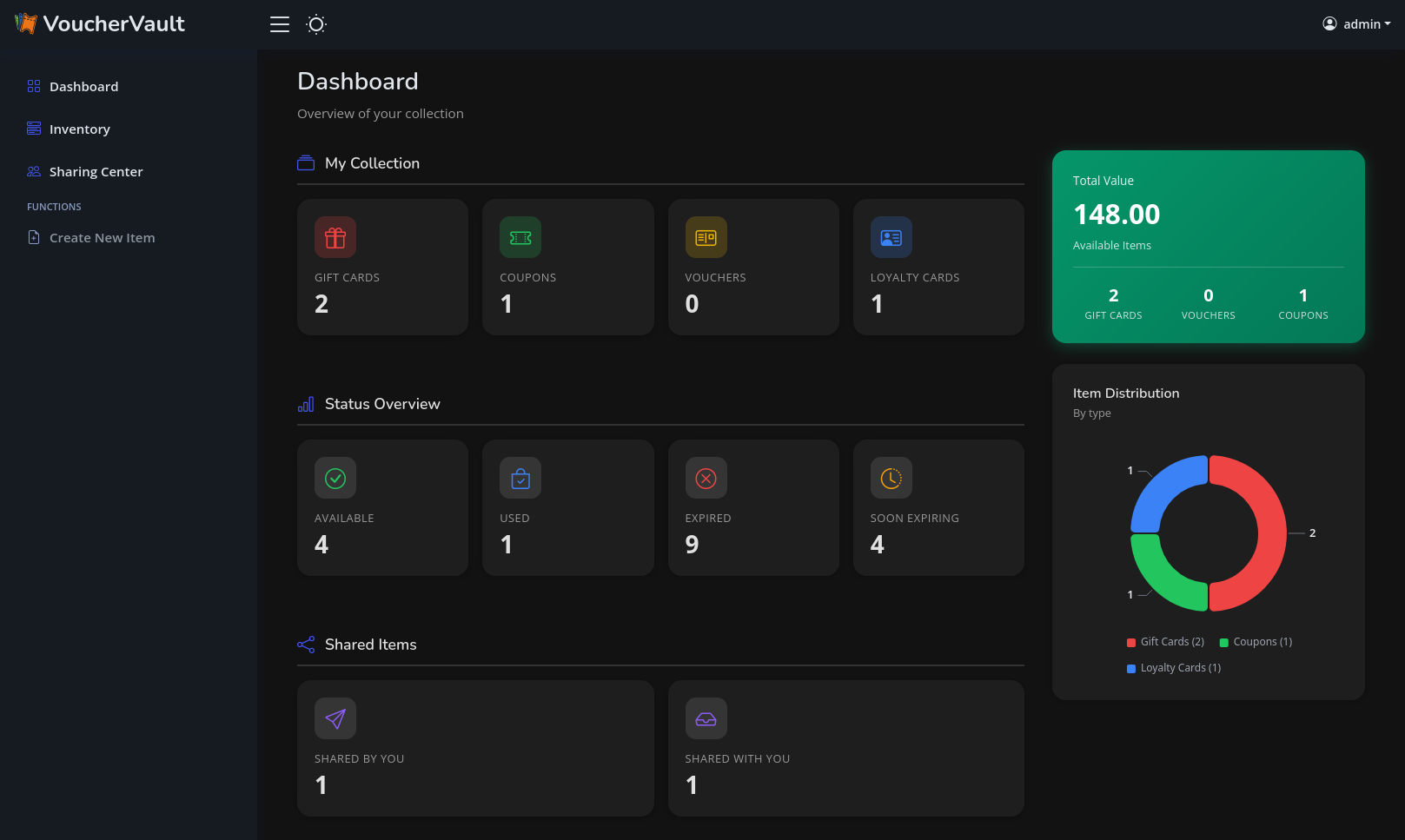
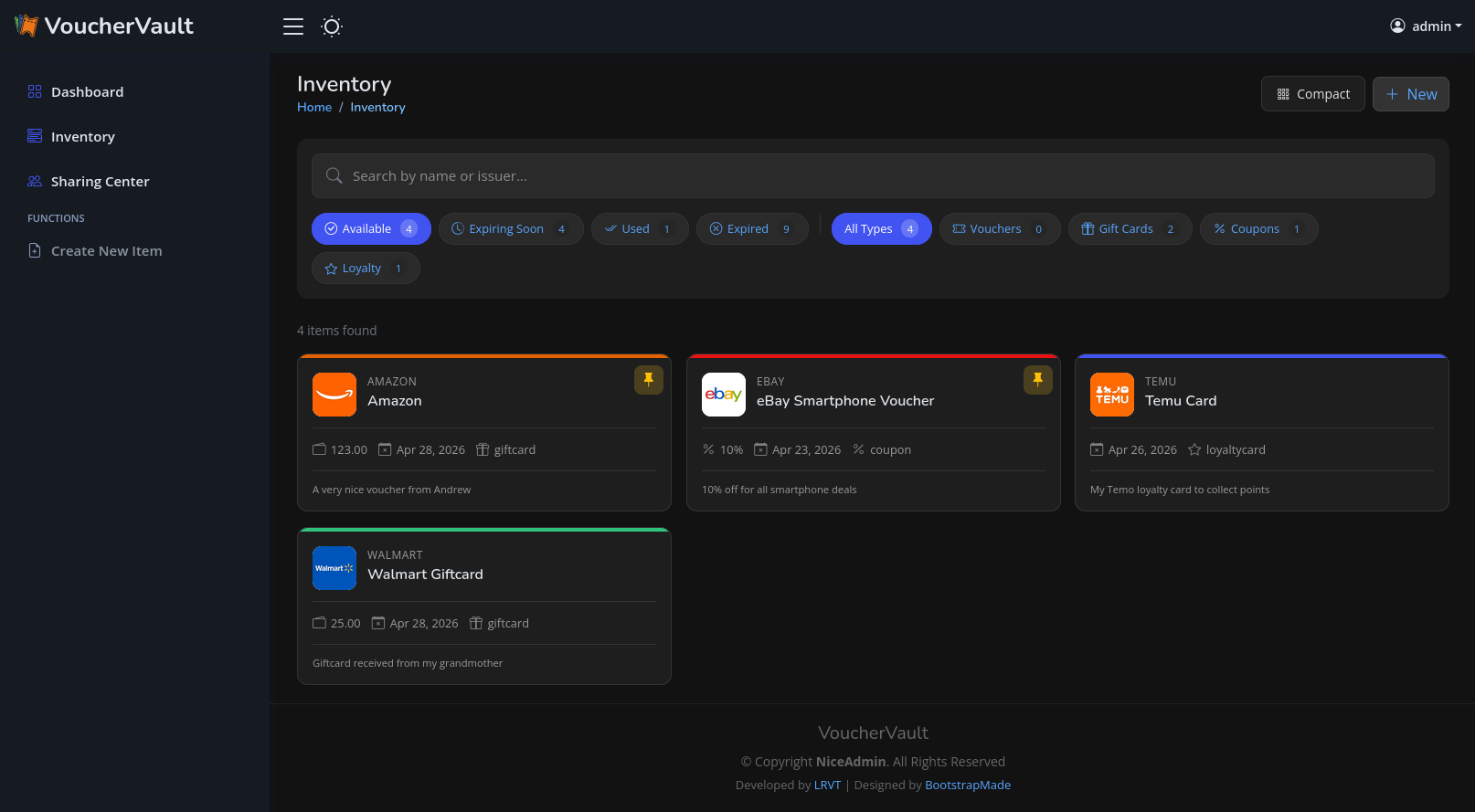
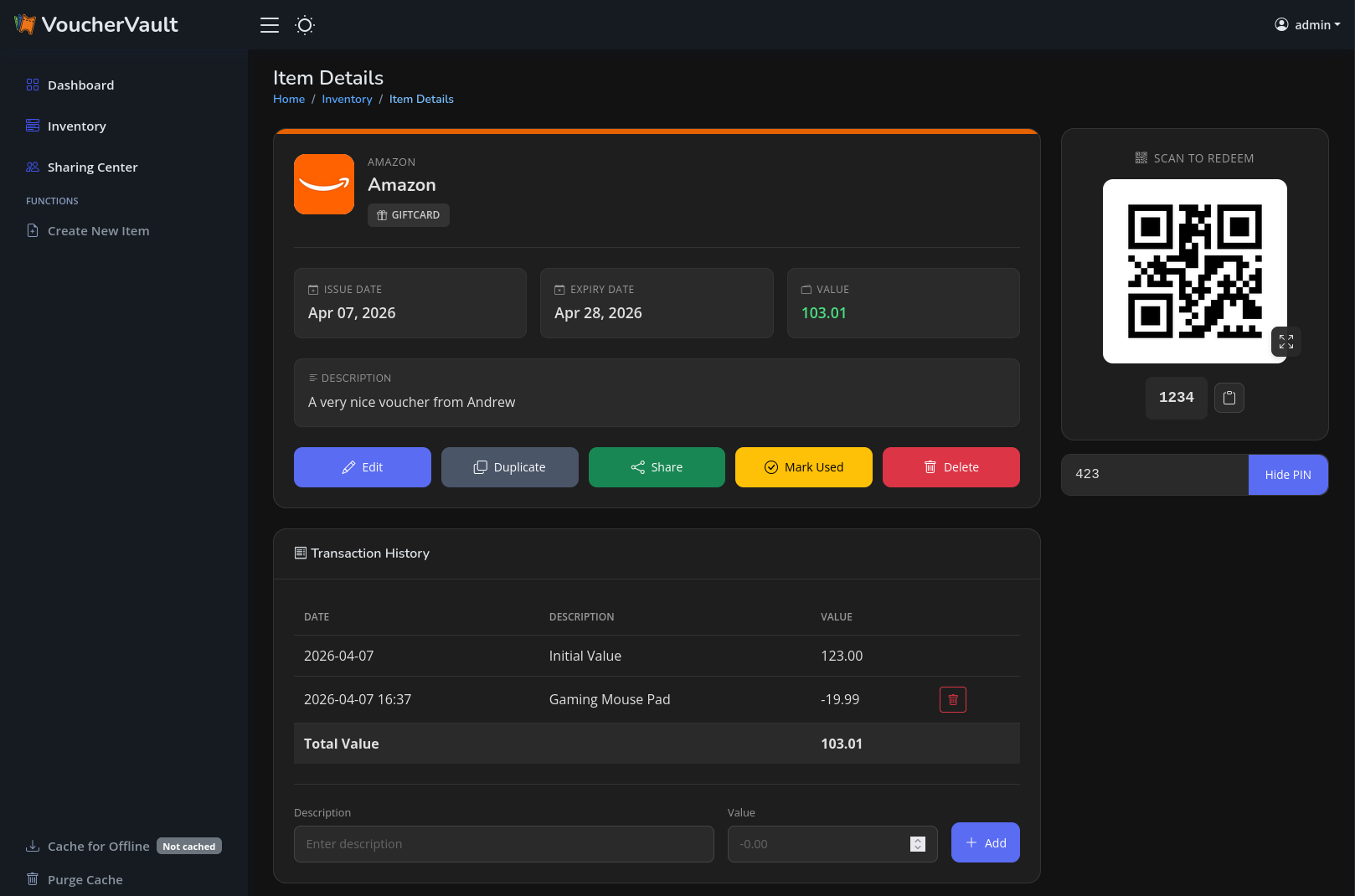
🐳 Usage
READ THE WIKI - UNRAID SUPPORTED
# create volume dir for persistence
mkdir -p ./volume-data/database

# adjust volume ownership to www-data
sudo chown -R 33:33 volume-data/*

# spawn the container stack
docker compose -f docker/docker-compose-sqlite.yml up -d
Once the container is up and running, you can access the web portal at http://127.0.0.1:8000.
The default username is admin. The default password is auto-generated. You can obtain the auto-generated password via the Docker container logs:
docker compose -f docker/docker-compose-sqlite.yml logs -f
[!WARNING] The container runs as low-privileged
www-datauser with UID/GID33. So you have to adjust the permissions for the persistent database bind mount volume. A command likesudo chown -R 33:33 <path-to-volume-data-dir>should work. Afterwards, please restart the container.
[!TIP] This repository follows the Conventional Commits standard. Therefore, you will find
patch,minorandmajorrelease version tags on DockerHub. No one stops you from using thelatestimage tag but I recommend pinning a minor version series tag such as1.30.x.This is safer for automatic upgrades and you still get recent patches as well as bug fixes.
🌍 Environment Variables
The docker container takes various environment variables:
| Variable | Description | Default | Optional/Mandatory |
|---|---|---|---|
DOMAIN |
Your Fully Qualified Domain Name (FQDN) or IP address. Used to define ALLOWED_HOSTS and CSRF_TRUSTED_ORIGINS for the Django framework. May define multiple ones by using a comma as delimiter. |
localhost |
Mandatory |
SECURE_COOKIES |
Set to True if you use a reverse proxy with TLS. Enables the secure cookie flag and HSTS HTTP response header. |
False |
Optional |
SESSION_EXPIRE_AT_BROWSER_CLOSE |
Set to False if you want to keep sessions valid after browser close. |
True |
Optional |
SESSION_COOKIE_AGE |
Define the maximum cookie age in minutes. | 30 |
Optional |
EXPIRY_THRESHOLD_DAYS |
Defines the days prior item expiry when an Apprise expiry notification should be sent out. | 30 |
Optional |
EXPIRY_LAST_NOTIFICATION_DAYS |
Defines the days prior item expiry when another final Apprise expiry notification should be sent out. | 7 |
Optional |
TZ |
Defines the TIME_ZONE variable in Django's settings.py. |
Europe/Berlin |
Optional |
SECRET_KEY |
Defines a fixed secret key for the Django framework. If missing, a secure secret is auto-generated on the server-side each time the container starts. | <auto-generated> |
Optional |
PORT |
Defines a custom port. Used to set CSRF_TRUSTED_ORIGINS in conjunction with the DOMAIN environment variable for the Django framework. Only necessary, if VoucherVault is operated on a different port than 8000, 80 or 443. |
8000 |
Optional |
REDIS_URL |
Defines the Redis URL to use for Django-Celery-Beat task processing. | redis://redis:6379/0 |
Optional |
CSP_FRAME_ANCESTORS |
Comma-separated list of allowed sources for the CSP frame-ancestors directive. |
'none' |
Optional |
OIDC_ENABLED |
Set to True to enable OIDC authentication. |
False |
Optional |
OIDC_AUTOLOGIN |
Set to True if you want to automatically trigger OIDC flow on login page |
False |
Optional |
OIDC_CREATE_USER |
Set to True to allow the creation of new users through OIDC. |
True |
Optional |
OIDC_RP_SIGN_ALGO |
The signing algorithm used by the OIDC provider (e.g., RS256, HS256). | HS256 |
Optional |
OIDC_OP_JWKS_ENDPOINT |
URL of the JWKS endpoint for the OIDC provider. Mandatory if RS256 signing algo is used. |
None |
Optional |
OIDC_RP_CLIENT_ID |
Client ID for your OIDC RP. | None |
Optional |
OIDC_RP_CLIENT_SECRET |
Client secret for your OIDC RP. | None |
Optional |
OIDC_OP_AUTHORIZATION_ENDPOINT |
Authorization endpoint URL of the OIDC provider. | None |
Optional |
OIDC_OP_TOKEN_ENDPOINT |
Token endpoint URL of the OIDC provider. | None |
Optional |
OIDC_OP_USER_ENDPOINT |
User info endpoint URL of the OIDC provider. | None |
Optional |
DB_ENGINE |
Database engine to use (e.g., postgres for PostgreSQL or sqlite3 for SQLite3). |
sqlite3 |
Optional |
POSTGRES_HOST |
Hostname for the PostgreSQL database. | db |
Optional |
POSTGRES_PORT |
Port number for the PostgreSQL database. | 5432 |
Optional |
POSTGRES_USER |
PostgreSQL database user. | vouchervault |
Optional |
POSTGRES_PASSWORD |
PostgreSQL database password. | vouchervault |
Optional |
POSTGRES_DB |
PostgreSQL database name. | vouchervault |
Optional |
CELERY_WORKER_CONCURRENCY |
Celery worker concurrency. | 1 |
Optional |
CELERY_WORKER_PREFETCH_MULTIPLIER |
Celery worker prefetch multiplier. | 1 |
Optional |
DEBUG |
Enable HTTP debug logging. | False |
Optional |
You can find detailed instructions on how to setup OIDC SSO in the wiki.
🔔 Notifications
Notifications are handled by Apprise. May read the wiki.
You can define custom Apprise URLs in the user profile settings. The input form takes a single or a comma-separated list of multiple Apprise URLs.
The interval, how often items are checked against a potential expiry, is pre-defined (daily at 9AM) in the Django admin area. Here, we are utilizing Django-Celery-Beat + a Redis instance for periodic task execution.
An item will trigger an expiry notification if the expiry date is within the number of days defined by the environment variable EXPIRY_THRESHOLD_DAYS. By default, this threshold is set to 30 days. Additionally, a final reminder is sent out another time if the item expires within the next 7 days.
🔐 Multi-User Setup
VoucherVault is initialized with a default superuser account named admin and a secure auto-generated password.
This administrative account has full privileges to the Django admin panel, located at /admin.
Therefore, all database model entries can be read and modified by this user. Additionally, new user accounts and groups can be freely created too.
Finally, Single-Sign-On (SSO) via OIDC is supported. Check out the environment variables above as well as the wiki.
💾 Backups
All application data is stored within a Docker bind mount volume.
This volume is defined in the example Docker Compose files given. The default location is defined as ./volume-data/database.
Therefore, by backing up this bind mount volume, all your application data is saved.
[!WARNING] Read the official SQLite3 documentation or PostgreSQL documentation regarding backups.
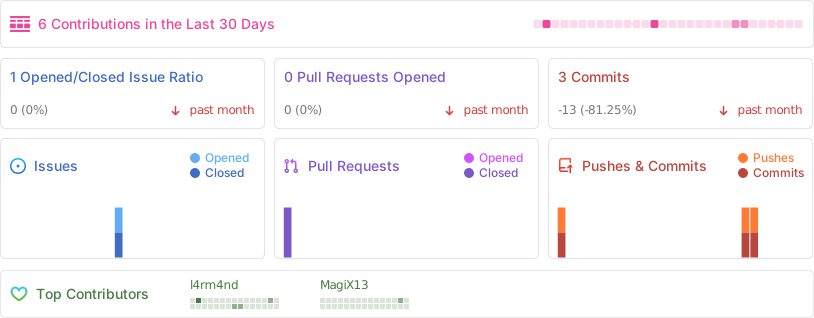
🤖 Repo Statistics
Requirements
Categories
Download Statistics
Total Downloads Over Time
Related apps
Explore more like this
Explore allDetails
l4rm4nd/vouchervault:1.30.xRuntime arguments
- Web UI
http://[IP]:[PORT:8000]- Network
bridge- Shell
bash- Privileged
- false
- Extra Params
--restart=unless-stopped
Template configuration
Defines the FQDN or IP address on which you plan to access the VoucherVault container.
Defines the Docker port mapping.
- Target
- 8000
- Default
- 8000
- Value
- 8000
Set to `True` if you use a reverse proxy with TLS
- Default
- False
- Value
- False
Send notifications xx days prior expiry
- Default
- 30
- Value
- 90
Defines the Docker bind mount volume for persisted database data. Assign proper read+write permissions for the `www-data` user (UID: 33, GID: 33) or execute `chmod -R 777 /mnt/user/appdata/vouchervault/*` via Unraid terminal shell as root.
- Target
- /opt/app/database
- Value
- /mnt/user/appdata/vouchervault/db
Defines the redis container name
- Default
- redis://redis:6379/0
- Value
- redis://redis-vouchervault:6379/0
Defines the timezone to use
- Default
- Europe/Berlin
- Value
- Europe/Berlin