

Vigilant-Vole
Docker app from Ferdinand99's Repository
Overview
Readme
View on GitHub
Vigilant Vole
A lightweight, self-hosted uptime monitor built in Rust. Single binary. Single Docker container. One volume. Inspired by Uptime Kuma, built for a smaller footprint — and a few things Kuma doesn't do.





Contents
- Features
- Screenshots
- Vigilant Vole vs Uptime Kuma
- Quick start
- Unraid
- Configuration
- Monitor types
- Notifications
- Status pages and badges
- Remote agents
- Docker label discovery
- REST API
- Config as code
- Migrating from Uptime Kuma
- Prometheus and Grafana
- Backup and restore
- Security
- Building from source
- Architecture
- Roadmap
- License
✨ Features
Monitoring
- 13 monitor types — HTTP(S), HTTP keyword, HTTP JSON query (JSONPath), TCP port, ICMP ping, DNS (9 record types, custom resolver), push/heartbeat, Docker container, WebSocket, domain expiry (RDAP), NTP, Steam game server, and groups
- TLS certificate and domain expiry warnings, configurable per monitor
- Groups and tags — nest monitors under group monitors (status = worst child), colour-coded tags with values, search and filters, bulk actions, clone
- Maintenance windows — manual, one-off, daily or weekly (any time zone, across midnight); monitors record maintenance and stay quiet
Alerting
- 24 notification providers, plus Apprise for 90+ more services — see Notifications
- Smart alerting — retries with a separate retry interval, upside-down mode, reminders every N down checks, escalation channels after N minutes down, flap detection, and recovery messages that say how long it was down
- Multi-location remote agents — run checks from other networks and only alert when agents confirm the outage
Sharing
- Status pages — Apple-style public pages with sections, 90-day uptime bars, incidents (Markdown, pinned), scheduled maintenance, light/dark/auto theme, custom CSS, custom domains, embeddable JSON
- SVG badges — status, uptime, response time and certificate expiry
Operating it
- REST API with an in-app reference and OpenAPI 3.1 document
- Config as code — the whole setup as one YAML/JSON file: export, dry-run, merge or replace, GitOps on start
- Docker label auto-discovery — label a container, get a monitor
- Uptime Kuma importer — reads
kuma.db(1.23 and 2.x) or Kuma's JSON backup - Prometheus
/metricswith Kuma-compatible metric names, so existing Grafana dashboards work - Backup and restore — consistent database snapshot download, restore on next start
- Multi-user with roles (admin, editor, viewer), TOTP 2FA with recovery codes, API tokens (read/write, expiring)
- Data retention with daily rollups — long-range uptime survives deleting old heartbeats
- English and Norwegian (bokmål) interface, per-user language
- Live dashboard over Server-Sent Events, Apple-style UI in light and dark, works on a phone, installable as a PWA
- Tiny — one ~32 MB static binary, ~18 MB compressed image, a few MB of RAM idle
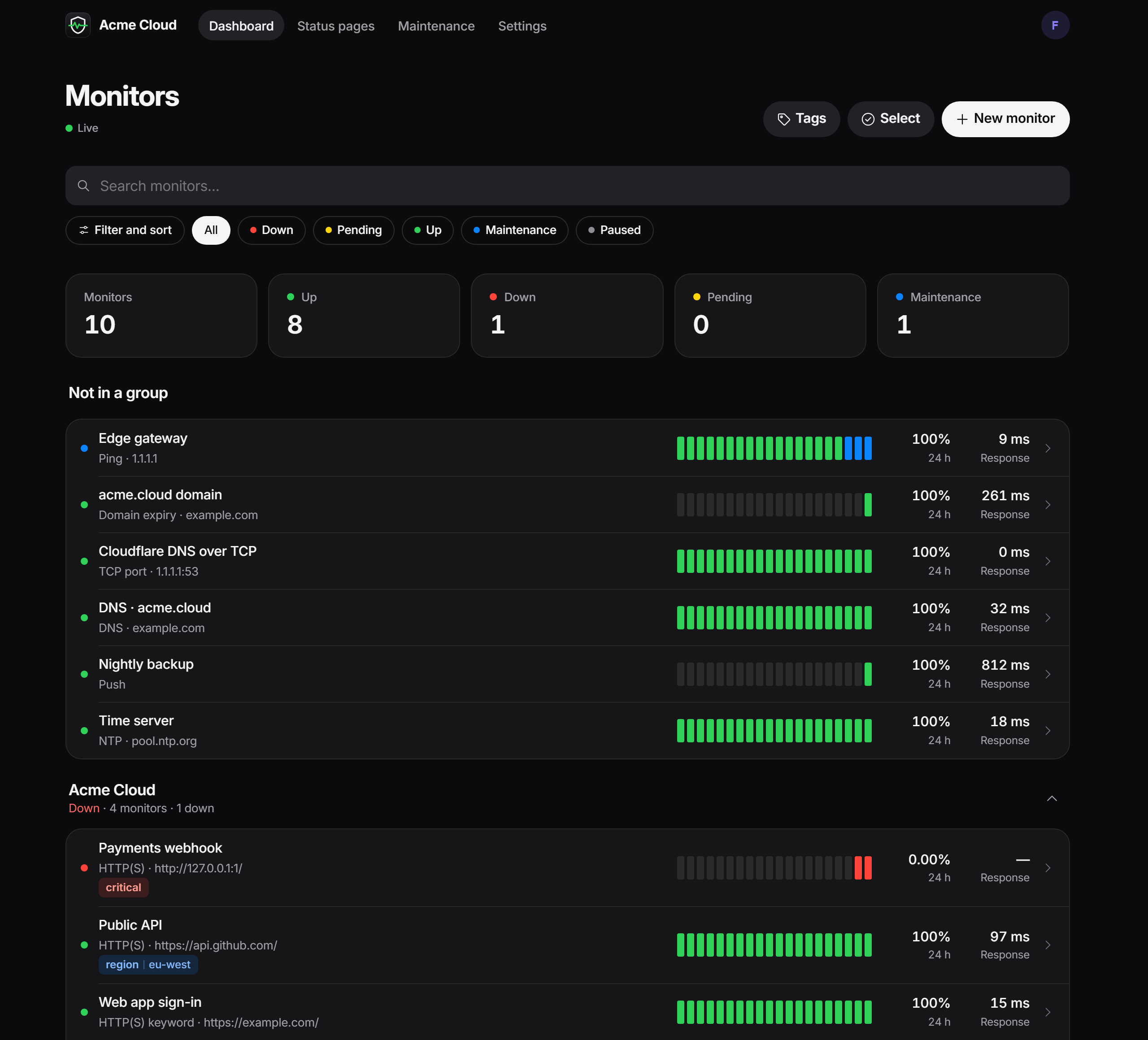
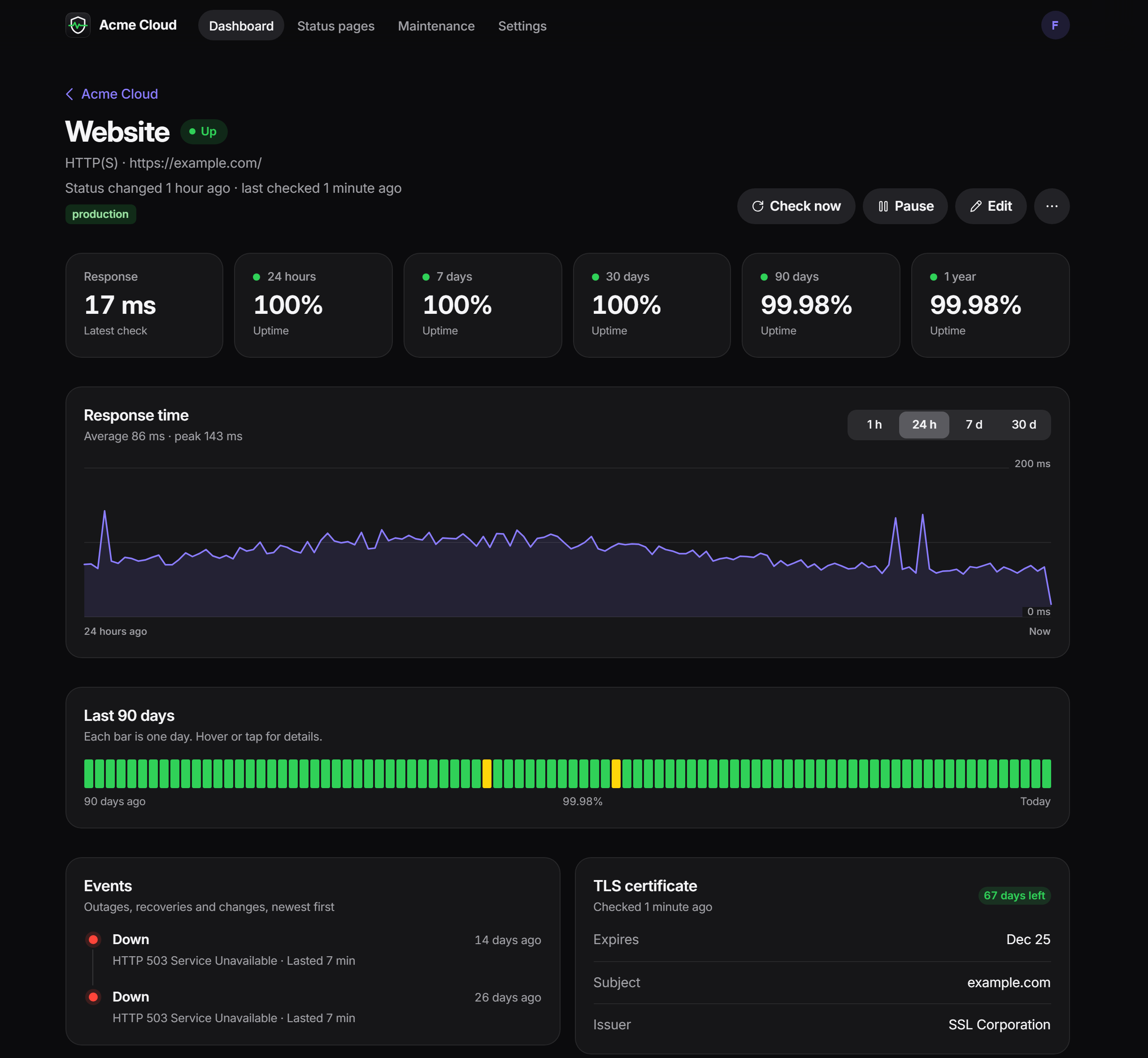
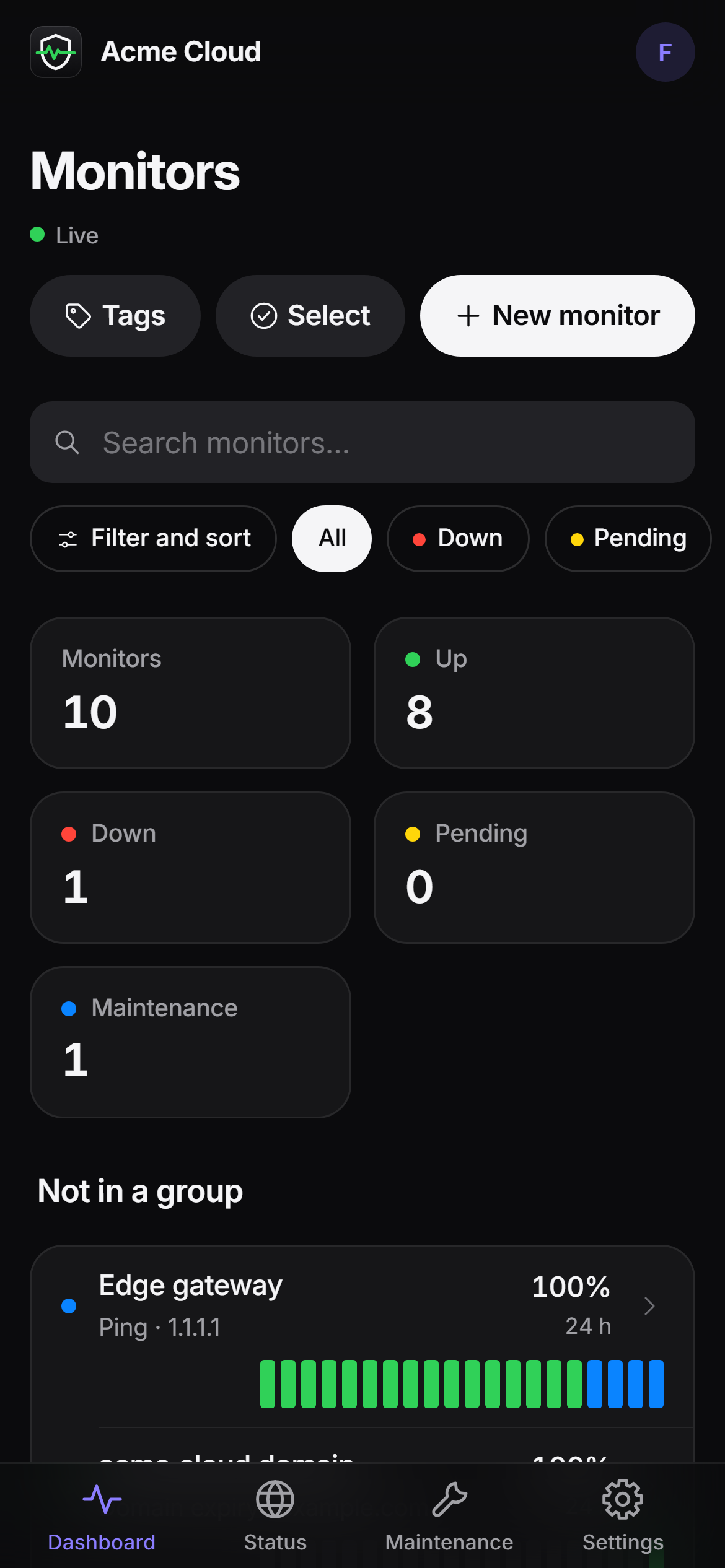
📸 Screenshots
 |
 |
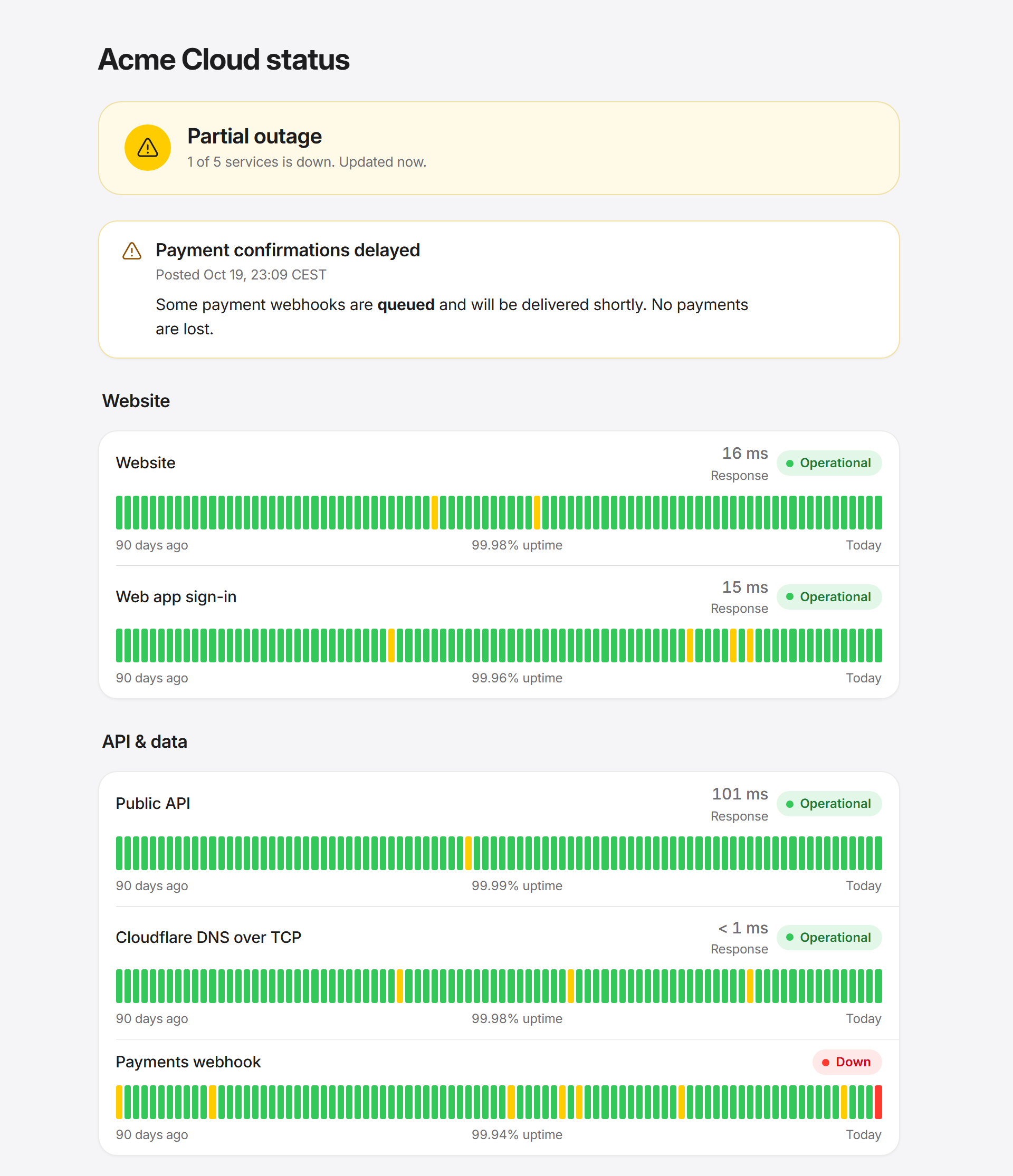 |
🆚 Vigilant Vole vs Uptime Kuma
Uptime Kuma is an excellent, mature project with a big community — Vigilant Vole borrows a lot of its ideas. Here's an honest comparison against Kuma 1.23 / 2.0:
| Vigilant Vole | Uptime Kuma | |
|---|---|---|
| Runtime | One static Rust binary, server-rendered HTML (Askama + htmx) | Node.js + Vue SPA |
| Docker image | ~18 MB compressed (~61 MB on disk) | Hundreds of MB |
| Idle memory | A few MB | Typically 100 MB+ |
| Database | SQLite (bundled) | SQLite, or MariaDB/MySQL in 2.0 ✅ |
| HTTP(S), keyword, JSON query, TCP, ping, DNS, push, Docker, Steam, groups, WebSocket | ✅ | ✅ |
| Domain expiry (RDAP), NTP monitors | ✅ | NTP ❌ · domain expiry varies by version |
| Database monitors (PostgreSQL, MySQL/MariaDB, SQL Server, MongoDB, Redis) | ❌ | ✅ |
| MQTT, Kafka, RabbitMQ, gRPC, RADIUS, SNMP, SMTP, GameDig, Tailscale | ❌ | ✅ |
| Real-browser (headless Chrome) monitor | ❌ | ✅ |
| HTTP auth | Basic auth | Basic, NTLM, mTLS, OAuth2 client credentials ✅ |
| Notification providers | 24 native + Apprise (90+ services) | 90+ native ✅ |
| Reminders (resend while down) | ✅ | ✅ |
| Escalation channels after N minutes | ✅ | ❌ |
| Flap detection | ✅ | ❌ |
| Multi-location checks / outage confirmation | ✅ remote agents | ❌ |
| Status pages, custom domains, badges | ✅ | ✅ |
| Status page logo upload, analytics, password protection | ❌ | ✅ |
| Incidents | Multiple per page, pinned, history | One active incident per page |
| Maintenance windows | Manual, once, daily, weekly | Also cron, day-of-month, every N days ✅ |
| Multiple users with roles | ✅ admin / editor / viewer | ❌ single user |
| 2FA (TOTP) | ✅ + recovery codes | ✅ |
| REST API | ✅ full CRUD + OpenAPI | ❌ (socket.io; API keys for metrics only) |
| Config as code / GitOps | ✅ YAML/JSON, dry-run, merge/replace | ❌ |
| Docker label auto-discovery | ✅ built in | ❌ (third-party AutoKuma) |
| Prometheus metrics | ✅ (Kuma-compatible names + more) | ✅ |
| Long-range uptime after retention | ✅ daily rollups | ✅ aggregate tables in 2.0 |
| Import from the other one | ✅ reads kuma.db |
– |
| Interface languages | English, Norwegian | ~50 languages ✅ |
| Built-in Cloudflare Tunnel, remote browsers | ❌ | ✅ |
If you need database/MQTT/browser monitors or a language other than English/Norwegian, Kuma is the better fit today.
🚀 Quick start
Requires Docker. Clone the repo, then:
git clone https://github.com/Ferdinand99/Vigilant-Vole.git
cd Vigilant-Vole
docker compose up -d
Open http://localhost:3001 — you'll land on a one-time setup wizard to create the admin account, then the dashboard.
docker-compose.yml (abridged — the file in the repo has commented extras: Docker socket, config file, a remote agent):
services:
  vigilant-vole:
    build: .
    image: vigilant-vole:latest
    container_name: vigilant-vole
    restart: unless-stopped
    ports:
      - "3001:3001"
    volumes:
      - ./data:/data
    environment:
      - DATA_DIR=/data
      # - VV_TRUST_PROXY=1   # behind a reverse proxy
    cap_add:
      - NET_RAW # raw ICMP fallback for ping monitors
Everything persistent — the SQLite database, the session key and automatic pre-migration backups — lives under ./data. Deleting that folder resets the app to a blank slate.
The app runs as the unprivileged user
vole— uid/gid 1000 by default, or whatever you set withPUID/PGID(Unraid:99/100). On start, the container hands/datato that user, picks up the group of a mounted Docker socket, and then drops root, so new folders and data from older root-run images just work. Settinguser:/--userinstead skips all of that: the folder must then already be writable, and socket access needsgroup_add.
Ping monitors work without root: the binary uses unprivileged ICMP sockets (enabled by Docker by default) and falls back to raw sockets.
🐳 Unraid
The easy way: install Vigilant-Vole from Community Applications (template in Ferdinand99/unraid-templates); it already sets everything below. By hand:
- Add the container via the Docker tab (or copy
deploy/unraid-template.xmlinto/boot/config/plugins/dockerMan/templates-user/) - Map a port: container
3001→ any host port - Map a path: container
/data→/mnt/user/appdata/vigilant-vole - Variables
PUID=99andPGID=100(Unraid'snobody:users, matching appdata permissions); optionally Extra Parameters--cap-add=NET_RAW - Optional, for Docker monitors and discovery: map
/var/run/docker.sock→/var/run/docker.sock(read-only); the container joins the socket's group by itself - Start the container and open the WebUI
For backups, Settings → Backup downloads a consistent snapshot; copying /mnt/user/appdata/vigilant-vole while the container is stopped works too.
🔧 Configuration
Process settings come from environment variables; everything else (monitors, channels, users, site name, time zone, retention, …) is configured in the web UI, through the API, or as config as code.
| Variable | Default | Description |
|---|---|---|
DATA_DIR |
./data (/data in the image) |
Database, session key and backups |
PORT |
3001 |
HTTP port (listens on 0.0.0.0) |
PUID / PGID |
1000 / 1000 |
User and group id the app runs as (the container starts as root only to set these and fix /data ownership). Unraid: 99 / 100 |
VV_TRUST_PROXY |
off | 1/true: trust X-Forwarded-Proto, X-Forwarded-Host, X-Forwarded-For / X-Real-IP from a reverse proxy (secure cookies, client IPs for login rate limiting, generated URLs). Only enable when the proxy is the only way in. |
VV_SETUP_TOKEN |
– | When set, the first-run setup page only opens as /setup?token=<value>, so nobody else can claim a fresh instance. Ignored once an admin exists |
VV_CONFIG_FILE |
– | Path to a YAML/JSON config document merged into the database on every start |
VV_MAX_CONCURRENT_CHECKS |
64 |
Checks allowed to run at the same time |
DOCKER_HOST |
local socket | Docker endpoint used when a Docker monitor or discovery leaves the host empty |
RUST_LOG |
info |
Log filter, e.g. info,vigilant_vole=debug |
VV_AGENT_SERVER |
– | Agent mode: server URL (same as --server) |
VV_AGENT_TOKEN |
– | Agent mode: agent token (same as --token) |
VV_AGENT_NAME |
hostname | Agent mode: display name (same as --name) |
VV_AGENT_CONCURRENCY |
16 |
Agent mode: parallel checks (same as --concurrency) |
TZ isn't needed: the display time zone is a setting (Settings → General, detected during setup), and logs are in UTC.
Command line:
vigilant-vole [serve]                                    # web server (default)
vigilant-vole agent --server <URL> --token <TOKEN> …     # remote probe agent
vigilant-vole --version
Settings → General (admins): site name, public base URL (used in notification links, push URLs and agent snippets — set it!), time zone, language, heartbeat retention (default 90 days), public badges.
📡 Monitor types
| Type | Target | Checks |
|---|---|---|
| HTTP(S) | URL | Status code (200-399 by default, e.g. 200-299,301,2xx), method, headers, body (JSON/form/raw), basic auth, proxy (HTTP/SOCKS5), redirects, ignore TLS errors, TLS certificate expiry |
| HTTP(S) keyword | URL | Response contains (or doesn't contain) a case-sensitive keyword; shows a snippet on failure |
| HTTP(S) JSON query | URL | RFC 9535 JSONPath compared with ==, !=, contains, <, <=, >, >= |
| TCP port | host:port |
Connection succeeds |
| Ping | host or IP | ICMP echo (IPv4/IPv6), round-trip time |
| DNS | hostname | A, AAAA, CNAME, MX, NS, TXT, SOA, SRV, CAA; custom resolver; optional expected value |
| Push | – | Your job calls GET/POST /api/push/<token>?status=up&msg=OK&ping=; down if nothing arrives within the interval (+10%) |
| Docker container | container name/id | Running, and healthy if it has a healthcheck (local socket, unix://, tcp://) |
| WebSocket | ws:// / wss:// URL |
Handshake succeeds |
| Domain expiry | domain | Registration expiry via RDAP (IANA bootstrap) |
| NTP | host[:port] |
SNTP response, reports clock offset |
| Steam game server | host:port |
A2S_INFO query; players and map in the message |
| Group | – | Worst status of its children (down > pending > up) |
Every type has interval (10 s – 24 h), timeout, retries, retry interval, upside-down mode, tags, description and per-monitor notification channels.
🔔 Notifications
Under Settings → Notifications, add channels and click Send test. Mark a channel default to attach it to new monitors; on each monitor choose which channels alert normally and which only escalate.
| Category | Providers |
|---|---|
| Chat | Discord (rich embeds), Slack (Block Kit), Microsoft Teams (Adaptive Cards), Google Chat, Mattermost, Rocket.Chat, Matrix, Webex, Feishu/Lark, DingTalk |
| Messaging | Telegram, Signal (signal-cli REST API), SMS via Twilio |
| Push | ntfy, Pushover, Gotify, Pushbullet, Bark |
| SMTP (STARTTLS / TLS / none, HTML + text) | |
| Incident management | PagerDuty (opens and resolves), Opsgenie (creates and closes) |
| Anything else | Webhook (custom method, headers and {{placeholder}} body template), Apprise (90+ services through an Apprise API server), Home Assistant (any notify service) |
Events: down, up (with downtime), reminder, escalation, certificate expiring, domain expiring, maintenance start/end, flapping. Alerts fire on settled transitions only — a monitor in its retry grace period stays pending and quiet. Secrets are never sent back to the browser in full.
📊 Status pages and badges
Status pages → New page. Each page has sections of monitors (drag to reorder), an overall status banner, 90-day uptime bars, optional response times and tags, incidents (Markdown, severity, pinned, history), the maintenance windows you attach, a theme (auto/light/dark), custom CSS, footer text, and an auto-refresh interval.
- Public at
/status/<slug>, or at/on a custom domain (point the domain at Vigilant Vole / your reverse proxy and set it on the page) GET /api/status-page/<slug>returns the page as JSON (CORS enabled) for embedding- Status pages can be framed; the admin UI can't
Badges: /api/badge/<monitor id>/<status|uptime|ping|cert-exp>?duration=24h|7d|30d&style=flat|flat-square&label=…

Badges are public for monitors on a published status page, or for every monitor when Public badges is on (Settings → General).
🌍 Remote agents
Run the same binary in agent mode on other hosts/locations. Agents fetch the monitors marked Check from remote agents too, run them, and report back. With Confirm outages with agents, a local failure only becomes down (and alerts) when the agents agree — otherwise the monitor stays pending with "Local check failed; 2/3 remote agents report up".
- Settings → Remote agents → New agent (copy the
vva_…token, shown once) - Start it anywhere with outbound access to the server:
docker run -d --name vigilant-vole-agent --restart unless-stopped \
  -e VV_AGENT_TOKEN=vva_xxxxxxxxxxxxxxxx \
  vigilant-vole:latest agent --server https://status.example.com --name Frankfurt
Or with Compose (see the commented service in docker-compose.yml), or the plain binary: VV_AGENT_TOKEN=vva_… vigilant-vole agent --server … (prefer the environment variable over --token, which other users on the host can see in ps). Use --once to test. Full guide: docs/remote-agents.md.
📦 Docker label discovery
Mount the Docker socket (or a socket proxy), switch on Settings → Integrations → Docker discovery, and label your containers:
services:
  payments:
    image: ghcr.io/acme/payments:latest
    labels:
      vigilant.enable: "true"
      vigilant.name: "Payments API"
      vigilant.type: "http"                       # default: docker (running + healthy)
      vigilant.target: "http://payments:8080/health"
      vigilant.interval: "30"
      vigilant.group: "Production"
      vigilant.tags: "prod,team:payments"
      vigilant.notify: "Ops Discord"
Labels: enable (required), name, type, target, interval, retries, timeout, keyword, group, tags, notify, description. Removed containers pause their monitor; monitors you made by hand are never touched. Full reference and socket permissions: docs/docker-discovery.md.
🔌 REST API
The browsable reference is at /api-docs in the app, and /api/v1/openapi.json is the OpenAPI 3.1 version. Create a token under Settings → API tokens (read = viewer, write = your role; expiry 30/90/365 days or never):
curl -H "Authorization: Bearer vv_…" https://status.example.com/api/v1/monitors?status=down

curl -H "Authorization: Bearer vv_…" -H "Content-Type: application/json" \
     -X POST https://status.example.com/api/v1/monitors \
     -d '{"name": "Website", "monitor_type": "http", "target": "https://example.com", "tags": ["production"]}'

curl -H "Authorization: Bearer vv_…" -X POST https://status.example.com/api/v1/monitors/7/pause
Covers monitors (CRUD, pause/resume, check now, heartbeats, uptime, events, tags), tags, notification channels (+ test), status pages, sections and incidents, maintenance, settings and config. More in docs/api.md.
📝 Config as code
Export everything (except history and users) as YAML or JSON from Settings → Backup or GET /api/v1/config, keep it in git, and apply it back with a dry-run plan first:
version: 1
tags:
  - name: production
    color: green
notification_channels:
  - name: Ops Discord
    kind: discord
    default: true
    config:
      url: "••••••"            # masked secrets keep the stored value
monitors:
  - name: Website
    monitor_type: http
    target: https://example.com
    interval_seconds: 30
    retries: 2
    tags: [production]
    notifications: [Ops Discord]
status_pages:
  - slug: acme
    title: Acme status
    sections:
      - name: Services
        monitors: [Website]
curl -X POST -H "Authorization: Bearer vv_…" -H "Content-Type: application/yaml" \
     --data-binary @vigilant.yml "https://status.example.com/api/v1/config?dry_run=1"
Merge (default) creates and updates; replace also deletes what the document leaves out (requires confirm=1). Set VV_CONFIG_FILE=/config/vigilant.yml to merge a mounted file on every start. Full schema: docs/config-as-code.md.
🔁 Migrating from Uptime Kuma
Settings → Backup → Move from Uptime Kuma: upload Kuma's kuma.db (1.23 or 2.x; stop Kuma first) or a Kuma JSON backup, review the plan, apply. Monitors, groups, tags, notifications, status pages and maintenance windows come over; push tokens are kept, so only the host in your push URLs changes. Unsupported monitor types and providers are listed with the reason. Importing twice updates instead of duplicating. Details: docs/migrating-from-uptime-kuma.md.
📈 Prometheus and Grafana
Switch on Settings → Integrations → Prometheus, create a read API token, and scrape /metrics with it as a Bearer token or basic-auth password:
scrape_configs:
  - job_name: vigilant-vole
    scheme: https
    authorization:
      credentials: vv_xxxxxxxxxxxxxxxx
    static_configs:
      - targets: ["status.example.com"]
You get vigilant_* metrics (status, response time, 24h/30d uptime ratio, certificate and domain days left, check-duration histogram, notification and agent health, discovery) and Kuma's monitor_status, monitor_response_time, monitor_cert_days_remaining and monitor_cert_is_valid with Kuma's labels — existing Kuma Grafana dashboards work unchanged. Reference: docs/metrics.md.
💾 Backup and restore
- Settings → Backup → Database backup downloads a consistent SQLite snapshot (
VACUUM INTO) while monitoring keeps running. It contains everything — history, users, tokens and secrets — so store it like a password. - Restore on next start: upload a backup; it's validated now and swapped in at the next restart. The current database is moved to
data/backups/. - Config export/import (above) for the readable, history-free version.
- Before applying database migrations on upgrade, a snapshot is written to
data/backups/automatically. - Manual: stop the container and copy the
data/folder.
🔒 Security
- Put it behind HTTPS. Run a reverse proxy (Caddy, Traefik, nginx) in front and set
VV_TRUST_PROXY=1so session cookies getSecureand the login rate limiter sees real client IPs. Don't set it if clients can reach the app directly. - Set the public base URL in Settings → General so links in notifications, push URLs and agent snippets are right.
- Roles: viewer (read-only), editor (monitors, status pages, maintenance, notifications, tags), admin (users, settings, tokens, agents, backup, integrations). Give people the least they need.
- 2FA: Settings → Security → turn on TOTP; keep the recovery codes.
- API tokens are stored as SHA-256 hashes, can expire, and only work under
/api/and/metrics. Preferreadtokens for dashboards and scrapers. - Passwords are hashed with Argon2; login attempts are throttled with exponential backoff per IP and per user (counted before the password check, so parallel bursts can't get extra guesses); sessions are
HttpOnly,SameSite=Laxsigned cookies that end after 30 days idle and at most 30 days after login; state-changing browser requests are CSRF-checked; the admin UI can't be framed. - A strict Content-Security-Policy (
script-src 'self', no inline scripts oreval) applies to every page; public status pages differ only in allowing embedding. - Live dashboard streams re-check the account before every update and end after an hour, so signing out everywhere, disabling a user or changing their role takes effect on open tabs too.
- Saved monitor passwords (HTTP basic auth) are never sent back to the browser; they're kept on save only while the target host and proxy stay the same.
- Complete the setup wizard right after first start — until the first admin exists, anyone who can reach the page can create it. Set
VV_SETUP_TOKENto require a secret in the setup URL (/setup?token=…) when the instance is reachable by others before you get to it. - Mounting
docker.sockgives the container control over Docker; prefer a read-only socket proxy (docs). - Agent tokens can read the configuration (including credentials) of monitors that run on agents; rotate them if a host is compromised.
🔨 Building from source
No local Rust install required — everything can be built inside Docker (BuildKit caches the cargo registry and target dir between builds):
docker build -t vigilant-vole:latest .
For local development with cargo installed (Rust 1.99+):
cargo run                     # server on http://localhost:3001, data in ./data
cargo run -- agent --help     # agent mode
cargo test
cargo clippy --all-targets
Templates, static assets, migrations and translations (templates/, static/, migrations/, locales/) are compiled into the binary, so rebuild after editing them. TLS everywhere is rustls (aws-lc-rs); there's no OpenSSL dependency, and the release build is a static musl binary in the image.
🧩 Architecture
src/
├── main.rs              # CLI: `serve` (default) or `agent`
├── server.rs            # startup: migrations, scheduler, background jobs, HTTP listener, graceful shutdown
├── config.rs            # env var config (DATA_DIR, PORT)
├── api/                 # axum handlers + askama pages
│   ├── v1/              # JSON REST API, /api-docs + OpenAPI, backup page
│   ├── monitors/ …      # dashboard, monitors, tags, SSE events
│   ├── status_pages.rs, public_status.rs, badges.rs, maintenance.rs
│   ├── notifications.rs, agents.rs, metrics.rs, push.rs
│   └── auth.rs, users.rs, settings.rs, tokens.rs
├── auth/                # sessions, CSRF, login rate limit, TOTP, API tokens, roles
├── db/                  # SQLite (rusqlite + deadpool), migrations, queries, daily rollups
├── monitor/             # scheduler, pure alerting state machine, retention, engine metrics
│   └── checkers/        # http, tcp, ping, dns, docker, websocket, domain (RDAP), ntp, steam, tls
├── notification/        # 24 providers behind one schema-driven registry
├── agent/               # remote probe agent + its wire protocol
├── discovery.rs         # Docker label discovery
├── maintenance.rs       # maintenance window evaluation
├── config_io.rs         # config as code: export, plan, import, restore
├── kuma_import.rs       # Uptime Kuma importer
└── i18n/                # translations (locales/en.toml, locales/nb.toml)
templates/               # Askama HTML templates (compiled in)
static/                  # CSS, htmx, app.js, icons, fonts (embedded)
migrations/              # SQL schema, run once each on startup
locales/                 # interface strings
A Scheduler runs one tokio task per active monitor under a global concurrency limit. Every observation — local checks, push requests, missed-push timeouts, agent results, group recomputes — goes through one pure state machine (monitor::alerting) that decides the status to record and the notifications and events to emit, so all sources follow the same rules. Updates are broadcast to /events, which pushes fresh dashboard fragments to connected browsers over SSE. An hourly job rolls heartbeats up into daily stats and prunes old ones.
🧭 Roadmap
Done:
- Public status pages, custom domains, incidents, badges
- Maintenance windows
- TLS certificate and domain expiry checks
- Push/heartbeat monitors
- Multi-user, roles, 2FA, API tokens
- Tags and monitor groups
- Monitor pause/resume, clone, bulk actions
- 13 monitor types, 24 notification providers + Apprise
- Escalation, reminders, flap detection
- Remote agents with outage confirmation
- REST API + OpenAPI, config as code, backup/restore
- Uptime Kuma importer, Prometheus metrics
- Docker label discovery
- English and Norwegian UI
Ideas, not promises:
- Database monitors (PostgreSQL, MySQL/MariaDB, Redis, MongoDB) and MQTT
- Status page subscribers (email/webhook)
- Incident update timelines
- Status page logo upload
- MariaDB/PostgreSQL as an alternative storage backend
- More interface languages (contributions welcome — see
locales/) - More HTTP auth methods (mTLS, OAuth2 client credentials)
- Published multi-arch images
📄 License
Requirements
Categories
Related apps
Explore more like this
Explore allDetails
ghcr.io/ferdinand99/vigilant-vole:latestRuntime arguments
- Web UI
http://[IP]:[PORT:3001]/- Network
bridge- Shell
sh- Privileged
- false
- Extra Params
--cap-add=NET_RAW
Template configuration
Web interface, API, status pages and /metrics.
- Target
- 3001
- Default
- 3001
- Value
- 3001
SQLite database, session key and backups. Ownership is set to PUID:PGID on every start.
- Target
- /data
- Default
- /mnt/user/appdata/vigilant-vole
- Value
- /mnt/user/appdata/vigilant-vole
User id the app runs as (Unraid: 99 = nobody).
- Default
- 99
- Value
- 99
Group id the app runs as (Unraid: 100 = users).
- Default
- 100
- Value
- 100
Only needed for Docker container monitors and label auto-discovery. Leave empty to disable.
- Target
- /var/run/docker.sock
Set to 1 when the WebUI is only reachable through a reverse proxy (SWAG, Nginx Proxy Manager, Traefik) that sets X-Forwarded-* headers.
- Default
- 0
- Value
- 0
Optional path (inside the container, e.g. /data/vigilant.yml) to a YAML/JSON config file merged into the database on every start.
Log level filter.
- Default
- info
- Value
- info