

vidva
Docker app from vanshady's Repository
View Plex library statistics in real-time with interactive charts and visualizations.
Overview
Readme
View on GitHubVIDVA
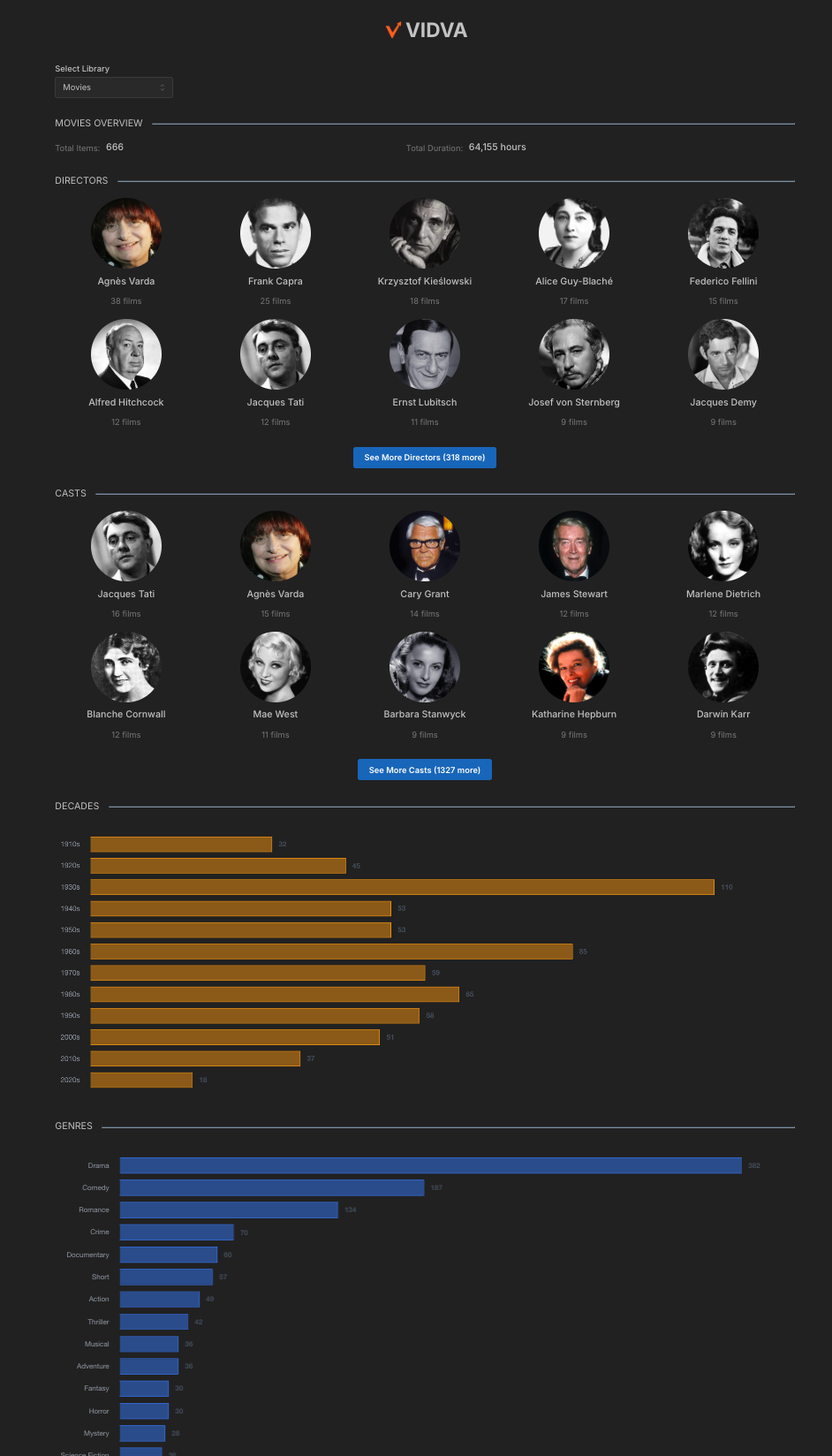
A Dashboard for displaying interactive statistics about your Plex media library.
Features
- View library statistics in real-time with interactive charts and visualizations
- Breakdowns for genres, countries, decades, directors, and cast
Docker
| Registry | Architecture | Version | Image Path |
|---|---|---|---|
| Docker Hub | AMD64, ARM64 | Latest | vanshady/vidva:latest |
Docker Instructions
Pass in env:
- PLEX_SERVER_URL=your_plex_server_url # http://<Your Plex's IP Address>:32400
- PLEX_TOKEN=your_plex_token # https://support.plex.tv/articles/204059436-finding-an-authentication-token-x-plex-token/
- PLEX_SERVER_ID=your_plex_server_id # Go to <PLEX_SERVER_URL>/identity and copy the server ID from machineIdentifier=
- VIDVA_DEFAULT_TOP_CAST_COUNT=4 # all or 3 (plex default) or 4 (letterboxd default) or 5 or 10
PLEX_URL is accepted as an alias for PLEX_SERVER_URL.
Bind port 5173 and voila!
How VIDVA talks to Plex
The browser never contacts Plex directly. The container proxies /plex/* to PLEX_SERVER_URL and adds the token on the server side, so:
- The Plex token is never sent to the browser.
- VIDVA works behind an HTTPS reverse proxy even when Plex itself is plain HTTP, and Plex needs no CORS setup. The container must be able to reach
PLEX_SERVER_URL. - The proxy only forwards the exact read-only requests the dashboard makes (library lists, item metadata, artwork). Server settings, account data, scans/refreshes and anything that writes get 403, and artwork requests can only point at library thumbnails.
Anyone who can open VIDVA can browse your library through it. If you expose it beyond your LAN, put authentication in front of it (Authelia, Cloudflare Access, your reverse proxy's basic auth, etc.).
Prerequisites
- Node.js 20.19+ or 22.12+ (required by Vite 8)
- npm
- A running Plex Media Server
- Plex API token
Getting Started
- Clone the repository:
git clone https://github.com/vanshady/vidva.git
cd vidva
- Install dependencies:
npm install
- Configure your Plex server:
Copy .env.example to .env and fill it in. The dev server proxies /plex/* exactly like the container does, so the URL and token stay unprefixed (Vite only exposes VITE_ names to browser code):
PLEX_SERVER_URL=your_plex_server_url
PLEX_TOKEN=your_plex_token
VITE_PLEX_SERVER_ID=your_plex_server_id
VITE_DEFAULT_TOP_CAST_COUNT=4
- Start the development server:
npm run dev
- Open your browser and navigate to
http://localhost:5173
Project Structure
src/
├── components/
│   ├── data/      # HTML/CSS charts, ranked rows, poster grid, loading and error states
│   └── layout/    # app shell, sidebar, search, library picker
├── lib/           # library aggregation, formatting, URL state
├── pages/         # overview, index and detail pages
├── services/      # Plex API client
└── assets/
Technologies Used
- React 19
- Vite
- TypeScript
- Mantine UI
- TanStack Query
- React Router
- Plex API
License
This project is licensed under the MIT License - see the LICENSE file for details.
Categories
Download Statistics
Related apps
Explore more like this
Explore allLinks
Details
vanshady/vidva:latestRuntime arguments
- Web UI
http://[IP]:[PORT:5173]- Network
bridge- Shell
sh- Privileged
- false
Template configuration
e.g. http://192.168.1.10:32400. This container connects to Plex on your behalf (your browser never does), so use an address the container can reach.
- Target
- PLEX_SERVER_URL
https://support.plex.tv/articles/204059436-finding-an-authentication-token-x-plex-token/
- Target
- PLEX_TOKEN
Go to /identity and copy the server ID from machineIdentifier=
- Target
- PLEX_SERVER_ID
- Target
- 5173
- Default
- 5173
- Value
- 5173
all or 3 (plex default) or 4 (letterboxd default) or 5 or 10
- Target
- VIDVA_DEFAULT_TOP_CAST_COUNT
- Default
- 4
- Value
- 4