
All apps · 0 apps

vidva
Docker app from vanshady's Repository
Overview
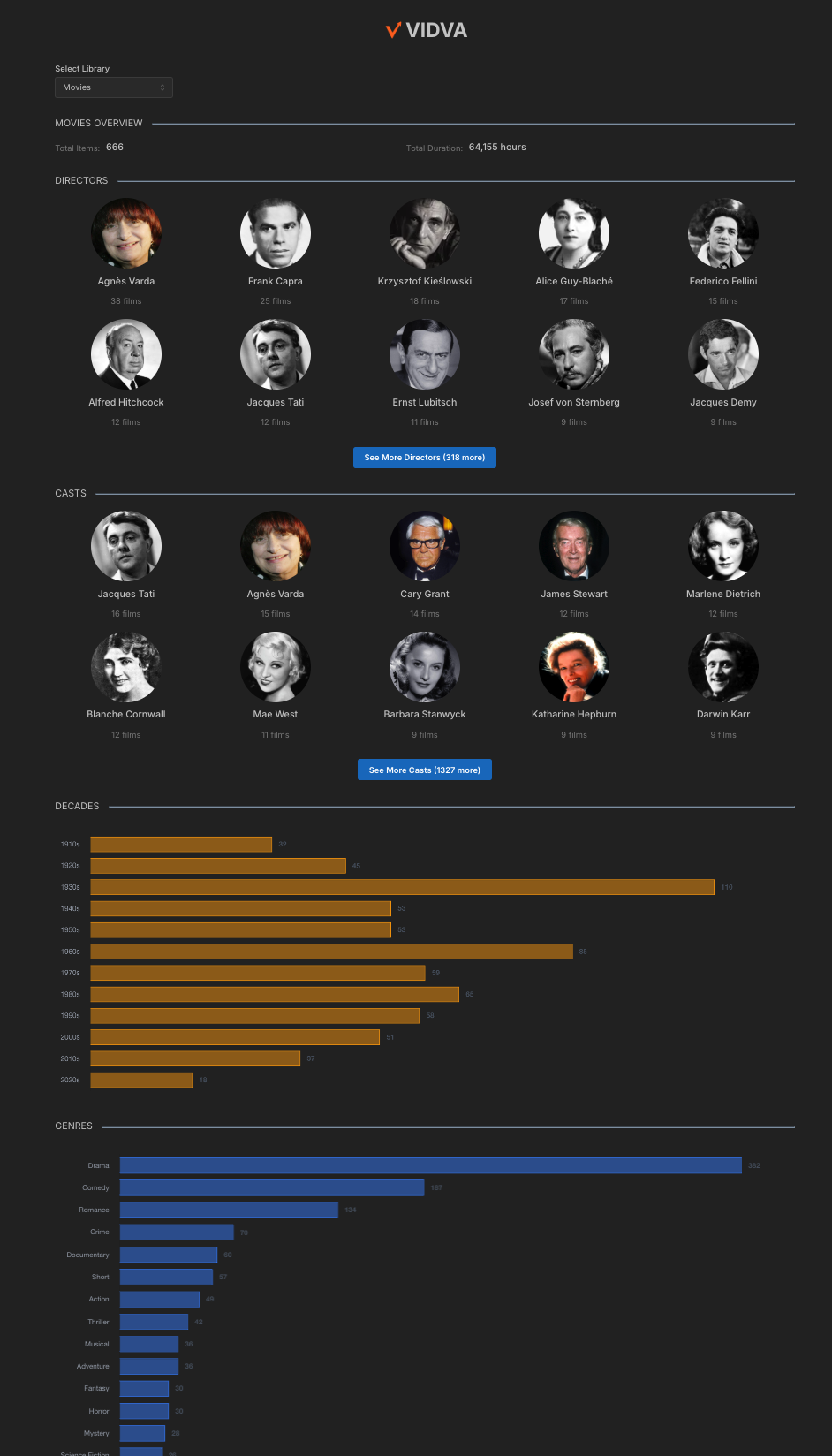
View Plex library statistics in real-time with interactive charts and visualizations. See breakdowns for genres, countries, decades, directors, and cast.
Readme
View on GitHubVIDVA
A Dashboard for displaying interactive statistics about your Plex media library.
Features
- View library statistics in real-time with interactive charts and visualizations
- Breakdowns for genres, countries, decades, directors, and cast
Docker
| Registry | Architecture | Version | Image Path |
|---|---|---|---|
| Docker Hub | AMD64 | Latest | vanshady/vidva:latest |
Docker Instructions
Pass in env:
- PLEX_SERVER_URL=your_plex_server_url # http://<Your Plex's IP Address>:32400
- PLEX_TOKEN=your_plex_token # https://support.plex.tv/articles/204059436-finding-an-authentication-token-x-plex-token/
- PLEX_SERVER_ID=your_plex_server_id # Go to <PLEX_SERVER_URL>/identity and copy the server ID from machineIdentifier=
- VIDVA_DEFAULT_TOP_CAST_COUNT=4 # all or 3 (plex default) or 4 (letterboxd default) or 5 or 10
Bind port 5173 and voila!
Prerequisites
- Node.js (v18 or higher)
- npm or yarn
- A running Plex Media Server
- Plex API token
Getting Started
- Clone the repository:
git clone https://github.com/yourusername/vidva.git
cd vidva
- Install dependencies:
npm install
- Configure your Plex server:
Create a .env file in the root directory with:
PLEX_SERVER_URL=your_plex_server_url
PLEX_TOKEN=your_plex_token
PLEX_SERVER_ID=your_plex_server_id
- Start the development server:
npm run dev
- Open your browser and navigate to
http://localhost:5173
Project Structure
src/
├── components/
│   ├── layout/
│   ├── stats/
│   └── common/
├── pages/
├── services/
├── types/
├── utils/
└── assets/
Technologies Used
- React 18
- Vite
- TypeScript
- Mantine UI
- Chart.js
- React Query
- Plex API
License
This project is licensed under the MIT License - see the LICENSE file for details.
Categories
Download Statistics
4,767
Total Downloads
Related apps
Explore more like this
Explore allLinks
Details
Repository
vanshady/vidva:latestLast Updated2026-05-01
First Seen2026-05-04
Runtime arguments
- Web UI
http://[IP]:[PORT:5173]- Network
bridge- Shell
sh- Privileged
- false
Template configuration
Plex Server URLVariable
http://Your Plex's IP Address:32400
- Target
- PLEX_SERVER_URL
Plex TokenVariable
https://support.plex.tv/articles/204059436-finding-an-authentication-token-x-plex-token/
- Target
- PLEX_TOKEN
Plex Server IDVariable
Go to /identity and copy the server ID from machineIdentifier=
- Target
- PLEX_SERVER_ID
PortPorttcp
- Target
- 5173
- Default
- 5173
- Value
- 5173
Default top cast countVariable
all or 3 (plex default) or 4 (letterboxd default) or 5 or 10
- Target
- VIDVA_DEFAULT_TOP_CAST_COUNT
- Default
- 4
- Value
- 4