
All apps · 0 apps

UnraidConfigGuardian
Docker app from IBRACORP's Repository
Overview
Automatically generate comprehensive disaster recovery documentation for your Unraid setup. Creates docker-compose files, restoration scripts, and system backups for complete server recreation in under 30 minutes.
Unraid Config Guardian automatically generates comprehensive disaster recovery documentation for your Unraid setup.
Features:
- Complete server recreation in under 30 minutes
- Docker-compose generation from running containers
- Automated restoration scripts with security-conscious data masking
- Web-based interface for easy management
- Scheduled automated backups
Install the dockersocket container from the apps page. You will need to add a variable to the container called IMAGES and give it a value of 1. The docker socket proxy will return a 403 without this.
Access the web interface at http://your-Unraid-ip:7842
Readme
View on GitHubUnraid Config Guardian





Your Unraid flash drive crashed and you don't have a backup?
This tool saves you from complete disaster by automatically documenting your entire Unraid configuration.
Flash Drive Disaster Recovery
The Problem: Your Unraid flash drive dies, taking with it:
- All Docker container configurations
- System settings and user shares
- Plugin configurations and templates
- Years of careful setup work
The Solution: Config Guardian automatically backs up everything needed to rebuild your server:
- All running containers → Docker templates + compose files
- System configuration → Settings, shares, plugins
- Complete rebuild guide → Step-by-step restoration
- Change tracking → See what changed between backups
Application
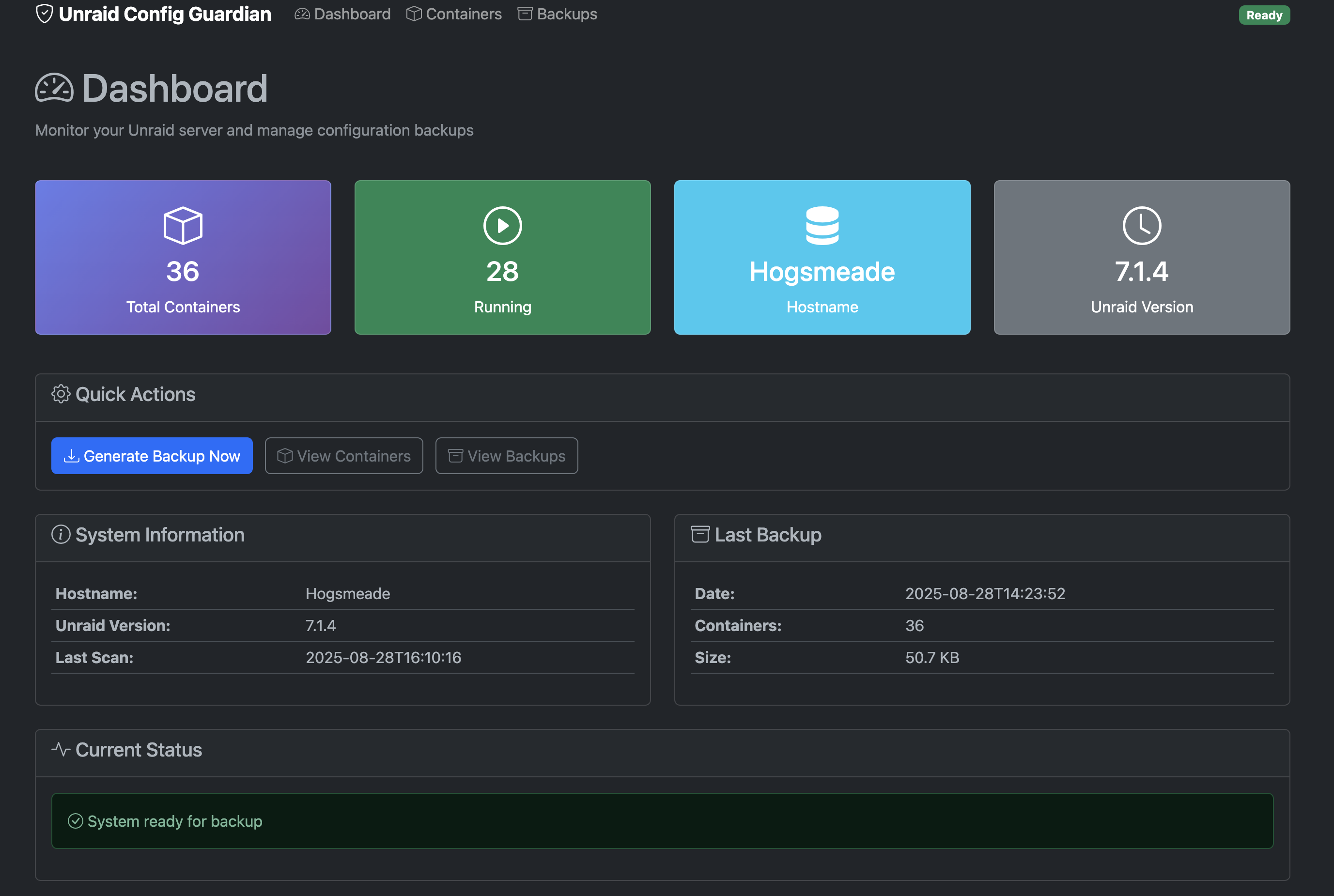
Dashboard Overview
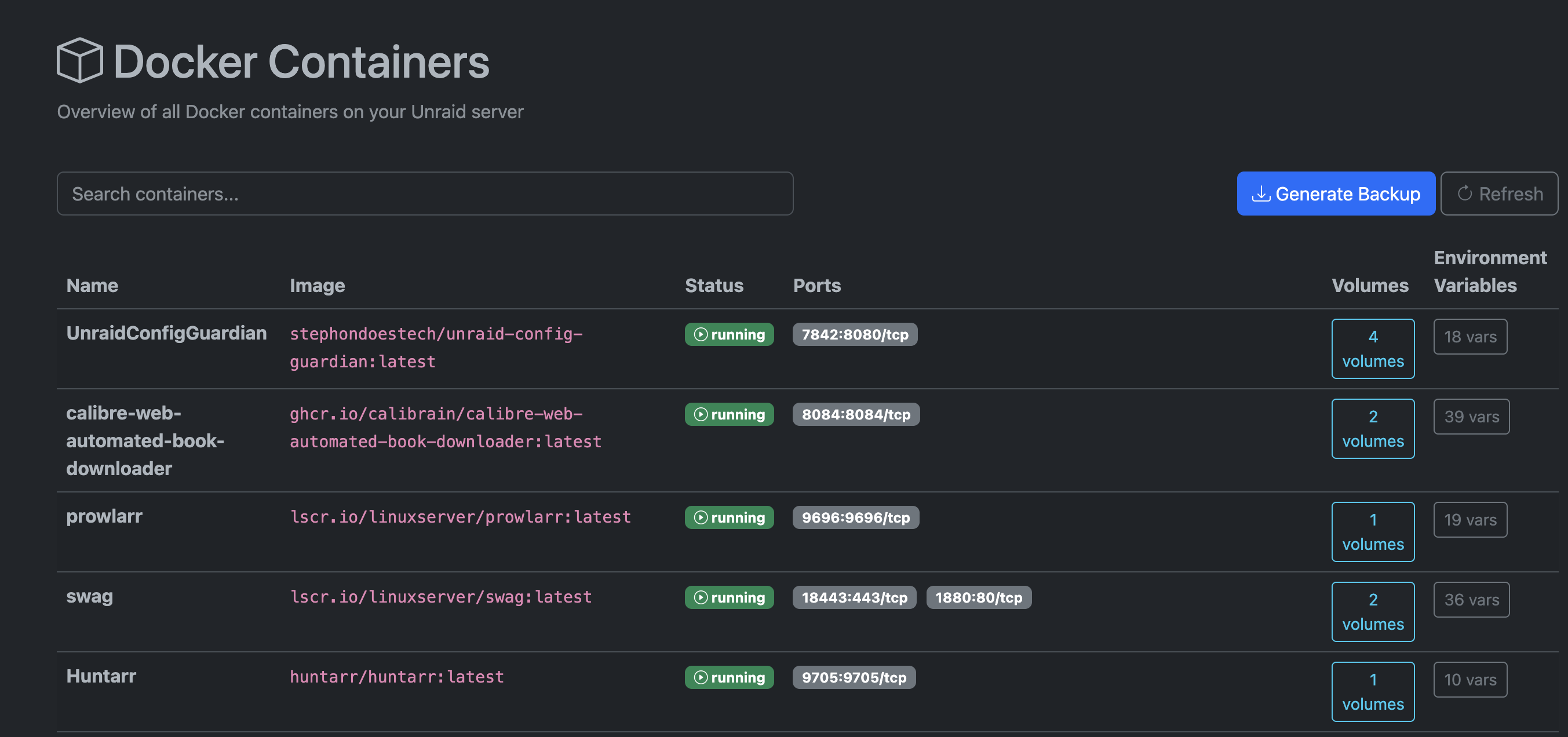
Container Management
Emergency Setup (Flash Drive Died)
Quick Install on Fresh Unraid
- Install fresh Unraid on new hardware/flash drive
- Set up basic array and enable Docker
- Install Config Guardian:
# SSH into Unraid and run:
mkdir -p /mnt/user/appdata/unraid-config-guardian
mkdir -p /mnt/user/backups/unraid-docs

docker run -d \
  --name unraid-config-guardian \
  --restart unless-stopped \
  -p 7842:7842 \
  -v /mnt/user/appdata/unraid-config-guardian:/config \
  -v /mnt/user/backups/unraid-docs:/output \
  -v /var/run/docker.sock:/var/run/docker.sock:ro \
  -v /boot:/boot:ro \
  -e PUID=99 -e PGID=100 \
  -e SCHEDULE="0 2 * * 0" \
  stephondoestech/unraid-config-guardian:latest
- Access:
http://your-unraid-ip:7842 - Generate backup to start protecting your new setup
Preventive Setup (Normal Use)
Install via Community Apps → Search "Config Guardian" → Install
Pro Tip: Set up weekly automated backups immediately after configuring any new containers!
Your Backup Contains Everything Needed
unraid-backup/
├── container-templates.zip # Native Unraid XML templates → Drop in Docker tab
├── docker-compose.yml      # Emergency fallback containers
├── unraid-config.json      # System settings, shares, plugins
├── restore.sh              # Automated restoration script
├── changes.log             # What changed since last backup
└── README.md               # Step-by-step recovery guide
Data Sources:
- Running Docker containers (via Docker API)
- Unraid system configuration (
/boot/config/) - User shares and disk settings
- Plugin configurations and templates
Super Simple Recovery
When disaster strikes:
- Fresh Unraid install → Set up array
- Restore from backup:
cd /mnt/user/backups/unraid-docs/latest bash restore.sh - Add containers: Docker tab → Your templates are in the dropdown
- Copy back appdata from your separate backups
That's it! Your entire server configuration is restored.
IMPORTANT: This is NOT a Data Backup Solution
Config Guardian only backs up your CONFIGURATION, not your data. You still need a proper backup solution for your appdata and media files.
Recommended backup solutions:
- Kopia - Modern, fast, encrypted backups
- Duplicacy - Web-based backup management
- Rustic - Rust-based restic alternative
- Unraid Plugins: CA Backup/Restore, Appdata Backup
What Config Guardian backs up:
- Docker container configurations and templates
- Unraid system settings and shares
- Plugin configurations
- Recovery scripts and documentation
What you still need to backup separately:
/mnt/user/appdata/(your container data)/mnt/user/(your media and files)- Any custom scripts or configurations
Configuration
Essential Settings:
SCHEDULE="0 2 * * 0"       # Weekly backup (Sunday 2 AM)
PUID=99 PGID=100           # Standard Unraid permissions
MASK_PASSWORDS=true        # Hide sensitive data in backups
Common Issues:
- No templates in dropdown: Enable Template Authoring Mode in Docker settings
- Permission errors: See troubleshooting guide
If the web UI won’t start and logs are empty, check your container template includes PUID and PGID (e.g., 99/100) and recreate the container so the entrypoint can set permissions.
Manual Usage
# Generate backup now
docker exec unraid-config-guardian python3 src/unraid_config_guardian.py

# View logs
docker logs unraid-config-guardian

# Check what changed
cat /mnt/user/backups/unraid-docs/latest/changes.log
License
This project is licensed under the MIT License - see the LICENSE file for details.
Built by Stephon Parker for the Unraid community
Development supported by Claude (Anthropic)
⭐ Star | 🐛 Issues | 💡 Features
Requirements
THIS REQUIRES THE dockersocket APP FROM THE APP STORE TO RUN
Categories
Download Statistics
Total Downloads Over Time
Related apps
Explore more like this
Explore allLinks
Details
stephondoestech/unraid-config-guardian:latestRuntime arguments
- Web UI
http://[IP]:[PORT:7842]- Network
bridge- Shell
sh- Privileged
- false
Template configuration
Port for web interface
- Target
- 7842
- Default
- 7842
- Value
- 7842
Application configuration
- Target
- /config
- Default
- /mnt/user/appdata/unraid-config-guardian
- Value
- /mnt/user/appdata/unraid-config-guardian
Generated backup files location
- Target
- /output
- Default
- /mnt/user/backups/unraid-docs
- Value
- /mnt/user/backups/unraid-docs
Unraid flash drive for system configuration
- Target
- /boot
- Default
- /boot
- Value
- /boot
User ID
- Default
- 99
- Value
- 99
Group ID
- Default
- 100
- Value
- 100
Timezone for logging
- Target
- TZ
- Default
- America/New_York
- Value
- America/New_York
Cron schedule for automated backups (Sunday 2 AM)
- Target
- SCHEDULE
- Default
- 0 2 * * 0
- Value
- 0 2 * * 0
Hide sensitive environment variables
- Target
- MASK_PASSWORDS
- Default
- true
- Value
- true
Include system information in backup
- Target
- INCLUDE_SYSTEM_INFO
- Default
- true
- Value
- true
- Target
- DOCKER_HOST
- Value
- tcp://dockersocket-ip:2375