
All apps · 0 apps
Unraid-Duplicate-File-Handler
Docker app from Bovive's Repository
Overview
Readme
View on GitHubUnraid Duplicate File Handler
A web-based tool designed specifically for Unraid servers to detect, review, and clean up duplicate files that exist across multiple array disks.
This tool compares files based on their relative paths (e.g. Media/Movies/MyMovie.mkv) across different physical disks (such as /mnt/disk1, /mnt/disk2, etc.). If identical or similar directory structures exist on multiple drives — such as after a misconfigured copy or an interrupted Unbalanced operation — this tool can identify and help clean them up.
Common use cases include:
- 🧹 Cleaning up after a failed or partial Unbalance run that left files duplicated across disks
- 🔄 Manual or automated copy operations that unintentionally created duplicates
- 🧪 Testing data migration strategies and safely undoing leftover file copies
You can interactively review duplicates, choose which copies to keep, and then either delete the extras or move them to a safe staging area — all with real-time progress feedback.
Features
- 🔍 Duplicate Scanner: Scans files across
/mnt/diskX/paths to identify content-based duplicates. - 🧠 Smart Keep Strategy: Lets you define which copies to retain before taking action.
- 🗑 Cleanup Options:
- Delete: Remove selected duplicates
- Move: Relocate them to a safe destination (e.g.,
/mnt/user/duplicates)
- 📊 Interactive Web UI: Clean dashboard for reviewing duplicates and executing actions.
- 📦 Docker Container: Built for Unraid via native Docker template (XML).
- 📁 Structured Reports: Generates CSV and JSON summaries of every action.
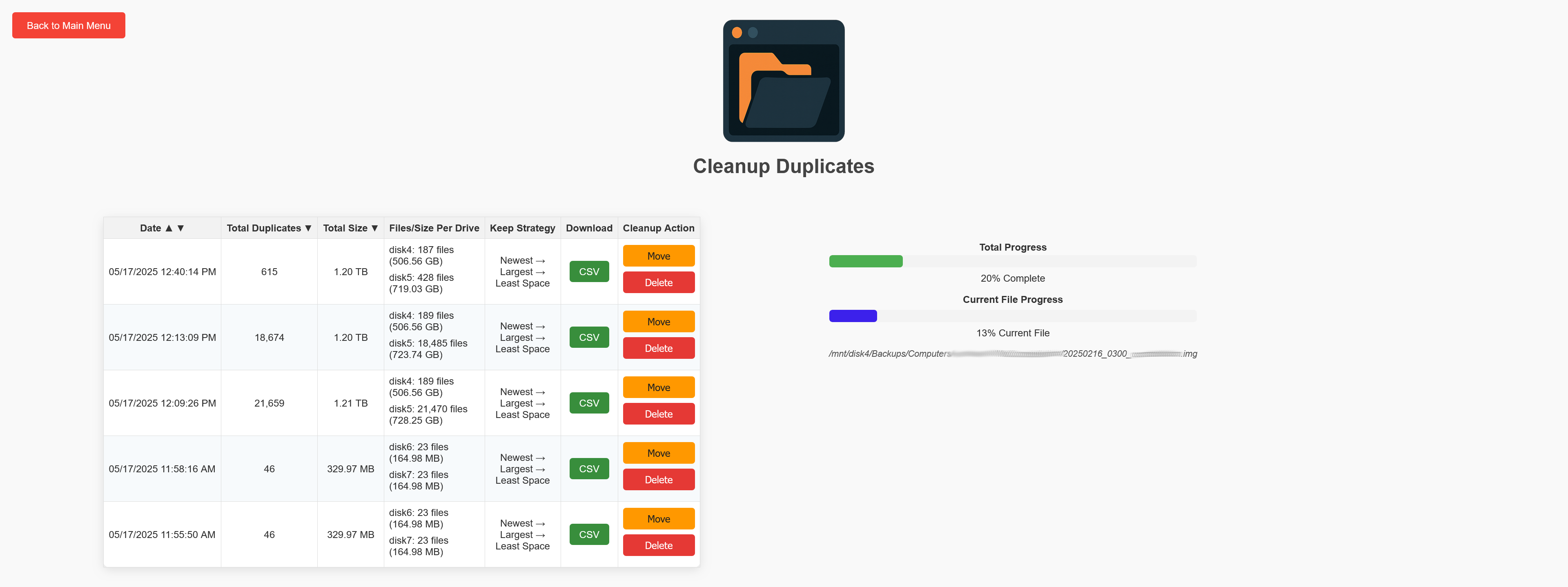
- 🧵 Per-file Progress Tracking: Live UI feedback with two progress bars (overall and current file).
Unraid Installation via Docker Template (Community Apps)
Unraid Duplicate File Handler can be installed from Unraid Community Apps.
Unraid Installation via Docker Template (Manual)
You can manually install this container easily on Unraid using a prebuilt Docker template.
🔧 Steps:
Download the template XML from the repository:
On your Unraid server, copy the file to:
/boot/config/plugins/dockerMan/templates-user/In the Unraid web UI:
- Go to the Docker tab
- Click Add Container
- Select Unraid Duplicate File Handler from the template dropdown
- Adjust settings as needed and click Apply
💡 Make sure /mnt is mapped with read-write access and that you set a valid SECRET_KEY (a 32-character random string for session security).
Access the Interface
Once started, open:http://<your-unraid-ip>:5000
How It Works
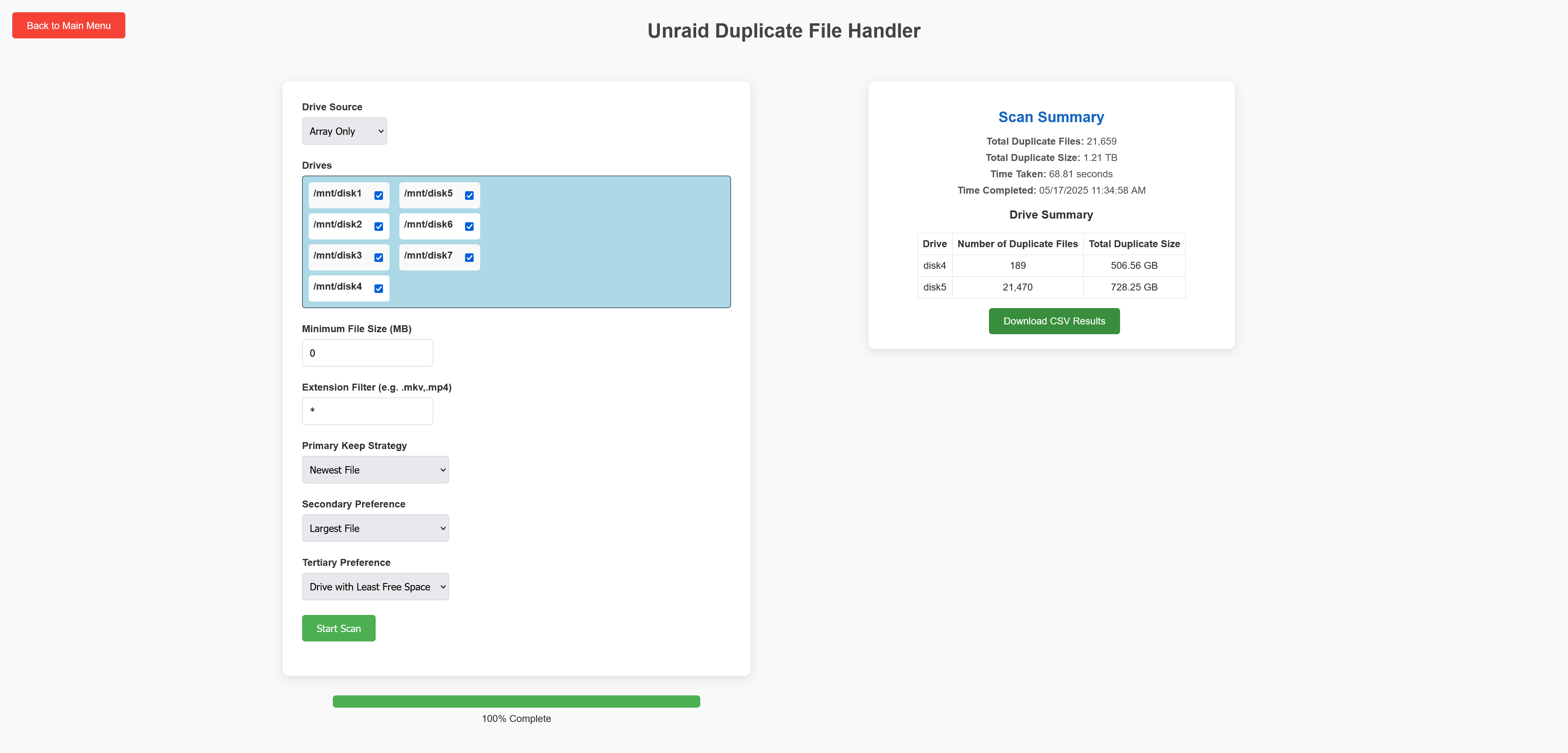
- Scan: Start a scan — results appear once complete
- Review: View duplicate groups, choose which files to keep
- Cleanup:
Delete: Files removed permanentlyMove: Files relocated (preserves original folder structure)
- Track Progress: Real-time UI with per-file and total cleanup bars
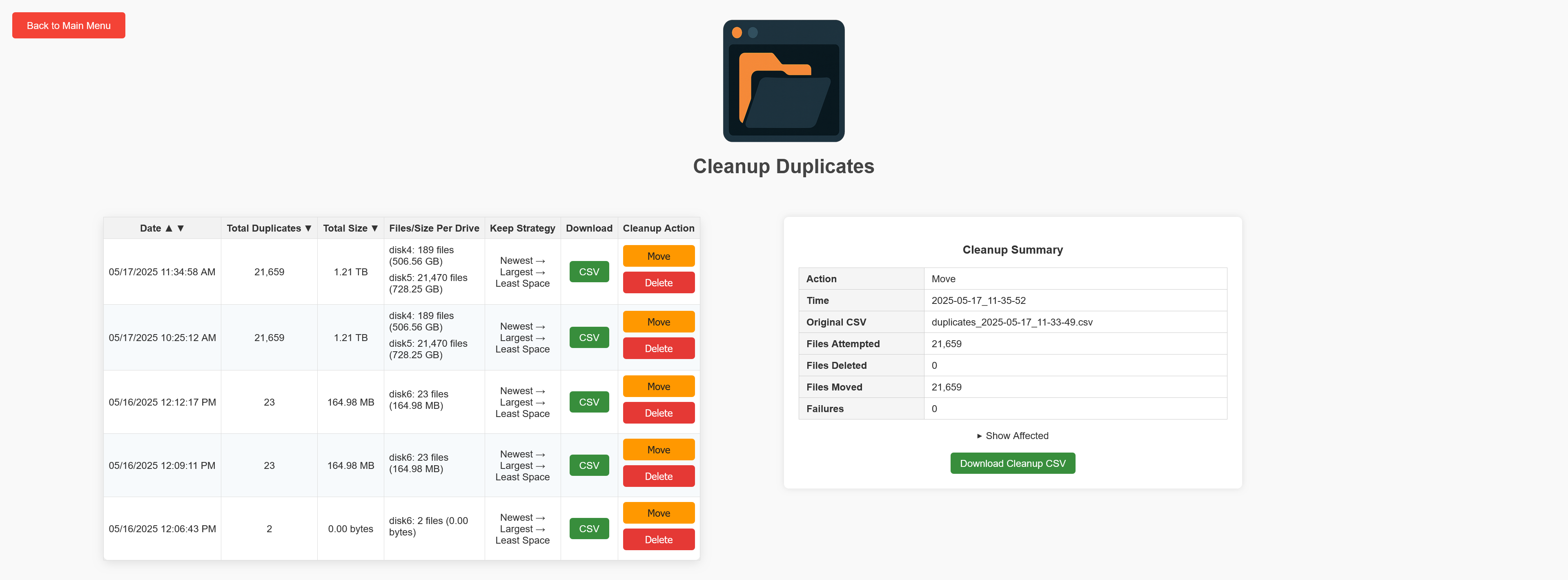
- Reports: Download CSV/JSON summaries after each cleanup
📂 Supported Storage Types
This tool works with any combination of:
- 🧱 Array disks (e.g.
/mnt/disk1,/mnt/disk2, ...) - 💧 Pool devices (e.g.
/mnt/cache,/mnt/ssd, ...) - 🔁 Both array and pool drives together
Simply select your preferred source in the Drive Source dropdown on the scan page.
⚠️ Important Usage Note
Once a scan or cleanup is started, the operation will continue running in the background — even if you navigate away from the page, close the browser, or refresh.
However:
- 🔄 Progress bars will not resume if you return to the page mid-operation.
- ✅ The final results summary will still be available once the task completes.
- 🧠 To avoid confusion, it's best to leave the browser tab open during long-running scans or cleanup actions.
This design ensures your data operation continues uninterrupted, but the web interface currently does not reconnect to in-progress tasks.
📸 Screenshots
🏠 Main Menu

🔍 Scan Results
📊 Cleanup in Progress
✅ Cleanup Summary
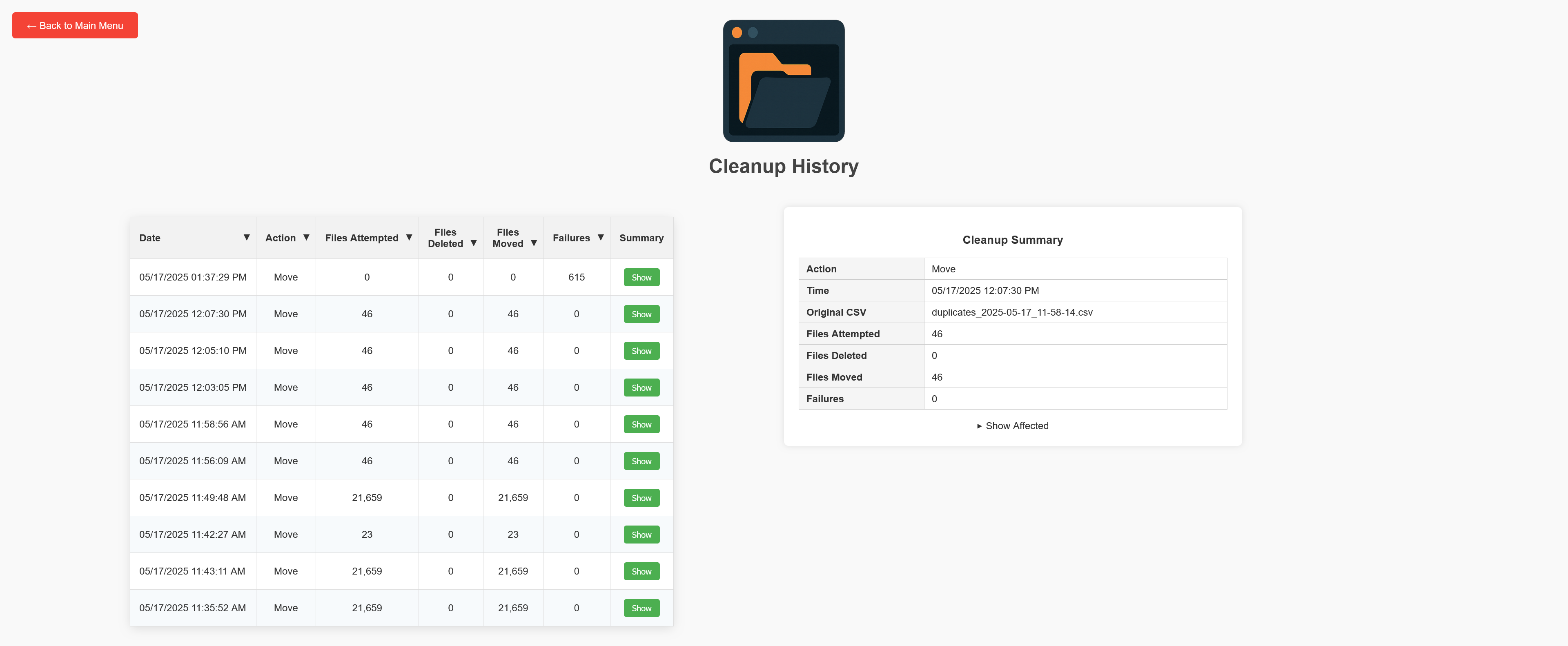
🧾 Cleanup History
⚠️ Disclaimer
This tool is provided as-is and is intended to help streamline the cleanup of duplicate files on Unraid systems.
- Use at your own risk — the authors are not responsible for any accidental data loss, misconfiguration, or damage resulting from use of this software.
- While extensive testing has been done, edge cases may exist depending on your directory layout or drive setup.
- We strongly recommend using the “Move” option first to safely relocate duplicates for manual review before considering permanent deletion.
Always verify your “Keep” selections and test with non-critical data when using the tool for the first time.
License
This project is licensed under the Creative Commons Attribution-NonCommercial 4.0 International License.
You may use, modify, and share the software for personal and non-commercial purposes, provided that:
- You give appropriate credit to the original author (
Bovive) - You do not sell or use it in commercial products or services
Categories
Related apps
Explore more like this
Explore allDetails
ghcr.io/bovive/unraid-duplicate-file-handler:latestRuntime arguments
- Web UI
http://[IP]:[PORT:5000]- Network
bridge- Shell
bash- Privileged
- false
- Extra Params
-it
Template configuration
Read/write access to Unraid array or pool disks.
- Target
- /mnt
- Default
- /mnt
- Value
- /mnt
Stores scan/cleanup results.
- Target
- /app/static/output
- Default
- /mnt/user/appdata/unraid-duplicate-file-handler
- Value
- /mnt/user/appdata/unraid-duplicate-file-handler
Required for session security • Use a 32-character hex string (0-9, a-f) • In the Unraid terminal, run: openssl rand -hex 16
- Target
- SECRET_KEY
Flask web interface port.
- Target
- 5000
- Default
- 5000
- Value
- 5000