
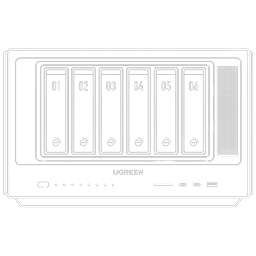
UGREEN iDX6011 Pro Front Panel
Plugin from noodlemctwoodle
Overview
Readme
View on GitHubunraid-ugreen-idx6011-pro
Touch LCD dashboard + smart front-panel LEDs for the UGREEN NASync iDX6011 Pro running Unraid — the full front panel, working natively, no UGOS required at runtime.






An independent project built by and for iDX6011 Pro owners — not made, affiliated with, or endorsed by UGREEN.
Jump to: Features · Requirements · How it works · Install · Dashboard · Customise · LEDs · Configuration · Upgrades · Troubleshooting · Building · Credits
Features
- Fully customisable touch dashboard on the 258×960 front LCD. Build any page from a library of modules — CPU, memory, network, storage, GPU, NPU, power, fans, uptime, host, array status, OS/plugin updates, and per-item disk / interface / container / VM cards — each with a choice of visual styles: bar, ring, gauge, history graph, area, segmented blocks, used/free split, trend, or big number.
- Web Layout editor in the Unraid settings UI, with a live preview of the real panel: add / rename / reorder / delete pages, toggle them on or off, and pick each module's visualisation (and, for per-item cards, which disk/interface/etc.).
- Theme it: choose the dashboard font, heading and text sizes, and every palette colour (incl. card titles + dim text) with live colour pickers; point at any server image for the wallpaper and header logo (hot-swapped live); make cards translucent, hide the chrome for full-screen image pages, add spacer gaps, and save / load / share theme presets; pick network-rate units and the primary interface.
- Fan control from the panel: leave the fans to firmware (Auto), drive all four on Silent / Quiet / Turbo temperature curves (CPU fans by CPU temp, case fans by the hottest disk), or run them flat out (Max) — a floor keeps every fan spinning, with a forced 100% at critical temps. Live RPM on a Fans card, including an animated spinning-fan view.
- Live stats: CPU %/temp, memory, per-interface network rates + totals, per-disk temps/usage/health, GPU & NPU utilisation, power draw (Intel RAPL), array/parity state, docker containers (with IPs + image-update flags), VMs, and Unraid notifications badge + banner.
- Smart front LEDs (9× RGB): power, LAN link, and per-bay disk health — with configurable colours, on/off, and an activity mode that blinks on I/O.
- Touch navigation: swipe for pages, drag to scroll, tap the footer for next, tap to wake, long-press to dim — plus an on-panel Settings page for the common knobs.
- Survives reboots and self-heals: proper Unraid plugin (verified against the plugin-manager schema), re-asserts its boot chain at every start. Everything needed is in this repo — sources, the kernel wake-probe patch + overlay builder, and prebuilt binaries for disaster recovery.
Requirements
- UGREEN NASync iDX6011 Pro (model-gated via DMI — the plugin no-ops elsewhere)
- Unraid 7.3.x on a USB flash labelled
UNRAID(developed on 7.3.2 / kernel 6.18.38) - UGOS not required — the plugin self-registers its own EFI boot entry, so a box with UGOS wiped from the NVMe works identically (see below)
- BIOS Watchdog Timer disabled — mandatory for any non-UGOS OS, or the box hard-resets every ~2 minutes. In BIOS setup, go to the Advanced tab, then find and disable the Watchdog Timer (it may be nested under a Hardware Monitor or Super I/O submenu).
How it works
Three discoveries make this possible (full story: docs/SOLUTION.md):
- The BIOS powers the front-panel rail only when it boots a registered EFI
entry — not the auto-generated removable-media fallback. So the plugin
registers a named EFI entry (
Unraid (iDX6011 panel)) for the USB flash withefibootmgrand keeps it first in the boot order. No UGOS or NVMe required. A wiped-UGOS box works identically — our registered entry is then the only one. This registered-vs-fallback insight builds directly on Reevoy24/ugreen-idx6011-panel. - Kernels ≥ 6.17 dropped the DPCD wake-probe this panel's eDP bridge needs.
Two one-line module patches (shipped as a small overlay initrd,
bzroot-wakefix— the kernel image itself is untouched) restore it. - The touchscreen (AXS15231B) needs no kernel driver: the dashboard polls it directly over I²C with the chip's native command protocol.
BIOS (panel rail ON for a *registered* EFI entry)
 └─ "Unraid (iDX6011 panel)" EFI entry → USB flash → syslinux
     └─ /bzimage + /bzroot + /bzroot-wakefix
         └─ plugin at boot: re-asserts its EFI entry (assert-boot.sh)
                            → loads touch I²C stack
                            → starts panel_dash (dashboard) + LED monitor
Installation
[!NOTE] Self-contained: the plugin downloads a SHA256-verified payload from the GitHub release and stages everything itself (scripts, binaries, touch modules, display overlay, icon). The from-source / manual runbook — and how to rebuild for a different kernel — is docs/front-panel-blueprint.md.
- Plugins → Install Plugin in the Unraid UI, paste this URL, install:
It downloads its payload, stages everything, and registers its EFI boot entry (https://raw.githubusercontent.com/noodlemctwoodle/unraid-ugreen-idx6011-pro/main/ugreen-idx6011-pro.plgassert-boot.sh). - Reboot. The firmware boots the registered
Unraid (iDX6011 panel)entry (the BIOS powers the panel rail only for a registered entry) — the panel lights, the dashboard starts, and the LEDs go live.
⚠️ Disable the BIOS Watchdog Timer first (see Requirements) — otherwise the box hard-resets every ~2 minutes on any non-UGOS OS.
The Dashboard
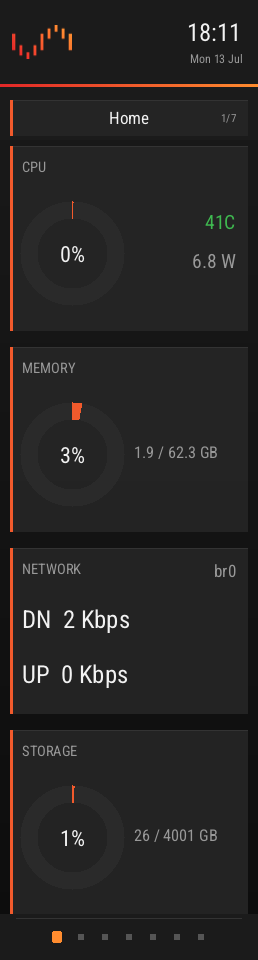 Home |
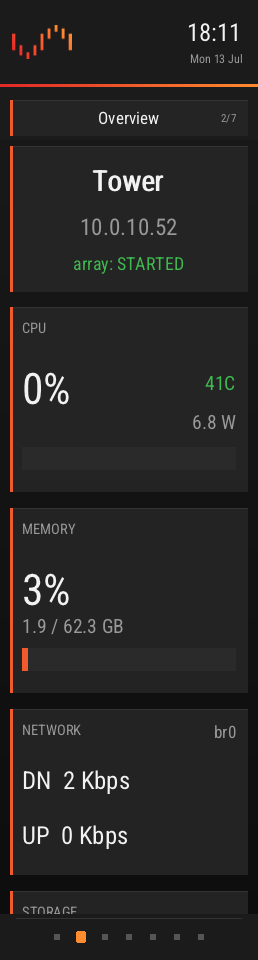 Overview |
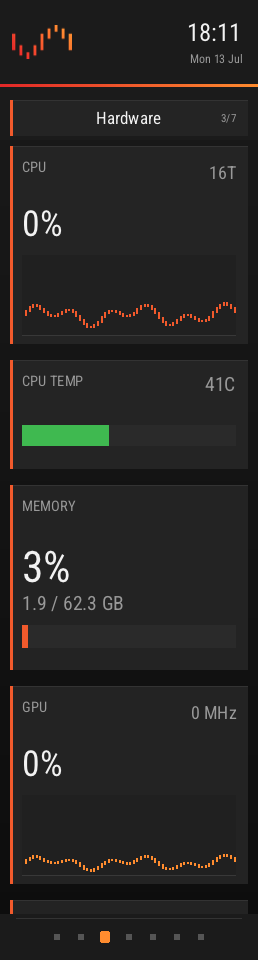 Hardware |
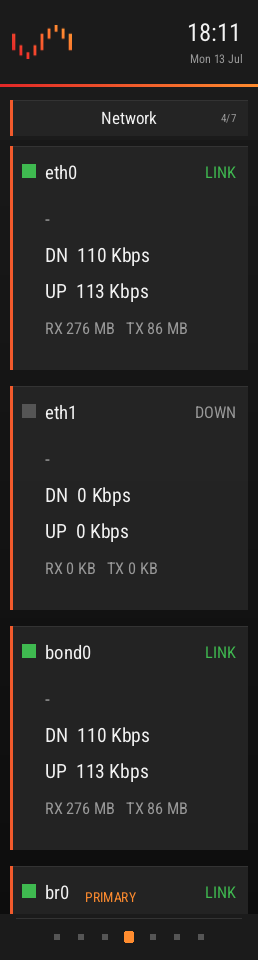 Network |
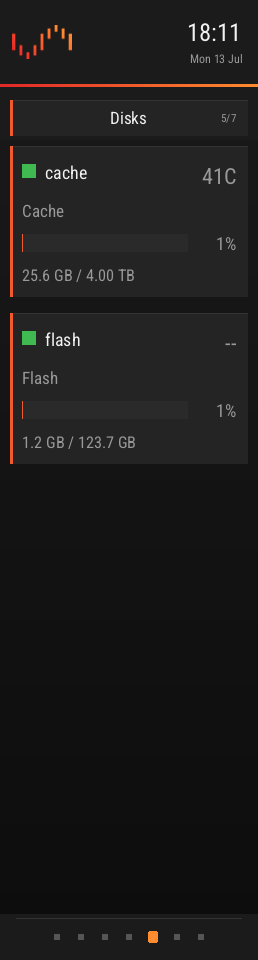 Disks |
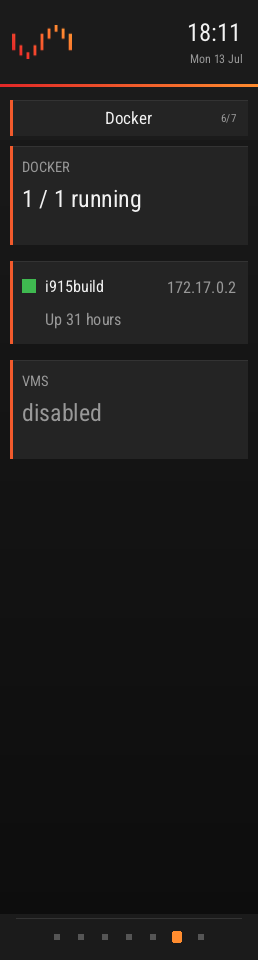 Docker |
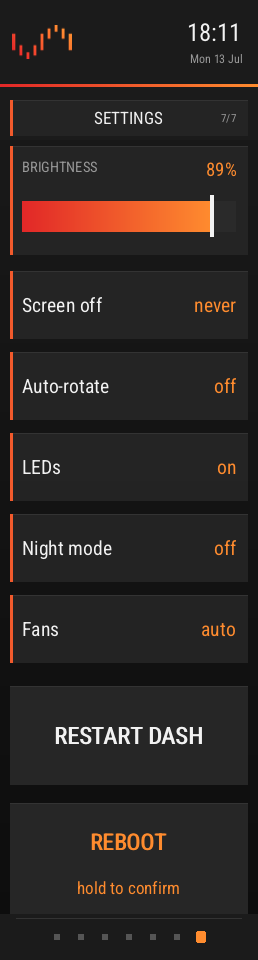 Settings |
Live 258×960 front panel, rendered on-device — the default pages (every one is fully editable).
The pages above are just a starting point. Every page is built from modules you choose in the web Layout editor, each with its own visual style — so no two panels have to look alike:
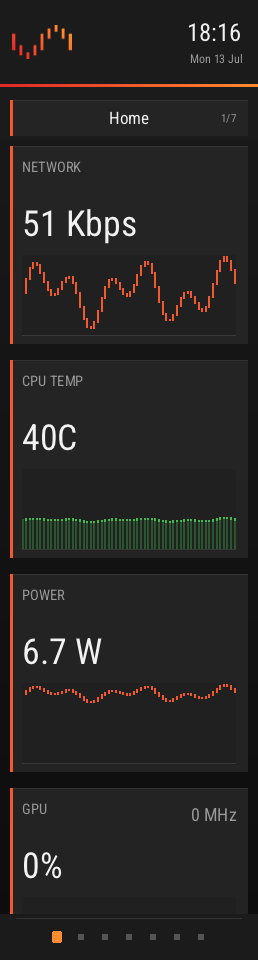 History graphs |
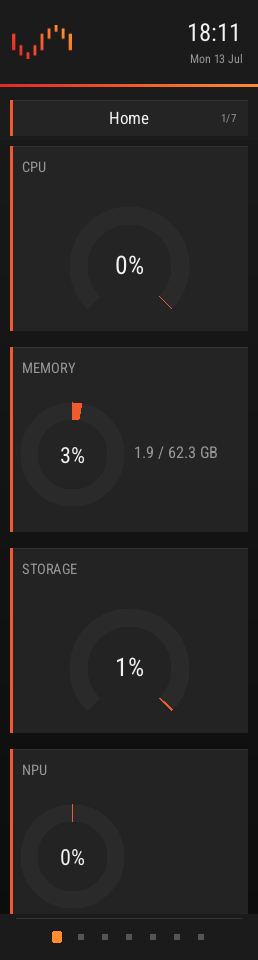 Rings & gauges |
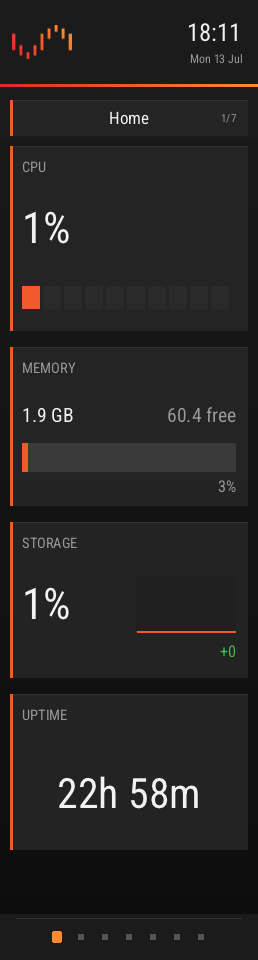 Blocks / split / trend |
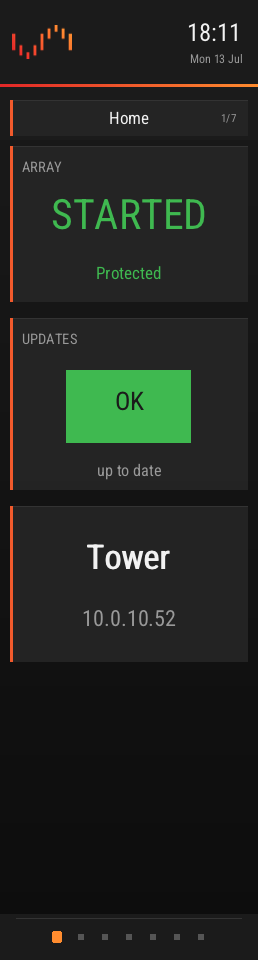 Status cards |
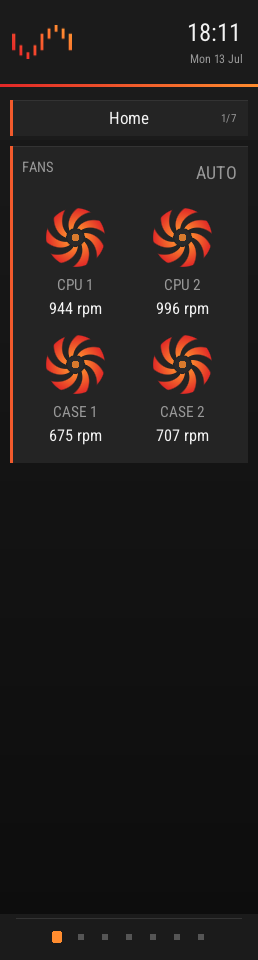 Fan dials |
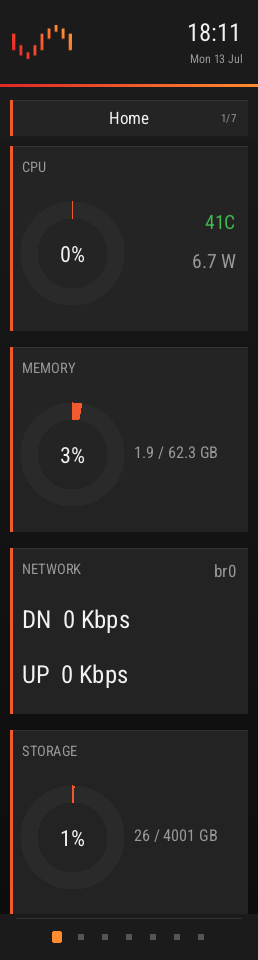 Theme: default |
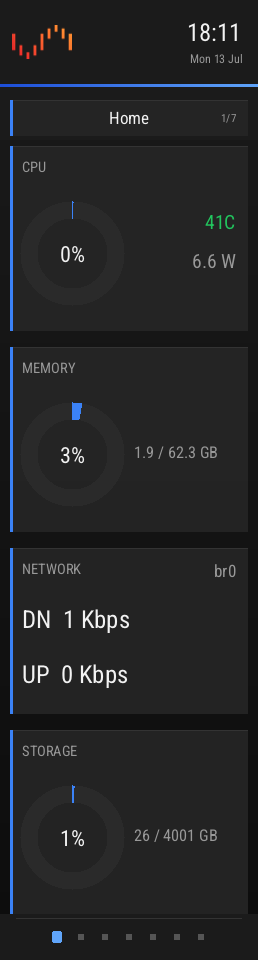 Theme: blue |
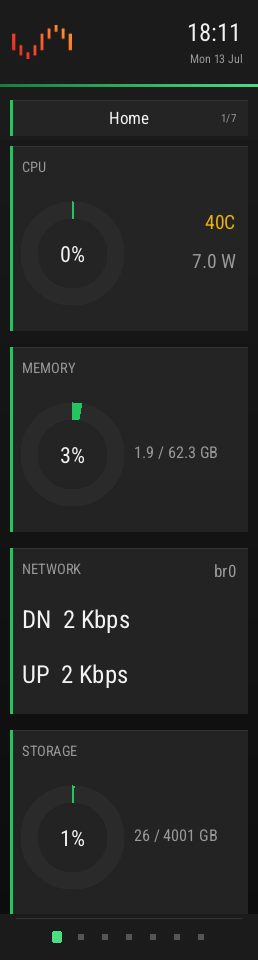 Theme: green |
A few of the module styles + palettes — mix and match your own in the Layout editor.
| Default page | Contents |
|---|---|
| HOME | CPU + memory + storage ring gauges, primary network rates, power, uptime |
| OVERVIEW | hostname/IP, array + parity state, CPU %+temp+watts, RAM, net rates, storage |
| HARDWARE | CPU sparkline + temp, fan dials, memory, GPU %+MHz sparkline, NPU, power |
| NETWORK | one card per interface: rates, IPv4/IPv6, RX/TX totals since boot |
| DISKS | one card per disk: health dot, temp / SLEEP, errors, usage bar, capacity |
| DOCKER | running/total count + one card per container (status, IP, update flag) + VMs |
| SETTINGS | touch controls: brightness slider, screen-off timer, auto-rotate, LED toggle, night mode, fan mode, restart, reboot/shutdown (hold-to-confirm) |
| Gesture | Action |
|---|---|
| Swipe left / right | next / previous page |
| Drag up / down | scroll within the page (1:1) |
| Tap footer dots | next page |
| Tap | wake backlight |
| Long-press | dim toggle |
Customise it
Everything is configured from Settings → UGREEN iDX6011 Pro in the Unraid web UI (three tabs: Screen, Lighting, Display), and most of it live-previews on a render of the real panel:
- Display ▸ Layout — the visual page builder. Add / rename / reorder / delete pages, toggle each on or off, add modules (including Spacer gaps to push content down), and pick each module's style (and, for the per-item cards, which disk / interface / container / VM). Per page you can hide the header bar / title card / page dots — all off + a wallpaper gives a full-screen image page — and set a card-opacity override. A live preview sits beside you.
- Display ▸ Theme — the dashboard font, heading / text sizes, the full colour palette (accent, gradient, background, card, text, ok / warn / bad) via colour pickers, and a global card-opacity slider. Point the panel at any image on the server — a file browser — for the wallpaper and a custom header logo; both hot-swap on the panel live, with no restart.
- Screen — brightness, stats refresh, auto-rotate, screen-off timer, night mode, fan mode, network-rate units (bits / bytes) and the primary network interface.
- Lighting — the front-LED master + power light, activity mode, and the LAN / per-disk-state LED colours.
The common knobs (brightness, rotate, LEDs, night mode, fan mode…) are also editable live from the panel's own touch SETTINGS page.
Wallpapers & themes
Point the panel at any image on the server (Display ▸ Theme ▸ Browse) — it hot-swaps live, no restart. Make cards translucent (globally or per page), add Spacer modules to open up space, and hide any page's header / title / page dots for a clean full-screen image. A card-opacity slider and a wallpaper-dim scrim, plus a text drop shadow and a themeable card-title colour, keep everything crisp over even busy images — each example below is a different view, opacity and matched palette:
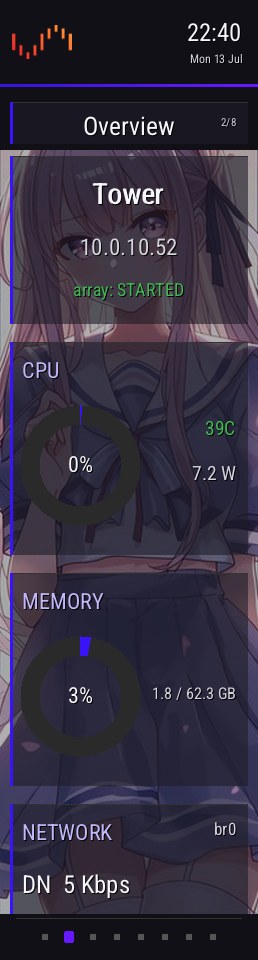 Rings |
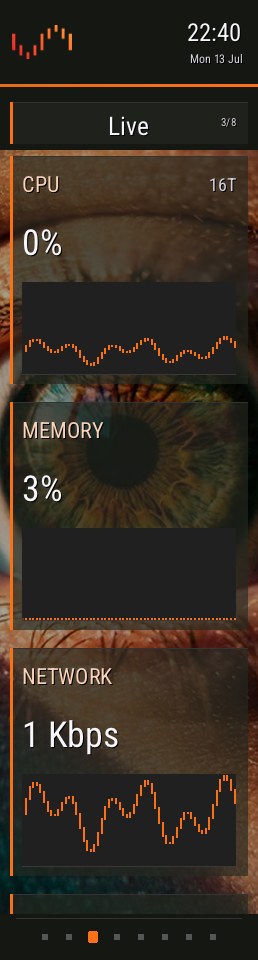 History graphs |
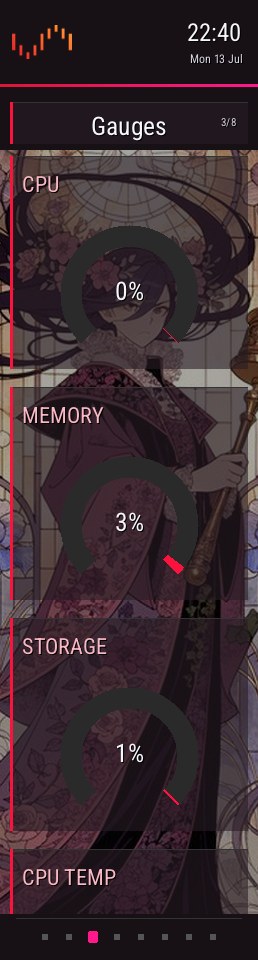 Arc gauges |
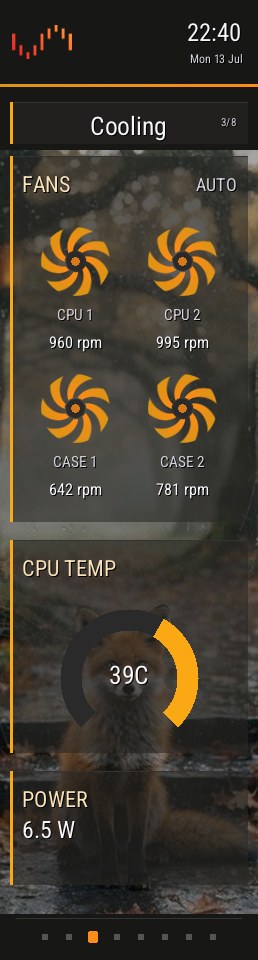 Animated fans |
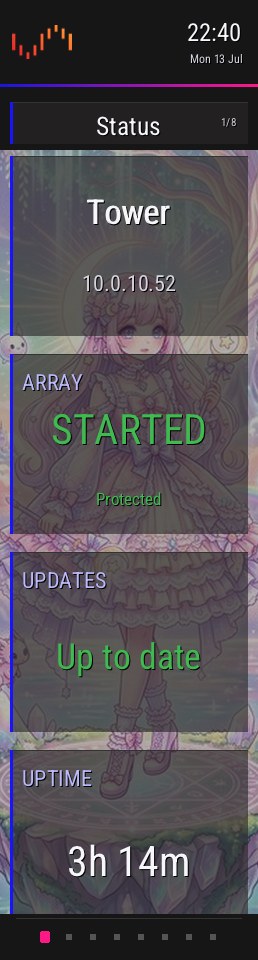 Status cards |
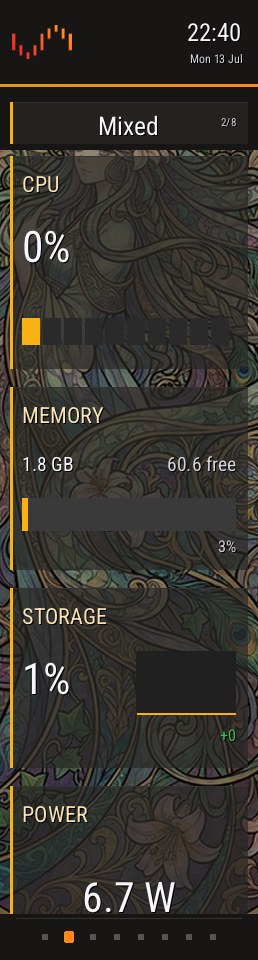 Blocks / split / trend |
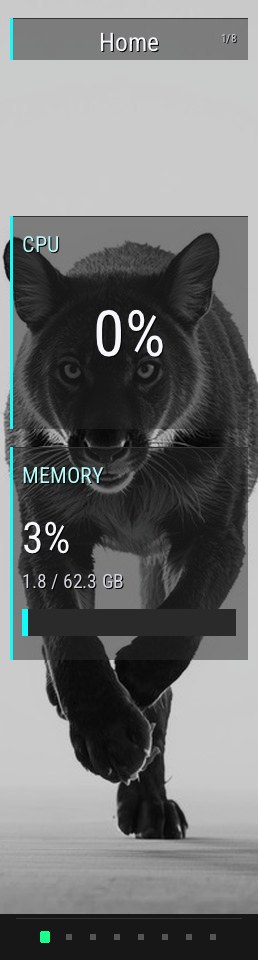 Full-screen hero |
 Full-bleed image |
Theme presets & sharing
The Theme tab has built-in presets — Unraid, Sakura, Ember, Abyss, Aurora, Grape, Cyber, Mono — that recolour the whole dashboard in a click. Save current… writes your theme to a file:
/boot/config/plugins/ugreen-idx6011-pro/panel/themes/<name>.cfg
That folder is on the flash config share
(\\TOWER\flash\config\plugins\ugreen-idx6011-pro\panel\themes\), so sharing a theme is
just copying its .cfg — drop one in and it shows up in the Load a theme… dropdown. A
theme is only the palette, font, sizes and card opacity; nothing device-specific.
Example wallpapers
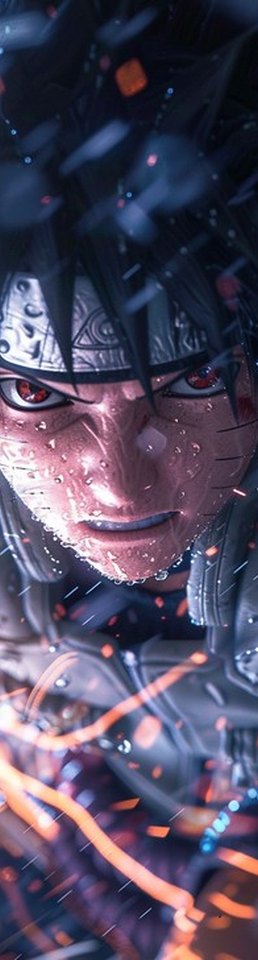
A set of 258×960 wallpapers (cropped to the panel) lives in
images/wallpapers/ — drop them on a share and Browse to them. They are
not shipped in the plugin.
 |
 |
 |
 |
 |
 |
 |
 |
 |
 |
 |
 |
 |
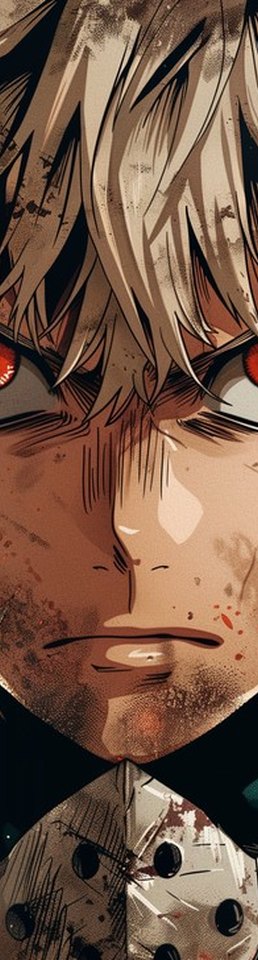 |
Example wallpapers via StockCake (free for personal & commercial use).
Front-panel LEDs
Colours and behaviour are configurable on the Lighting tab; the defaults:
| LED | Behaviour |
|---|---|
| Power | solid white |
| LAN1 / LAN2 | blue when link up, off when down |
| Disk bay (empty) | off |
| Disk bay (healthy) | green |
| Disk bay (pending/reallocated sectors) | amber |
| Disk bay (SMART fail / not responding) | red |
Why a special CLI build is required on this model
The iDX6011 Pro uses a different LED protocol (SMBus block-write) than older
DX/DXP models — the stock ugreenleds-driver kernel module and the upstream
ugreen_leds_cli predate this box and cannot drive its disk/netdev LEDs.
This plugin uses klein0r's fork
(iDX6011 protocol; LED names power / network_stat / network_stat2 / disk1-6).
The power LED can't be set by the CLI at all on this model (its init probe zeroes
the power register), so it's driven by a raw i2c sequence, re-asserted after every
CLI write. The SMBus bus number is auto-detected by adapter name (SMBus I801) —
it shifts when other I²C drivers load.
Bay mapping: the correct port→bay map ships built in. To verify or fix it, run the
one-time wizard — it lights each bay and asks which disk is in it, then writes
mapping.conf (picked up live, no restart):
bash /boot/config/plugins/ugreen-idx6011-pro/calibrate.sh
Configuration
Almost everything is set from the web UI (see Customise it); the
underlying store is /boot/config/plugins/ugreen-idx6011-pro/panel/settings.cfg
(user edits survive updates). The core keys:
| Key | Default | Meaning |
|---|---|---|
BRIGHTNESS |
75 |
backlight percent (5–100) — driven via the EC |
INTERVAL |
1 |
stats refresh seconds |
ROTATE |
0 |
auto-rotate pages every N seconds; 0 = off |
SCREEN_OFF_MIN |
0 |
blank the panel after N idle minutes; 0 = never |
NIGHT |
0 |
night mode: clamp brightness to 15% |
LEDS |
1 |
front LEDs on/off |
FAN_MODE |
auto |
fans: auto (firmware), silent / quiet / turbo (temperature curves), or max (100%). Curves keep every fan ≥25% and force 100% at critical temps |
NET_UNITS |
bits |
network-rate units: bits (Kbps/Mbps, matches Unraid) or bytes (KB/s) |
PRIMARY_IFACE |
(auto) | interface whose rates the Overview/Home pages show; empty = auto-pick the default-route interface. Set e.g. bond0 to match the Unraid dashboard. Falls back to auto-pick if the named interface is absent. |
Theme (FONT, HEAD_SCALE, TEXT_SCALE, CARD_OPACITY, and the COL_* palette
incl. COL_TITLE / COL_DIM), the wallpaper/logo paths (WALLPAPER, LOGO), the LED
colours (LED_*) and the page layout (N_PAGES, PAGE<n>_NAME|LAYOUT|ON|HEADER|TITLE| DOTS|CARDOP) are also stored here but are best edited from the web UI. Saved themes are
separate files in …/panel/themes/*.cfg. The common knobs are editable live from the
panel's own SETTINGS page too.
- Wallpaper / header logo: point at any image on the server from Display ▸ Theme
(a file browser) — stored as
WALLPAPER=/LOGO=and hot-swapped on the panel live, no restart. Any size, auto-scaled. A legacypanel/wallpaper.png/logo.pngis still honoured for back-compat. - Dashboard CLI flags (for manual runs):
--bg <img>--backlight <pct>--interval <s>--rotate <s>--touch </dev/i2c-N>--no-touch--cal <s|x|y>--once--shot <dir>--preview <page> <layout> <out>;TOUCH_DEBUG=1traces touch frames.
After an Unraid OS upgrade
[!NOTE] A new Unraid release means a new kernel, and the display-module overlay is kernel-bound. The panel stays dark (with an Unraid notification; nothing breaks) until you rebuild — one command, then reboot:
bash plugin/boot/build-overlay.sh plugin/boot/i915-edp-wakeprobe-<kver>.patch
Troubleshooting
| Symptom | Cause → fix |
|---|---|
| Boots the wrong OS / not Unraid | Reinsert the USB flash, then in the BIOS put the panel entry first: Boot → UEFI USB Hard Disk Drive BBS Priorities → Unraid (iDX6011 panel) |
Panel dark, dmesg shows PP_STATUS: 0x00000000 |
Booted via the removable-media fallback, not the registered entry. The OS-set BootOrder (efibootmgr -o) may not override the per-class USB priority on this firmware — set it in the BIOS: Boot → UEFI USB Hard Disk Drive BBS Priorities → Unraid (iDX6011 panel) |
| Panel dark after an Unraid upgrade | Kernel changed → rebuild the overlay (above) |
| Dashboard frozen but process running | i915 framebuffer compression serving a stale frame → update to a build with per-frame DirtyFB (any current one) |
| Touch dead | ls /sys/bus/i2c/devices/ should list i2c-CUST0000:00 — if not, the LPSS module chain didn't load; re-run the plugin install |
| LEDs dark or partially working | Wrong CLI variant — must be the klein0r iDX6011 build (prebuilt/) |
| Box hard-resets every ~2 min | BIOS watchdog enabled → disable it |
More: docs/SOLUTION.md section 8 (recovery procedures table).
Building from source
Everything builds in a Debian container on the box (the plugin's own docs assume
i915build with /mnt/cache/build mounted at /build):
- Dashboard:
src/panel/(modular C99;panel_dash.caggregates the modules + vendored stb headers) → src/panel/build.sh - Display-module overlay + touch-stack modules: boot/build-overlay.sh
(applies boot/i915-edp-wakeprobe-6.18.38.patch,
builds against Unraid's own kernel config, packs the overlay with the required
xz --check=crc32compression) - LED CLI:
makein klein0r'scli/dir (needsg++,libi2c-dev) - i2c-tools: static build from kernel.org source, packed as an
installpkg-able txz (not available in Slackware repos)
Repository layout
ugreen-idx6011-pro.plg   Unraid plugin manifest (schema-verified, lifecycle-tested)
src/                     shell scripts (LED + LCD + boot heal); src/panel/ = modular dashboard C
boot/                    kernel wake-probe patch + overlay build script
prebuilt/                verified binaries: panel_dash, bzroot-wakefix (kernel-bound),
                         ugreen_leds_cli (klein0r/iDX6011), i2c-tools txz
images/                  plugin icon, README screenshots + example wallpapers (icon only is bundled)
docs/SOLUTION.md         architecture + every hardware discovery, with evidence
docs/front-panel-blueprint.md   numbered install runbook + hardware reference appendix
docs/PLUGIN.md           Unraid plugin-schema conformance + release process
Known limitations
- The display-module overlay is kernel-bound — after an Unraid OS upgrade the panel stays dark (with a notification, nothing breaks) until you rebuild it — one command, then reboot (see above).
- Fan control is active only while
panel_dashruns: a clean stop hands the fans straight back to firmware auto, but an uncatchable kill leaves them at their last (still-spinning, ≥25%) speed until the process restarts. - The Docker image-update flag is best-effort — read from Unraid's docker update-status file, so it only appears for Community-Applications-managed containers.
Credits
Built on the work of others — this would not exist without:
- Reevoy24/ugreen-idx6011-panel — the registered-EFI-entry boot method this whole plugin rests on (it's why the panel lights with no UGOS/NVMe), plus EC fan/backlight register documentation. A kindred multi-platform (Proxmox/TrueNAS) panel project.
- klein0r/ugreen_leds_controller and
miskcoo/ugreen_leds_controller —
LED protocol + CLI; the bundled
ugreen_leds_cliis klein0r's iDX6011 fork (GPL-2.0) - ich777/unraid-ugreenleds-driver — original Unraid LED packaging approach
- Incipiens/ugreen-idx6011-pro-nas-display — early panel reverse-engineering groundwork
- The Linux kernel (Intel i915 / DRM DisplayPort + Intel LPSS /
DesignWare I²C drivers) — the shipped
bzroot-wakefixdisplay overlay and the touch-stack modules are compiled, patched builds of these GPL-2.0 sources; the exact source diff is in boot/i915-edp-wakeprobe-6.18.38.patch - i2c-tools (kernel.org /
lm-sensors) — bundled static
i2cset/i2cget/i2ctransferfor the raw power-LED I²C sequence the CLI can't drive (GPL-2.0) - nothings/stb —
stb_easy_font,stb_imageandstb_image_write(public domain / MIT) - homarr-labs/dashboard-icons — the official Unraid header mark embedded in the dashboard (Apache-2.0 icon set)
- Deivizzz — the plugin icon: original line-art of the iDX6011 Pro, used in the Unraid plugin manager and the Community Applications listing
- StockCake — the example wallpapers in
images/wallpapers/(free for personal & commercial use); not bundled in the plugin - libdrm — DRM dumb-buffer rendering the dashboard links against at runtime (MIT)
Related upstream work: the eDP DPCD wake fix "drm/i915/dp: On DPCD init wake the DPRx for eDP" (Arun R Murthy) addresses the same kernel regression — see docs/SOLUTION.md.
License
This project's own scripts and dashboard source are MIT — see LICENSE.
Bundled/derived components keep their upstream licenses (GPL-2.0 for
ugreen_leds_cli, the kernel-derived bzroot-wakefix overlay + touch modules, and
i2c-tools; public domain / MIT for the stb headers; Apache-2.0 for the embedded
Unraid icon), and the Unraid / UGREEN names and marks belong to their owners. Full
details in THIRD-PARTY-NOTICES.md.
Categories
Download Statistics
Downloads by Month
Related apps
Explore more like this
Explore allDetails
https://raw.githubusercontent.com/noodlemctwoodle/unraid-ugreen-idx6011-pro/main/ugreen-idx6011-pro.plg