
All apps · 0 apps
UGREEN DXP4800 Pro LEDs
Plugin from EllipticSet
Overview
Readme
View on GitHub


This plugin controls the Power, LAN and four drive-bay LEDs, with configurable colours, brightness, disk activity pulses and standby breathing. Settings are managed directly in the Unraid WebGUI.
This is an independent project, not an official release from UGREEN, ich777 or flybrys.
Versioning
Releases follow MAJOR.MINOR.PATCH: patch versions for fixes, minor versions for backward-compatible features, and major versions for breaking changes.
Settings preview
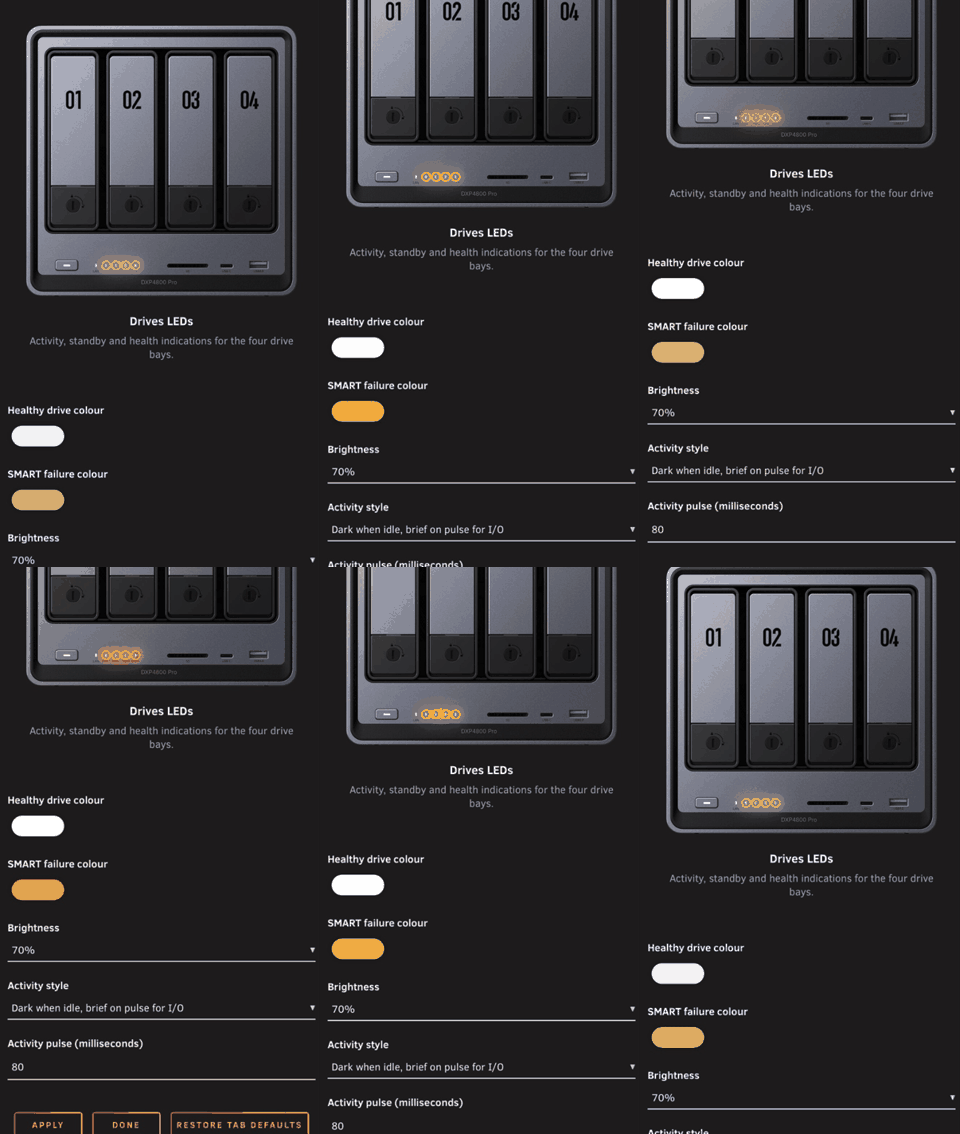
Mobile preview — Drives LEDs (1.2.0)
Compatibility
| Requirement | Supported configuration |
|---|---|
| NAS | UGREEN DXP4800 Pro |
| Unraid | 7.3.2+ |
| Kernel | 6.18.38-Unraid (exact version required by this build) |
The installer checks the exact DMI model and kernel before loading the bundled LED module. The supported configuration requires Unraid 7.3.2 or later with the exact kernel 6.18.38-Unraid.
[!WARNING] Other models and kernels are not supported by this build.
The plugin uses Intel SMBus I801 and the led-ugreen module with write_protocol=legacy. No GT DesignWare modules are installed.
Features
- Native Unraid tabs: Power LED, LAN LED, Drives LEDs, and Advanced Settings.
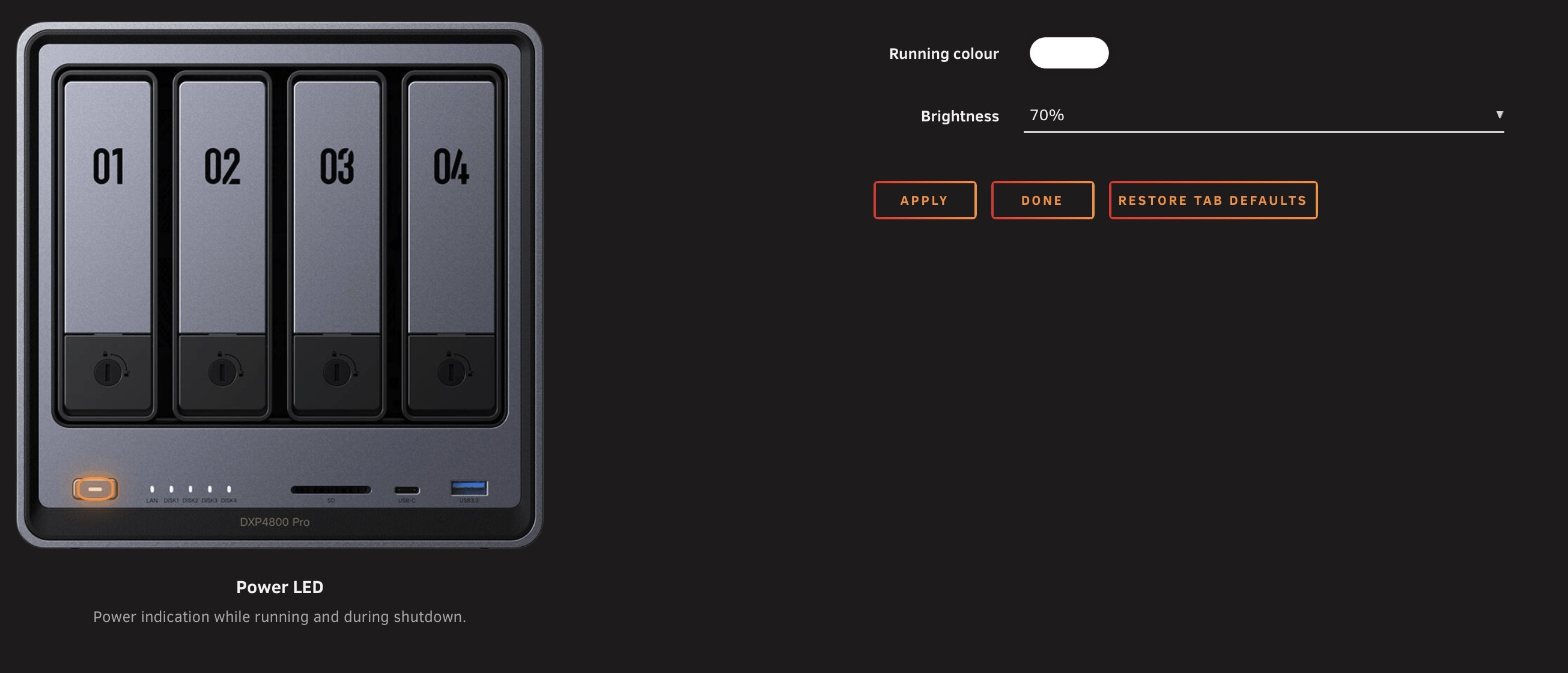
- Front-panel photo with the selected LEDs highlighted, alongside colour, brightness and behaviour controls.
- Apply and restore defaults independently for each tab, with native click-to-open help.
- Percentage brightness in 10% steps, defaulting to 70%, or raw controller values.
- Power status and shutdown blinking.
- LAN activity indication with configurable connectivity checks.
- Drive activity pulses, standby breathing and warning indications.
- Configurable physical bay mapping and monitoring intervals.
- Non-waking SMART checks, scheduled separately from disk activity sampling.
- Persistent settings, validated configuration and atomic saves.
- Settings retained during updates, apart from migration of earlier default bay mappings; rollback is attempted if the new monitor fails to start.
- Bundled dependencies and checksums, with no separate package downloads during installation.
Installation
Remove any competing LED plugin or controller. If its module or I2C client remains loaded, reboot before installing this plugin.
Open Plugins → Install Plugin in Unraid.
Paste the following URL and install:
https://raw.githubusercontent.com/EllipticSet/UGREEN-DXP4800Pro-LEDs/main/UGREEN-DXP4800Pro-LEDs.plgOpen Settings → LED Settings to configure the plugin.
Settings are stored persistently at:
/boot/config/plugins/UGREEN-DXP4800Pro-LEDs/settings.cfg
The public plugin name is UGREEN DXP4800 Pro LEDs; its Unraid Settings page is named LED Settings. The existing repository URL, .plg filename and internal plugin/configuration directories are retained so existing installations can update directly.
The URL above supports direct installation without Community Applications. See Community Applications maintenance for submission and catalogue details.
Manual installation from the terminal
Copy UGREEN-DXP4800Pro-LEDs.plg to /tmp on the NAS, then run:
plugin install /tmp/UGREEN-DXP4800Pro-LEDs.plg
Use an absolute path: Unraid's PHP startup can change the working directory.
Configuration
Open Settings → LED Settings, or visit /Settings/LED-Settings. Select a tab from the bar at the top. The Power, LAN and Drives tabs show a front-panel image with the relevant LEDs highlighted; on narrow screens, the image appears above the controls. Advanced Settings centres its controls without a NAS image and groups brightness, connectivity, drive mapping and monitoring settings. Its optional mapping guide opens and closes from the same Show guide / Hide guide button. The installed plugin version appears on the right inside the tab bar.
Apply saves only the selected tab. Restore tab defaults also affects only that tab.
Use the Settings page to select colours, brightness, the network interface and drive activity style. Click a setting name to open its help text. Advanced Settings contains the brightness display mode, connectivity checks, drive mapping and monitoring intervals.
Brightness defaults to 70% for each LED group. Percentage mode offers 0% (off) through 100% in 10% steps. Raw mode accepts 0–255; both modes store controller values. Percentage mode rounds existing values to the nearest ten percent, with halfway values rounded upward (180 raw becomes 70%). Raw mode retains exact controller values. Restoring tab defaults selects 70%.
Drive-bay mapping
The standard DXP4800 Pro mapping is 1 2 3 4, corresponding to ATA ports 1–4 in physical bay order, regardless of how many drives are installed. Initially empty bays remain off. By default, the monitor checks the mapped ports every 15 seconds and detects newly added drives automatically. Manual detection is not required during installation.
When updating from an older version, automatically generated mappings that disabled empty bays (for example, 1 2 0 0) are replaced with 1 2 3 4, allowing drives added later to be detected. Custom mappings with manually reordered ATA ports are preserved. You can adjust the mapping in Advanced Settings if needed.
The optional guide in Advanced Settings explains /usr/local/sbin/ugreen-pro-leds detect. Detection lists ATA ports and devices; verify a custom physical mapping one drive at a time by reading existing data and observing its LED.
Network connectivity
Automatic interface selection follows the default route, typically br0. You can select a different interface manually.
| Mode | What is checked |
|---|---|
| HTTPS (default) | Link status and reachability of configured HTTPS endpoints |
| Gateway | Link status and a ping to the default gateway |
| None | Link status only |
HTTPS checks approximate Internet availability. An endpoint outage, DNS filtering or firewall rule can produce an orange LAN LED even when other sites remain accessible. LAN blinking follows traffic on the selected interface; it is not a continuous timed blink. Background traffic also triggers it, including local traffic when Internet checks fail.
LED behaviour
The following indications use the default white and orange colours. Colours and brightness values can be changed in Settings. The physical brightness response depends on the LED controller; some controllers may treat nonzero values as full brightness.
| LED | Indication | Meaning |
|---|---|---|
| Power | Solid white | Power colour set when the monitor starts; may remain on after monitoring stops |
| Power | White blink, 500 ms on / 500 ms off | Unraid shutdown hook running |
| LAN | White, blinking with traffic | Link present and connectivity check passing |
| LAN | Orange, blinking with traffic | Link present but the selected connectivity check is failing |
| LAN | Solid orange | Interface or link unavailable |
| Drive | Off when idle, white pulses during I/O | Active drive |
| Drive | White breathing | SMART reports standby |
| Drive | Slow orange blink | Explicit SMART failure or disappearance of a previously present drive |
| Drive | Off | Initially empty mapped bay |
| Drive | Off | Bay mapping set to 0 (disabled) |
The default drive activity style is Dark when idle, with brief white pulses during I/O. Solid when idle, with brief off pulses during I/O, is also available.
Standby breathing is restarted together whenever the set of sleeping drives changes. The MCU cycles are started in consecutive controller writes; exact visual alignment still requires hardware validation.
Disk activity is sampled every 0.5 seconds by default and reflects aggregated activity rather than every individual request. SMART checks use -n standby,0 to avoid waking sleeping drives. A failed SMART query is not treated as a confirmed disk failure. Intentional removal of a drive can trigger the same warning as unexpected disappearance.
The plugin does not infer general system faults or whole-system sleep. Stopping the Unraid array does not establish that the NAS is asleep. LED indications supplement Unraid diagnostics and notifications.
Diagnostics
Check the monitor and recent log entries:
/usr/local/sbin/ugreen-pro-leds status
tail -n 60 /var/log/ugreen-pro-leds.log
Stop LED monitoring:
/usr/local/sbin/ugreen-pro-leds stop
Stopping the monitor releases its LED triggers and turns off configured drive LEDs. The Power LED remains on; use status to check whether the monitor is running. This command does not shut down the NAS. Logs are stored in RAM; settings are stored persistently on the boot device.
For problems or suggestions, open a GitHub issue. Include your Unraid version, kernel, plugin version, the observed behaviour and relevant status/log output. Remove any private information before posting.
Removal
Remove the plugin from Plugins in Unraid. Saved settings and shared i2c-tools are retained.
The installer adds an identified shutdown-hook line to /boot/config/stop; removal deletes that line while preserving unrelated changes. If removal is incomplete or an old LED module remains loaded, reboot before installing another LED controller.
Validation status
Hardware testing of earlier development builds on a DXP4800 Pro with Unraid 7.3.2 and the supported kernel confirmed:
- Installation and monitor startup.
- Solid white Power and white LAN activity on
br0. - Saving settings and restarting the monitor through Apply.
- Correct four-bay mapping, disk read pulses and standby breathing.
- Settings retained during a development-build update.
- Automatic startup after reboot and after a full shutdown followed by power-on.
- Power blinking during shutdown and returning to solid white after startup.
See Validation for automated checks, historical hardware results and remaining verification work. The owner also tested and approved the 1.2.0 settings interface on the NAS, including repeated native help animations in Safari. This does not establish complete hardware coverage of brightness or breathing alignment.
License and acknowledgements
The monitor, WebGUI and packaging adaptations are licensed under the MIT License. Bundled third-party components retain their own licences, including GPL-2.0-only for the LED kernel module and component-specific GPL/LGPL terms for i2c-tools. See THIRD_PARTY.md for details.
This project builds on:
- flybrys/UGREEN-DXP4800GT-LED-Driver, commit
32c06cfd4a4d0fa27f5610f678391ed2c57edfd0: adapted monitor and settings, and the prebuilt LED module. - ich777/unraid-ugreenleds-driver, commit
3497eb5367dfdd8ab494eb481e16111216ba9f48: Intel I801 setup, ATA mapping and packaging references. - miskcoo/ugreen_leds_controller, commit
c830a2293cf5c67c58e5a98ca339b089b2b13fc3: corresponding GPL-2.0-only module source, included with its hardening patch. - UGREEN's LED indicator guide: reference for activity, standby, shutdown and white/orange indications.
The original driver's DXP4800 Pro report concerns Proxmox and is not a test of this Unraid plugin.
Build and bundled dependency provenance
Sources, original licence notices, the module patch and BUILD_INFO are included in vendor/.
i2c-tools 4.3 is redistributed from ich777 with SHA-256 9730e890d81743f4827715ae38019715fe8252c9bc6d95af4b5f64339238106c. Its official source archive is included; see the archive's COPYING and LICENSE files for component-specific terms.
build/package.py regenerates the offline package without changing the host. Rebuilding the kernel module requires Linux x86_64, the exact Unraid kernel source and the tools described in build/build-module.sh.
Media gallery
Categories
Download Statistics
Downloads by Month
Related apps
Explore more like this
Explore allDetails
https://raw.githubusercontent.com/EllipticSet/UGREEN-DXP4800Pro-LEDs/master/UGREEN-DXP4800Pro-LEDs.plg