
All apps · 0 apps

traccar
OfficialDocker app from Selfhosters
Overview
Link to traccar.xml: https://raw.githubusercontent.com/traccar/traccar/master/setup/traccar.xml
[b]Add it to your host path before starting the container. [b]
Readme
View on GitHubTraccar
Overview
Traccar is a free, open source GPS tracking platform. This repository contains the Java-based back-end server, which supports more than 200 GPS protocols and 2000+ models of GPS tracking devices out of the box. Traccar works with any major SQL database and provides an easy to use REST API.
Traccar is built for anyone who needs to track vehicles, assets, or people: fleet operators, GPS tracking resellers running their own white-label platform, and individuals tracking their own devices. You can self-host it for free, or use official managed hosting if you'd rather not run a server yourself.
| Web Dashboard |
|---|
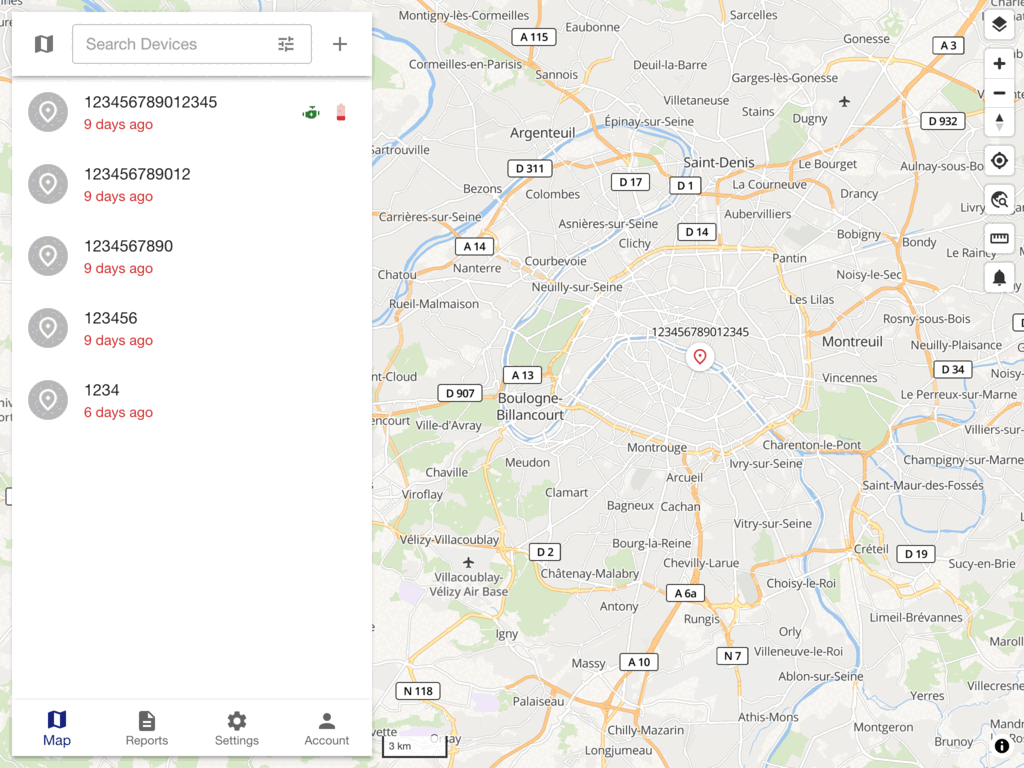 |
Other parts of the Traccar platform:
- Traccar web app - the browser-based tracking dashboard
- Traccar Manager app - mobile app for viewing your tracked devices
There is also a set of mobile apps for tracking mobile devices themselves:
Quick Start
Run Traccar with a production-grade MySQL database using Docker Compose:
curl -o compose.yaml https://raw.githubusercontent.com/traccar/traccar/master/docker/compose/traccar-mysql.yaml
docker compose up -d
Traccar will be available on port 8082. See the Docker documentation for other configuration options, or try the live demo without installing anything.
Features
Some of the available features include:
- Real-time GPS tracking
- Driver behaviour monitoring
- Detailed and summary reports
- Geofencing functionality
- Alarms and notifications
- Account and device management
- Email and SMS support
Build
Please read the build from source documentation on the official website.
Community
Team
- Anton Tananaev (anton@traccar.org)
- Andrey Kunitsyn (andrey@traccar.org)
License
Apache License, Version 2.0. See LICENSE.txt for details.
Categories
Download Statistics
Total Downloads Over Time
Related apps
Explore more like this
Explore allLinks
Details
traccar/traccarRuntime arguments
- Web UI
http://[IP]:[PORT:8082]- Network
bridge- Privileged
- false
- Extra Params
--restart=unless-stopped --hostname traccar
Template configuration
Container Port: 8082
- Target
- 8082
- Default
- 8082
Container Port: 5000-5150
- Target
- 5000-5150
- Default
- 5000-5150
Container Port: 5000-5150
- Target
- 5000-5150
- Default
- 5000-5150
Container Path: /opt/traccar/data
- Target
- /opt/traccar/data
- Default
- /mnt/user/appdata/traccar/data
Container Path: /opt/traccar/logs
- Target
- /opt/traccar/logs
- Default
- /mnt/user/appdata/traccar/logs
Container Path: /opt/traccar/conf/traccar.xml
- Target
- /opt/traccar/conf/traccar.xml
- Default
- /mnt/user/appdata/traccar/traccar.xml