

TowerTorch
Plugin from Junker der Provinz
Overview
Readme
View on GitHub

Build Lint Release Downloads Go Unraid Plugin License: AGPL-3.0
TowerTorch upgrades Unraid's Docker tab into a full container command post: dependency-aware, health-gated start orchestration, live CPU/RAM/bandwidth limits with built-in proof diagnostics, one-click actions, and clean, themeable badges, all injected right into the native page. A small Go engine does the work; nothing leaves your server.

- Support
- What is this?
- Screenshots
- Features
- Installation
- The Docker tab
- The settings page
- How it works
- Safety notes
- Uninstall
- Development
- License
- How AI is used here

A one-knight job: I build it, keep it running, work through the issues and add what people ask for, until nothing is missing. It is free, with no accounts, no telemetry, no ads and no paid tier. No asterisk anywhere. Nothing readable ever leaves your own walls. Forged on evenings and weekends, with heart and stubbornness.
If it has earned a place on your server or computer, toss a coin to your knight: it helps cover the costs and keeps the project alive. It also makes this knight's heart beat a little faster. Three ways below, whichever suits you.
))
))
))

TowerTorch gives Unraid's native Docker, Plugins and VM tabs both muscle and a makeover, without replacing a single page. Everything is enhanced in place.
On the Docker tab it replaces start-order guesswork with a start plan: containers declare what they depend on, and the engine starts them in dependency order, releasing the next stage only when a container is actually ready (not merely "running"). It adds per-container CPU, RAM and bandwidth limits, a compact actions column, and a badge-based UI that shows live state at a glance. The Plugins tab gets the same styling (uniform logos and badges for author, version, status and changelog), and the VM tab picks up matching icon theming.
Accent or rainbow colours, a configurable badge shape and a floating action bar tie it all together, and TowerTorch can extend the same theme to Unraid's main menu bar (opt-in) and turn the Settings page category icons into large square badges. A Bereiche (Areas) tab in the settings lets you turn each area (menu bar, Docker, Plugins, VMs, Settings) on or off independently, each with its own style tab.
Your server's UI on fire. Your disks stay cool.

Every picture uses a different accent colour. The server and its apps, shares and addresses are made up.
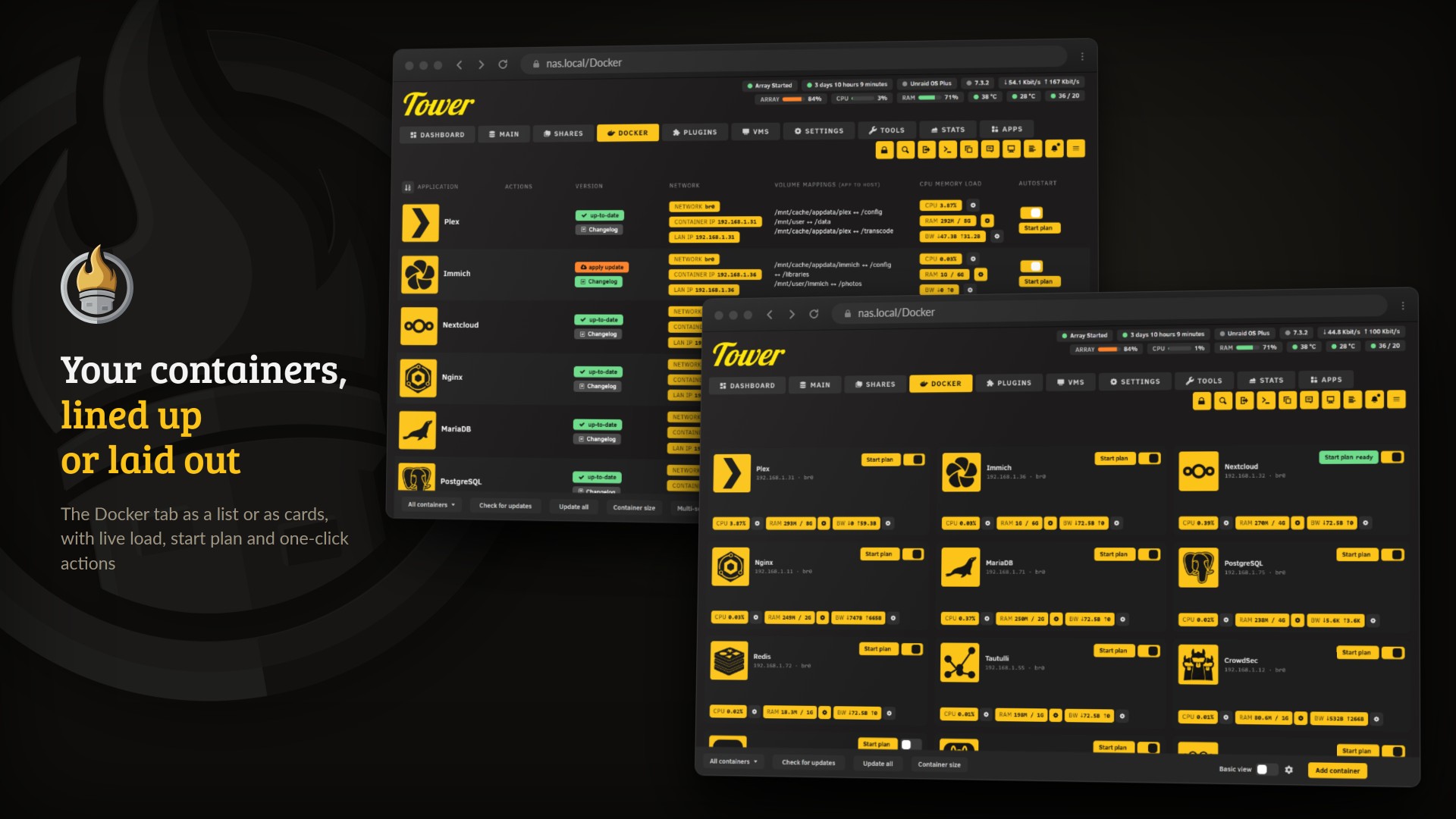
The Docker tab, as a list and as cards.
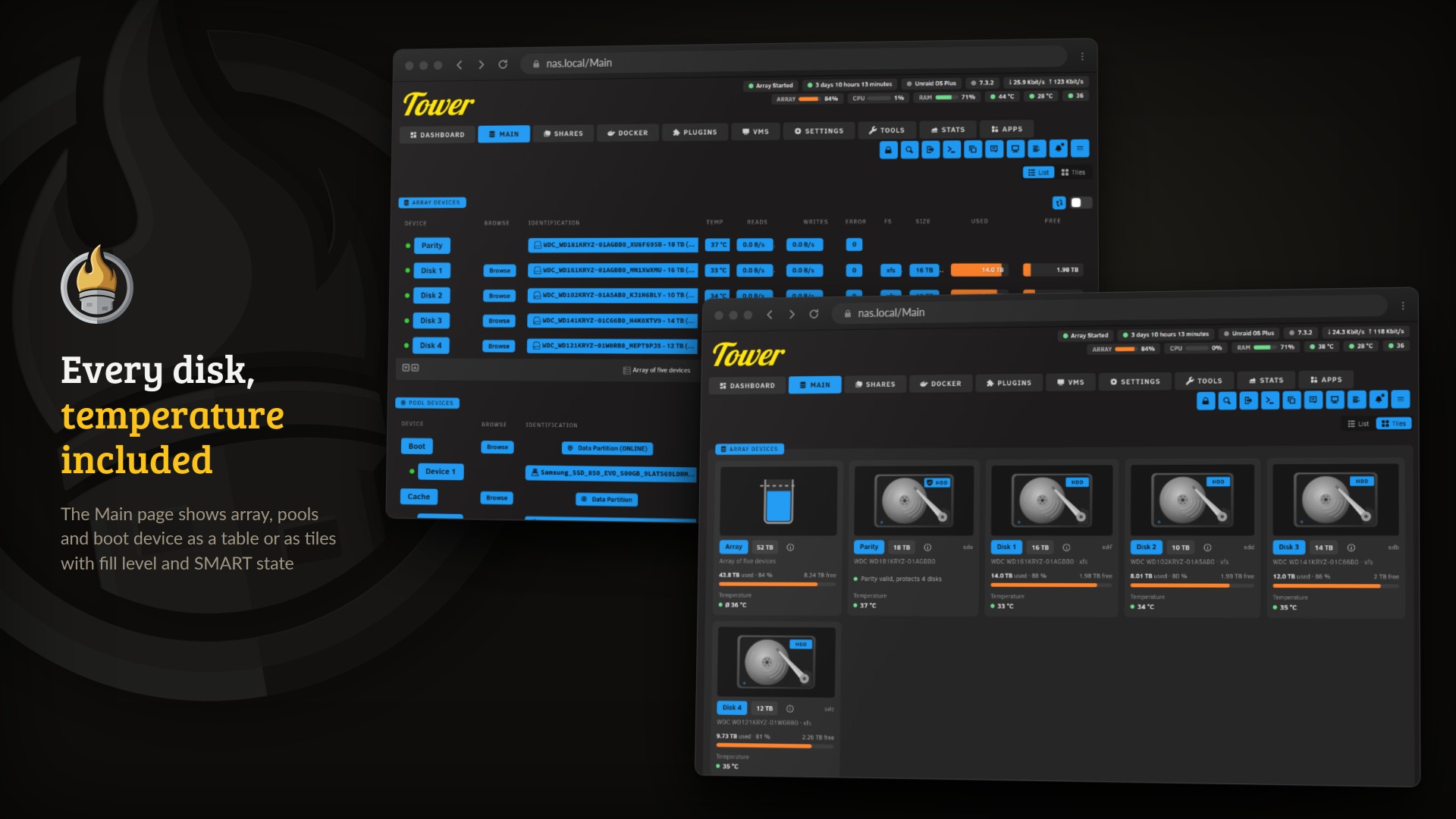
The Main page with every disk as a table row or as a tile.
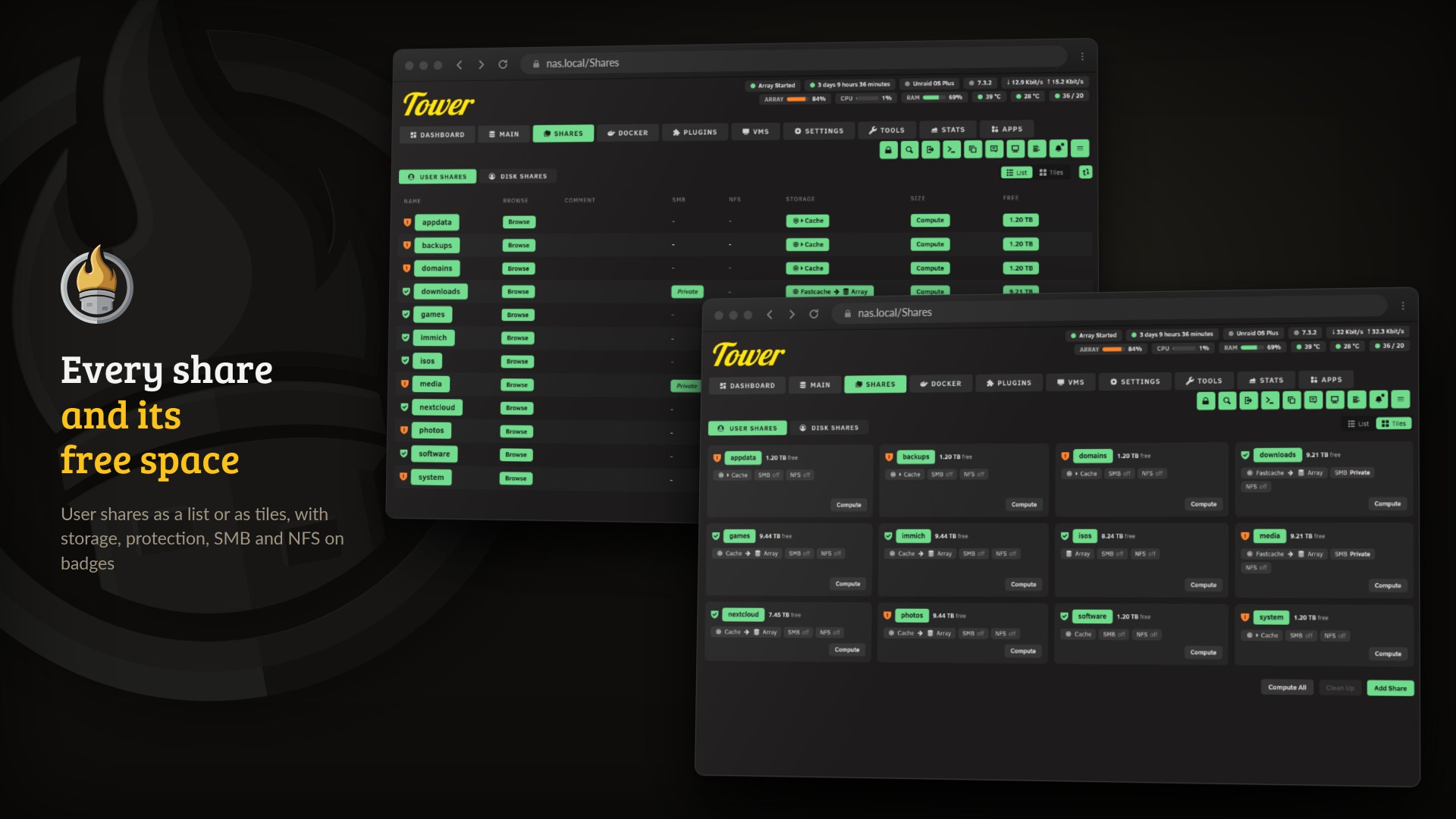
User shares and their free space, as a list and as tiles.
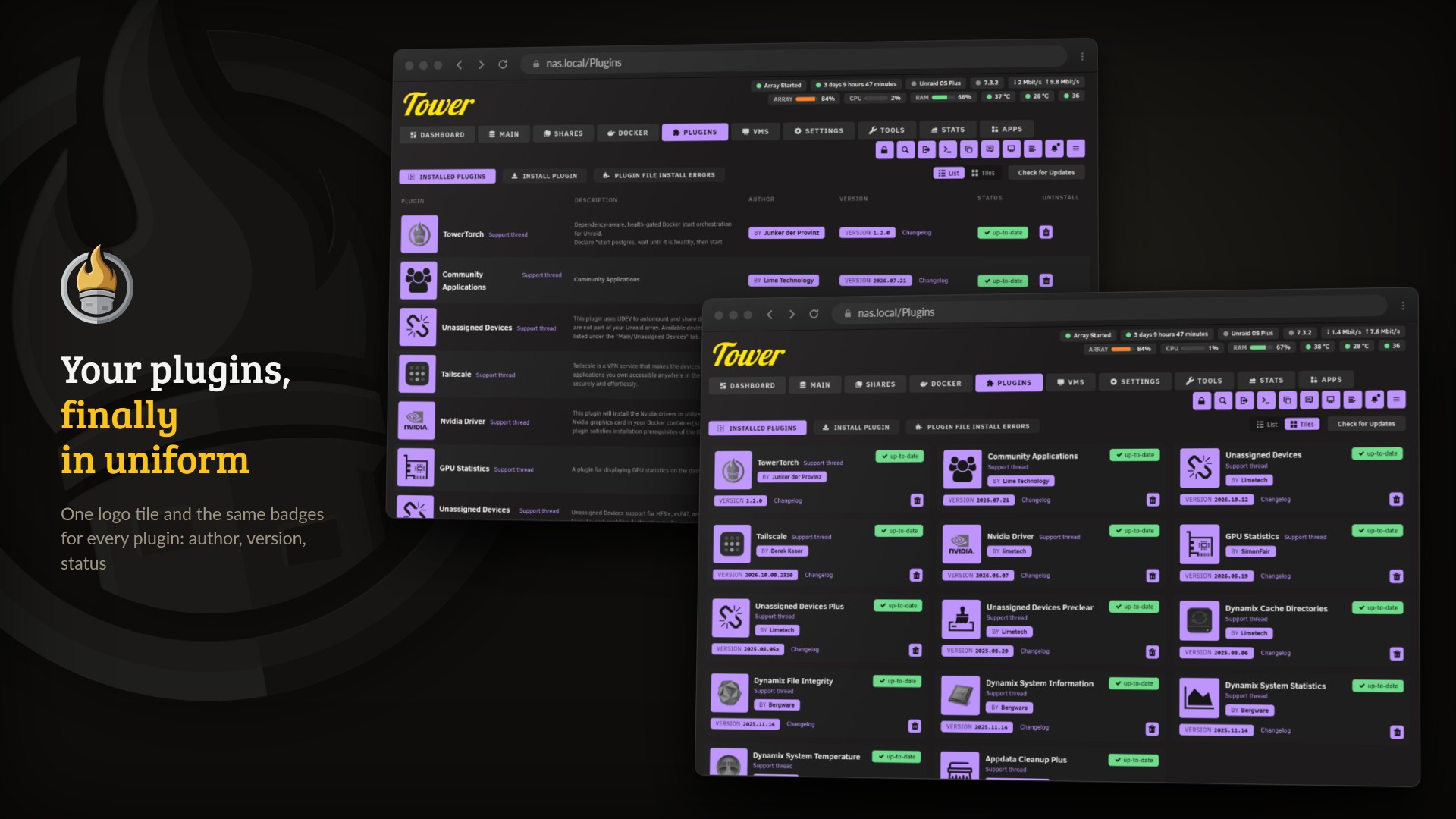
Installed plugins, each with the same logo tile and badges.
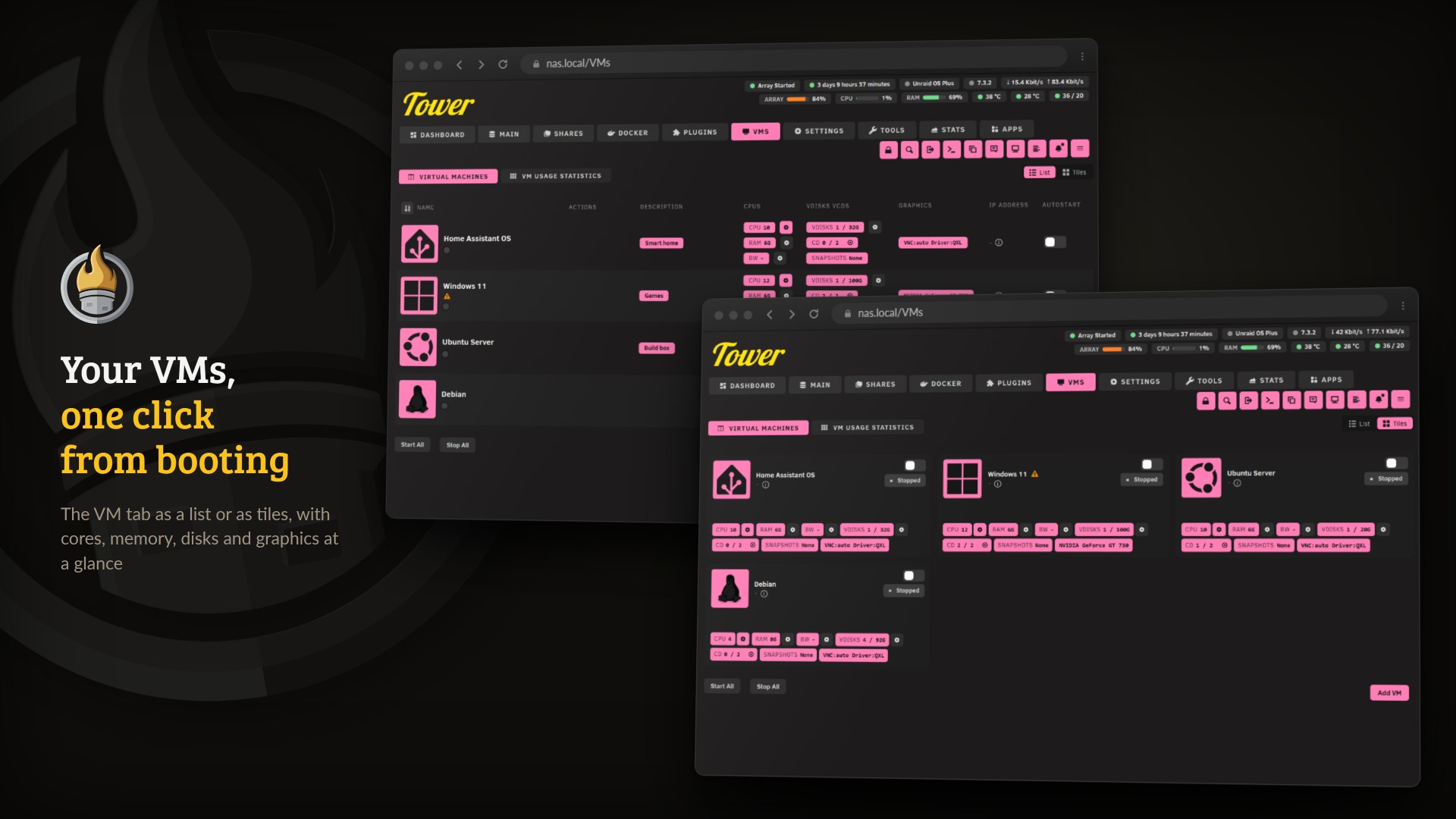
Virtual machines as a list and as tiles.
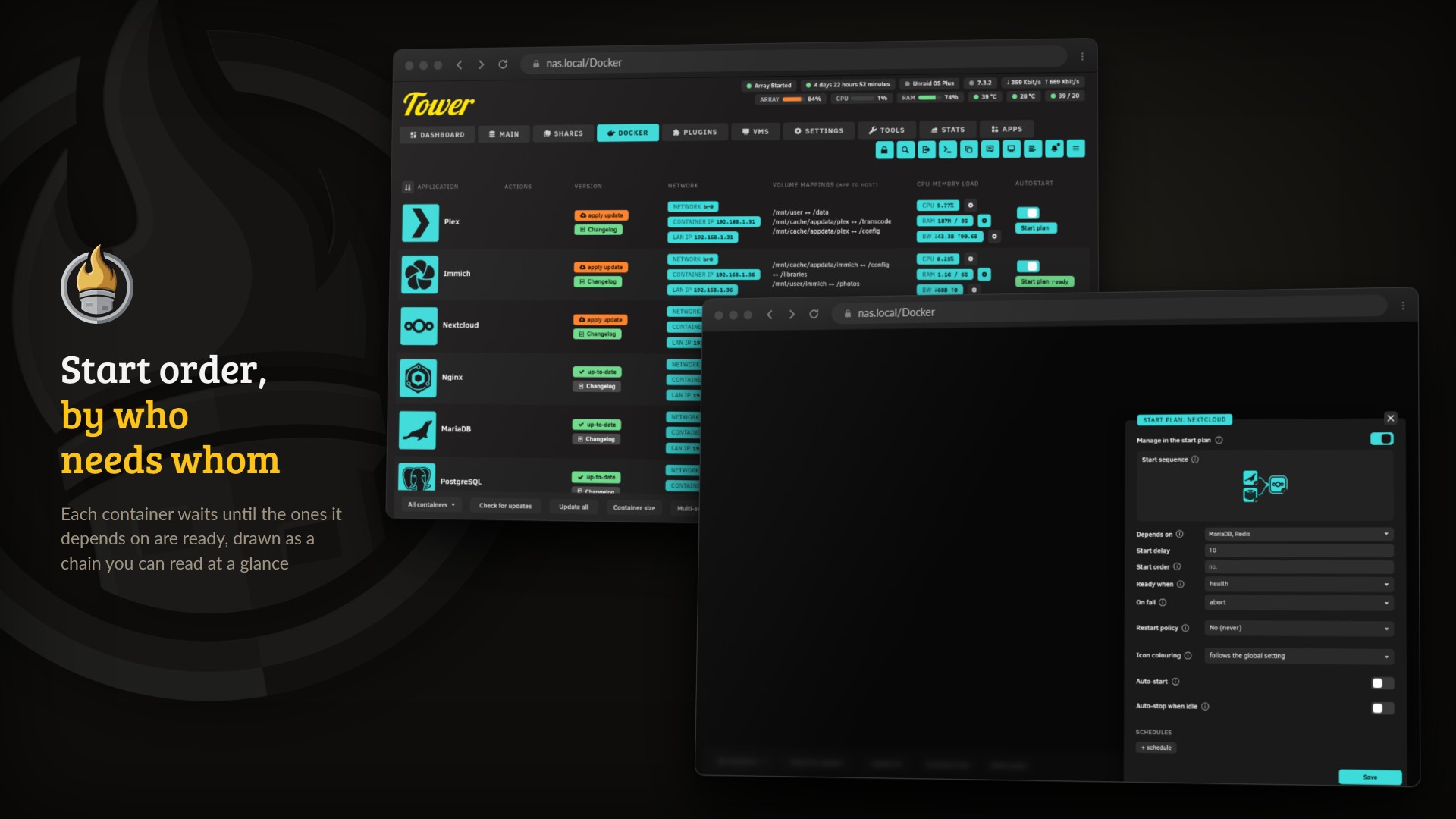
The start plan: what a container waits for, drawn as a chain.
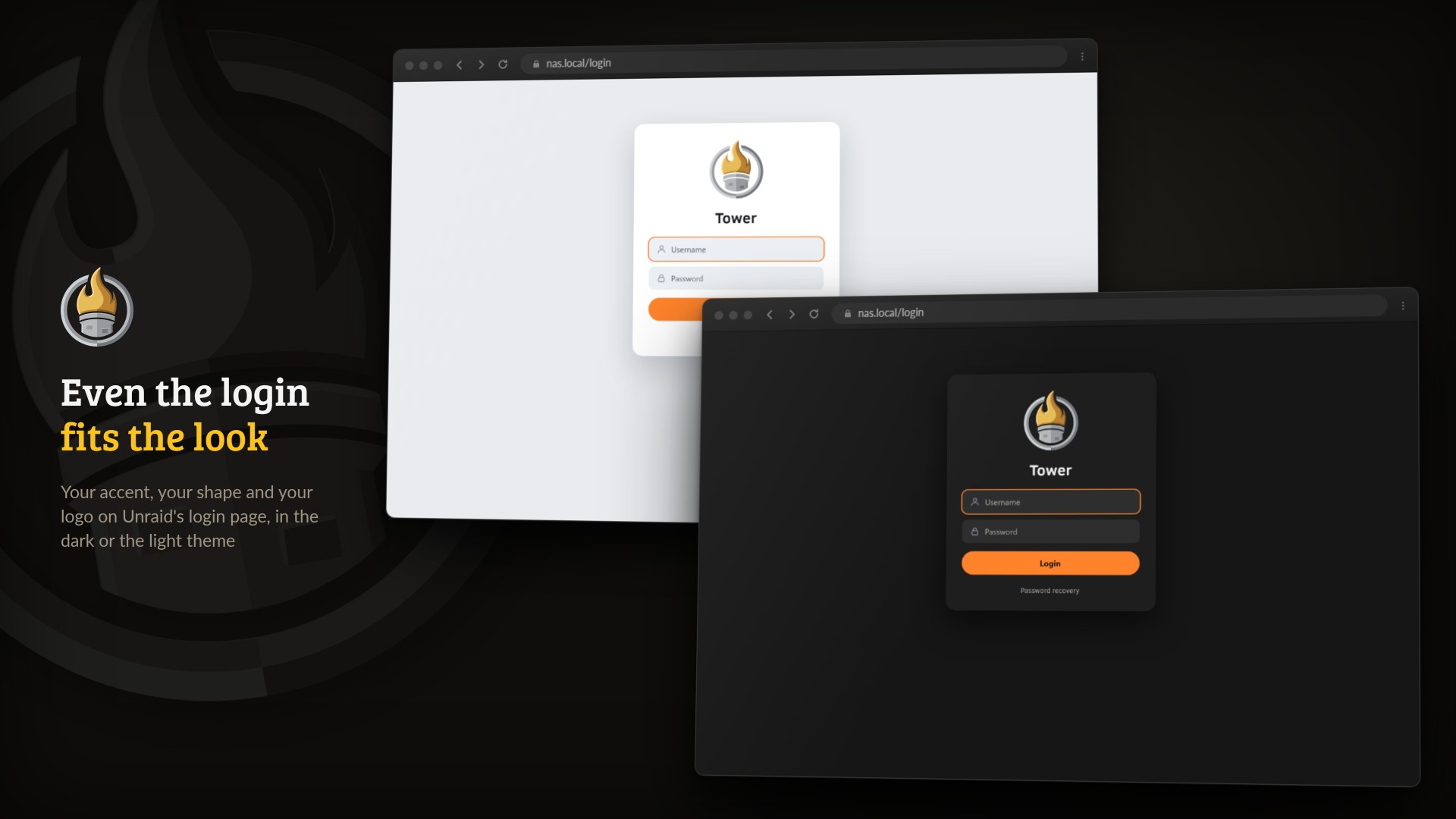
The login page in the same look, light or dark.

Orchestration
- Start plan with dependencies ("start the app after its database"), computed into parallel start stages.
- Readiness probes per container: running (with grace), TCP port, HTTP check, log-line match, or a command inside the container.
- Failure policies per node: abort dependents, continue, or degrade.
- Dependencies on containers outside the plan just work: the engine resolves them implicitly, nothing is written into your plan.
- Watchdog (auto-restart on crash or unhealthy, rate-capped per hour) and time schedules (start/stop/restart at fixed times, per weekday).
- Per-container restart policy (no, unless-stopped, always, on-failure) set from the plan editor, applied live with a Docker update and mirrored into the template so it survives Apply.
- Idle auto-stop (ContainerNursery-style): stop a container after it stays idle (low CPU and low network) for a set number of minutes. A busy container is never stopped, and a host/container-network container (whose per-container idle can't be measured) is skipped. TowerTorch does not wake it back up: a schedule, the plan, or Unraid's autostart does.
Resource limits
- Live CPU limit, CPU pinning (topology-aware, with P/E-core detection on Intel hybrid CPUs) and RAM limit via Docker update, no container restart.
- Upload limit (tbf shaper) and download limit (pure netfilter policing, never a tc ingress qdisc) per container, applied inside the container's own network namespace. Works for bridge, ipvlan and macvlan networks alike.
- Built-in proof: the bandwidth editor reads the LIVE rule from the container and shows either the applied state or the exact failure: a silent no-op is impossible.
UI
- Actions column, in three rows that line up with the badges next to them: WebUI, log, edit; restart, pause, stop/start; console, update, remove and a "…" menu with the container's project/support/donate links, harvested from Unraid's own page data.
- Pick several containers by their logo tile (Ctrl or Shift and a click, Space from the keyboard, or a plain click in multi-select) to start, stop or remove them together.
- Clean badges for state, network, IPs (click to copy), ports, volumes, update status; live CPU/RAM/bandwidth values with their limit editors attached.
- Header status island: at-a-glance array fill, CPU, RAM, temperatures, running containers and a live network throughput chip (down/up, click to switch between bits and bytes); each chip is toggleable and re-arrangeable.
- List view, a card (grid) view, and a Folder view (grouped by Unraid's own organizer). In the folder view every container is a tile of the same size: icon, name and IP, an update badge when one is ready, live CPU and RAM bars while it runs, and WebUI, start or stop and restart. A folder's head shows how many of its containers run, their combined CPU and RAM, and their logos while it is folded. Folders collapse and expand, can hide their stopped containers, and start, stop, restart or update everything in them. The pencil edits a folder's name, colour, icon and members, a tile at the end creates a new one, and a container dragged onto a folder moves into it. The live search opens any folder with a match, and the scroll position is kept across every folder action.
- Theming: one accent colour for everything, or rainbow mode with an editable palette; icon colours toggleable; settings sync across origins (IP, hostname, domain) via the engine, and they survive cleared browser data.
- Icon pipeline: each logo gets the treatment it can actually take. A logo whose visible pixels are already one tone is flattened to clean ink; for a known app a real monochrome glyph is fetched and flattened instead; anything else is tinted so the drawing inside the image survives. The two icon sets used are Simple Icons (CC0-1.0, the glyph) and dashboard-icons (Apache-2.0, the colour artwork); the engine fetches and caches them on the flash in the background, so the browser never waits on a CDN and a box with no internet simply keeps the icons it shipped with. A container icon you set yourself, one that differs from the icon its template ships, is never swapped for a curated one, only coloured. Choose the treatment globally under Logos & Icons, or pin it per container / VM / plugin in that item's own window. That card previews the choice on real Docker, VM and Plugin icons from this box, through the same pipeline the tabs themselves run.
- Dropdowns take the scroll wheel: hover a closed selection field and the wheel
steps through its values without opening the panel, the way a native
<select>does. It clamps at the first and last entry; an open panel keeps its own scrolling. - Master theming switch: one toggle turns all visual theming off and keeps only the orchestration functions (start plan, limits, bandwidth, watchdog, schedules, idle-stop), leaving a native-looking Docker tab.
- Areas: the Docker, Plugins, VM and Favorites tabs, plus (opt-in) the main menu bar, the Start (Main) tab and the Settings-page category icons (large square badges), each toggleable under Bereiche (Areas) with its own style tab. The VM tab is styled to match the Docker tab exactly (logo badge, state/CPU/RAM/IP badges, autostart switch); the Favorites tab reuses the category-icon badges.
- Tab view: on every tab with sub-tabs (Shares detail, Start/Main, Plugins, VMs) choose per tab whether the sub-tabs render as stacked TowerTorch sections or as native Unraid sub-tabs (native by default).
- VM tab: full Docker-tab parity, logo badge, state/CPU/RAM/IP badges, an actions column, per-VM CPU/RAM/bandwidth limit gears (a graphical P/E-aware CPU core-picker, a CPU cap, RAM and up/down caps, a live bandwidth rate) and a live vDisk grow, the accent autostart switch, a list/grid (card) view and rainbow mode.
- Logo background (per area, in the View card): put the container / plugin / VM / category logo on a coloured accent badge and recolour it monochrome black or white for contrast, or leave it natural.
- Tile views beyond Docker: the disks on Start (Main), the shares on Shares, the plugins and the VMs can each be shown as tiles. On Start, array, pools, boot, Unassigned Devices and the array operations sit in cards of their own, and a disk tile only mentions SMART, errors and rates when there is something to say.
- Small animated pictures where something happens: the array's fill level is a vessel that sloshes, a disk's platter turns while it reads or writes, data flows through SSD, NVMe and USB drives, the mover sends packets from the pools into the array, and a running parity check shows a progress ring. The start plan window draws the container's own dependency chain lighting up in start order. All of it follows the motion setting and rests when your system asks for reduced motion.
- Unraid's own settings pages, share pages, the container form and the VM editor are laid out as cards with switches instead of checkboxes, keeping Unraid's field order, and every field gets an (i) that explains it.

Unraid → Plugins → Install Plugin → paste:
https://raw.githubusercontent.com/junkerderprovinz/towertorch/main/plugin/towertorch.plg
The plugin installs the UI pages and starts the engine (a single Go daemon listening on a local unix socket). Updates install the same way; the daemon is restarted automatically.

- Every row gets its badges, the actions column, and the resource lines (CPU / RAM / BW) with a gear each. The gear is filled in your accent colour when a limit is set.
- The plan badge opens the per-container editor: manage-in-plan toggle, dependencies, readiness probe, start delay, failure policy, watchdog and schedules. One save button stores it all.
- The bandwidth gear opens the up/down limit editor. After saving, the popup stays open and verifies the applied rule live inside the container.
- The gear in the table header opens the global menu: list/grid/folder view (Folder view adds its own detailed/grid/list content-density switch), basic/advanced view, rainbow and icon-colour toggles, filter, badge selection, and the running UI + engine versions.

Settings → Utilities → TowerTorch holds the appearance settings (accent colour with an embedded picker, rainbow palette, shape, motion, density, column defaults), one tab per area, the list of containers pinned to their original logo, the bandwidth interface (blank = auto-detected from the container's default route) and notifications. Every row has an (i) that explains it, and rows that depend on a switch stay locked while it is off. Settings are mirrored into the engine config, so every browser and origin sees the same configuration, and only what changed is sent.

| Piece | What it does |
|---|---|
towertorch daemon (Go) |
Talks to the Docker socket (list/start/stop/update only), computes start stages, runs probes, applies limits, persists plan + config on the flash |
| Unix socket + PHP proxy | The UI talks to /api/* through a same-origin proxy with a strict path allowlist; writes carry Unraid's csrf token |
| Page scripts | Enhance the native Docker tab in place (badges, actions, editors); a settings page under Utilities |
The daemon exposes proof endpoints (/api/limitlog, /api/bwstatus) so the UI
can always show what REALLY happened: values read back from Docker, live tc and
netfilter state from the container's netns, and the monitor's last apply attempt.

- No tc ingress qdisc, ever. Download limiting is pure netfilter policing on
the container's INPUT chain; the
sch_ingressmodule (which can freeze some Unraid kernels) is never touched: a unit test enforces that the download path cannot even emit a tc command. - Quirk compensation is built in and CI-proven: legacy iptables (≥ 1.8.12) applies byte rates as bits, detected and compensated ×8; hashlimit minimum burst honoured; every build measures real throughput through the rule in a live container netns.
- Shaping is skipped for host-network / shared-netns containers (it would shape the host or another container).
- The proxy never passes raw Docker create/exec/build; only read + lifecycle verbs are exposed.

Plugins → Remove. The daemon is stopped by PID and all program files are
removed. The start plan and config on the flash are kept, so a reinstall picks up
where you left off; delete /boot/config/plugins/towertorch/ if you want
a truly clean slate.

go build ./...          # engine
go test ./internal/...  # unit tests (incl. the qdisc-free download guard)
bash plugin/pkg_build.sh <version>   # build the .txz package (Linux/CI)
CI builds the package, lints, and runs three hardware-truth proofs on every push:
real docker update limit assertions against dockerd, the netfilter policing
rule applied and verified inside a live container netns, and a real throughput
measurement through the rule.

Copyright (C) 2026 Junker der Provinz.
TowerTorch is free software under the GNU Affero General Public License v3.0 (AGPL-3.0); see LICENSE. You may run, study, share and modify it. If you distribute it, or run a modified version as a network service, you must release your source under the same AGPL-3.0 terms and keep the existing copyright and attribution notices intact.
Name and branding are not licensed. The AGPL covers the source code only. "TowerTorch", its logo and its branding remain reserved: a fork or derivative must use its own distinct name and branding, and may not present itself as TowerTorch. This keeps it unambiguous which project is the original.

One knight builds this, and AI is one of the tools I work with, the same way I work with an editor or a compiler. It helps me write code and documentation and it checks my work, and that saves me a good many evenings. It does not make the decisions, though. I read and understand everything before it ships, and if something here breaks, that is on me and not on the tool.
You do not have to take my word for it. The code is open and every release note is written by hand. The issue tracker shows how problems actually get handled, including the ones I got wrong the first time. If you find something that is not right, open an issue and I will look at it.
Questions, bugs, ideas or feature requests? Please open a GitHub issue.
Categories
Download Statistics
Downloads by Month
Related apps
Explore more like this
Explore allLinks
Details
https://raw.githubusercontent.com/junkerderprovinz/towertorch/main/plugin/towertorch.plg