
All apps · 0 apps

TorLink-PlusPlus
Docker app from calmasacow's Repository
Overview
Readme
View on GitHub

TorLink++
TorLink++ is a self-hosted Torznab + torrent-download gateway built on top of the original Torlink terminal torrent finder/downloader.
The original Torlink project, its terminal TUI, curated search experience, source integrations, and downloader foundation were created by bairon / baairon. Full credit for that original work belongs to the original author. This repository is a fork that adds a LAN-friendly web layer and automation integrations around that foundation.
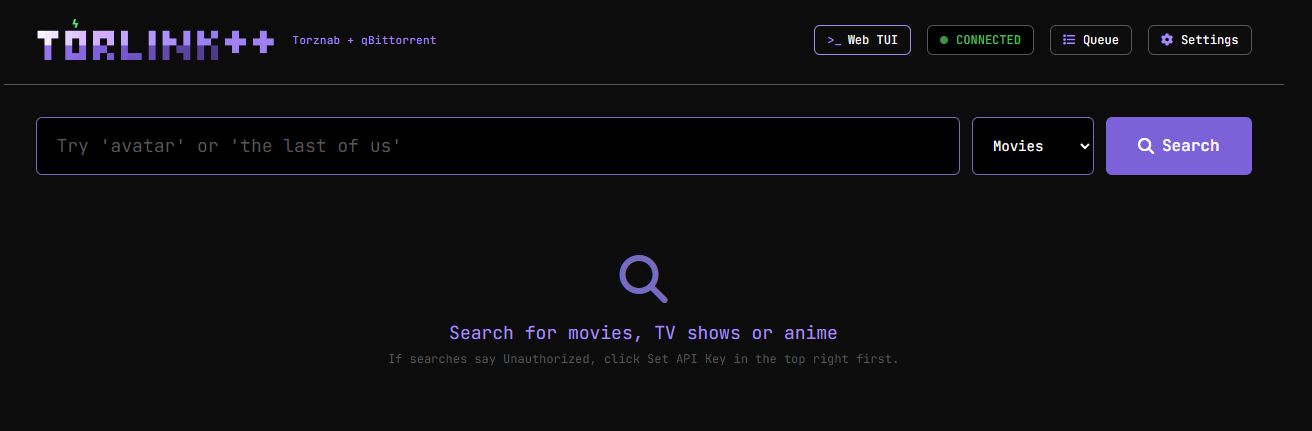
What TorLink++ adds
TorLink++ keeps the native Torlink terminal experience and adds two major capabilities:
- Torznab indexer API for automation apps
- Exposes a Torznab-compatible endpoint for Radarr/Sonarr-style indexer integrations.
- Supports
/api?t=capsand search responses that automation apps can validate. - Uses a configurable API key for Radarr/Sonarr and other clients.

- Web interface for LAN use
- Search from a browser.
- Queue downloads into the built-in Torlink downloader.
- Send magnets to qBittorrent when configured.
- View the built-in downloader queue.
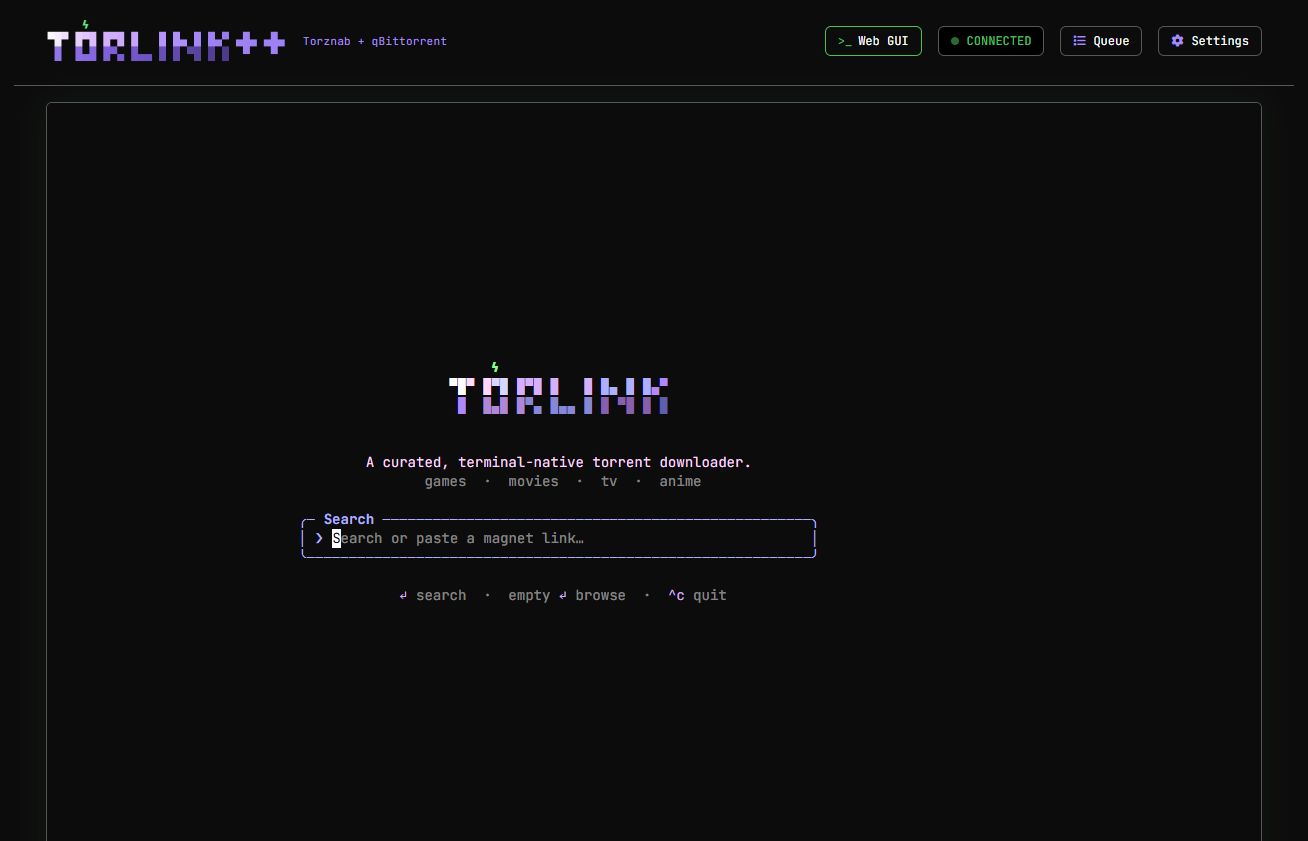
- Open the real native Torlink TUI embedded in the browser through an xterm.js + PTY bridge.
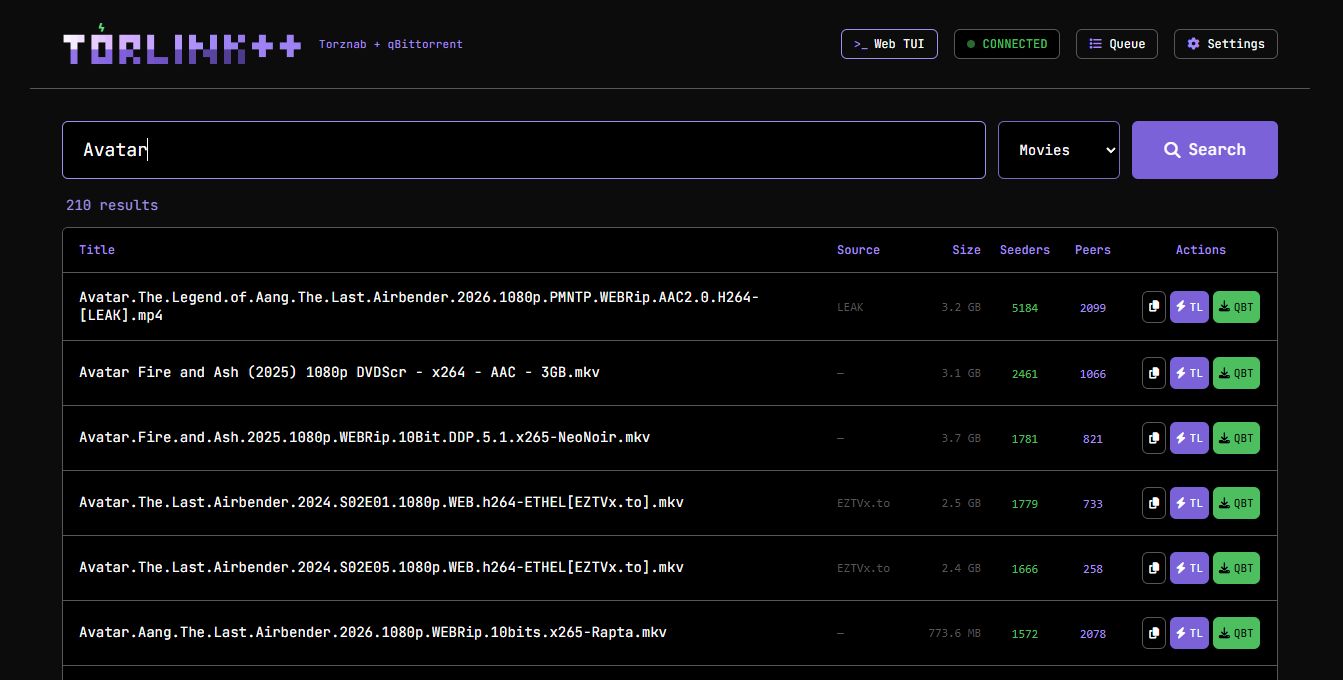
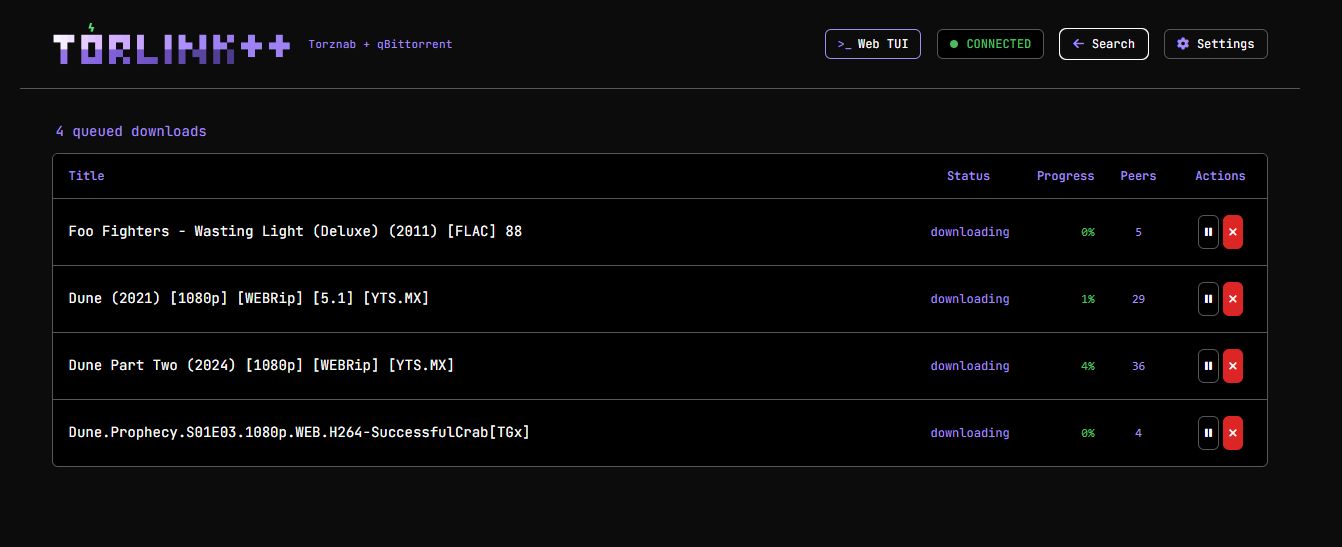
The original Torlink is a polished terminal-native torrent finder/downloader. TorLink++ is for homelab users who want that same curated search/downloader base to also work with:
- Radarr
- Sonarr
- browser-based searching
- a LAN-hosted web UI
- qBittorrent handoff
- Docker/Unraid deployments
Best of all the FULL native TUI is avalible as well via a embedded Terminal. Accessable from anywhere on your network.
Quick start with Docker Compose
Use the published Docker Hub image:
services:
  torlink:
    image: calmasacow/torlink-plusplus:latest
    container_name: torlink
    restart: unless-stopped
    ports:
      - "19117:9117"
    environment:
      TORLINK_API_KEY: "replace-with-a-long-random-api-key"
      TORLINK_WEBUI_TRUSTED: "true"
      TORLINK_DOWNLOAD_DIR: "/downloads"
      TORLINK_TORZNAB_EMPTY_QUERY: "avatar"
    volumes:
      - /path/on/host/torlink-downloads:/downloads
Then open:
http://YOUR_SERVER:19117/
For Radarr/Sonarr, use the Torznab URL:
http://YOUR_SERVER:19117/api?apikey=YOUR_API_KEY
Docker Hub image
Docker Hub image:
calmasacow/torlink-plusplus:latest
Versioned tags are published from Git tags such as v0.1.0.
Download path
Inside the container, TorLink++ writes built-in downloader files to:
/downloads
Map that container path to the host folder you want. For example, on Unraid:
/host-local-location/downloads:/downloads
The native embedded TUI and the browser Web UI both use the same /downloads target when TORLINK_DOWNLOAD_DIR=/downloads is set.
Web UI modes
The header includes quick navigation between:
- Web GUI: browser search, queue, settings, and qBittorrent actions.
- Web TUI: the actual native Torlink terminal UI embedded in the browser using xterm.js and a server-side PTY.
- Queue: active built-in downloader queue, with the Queue button toggling back to Search.
Local development
Requires Node 22+ and pnpm.
pnpm install --config.dangerously-allow-all-builds=true
pnpm run typecheck
pnpm run test
pnpm run build
Run the terminal app:
pnpm run dev
Run the web/Torznab server after building:
pnpm run build
node dist/index.js serve
Attribution
TorLink++ is a fork of the original Torlink project by bairon / baairon:
- Original repository: https://github.com/baairon/torlink
- Original author: bairon.dev / hi@bairon.dev
The original project deserves the credit for the native TUI, core torrent search/downloader concept, and curated source experience. TorLink++ extends that work with a web interface, Torznab API, qBittorrent handoff, Docker/Unraid-oriented deployment, and embedded browser TUI support.
License
MIT, following the original Torlink project license.
Categories
Download Statistics
Related apps
Explore more like this
Explore allLinks
Details
calmasacow/torlink-plusplusRuntime arguments
- Web UI
http://[IP]:[PORT:9117]/- Network
bridge- Shell
sh- Privileged
- false
Template configuration
Browser Web UI and Torznab API port. Host port 19117 avoids the common Jackett conflict on 9117. Use http://[IP]:[PORT:9117]/ for the Web UI and http://[IP]:[PORT:9117]/api?apikey=YOUR_KEY for Radarr/Sonarr.
- Target
- 9117
- Default
- 19117
- Value
- 19117
Host path where TorLink++ writes built-in downloader files. The container path must remain /downloads.
- Target
- /downloads
- Default
- /mnt/user/downloads/torlink
- Value
- /mnt/user/downloads/torlink
Long random API key for Radarr/Sonarr/Torznab access. You can also generate/rotate this from the trusted Web UI after install.
- Target
- TORLINK_API_KEY
Allows same-origin browser Web UI requests without manually entering the API key. Only enable on a trusted LAN.
- Target
- TORLINK_WEBUI_TRUSTED
- Value
- true
Fallback broad query used when Radarr/Sonarr validates Torznab without a search term.
- Target
- TORLINK_TORZNAB_EMPTY_QUERY
- Default
- avatar
- Value
- avatar
Optional. qBittorrent Web UI URL for manual QBT button handoff, for example http://qbittorrent:8080. Radarr/Sonarr should normally use their own download-client settings.
- Target
- TORLINK_QBIT_URL
Optional qBittorrent username for manual QBT button handoff.
- Target
- TORLINK_QBIT_USERNAME
Optional qBittorrent password or API key for manual QBT button handoff.
- Target
- TORLINK_QBIT_PASSWORD
Optional qBittorrent category for manual QBT button handoff.
- Target
- TORLINK_QBIT_CATEGORY
- Default
- torlink
- Value
- torlink
Optional qBittorrent save path override for manual QBT button handoff. Leave blank to use qBittorrent defaults.
- Target
- TORLINK_QBIT_SAVE_PATH