
All apps · 0 apps

Tilorama
Docker app from Tunefish's Repository
Overview
Readme
View on GitHubTilorama


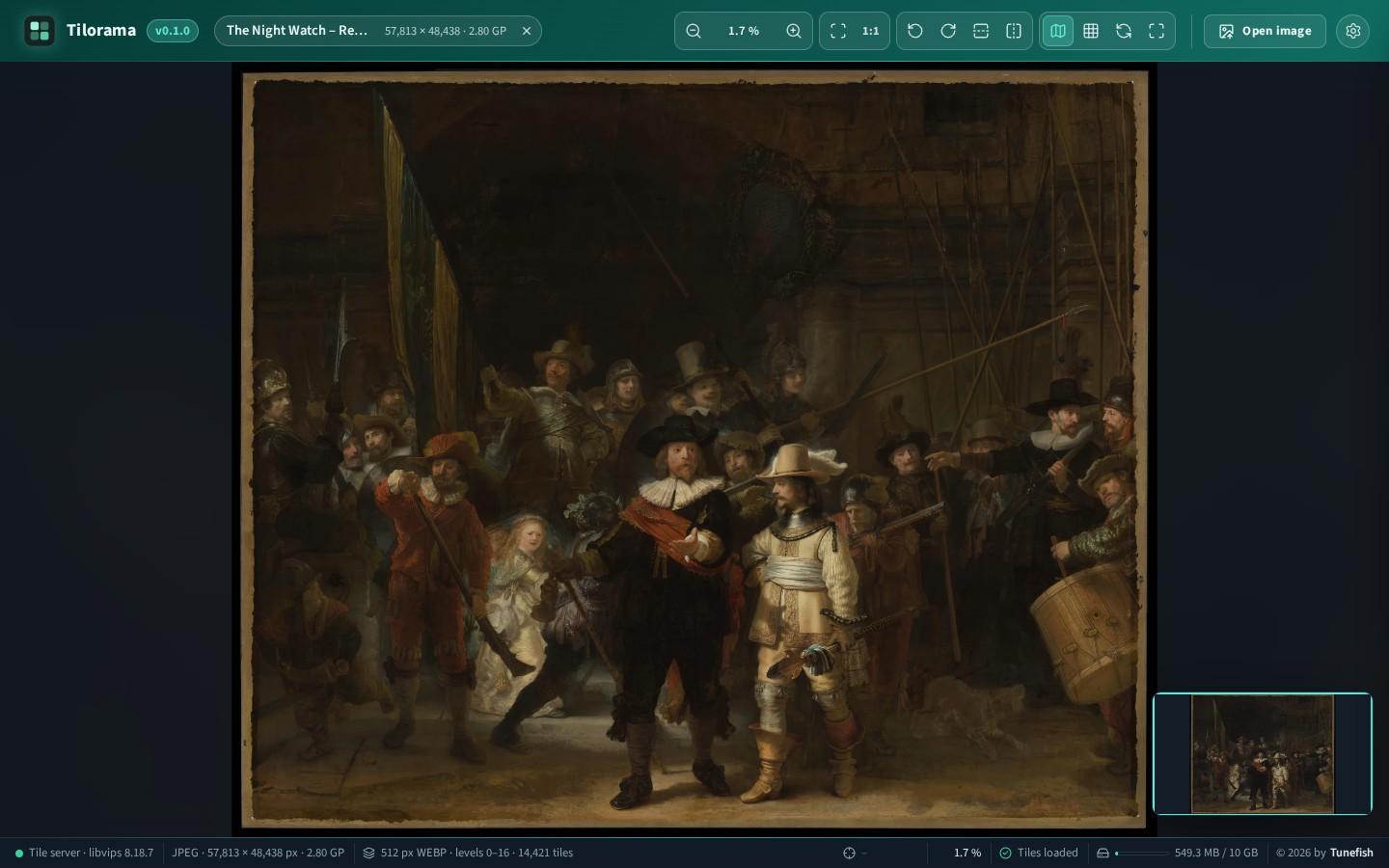
A fast deep-zoom image viewer. Drop in an image (or browse or paste it). A local server cuts it into a tile pyramid, like Google Maps, and caches the tiles on disk. The browser then streams only the tiles that are currently visible, so a gigapixel image opens and pans as smoothly as a photo.
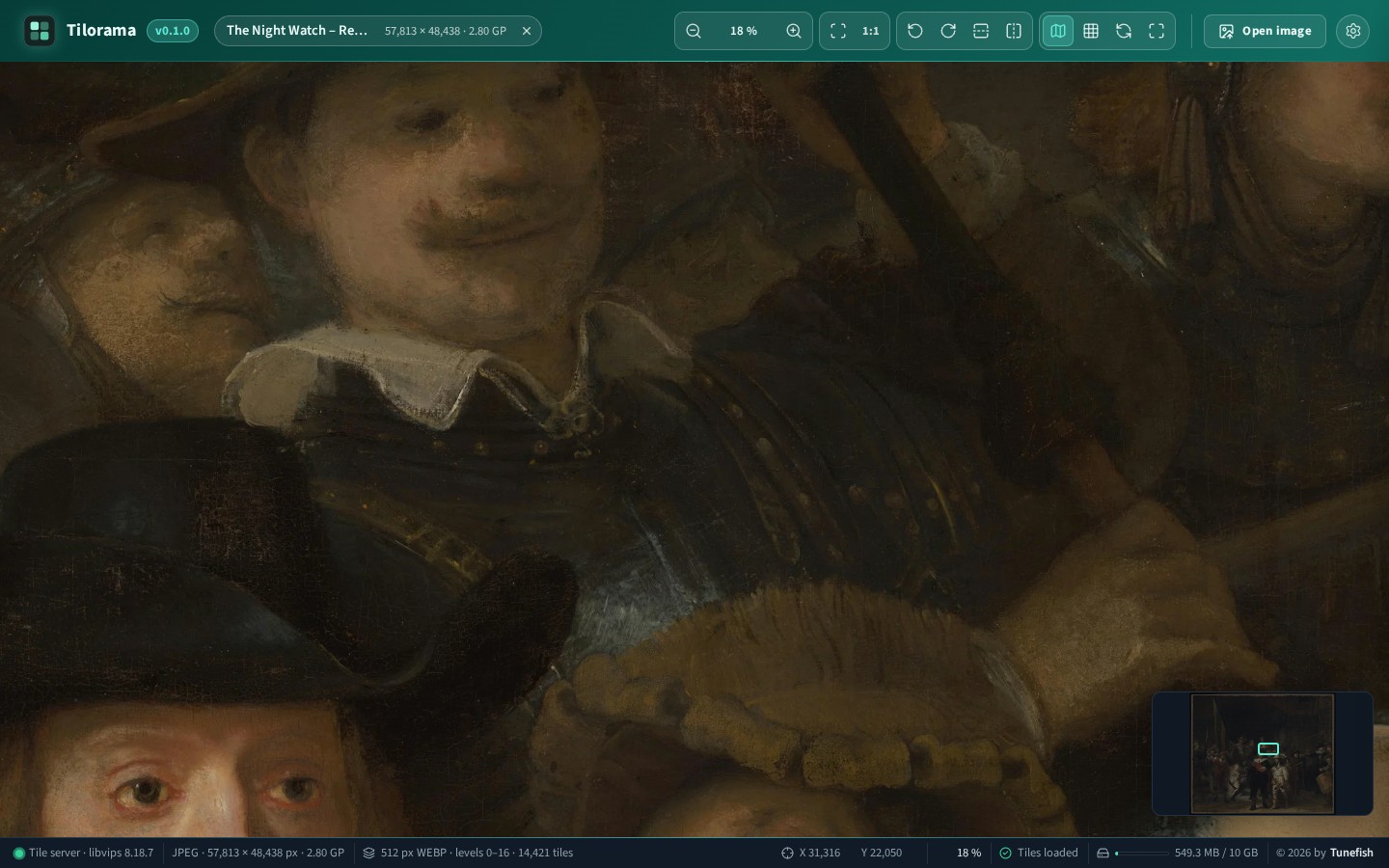
Zoomed in on the same image, down to the brush strokes:
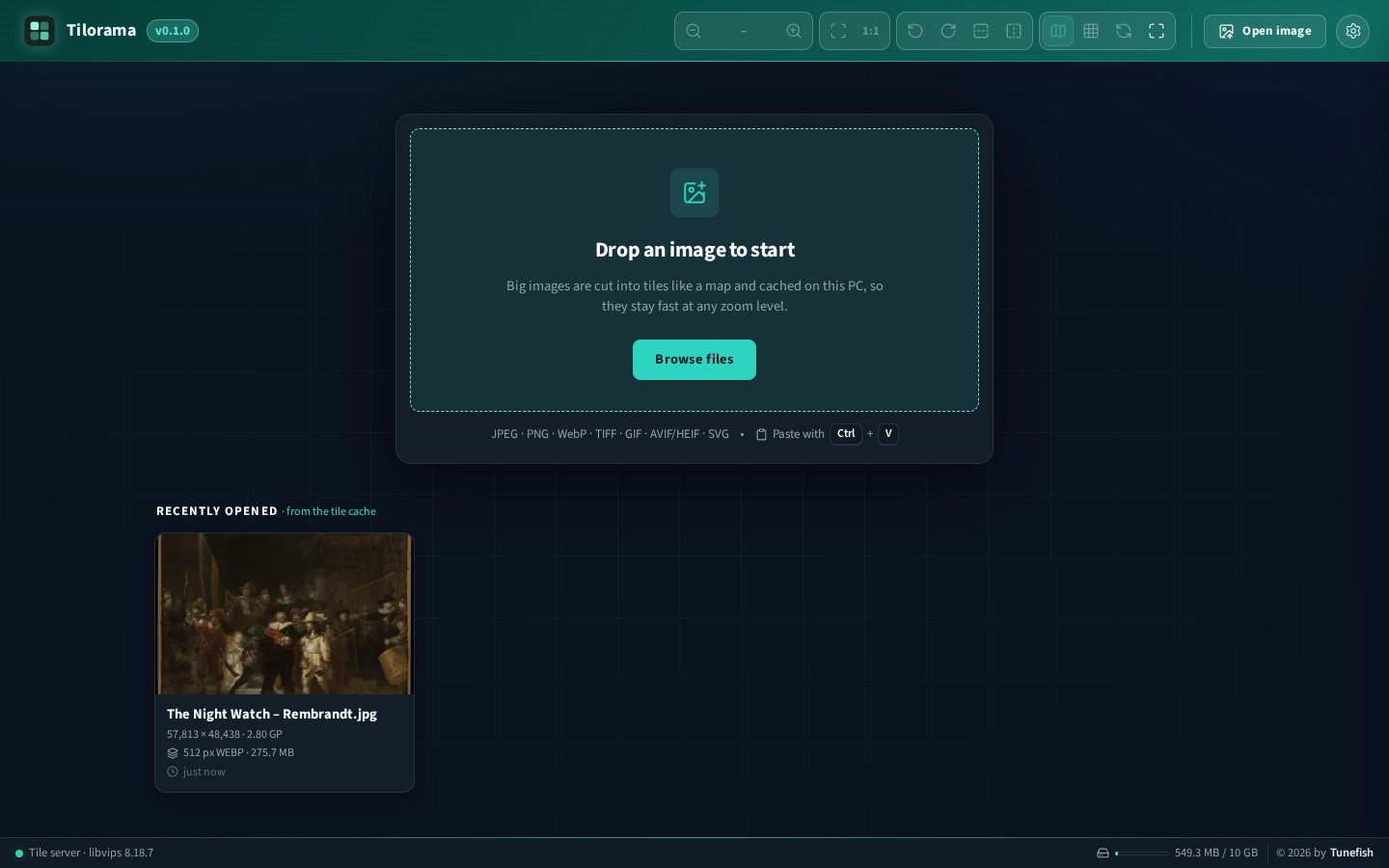
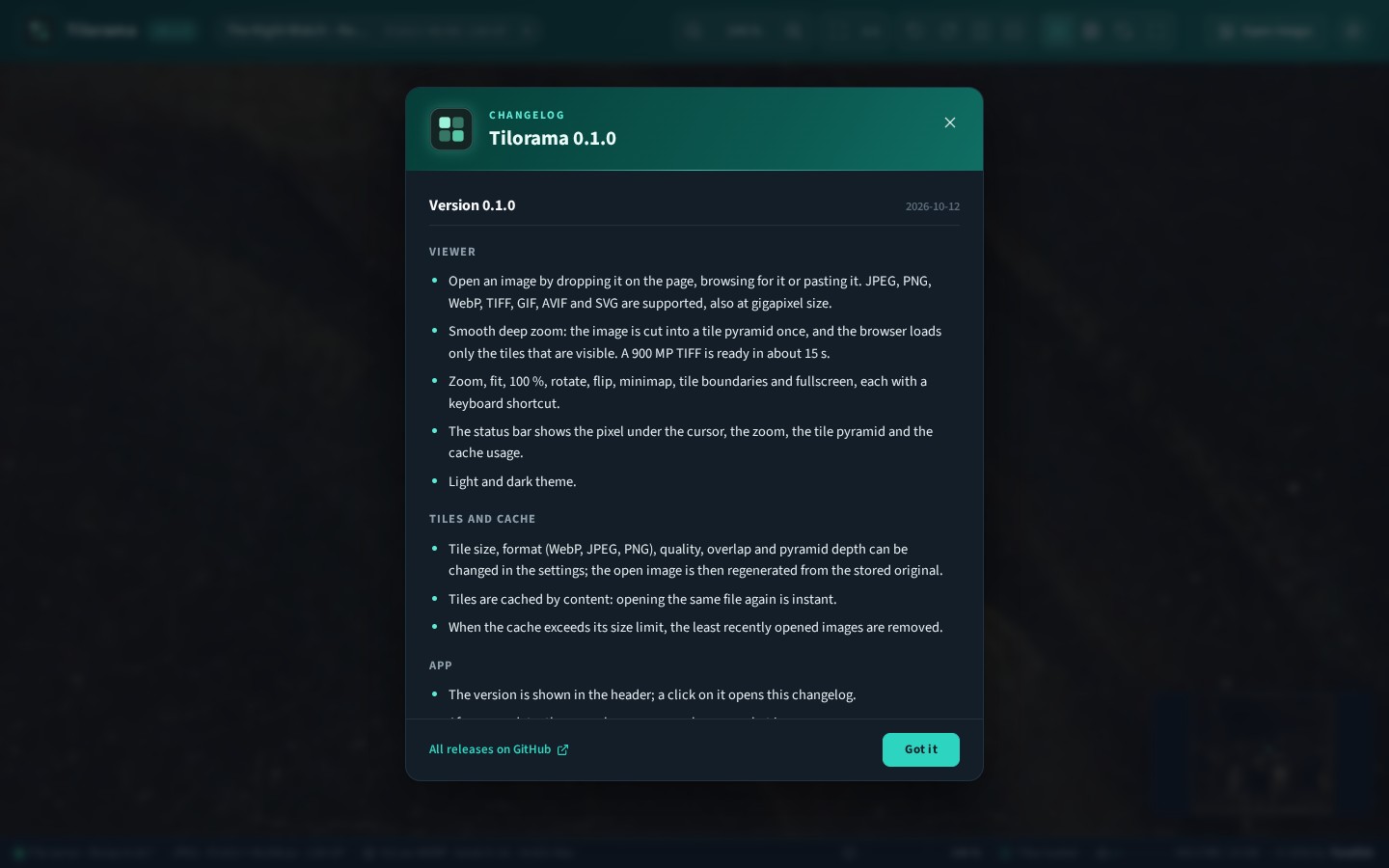
| Start page with the recently opened images | What is new, shown once after an update |
|---|---|
 |
 |
The image in the screenshots is Rembrandt's The Night Watch (1642) as photographed by the Rijksmuseum at 57,813 × 48,438 px. Painting and photograph are in the public domain (file on Wikimedia Commons). Tilorama cut it into 14,421 tiles in 36 seconds.
- Frontend: React 19 + TypeScript + Vite; OpenSeadragon 6 (WebGL) renders the tiles
- Backend: ASP.NET Core (.NET 10) minimal API; libvips via NetVips generates the tiles
Run with Docker
docker run -d --name tilorama -p 127.0.0.1:8080:8080 -v tilorama-data:/data ghcr.io/tunefish92/tilorama:latest
Open http://localhost:8080. Uploaded originals, tiles and settings are kept in /data. The image is built
for linux/amd64 and linux/arm64.
With Docker Compose: download docker-compose.yml and run docker compose up -d. It
keeps the data in ./tilorama-data.
| Variable | Default | Effect |
|---|---|---|
PUID, PGID |
1000 |
The user the app runs as and that owns the data folder |
TileCache__Root |
/data |
Data folder inside the container |
Tilorama has no login: everyone who can reach the port can open images and clear the cache. The commands
above bind it to this machine only. Publish the port as -p 8080:8080 only on a network you trust.
Unraid
Install Tilorama from the Apps tab (Community Applications). The template is
unraid/tilorama.xml, published through
Tunefish92/unraid-templates. It keeps the data in
/mnt/user/appdata/tilorama and runs as Unraid's nobody:users (99:100).
Run from source
Requirements: .NET 10 SDK and Node.js 20.19 or newer. Works on Windows and Linux (x64 and ARM64); libvips comes with the NuGet packages.
npm install          # installs the root tooling and client/
npm run dev          # tile server on :5080 + Vite dev server on :5173
Open http://localhost:5173.
Single process (production-like): npm start builds the client into server/Tilorama.Server/wwwroot
and serves app, API and tiles at http://localhost:5080.
Tests: npm test runs the backend tests, lint and a type-checked client build.
How it works
Browser ── XHR upload (progress, speed, ETA) ──► POST /api/images
   ▲                                              │ streamed to disk + SHA-256
   │ SSE progress (/api/jobs/{id}/events)         ▼
   │                                   JobQueue ─► TilingService (libvips dzsave)
   │                                              │
   └──── GET /tiles/{id}/image_files/{level}/{col}_{row}.webp ◄── {cache}/tiles/{id}/
- Cache key: content hash + tiling settings (e.g.
3f2a…_t512-o1-webp-q85-px). Opening the same file again is instant, and tiles are served withCache-Control: immutable. - Huge images: libvips streams the image top to bottom. Tiling a 900 MP TIFF takes about 15 s and peaks around 360 MB of RAM.
- Atomic publish: pyramids are written to a
.partial-*folder and renamed when complete. A cancelled or crashed job never leaves half-written tiles behind. - LRU eviction: when the cache exceeds its limit (Settings → Cache), the least recently opened images are removed.
- One job at a time: libvips already uses every core for a single image.
Supported formats (bundled libvips): JPEG, PNG, WebP, TIFF, GIF, AVIF/HEIF, SVG.
The cache folder is tilorama-tiles in the system's temp folder (%TEMP% on Windows, /tmp on Linux) and
/data in the Docker image.
Settings
| Setting | Stored in | Effect |
|---|---|---|
| Tile size, format, quality, overlap, zoom levels (pyramid depth) | server, settings.json in the cache folder |
New tile set; the open image can be regenerated from the stored original |
| Cache size limit | server | LRU eviction |
| Max zoom, wheel zoom step, animation, minimap, tile boundaries, theme | browser (localStorage) | Applies immediately |
The cache folder can be changed with TileCache:Root in appsettings.json or the TileCache__Root
environment variable.
Versions and updates
The version is shown in the header; a click on it opens the changelog. After an update, the page shows once per browser what is new. When a newer release is on GitHub, an Update available badge appears beside the version and links to its release notes. For this check the browser asks GitHub's public API for the releases of this repository, at most every six hours; nothing about your images is sent.
All changes are listed in CHANGELOG.md.
Making a release
- Set the new version in
client/package.json(npm --prefix client version 1.2.3 --no-git-tag-version). - Add a
## 1.2.3 – YYYY-MM-DDsection at the top ofCHANGELOG.md. It is what the app shows after the update. - Commit, tag the commit
v1.2.3and push both. The CI workflow then publishes the Docker image as1.2.3andlatest. - Create the GitHub release for the tag. Running copies of Tilorama find it through their update check.
Controls
Mouse wheel: zoom at the cursor · drag: pan · double-click: zoom in (Shift: out).
Keys: O open, +/− zoom, 0 fit, 1 100 %, R/Shift+R rotate, H/V flip, arrow keys pan,
M minimap, G tile boundaries, F fullscreen, S settings, Esc close or cancel.
Project layout
CHANGELOG.md                    built into the app ("what is new")
Dockerfile, docker-compose.yml  Docker image
unraid/                         Unraid template and icon
client/                         React app
  src/api/                      typed API client (XHR upload, SSE job watcher)
  src/app/actions.ts            open / upload / regenerate / cancel flows
  src/store/                    Zustand stores (app state, live viewer stats)
  src/viewer/                   OpenSeadragon hook + imperative viewer commands
  src/lib/                      formatting, version comparison, changelog parser
  src/components/               Header, DropZone, ProcessingOverlay, Viewer, StatusBar, SettingsDrawer, ChangelogModal, Toasts
server/Tilorama.Server/  ASP.NET Core API
  Services/                     TilingService, JobManager, CacheManager, SettingsStore
  Endpoints/                    images, jobs (SSE), settings, cache
server/Tilorama.Tests/   xUnit tests (pyramid levels, cancellation, LRU)
License
Media gallery
1 / 3Categories
Download Statistics
Related apps
Explore more like this
Explore allDetails
tunefish92/tilorama:latestRuntime arguments
- Web UI
http://[IP]:[PORT:8080]/- Network
bridge- Shell
sh- Privileged
- false
Template configuration
Port the viewer is served on.
- Target
- 8080
- Default
- 8080
- Value
- 8080
Uploaded originals, the generated tiles and the settings. Grows up to the cache size limit set in the page (10 GB by default), plus the image being opened.
- Target
- /data
- Default
- /mnt/user/appdata/tilorama
- Value
- /mnt/user/appdata/tilorama
User ID that owns the data path; the app runs as this user. Unraid default: 99 (nobody).
- Default
- 99
- Value
- 99
Group ID that owns the data path. Unraid default: 100 (users).
- Default
- 100
- Value
- 100