
All apps · 0 apps

TidyQuest
Docker app from mellowfox's Repository
Overview
Readme
View on GitHub🏠 TidyQuest
Transform household chores into an epic family adventure
TidyQuest is a self-hosted web application that gamifies housework using RPG mechanics. Complete tasks, earn coins, unlock achievements, and compete with your family on the leaderboard.




[!WARNING] Early-stage project — TidyQuest is under active development. You may encounter bugs, incomplete features, or breaking changes between versions. Back up your data regularly and feel free to open an issue if something breaks.
✨ What is TidyQuest?
TidyQuest turns boring chores into quests:
- 🎯 Health Bars: Each task has a visual health indicator that decays over time
- 💰 Coins & Rewards: Earn coins by completing tasks, redeem for family rewards
- 🔥 Streaks: Build daily/weekly streaks to stay motivated
- 🏆 Leaderboard: Compete with family members for top position
- 🎖️ Achievements: Unlock badges for milestones (100 tasks, 30-day streak, etc.)
- 📅 Calendar View: See upcoming due dates at a glance
- 🌍 Multilingual: English, French, German, Spanish, Italian
- 📱 Notifications: Optional reminders via Telegram or ntfy
Perfect for families who want to:
- Make chores fun for kids
- Track household responsibilities
- Encourage teamwork with gamification
- Build consistent cleaning habits
📸 Screenshots
Click to view screenshots
Dashboard
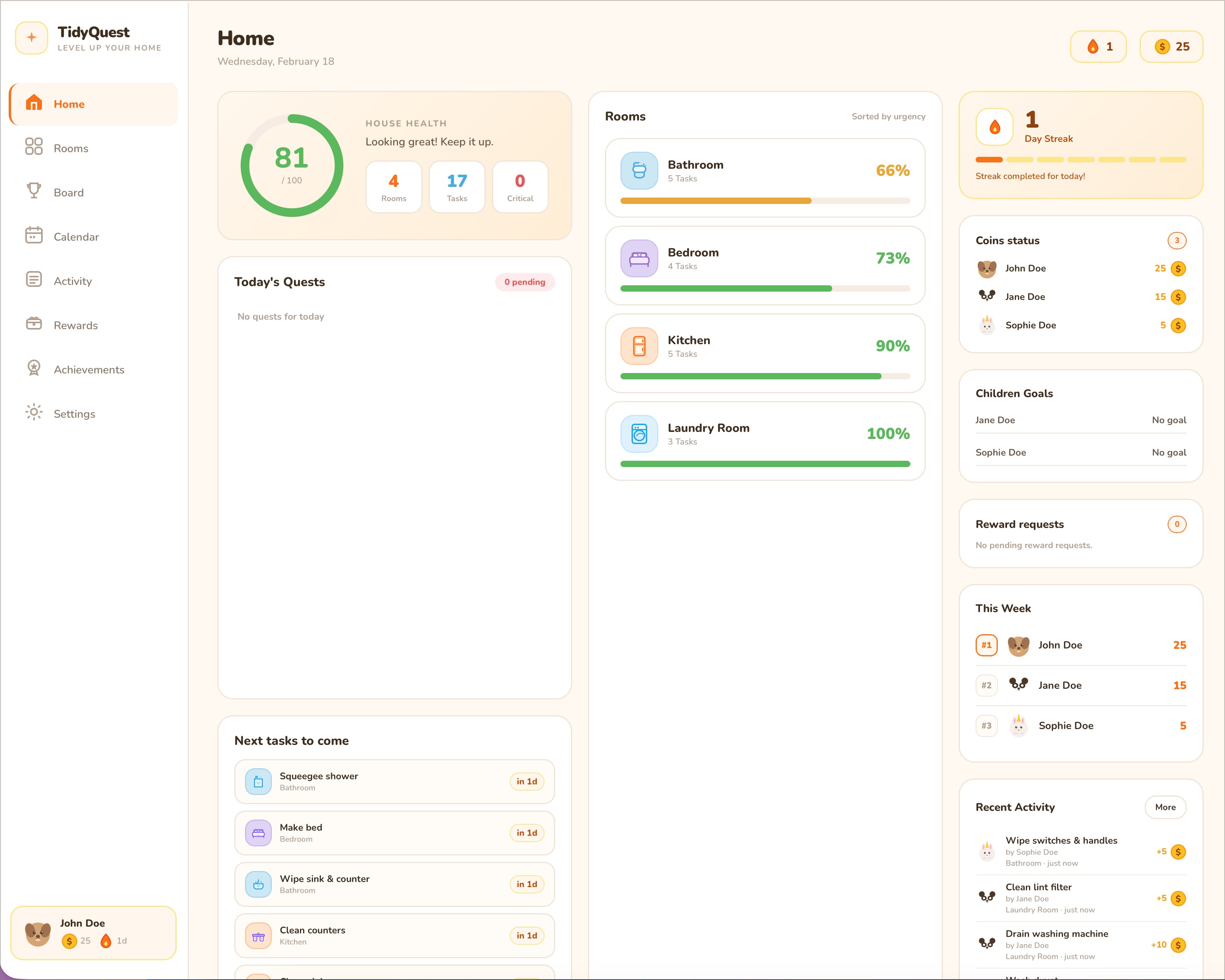 Main dashboard showing task overview, streaks, and quick stats
Rooms & Tasks
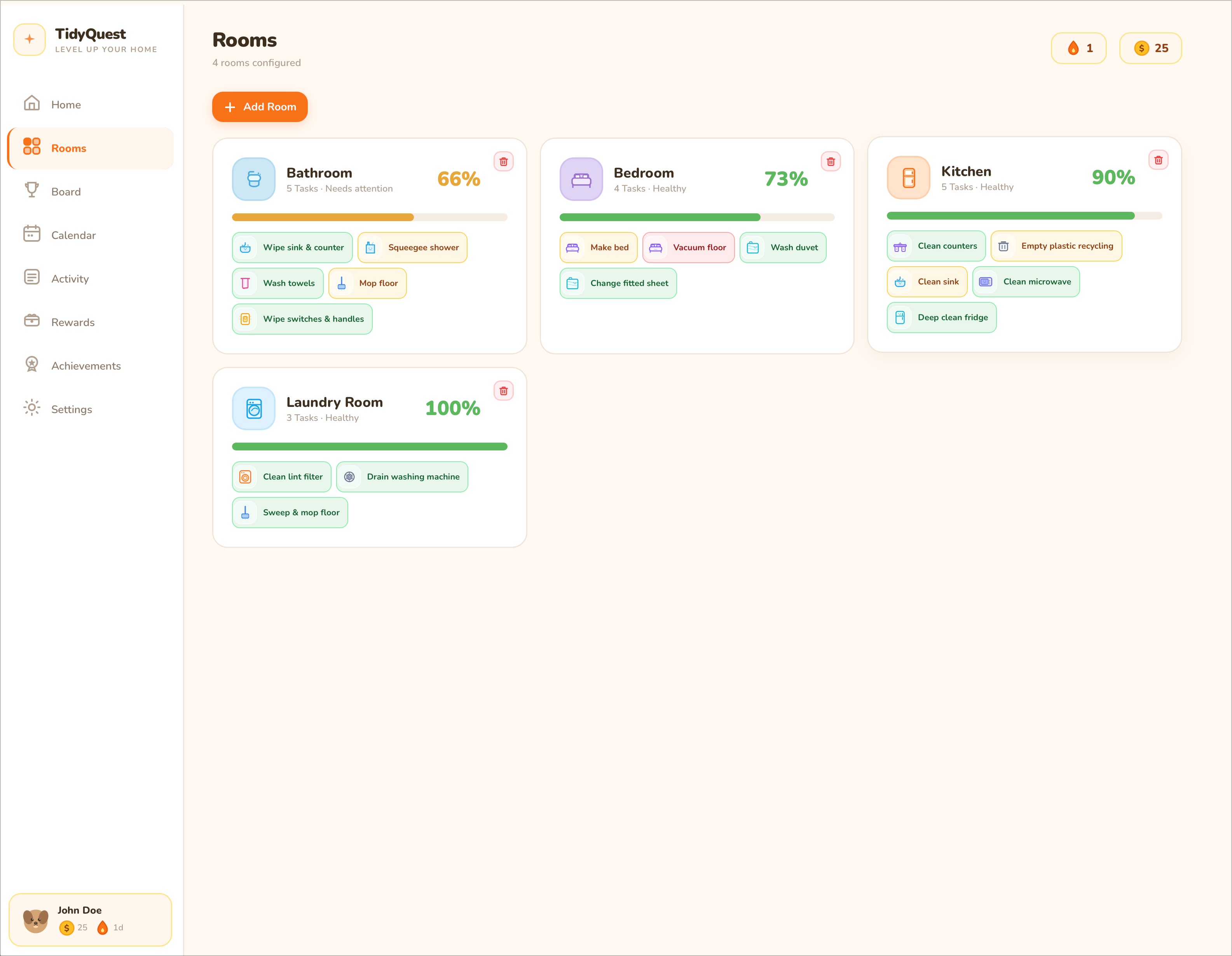 Room view with task health bars and completion tracking
Leaderboard
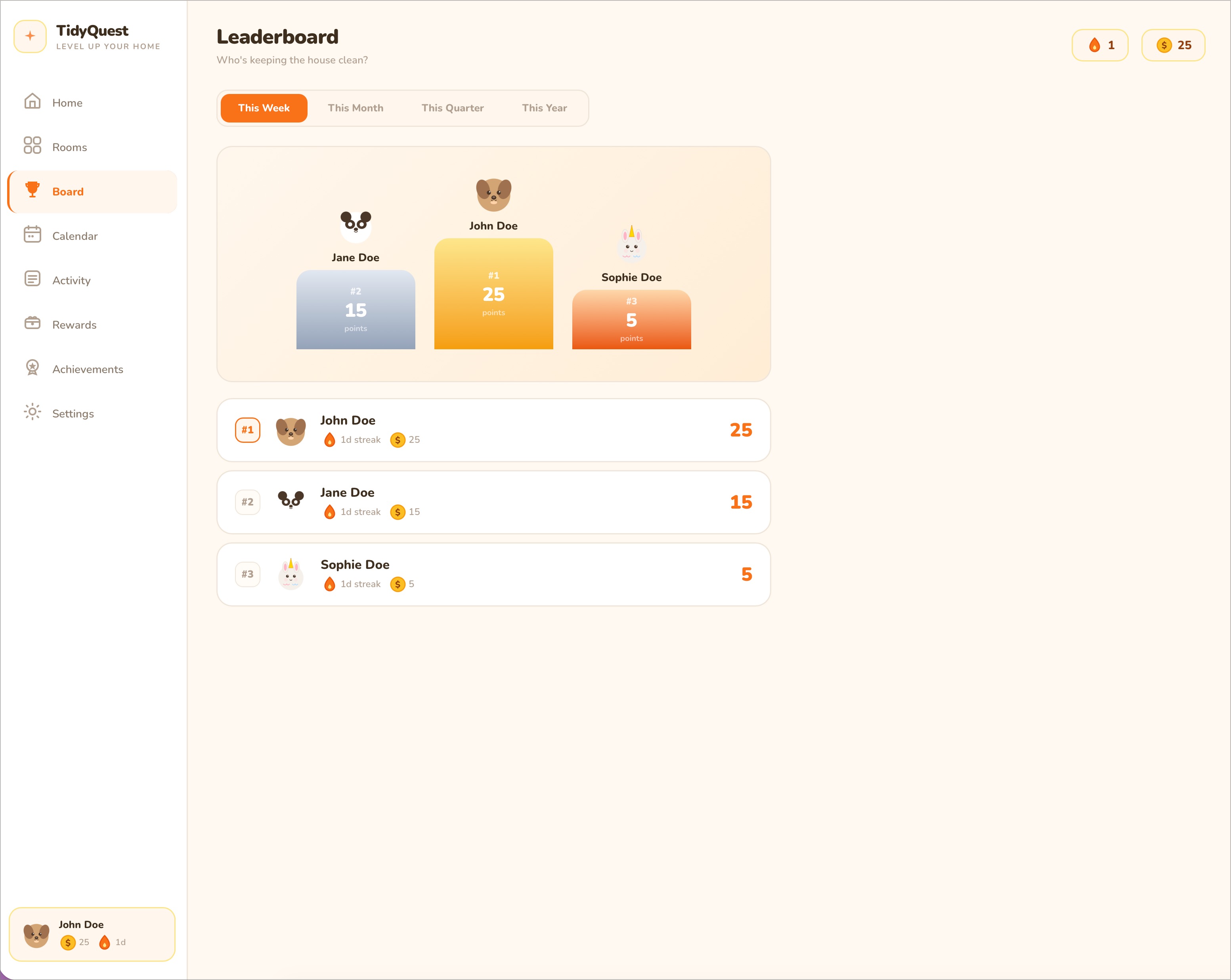 Family competition with weekly/monthly rankings
Rewards
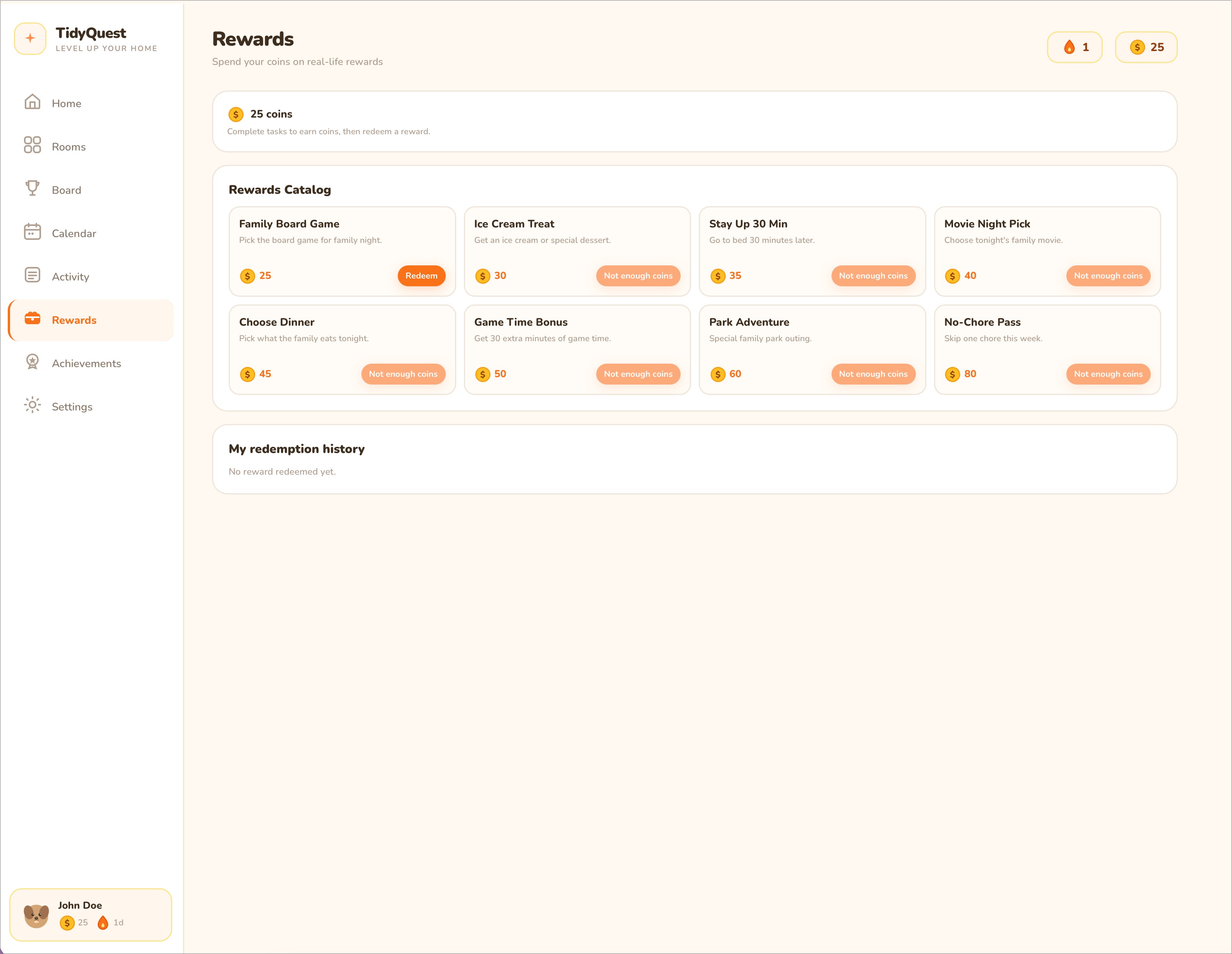 Reward catalog and redemption system
Achievements
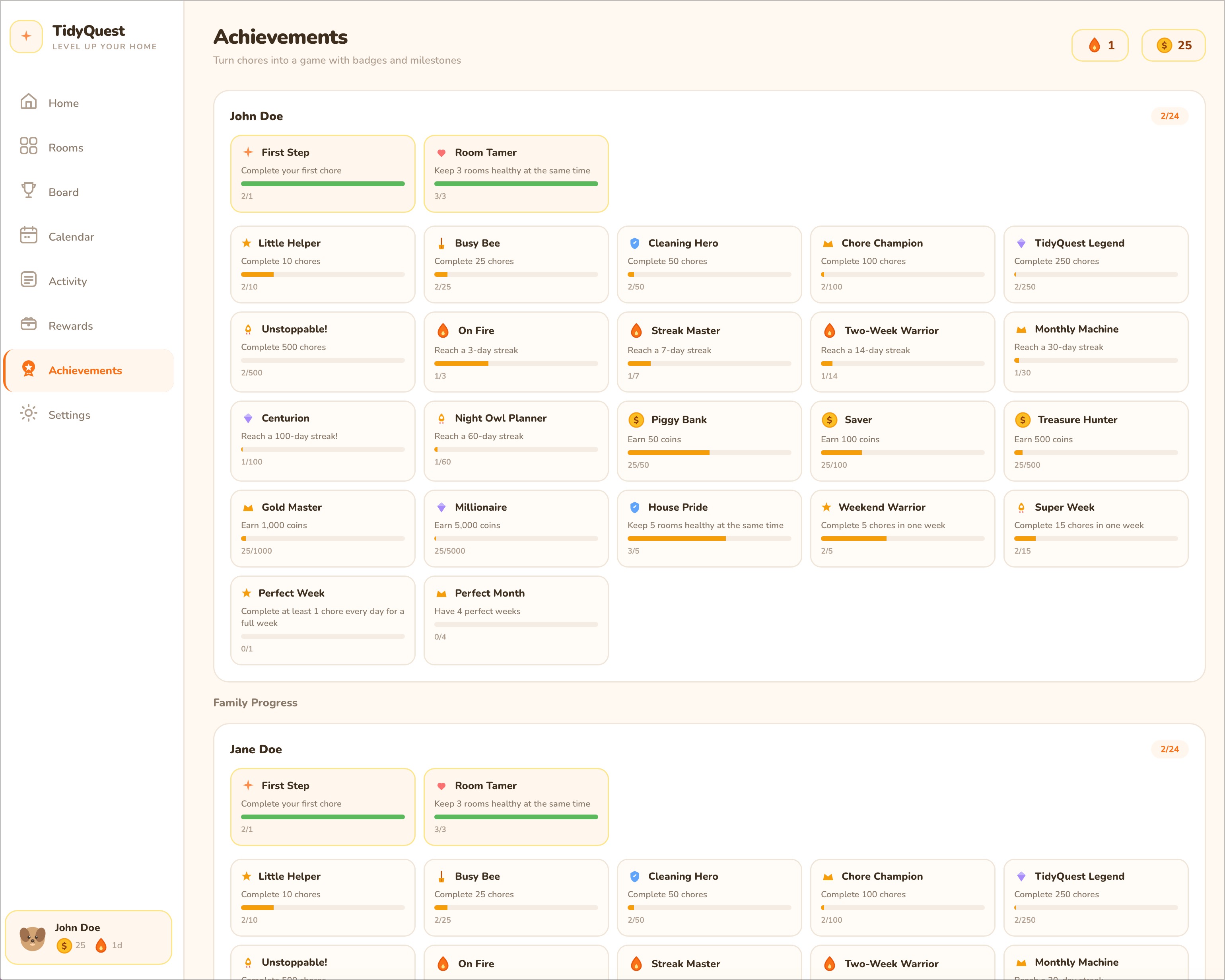 Unlock badges for completing milestones
🚀 Quick Start
Prerequisites
- Docker & Docker Compose
- 100MB disk space
- Port 3020 available
Installation
Choose your deployment method:
Option A: Unraid Community Applications (Easiest)
If you're running Unraid, TidyQuest is available directly from the Community Applications catalog:
- Open Community Applications in your Unraid dashboard
- Search for TidyQuest
- Click Install and fill in your
JWT_SECRET - Done!
Option B: Docker Compose — Docker Hub Image (Recommended)
Fastest way to get started on any Linux server using the pre-built multi-platform image:
Create project directory
mkdir tidyquest && cd tidyquestCreate docker-compose.yml
services:
  tidyquest:
    image: mellowfox/tidyquest:latest
    container_name: tidyquest
    ports:
      - "3020:3000"
    environment:
      - NODE_ENV=production
      - JWT_SECRET=CHANGE_THIS_TO_SECURE_RANDOM_STRING_MIN_32_CHARS
      - TZ=Europe/Paris  # Your timezone — used for day/week boundaries & notifications
    volumes:
      - ./data:/app/data
    restart: unless-stopped
Generate secure JWT_SECRET
openssl rand -base64 32
# Copy output and replace JWT_SECRET in docker-compose.yml
Launch
docker compose up -dAccess at http://localhost:3020
Option C: Build from Source
For development or customization:
Clone the repository
git clone https://github.com/mellow-fox/TidyQuest.git
cd TidyQuest
Configure environment
cp .env.example .env
# Edit .env and set a secure JWT_SECRET
# Generate one: openssl rand -base64 32
Build and launch
docker compose up -d --buildAccess at http://localhost:3020
First Login
On first launch, the database is empty. Create an admin account via the Register page.
🎮 Features
For Everyone
- ✅ Complete Tasks: Mark chores as done, earn coins
- 💎 Redeem Rewards: Request rewards like "Movie Night Pick" or "Extra Game Time"
- 📊 Track Progress: See your current streak, coins, and achievements
- 🏠 Room Management: Organize tasks by room (Kitchen, Bedroom, Bathroom, etc.)
For Admins
- 👥 User Management: Create family members (admin/member/child roles)
- 📝 Task CRUD: Create, edit, delete tasks with custom frequencies (1-365 days)
- 🎁 Reward System: Approve/reject reward requests, manage and customize catalog
- ⚙️ Global Settings: Configure coins-per-effort, notifications (Telegram or ntfy)
- 🏖️ Vacation Mode: Pause task health decay globally or per member, with individual return dates
- 📤 Backup/Restore: Export full database as JSON
- 👤 Task Assignment: Assign tasks to specific users with three modes:
- First — first person to complete earns all coins
- Shared — each assignee completes once; coins split equally
- Custom — define a custom coin percentage per assignee (e.g. 70% / 30%)
- ✅ Strict Mode: Require admin approval before task completions count
- 💑 Couple Mode: Disable gamification (coins, streaks, leaderboard) for simpler tracking
- 🔑 Password Recovery: Reset admin password via environment variable
Built-in Defaults
- 8 Room Types: Kitchen, Bedroom, Bathroom, Living Room, Office, Garage, Laundry, Garden
- 60+ Predefined Tasks: Common household chores with realistic frequencies
- 10 Preset Rewards: Movie night, ice cream, stay up late, game time, etc.
- 12 Achievements: Unlocked automatically based on activity
- 6 Languages: English, French, German, Spanish, Italian and Dutch
🛠️ Tech Stack
| Layer | Technology |
|---|---|
| Frontend | React 19 + Vite + TypeScript |
| Backend | Node.js + Express + TypeScript |
| Database | SQLite3 (with WAL mode) |
| Auth | JWT + bcrypt |
| Deployment | Docker (single container, ~300MB) |
| Routing | React Router v7 |
| Styling | Custom design system with CSS custom properties |
Zero external dependencies for core functionality. Optional Telegram or ntfy integration for notifications.
📂 Project Structure
TidyQuest/
├── client/           # React frontend
│   ├── src/
│   │   ├── components/  # UI components
│   │   ├── hooks/       # useAuth, useApi, useTranslation
│   │   ├── i18n/        # Translation files (EN/FR/DE/ES/IT)
│   │   └── App.tsx
│   └── package.json
├── server/           # Express backend
│   ├── src/
│   │   ├── routes/      # API endpoints
│   │   ├── middleware/  # JWT auth
│   │   ├── utils/       # Health calculation, notifications
│   │   └── database.ts  # SQLite setup
│   └── package.json
├── data/             # Persistent storage (Docker volume)
│   ├── tidyquest.db     # SQLite database
│   └── avatars/         # User-uploaded photos
├── Dockerfile        # Multi-stage build
├── docker-compose.yml
├── .env.example      # Configuration template
├── SECURITY.md       # Security best practices
└── API.md            # API documentation
🔧 Configuration
Environment Variables
See .env.example for all options. Key variables:
| Variable | Required | Description |
|---|---|---|
JWT_SECRET |
Yes (prod) | Secret for signing JWT tokens (min 32 chars) |
NODE_ENV |
No | production or development |
TZ |
Recommended | Timezone for day/week boundaries & notifications (e.g. Europe/Paris). Defaults to UTC |
PORT |
No | Server port (default: 3000) |
ADMIN_RESET_PASSWORD |
No | One-shot admin password recovery. Set, restart, then remove. |
Notifications (Optional)
TidyQuest supports two notification providers (configure in Settings, admin only):
Telegram
- Create a Telegram bot via @BotFather
- Get your chat ID via @userinfobot
- Enter bot token and chat ID in Settings
ntfy
- Use ntfy.sh or your own ntfy server
- Enter the server URL and topic in Settings
- Subscribe to the topic on your phone
Notification types:
- 🕐 Daily Due Tasks: Sent at configured time (default 09:00)
- 🎁 Reward Requests: Notify admin when child requests reward
- 🎖️ Achievements: Celebrate unlocked achievements
📖 Usage
Creating Rooms
- Go to Rooms page
- Click Add Room
- Select room type (e.g., Kitchen)
- Choose from 60+ default tasks or create custom ones
Completing Tasks
- Open a room
- Click ✅ on a task row
- Earn coins (5-25 based on effort level 1-5)
- Health bar resets to 100%
Redeeming Rewards
- Go to Rewards page
- Click Redeem on a reward (coins deducted immediately)
- Admin approves/rejects request
- If rejected, coins are refunded
Vacation Mode
Admin can enable vacation mode in Settings:
- Global: Pause health decay for the entire family
- Per member: Toggle vacation individually with separate return dates
Vacation freezes task health and protects streaks while members are away.
Admin Password Recovery
If an admin forgets their password:
- Add the environment variable to your container:
environment: - ADMIN_RESET_PASSWORD=your-new-password - Restart the container — the first admin's password is reset
- Remove the variable immediately and restart again
🔒 Security
Before exposing publicly, review SECURITY.md for:
- Setting strong JWT_SECRET
- Using HTTPS reverse proxy (Caddy/Nginx)
- Database backup strategy
- Telegram token protection
⚠️ Never expose TidyQuest directly to the internet over HTTP.
🔄 Updating
Using Docker Hub Image
docker compose pull
docker compose up -d
Using Source Build
cd TidyQuest
git pull
docker compose down
docker compose up -d --build
Your data persists in the ./data volume.
🗄️ Backup & Restore
Manual Backup (via UI)
Admin → Settings → Export Data → Download JSON
File System Backup
cp data/tidyquest.db backups/tidyquest-$(date +%Y%m%d).db
Restore
Admin → Settings → Import Data → Upload JSON
🌐 API Documentation
See API.md for full endpoint documentation with examples.
Quick overview:
- Auth:
/api/auth/register,/api/auth/login - Rooms:
/api/rooms(CRUD) - Tasks:
/api/rooms/:id/tasks(CRUD + complete) - Dashboard:
/api/dashboard(aggregated view) - Leaderboard:
/api/leaderboard?period=week|month|quarter|year - Rewards:
/api/rewards(CRUD + redeem) - Achievements:
/api/achievements
All endpoints require Authorization: Bearer <token> (except auth routes).
🏠 Home Assistant Integration
TidyQuest includes a custom Home Assistant integration that exposes tasks as sensors and allows you to complete or manage them from dashboards and automations.
Install
- Copy
custom_components/tidyquest/into your Home Assistantconfig/custom_components/directory - Restart Home Assistant
- Go to Settings → Devices & Services → Add Integration and search for TidyQuest
- Enter your TidyQuest URL and credentials (admin or member account)
Entities
Each task becomes a sensor whose state is the task's current health (0–100). Attributes include room_name, effort, is_due, assigned_users, assignment_mode, and more.
Services
| Service | Description |
|---|---|
tidyquest.complete_task |
Mark a task as done. HA user is automatically matched to a TidyQuest user by display name |
tidyquest.reset_task |
Reset a task to due/dirty (removes today's completion) |
tidyquest.create_task |
Create a new task in a room |
tidyquest.update_task |
Update task properties (frequency, effort, etc.) |
tidyquest.delete_task |
Delete a task |
tidyquest.refresh |
Force immediate sensor refresh |
Example — Complete a task from a dashboard button
service: tidyquest.complete_task
target:
  entity_id: sensor.kitchen_wash_dishes_health
Example — Automation when a task is overdue
automation:
  trigger:
    platform: numeric_state
    entity_id: sensor.kitchen_wash_dishes_health
    below: 20
  action:
    service: notify.mobile_app
    data:
      message: "The dishes need doing!"
User matching: HA user names are automatically matched to TidyQuest
displayName(case-insensitive). Override withuser_nameortidyquest_user_idin service data.
See custom_components/tidyquest/README.md for full documentation.
🤝 Contributing
Contributions are welcome! Please:
- Fork the repository
- Create a feature branch (
git checkout -b feature/amazing-feature) - Commit your changes (
git commit -m 'Add amazing feature') - Push to the branch (
git push origin feature/amazing-feature) - Open a Pull Request
📜 License
This project is licensed under the GNU Affero General Public License v3.0 (AGPL-3.0).
What this means:
- ✅ You can use, modify, and distribute TidyQuest freely
- ✅ You can run it commercially (for your business/family)
- ⚠️ If you modify and host TidyQuest as a service (even privately), you must share your source code
- ⚠️ Any derivative work must also be licensed under AGPL-3.0
Why AGPL? To ensure TidyQuest remains free and open-source forever, preventing proprietary SaaS forks.
See the LICENSE file for full details.
🙏 Acknowledgments
- Inspired by RPG mechanics from classic games
- Built with love for families who want to make chores fun
- Uses Nunito font (bundled locally)
📞 Support
- 🐛 Bug Reports: GitHub Issues
- 💬 Discussions: GitHub Discussions
- 🔒 Security Issues: See
SECURITY.mdfor responsible disclosure
Made with ❤️ for families everywhere
Media gallery
1 / 5Categories
Download Statistics
Total Downloads Over Time
Related apps
Explore more like this
Explore allDetails
mellowfox/tidyquestRuntime arguments
- Web UI
http://[IP]:[PORT:3000]/- Network
bridge- Shell
sh- Privileged
- false
Template configuration
Port to access the TidyQuest web interface.
- Target
- 3000
- Default
- 3020
- Value
- 3020
Path to store the database and uploaded avatars.
- Target
- /app/data
- Default
- /mnt/user/appdata/tidyquest
- Value
- /mnt/user/appdata/tidyquest
Secret key used to sign user sessions. Generate a secure value with: openssl rand -base64 32
Your timezone (e.g. Europe/Paris, America/New_York). Used for correct task due-date calculations.
- Default
- Europe/Paris
- Value
- Europe/Paris