
All apps · 0 apps

Theme Engine
Plugin from Justin Nolan / Skitals
Overview
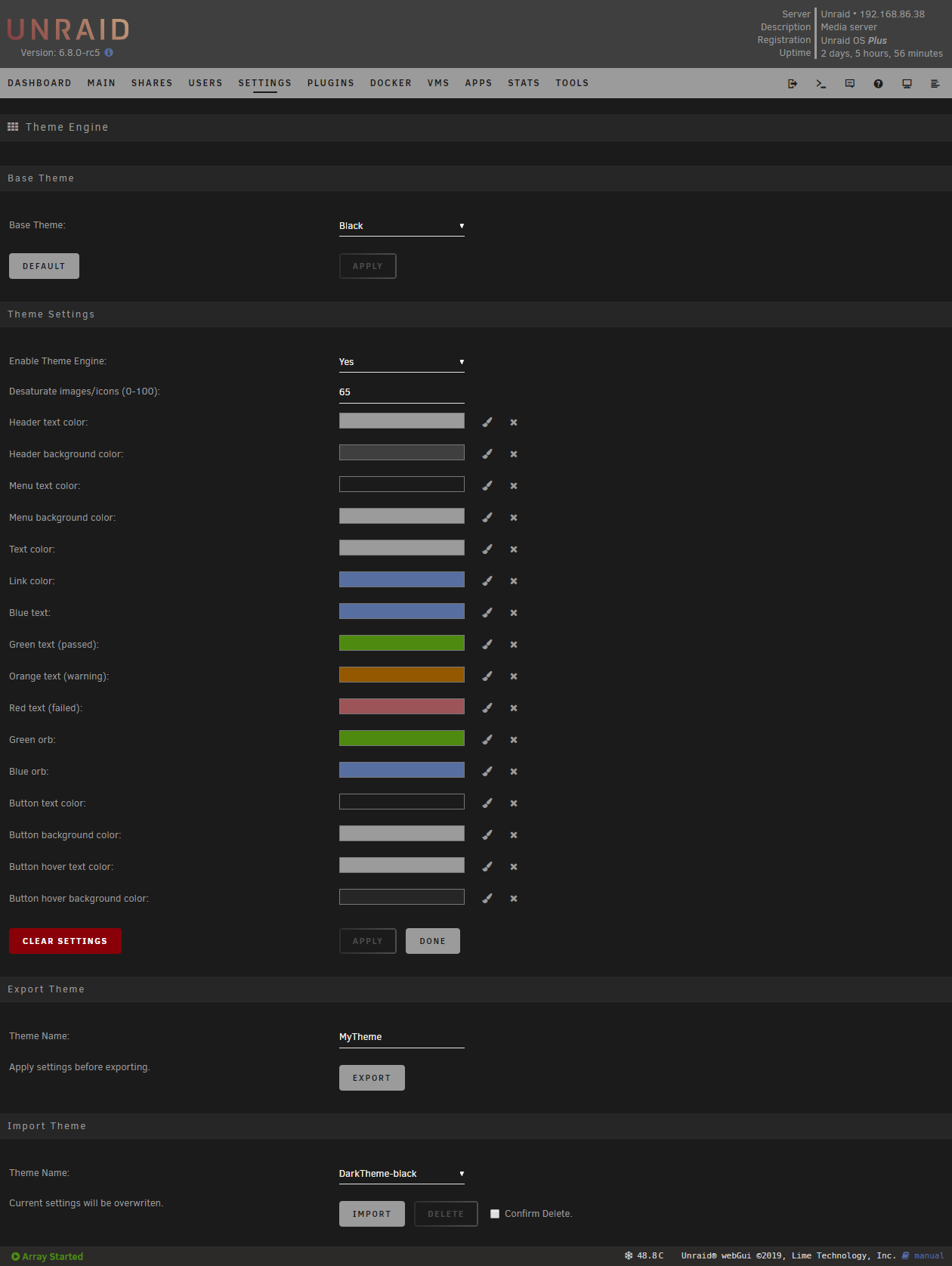
Theme Engine lets you re-style the Unraid webGui. Instead of creating a whole new theme, it adjusts settings that override the theme you are already using. You can adjust as few or as many settings as you like. Mixing and matching the base themes with Theme Engine settings creates endless possibilities. Import one of the included styles, or remix and export your own.
Readme
View on GitHubTheme Engine
A plugin for the unRAID webGui
Theme Engine lets you re-style the unRAID webGui. Instead of creating a whole new theme, it adjusts settings that override the theme you are already using. You can adjust as few or as many settings as you like. Mixing and matching the base themes with Theme Engine settings creates endless possibilities. Import one of the included styles, or remix and export your own.
How to install
Coming Soon
Screenshot
Advanced / Hidden Options
You can inject custom css by creating the following files. The files, if they exist, are included on every page just above </style> in the html head.
/boot/config/plugins/theme.engine/custom.css
- Will be included in all themes.
/boot/config/plugins/theme.engine/custom-white.css

/boot/config/plugins/theme.engine/custom-black.css

/boot/config/plugins/theme.engine/custom-gray.css

/boot/config/plugins/theme.engine/custom-azure.css
- Will only be included when using the corresponding base theme.
Categories
Download Statistics
4,659
Total Downloads
3
This Month
7
Avg / Month
Downloads by Month
Loading chart...
Related apps
Explore more like this
Explore allDetails
Repository
https://raw.githubusercontent.com/Squidly271/unraid-theme-engine/master/plugins/theme.engine.plgLast Updated2026-10-16
First Seen2025-06-16