
All apps · 0 apps

teleinfo_exporter
Docker app from d3vyce's Repository
Overview
Simple prometheus exporter for Linky teleinfo
Readme
View on GitHubTeleinfo Exporter
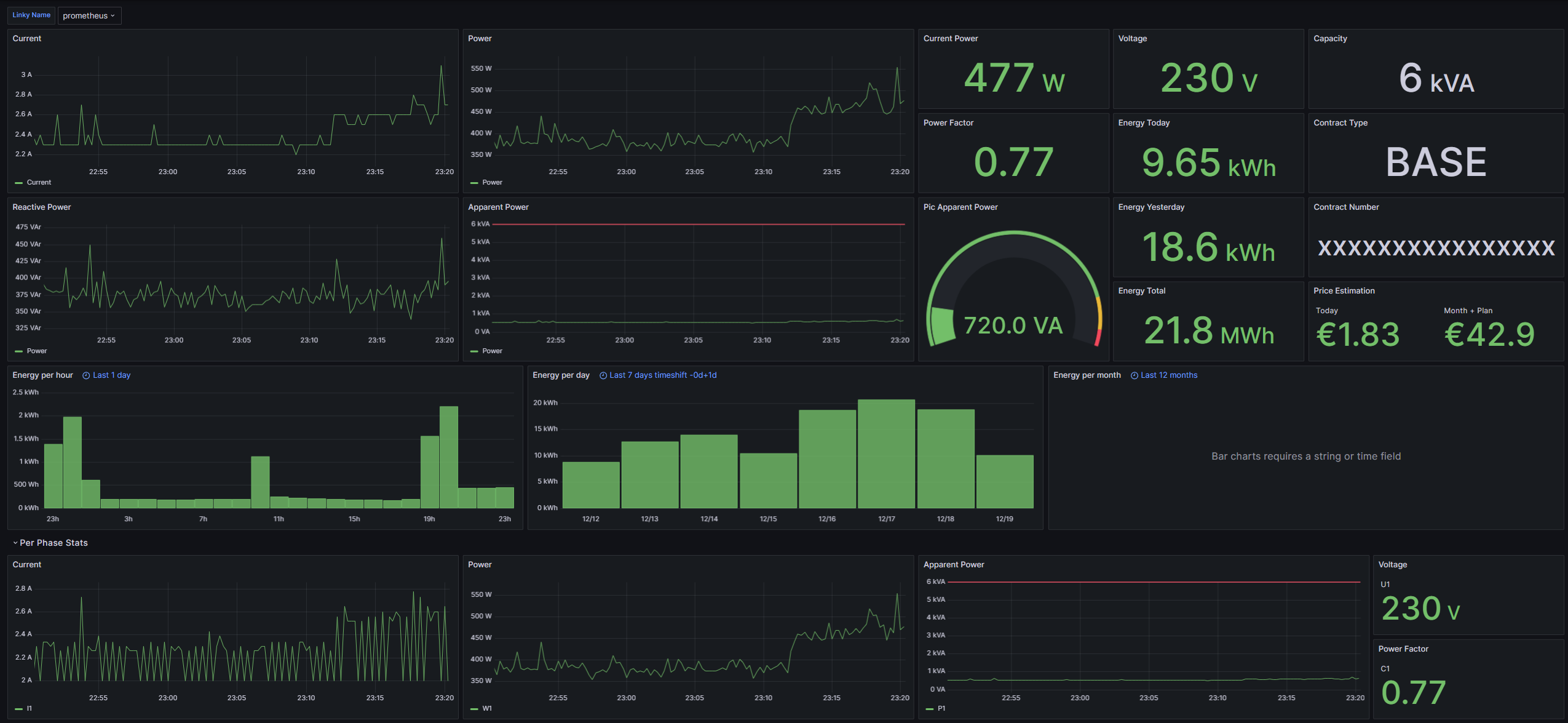
Simple prometheus exporter for Linky teleinfo.
Installation
Pip
python3 -m pip install teleinfo-exporter
teleinfo-exporter --help
Docker
Minimal Docker compose:
services:
  web:
    image: ghcr.io/d3vyce/teleinfo-exporter:latest
    environment:
      - BROKER_HOSTNAME=10.10.0.10
    ports:
      - 8000:8000
    restart: always
Architectures
| Architecture | Available | Tag |
|---|---|---|
| x86-64 | ✅ | amd64-<version tag> |
| arm64 | ✅ | arm64-<version tag> |
Version Tags
| Tag | Available | Description |
|---|---|---|
| latest | ✅ | Latest version |
Variables
| Argument | Variable | Description | Default |
|---|---|---|---|
--http_port |
-e HTTP_PORT |
HTTP Port | 8000 |
--auth_user |
-e AUTH_USER |
Basic Auth User | |
--auth_hash |
-e AUTH_HASH |
Basic Auth Hash | |
--http_cert |
-e HTTP_CERT |
HTTP Certificate | |
--http_key |
-e HTTP_KEY |
HTTP Key | |
--broker_host |
-e BROKER_HOST |
MQTT Host | |
--broker_port |
-e BROKER_PORT |
MQTT Port | 1883 |
--broker_user |
-e BROKER_USER |
MQTT User | |
--broker_password |
-e BROKER_PASSWORD |
MQTT Password | |
--broker_topic |
-e BROKER_TOPIC |
Teleinfo Topic | teleinfo/tele/SENSOR |
Configuration
HTTP Authentication
To generate the password hash use the following command:
htpasswd -bnBC 10 "" PASSWORD | tr -d ':'
Prometheus
Config example:
scrape_configs:
  - job_name: 'Teleinfo'
    scheme: https
    tls_config:
      ca_file: teleinfo.crt
    basic_auth:
      username: USER
      password: PASSWORD
    static_configs:
      - targets:
        - 192.168.1.2:8000
Categories
Related apps
Explore more like this
Explore allDetails
Repository
git.d3vyce.fr/d3vyce/teleinfo_exporter:latestLast Updated2026-10-14
First Seen2024-11-10
Runtime arguments
- Web UI
http://[IP]:[PORT:8000]- Network
bridge- Shell
sh- Privileged
- false
Template configuration
PortPorttcp
- Target
- 8000
- Default
- 8000
- Value
- 8000
MQTT HostVariable
- Target
- BROKER_HOST
MQTT PortVariable
- Target
- BROKER_PORT
- Default
- 1883
- Value
- 1883
MQTT UserVariable
- Target
- BROKER_USER
MQTT PasswordVariable
- Target
- BROKER_PASSWORD
Broker TopicVariable
- Target
- BROKER_TOPIC
- Default
- teleinfo/tele/SENSOR
- Value
- teleinfo/tele/SENSOR