
All apps · 0 apps
teddycloud
Docker app from Selfhosters
Overview
Readme
View on GitHubTeddyCloud
Features
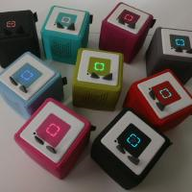
TeddyCloud is an alternative server for your Toniebox, allowing you to host the cloud services locally. This gives you the control about which data is sent to the original manufacturer's cloud and allows you to host your own figurine audio files on e.g. your NAS or any other server.
Currently implemented are:
- Provide audio content over the air
- Cache original tonie audio content
- Simulate live content (.live)
- Passthrough original tonie audio content
- Convert any audio file to a tonie audio file (web)
- On-the-fly convert audio streams via ffmpeg for webradio and streams
- Basic Web fronted
- Filter custom tags to prevent deletion (.nocloud)
- Configure maximum volume for speaker and headphones
- Configure LED
- Configure slapping
- Customize original box sounds (ex. jingle) over the air
- Extract/Inject certitifcates on a esp32 firmware dump
- Decode RTNL logs
- MQTT client
- Home Assistant integration (MQTT)
- Web frontend (full stack developers welcome)
Planned
- teddyBench integration
- Toniebox 2 support
Where to start?
If you want to get started, please follow our guide on our website.
Development and bulding
Please use the develop for your development and pull requests. Stable builds are available from the master branch. Don't forget to clone the submodules with --recurse-submodules.
To catch sanitizer in you IDE set a breakpoint on __asan::ReportGenericError.
Local Development Sandbox
dev-sandbox/ – Run TeddyCloud locally with mock data (tonies, Toniebox, TAF) to try out features and see changes during development. Builds and runs a local image.
Details: dev-sandbox/README.md.
Build and Run in Editor (VS Code)
- Build once:
Terminal (or F1) -> Run Task -> build(uses.vscode/tasks.json). - Debug/run: open
Run and Debug, select[linux] teddyCloud, pressF5(uses.vscode/launch.json). F5runs the prelaunch build task automatically and startsbin/teddycloudwithgdb.- For web UI in devcontainer, open
http://localhost:<port>/webon your forwarded HTTP port (You can find the port inF1 -> 'Ports: Focus on Ports view).
Contribution Workflow (teddycloud + teddycloud_web)
TeddyCloud consists of two repositories: the backend (teddycloud) and the web frontend (teddycloud_web) as a submodule. Built web files live in contrib/data/www/.
Workflow for contributors:
- Backend-only changes: Open a PR against teddycloud – no submodule changes needed.
- Frontend-only changes: Open a PR against teddycloud_web – no PR against teddycloud needed.
- Changes in both repos: Create and merge both PRs separately (teddycloud_web first, then teddycloud). Do not commit submodule pointer changes in the teddycloud PR – a maintainer will handle that.
Build and publish workflows (GitHub Actions):
| Workflow | Trigger | Description |
|---|---|---|
| Make web and commit | Manual (workflow_dispatch) |
Builds the web from the teddycloud_web submodule, commits files to contrib/data/www/, pushes, and triggers the Docker build. |
| Docker Image Publish Matrix | Push to master/develop or tags |
Builds Docker images automatically. |
After merging: Once both PRs are merged, a maintainer runs the "Make web and commit" workflow. It builds the frontend from the current teddycloud_web state (same branch), commits the built files, and updates the submodule pointer if needed. The subsequent push triggers the Docker build automatically.
Attribution
The icons used are from here:
- img_empty.png: https://www.flaticon.com/free-icon/ask_1372671
- img_unknown.png: https://www.flaticon.com/free-icon/ask_1923795
- img_custom.png/favicon.ico: https://www.flaticon.com/free-icon/dog_2829818
Thanks for the original authors for these great icons.
Categories
Related apps
Explore more like this
Explore allLinks
Details
ghcr.io/toniebox-reverse-engineering/teddycloud:latestRuntime arguments
- Web UI
http://[IP]:[PORT:80]- Network
bridge- Privileged
- false
Template configuration
This an optional port for the webui of teddycloud
- Target
- 80
- Default
- 7780
Required PORT to get certificates
- Target
- 443
- Default
- 7443
- Value
- 7443
- Target
- /teddycloud/data/content
- Value
- /mnt/user/appdata/teddycloud/data/content
- Target
- /teddycloud/config
- Value
- /mnt/user/appdata/teddycloud/config
Place your certs here after grabbing them off your device. (Yes you need to do this)
- Target
- /teddycloud/certs
- Value
- /mnt/user/appdata/teddycloud/certs
- Target
- /teddycloud/data/library
- Value
- /mnt/user/appdata/teddycloud/data/library
- Target
- /teddycloud/data/firmware
- Value
- /mnt/user/appdata/teddycloud/data/firmware