
All apps · 0 apps

TasmoAdmin
OfficialDocker app from digiblur's Repository
Overview
Readme
View on GitHub
TasmoAdmin





TasmoAdmin (previously SonWEB) is an administrative platform for devices flashed with Tasmota. It can run standalone, as a container, or as a Home Assistant addon.
Features
- Login protected
- Multi update process
- Select devices to update
- Automatic mode downloads latest firmware bin from the Tasmota OTA site
- Show device information and sensor data
- Responsive Bootstrap 5 interface
- SCSS-based assets with minified builds
- Configure devices from the web UI
- Self-update function for TasmoAdmin (disabled for Docker installs)
- Night mode with
Enable/Disable/Autosettings - Autoscan to find Tasmota devices
- Network range scanning
- MQTT broker discovery with configurable topic prefixes, subscriptions, and timeout
- Device-specific MQTT topic matching for discovery results
- Optional touch-friendly toggle confirmations
- Global default in settings
- Per-device override
- Device list batch actions
- Send commands, create backups, restart devices, and delete devices from the list view
- Startpage visibility controls
- Hide selected devices from the startpage without removing them from the inventory
- Support for multiple sensors
- Encrypt stored device passwords at rest
Supported Platforms
- Apache2 and Nginx
- Docker by @RaymondMouthaan
- unRaid by @digiblur
- IOCage (FreeNAS) by @tprelog
YouTube
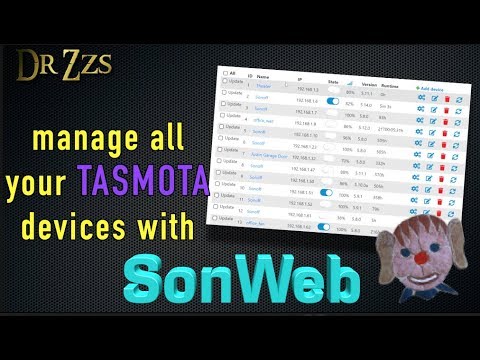 by DrZzs
Setup
Docker
TasmoAdmin is available as a Docker image on GitHub packages.
This is a Linux Alpine based image with Nginx and PHP 8.5 installed. It supports multiple architectures, amd64 (i.e. Synology DSM), arm (i.e. Raspberry PI3) and arm64 (i.e. Pine64). Check out the Guide for TasmoAdmin on Docker for setup instructions.
This is the recommended way to get up and running.
Home Assistant Addon
TasmoAdmin is also available as a Home Assistant addon. See the TasmoAdmin Home Assistant app for more information.
Using a Web Server
TasmoAdmin should run on any webserver that supports PHP 8.2 or newer.
Check the guides on the Wiki for more information.
Configuration
Some environment variables are configured to allow easier customisation of the application
TASMO_DATADIR- Data directory, including a trailing slash. Defaults to./tasmoadmin/data/TASMO_BASEURL- Customise the base URL for the applicationTASMO_TMPDIR- Directory for sessions and temporary cache files, including a trailing slash. Defaults to./tasmoadmin/tmp/TASMO_DEBUG- Set totrueto display PHP errors. Disabled by default.NO_AUTH- Set totrueto bypass the built-in login when authentication is handled externallyTASMO_DEVICE_PASSWORD_KEY- Base64-encoded 32-byte secret for device password encryption at restTASMO_ALLOW_CROSS_SITE_IFRAME- Set totrueto embed TasmoAdmin in another HTTPS site, such as Home Assistant or Organizr; HTTP requests remain restricted
Device Password Encryption
TasmoAdmin encrypts only the password column in devices.csv. Usernames, column order, and in-memory Device objects remain unchanged.
- If
_DATADIR_/.device-password.keyexists, TasmoAdmin uses it. - Otherwise, if
TASMO_DEVICE_PASSWORD_KEYexists, TasmoAdmin uses it. - Otherwise, TasmoAdmin lazily generates a 32-byte key, persists it to
.device-password.key, and uses it. - If both sources exist, they must match exactly or TasmoAdmin fails closed.
Encrypted password cells are stored as enc:v1:<base64(iv||tag||ciphertext)>.
On the first read after upgrading, legacy plaintext password cells are migrated in place to the encrypted format. Running clean=devices removes both devices.csv and .device-password.key for file-backed installs.
Session and CSRF protection
Authenticated state changes require a POST request with the session CSRF token. The session cookie uses SameSite=Lax by default, so an iframe deployment continues to work when the parent and TasmoAdmin are same-site. To embed TasmoAdmin in another HTTPS site, such as Home Assistant or Organizr, set TASMO_ALLOW_CROSS_SITE_IFRAME=true. This uses SameSite=None; Secure only for HTTPS requests; HTTP stays at SameSite=Lax. Browsers that block third-party cookies may still require a user exception.
For a deployment check, verify an authenticated device command and self-update form in both day and night mode, then confirm that a cross-site POST and a legacy state-changing GET URL leave the installation unchanged.
MQTT Discovery
TasmoAdmin can discover devices through your MQTT broker in addition to classic network autoscan.
Configure the broker connection in Settings -> MQTT discovery, then use the MQTT tab in autoscan to:
- subscribe to one or more discovery topics such as
tele/+/LWT - match existing devices by MQTT topic and refresh their status
- add newly discovered devices from broker responses
You can also store a device-specific MQTT topic in the device edit form to make MQTT discovery matching more reliable in installations with custom topic layouts.
Development
Provided is a docker-compose setup to ease getting started.
Simply run:
make dev
Then visit http://localhost:8000
Persistent storage within this setup is located in the .storage folder.
DDEV
The repository also includes a DDEV setup for local development. It uses:
apache-fpm- PHP
8.5 - Node.js
24 - no database container
Start the environment with:
ddev start
Install PHP and Node.js dependencies:
ddev install-deps
Install the repository hooks for local staged-file validation:
pre-commit install
Build the frontend assets:
ddev build-assets
Then visit https://tasmoadmin.ddev.site.
Common development commands:
ddev ssh
ddev exec phpunit
ddev qa
ddev restart
ddev stop
Notes:
ddev install-depsrunscomposer installandnpm ciintasmoadmin/ddev build-assetsruns the frontend buildddev qaruns the Composer quality checkspre-commit run --all-filesruns the repository hook set locallyddev exec npm run test:jsruns the JavaScript test suiteddev exec npm run prettier:checkverifies formatting for frontend files
Translations
We use Transifex to maintain translations of this project. If you are not familiar with this service, you can read Transifex Documentation to get started.
Add or update translations
Here are steps to translate the extension to a specific language.
- Join our team on Transifex.
- Translate resources using Transifex web interface.
Support
Use the issue functionality on this repo to report bugs or feature requests.
Alternatively, join the Discord server.
Powered by

This project supported by JetBrains through their Licenses for Open Source program.
Categories
Related apps
Explore more like this
Explore allDetails
ghcr.io/tasmoadmin/tasmoadmin:latestRuntime arguments
- Web UI
http://[IP]:[PORT:80]/- Network
bridge- Privileged
- false
Template configuration
Container Path: /data
- Target
- /data
- Default
- /mnt/user/appdata/tasmoadmin/
- Value
- /mnt/user/appdata/tasmoadmin/
Container Port: 80
- Target
- 80
- Default
- 9541
- Value
- 9541