
All apps · 0 apps

Taskcafe
OfficialDocker app from cheesemarathon's Repository
Overview
Readme
View on GitHub




Report Bug · Request Feature · Ask a Question
Was this project useful? Please consider donating to help me improve it!
This project is still in alpha development
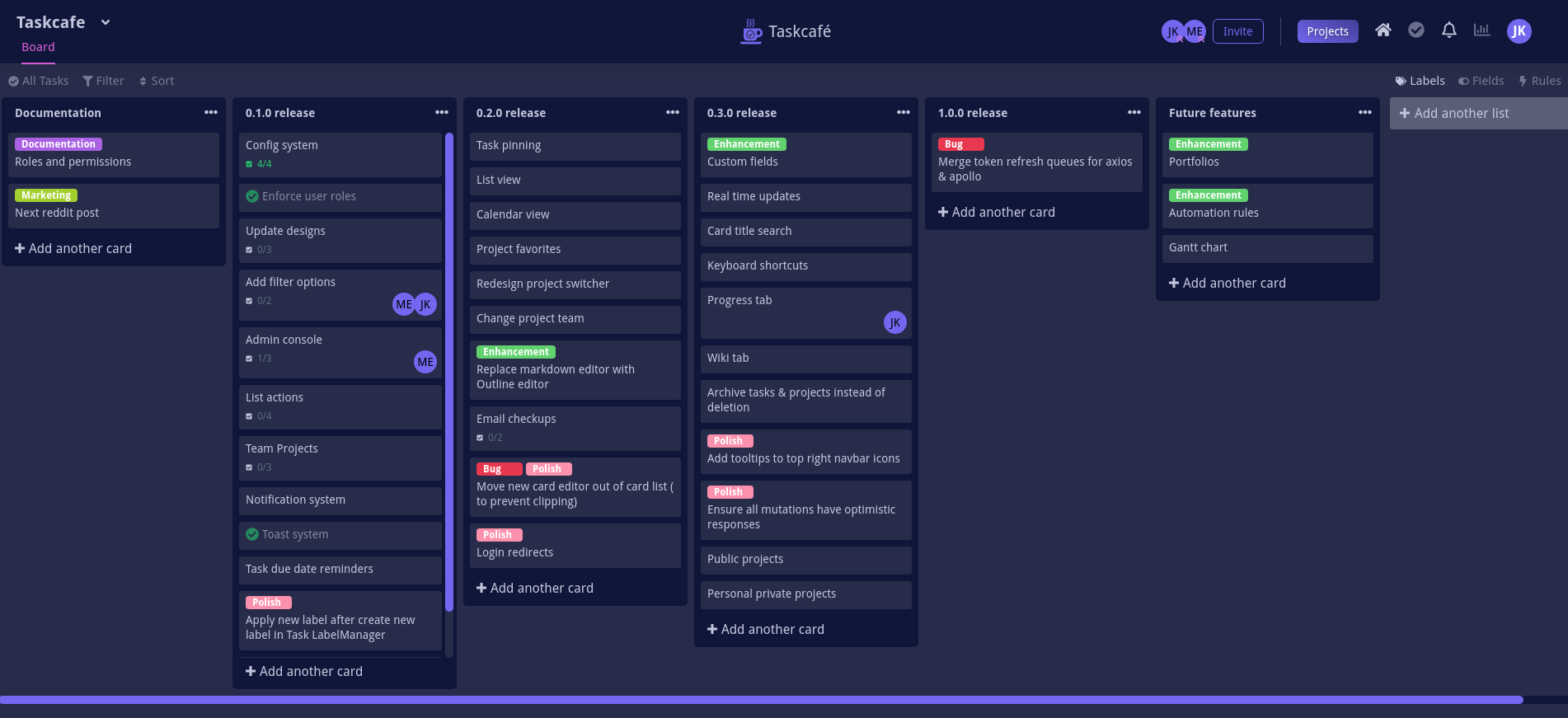
Features
The following features have been implemented:
- Manage tasks through a Kanban board interface (set due dates, labels, add checklists)
- View all your current assigned tasks through the My Tasks view
- Personal projects
- Task comments and activity
This project is still in active development, so some options may not be fully implemented yet.
For updates on development, join the Discord server.
For a list of planned features, check out the Roadmap!
Installation
With docker & docker-compose
You'll need both docker & docker-compose installed.
First clone the repository:
git clone https://github.com/JordanKnott/taskcafe && cd taskcafe
Now do the following:
docker-compose -p taskcafe up -d
This will start a postgres instance as well as a taskcafe instance.
The second command runs the database schema migrations.
If you visit http://localhost:3333, you will get redirected to the installation screen so that you can create the first system user.
From Source
You'll need Golang installed on your machine.
Next, clone the repository:
git clone https://github.com/JordanKnott/taskcafe && cd taskcafe
Next we need to build the binary. This project uses Mage for its build tool.
go run cmd/mage/main.go install
go run cmd/mage/main.go build
This will:
- Install all yarn packages for the frontend
- Build the React frontend
- Embed the React frontend in the binary
- Compile the final exectuable binary
The newly created taskcafe binary can be found in the dist folder.
It contains everything neccessary to run except the config file. An example config file can be found in conf/app.example.toml.
For more information on configuration, please read the wiki.
The config will need to be copied to a conf/app.toml in the same place the binary is.
Make sure to fill out the database section of the config in order to connect it to your database.
Then run the database migrations with taskcafe migrate.
Now you can run the web interface by running taskcafe web.
A more detailed guide for installing on Ubuntu/Debian
How is this different from X (Trello, NextCloud, etc)?
One of the primary goals of Taskcafe is to provide a project management tool that I personally enjoy using for my own projects and fits my workflow.
During alpha development, the current plan is to build the "basic" features - features that are pretty much standard across all kanban boards / project management tools.
Once Taskcafe is out of alpha, there are many features that I plan on adding that will differentiate it from other products (check out the Roadmap for ideas on future plans).
Contributing & community
If you have questions regarding how to use Taskcafe, check out the discord server.
If you're interesting in contributing to Taskcafe, please read the contribution guide first!
There is also a Code of Conduct as well.
License
Requirements
Categories
Download Statistics
Total Downloads Over Time
Related apps
Explore more like this
Explore allLinks
Details
taskcafe/taskcafeRuntime arguments
- Web UI
http://[IP]:[PORT:3333]/- Network
bridge
Template configuration
Container Variable: TASKCAFE_DATABASE_HOST
Container Variable: TASKCAFE_MIGRATE
- Default
- true
- Value
- true
Container Port: 3333
- Target
- 3333
- Default
- 3298
- Value
- 3298
Container Variable: TASKCAFE_DATABASE_PASSWORD
Container Variable: TASKCAFE_DATABASE_USER