
All apps · 0 apps

Tahskr
Docker app from CorneliousJD's Repository
Overview
Readme
View on GitHubtahskr-server
What is tahskr?
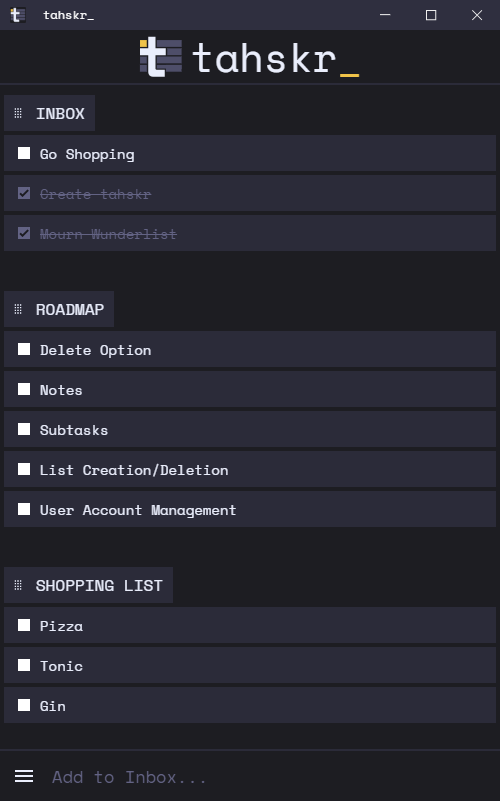
tahskr is a simple, open source, self-hosted todo manager.
There are two parts to tahskr. The server side that stores and serves data (that's this repo) and the frontend that provides a web interface accessible from a mobile/desktop browser or Windows Electron app.
Screenshot
Installation
Note: These installation instructions relate to the server part of tahskr (this repo). For details about the frontend see this repo.
Docker
Docker images of all releases are published to Docker Hub. These images are built for x86/64 and arm64.
Example Docker Run Command:
docker run -d \
  --name tahskr-server \
  -e "TAHSKR_ADMIN_PASSWORD=changeMe!" \
  -v "/path/for/database:/app/data" \
  -p 8080:8080 \
  --restart=unless-stopped \
  dullage/tahskr-server:latest
Example Docker Compose:
version: "3"

services:
  tahskr:
    container_name: tahskr-server
    image: dullage/tahskr-server:latest
    environment:
      TAHSKR_ADMIN_PASSWORD: "changeMe!"
    volumes:
      - "/path/for/database:/app/data"
    ports:
      - "8080:8080"
    restart: unless-stopped
Once running, you can use the API to create a user account. See the API docs for details.
Example Curl Command:
curl -X POST http://[SERVER IP OR NAME]:[YOUR PORT]/user -H 'Content-Type: application/json' -H 'x-admin: [YOUR ADMIN PASSWORD]' -d '{ "username": "[YOUR USERNAME]", "password": "[YOUR PASSWORD]"}'
Other
This is a flask python app so can be deployed in a number of different ways. See the Flask Docs for details.
API Reference
See the API docs here.
Categories
Download Statistics
Related apps
Explore more like this
Explore allDetails
dullage/tahskr-serverRuntime arguments
- Web UI
http://[IP]:[PORT:8080]/- Network
bridge- Shell
sh- Privileged
- false
Template configuration
Container Port: 8080
- Target
- 8080
- Default
- 8612
- Value
- 8612
Container Path: /app/data/
- Target
- /app/data/
- Default
- /mnt/user/appdata/tahskr
- Value
- /mnt/user/appdata/tahskr