
All apps · 0 apps
tagr
Docker app from suitux's Repository
Overview
Readme
View on GitHub
Tagr
A self-hosted music metadata editor with a modern, intuitive web UI.

Live Demo — login with demo / demo
Hosted on Fly.io with auto-stop to save costs. First load may take ~30s while the machine wakes up.
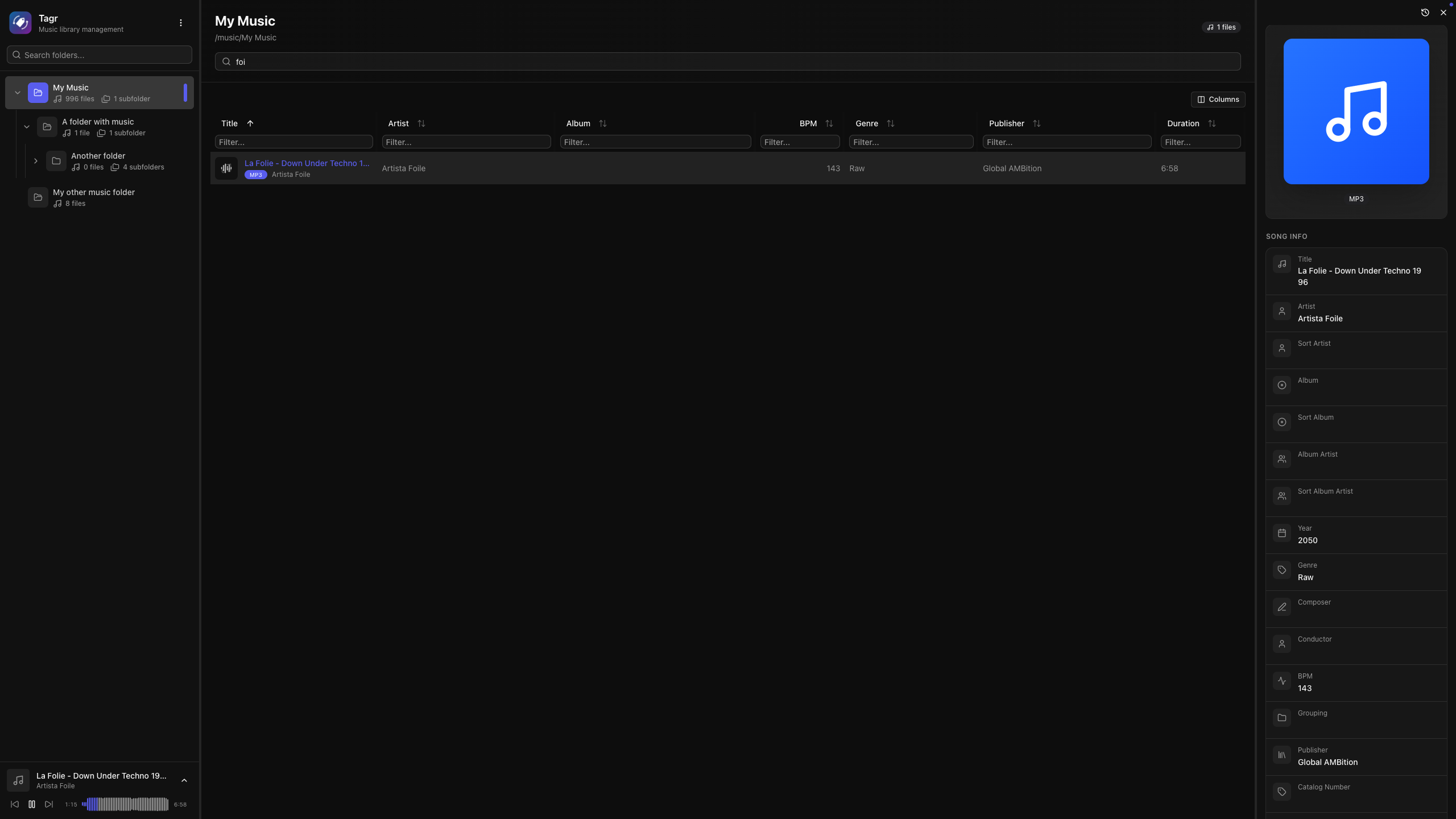
Demo is read-only: you can browse, filter, scan, view song edit history, and play songs, but metadata editing is disabled.
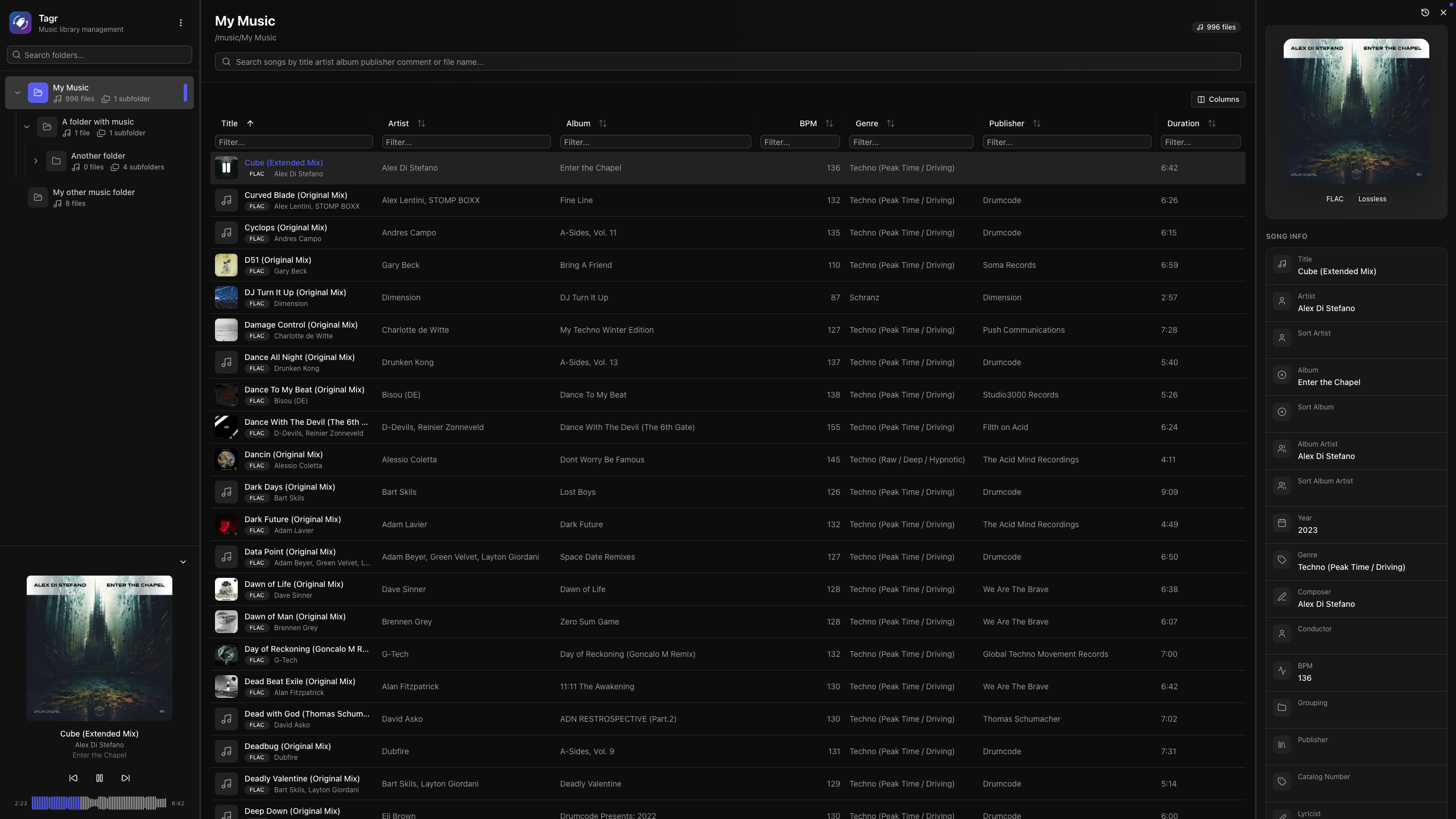
Tagr lets you browse, edit, and manage audio file tags from any browser — desktop or mobile. Just point it at your music folders, and get a clean three-panel interface for organizing your library — no desktop apps, no CLI wizardry.
Features
Metadata Editing
- Edit 40+ metadata fields inline — title, artist, album, year, genre, composer, BPM, lyrics, and more
- Custom metadata — add, edit, and remove your own custom tags beyond the standard fields
- Album art management — view, replace, and upload cover images directly
- Star ratings (1–5) with a visual widget
- Support for track/disc numbering, sort fields, catalog numbers, barcodes, and extended tags
- Read-only display of audio properties (codec, bitrate, sample rate, channels, bits per sample)
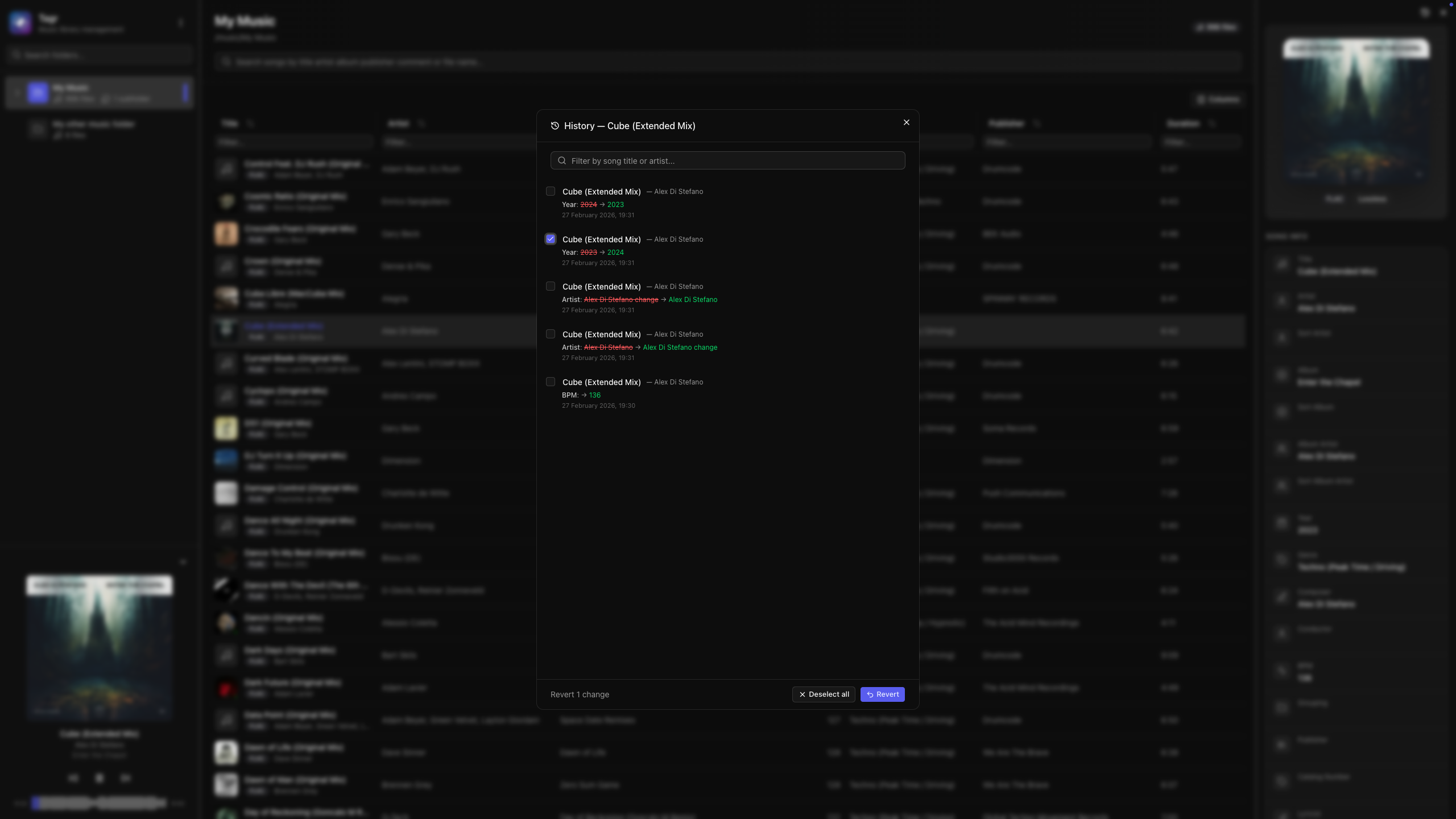
Change History
- Full audit trail of every metadata change with old and new values
- Revert individual changes or bulk-select and undo multiple edits at once
- Searchable history with shift+click and ctrl+click multi-selection
- Per-song and per-folder history views
Music Player
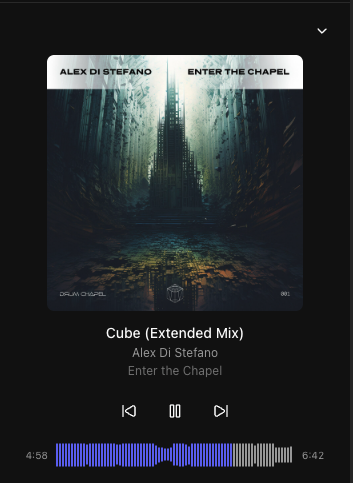
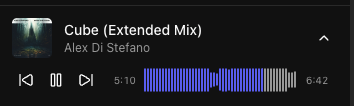
- Built-in audio player with interactive waveform visualization (WaveSurfer.js)
- Play/pause, previous/next track navigation
- Click-to-seek on the waveform
- Auto-advance to next song
- Collapsible sidebar player with album art, title, and artist display
- Listen history — every play is recorded once you have heard half the track (or four minutes), and the Recently played view in the sidebar lists it back. Play counts and last played dates are kept per song.
- ListenBrainz scrobbling — optionally forward those listens to your ListenBrainz profile, including "playing now" while a track is running. See Scrobbling.
Library Browsing
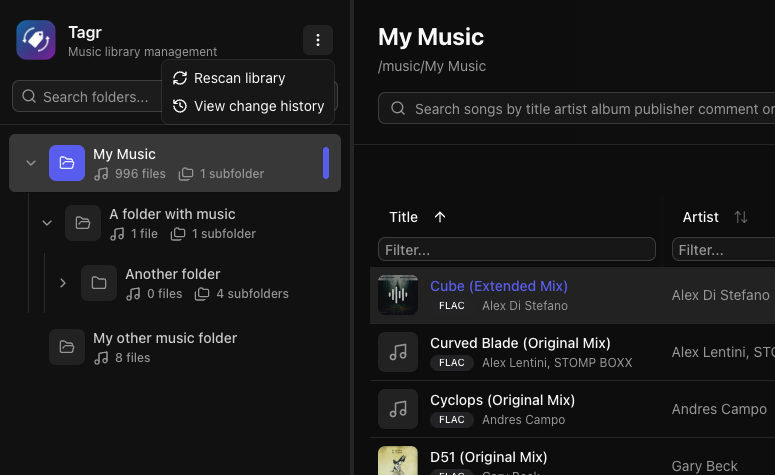
- Three-panel layout — folder tree, song list, and detail editor side by side
- Folder tree with hierarchical navigation and real-time search
- Sorting on any column — title, artist, album, year, duration, bitrate, date added, and dozens more
- Advanced filtering — text, numeric ranges, date ranges, and boolean filters across all fields
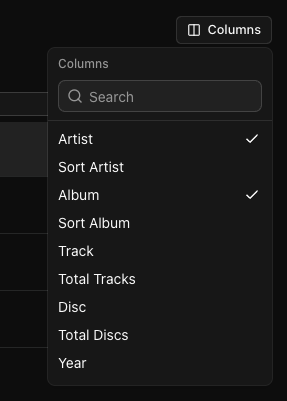
- Customizable columns — show/hide any of 40+ columns to match your workflow
- Virtual scrolling and infinite pagination for large libraries
Users and Roles
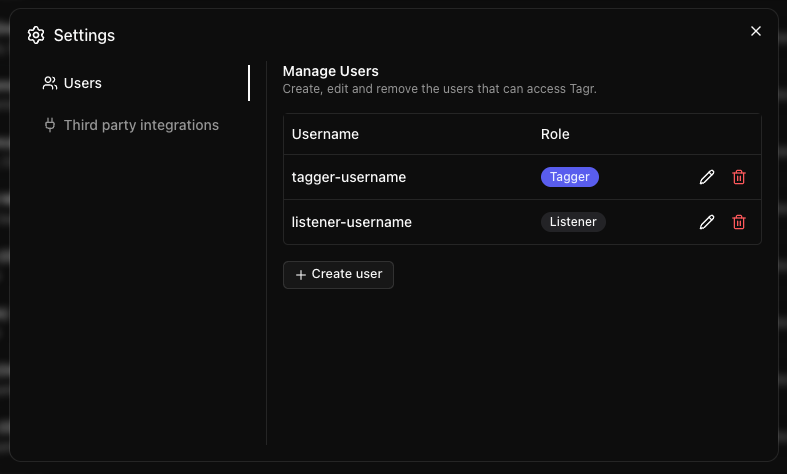
- Multiple users — the admin account comes from
AUTH_USER/AUTH_PASSWORD; every other user is created from the app itself, in Settings → Users - Roles — a Tagger can browse, play, edit metadata and rescan the library; a Listener can only browse and play. The UI hides what a role cannot do, and the API enforces it on every request
- Create, rename, change the role of, or delete users at any time. Passwords are stored bcrypt-hashed
- Per-user data — listen history, play counts and the ListenBrainz connection all belong to the user who made them
File Support
| Format | Supported |
|---|---|
| MP3 | Yes |
| FLAC | Yes |
| WAV | Yes |
| AAC | Yes |
| OGG | Yes |
| M4A | Yes |
| M4B | Yes |
| WMA | Yes |
| AIFF | Yes |
| Opus | Yes |
Lossless formats are automatically detected and displayed with a badge.
Mobile Support
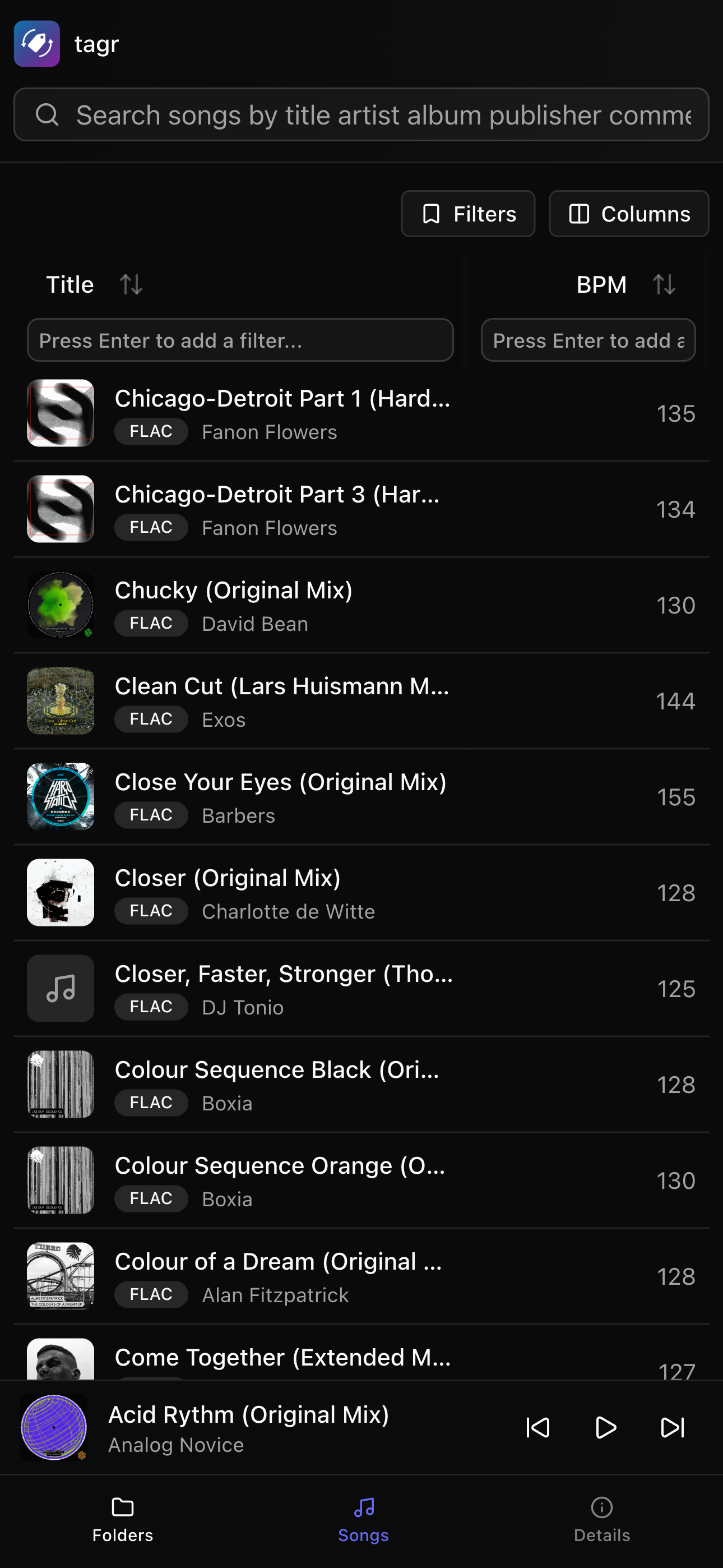
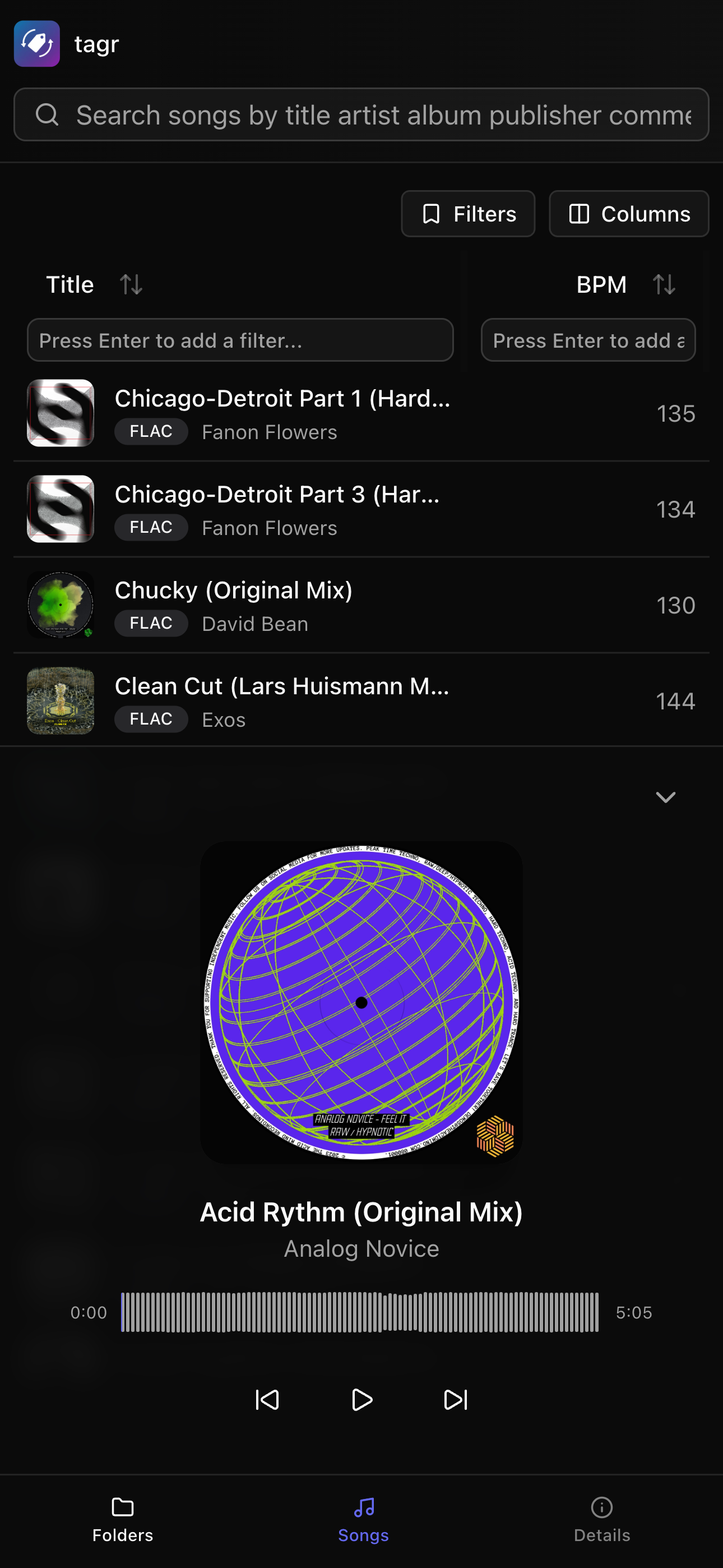
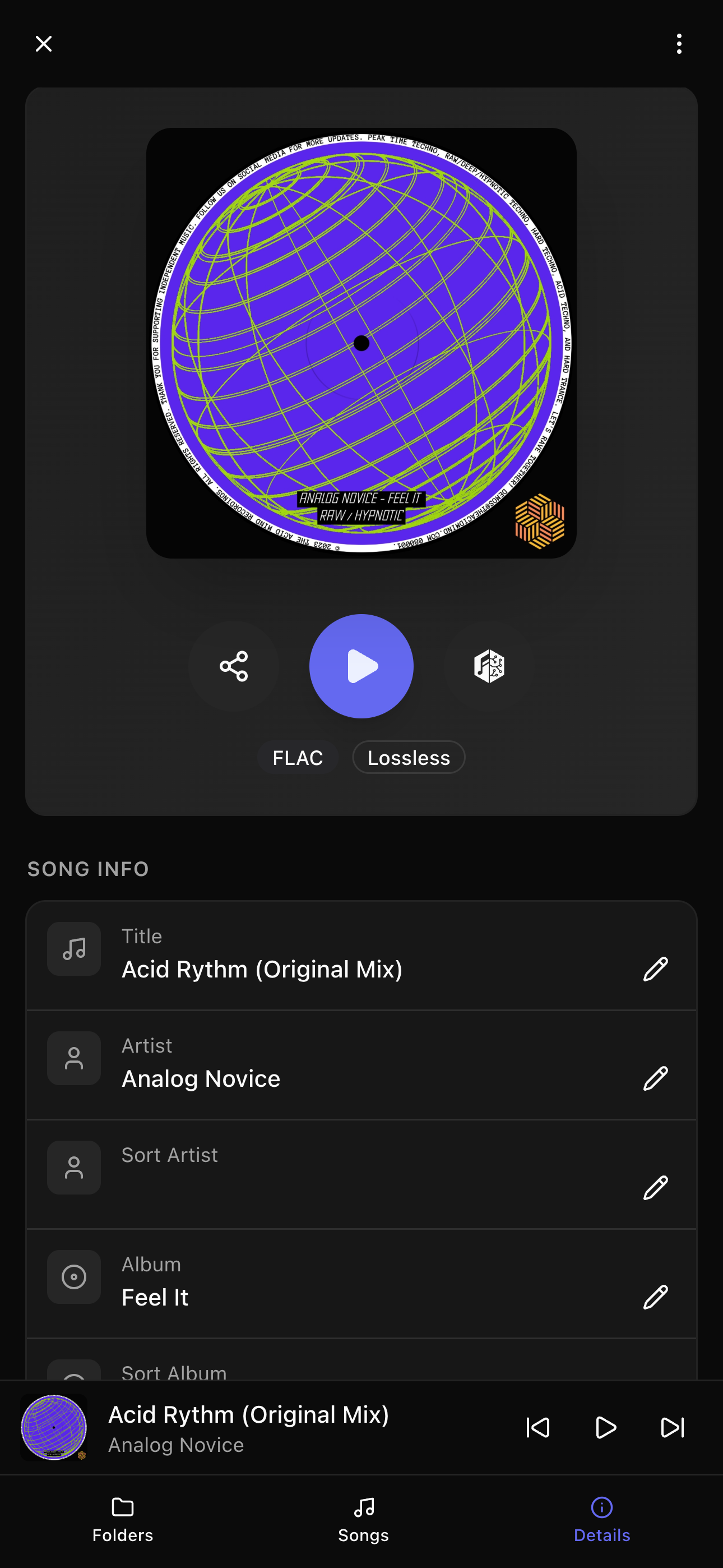
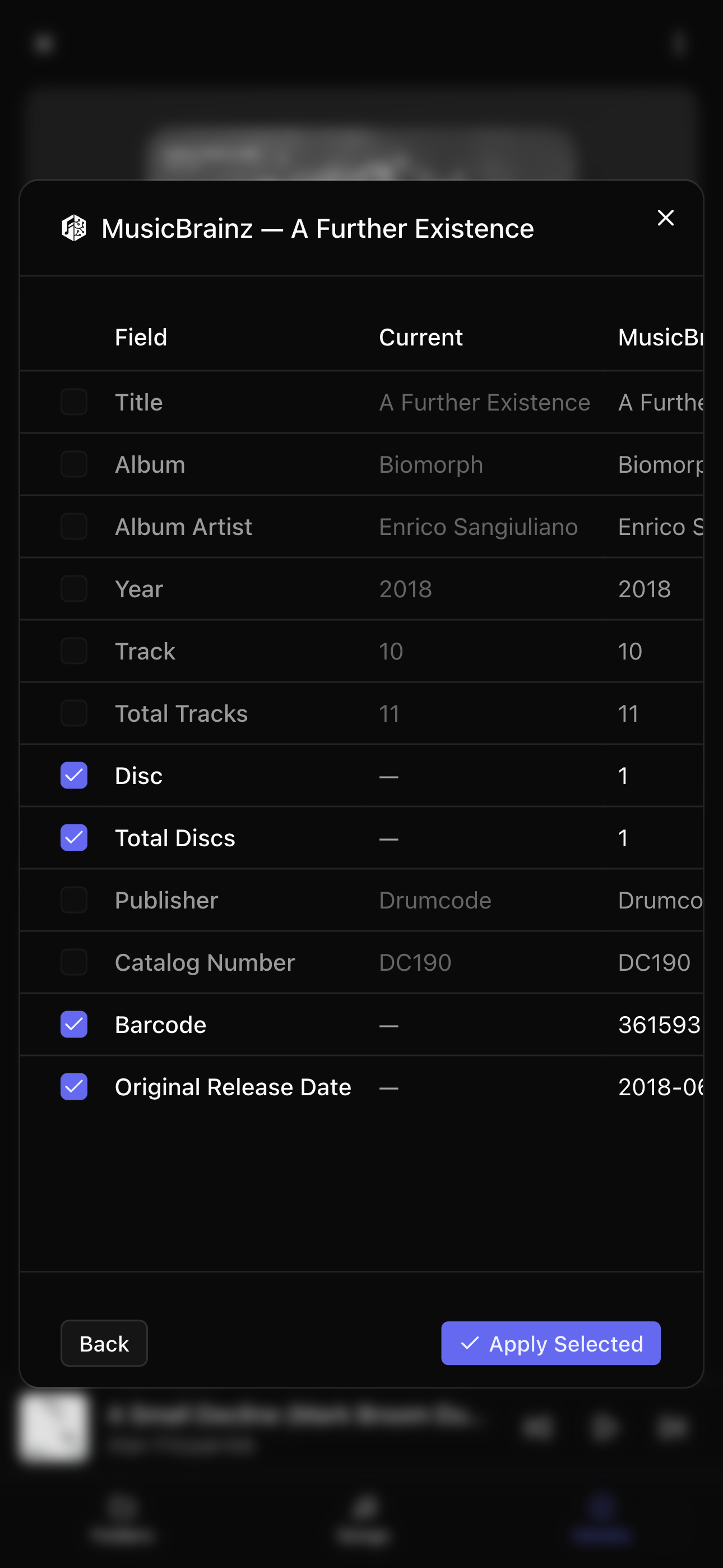
Tagr is fully responsive and works on phones and tablets. The mobile UI adapts to smaller screens with:
- Full-screen panels with swipe gestures to navigate between folders, song list, and detail editor
- Expanded music player with album art, waveform, and playback controls
- Touch-friendly editing — all edit actions are always visible (no hover required)
Additional
- Multi-user authentication — password-protected access with roles (admin, tagger, listener)
- Resizable panels — drag to resize the three-panel layout to your liking
- Dark theme by default
- English, Spanish, Catalan, French and German UI — each user picks the language under Settings → Language; on "Automatic" it follows
the browser's
Accept-Languagesetting and falls back to English. Translations live inmessages/<locale>.json; a new language needs its file plus an entry (and its display name) insrc/i18n/locale.ts - Toast notifications for operation feedback
- URL-based state — bookmarkable views with folder, song, sort, and filter state preserved in the URL
Quick Start with Docker
1. Clone the repository
wget https://raw.githubusercontent.com/suitux/Tagr/main/docker-compose.yml
2. Generate a secret key
openssl rand -hex 32
Copy the output — you'll use it as AUTH_SECRET in the next step.
3. Configure docker-compose.yml
services:
  tagr:
    image: ghcr.io/suitux/tagr:latest
    container_name: tagr
    restart: unless-stopped
    ports:
      - "3000:3000"
    environment:
      - PUID=1000
      - PGID=1000
      - NODE_ENV=production
      - DATABASE_URL=file:/data/tagr.db
      - AUTH_SECRET=paste-your-generated-secret-here
      - AUTH_USER=admin
      - AUTH_PASSWORD=your-password-here
      - AUTH_URL=https://your-domain.com
    volumes:
      - sqlite_data:/data
      # Mount your music folder into the container:
      - /path/to/your/music:/music

volumes:
  sqlite_data:
Multiple folders: If your music is spread across different host paths, mount them as subdirectories under
/music. Tagr scans/musicrecursively, so all subdirectories are included automatically:volumes: - /home/user/Music:/music/library - /mnt/nas/Music:/music/nasSet
MUSIC_FOLDERSonly if you want to restrict scanning to specific subdirectories (e.g., scan/music/librarybut skip/music/podcasts).
4. Build and run
docker compose up -d
Published images on GHCR are multi-arch and include linux/amd64 and linux/arm64.
5. Open your browser
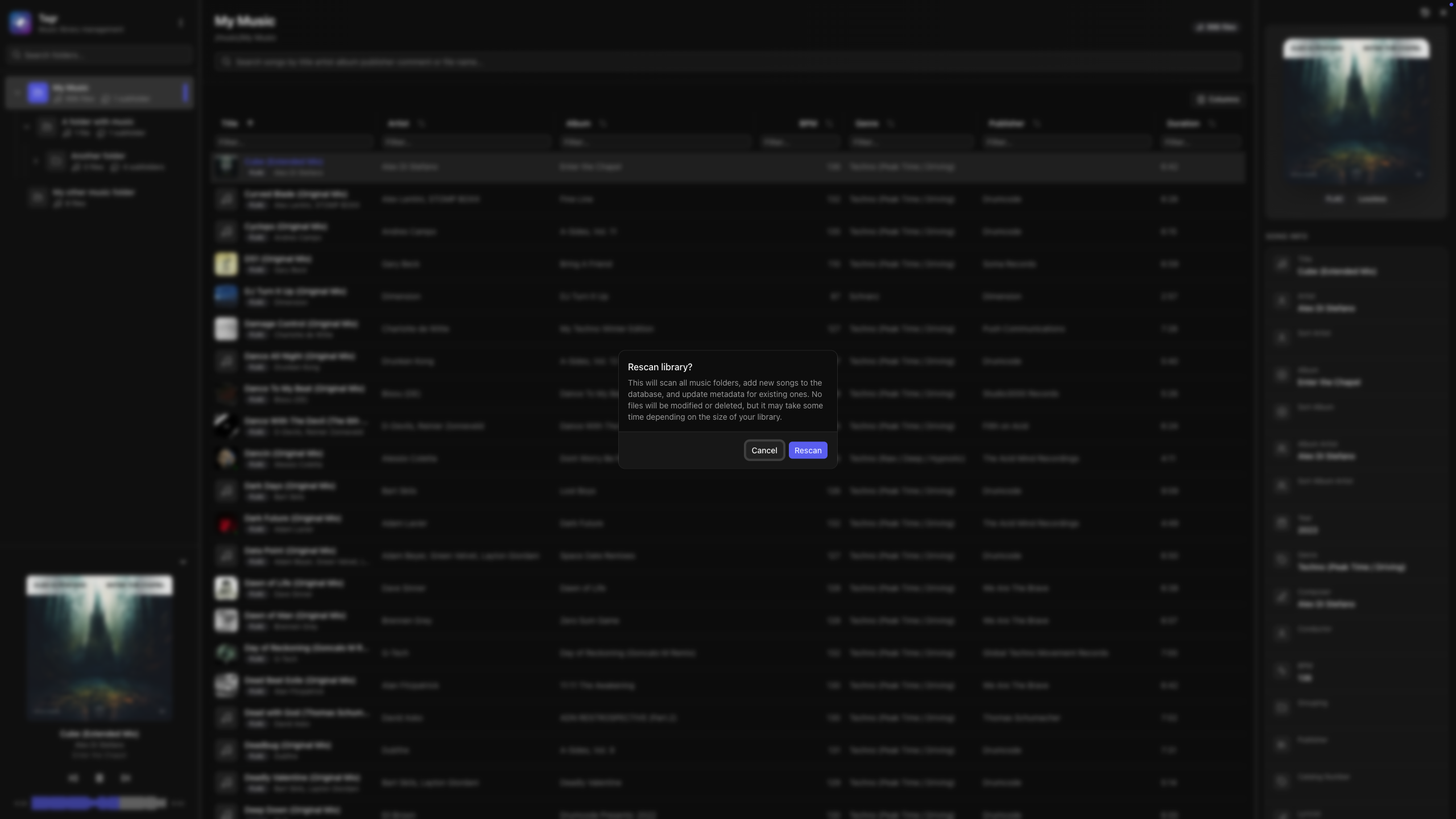
Navigate to http://localhost:3000, log in with your credentials, and hit the scan button to index your library.
Manual Installation
Requirements: Node.js 22+.
git clone https://github.com/suitux/Tagr.git
cd tagr
pnpm install
Create a .env file in the project root:
DATABASE_URL=file:./data/tagr.db
AUTH_SECRET="c5398a60cfd61607192d74ae8db237aaeaa07a98cd8ecdb8776c86eb87376ba3"

AUTH_USER="admin"
AUTH_PASSWORD="admin"

# Music folders (comma-separated paths)
# Example: /Users/youruser/Music,/Volumes/External/Music
MUSIC_FOLDERS="/Users/youruser/Music,/Volumes/External/Music"
Then start:
pnpm build && pnpm start # Production
# or
pnpm dev                 # Development mode
Environment Variables
| Variable | Required | Description |
|---|---|---|
DATABASE_URL |
Yes | SQLite database path. Use file:/data/tagr.db in Docker or file:./data/tagr.db locally. |
AUTH_SECRET |
Yes | Secret for signing JWT sessions. Generate with openssl rand -hex 32. |
AUTH_USER |
Yes | Username of the admin account. Additional users are created from Settings → Users. |
AUTH_PASSWORD |
Yes | Password of the admin account (plain text). |
MUSIC_FOLDERS |
No | Comma-separated list of paths to music directories. Defaults to /music if not set. |
EXCLUDE_FOLDERS |
No | Comma-separated folder names, globs or regex patterns to skip, on top of the built-in ones. See Excluding folders. |
PUID |
No | User ID for the container process. Defaults to 1000. (Docker only) |
PGID |
No | Group ID for the container process. Defaults to 1000. (Docker only) |
TAGR_INSIGHTS |
No | Set to false to stop sending Insights. |
Excluding folders
Some folders are never shown in the folder tree nor scanned, at any depth:
- Every hidden folder (name starting with
.:.Trash,.AppleDouble,.@__thumb, …) - NAS and OS system folders:
@eaDir(Synology thumbnails),#recycle(Synology),@Recycle(QNAP),#snapshot,@Recently-Snapshot,$RECYCLE.BIN,System Volume Information,lost+found
Add your own with EXCLUDE_FOLDERS, a comma-separated list. Each entry is a plain folder name, a glob or a regular expression, and is matched case-insensitively against the whole folder name (not the full path):
# Skip "Podcasts", anything containing "test", "Temp1"…"Temp9", and anything ending in "_backup"
EXCLUDE_FOLDERS="Podcasts,*test*,Temp?,.*_backup"
An entry is read as a regex when it uses regex-only syntax — \ ^ $ + ( ) [ ] { } |, or .* / .+ / .?. Anything else is a glob: * matches any run of characters, ? exactly one, and every other character (dots included) is literal.
| Entry | Type | Matches | Doesn't match |
|---|---|---|---|
Podcasts |
name | Podcasts, podcasts |
My Podcasts |
Vol. 1 |
name | Vol. 1 |
Vol_ 1 |
*test* |
glob | test, My Tests |
tes |
Temp? |
glob | Temp1, TempA |
Temp, Temp12 |
.*_backup |
regex | Album_backup, _backup |
backup_old |
Temp\d+ |
regex | Temp1, temp42 |
Temp, Temporary |
(Demos|Live) |
regex | Demos, Live |
Live 2020 |
Notes:
- Entries are split on commas, so a pattern can't contain one (write
a{2,3}asaa|aaa). - An invalid regex is ignored and logged as a server warning.
- Songs already indexed from a newly excluded folder are removed on the next scan.
Scrobbling
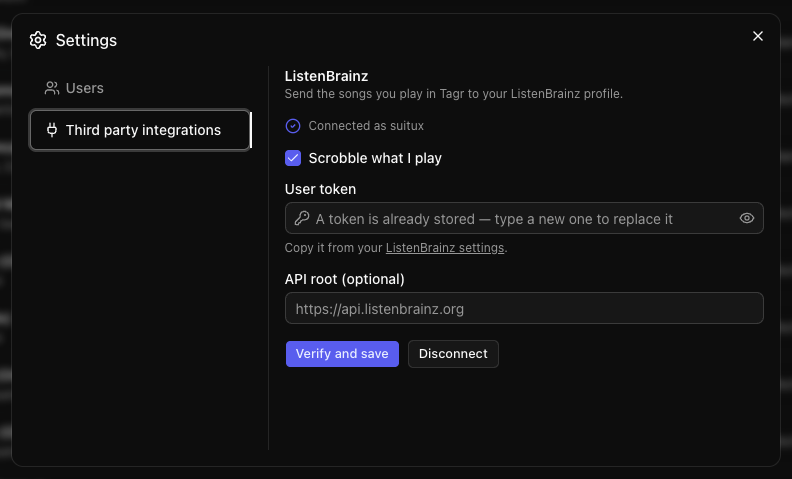
Tagr can send what you play to ListenBrainz. No environment variable is involved — each user connects their own account:
- Copy your user token from https://listenbrainz.org/settings/.
- Open the menu next to the Tagr logo, choose Settings → Third party integrations, paste the token and hit Verify and save. Tagr checks the token against the service before storing it.
- Leave API root empty unless you run your own ListenBrainz-compatible server.
What gets sent:
- A
playing_nowupdate when a track starts. - A listen once you have actually played half the track or four minutes, whichever comes first — the rule ListenBrainz itself defines. Tracks shorter than 30 seconds and tracks you skip early are never submitted.
- Title, artist, album, track number, duration and any MusicBrainz IDs stored in the file's tags.
Tokens are encrypted with a key derived from AUTH_SECRET before they touch the database and are never sent
back to the browser. Changing AUTH_SECRET invalidates stored tokens, so they have to be entered again.
If ListenBrainz is unreachable, listens are kept in a queue in the database and retried with an increasing delay the next time you play something. The Settings dialog shows how many are still waiting. Listen history and play counts inside Tagr are recorded regardless of whether scrobbling is configured.
Insights
Insights are Tagr's anonymous usage statistics. Once a day, Tagr sends a small anonymous report to https://tagr-insights.xavirincon.com/collect so we can tell
how many instances exist and which features are worth working on. The aggregated results are public at
https://tagr.xavirincon.com/insights/.
The report contains only counts and flags:
- A random instance ID generated on first run (not derived from anything about you or your machine)
- Tagr version, OS, CPU architecture, Node version and whether it runs in a container
- Number of songs, music folders and songs per file format
- Number of users, and how many played something in the last 7 days
- Tag edits, edited songs and plays in the last 7 days
- How many smart playlists, saved filters, active share links and scrobbling accounts exist
It never includes file names, paths, tags, user names, tokens or your IP address (the server does not store it).
Nothing is sent until an admin has seen the notice. After installing or upgrading, admins get a popup explaining what is sent, with Keep enabled and Disable buttons. Until one of them is clicked (or the setting is changed in Settings → Insights, which also shows the exact JSON), no report leaves the server. After that, a report goes out 30 minutes after start-up and then every 24 hours. The container log also says at start-up whether statistics are on.
To opt out, untick it in Settings → Insights, or set TAGR_INSIGHTS=false to
turn it off for good. The collector is open source: suitux/tagr-insights.
Docker Volumes
| Container Path | Purpose |
|---|---|
/data |
SQLite database. Persist with a named volume to avoid data loss. |
/music/* |
Mount points for your music libraries. |
Architecture
Browser (React Query) --> Next.js API Routes --> Prisma --> SQLite
                                                   |
                                              audiotagr --> audio files on disk
| Layer | Technology |
|---|---|
| Frontend | React 19, TanStack Query, Shadcn UI, Tailwind CSS 4 |
| Backend | Next.js 16 App Router (route handlers) |
| Database | SQLite via Prisma 7 + LibSQL |
| Auth | NextAuth 5 (credentials provider, JWT sessions) |
| Tag read/write + library scanning | audiotagr |
| Audio Player | WaveSurfer.js |
audiotagr
Every tag Tagr reads from or writes to your files goes through audiotagr (npm) — a standalone library extracted from this project and maintained in its own repo.
It is what actually talks to the audio files: scanning your folders, reading tags and audio properties, and writing your edits back to disk. It handles the per-format differences behind a single API — ID3v2 frames in MP3, Vorbis comments in FLAC and Ogg, iTunes atoms in M4A, ASF descriptors in WMA, APEv2 items — including the quirks that quietly corrupt tags otherwise, such as Style being folded into Genre or BPM landing in a field no reader looks at.
It is published under LGPL-3.0-only, so you can use it in your own projects whatever their license.
License
Categories
Related apps
Explore more like this
Explore allDetails
ghcr.io/suitux/tagr:latestRuntime arguments
- Web UI
http://[IP]:[PORT:3000]/- Network
bridge- Shell
sh- Privileged
- false
Template configuration
Port for the web interface.
- Target
- 3000
- Default
- 3000
- Value
- 3000
Path to store the SQLite database and app data.
- Target
- /data
- Default
- /mnt/user/appdata/tagr
- Value
- /mnt/user/appdata/tagr
Path to a music folder on the host. Add more paths as needed.
- Target
- /music/folder1
User ID for file permissions.
- Default
- 99
- Value
- 99
Group ID for file permissions.
- Default
- 100
- Value
- 100
SQLite database path inside the container.
- Default
- file:/data/tagr.db
- Value
- file:/data/tagr.db
Secret key for session encryption. Change this to a random string.
- Default
- change-me
- Value
- change-me
Login username.
- Default
- admin
- Value
- admin
Login password as a bcrypt hash. Generate with: docker exec tagr node -e "require('bcrypt').hash('yourpassword',12).then(console.log)"
Public URL of the app (used by NextAuth).
- Default
- http://localhost:3000
- Value
- http://localhost:3000