

SynCiné
Docker app from Pierre's Repository
Overview
Readme
View on GitHub

SynCiné
The film lover's companion, self-hosted.
Streaming, cinemas, watchlist and recommendations, all in one app.
Français · English
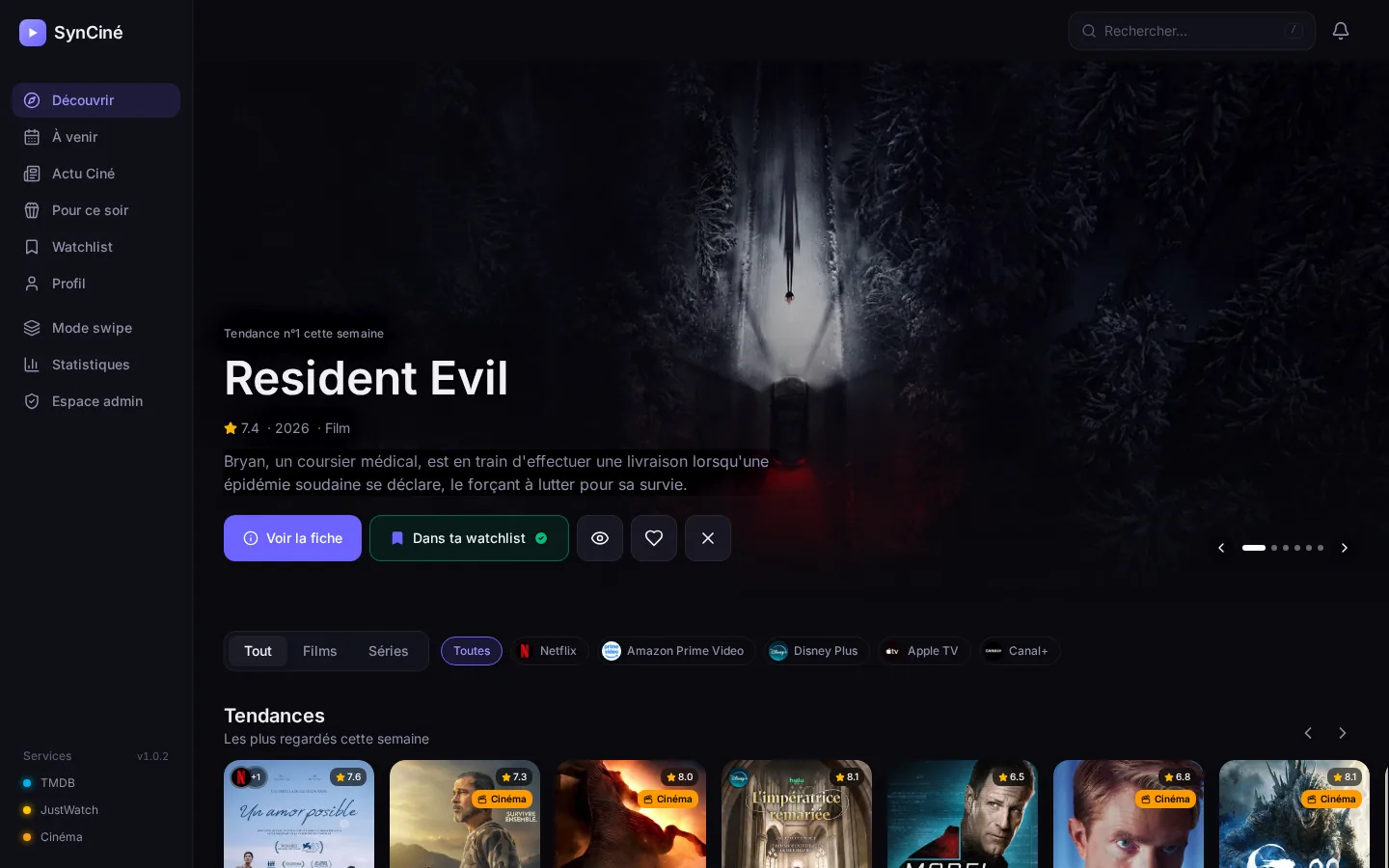
Discover, track and find all your films and series, whatever streaming service they are on, and never miss what's showing at the cinemas in your town.
SynCiné brings Trakt, TMDB and JustWatch streaming availability together and keeps them in sync, in a single interface with recommendations made for you. Optional extras: your Letterboxd diary, your Plex, Jellyfin or Emby library and add requests through Seerr.
Two editions: personal, just for you, or server, with an administrator and family accounts. Once online, SynCiné installs as an app on phones, tablets and computers (PWA), in French, English, Italian, German or Spanish.
Support SynCiné
SynCiné is free, open source and ad-free. If you enjoy it, you can buy the developer a coffee… and some kibble for Claude, the developer's cat 🐱☕
Contents
- Preview
- Features
- Data sources
- Installation
- Getting started
- HTTPS access and mobile app
- Updates and backups
- Settings
- Security
- Development
- Contributors
- Credits and license
Preview
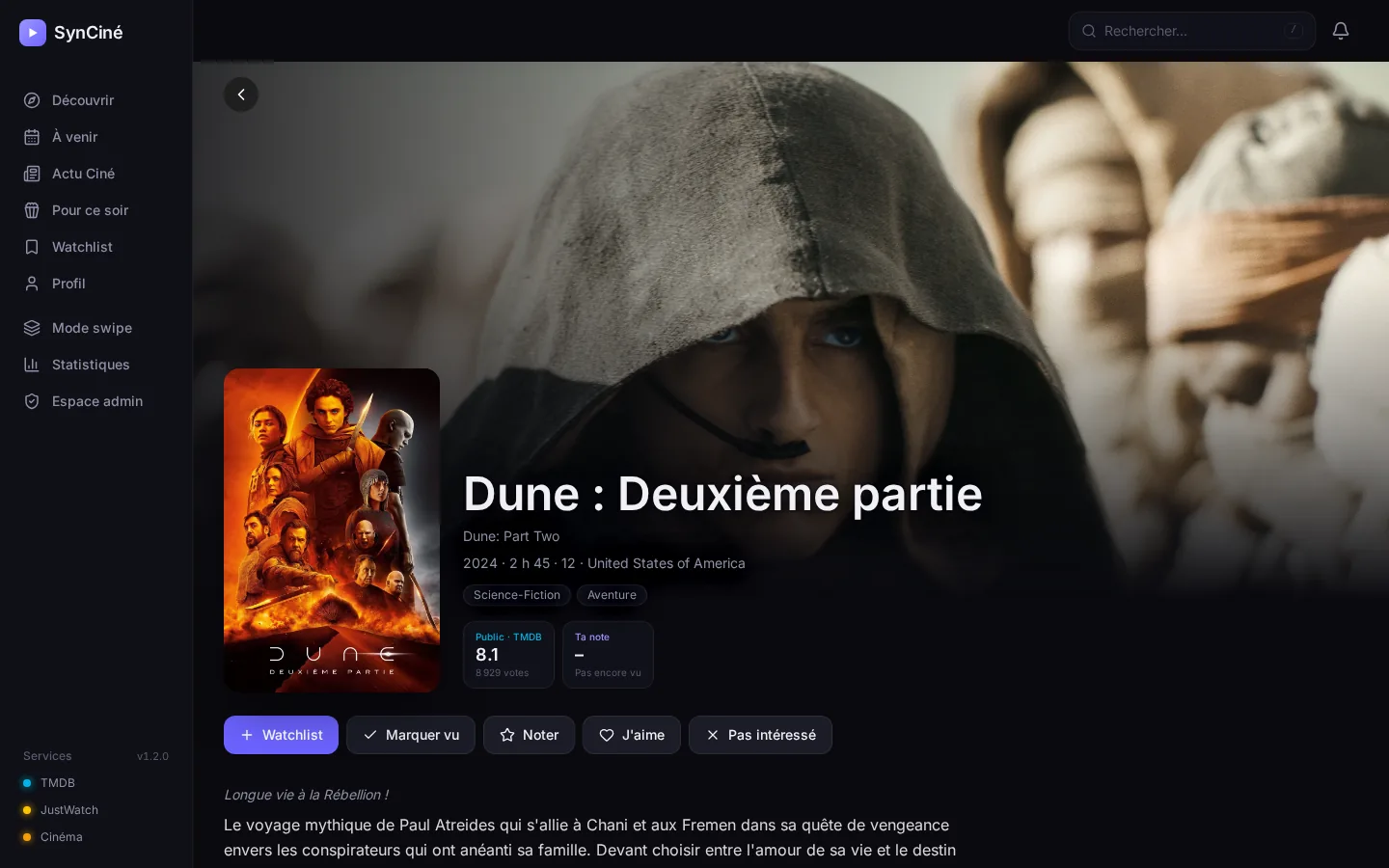 Title page: where to watch, ratings, trailer, cast, seasons. |
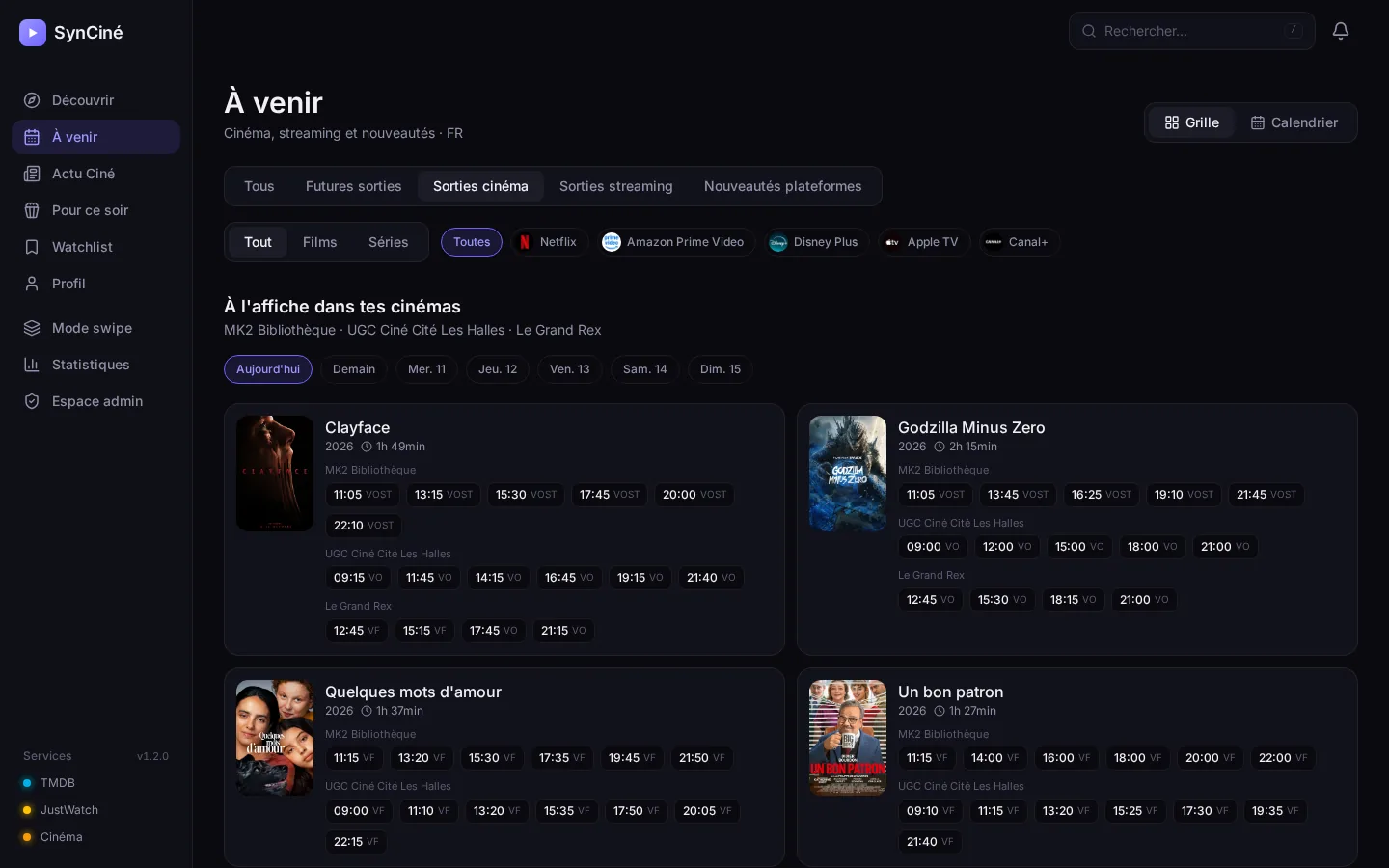 Your cinemas: today's and this week's showtimes, original or dubbed. |
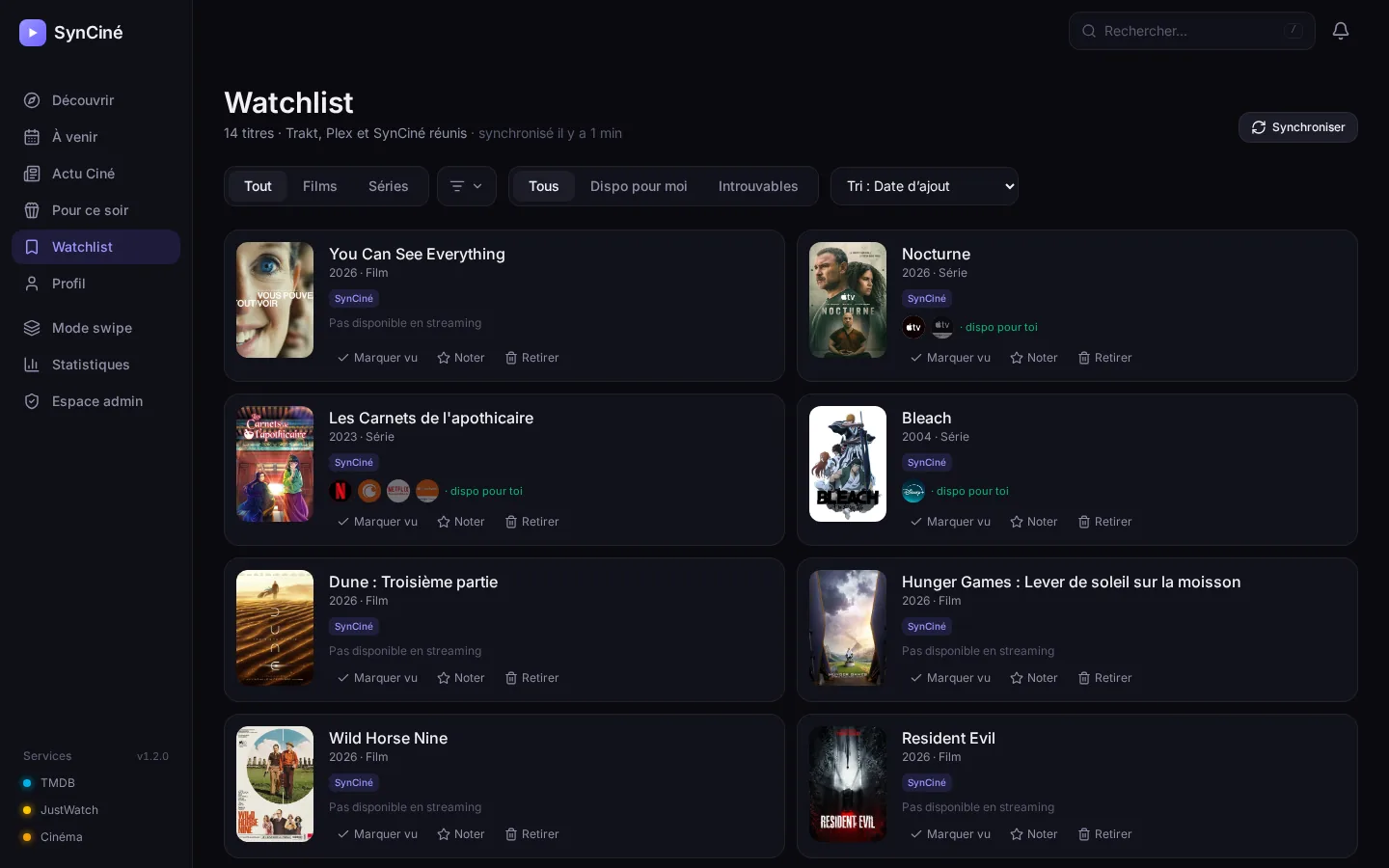 Watchlist: one list, kept in sync across Trakt, Plex and Letterboxd. |
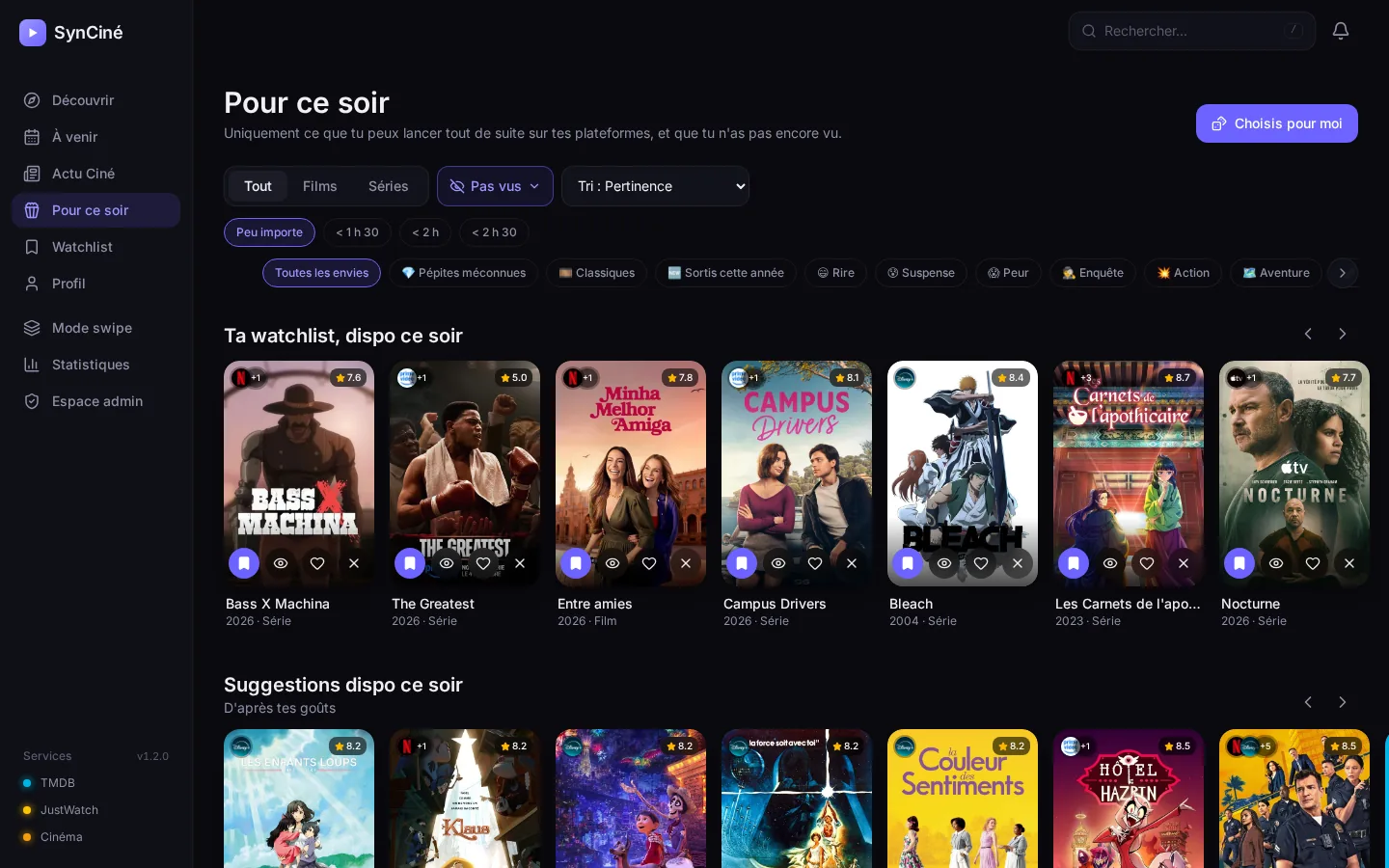 Tonight: only what you can start right now. |
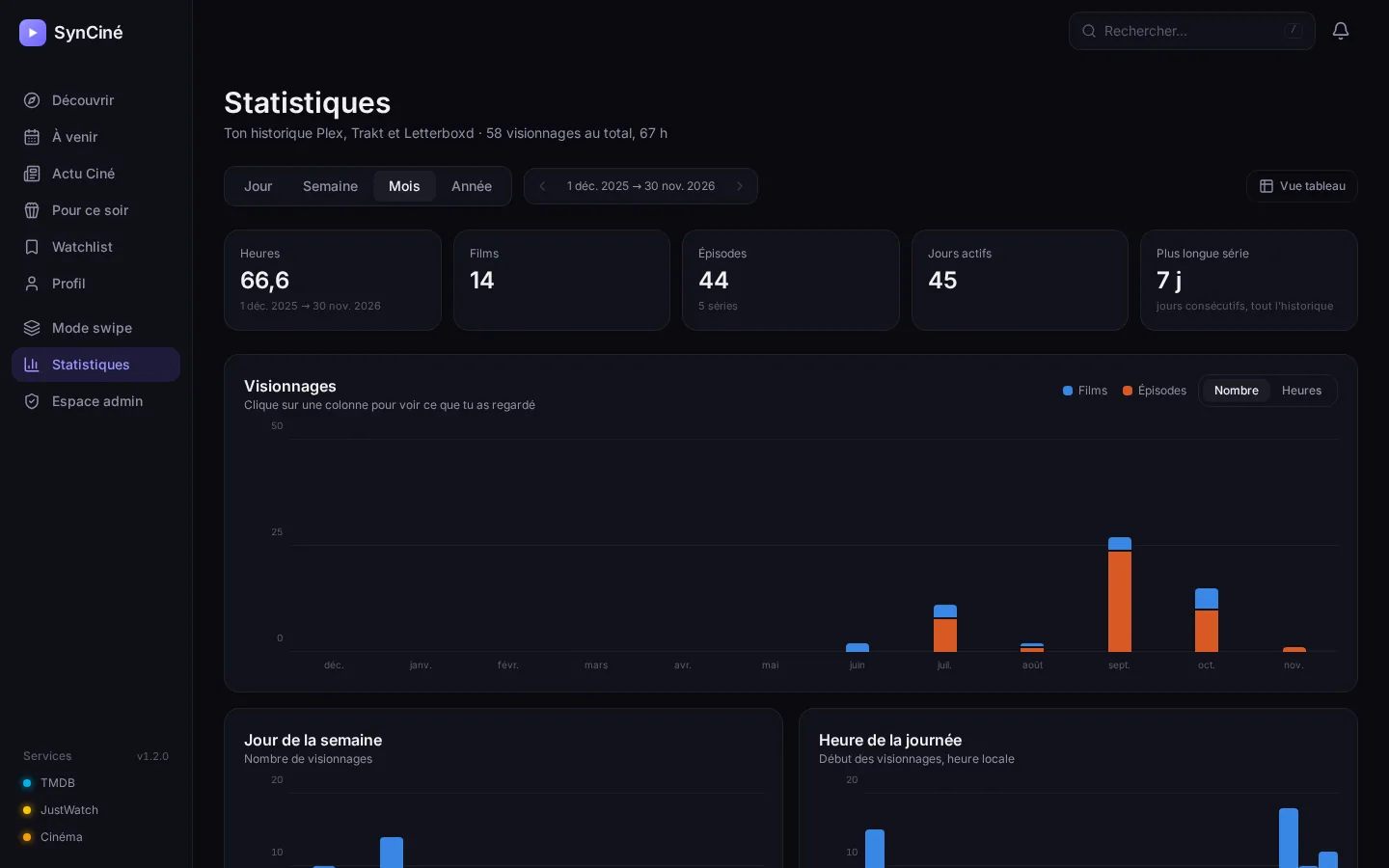 Statistics: per day, week, month or year. |
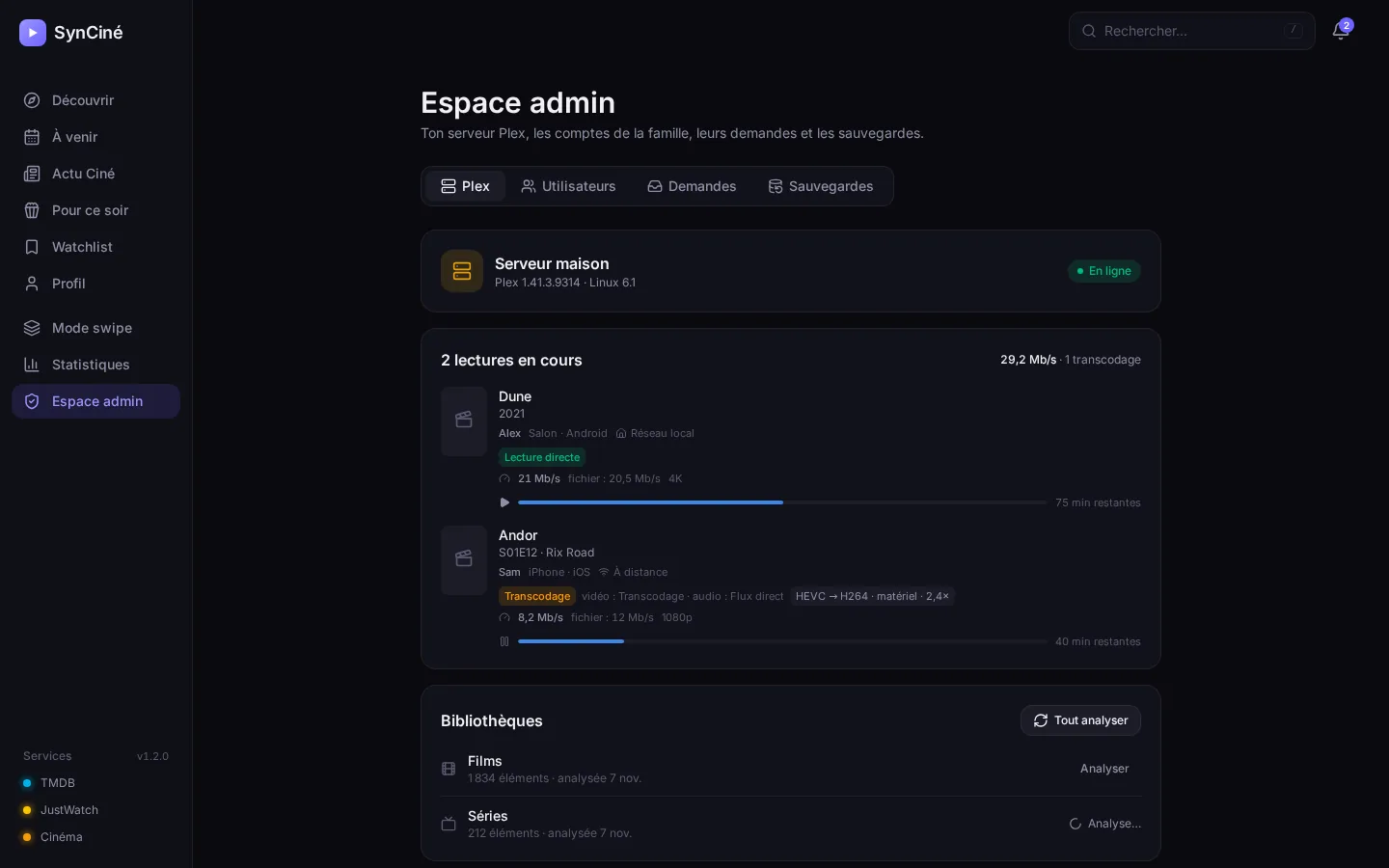 Admin area (server edition): Plex streams, accounts, requests. |

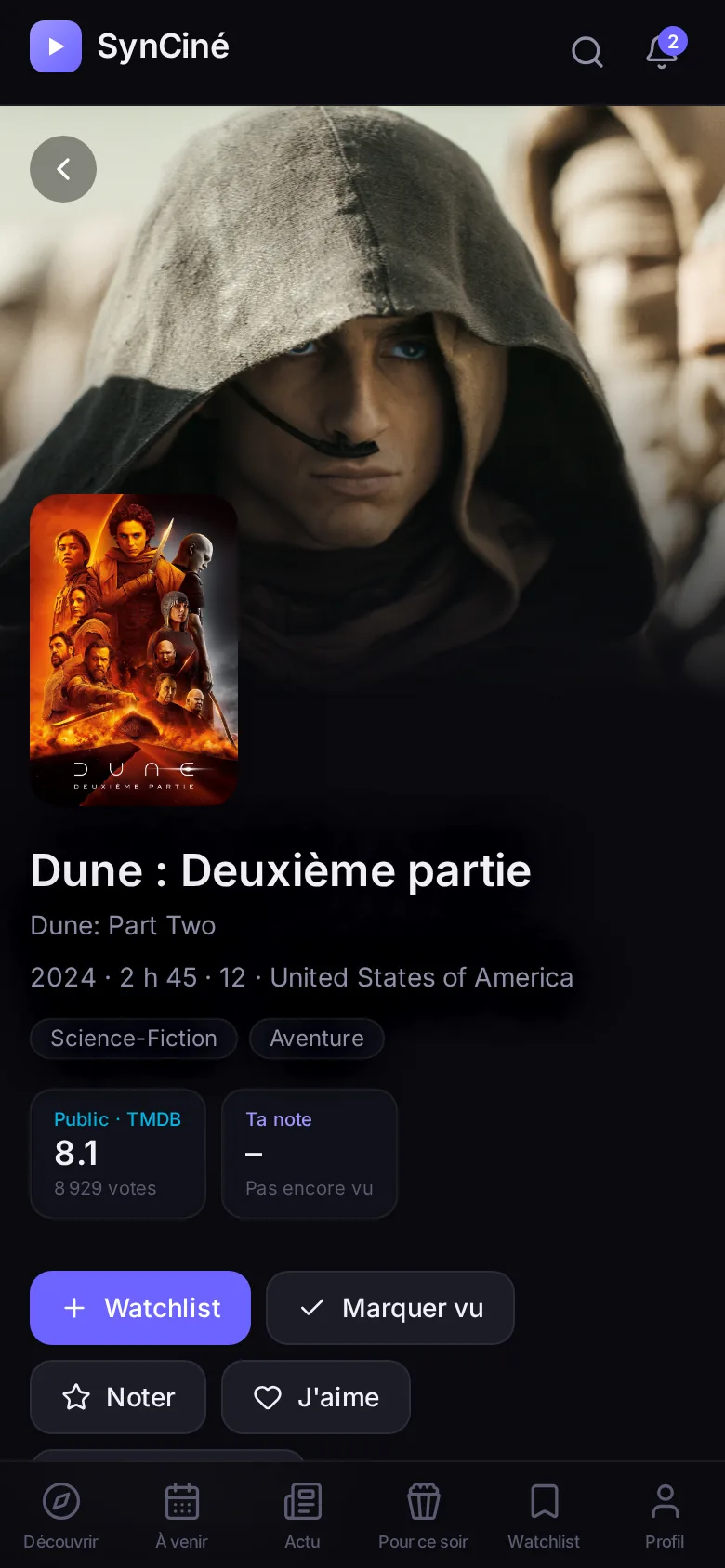
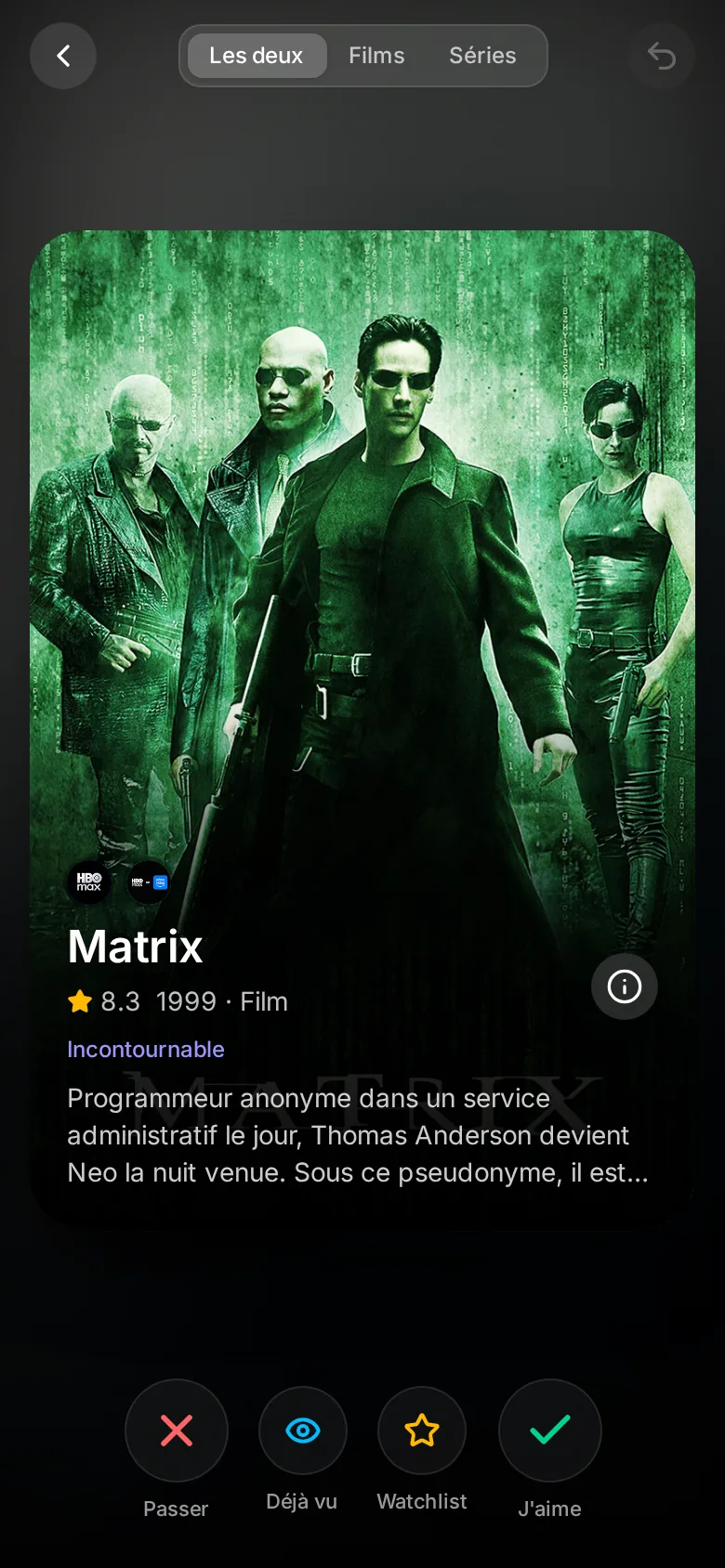
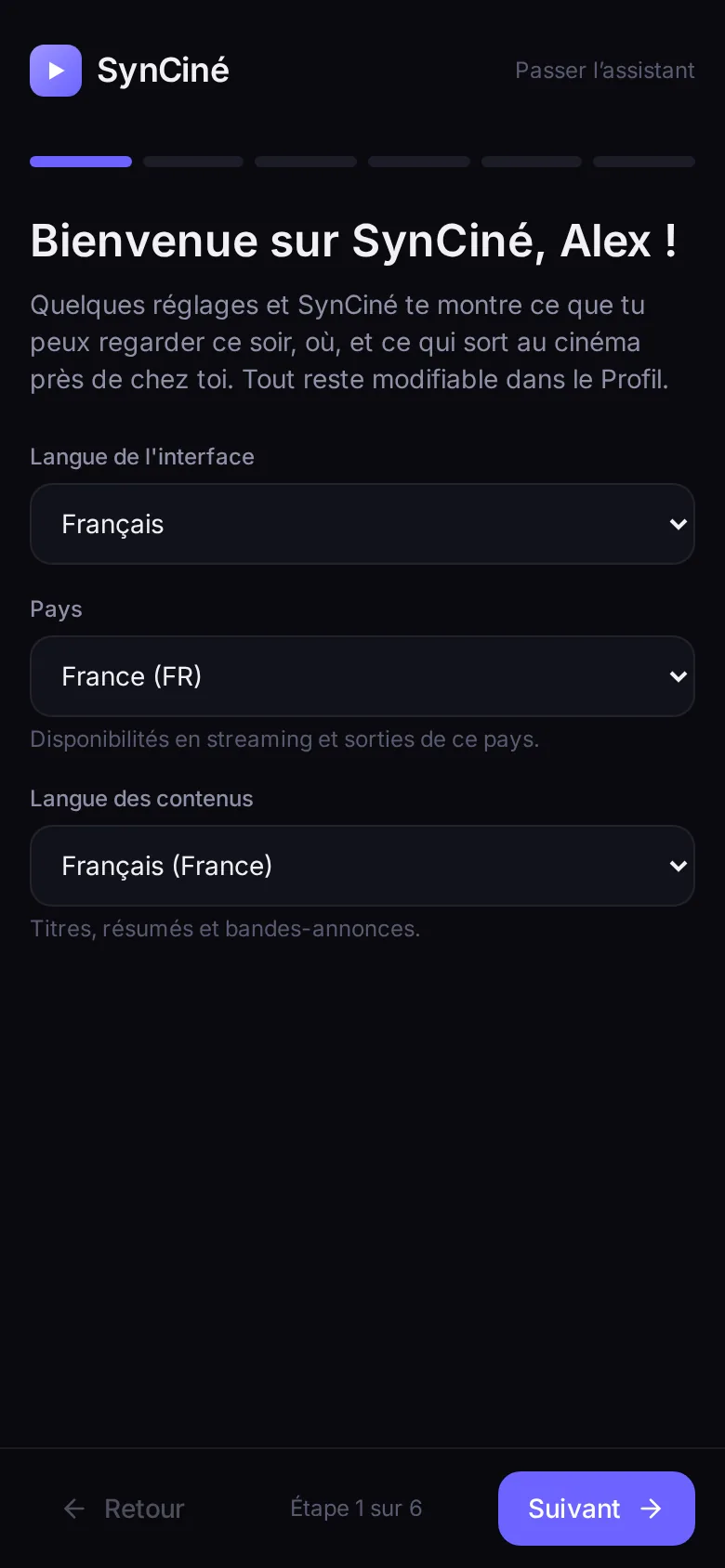
Screenshots come from a demo account. The interface is shown in French; it is also available in English, Italian, German and Spanish.
Features
Discover
- Trending titles, what's new on your services, films in cinemas, and personalised suggestions based on your taste, your ratings and Trakt recommendations.
- Daily charts per streaming service; "Like / Not interested / Watched" right on the posters.
- Recent releases from your watchlist highlighted for the period you choose (film out in cinemas or on streaming, new season, new episode).
- Seen / Not seen filter on every tab, and an option to stop suggesting what you've already seen (a series with new episodes is still suggested).
- Swipe mode to sort dozens of titles quickly: seen it, want to see it, not interested.
- Tonight: a selection limited to what you can watch right now, filtered by length and mood (18 moods, including Hidden gems and Classics), with a “Watch again” row.
At the cinema
- Showtimes at your usual cinemas (France, Germany, Spain, Turkey, Mexico), with a "films only" filter (no operas or concerts).
- Cinema and streaming releases in your country, as a grid or a calendar.
- For an announced film: its cinema release date in your country and its first streaming release worldwide.
- Still in cinemas? SynCiné tells you, and can request it for the day it comes out digitally.
Film News
- The latest reviews, news and videos from your favourite sources in one feed: IndieWire, Variety, Letterboxd Journal, Little White Lies, Écran Large, AlloCiné…
- Add any website or YouTube channel by pasting its address. Articles open on the original site, where your account or subscription still works.
Where to watch
- For every title, the services it's on in your country: subscription, rent, buy. Your own subscriptions come first.
- A "Watch on…" button that opens the right page, and the app itself on phones where possible.
- Audience rating (TMDB) and, with a Plex account linked, IMDb and Rotten Tomatoes; trailer, cast, collection.
Track
- Watchlist, watched titles, ratings and favourites gathered from Trakt, Plex and Letterboxd, and synced both ways (with a preview and safeguards).
- Series tracking season by season, episode by episode.
- Sort by release date, date added, overall rating, critics score, audience score, year or your own rating.
- Notifications, under the bell and as push notifications on your phone or computer: a watchlist title lands on one of your services, a new episode of a show you follow is out, a service stops responding. You choose when to be told: as soon as it airs, when it's on your services, or when it lands on Plex.
- Detailed statistics of your history: hours, films, episodes, genres, days and times you watch.
For the family (server edition)
- One administrator and an account for each member: everyone has their own watchlist, ratings, history and services.
- Sign in with a password, or with a Plex or Jellyfin / Emby account the administrator has allowed.
- Add requests: sent straight to Seerr for allowed members, otherwise queued for the administrator.
- Server dashboard (Plex, Jellyfin or Emby, or several at once): what's playing (bandwidth, transcoding), libraries and scans, statistics.
Everywhere
- Installable app (PWA) on iPhone, iPad, Android and desktop, designed for every screen size, light or dark theme.
- A first-run assistant for every new account, a settings search, and on desktop a menu you arrange as you like.
- Interface in French, English, Italian, German and Spanish, notifications included.
Data sources
| Service | Used for | |
|---|---|---|
| TMDB | Title details, trending, releases, search, streaming availability | Required (free key) |
| Trakt | Watchlist, history, ratings, recommendations | Recommended |
| JustWatch | Direct links to each service, new arrivals, charts | Optional (unofficial API, can be turned off) |
| AlloCiné · Filmstarts · SensaCine · Beyazperde | Showtimes at your cinemas | Optional (unofficial source) |
| Letterboxd | Your film diary (public RSS feed) | Optional |
| Film websites and YouTube channels | Film News (public RSS feeds, chosen by each user) | Optional |
| Plex | Your library, playback, history, family accounts | Optional |
| Jellyfin · Emby | Your library, playback, watched titles, family accounts | Optional |
| Seerr | Requests to add titles to your library | Optional |
SynCiné never downloads anything. It can only pass a request on to Seerr, which handles it according to your settings.
Installation
SynCiné runs in a single Docker container (interface and server) and keeps everything in a SQLite database.
Pick an edition
| Server edition | Personal edition | |
|---|---|---|
| For | You and your family | Just you |
| Sign-in | Yes: password, Plex, Jellyfin or Emby account | No |
| Accounts, requests, admin area | Yes | — |
| Where to use it | Local network, Tailscale, or the Internet behind an HTTPS proxy | Trusted networks only (local network, Tailscale) |
| Setting | CINESYNC_MODE=server |
CINESYNC_MODE=personal |
With Docker (any Linux machine, NAS, mini PC…)
Requirements: Docker with the Compose plugin. The image is published for PCs (amd64) and ARM (Raspberry Pi 4/5, ARM NAS).
Create a
syncinefolder and, inside it, adocker-compose.ymlfile:services: syncine: image: ghcr.io/gauffrepierre/syncine:latest container_name: syncine restart: unless-stopped ports: - "3000:8000" # interface port on the machine: 3000 volumes: - ./data:/app/data # database (back it up) environment: - CINESYNC_MODE=server # or personal (one person, no sign-in) - PUBLIC_URL= # SynCiné's HTTPS address, if you have one (see below) - TZ=Europe/Paris - PUID=1000 # data owner: output of the "id" command - PGID=1000Start it:
docker compose up -dOpen
http://<machine-address>:3000. In the server edition, the first screen creates the administrator account and asks for a setup code, printed in the logs:docker logs syncine 2>&1 | grep "code pour créer"
An assistant then walks you through the rest (TMDB key, country, streaming services, cinemas, media server…). For the phone app and access away from home, switch to HTTPS (see HTTPS access).
📦 Guides per system: Unraid · TrueNAS · Proxmox · OpenMediaVault · Docker Compose.
Build from source
git clone https://github.com/GauffrePierre/syncine.git
cd syncine
cp .env.example .env     # then adjust: edition, data folder, port, PUID/PGID, PUBLIC_URL
docker compose up -d --build
The container is then called cinesync (docker logs cinesync for the setup code).
On Unraid
With the Unraid template: download unraid/syncine.xml to /boot/config/plugins/dockerMan/templates-user/ (command in the installation guide), then Docker → Add Container and pick SynCiné from the template list. Data goes to /mnt/user/appdata/syncine, and the container runs as nobody:users.
With Docker Compose on Unraid (no plugin)
Unraid doesn't ship Docker Compose. The official binary can live next to the app, without installing anything on the system:
mkdir -p /mnt/user/appdata/cinesync/bin && cd /mnt/user/appdata/cinesync
V=v5.7.0; B=https://github.com/docker/compose/releases/download/$V
cd bin && curl -fLO $B/docker-compose-linux-x86_64 && curl -fLO $B/docker-compose-linux-x86_64.sha256 \
  && sha256sum -c docker-compose-linux-x86_64.sha256 && mv docker-compose-linux-x86_64 docker-compose && chmod +x docker-compose
cd .. && git clone https://github.com/GauffrePierre/syncine.git app && cd app
cp .env.example .env     # DATA_PATH=/mnt/user/appdata/cinesync/data, PUID=99, PGID=100, a free CINESYNC_PORT, PUBLIC_URL
../bin/docker-compose -p cinesync up -d --build
If port 3000 is already taken (Nginx Proxy Manager…), change CINESYNC_PORT in .env.
Getting started
📘 Step-by-step guides for each situation: personal edition · server, administrator · family member, with or without Plex.
In short, everything is set up in Profile, in this order:
- TMDB: create a free key at themoviedb.org (Settings → API). Without it, SynCiné shows demo data.
- Region and services: pick your country and tick your subscriptions. This drives badges, filters, the "Watch on…" button and notifications.
- Cinemas: search for the cinemas you usually go to.
- Trakt:
- Create an app at trakt.tv. The redirect URI can stay
urn:ietf:wg:oauth:2.0:oob. - Enter its Client ID. No secret is needed.
- Click Sign in with Trakt and enter the code shown at trakt.tv/activate.
- Create an app at trakt.tv. The redirect URI can stay
- Optional:
- JustWatch: one checkbox, for direct links and new arrivals.
- Letterboxd: your username.
- Plex: Sign in with Plex, then enter the code at plex.tv/link. SynCiné then finds the best connection to your server on its own.
- Jellyfin / Emby: the server address as seen from SynCiné (local IP, not
localhostunder Docker) and an API key (Jellyfin: Dashboard → API Keys; Emby: Settings → API Keys). - Seerr: its address and API key.
Automatic sync (the same watchlist everywhere, watched titles and ratings copied where they're missing) is in Profile → Sync. A preview shows what will change before you turn it on.
Family accounts (server edition)
In Profile → Admin (or the Admin area menu entry):
- Local accounts: you choose a username and a temporary password, which the person changes when they first sign in.
- Plex accounts: SynCiné lists the people your Plex server is shared with. Once allowed, they use "Sign in with Plex". SynCiné checks it really is that account, and everyone gets their own watched titles and progress.
- Jellyfin / Emby accounts: SynCiné lists the accounts on your server. Once allowed, they use "Sign in with Jellyfin" (or Emby) with their usual password, checked by your server.
- Direct Seerr requests: enabled per account. Otherwise requests land in the administrator's Requests tab, with a notification.
The TMDB key, media server (Plex, Jellyfin or Emby), Seerr and JustWatch are set once by the administrator and shared by everyone. Trakt, Letterboxd, streaming services and cinemas are set per account.
HTTPS access and mobile app
To install SynCiné as an app (PWA), browsers require HTTPS. Two options:
Tailscale: private access, no open ports
With Tailscale installed on the server:
tailscale serve --bg --https=8443 http://127.0.0.1:3000
SynCiné is then at https://<machine>.<tailnet>.ts.net:8443, with a valid certificate, and only from your tailnet. In .env:
PUBLIC_URL=https://<machine>.<tailnet>.ts.net:8443
CINESYNC_BIND=127.0.0.1    # the HTTP port is no longer open on the network
On Unraid, avoid port 443: the Unraid web interface already uses it on the Tailscale address.
Your own domain: behind a reverse proxy (Caddy, Nginx Proxy Manager, SWAG…)
Example with Caddy, which gets the certificate by itself:
cinesync.example.com {
    reverse_proxy 127.0.0.1:3000
}
In .env:
PUBLIC_URL=https://cinesync.example.com
CINESYNC_BIND=127.0.0.1
HSTS_SECONDS=31536000      # browsers will only use HTTPS for this domain
If the proxy runs in another container (Nginx Proxy Manager…), 127.0.0.1 can't be reached from it. Add a docker-compose.override.yml, specific to your server, to open SynCiné to the internal Docker network only:
services:
  cinesync:
    ports:
      - "172.17.0.1:3000:8000"   # default Docker network gateway: not visible from your LAN
The proxy then forwards to http://172.17.0.1:3000. Its address must be in FORWARDED_ALLOW_IPS, which covers Docker networks by default. HSTS is only sent on the PUBLIC_URL domain.
Installing the app:
- iPhone / iPad: open SynCiné in Safari, then Share → Add to Home Screen.
- Android: Chrome offers to install it.
- Desktop: use the install icon in the address bar.
Updates and backups
docker compose pull && docker compose up -d          # published image
git pull && docker compose up -d --build             # built from source
On Unraid: Docker tab → Check for Updates, then Apply Update.
The database (cinesync.db in the data folder) is migrated automatically at startup.
Backups: SynCiné backs up its database every day into backups/ (in the data folder) and keeps the last 7. In Profile → Admin → Backups you can change that number, turn automatic backups off, back up right away or download a copy. A backup holds the tokens of your connected services: keep copies somewhere safe, ideally off the server too.
Restore a backup:
docker compose stop
gunzip -c data/backups/syncine-YYYYMMDD-HHMMSS.db.gz > data/cinesync.db
rm -f data/cinesync.db-wal data/cinesync.db-shm
docker compose start
Settings
In the .env file (see .env.example). Service keys are entered in the interface, not here.
| Variable | Default | Purpose |
|---|---|---|
CINESYNC_MODE |
server |
server (accounts, sign-in) or personal (one person, no sign-in) |
DATA_PATH |
./data |
Database folder on the host |
CINESYNC_PORT |
3000 |
Interface port on the host |
CINESYNC_BIND |
0.0.0.0 |
127.0.0.1 to allow access only through an HTTPS proxy on the server |
PUBLIC_URL |
— | Public address (https://…): Trakt sign-in, secure cookies, origin check |
TZ |
Europe/Paris |
Time zone |
PUID / PGID |
99 / 100 |
Owner of the data files (Unraid 99/100, most Linux 1000/1000, TrueNAS 568/568) |
HSTS_SECONDS |
0 |
Turns on HSTS (dedicated HTTPS-only domain) |
FORWARDED_ALLOW_IPS |
127.0.0.1,172.16.0.0/12 |
Proxies whose visitor address is trusted |
NOTIFICATION_INTERVAL_HOURS |
24 |
How often availability is checked |
API_DOCS |
false |
Interactive API docs at /api/docs |
LOG_LEVEL |
INFO |
Log level |
Security
- Server edition:
- sign-in is required, passwords are hashed (scrypt) and the session lives in an HttpOnly cookie;
- push notifications encrypted for each device, no third-party service;
- optional two-factor authentication (6-digit codes from an app such as Aegis or Google Authenticator, recovery codes);
- sign-in attempts are limited, and requests from other sites are refused;
- every account only sees its own data.
- Service keys and tokens are never sent to the browser. The administrator only sees a masked preview.
- The container runs without root privileges, and the database is readable only by its owner.
- The personal edition has no sign-in: never expose it directly to the Internet.
To report a vulnerability, see SECURITY.md.
Development
🛠️ Developer wiki: docs/wiki — architecture, backend, frontend, data, security, sync, testing, releases. For AI coding assistants: AGENTS.md.
# Server (Python 3.12)
cd backend
python -m venv .venv && . .venv/bin/activate
pip install -r requirements.txt pytest
uvicorn app.main:app --reload --port 8000     # database in backend/data/
pytest

# Interface (Node 22)
cd frontend
npm install
npm run dev                                   # http://localhost:5173, /api proxied to :8000
Code layout
backend/app/
  main.py          FastAPI app: routes, security, built interface
  database.py      SQLite, migrations, per-account data scoping
  scheduler.py     periodic jobs (sync, availability, episodes, health)
  models/          accounts, settings, title state, history, notifications, requests
  routers/         API: auth, admin, media, library, tmdb, trakt, plex, cinema…
  services/        TMDB, Trakt, Plex, JustWatch, AlloCiné, Seerr, Letterboxd clients;
                   sync, history, suggestions, sessions
frontend/src/
  pages/           Discover, Upcoming, Tonight, Watchlist, title page, Profile, Statistics, Admin…
  components/      layout, posters, title page, admin, profile, swipe, notifications
  i18n/            translations (French text is the key; English, Italian, German, Spanish dictionaries)
  hooks/ services/ store/
The code comments are in French.
Contributors
- Pierre Gauffre: project creator and development.
- Claude (Anthropic): development. Claude wrote much of the code and documentation, under Pierre's direction. Its contributions appear as co-author on the commits.
Contributions are welcome: report a bug or suggest an idea in the issues, or open a pull request.
Credits and license
TMDB This product uses the TMDB API but is not endorsed or certified by TMDB.
Streaming availability comes from JustWatch. Cinema showtimes come from Webedia's sites (AlloCiné, Filmstarts, SensaCine, Beyazperde). SynCiné is not affiliated with any of these services, nor with Trakt, Letterboxd, Plex or Seerr.
SynCiné is free software, released under the GNU AGPL-3.0: you may use, study, modify and share it. Any modified version, including one offered as an online service, must remain free under the same license.
Categories
Related apps
Explore more like this
Explore allDetails
ghcr.io/gauffrepierre/syncine:latest