

stunnel
Docker app from grtgbln's Repository
Overview
Readme
View on GitHubstunnel


Docker container of stunnel, a proxy designed to add TLS encryption functionality to existing clients and servers without any changes in the programs' code.
Features ✨
- Adds TLS encryption to existing network services
- Supports both client and server mode
- Configurable listen and target endpoints
- Supports custom certificates and private keys
- Can generate a self-signed certificate automatically
- Allows custom
stunnel.confconfiguration - Lightweight Alpine-based image
Usage 🐳
Docker Compose:
services:
  stunnel:
    image: dockurr/stunnel
    container_name: stunnel
    environment:
      LISTEN_PORT: "853"
      CONNECT_PORT: "53"
      CONNECT_HOST: "1.1.1.1"
    volumes:
      - ./privkey.pem:/private.pem
      - ./certificate.pem:/cert.pem
    ports:
      - 853:853
    restart: always
Docker CLI:
docker run -it --rm --name stunnel -p 853:853 -e "LISTEN_PORT=853" -e "CONNECT_PORT=53" -e "CONNECT_HOST=1.1.1.1" -v "${PWD:-.}/privkey.pem:/private.pem" -v "${PWD:-.}/certificate.pem:/cert.pem" docker.io/dockurr/stunnel
Configuration ⚙️
How do I select the mode?
Stunnel can operate in two modes. The server mode works as a transparent proxy in front of a server, so that clients that connect negotiate an TLS connection while the traffic forwarded to the destination server will be unencrypted.
The client mode does the opposite thing. Clients connecting to stunnel running in client mode can establish a plain text connection and stunnel will create an encrypted TLS tunnel to the destination server.
By default it will run in server mode, but to switch modes you can set the CLIENT variable like this:
environment:
  CLIENT: "yes"
How do I select the certificate?
When running in server mode, a certificate is needed. By default, a self-signed certificate will be generated, but you can supply your own .pem certificates by adding:
volumes:
  - ./privkey.pem:/private.pem
  - ./certificate.pem:/cert.pem
Instead of .pem files you can also use .crt/.key files:
volumes:
  - ./privkey.key:/private.key
  - ./certificate.crt:/cert.crt
How do I modify the permissions?
You can set UID and GID environment variables to change the user and group ID.
environment:
  UID: "1002"
  GID: "1005"
How do I modify other settings?
If you need more advanced features, you can completely override the default configuration by binding your custom config to the container like this:
volumes:
  - ./custom.conf:/stunnel.conf
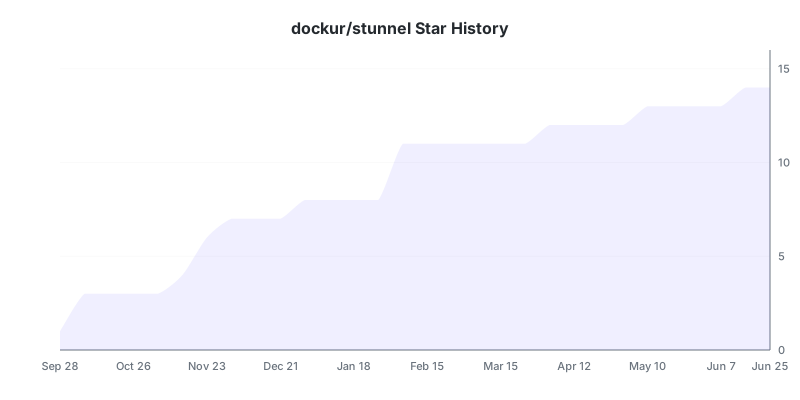
Stars 🌟
Requirements
Expects PEM files to exist before starting container. Can also use .crt/.key files
Download Statistics
Related apps
Explore more like this
Explore allDetails
dockurr/stunnel:latestRuntime arguments
- Network
bridge- Privileged
- false
Template configuration
Container Port: 853
- Target
- 853
- Default
- 853
- Value
- 853
- Target
- CONNECT_HOST
- Default
- 1.1.1.1
- Value
- 1.1.1.1
- Target
- CONNECT_PORT
- Default
- 53
- Value
- 53
Path to the PEM file
- Target
- /private.pem
- Default
- /mnt/user/appdata/stunnel/private.pem
- Value
- /mnt/user/appdata/stunnel/private.pem
Path to the PEM file
- Target
- /cert.pem
- Default
- /mnt/user/appdata/stunnel/cert.pem
- Value
- /mnt/user/appdata/stunnel/cert.pem
- Target
- LISTEN_PORT
- Default
- 853
- Value
- 853