
All apps · 0 apps
stress
Docker app from Nick Borgers' Repository
Overview
Readme
View on GitHubUtil
A collection of portable, self-contained utilities designed to persist across job changes and environment setups. Built with a Docker-first approach for zero local dependencies and maximum portability.
Philosophy
- Containerized Everything: Every utility runs in an isolated Docker container
- Zero Local Dependencies: No need to install ffmpeg, imagemagick, rclone, or other tools locally
- Platform Independence: Works identically on macOS, Linux, and Windows wherever Docker runs
- Security by Isolation: Older utilities use
--network=nonefor security
Credits to Michael Jarvis for the original inspiration of portable shell environments.
Quick Start
Prerequisites
- Docker installed and accessible as
docker
Installation
For Shell Utilities (media conversion, helper functions):
# Option 1: Clone and append to your shell profile
cat profile >> ~/.zshrc  # or ~/.bashrc

# Option 2: Just copy-paste the profile contents
# Open the profile file and paste into your shell config
For Network Mapper (recommended method):
# macOS
brew install nickborgers/tap/network-mapper

# Windows
choco install network-mapper

# Docker (any platform)
docker run ghcr.io/nickborgers/network-mapper:latest

# Or download binaries from GitHub Releases
Utilities
🌐 Network Mapper (Primary Utility)
Location: network-mapper/ | Full Docs: network-mapper/README.md
A professional Go-based network discovery tool that helps you understand your home network environment.
Features:
- Automatic subnet and gateway detection
- Device identification and fingerprinting
- Service discovery (mDNS/Bonjour, SSDP/UPnP)
- MAC vendor identification
- Beautiful CLI visualization
- Cross-platform (Linux, macOS, Windows)
Installation: See Quick Start above for Homebrew, Chocolatey, or Docker installation.
🎬 Media Conversion Tools (Shell Functions)
After adding the profile to your shell config, these commands become available:
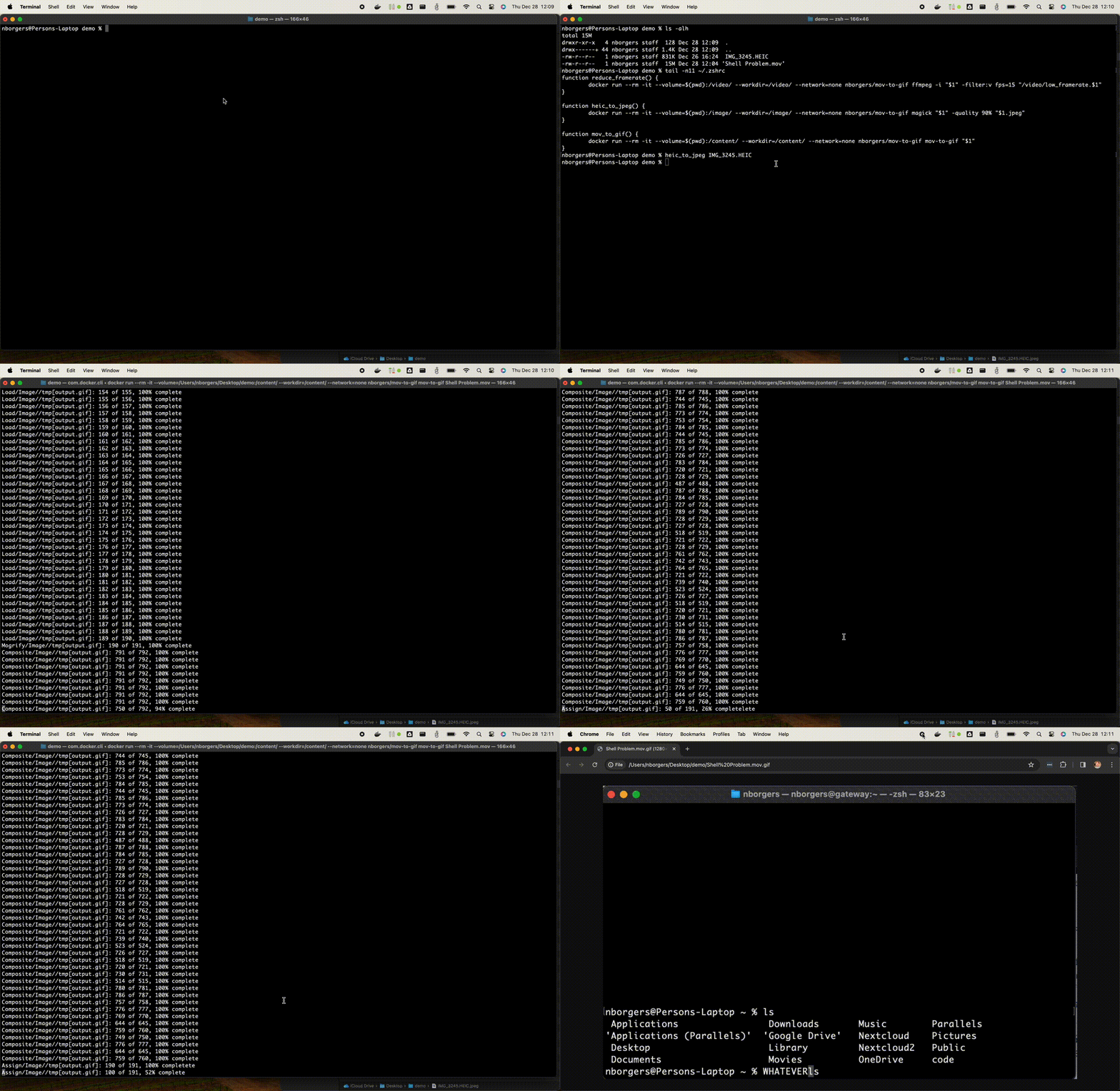
heic_to_jpeg <file>- Convert Apple HEIC photos to JPEG for compatibilitymov_to_gif <file>- Convert .mov videos to animated GIFs for documentationreduce_framerate <file>- Reduce video file size by lowering framerate to 15fps (great for screen recordings)stabilize_video <file> [zoom%]- Stabilize shaky videos using ffmpeg vidstabupdate_pdf <file>- Upgrade PDF files to version 1.4 for compatibility
📦 Backup Services (Container-Based)
onedrive-backup- Continuous OneDrive backup to local storage using rclone (hourly with one-year retention)backup-photos-to-gdrive- Continuous local photos backup to Google Drive with retry logic and validation
See individual directories for Docker Compose configuration and setup details.
🔧 Helper Functions (Shell Functions)
get_docker_pids- Map Docker container IDs/names to host PIDs and UIDs for troubleshootingnetwork_blip- Log network diagnostics to/tmp/network_blips.logfor debugging connectivity issuesunrar <file>- Extract RAR archives using Docker
Demo
Why Docker for Everything?
Portability: Tools like ffmpeg, imagemagick, and rclone work identically across all platforms without version conflicts or missing dependencies.
Security: Simple utilities run with --network=none, preventing any possibility of data exfiltration even if images were compromised.
Zero Maintenance: No need to manage tool installations or updates on your local machine. Just pull updated containers.
Isolation: Each utility runs in its own environment without affecting your system or other tools.
Security
For Shell Utilities: Docker images are built from this repository via GitHub Actions and published to Docker Hub. The GitHub account is protected with FIDO2/WebAuthn hardware keys, and Docker Hub credentials are stored only in GitHub Secrets and offline password database.
Network Isolation: Simple utilities use --network=none flag, making data exfiltration impossible even if images were compromised.
For Network Mapper: See network-mapper/BUILD_TRANSPARENCY.md for information on build process, code signing, and addressing antivirus false positives.
Contributing
This is primarily a personal utilities repository, but if you find something useful or have improvements, feel free to open an issue or PR.
License
This repository and all utilities within it are licensed under the MIT License. See the LICENSE file for details.
Note: The utilities wrap existing tools (ffmpeg, imagemagick, rclone, etc.) which have their own licenses. This MIT license applies to the wrapper code and configuration in this repository.
Categories
Download Statistics
Related apps
Explore more like this
Explore allLinks
Details
nickborgers/stressRuntime arguments
- Network
none- Shell
sh- Privileged
- false
Template configuration
This is how intense you want the stress to be. It accepts the values heavy, medium, and light.
- Target
- MODE
- Default
- heavy
- Value
- medium
The duration of the stress test expressed like 2m for 2 minutes or 1h for 1 hour.
- Target
- DURATION
- Default
- 30s
- Value
- 2m
The number of threads to run thrashing I/O on the container's disk. I don't really recommend you do this, I leave it set to 0.
- Target
- IO_THREADS
- Default
- 0
- Value
- 0