
Watch StirlingPDF video
Watch StirlingPDF video
StirlingPDF

StirlingPDF
Docker app from Froodle's Repository
Overview
Readme
View on GitHub

Stirling PDF - The Open-Source PDF Platform
Stirling PDF is a powerful, open-source PDF editing platform. Run it as a personal desktop app, in the browser, or deploy it on your own servers with a private API. Edit, sign, redact, convert, and automate PDFs without sending documents to external services.



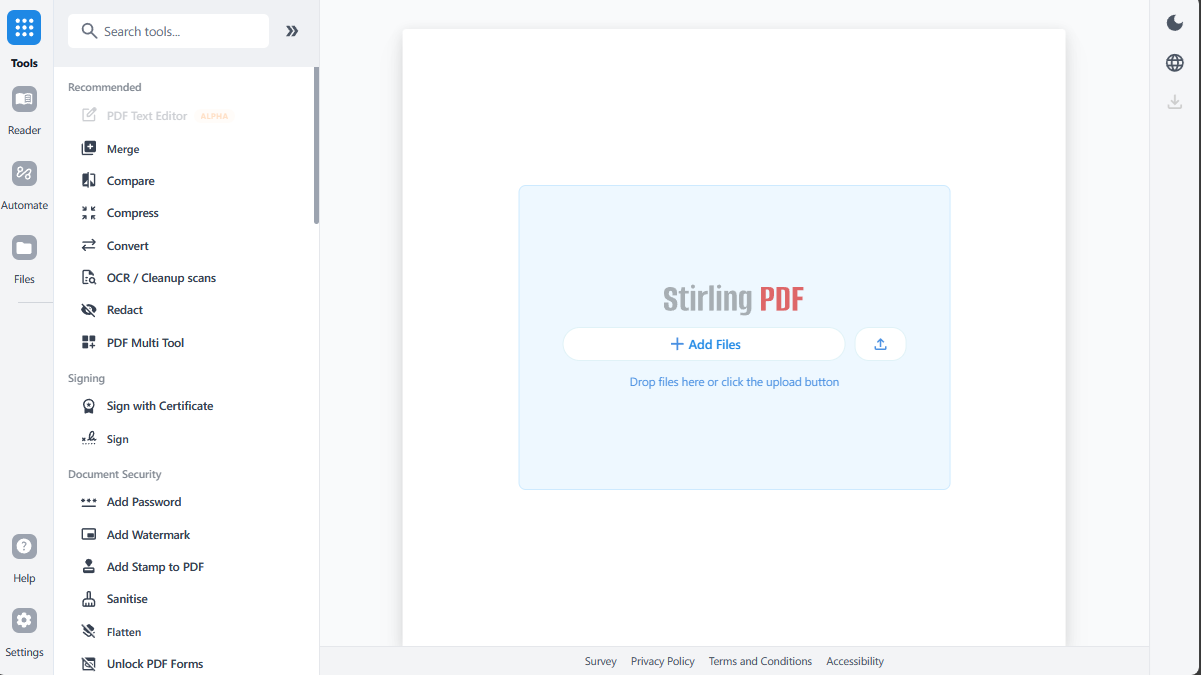
Key Capabilities
- Everywhere you work - Desktop client, browser UI, and self-hosted server with a private API.
- 50+ PDF tools - Edit, merge, split, sign, redact, convert, OCR, compress, and more.
- Automation & workflows - No-code pipelines direct in UI with APIs to process millions of PDFs.
- Enterprise‑grade - SSO, auditing, and flexible on‑prem deployments.
- Developer platform - REST APIs available for nearly all tools to integrate into your existing systems.
- Global UI - Interface available in 40+ languages.
For a full feature list, see the docs: https://docs.stirlingpdf.com
Quick Start
docker run -p 8080:8080 docker.stirlingpdf.com/stirlingtools/stirling-pdf
Then open: http://localhost:8080
For full installation options (including desktop and Kubernetes), see our Documentation Guide.
Resources
Support
- Community: Discord
- Bug Reports: GitHub Issues
Contributing
We welcome contributions! Please see CONTRIBUTING.md for guidelines.
This project uses Task as a unified command runner for all build, dev, and test commands. Run task dev to get started running the editor, run task to see the most common commands, or see the Developer Guide for full details.
For adding translations, see the Translation Guide.
License
Stirling PDF is open-core. See LICENSE for details.
Install StirlingPDF on Unraid in a few clicks.
Find StirlingPDF in Community Apps on your Unraid server, review the template, and click Install. Unraid handles the Docker app or plugin setup from the published template.
Download Statistics
Total Downloads Over Time
Related apps
Explore more like this
Explore allDetails
stirlingtools/stirling-pdfRuntime arguments
- Web UI
http://[IP]:[PORT:8080]- Network
bridge- Shell
sh- Privileged
- false
Template configuration
- Target
- 8080
- Value
- 8080
'true' to allow Google visibility (via robots.txt), 'false' to disallow
- Value
- false
- Value
- en-GB
- Target
- /configs
- Value
- /mnt/user/appdata/Stirling-PDF/configs/
- Target
- /customFiles
- Value
- /mnt/user/appdata/Stirling-PDF/customFiles
- Value
- true
set custom connection timeout values
- Value
- 3000000
changes the websites root path, ie if set to pdf-app to application will be viewable at address localhost:8080/pdf-app instead of localhost:8080/
- Value
- /