

Stellarium
Docker app from junkerderprovinz's Repository
Overview
Readme
View on GitHub






Stellarium, in your browser. Explore the night sky from any device. No VNC client, no local install.
This runs the full Stellarium desktop planetarium inside a single container and streams it to your
browser over Selkies (H.264 video), so panning
the sky, zooming into a nebula and scrubbing through time stay smooth, the part of a real-time
planetarium where the old noVNC containers feel laggy.
))
))
))
))
))
))
A one-knight job: I build it, keep it running, work through the issues and add what people ask for, until nothing is missing. It is free, with no accounts, no telemetry, no ads and no paid tier. No asterisk anywhere. Nothing readable ever leaves your own walls. Forged on evenings and weekends, with heart and stubbornness.
If it has earned a place on your server or computer, toss a coin to your knight: it helps cover the costs and keeps the project alive. It also makes this knight's heart beat a little faster. Three ways below, whichever suits you.
))
))
))
Table of Contents
1. What it looks like
The pictures come from a test instance set to Alice Springs on a July night.
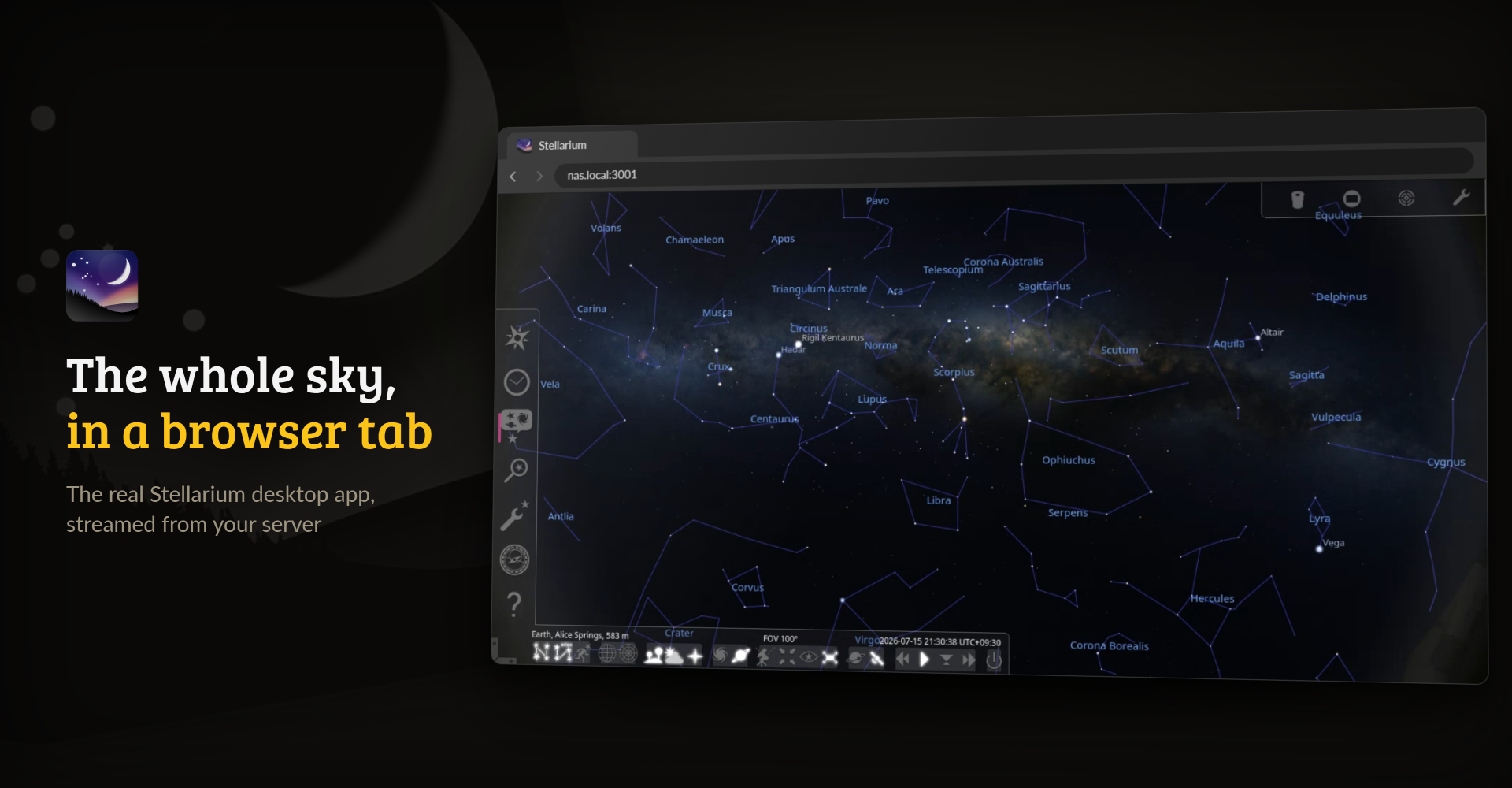
The full desktop Stellarium in a browser tab, streamed from the container
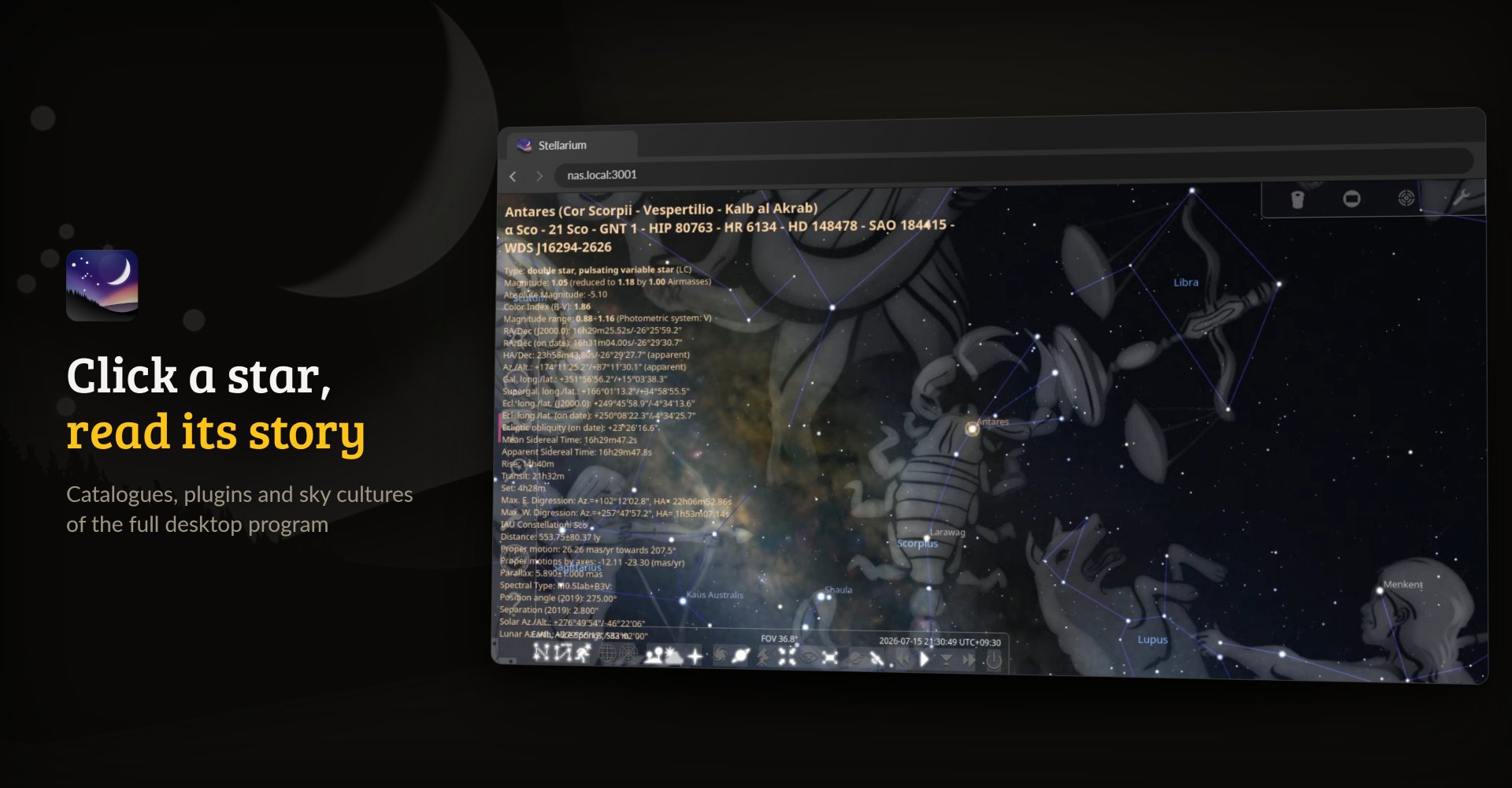
Click any object for its data, here Antares with the constellation art switched on
2. What it does
- The real program. The only other way to have Stellarium in a browser is Stellarium Web, a separate and much lighter rewrite. This is the full desktop app with its plugins, catalogues and sky cultures, installed from Debian trixie's
stellariumpackage for amd64 and arm64. - A smooth sky. Selkies streams the desktop as H.264 video, so dragging across the sky and speeding up time stay fluid where a noVNC desktop stutters.
- GPU optional. A GPU passed into the container is used; without one, Stellarium renders in software and still works.
- Sized to your window. The desktop follows your browser window, so there is no screen size to set and memory grows only with the window you use.
- Nothing lost on updates. Your location, downloaded catalogues, landscapes, plugins and screenshots live under
/config.
3. Getting started
On Unraid, install Stellarium from Community Applications. Anywhere else, one container is enough:
docker run -d --name stellarium -p 3001:3001 --shm-size=1gb \
  -v /path/to/config:/config \
  junkerderprovinz/stellarium:latest
Then open https://<server>:3001 and accept the self-signed certificate once. Stellarium starts maximised; press F6 to set your location, and F2 opens the configuration window with the plugins.
[!NOTE] The WebUI has no login by default, for use on a trusted LAN. Set
CUSTOM_USERandPASSWORDto turn on the built-in login, and never expose the WebUI to the internet without a VPN or an authenticating reverse proxy in front.
Other Docker hosts
compose.yaml runs Stellarium on any Linux server with Docker. Put it in a folder of its own and start it with docker compose up -d. The folders are created next to the file.
- Synology: in Container Manager, create a project from the file (DSM 7.2 or newer).
- Proxmox: run it in a VM or an LXC container that has Docker.
- MOS: install Stellarium from the MOS Hub.
- ZimaOS and CasaOS: add the community store and install Stellarium from it.
- umbrelOS: add the community app store and install Stellarium from it.
4. How AI is used here
One knight builds this, and AI is one of the tools I work with, the same way I work with an editor or a compiler. It helps me write code and documentation and it checks my work, and that saves me a good many evenings. It does not make the decisions, though. I read and understand everything before it ships, and if something here breaks, that is on me and not on the tool.
You do not have to take my word for it. The code is open and every release note is written by hand. The issue tracker shows how problems actually get handled, including the ones I got wrong the first time. If you find something that is not right, open an issue and I will look at it.
5. Support this project
Questions, bugs, ideas or feature requests? Please open a GitHub issue.
A one-knight job: I build it, keep it running, work through the issues and add what people ask for, until nothing is missing. It is free, with no accounts, no telemetry, no ads and no paid tier. No asterisk anywhere. Nothing readable ever leaves your own walls. Forged on evenings and weekends, with heart and stubbornness.
If it has earned a place on your server or computer, toss a coin to your knight: it helps cover the costs and keeps the project alive. It also makes this knight's heart beat a little faster. Three ways below, whichever suits you.
Stellarium is GPL-2.0 software by the Stellarium developers, and this project is not affiliated with or endorsed by it. The packaging here is AGPL-3.0; see LICENSE and NOTICE for the bundled software.
Categories
Download Statistics
Related apps
Explore more like this
Explore allLinks
Details
junkerderprovinz/stellarium:latestRuntime arguments
- Web UI
https://[IP]:[PORT:3001]/- Network
bridge- Shell
bash- Privileged
- false
- Extra Params
--restart=unless-stopped --shm-size=1gb
Template configuration
HTTPS port of the Selkies WebUI (self-signed cert). This is the default WebUI, and HTTPS is required for clipboard support in the browser. Accept the self-signed certificate once.
- Target
- 3001
- Default
- 3001
- Value
- 3001
HTTP port of the Selkies WebUI. For a reverse proxy that terminates TLS in front of the container, NOT for direct browser access. The Selkies web client requires a secure context, so opening http://IP:3000 directly shows a 'requires a secure connection (HTTPS)' error. For direct access use the HTTPS port 3001.
- Target
- 3000
- Default
- 3000
- Value
- 3000
Persistent Stellarium data: your chosen location, downloaded star catalogues and DSO textures, landscapes, enabled plugins, screenshots and preferences (stored under /config/.stellarium).
- Target
- /config
- Default
- /mnt/user/appdata/stellarium
- Value
- /mnt/user/appdata/stellarium
Optional. Username for HTTP-basic-auth on the WebUI. Leave EMPTY together with the password for no login. Set both fields to enable login (recommended outside trusted LANs).
- Target
- CUSTOM_USER
Optional. Password for HTTP-basic-auth on the WebUI. Leave EMPTY together with the username for no login. STRONGLY recommended whenever the container is reachable from outside your LAN.
- Target
- PASSWORD
Container timezone (affects log timestamps and file mtimes). Use this instead of a /etc/localtime bind-mount, because the LSIO base image manages /etc/localtime internally via TZ.
- Target
- TZ
- Default
- Europe/Vienna
- Value
- Europe/Vienna
User-ID Stellarium runs as. Default 99 (nobody on Unraid).
- Target
- PUID
- Default
- 99
- Value
- 99
Group-ID. Default 100 (users on Unraid).
- Target
- PGID
- Default
- 100
- Value
- 100
Permission mask for newly created files. The default 000 lets every container user read and write them, which is what you want when other containers touch the same shares. Set 022 or 077 for stricter permissions.
- Default
- 000|022|002|077
- Value
- 000