

steam-workshop-archiver
Docker app from Croc's Repository
Overview
Readme
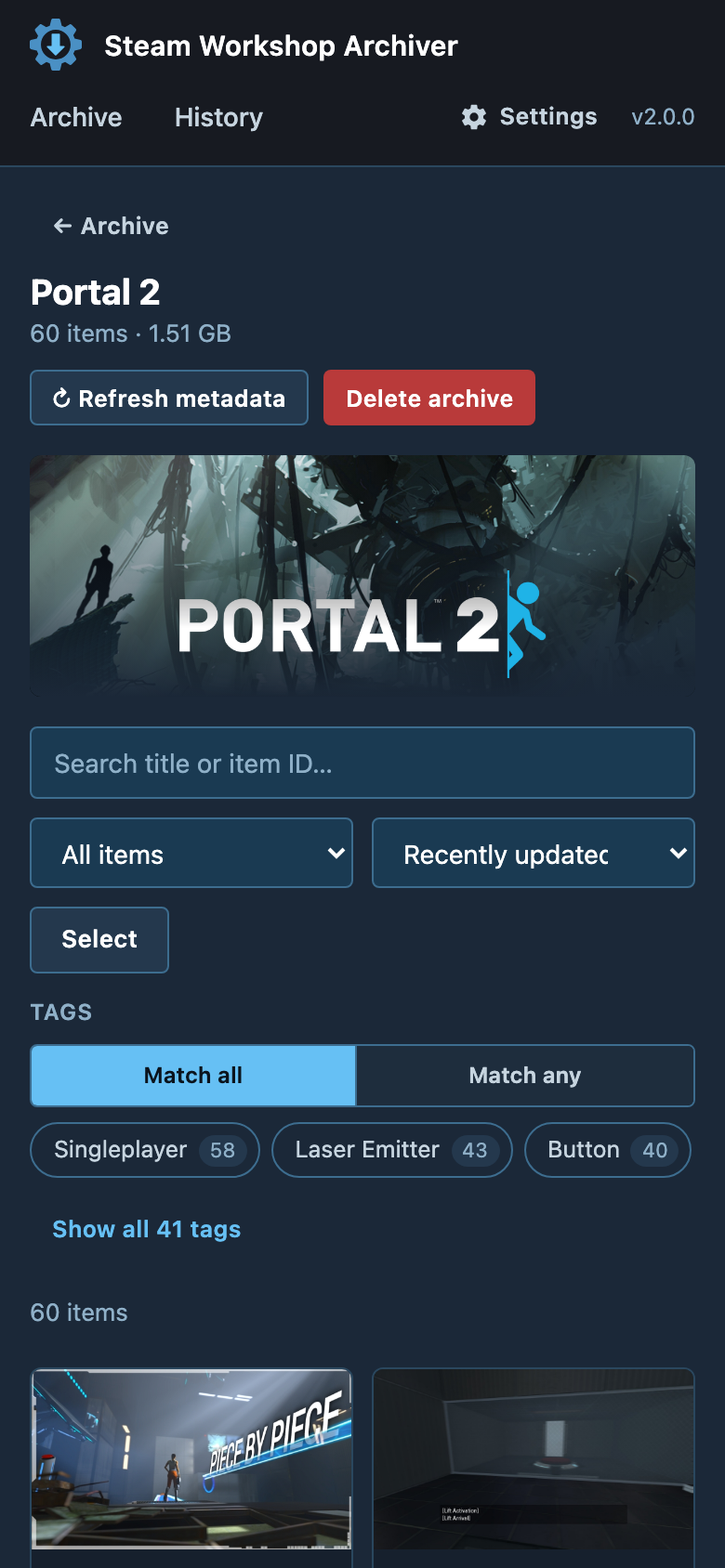
View on GitHubA self-hosted web app for archiving Steam Workshop content. List a game's Workshop (or a collection, or a handful of items), download it with SteamCMD or DepotDownloader, keep it up to date on a schedule, and browse everything offline — all from a browser.



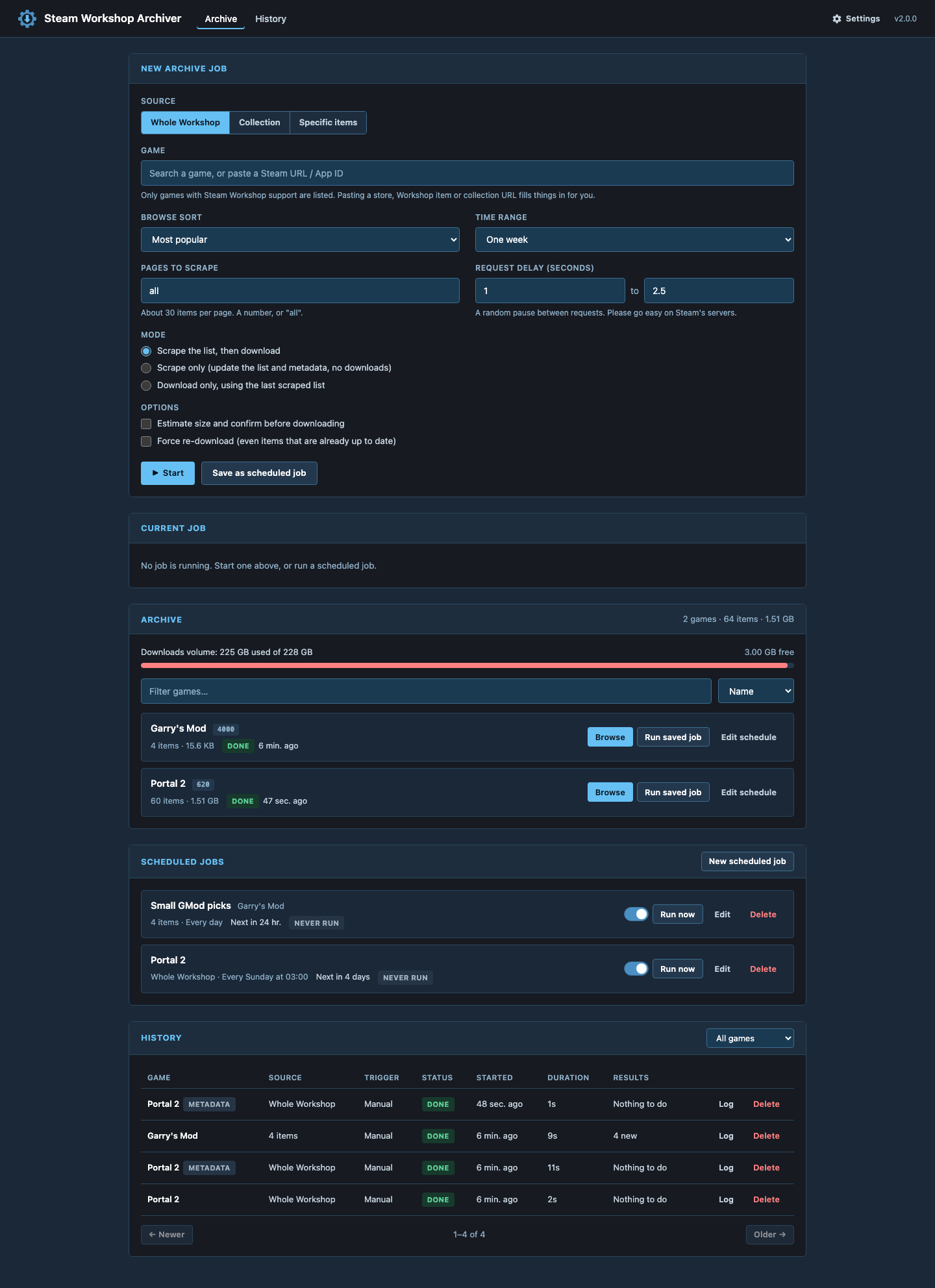
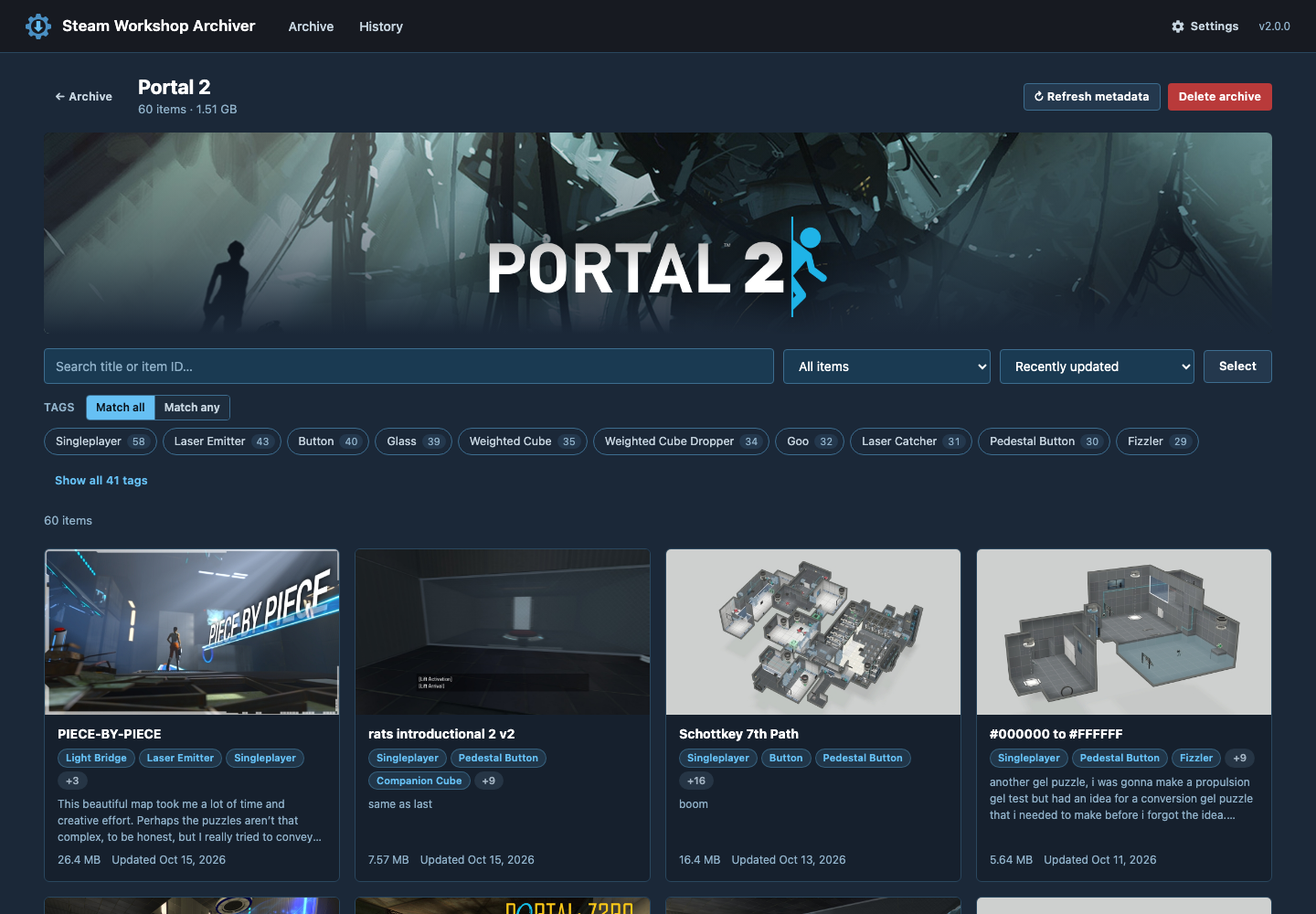 |
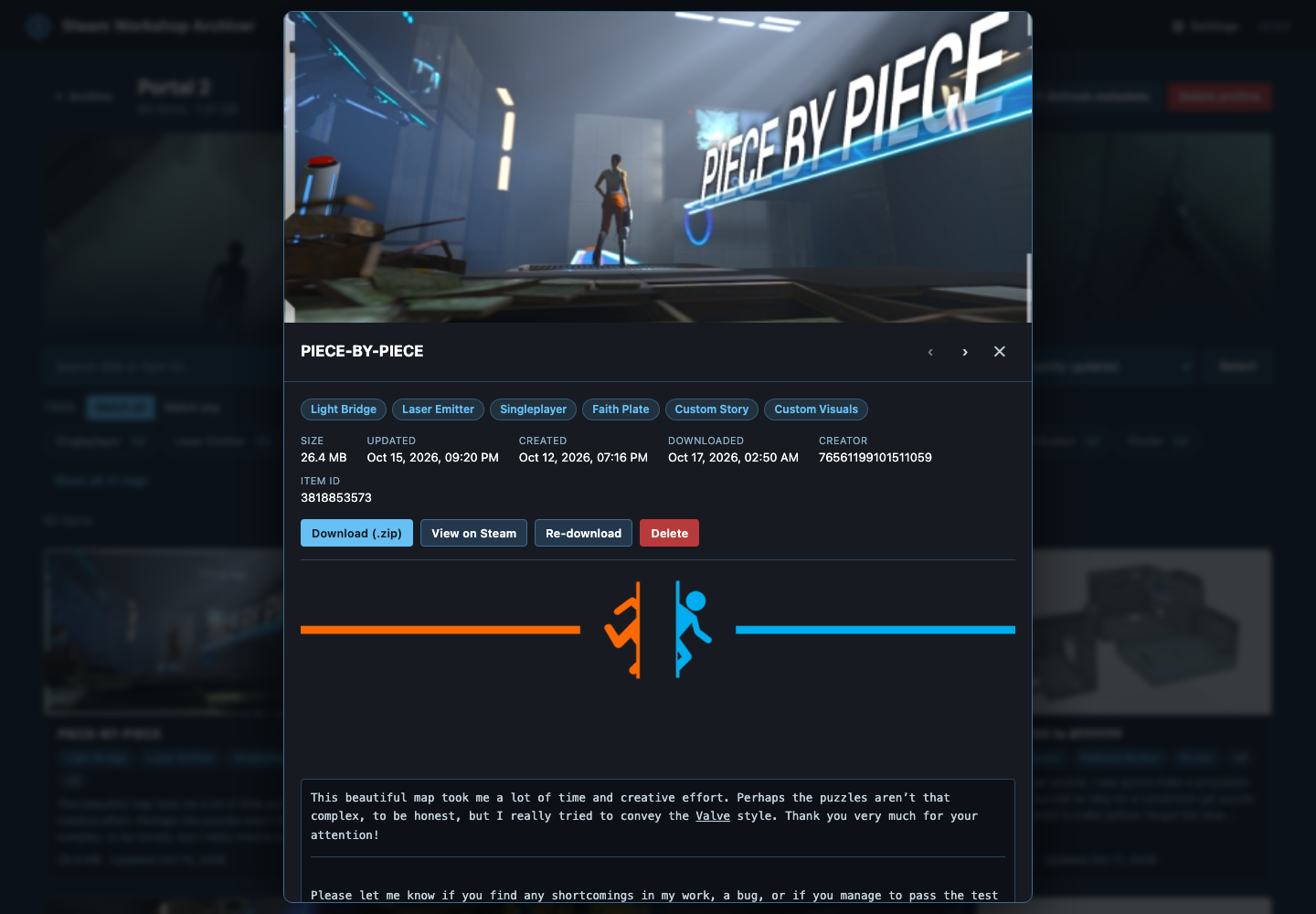 |
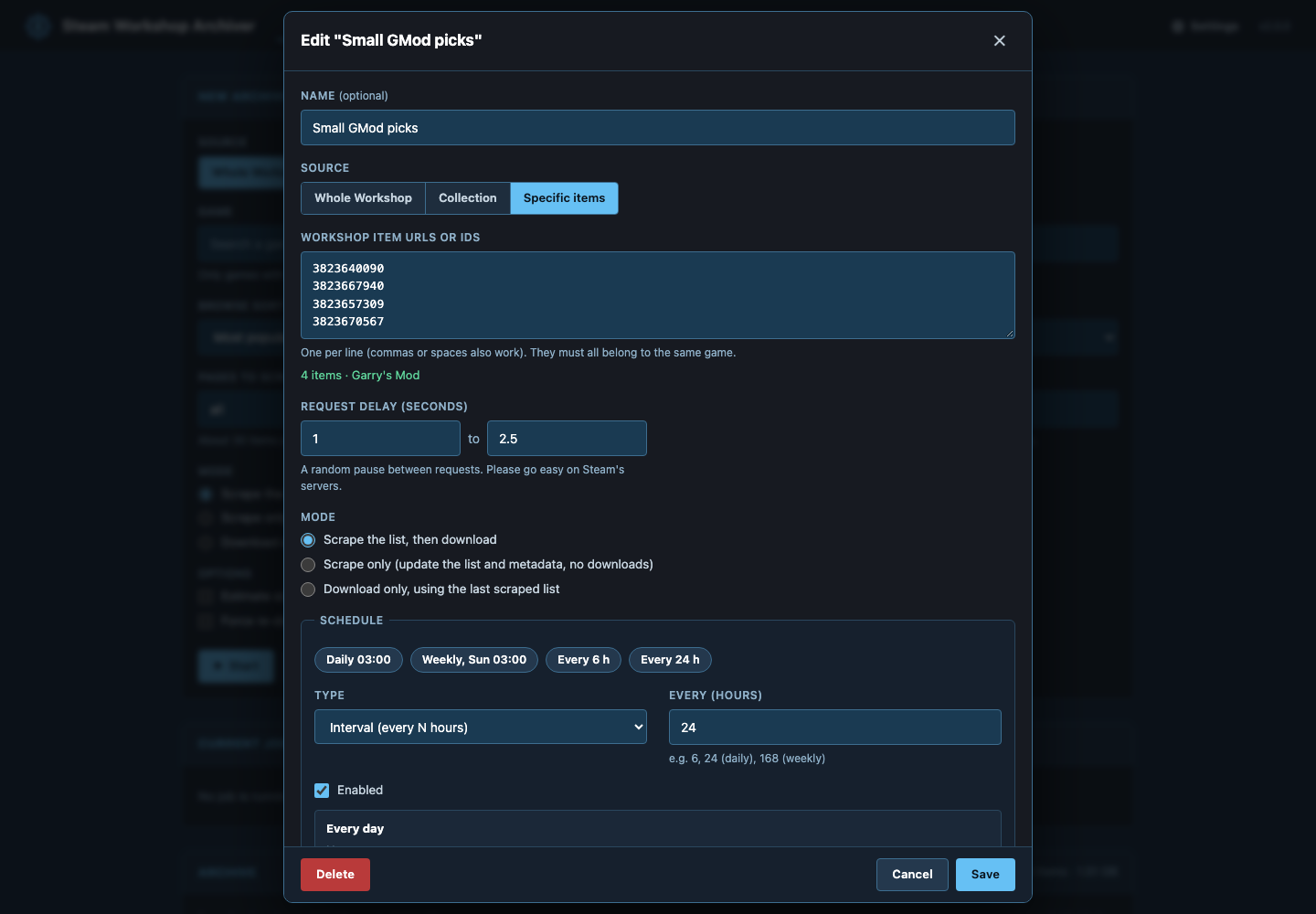 |
 |
Vibe coded. AI-assisted, minimal ceremony. It's a wrapper around SteamCMD/DepotDownloader with an archive browser — meant to be useful, not over-engineered.
Features
- Three kinds of jobs — a game's whole Workshop (with Steam's sort options), a collection (nested collections included), or a pasted list of item URLs/IDs. Paste a store, Workshop, item or collection URL straight into the search box.
- Incremental updates — every run checks Steam for each item's last-updated time and only downloads what's new or changed. Items removed from the Workshop are flagged and their local copies kept.
- Official API or scraping — with an optional free Steam Web API key items are listed through
IPublishedFileService/QueryFiles(no 30,000-item browse limit, metadata in the same call); without one the browse pages are scraped. - Two download backends — SteamCMD (batched, the default on x86) or DepotDownloader (also runs on arm64). Legacy single-file items are fetched straight from Steam's CDN.
- Reliable downloads — retries with backoff, stall detection, cancel that actually stops SteamCMD, and a clear hint when a game's Workshop needs an account that owns it.
- Optional Steam login — cache a login once (
swa-steam-login) for games that don't allow anonymous downloads. - Queue & history — jobs queue instead of colliding; every run is kept with counts, a full log, and Retry failed.
- Schedules — interval or cron (in your
TZ) with a live preview of the next runs. Several schedules per game (e.g. one per collection). - Live progress — progress bar, ETA, per-outcome counts and a streaming log that survives reloads and multiple tabs.
- Notifications — Discord, ntfy, Gotify, email, … via Apprise URLs, on every run or failures only.
- Workshop browser — fast paged grid with search, tag filters (any/all), sort, filters for outdated / removed / missing metadata, bulk select → download as one ZIP, re-download or delete. Filters live in the URL so views are linkable.
- Offline-friendly metadata — titles, descriptions (safe BBCode rendering), tags, preview and description images cached locally.
- Disk usage overview, mobile-friendly UI, keyboard accessible.
Quick start
# docker-compose.yml
services:
  steam-archiver:
    image: ghcr.io/pairofcrocs/steam-workshop-archiver:latest
    container_name: steam-archiver
    ports:
      - "8080:8080"
    volumes:
      - ./meta:/meta           # database, metadata, images, SteamCMD (fast disk)
      - ./downloads:/downloads # Workshop content (big disk)
    environment:
      - TZ=America/New_York
      - PUID=1000
      - PGID=1000
    restart: unless-stopped
docker compose up -d
Open http://localhost:8080. Images are published for linux/amd64 and linux/arm64 (SteamCMD only exists for x86, so arm64 uses DepotDownloader).
Unraid: add https://github.com/pairofcrocs/unraid-templates under Docker → Template Repositories, then add Steam-Workshop-Archiver (also in unraid/) (PUID 99 / PGID 100, /meta on the cache pool, /downloads on the array).
To build locally instead: docker build -t steam-workshop-archiver .
Usage
- Start a job. Search for a game (or paste a URL / App ID), pick Whole Workshop, Collection or Specific items, choose sort and page count, and press Start. Tick Estimate size and confirm to review the download size first.
- Watch it run. The job panel shows progress, counts and the live log. Other jobs wait in the queue.
- Browse. Click Browse on a game to search, filter and open items, download them as ZIPs, or bulk-delete.
- Schedule. Save as scheduled job turns the form into a recurring job (interval or cron). Scheduled runs only download new or updated items.
- History. Every run is listed with its log; Retry failed re-queues just the items that failed.
Games that need a Steam account
Many games allow anonymous Workshop downloads; some (often paid games) don't — runs then fail with Access Denied and the UI shows a hint. To use an account that owns the game:
docker exec -it steam-archiver swa-steam-login <your-steam-username>
Enter your password and Steam Guard code when prompted. Credentials are cached under /meta (never stored by the app). Then set the Steam username in Settings. For the DepotDownloader backend, also pass any Workshop item of that game so it caches its own login: swa-steam-login <user> <appid> <item_id>.
Steam Web API key (optional)
Without a key the app scrapes the Workshop browse pages, which Steam caps at 1,000 pages (~30,000 items). With a key (free from https://steamcommunity.com/dev/apikey) listing goes through the official API with no cap. Set it in Settings or via STEAM_API_KEY.
Configuration
Environment variables (UI-editable settings can also be changed in Settings, which take precedence):
| Variable | Default | Description |
|---|---|---|
TZ |
UTC |
Timezone for cron schedules |
PUID / PGID |
1000 |
User/group files are written as (Unraid: 99/100; 0 runs as root) |
AUTH_PASSWORD |
(unset) | Enables HTTP Basic auth on everything except /healthz (any username) |
ALLOWED_HOSTS |
auto |
Host header allowlist (DNS-rebinding protection). auto accepts IP addresses, localhost and LAN names (tower, *.local, *.lan, *.home.arpa, …). Add real domains you use, e.g. auto,archive.example.com behind a reverse proxy; * disables the check |
STEAM_API_KEY |
(unset) | Steam Web API key (Settings) |
DOWNLOAD_BACKEND |
auto | steamcmd or depotdownloader (Settings) |
STEAM_USERNAME |
(unset) | Use cached credentials for this account instead of anonymous (Settings) |
HTTP_DIRECT |
1 |
Fetch legacy single-file items straight from Steam's CDN (Settings) |
MAX_RETRIES |
3 |
Retry rounds per failed item (Settings) |
STALL_TIMEOUT_MIN |
20 |
Kill a download that shows no output or disk growth for this long (Settings) |
CONFIRM_TIMEOUT_MIN |
60 |
A size confirmation not answered in time cancels the run (Settings) |
METADATA_TTL_HOURS |
24 |
Re-fetch item metadata older than this (Settings) |
NOTIFY_URLS |
(unset) | Space-separated Apprise URLs (Settings) |
NOTIFY_ON |
all |
all, failures or never (Settings) |
FIX_PERMISSIONS |
auto |
auto chowns everything only when PUID/PGID change; full every start; off never |
META_DIR / DOWNLOADS_DIR |
/meta / /downloads |
Data paths |
LOG_LEVEL |
INFO |
Server log level |
Data layout
/meta/
├── archiver.db                    # SQLite: settings, schedules, run history, item metadata
├── logs/run-<id>.log              # full log of every run
├── steamcmd/                      # SteamCMD (self-updates + cached logins persist here)
├── home/                          # $HOME for SteamCMD / DepotDownloader
└── games/<appid>/
    ├── data.csv                   # last complete Workshop listing
    ├── previews/<item>.jpg
    └── desc_images/<item>/…       # cached description images + map.json

/downloads/steamapps/workshop/
├── appworkshop_<appid>.acf        # SteamCMD's manifest
└── content/<appid>/<item>/        # one folder per item (or <item>.bin for legacy items)
Upgrading from v1
- Saved jobs (
saved_jobs.json) and metadata caches (games/*/metadata.json) are imported intoarchiver.dbon first start and renamed to*.imported. - Containers now run as
PUID/PGID1000 by default instead of root. SetPUID=0to keep the old behaviour. Ownership is fixed automatically the first time. - The HTTP API changed (
/jobs/*→/api/runs, …). See docs/api.md.
Security notes
- The app is meant for your LAN. Set
AUTH_PASSWORDif anyone else can reach it. Requests for unknown domain names are refused by default (DNS-rebinding protection) — if you put it behind a reverse proxy with a real domain, add that domain toALLOWED_HOSTS. - All state-changing API requests must send the header
X-SWA: 1(CSRF protection). Scripts using the API need to add it. - Workshop descriptions are untrusted: they're rendered with a DOM-based BBCode renderer under a strict Content-Security-Policy, and the server only fetches description images from public internet hosts.
API
See docs/api.md.
Development
python3 -m venv .venv && .venv/bin/pip install -r requirements-dev.txt
META_DIR=./meta DOWNLOADS_DIR=./downloads .venv/bin/uvicorn app.main:app --reload --port 8080
.venv/bin/ruff check . && .venv/bin/pytest
node --test 'tests/js/*.test.mjs'
License
Unlicense — public domain.
Categories
Related apps
Explore more like this
Explore allDetails
ghcr.io/pairofcrocs/steam-workshop-archiver:latestRuntime arguments
- Web UI
http://[IP]:[PORT:8080]/- Network
bridge- Shell
bash- Privileged
- false
Template configuration
Web interface
- Target
- 8080
- Default
- 8080
- Value
- 8080
Database, metadata, cached images and SteamCMD. Put it on a cache/SSD pool.
- Target
- /meta
- Default
- /mnt/user/appdata/steam-workshop-archiver
- Value
- /mnt/user/appdata/steam-workshop-archiver
Downloaded Workshop content (large).
- Target
- /downloads
- Default
- /mnt/user/steam-workshop
- Value
- /mnt/user/steam-workshop
User ID files are written as
- Default
- 99
- Value
- 99
Group ID files are written as
- Default
- 100
- Value
- 100
Timezone used for cron schedules
- Default
- America/New_York
- Value
- America/New_York
Optional HTTP Basic auth password for the whole UI and API (any username)
- Target
- AUTH_PASSWORD
Optional. Lists items via the official API (beyond the 30,000-item browse limit). Can also be set in Settings.
- Target
- STEAM_API_KEY
Host header allowlist (DNS-rebinding protection). auto = IPs, localhost and LAN names; add your reverse-proxy domain, e.g. auto,archive.example.com
- Target
- ALLOWED_HOSTS
- Default
- auto
- Value
- auto