
All apps · 0 apps

starbase
Docker app from IBRACORP's Repository
Overview
Readme
View on GitHubStarbase 80
DR T'ANA: (to Mariner) "You wanna goof around, go work on Starbase 80!"
JET: "Damn, Starbase 80?!"
About
A nice looking homepage for Docker containers or any services and links.
No actual integration with Docker. Loads instantly. Dark mode follows your OS.
If you make a change to the config JSON, restart this container and refresh.
Inspired by Ben Phelps' Homepage and Umbrel. Dedicated to Star Trek: Lower Decks.
Docker and source code
Live demo
Preview
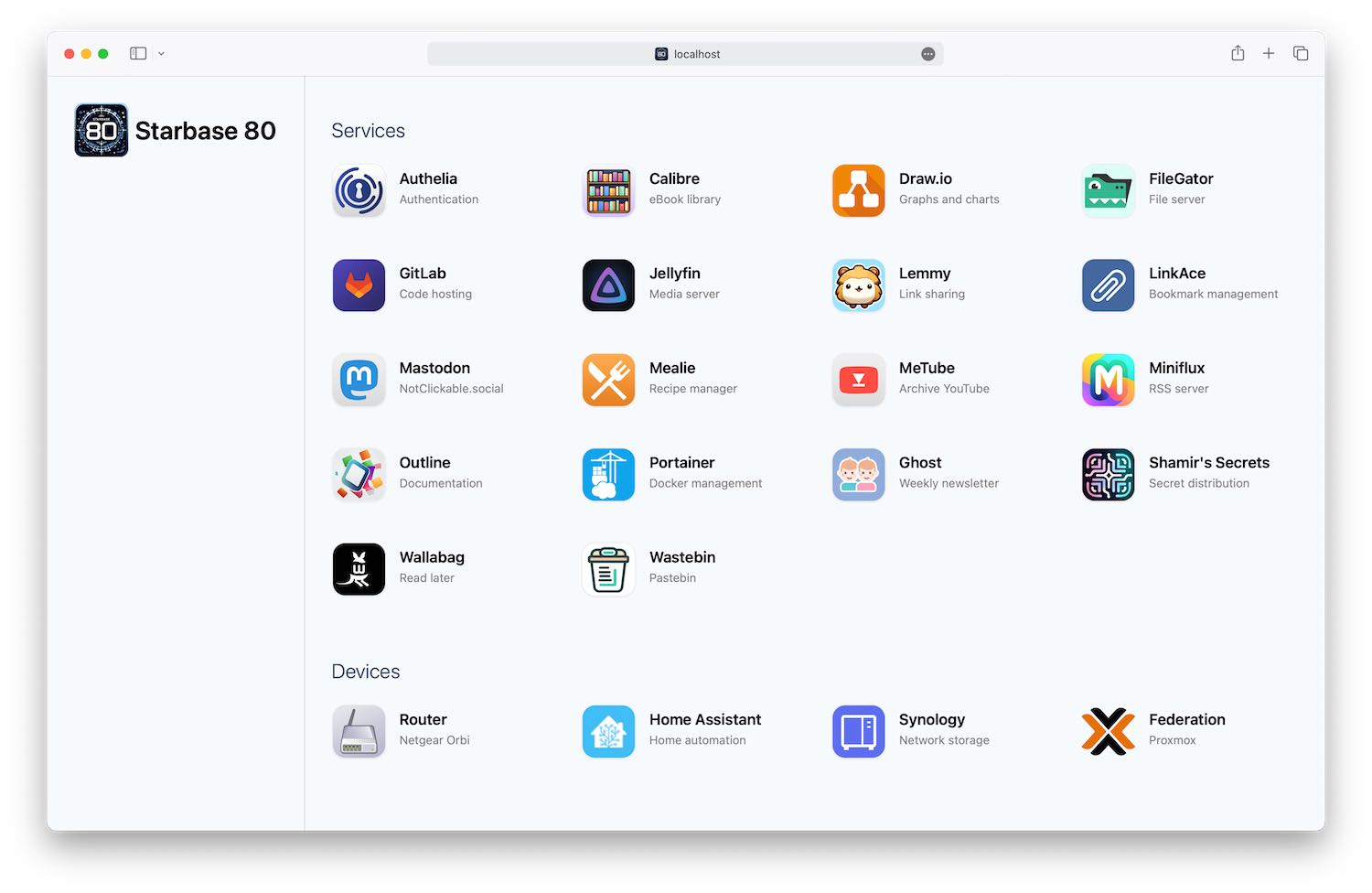
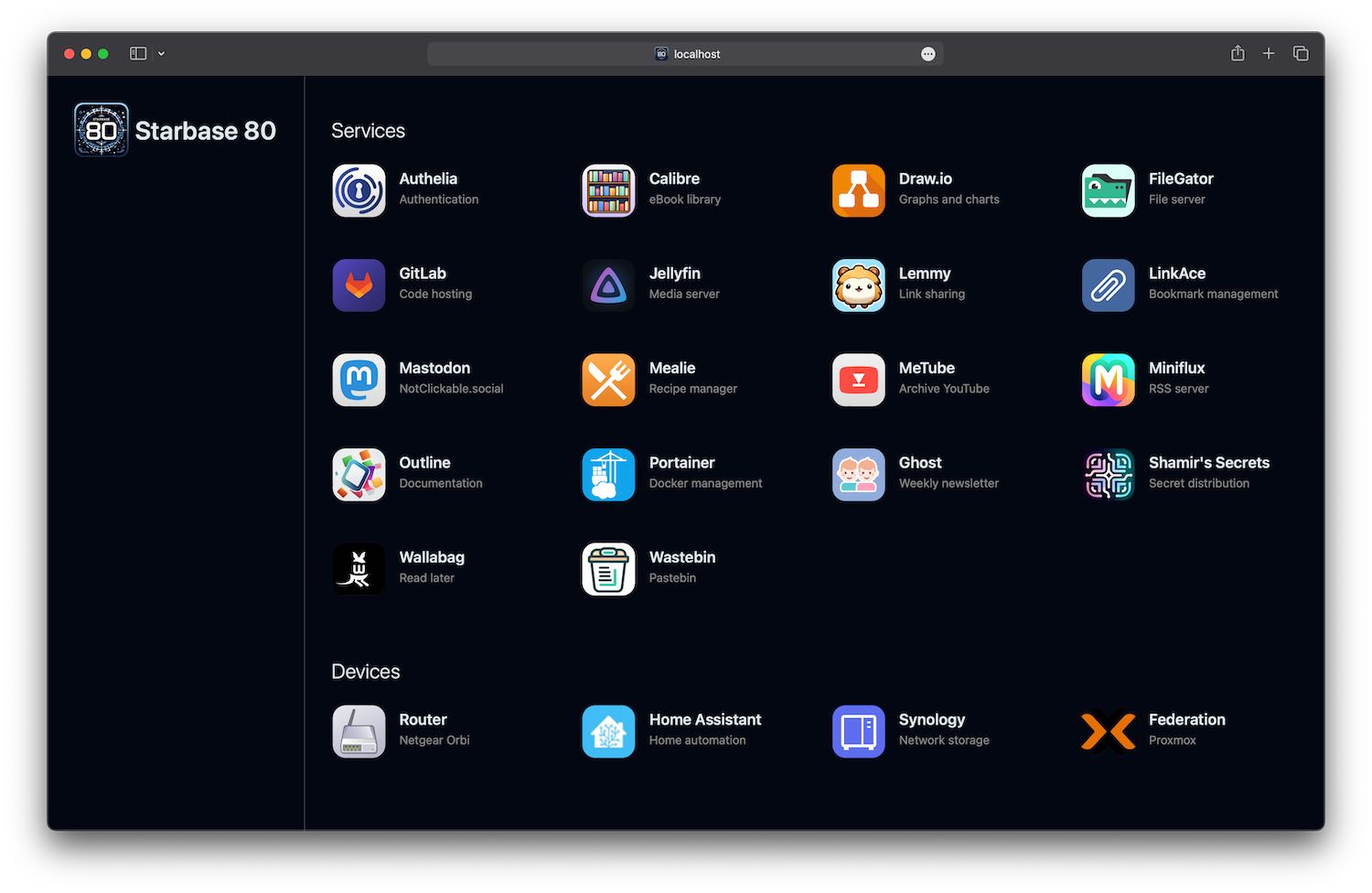
Docker
Sample Docker compose
services:
    starbase80:
        image: jordanroher/starbase-80
        ports:
            - 80:4173
        environment:
            - TITLE=Starbase 80
            - LOGO=/starbase80.jpg
        volumes:
            - ./config.json:/app/src/config/config.json
            - ./public/favicon.ico:/app/public/favicon.ico
            - ./public/logo.png:/app/public/logo.png
            - ./public/icons:/app/public/icons
Environment variables
| Variable | Required | Default | Notes |
|---|---|---|---|
| TITLE | True | My Website | Set to TITLE= to hide the title |
| LOGO | True | /logo.png | Set to LOGO= to hide the logo |
| HEADER | true | Set to false to hide the title and logo | |
| HEADERLINE | true | Set to false to turn off the header border line | |
| CATEGORIES | normal | Set to "small" for smaller, uppercase category labels | |
| BGCOLOR | theme(colors.slate.50) | Page background color in light mode. Accepts a hex color (e.g. #f8fafc) or a Tailwind color as var(--color-slate-50). Legacy theme(colors.slate.50) syntax is still accepted and auto-converted. |
|
| BGCOLORDARK | theme(colors.gray.950) | Page background color in dark mode. Accepts a hex color or a Tailwind color as var(--color-gray-950). Legacy theme(colors.gray.950) syntax is still accepted and auto-converted. |
|
| CATEGORYBUBBLECOLORLIGHT | theme(colors.white) | Background color for category bubbles (if enabled) in light mode. Accepts a hex color or a Tailwind color as var(--color-white). Legacy theme(colors.white) syntax is still accepted. |
|
| CATEGORYBUBBLECOLORDARK | theme(colors.black) | Background color for category bubbles (if enabled) in dark mode. Accepts a hex color or a Tailwind color as var(--color-black). Legacy theme(colors.black) syntax is still accepted. |
|
| NEWWINDOW | true | Set to false to not have links open in a new window | |
| THEME | auto | Set to "auto", "light", or "dark" to force a display mode (e.g. dark mode) | |
| HOVER | none | Set to "underline" for an underline effect on titles when hovering/focusing on that service |
Volumes (bind mounts)
| Path | Required | Notes |
|---|---|---|
| /app/src/config/config.json | true | Configuration with list of sites and links |
| /app/public/favicon.ico | Website favicon | |
| /app/public/logo.png | Logo in the header | |
| /app/public/icons | Or wherever you want to put them, JSON icon paths are relative to /app/public |
Configuration
Sample config.json
[
	{
		"category": "Services",
		"services": [
			{
				"name": "Archivebox",
				"uri": "https://archivebox.mywebsite.com",
				"description": "Backup webpages",
				"icon": "/icons/archivebox.jpg"
			},
			{
				"name": "Authelia",
				"uri": "https://auth.mywebsite.com",
				"description": "Authentication",
				"icon": "selfhst-authelia"
			},
			{
				"name": "Calibre",
				"uri": "https://calibre.mywebsite.com",
				"description": "eBook library",
				"icon": "/icons/calibre.png"
			}
		]
	},
	{
		"category": "Devices",
		"bubble": true,
		"services": [
			{
				"name": "Router",
				"uri": "http://192.168.1.1/",
				"description": "Netgear Orbi",
				"icon": "/icons/router.png"
			},
			{
				"name": "Home Assistant",
				"uri": "http://homeassistant.local:8123/",
				"description": "Home automation",
				"icon": "home-assistant",
				"iconBubble": false
			},
			{
				"name": "Synology",
				"uri": "http://synology:5000",
				"description": "Network storage",
				"icon": "/icons/synology.png"
			}
		]
	}
]
Category variables
| Name | Default | Required | Notes |
|---|---|---|---|
| category | Displays above the list of services | ||
| bubble | false | Shows a bubble around category | |
| bubbleBGLight | Background color for category bubbles. Must be a Tailwind color (do not prefix with bg-). |
||
| bubbleBGDark | Background color for category bubbles in dark mode. Must be a Tailwind color (do not prefix with bg-). |
||
| iconBubblePadding | false | If true, adds a slight padding around each service's icons which are in a bubble. |
|
| services | true | Array of services |
Service variables
| Name | Default | Required | Notes |
|---|---|---|---|
| name | true | Title of service | |
| uri | true | Hyperlink to resource | |
| hidden | false | If true, the service is skipped entirely instead of being rendered. Handy for temporarily disabling a service without deleting it. |
|
| description | 2-3 words which appear below the title | ||
| icon | Relative URI, absolute URI, service name (Dashboard icon), mdi- service name (Material Design icon), selfhst- icon name selfh.st icon |
||
| iconLight | Overrides icon when the page is displayed in light mode. Falls back to icon if not set. |
||
| iconDark | Overrides icon when the page is displayed in dark mode. Falls back to icon if not set. |
||
| iconBG | Background color for icons. Hex code or Tailwind color (do not prefix with bg-). |
||
| iconColor | Only used as the fill color for Material Design icons. Hex code or Tailwind color (do not prefix with bg-). |
||
| iconBubble | true | If false the bubble and shadow are removed from the icon |
|
| iconBubblePadding | false | Overrides bubblePadding set at the category level |
|
| iconAspect | square | Set to "width" or "height" to constrain the icon to the width or height of the icon, respectively |
|
| newWindow | Set to true or false to override the environment variable NEWWINDOW for this service |
Icons
Volume / bind mount
Create a volume or bind mount to a subfolder of /app/public and specify a relative path.
# Your folder
compose.yml
- icons
  - jellyfin.jpg
  - ghost.jpg
  - etc

# Bind mount
./icons:/app/public/icons

# Icon in config.json
"icon": "/icons/jellyfin.jpg"
Dashboard icons
Use Dashboard icons by specifying a name without any prefix.
# Icon in config.json
"icon": "jellyfin"
Material design
Use any Material Design icon by prefixing the name with mdi-.
Fill the icon by providing an "iconColor."
Use "black" or "white" for those colors.
# Icon in config.json
"icon": "mdi-cloud",
"iconColor": "black"
Selfh.st icons
Use any selfh.st icon by prefixing the name with selfhst-.
# Icon in config.json
"icon": "selfhst-couchdb"
Theme-aware icons
Set iconLight and/or iconDark to show a different icon depending on light/dark mode. Any icon type (bind mount, Dashboard, Material Design, or selfh.st) can be mixed and matched between the two. If only one is set, icon (if present) is used as the fallback for the other mode.
# Icon in config.json
"icon": "/icons/service.png",
"iconLight": "/icons/service-light.png",
"iconDark": "/icons/service-dark.png"
Change history
1.6.7
- Added
iconLightandiconDarkservice options to show a different icon depending on light/dark mode - Added a
hiddenservice option to temporarily disable a service without deleting it from config.json - Fixed
getIconColorcycling through the wrong index, which produced an invalid background class for some icon placeholders - Fixed a missing space in the header's class list that broke its sizing when
HEADERLINEis enabled (the default) - Hardened
docker-entrypoint.shagainstTITLE/LOGO/color values containing/or&, which could previously corrupt the build
1.6.6
- Fail gracefully with a clear message when the config file contains invalid JSON
1.6.5
- Switched to swc/jest
- Updated packages
1.6.4
- Added forced light theme option
1.6.3
- Fixed faster shutdown on Docker container
1.6.2
- Faster shutdown on Docker container
1.6.1
- Added
iconBubblePaddingboolean option to categories and services
1.6.0
- Added
CATEGORYBUBBLECOLORLIGHTandCATEGORYBUBBLECOLORDARKfor greater control of category bubble colors - Added
category.bubbleBGLightandcategory.bubbleBGDarkto theme individual category bubble background colors
1.5.5
- Updated to node:23-slim
1.5.4
- Re-added wget to allow for health checks
1.5.3
- Added support for selfh.st icons
1.5.2
- Fixed issue with Material icons having incorrect left margin
- Fixed aspect ratio issues on images
1.5.1
- Changed links to be on the entire service object
- Added underline option
1.5.0
- Fixed dark mode manual override
1.4.2
- Added
apple-touch-icon-precomposedlink
1.4.0
- Rewrote the entire application to not use React. Now it's just a Node application that emits static HTML.
- Removed lots of packages
1.3.0
- Removed all JavaScript as part of the build step. The image will be slightly larger and take longer to start up and shut down, but the page will be even lighter.
1.2.0
- Moved
config.jsonbind mount destination to/app/src/config/config.jsonfor improved Portainer and volume support. The previous bind mount location will continue to work, but we recommend updating your bind mounts.
Categories
Download Statistics
Total Downloads Over Time
Related apps
Explore more like this
Explore allDetails
jordanroher/starbase-80Runtime arguments
- Web UI
http://[IP]:[PORT:4173]- Network
bridge- Shell
sh- Privileged
- false
Template configuration
- Target
- 4173
- Value
- 4173
- Target
- /app/src/config.json
- Value
- /mnt/user/appdata/starbase/config.json
- Target
- /app/public/favicon.ico
- Value
- /mnt/user/appdata/starbase/fav.ico
- Target
- /app/public/logo.png
- Value
- /mnt/user/appdata/starbase/logo.png
- Target
- /app/public/icons
- Value
- /mnt/user/appdata/starbase/icons