

Sportarr
OfficialDocker app from Sportarr's Repository
Overview
Readme
View on GitHub


Sports PVR for Usenet and Torrents
Like Sonarr & Radarr, but for sports events. Monitors sports leagues, searches your indexers
for releases, and handles file renaming, organization, and media server integration.






Support the Project



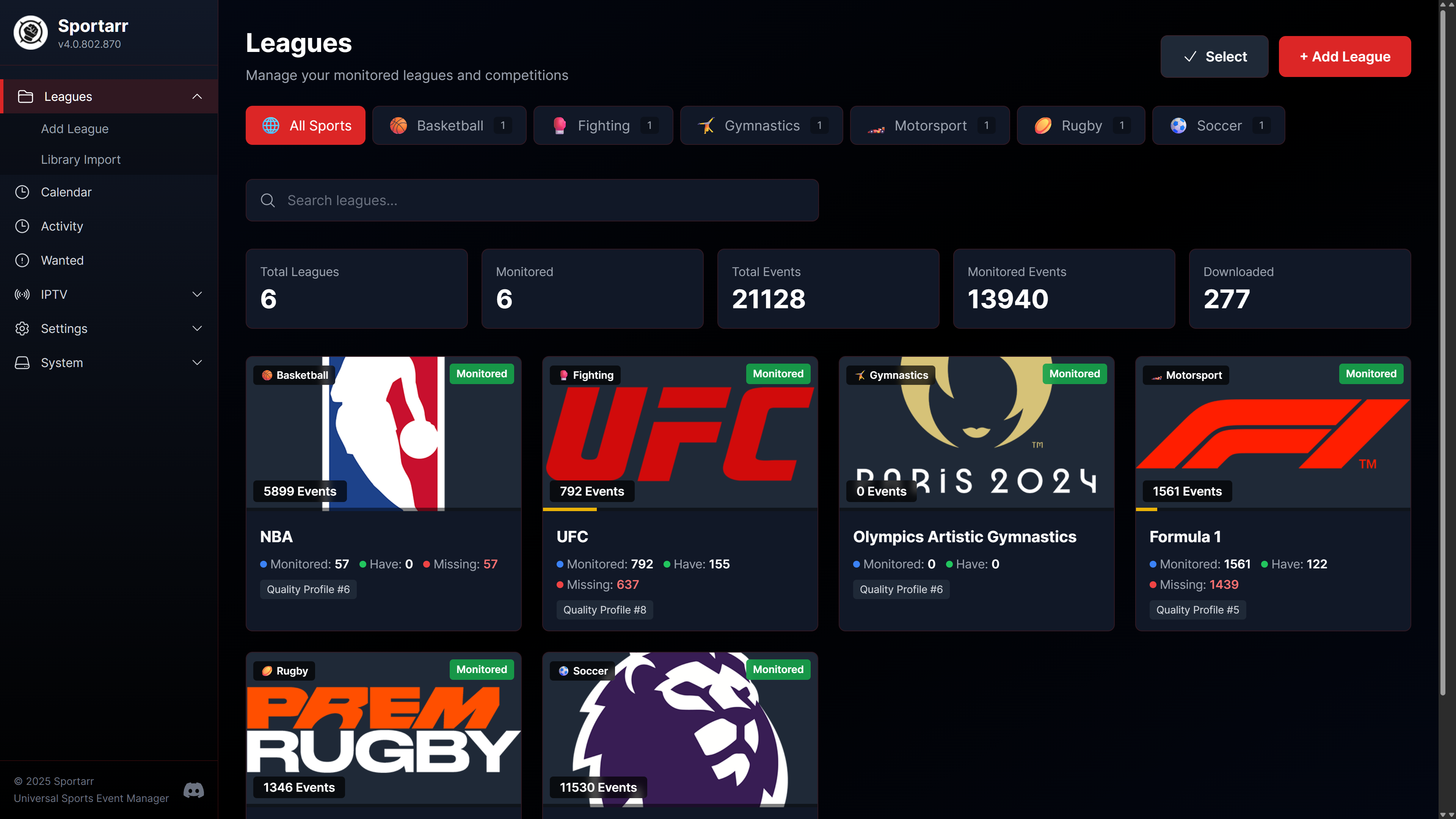
What It Does
- Tracks events across all major sports (fighting sports, football, soccer, basketball, racing, etc.)
- Searches Usenet and torrent indexers automatically and upgrades quality when better releases appear
- Organizes files with customizable naming schemes, including multi-part events for fighting sports
- Integrates with Plex, Jellyfin, and Emby through dedicated metadata agents
- Records live events from IPTV sources with automatic scheduling (alpha)
- Fetches subtitles through Bazarr or Bazarr+ and notifies via Discord, ntfy, Apprise, webhooks, or custom scripts
Quick Start
version: "3.8"
services:
  sportarr:
    image: sportarr/sportarr:latest
    container_name: sportarr
    environment:
      - PUID=99
      - PGID=100
      - UMASK=022
      - TZ=America/New_York
    volumes:
      - /path/to/sportarr/config:/config
      - /path/to/data:/data
    ports:
      - 1867:1867
    restart: unless-stopped
Open http://your-server-ip:1867 and follow the Initial Setup guide.
Not on Docker? Native builds for Windows, macOS, and Linux are on the releases page, and Sportarr is in the TrueNAS SCALE, HexOS, and Unraid app catalogs. Full details in the installation guide.
Documentation
Everything lives on the wiki at wiki.sportarr.net:
- Installation and Initial Setup
- Integrations: Prowlarr, Bazarr, Bazarr+, Maintainerr, Homepage, autobrr, and the media server agents
- IPTV DVR recording
- Troubleshooting
- Application API for tools integrating with Sportarr, and the live metadata API explorer
- Building from source
Support
- Discord - best place for quick help
- GitHub Issues - bug reports and feature requests
- GitHub Discussions - general questions
Project Activity
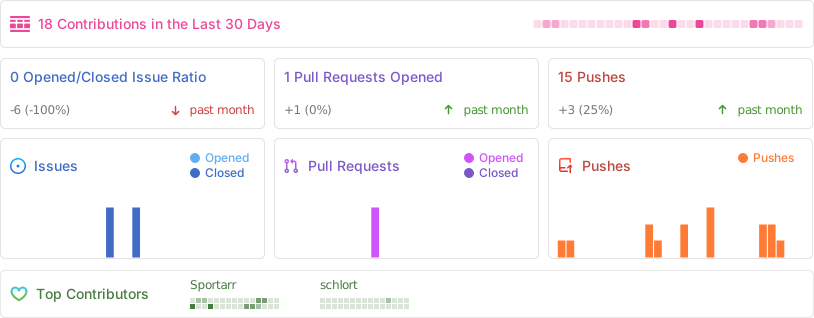
Star History
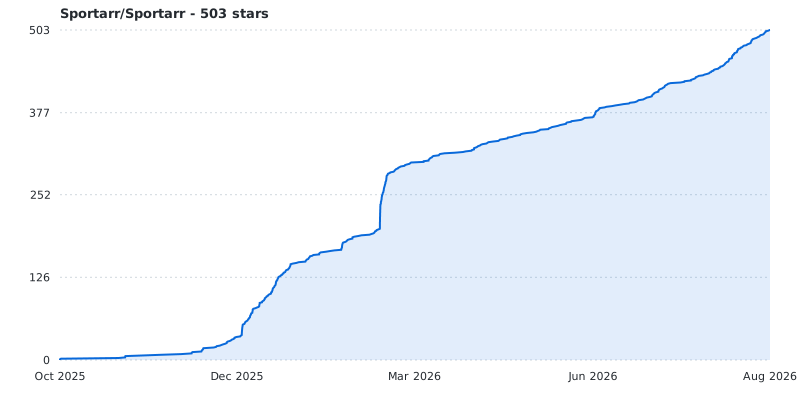
Contributors
Sportarr is made better by everyone who has contributed code. Thank you.





See the full contributor graph, plus everyone helping with testing and bug reports on Discord.
Sponsors
Sportarr is free and self-funded. If it saves you time, a one-time or monthly contribution keeps it moving, and every supporter shows up here.


Sportarr is supported by:

License
GNU GPL v3 - see LICENSE.md and COPYRIGHT.md.
Acknowledgements
Sportarr began as a fork of Sonarr in October 2025. The application was rewritten shortly afterwards and the great majority of the code here is original, but parts of it are still derived from Sonarr and the project would not exist without the years of work that went into it first.
Thank you to the Sonarr Team and everyone who has contributed to Sonarr. Their copyright notices are retained in COPYRIGHT.md, and Sportarr is released under the same GPL-3.0 license.
Requirements
Categories
Download Statistics
Total Downloads Over Time
Related apps
Explore more like this
Explore allDetails
sportarr/sportarr:latestRuntime arguments
- Web UI
http://[IP]:[PORT:1867]- Network
bridge- Shell
sh- Privileged
- false
Template configuration
This is the Web UI port for the application.
- Target
- 1867
- Default
- 1867
- Value
- 1867
This is the container path to your configuration files, e.g. database, settings, logs.
- Target
- /config
- Default
- /mnt/user/appdata/sportarr
- Value
- /mnt/user/appdata/sportarr
This is the container path to your media library root. Add your sports library as a root folder inside Sportarr under this mount, and keep downloads under the same mount for hardlinked imports.
- Target
- /data
- Default
- /mnt/user/data
- Value
- /mnt/user/data
User ID for the running container (99 = nobody).
- Target
- PUID
- Default
- 99
- Value
- 99
Group ID for the running container (100 = users).
- Target
- PGID
- Default
- 100
- Value
- 100
UMASK for files created by the container.
- Target
- UMASK
- Default
- 022
- Value
- 022
Timezone, e.g. America/New_York. Keeps event air times and the calendar correct.
- Target
- TZ
- Default
- UTC
- Value
- UTC
Database provider: sqlite (default, zero config) or postgres. PostgreSQL is for fresh installs only; there is no SQLite to Postgres migration path.
- Target
- Sportarr__Database__Provider
- Default
- sqlite
- Value
- sqlite
PostgreSQL server hostname. Only used when the provider is postgres.
- Target
- Sportarr__Database__Host
PostgreSQL port. Only used when the provider is postgres.
- Target
- Sportarr__Database__Port
- Default
- 5432
- Value
- 5432
PostgreSQL database name. Only used when the provider is postgres.
- Target
- Sportarr__Database__Name
- Default
- sportarr
- Value
- sportarr
PostgreSQL user. Only used when the provider is postgres.
- Target
- Sportarr__Database__Username
PostgreSQL password. Only used when the provider is postgres. Any Sportarr__ variable can instead be read from a file by prefixing it with FILE__ and pointing the value at the file path (Docker secrets).
- Target
- Sportarr__Database__Password
Full PostgreSQL connection string; overrides the individual database fields above when set.
- Target
- Sportarr__Database__ConnectionString