
All apps · 0 apps

Spoolman
Docker app from mklecka's Repository
Overview
Readme
View on GitHubKeep track of your inventory of 3D-printer filament spools.
Spoolman is a self-hosted web service designed to help you efficiently manage your 3D printer filament spools and monitor their usage. It acts as a centralized database that seamlessly integrates with popular 3D printing software like OctoPrint and Klipper/Moonraker. When connected, it automatically updates spool weights as printing progresses, giving you real-time insights into filament usage.



Features
- Filament Management: Keep comprehensive records of filament types, manufacturers, and individual spools.
- API Integration: The REST API allows easy integration with other software, facilitating automated workflows and data exchange.
- Real-Time Updates: Stay informed with live spool updates through Websockets, providing immediate feedback during printing operations.
- Central Filament Database: A community-supported database of manufacturers and filaments simplify adding new spools to your inventory. Contribute by heading to SpoolmanDB.
- Web-Based Client: Spoolman includes a built-in web client that lets you manage data effortlessly:
- View, create, edit, and delete filament data.
- Search, group and filter your inventory by manufacturer, material, location and more.
- Add custom fields to tailor information to your specific needs.
- Design and print labels with QR codes for easy spool identification and tracking.
- Contribute to its translation into 18 languages via Weblate.
- Database Support: SQLite, PostgreSQL, MySQL, and CockroachDB.
- Multi-Printer Management: Handles spool updates from several printers simultaneously.
- Advanced Monitoring: Integrate with Prometheus for detailed historical analysis of filament usage, helping you track and optimize your printing processes. See the Wiki for instructions on how to set it up.
Spoolman integrates with:
- Moonraker and most front-ends (Fluidd, KlipperScreen, Mainsail, ...)
- OctoPrint
- OctoEverywhere
- Home Assistant
- MCP Server - Manage your filament inventory through AI assistants like Claude using the Model Context Protocol
Web client preview:
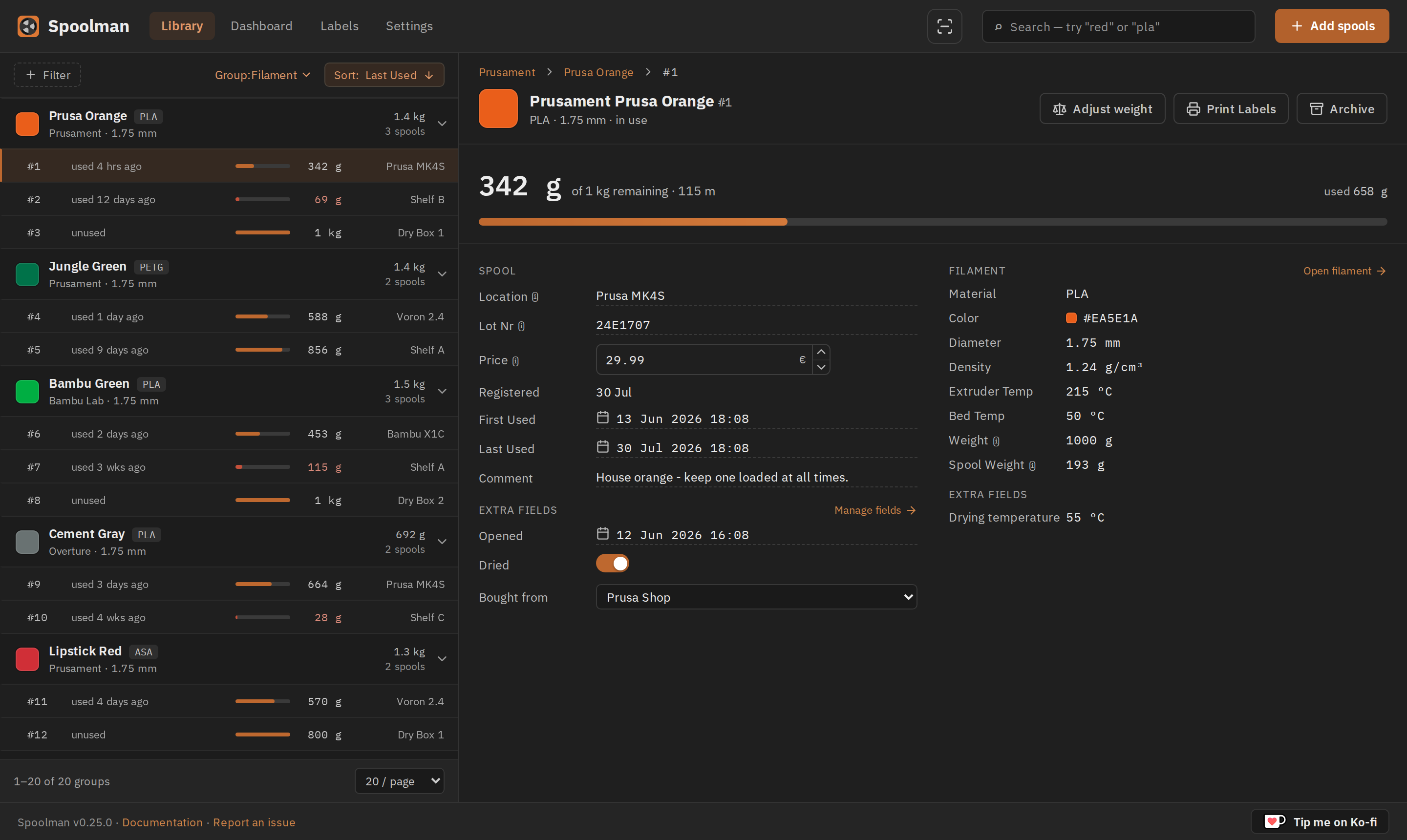
 |
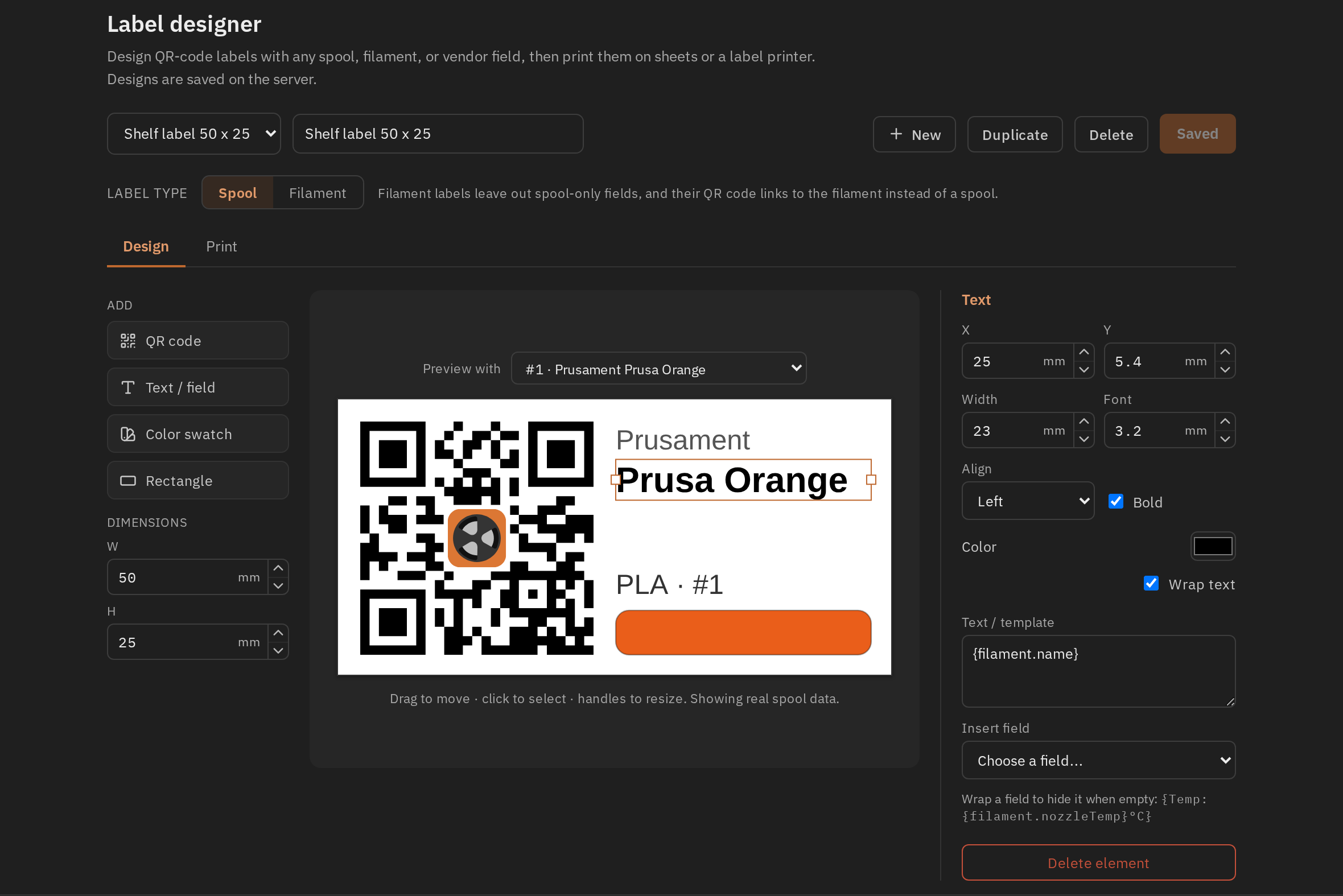 |
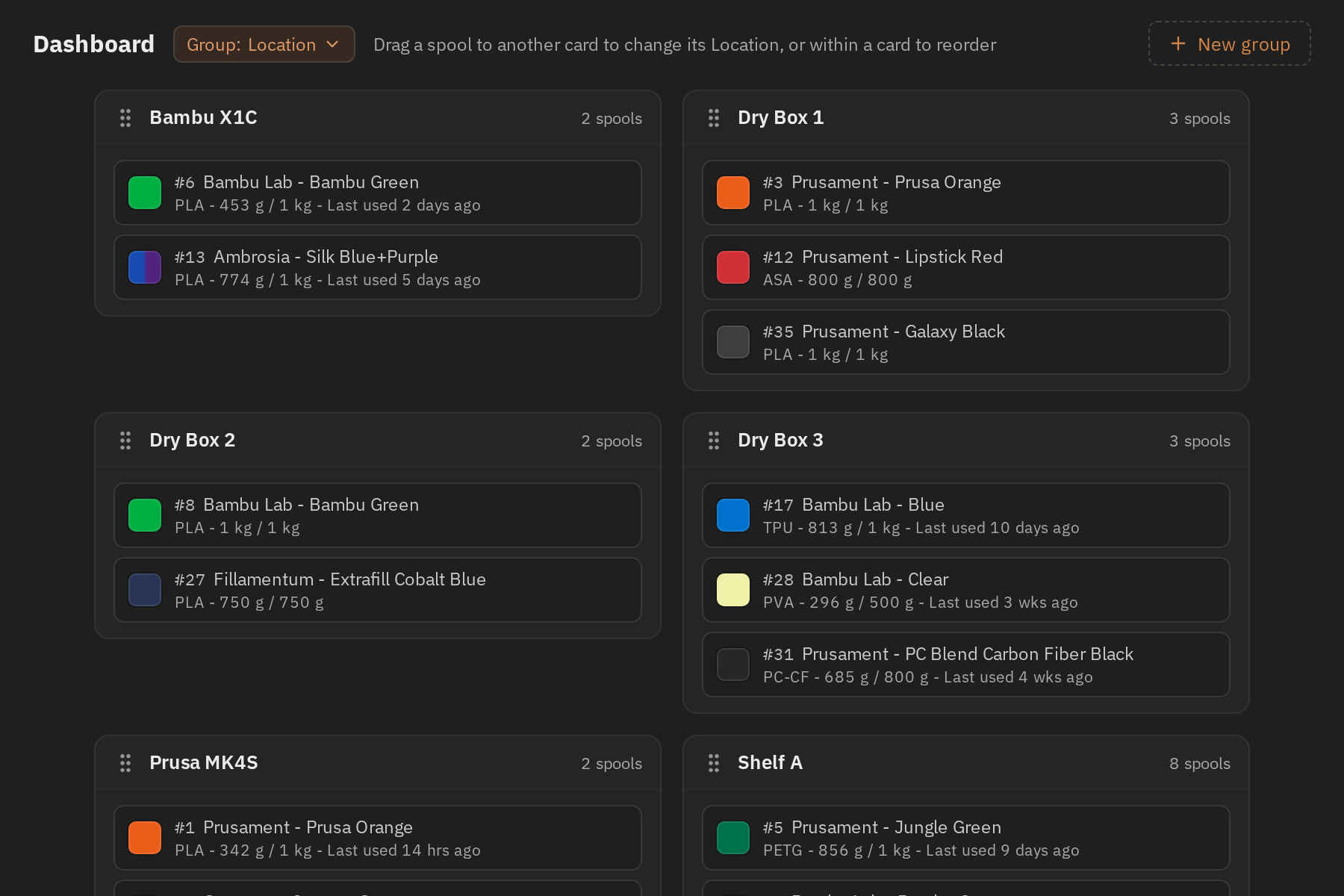
| Dashboard — spools as cards, grouped by location or any other field. Drag one to move it. | Label designer — QR labels built from any spool, filament or vendor field. |
Installation
Please see the Installation page on the Wiki for details how to install Spoolman.
If the new client misbehaves on your setup, set SPOOLMAN_LEGACY_CLIENT=TRUE to go back to
the previous one. Both ship in every release and talk to the same API, so your data is
untouched either way — but please report the problem
so it can be fixed.
Sponsors
Spoolman is developed and maintained in my spare time. If it is useful to you, consider sponsoring the project.

Categories
Related apps
Explore more like this
Explore allDetails
ghcr.io/donkie/spoolman:latestRuntime arguments
- Web UI
http://[IP]:[PORT:8000]- Network
bridge- Shell
sh- Privileged
- false
Template configuration
- Target
- /home/app/.local/share/spoolman
- Default
- /mnt/user/appdata/spoolman
- Value
- /mnt/user/appdata/spoolman
- Target
- 8000
- Default
- 7912
- Value
- 7912
Type of database, any of: postgres, mysql, sqlite, cockroachdb
- Default
- sqlite
Database hostname
- Default
- remove variable if not used
Database port
- Default
- remove variable if not used
Database name
- Default
- remove variable if not used
Database username
- Default
- remove variable if not used
Database password
- Default
- remove variable if not used
- Value
- 99
- Value
- 100