
All apps · 0 apps

splitbon
Docker app from cyborcc's Repository
Overview
Readme
View on GitHub

Splitbon
Split trip costs with friends. On your own server.
Photograph a receipt, let AI read and translate it, tap who had what, settle up in one currency.


Get started · What it does · Comparison · Screenshots · Docs


Why Splitbon
You come back from a trip with a pile of receipts in three currencies and no wish to hand your spending history to a company. Splitbon is a small web app you host yourself (Docker, Unraid, any Linux box) that turns that pile into a short list of who pays whom.
- Yours. Your server, your database, no ads, no daily limit on expenses.
- Built for travel. Pay in any currency; every amount is also shown in the group currency, and the trip's currency is offered first.
- Reads foreign receipts. A bill in Thai, Arabic or Japanese comes back in your language, with the shop name left as printed.
- Fair to the cent. Assign single line items, or split equally, by amount, percentage or shares. Tax and tip are spread in proportion.
- No lock-in. MIT licensed, plain PostgreSQL, full data export in the admin area.
Get started
Splitbon runs as one Docker container with PostgreSQL included.
git clone https://github.com/cyborcc/splitbon.git
cd splitbon/docker
cp ../.env.example .env
Open .env and set NEXTAUTH_SECRET and AUTH_SECRET (generate each with openssl rand -base64 32), then:
docker compose up -d --build
Splitbon is now running at http://localhost:3000. To scan receipts, connect an AI provider in .env or in the admin dashboard; see Configuration.
On Unraid
Add the template by hand (a Community Apps listing is in the works): paste
https://raw.githubusercontent.com/cyborcc/splitbon/main/unraid/splitbon.xml
into the template field of Docker → Add Container and fill in AUTH_SECRET and NEXTAUTH_SECRET. The template pulls ghcr.io/cyborcc/splitbon:stable; updates arrive through Check for Updates.
Backups, upgrades and prebuilt image tags are covered in Upgrading and backups.
What it does
| 🧾 Receipt scanning | Photo in, line items out. Rescan with a correction hint, pick the model per receipt, review AI corrections before they are applied. |
| 🌍 Multi-currency | ECB exchange rates for the day of the expense, or enter your own. Receipts keep the rate with its source and date. |
| 🙋 Everyone picks | One tap asks the whole group: everyone gets a push, opens the receipt and ticks their own items, all at the same time. |
| 🤝 Claim links | Share a scanned receipt; everyone picks their own items, split dishes between people, join as a couple. No account needed for guests. |
| 📍 Places & maps | Add where you paid: OpenStreetMap search, GPS, places nearby, a mini map on every expense. |
| 📊 Trip statistics | Totals, categories, timeline, people, map, budget and a daily-cost forecast. |
| 🔔 Notifications | In-app bell plus web push when you are part of a new expense, a price or your share changes, or someone pays you back. |
| 🗑️ Trash | Deleted an expense by mistake? It stays in the group's trash for 30 days and can be restored with all its shares. |
| 🔒 Private expenses | Only the payer sees title and amount. |
| 🧮 Settle up | Debts are simplified to as few payments as possible; paying records the settlement. Optional Venmo links for US groups. |
| 🌐 9 languages | English, Spanish, Swedish, French, German, Portuguese (BR), Japanese, Chinese, Korean. Dark mode included. |
| 🛠️ Admin & sign-in | Users, groups, audit log, announcements, server logs, data export. Email/password, magic link, or SSO through Authentik, Keycloak and co. |
| 📱 Installable | Works as a PWA on your phone's home screen. |
| 🧩 Pluggable AI | OpenAI, ChatGPT subscription, Claude, Meridian (Claude subscription), Swisscom myAI, or local Ollama. |
Splitbon also has a built-in How it works page with short videos, and a feedback page that turns a report into a prefilled GitHub issue.
How it compares
✅ yes · ⚠️ partly, paid, or needs setup · ❌ no · ➖ not documented
| Splitbon | Splitwise | Tricount | Splid | Spliit | SplitPro | |
|---|---|---|---|---|---|---|
| Self-hosted | ✅ | ❌ | ❌ | ❌ | ✅ | ✅ |
| Open source | ✅ | ❌ | ❌ | ❌ | ✅ | ✅ |
| Free without limits | ✅ | ⚠️ | ✅ | ✅ | ✅ | ✅ |
| AI receipt scan | ✅ | ⚠️ | ➖ | ➖ | ⚠️ | ➖ |
| Translates receipts | ✅ | ➖ | ➖ | ➖ | ➖ | ➖ |
| Several currencies | ✅ | ⚠️ | ✅ | ✅ | ➖ | ✅ |
| Push notifications | ✅ | ➖ | ➖ | ➖ | ➖ | ✅ |
| Native mobile app | ❌ | ✅ | ✅ | ✅ | ❌ | ❌ |
Splitwise's free plan has a daily expense limit and ads, and keeps receipt scanning and currency conversion in Pro. Spliit scans receipts only after you set up S3 storage and an OpenAI key. Splitbon, Spliit and SplitPro are web apps (installable as a PWA); the rest ship native apps.
If you just need to split one bill right now, a hosted app is quicker. If you want to keep the data, scan with your own AI key, or run it for friends and family at home, that is what Splitbon is for. The table follows each project's own site or README as of October 2026; these things change, so please check before deciding, and send a pull request if something is off.
See it in action
 Dashboard |
 Add an expense |
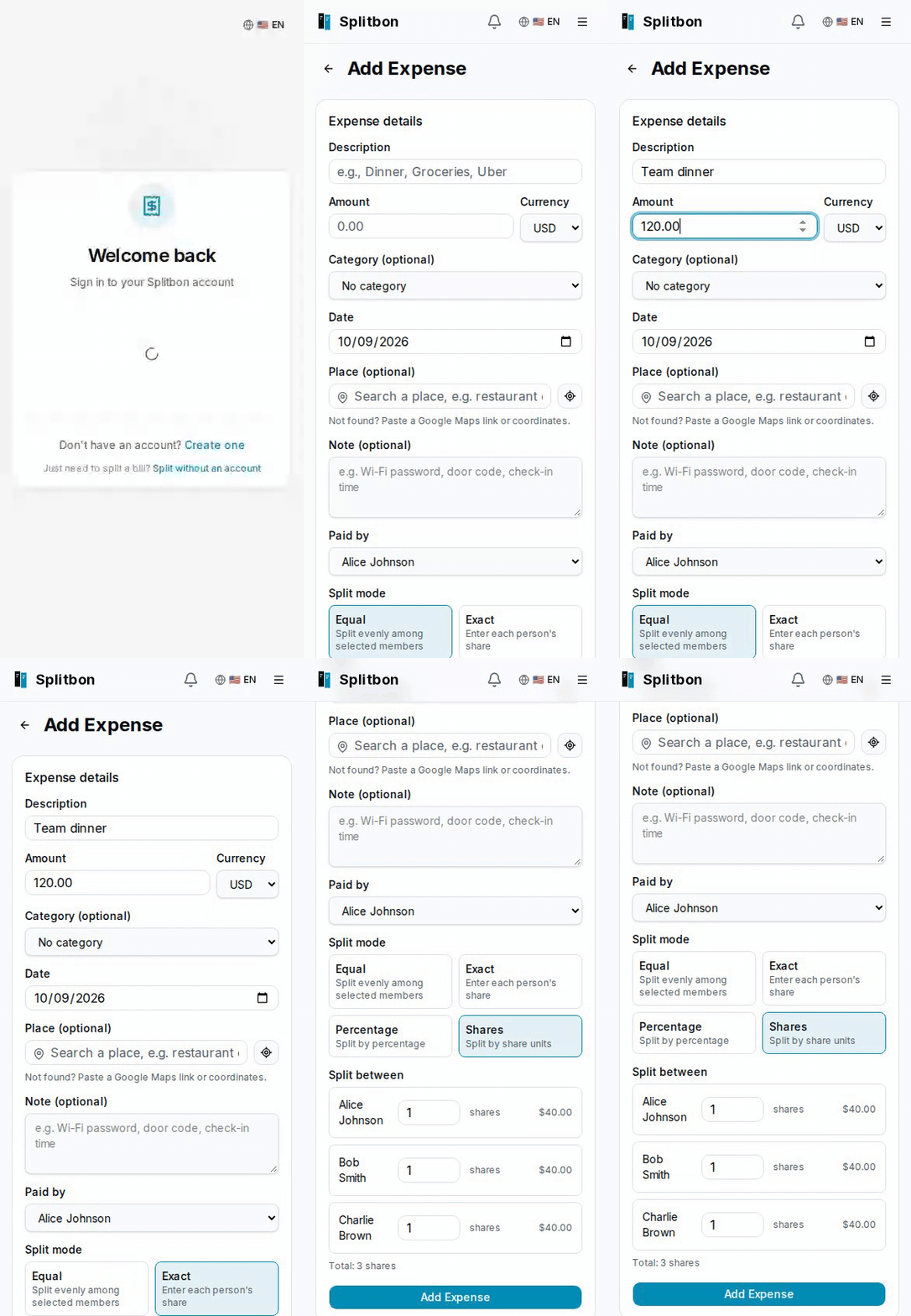 Split modes |
 Settle up |
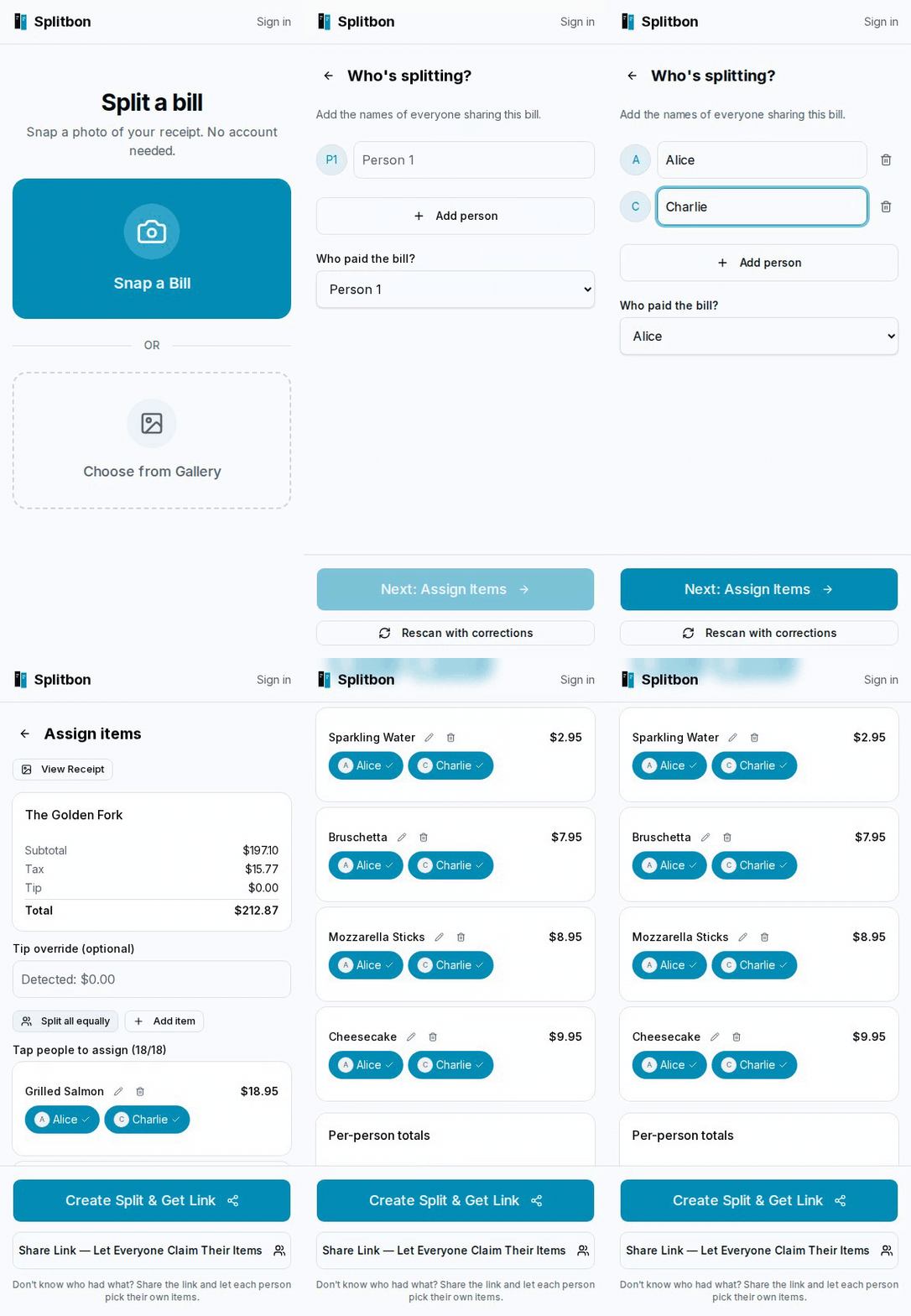 Guest split, no account |
 Invite by link |
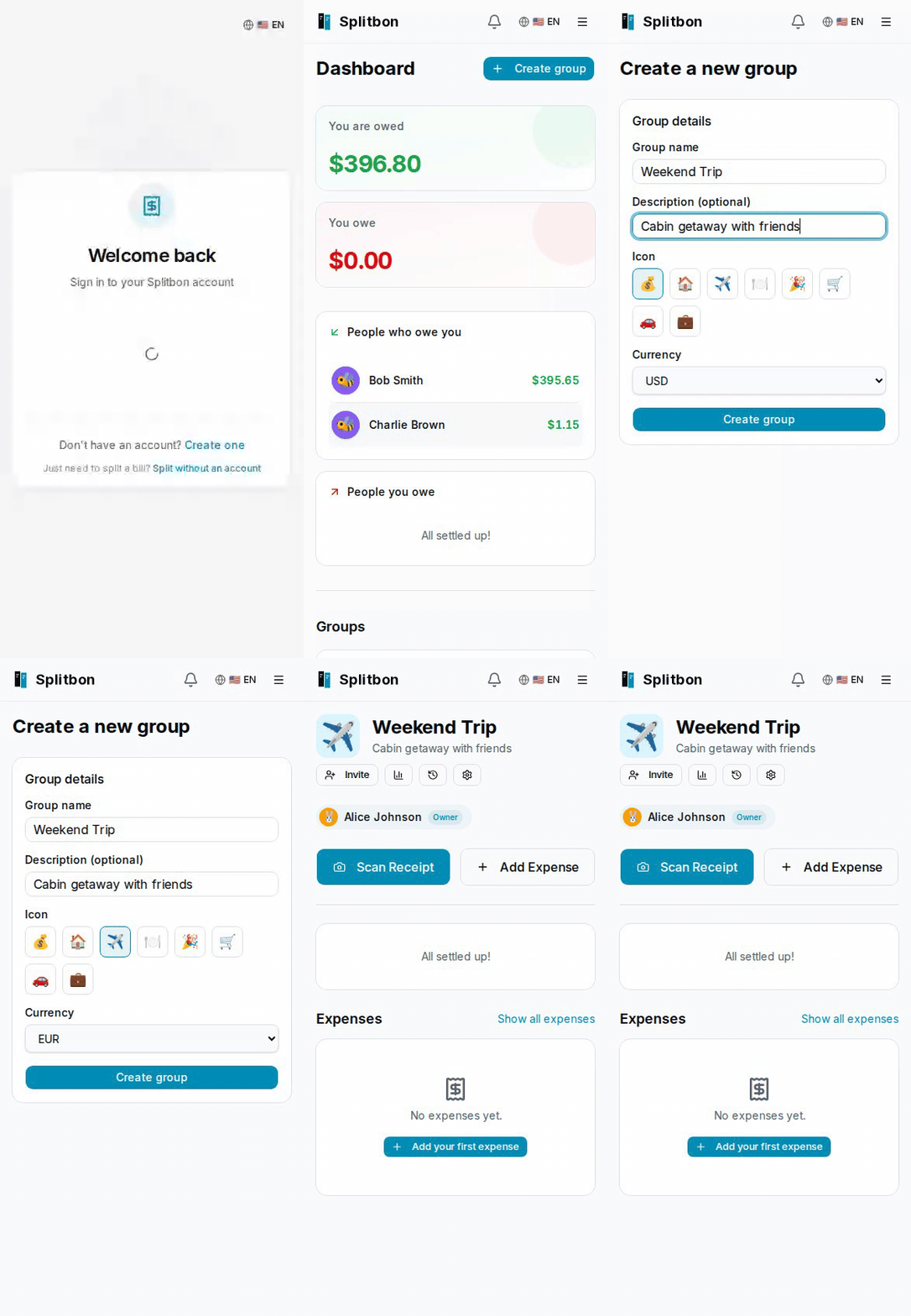 Create a group |
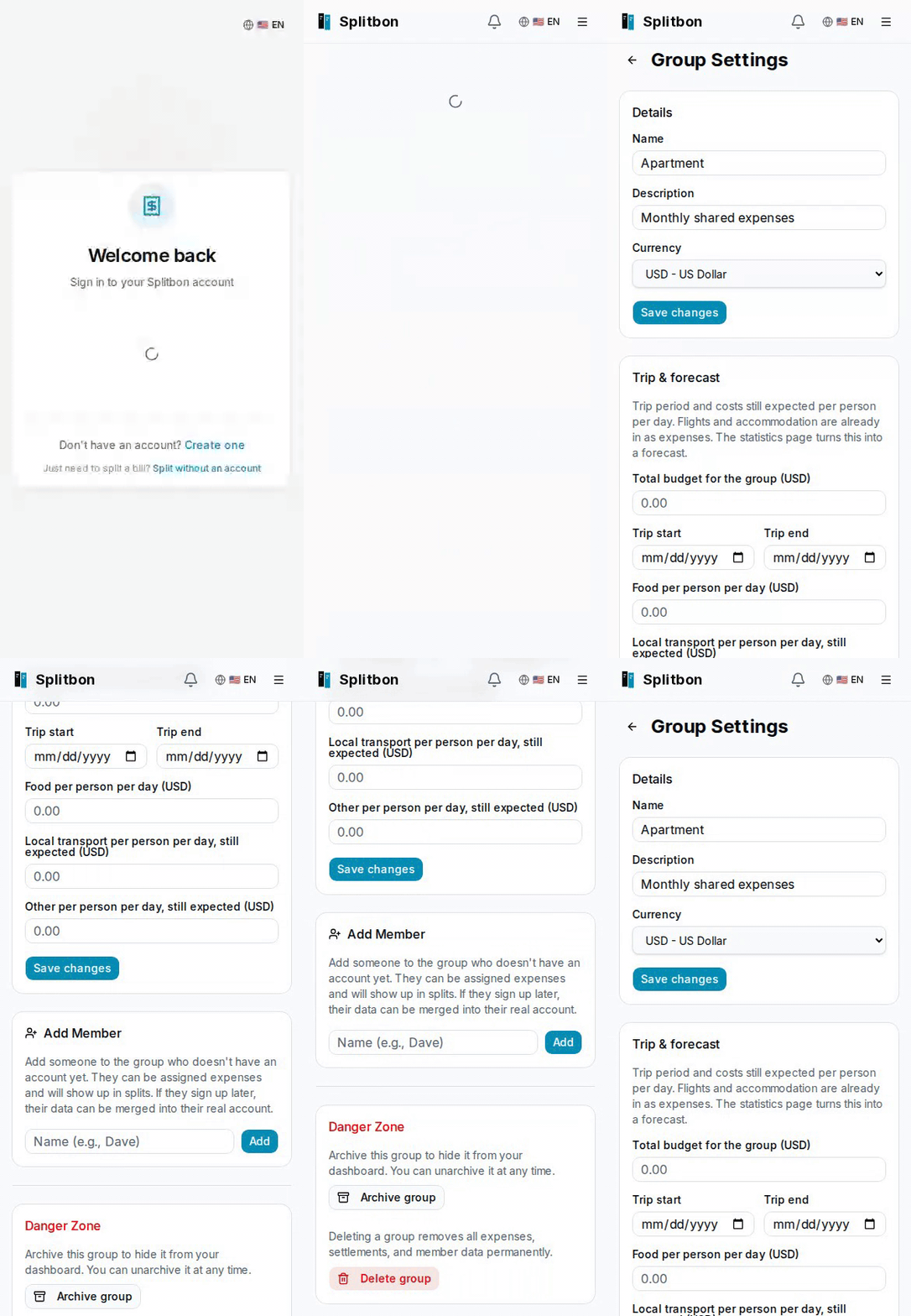 Group settings |
 Dark mode |
 9 languages |
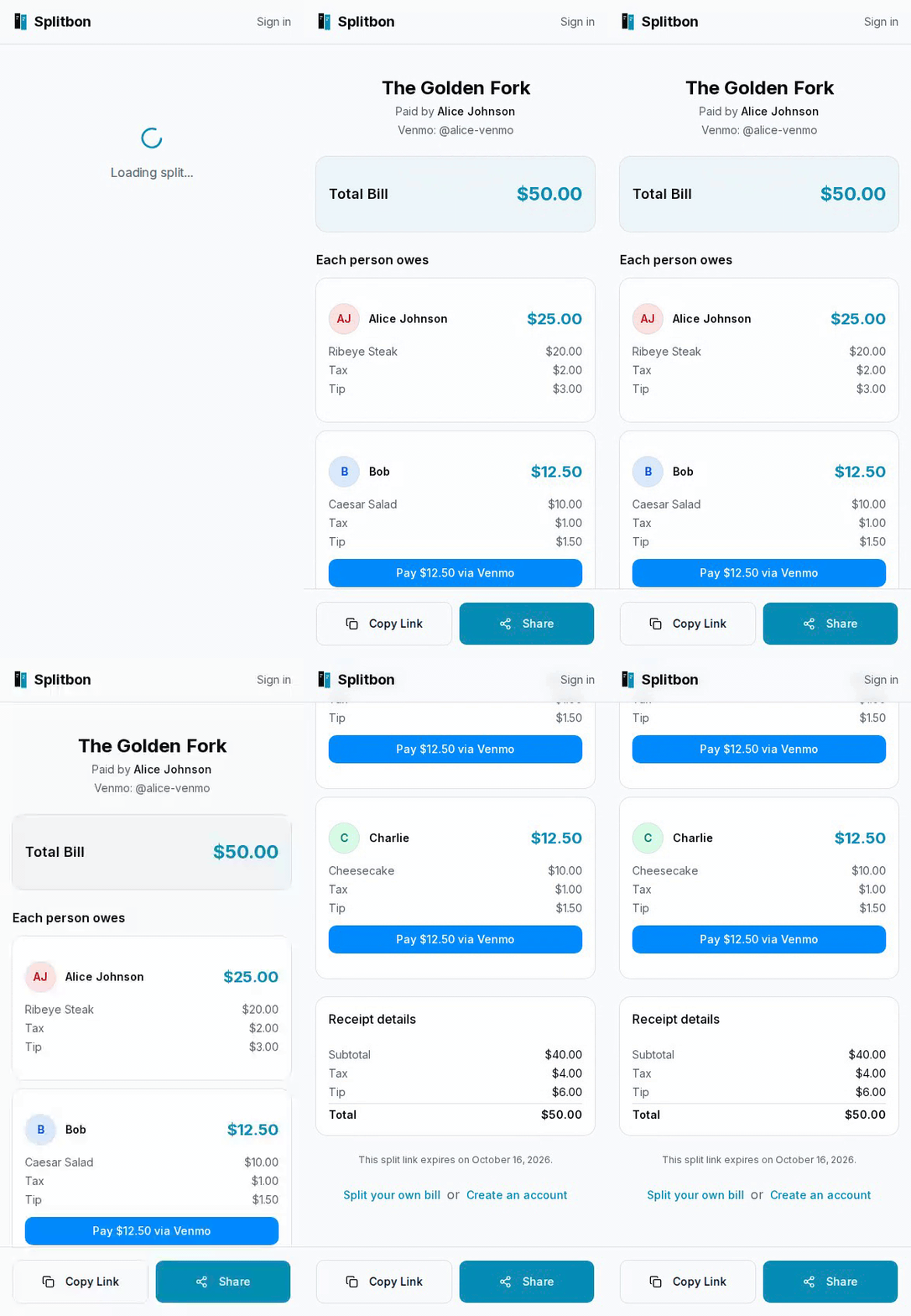 Venmo links (optional) |
 Admin dashboard |
Documentation
| Guide | What is in it |
|---|---|
| Configuration | Every environment variable: AI providers, SSO/OIDC, magic link, SMTP, rate limits. |
| Upgrading and backups | Backing up, updating, prebuilt image tags (stable / latest), database notes. |
| Development | Tech stack, local setup, tests, how releases work. |
| Contributing | Pull request guidelines and code style. |
| Security | How to report a vulnerability. |
Found a bug or have an idea? Open an issue, or use the feedback page inside the app.
Support
Splitbon is free and stays free. If it saved your trip budget, you can buy me a beer on Ko-fi 🍻, or just star the repo.
Credits and license
Splitbon grew out of ShareTab by sw-carlos-cristobal and contributors, and keeps its MIT license. On top of it come trip currencies, receipt translation, places and maps, statistics, notifications and more. Released under the MIT License.
Categories
Related apps
Explore more like this
Explore allDetails
ghcr.io/cyborcc/splitbon:stableRuntime arguments
- Web UI
http://[IP]:[PORT:3000]- Network
bridge- Privileged
- false
- Extra Params
--restart=unless-stopped
Template configuration
Host port to expose Splitbon on
- Target
- 3000
- Default
- 3000
- Value
- 3000
Path to store PostgreSQL data (persists across restarts)
- Target
- /var/lib/postgresql/data
- Default
- /mnt/user/appdata/splitbon/db
- Value
- /mnt/user/appdata/splitbon/db
Path to store uploaded receipt images
- Target
- /app/uploads
- Default
- /mnt/user/appdata/splitbon/uploads
- Value
- /mnt/user/appdata/splitbon/uploads
Persistent storage for Claude login data used by the meridian AI provider. Optional unless meridian is in AI_PROVIDER_PRIORITY.
- Target
- /app/claude
- Default
- /mnt/user/appdata/splitbon/claude
- Value
- /mnt/user/appdata/splitbon/claude
Persistent storage for ChatGPT OAuth login data used by the openai-codex AI provider. Optional unless openai-codex is in AI_PROVIDER_PRIORITY.
- Target
- /app/chatgpt
- Default
- /mnt/user/appdata/splitbon/chatgpt
- Value
- /mnt/user/appdata/splitbon/chatgpt
The URL where Splitbon is accessible (e.g., http://your-server-ip:3000). Split and personal links are copied from the browser address bar, not built from this, so open Splitbon at this URL before sharing one.
- Target
- NEXTAUTH_URL
- Default
- http://192.168.1.x:3000
- Value
- http://192.168.1.x:3000
Secret key for session encryption. Generate with: openssl rand -base64 32
- Target
- AUTH_SECRET
Same value as Auth Secret (required by NextAuth)
- Target
- NEXTAUTH_SECRET
Set to true when running on a local network or behind a reverse proxy
- Target
- AUTH_TRUST_HOST
- Default
- true
- Value
- true
Password for the bundled PostgreSQL user
- Target
- DB_PASSWORD
- Default
- sharetab
- Value
- sharetab
Username for the bundled PostgreSQL database
- Target
- DB_USER
- Default
- sharetab
- Value
- sharetab
Name of the bundled PostgreSQL database
- Target
- DB_NAME
- Default
- sharetab
- Value
- sharetab
Comma-separated provider priority chain, for example: openai-codex,meridian,openai. Splitbon uses the first available provider and falls back to the next provider if extraction fails.
- Target
- AI_PROVIDER_PRIORITY
- Default
- openai
- Value
- openai
API key for OpenAI (required when openai is in AI_PROVIDER_PRIORITY)
- Target
- OPENAI_API_KEY
OpenAI model for receipt scanning. Defaults to gpt-4o.
- Target
- OPENAI_MODEL
- Default
- gpt-4o
- Value
- gpt-4o
Model for receipt scanning when openai-codex is in AI_PROVIDER_PRIORITY. Defaults to gpt-5.5.
- Target
- OPENAI_CODEX_MODEL
- Default
- gpt-5.5
- Value
- gpt-5.5
API key for Claude (required when claude is in AI_PROVIDER_PRIORITY)
- Target
- ANTHROPIC_API_KEY
Claude model for receipt scanning (claude/meridian providers). Defaults to claude-sonnet-5. Options include claude-sonnet-5, claude-opus-5, claude-haiku-4-5
- Target
- ANTHROPIC_MODEL
- Default
- claude-sonnet-5
- Value
- claude-sonnet-5
Lightweight model used by the Meridian health poller to verify auth tokens. Defaults to Haiku to minimize token usage.
- Target
- ANTHROPIC_HEALTH_MODEL
- Default
- claude-haiku-4-5-20251001
- Value
- claude-haiku-4-5-20251001
Port for the embedded Meridian proxy (used when meridian is in AI_PROVIDER_PRIORITY). Change if port 3457 conflicts with another service.
- Target
- MERIDIAN_PORT
- Default
- 3457
- Value
- 3457
Ollama server URL (required when ollama is in AI_PROVIDER_PRIORITY)
- Target
- OLLAMA_BASE_URL
- Default
- http://192.168.1.x:11434
- Value
- http://192.168.1.x:11434
Ollama vision model for receipt scanning
- Target
- OLLAMA_MODEL
- Default
- llava
- Value
- llava
SMTP server for outgoing emails. Used for magic link sign-in and OAuth auth expiry alerts (Meridian / ChatGPT OAuth). Leave blank to disable email sending.
- Target
- EMAIL_SERVER_HOST
SMTP port (465 for implicit TLS, 587 for STARTTLS)
- Target
- EMAIL_SERVER_PORT
- Default
- 465
- Value
- 465
SMTP username / email address
- Target
- EMAIL_SERVER_USER
SMTP password or app password
- Target
- EMAIL_SERVER_PASSWORD
From address for sent emails
- Target
- EMAIL_FROM
Google OAuth client ID (optional). The login page has no Google button, but sign-ins sent to the provider directly still work and create accounts for any Google user; see the README security notes.
- Target
- GOOGLE_CLIENT_ID
Google OAuth client secret
- Target
- GOOGLE_CLIENT_SECRET
OIDC issuer URL (optional — enables SSO via Authentik, Authelia, Keycloak, ...). Must match the issuer in the IdP's .well-known/openid-configuration exactly (Authentik: trailing slash). Redirect URI: [NEXTAUTH_URL]/api/auth/callback/oidc
- Target
- OIDC_ISSUER
OIDC client ID
- Target
- OIDC_CLIENT_ID
OIDC client secret
- Target
- OIDC_CLIENT_SECRET
Login button label: Sign in with [name]
- Target
- OIDC_DISPLAY_NAME
- Default
- SSO
Create a Splitbon account the first time a new IdP user signs in (true/false)
- Target
- OIDC_AUTO_REGISTER
- Default
- true
Link a first-time IdP login to an existing Splitbon user with the same email (true/false). Only enable if your IdP doesn't let users set arbitrary, unverified emails. Refused while anyone can sign up with a password (Registration Mode: Open).
- Target
- OIDC_ALLOW_EMAIL_LINKING
- Default
- false
How the client secret is sent to the token endpoint: client_secret_basic or client_secret_post
- Target
- OIDC_TOKEN_AUTH_METHOD
- Default
- client_secret_basic
Hide the email/password form and close registration (true/false). Ignored unless OIDC or magic link sign-in is configured. With SSO only, link existing accounts first or their owners cannot sign in.
- Target
- DISABLE_PASSWORD_LOGIN
- Default
- false
Lock guest (no account) receipt uploads and AI scans off, overriding the admin toggle (true/false). Signed-in users with an active account keep Quick Split, so also limit who can create an account: Registration Control only covers password sign-up; magic link, Google and OIDC auto-registration still create accounts.
- Target
- DISABLE_GUEST_UPLOADS
- Default
- false
Email address of the admin user. Grants access to the /admin dashboard for managing users, groups, and storage, and receives OAuth auth expiry alerts when email is configured. Leave blank to disable admin features.
- Target
- ADMIN_EMAIL
Max login attempts per email address per 15 minutes. Increase for testing.
- Target
- AUTH_RATE_LIMIT_MAX
- Default
- 5
- Value
- 5
Max registration attempts per client IP per hour.
- Target
- REGISTER_RATE_LIMIT_MAX
- Default
- 10
- Value
- 10
Max login attempts per client IP per 15 minutes. The client IP comes from the cf-connecting-ip, x-real-ip, or first x-forwarded-for header. Clients can forge these unless your reverse proxy overwrites all three; see the README Rate Limiting section.
- Target
- AUTH_IP_RATE_LIMIT_MAX
- Default
- 30
- Value
- 30
Per client IP per hour, applied separately to guest receipt uploads, guest splits, and claim sessions.
- Target
- GUEST_RATE_LIMIT_MAX
- Default
- 10
- Value
- 10
Max guest receipt uploads per hour across all guests combined.
- Target
- GUEST_UPLOAD_GLOBAL_LIMIT
- Default
- 100
- Value
- 100
Max guest AI receipt scans per hour across all guests combined.
- Target
- GUEST_AI_GLOBAL_LIMIT
- Default
- 100
- Value
- 100
Maximum receipt image upload size in megabytes
- Target
- MAX_UPLOAD_SIZE_MB
- Default
- 10
- Value
- 10
Server log verbosity: debug | info | warn | error. Defaults to info.
- Target
- LOG_LEVEL
- Default
- info
- Value
- info