
All apps · 0 apps

SparkyFitness---Garmin
Docker app from grtgbln's Repository
Overview
This is the Garmin integration microservice container.
Readme
View on GitHubSparkyFitness
A self-hosted, privacy-first alternative to MyFitnessPal, Flo, Hevy, Shotsy & more. Track nutrition, exercise, body metrics, and health data while keeping full control of your data.
SparkyFitness is a self-hosted fitness tracking platform made up of:
- A backend server (API + data storage)
- A web-based frontend
- Native mobile apps for iOS and Android
It stores and manages health data on infrastructure you control, without relying on third party services.
Core Features
- Nutrition, exercise, hydration, sleep, fasting, mood and body measurement tracking
- Goal setting and daily check-ins
- Interactive charts and long-term reports
- Multiple user profiles and family access
- Light and dark themes
- OIDC, TOTP, Passkey, MFA etc.
How SparkyFitness Compares
SparkyFitness is source-available, not open source — the license is non-commercial and requires permission for commercial use.
Most apps do one thing. One good nutrition app runs $40–$100 a year; covering everything SparkyFitness covers means three or four subscriptions, per person, and still no single report across them. SparkyFitness does it in one app, free, for the whole household.
US list prices, 14 Aug 2026. Full cost breakdown →
| SparkyFitness | wger | MyFitnessPal | Cronometer | Hevy | Zero | Flo | Garmin Connect | Google Health | |
|---|---|---|---|---|---|---|---|---|---|
| Self-hosted, your data stays yours | ⭐ | ✅ | ❌ | ❌ | ❌ | ❌ | ❌ | ❌ | ❌ |
| No subscription, no ads | ✅ | ✅ | ❌ | 🟡 | 🟡 | ❌ | ❌ | ✅ | 🟡 |
| Nutrition, strength, sleep, fasting, cycle & meds in one place* | ⭐ | 🟡 | 🟡 | 🟡 | ❌ | ❌ | ❌ | 🟡 | 🟡 |
| Full history & custom date-range reports | ✅ free | 🟡 | 💰 | 💰 | 💰 | 💰 | 💰 | ✅ | 💰 |
| Wearable & health-platform sync | ✅ 8+ services | ❌ | ✅ | ⭐ | ✅ | 🟡 | 🟡 | 🟡 | ✅ |
| Family sharing with granular permissions | ⭐ 7 permissions | ❌ | ❌ | 🟡 | ❌ | ❌ | ❌ | 🟡 | 🟡 |
| CSV import & free data export | ✅ | 🟡 | 💰 | ✅ | ✅ | 🟡 | 🟡 | 🟡 | ❌ |
| MCP server + bring your own LLM | ⭐ | 🟡 | ❌ | ❌ | ❌ | ❌ | ❌ | ❌ | ❌ |
⭐ standout • ✅ supported • 🟡 partial • 💰 paid tier only • ❌ not supported
* Sleep stages, HRV and blood glucose are imported from your watch, phone or meter. SparkyFitness stores, analyses and charts them rather than measuring them itself.
This table is written by the project being compared, so read it that way. Checked 14 Aug 2026 against official docs, repos and store listings; some of it is already out of date. If a cell is wrong or unfair to another project, open an issue — corrections that make SparkyFitness look worse are just as welcome.
See the full comparison → — 17 apps across self-hosted, nutrition, specialist and device-ecosystem categories, plus where each of them beats us.
Health & Device Integrations
SparkyFitness can sync data from multiple health and fitness platforms:
- Apple Health (iOS)
- Google Health Connect (Android)
- Google Health API
- Fitbit
- Garmin Connect
- Withings
- Polar Flow
- Oura
- Hevy
- OpenFoodFacts
- USDA
- Fatsecret
- Nutritionix
- Mealie
- Tandoor
- Strava (partially tested)
- COROS
- Norish
- Yazio (uses unofficial API)
- Swiss Food Database
- Canadian Nutrient File (Health Canada)
- Swedish Food Agency (Livsmedelsverket)
- Free Exercise DB (Github)
- Wger
Integrations automatically sync activity data such as steps, workouts, and sleep, along with health metrics like weight and body measurements, to your SparkyFitness server.
Optional AI Features (Beta)
SparkyAI provides a conversational interface for logging data and reviewing progress.
- Log food, exercise, body stats, and steps via chat
- Upload food images for automatic meal logging
- Retains conversation history for follow ups
Note: AI features are currently in beta.
Installation
Choose one of the two ways to run SparkyFitness:
1. Self-Hosted
Get a SparkyFitness server running in minutes using Docker Compose:
# 1. Create a new folder
mkdir sparkyfitness && cd sparkyfitness

# 2. Download docker-compose.yml
curl -L -o docker-compose.yml https://raw.githubusercontent.com/CodeWithCJ/SparkyFitness/main/docker/docker-compose.prod.yml

# 3. Set up your .env configuration (Choose one option):
# Option A (Recommended): Generate custom .env with 1-click secure keys in browser:
# 👉 https://codewithcj.github.io/SparkyFitness/install/env-generator

# Option B: Minimal template — 5 values, everything else uses the defaults
# docker-compose already applies. Fine for most self-hosted installs.
curl -L -o .env https://raw.githubusercontent.com/CodeWithCJ/SparkyFitness/main/docker/.env.simple.example

# Option C: Full reference — every supported variable, commented out with its
# default. Start here for SSO, SMTP, an external database or a reverse proxy.
# curl -L -o .env https://raw.githubusercontent.com/CodeWithCJ/SparkyFitness/main/docker/.env.example

# 4. Replace the placeholders (skip if you used Option A — the generator
# already filled these in). The server refuses to start while they are left
# as-is, and the database would otherwise initialize with a published password.
#   SPARKY_FITNESS_DB_PASSWORD        any strong password
#   SPARKY_FITNESS_API_ENCRYPTION_KEY openssl rand -hex 32     (64 hex chars)
#   BETTER_AUTH_SECRET                openssl rand -base64 32  (44 chars)
#   SPARKY_FITNESS_FRONTEND_URL       the URL you will open the app at

# 5. Start the app
docker compose pull && docker compose up -d

# Access application at http://localhost:3004
Note: For complete configuration options, reverse proxies, and alternative install methods, visit the Documentation Site.
2. Cloud (for non-technical users)
If you are not a technical user and prefer not to run SparkyFitness on your own server, you can deploy a hosted instance in the cloud using one of the following providers.


Note: These are independent third-party services. We encourage you to explore features provided by each provider to determine the one that best fits your needs.
🎥 Video Tutorial
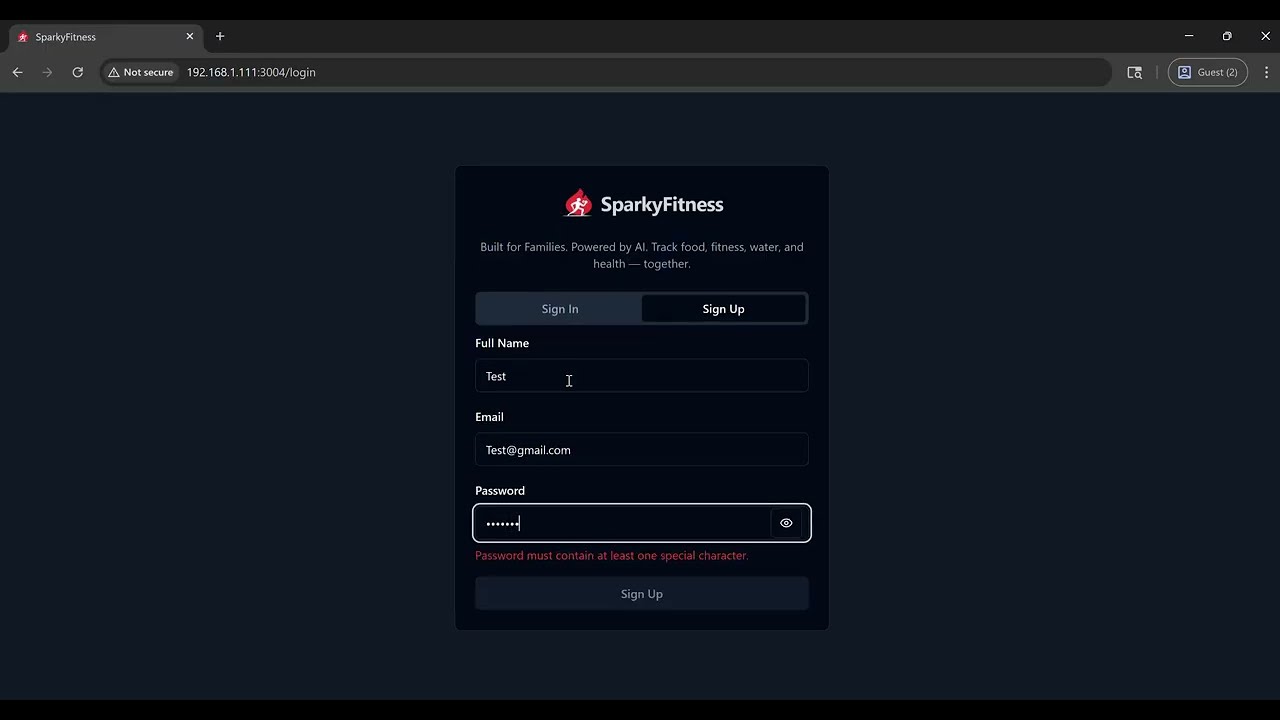
Quick 2-minute tutorial showing how to install SparkyFitness (self-hosted fitness tracker).
Documentation
For full installation guides, configuration options, and development docs, please visit our Documentation Site.
Quick Links
- Installation Guide - Deployment and configurations
- Interactive .env Generator - Client-side
.envconfiguration builder - Features Overview - Complete feature documentation
- Development Workflow - Developer guide and contribution process
- iOS App Info and Android App Info
Need Help?
- Post in Github issues/discussion.
- For faster response and get help from other community memebers Join our Discord
Star History
Translations


Repository activity
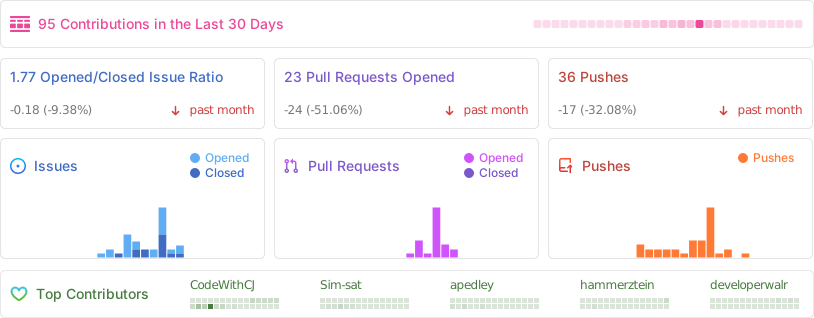
Contributors
⚠️ Known Issues / Beta Features ⚠️
SparkyFitness is under active development. Breaking changes may occur between releases.
- Auto-updating containers is not recommended
- Always review release notes before upgrading
The following features are currently in beta and may not have been thoroughly tested. Expect potential bugs or incomplete functionality:
- AI Chatbot
- Family & Friends access
- API documentation
Media gallery
Requirements
Requires SparkyFitness containers.
Categories
Download Statistics
Total Downloads Over Time
Related apps
Explore more like this
Explore allLinks
Details
codewithcj/sparkyfitness_garmin:latestRuntime arguments
- Web UI
http://[IP]:[PORT:8000]/- Network
sparkyfitness- Privileged
- false
Template configuration
Container Port: 8000
- Target
- 8000
- Default
- 8000
- Value
- 8000
URL of the Garmin microservice (e.g., http://IP_ADDRESS:8000)
- Target
- GARMIN_MICROSERVICE_URL
- Default
- http://IP_ADDRESS:8000
- Value
- http://IP_ADDRESS:8000
Port number for the Garmin microservice. Must match port defined in GARMIN_MICROSERVICE_URL
- Target
- GARMIN_SERVICE_PORT
- Default
- 8000
- Value
- 8000
Set to true if you are in China to use the China Garmin servers
- Target
- GARMIN_SERVICE_IS_CN
- Default
- false|true