
All apps · 0 apps

sortify
Docker app from JPDVM2014's Repository
Overview
Sortify is a self-hosted playlist assistant for Navidrome. It scans your library, stores metadata locally, and generates recommended playlists from the web UI. It does NOT touch your files metadata and instead stores it in a local SQLite database, keeping your files safe and untouched.
Readme
View on GitHub

Sortify
It's is a self-hosted playlist assistant for Navidrome. It scans your library, stores metadata locally, and generates recommended playlists from the web UI. It does NOT touch your files metadata and instead stores it in a local SQLite database, keeping your files safe and untouched.
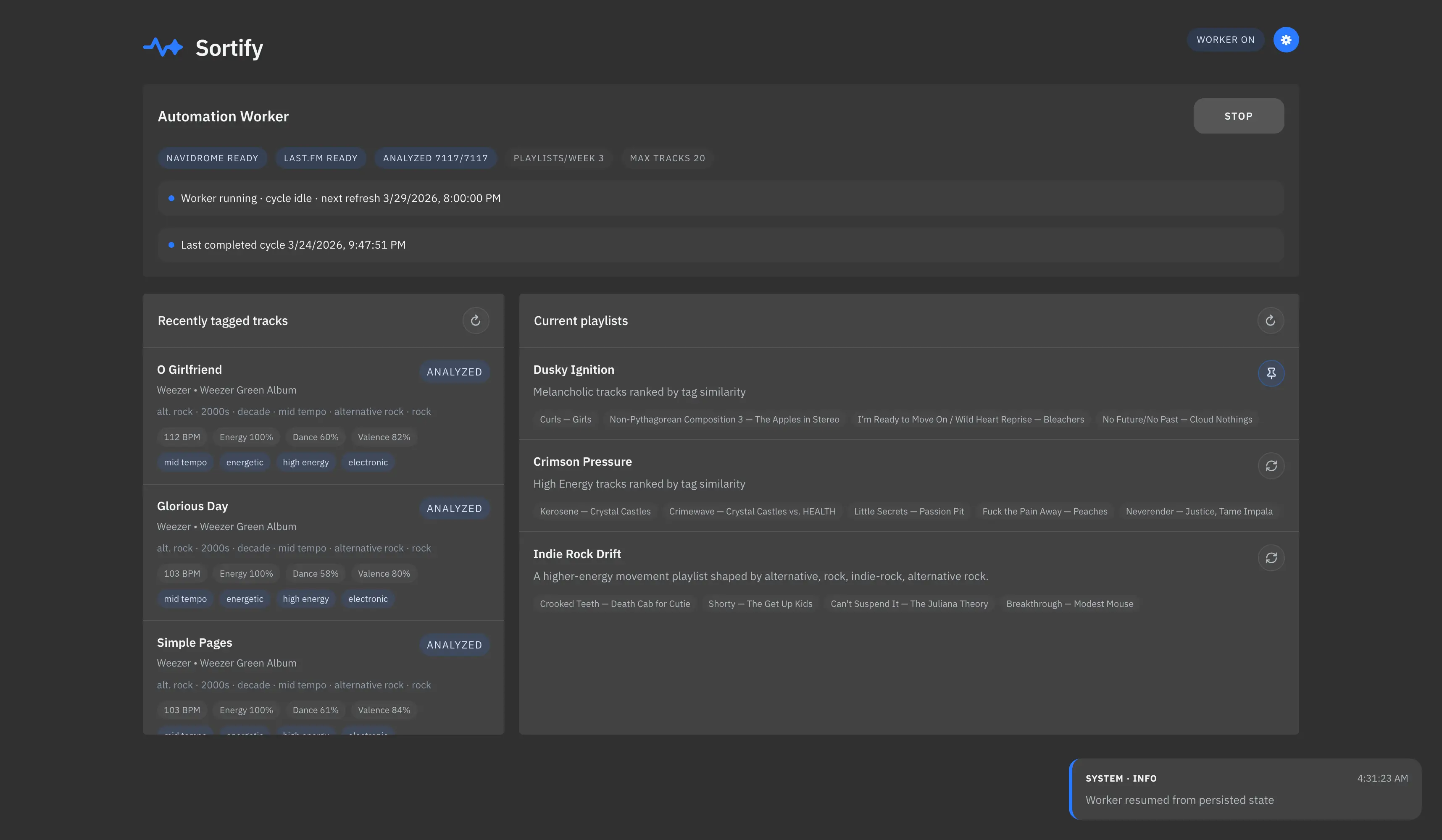
Screenshot
Requirements
- Navidrome
- Last.FM API key
Docker build
services:
  sortify:
    image: "ghcr.io/lklynet/sortify:latest"
    container_name: sortify
    ports:
      - "3001:3001"
    restart: unless-stopped
    volumes:
      - ./data:/data
Change ./data if you want data to persist through container restarts.
Configuration
All settings can be updated via the app UI. It supports these environment variables:
PORTSUBSONIC_URLSUBSONIC_USERSUBSONIC_PASSWORDLASTFM_API_KEYMAX_TRACKS_PER_PLAYLIST
Playlist modes
In the Current playlists panel, the mode button is icon-only. Clicking it cycles through:
- ↻ Weekly (dynamic): replaced by Sortify on refresh cycles.
- 📌 Pinned: keeps the playlist in place, but refreshes its tracks.
- 🔒 Locked: keeps the playlist exactly as-is, with no automatic changes.
License
AGPL-3.0-or-later
Categories
Related apps
Explore more like this
Explore allDetails
Repository
ghcr.io/lklynet/sortify:latestRegistry
Last Updated2026-10-14
First Seen2026-05-30
Runtime arguments
- Web UI
http://[IP]:[PORT:3001]/- Network
bridge- Shell
sh- Privileged
- false
- Extra Params
--user 99:100
Template configuration
WebUIPorttcp
- Target
- 3001
- Value
- 3001
AppdataPathrw
- Target
- /data
- Value
- /mnt/user/appdata/sortify