
Sonora
Docker app from Sonora's Repository
Overview
Readme
View on GitHub
A self-hosted web controller for Sonos systems







Sonora gives you more ways to play.
📚 Features | 🎨 Themes | 🚀 Get Started | 💙 Contributions | 👏🏻 Credits | 🔒 License
Sonora
Sonora is the Sonos controller you've always wanted.
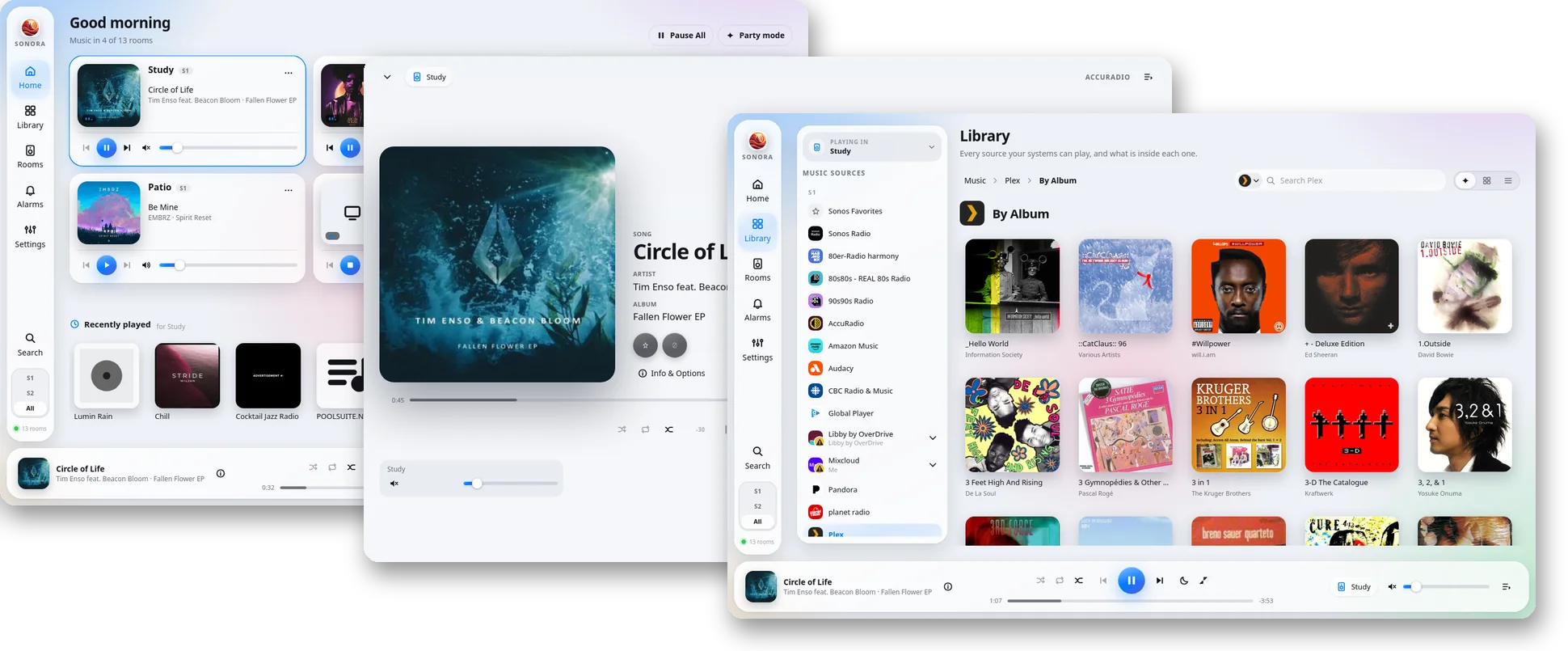
Sonora's browser-based approach finally brings desktop control to Linux users and web control to all Sonos devices.
Most features included in Sonos' desktop and web apps are included in Sonora...plus some new ones!
A human designed Sonora and Claude Code built it.
Sonora is not affiliated with Sonos, Inc. and was created by an enthusiastic end user.
📚 Features
- 🔊 S1 and S2 in one controller
- Control every Sonos speaker ever made from a single app. (Room groupings and music services remain separate.)
- 🖥️ Any browser, any screen
- Responsive design. No client to install. Linux users finally have a way to play!
- 🎨 Theme engine
- Sonora comes with several themes, including three relatively close recreations of Sonos' own Windows, Mac, and web apps.
- 🎵 All your music
- Enjoy streamed music services, local libraries, Sonos Favorites, and all your old playlists.
- 🎤 Lyrics
- Follow along with the words to whatever's playing, timed to the music where possible,
- 🏠 Every room
- Grouping, volume, EQ, sleep timers, and alarms are all included.
- 📱 A new virtual speaker: "This browser"
- Play audio through your browser as if it were one more room.
- 🧭 S2 upgrade advisor
- Find out what it would take to upgrade your system to S2 or S2.1.
- 🌐 VPN-Friendly
- Control speakers when you're away from home over your existing VPN connection
- 🩺 Diagnostics
- View response times and radio conditions for every room to troubleshoot connection issues.
- 🏡 Local first
- Talks to your speakers on your own network. Signing in to Sonos is optional, as it is on their apps.
- 🗣️ Multilingual
- Twenty languages.
- ⚖️ AGPL-3.0-only
- Because free software should stay that way.
- 🤖 Guaranteed Non-Slop
- I built this because I wanted it for myself. I use it daily, and it is good.
🚀 Get Started
Sonora needs to be installed on your home network on any machine that has access to your Sonos devices. Sonora is lightweight and runs well on even an older Raspberry Pi.
Docker is the recommended way to run Sonora: one command to install, one to update, and nothing else to set up on the machine.
If you run Home Assistant or Unraid, Sonora can also be installed as an app there.
Images are provided for linux/amd64 and linux/arm64. Sonora is lightweight enough to run on an older Raspberry Pi.
Install With Docker (recommended)
Install Sonora
- Install Docker Engine with Docker Compose
- If you're on macOS, enable Host Networking within Docker Desktop - it's disabled by default.
- Download
docker-compose.ymlinto a folder of its own. - Then, from the folder holding
docker-compose.yml:
docker compose up -d
Find it at http://localhost:50205. (Get it?)
Future Updates
From the same folder:
docker compose pull && docker compose up -d
Install in Home Assistant
You'll need Home Assistant OS or a Supervised install. Container and Core installs can't run apps, so use Docker there instead.
Install Sonora
- In Home Assistant, go to Settings > Apps and choose Install App.
- Open the ⋮ menu at the top right, choose Repositories, and add
https://github.com/Bretteroo/Sonora. - Find Sonora in the store, then install and start it.
- Turn on Show in sidebar.
Sonora then appears in Home Assistant's sidebar for every user. Phones and other computers can also open it directly at http://homeassistant.local:50205, without signing in to Home Assistant.
Future Updates
Home Assistant offers each new Sonora release as an app update, alongside its own updates.
Install on Unraid
Install Sonora
- In Unraid, open the Apps tab. If it offers to install Community Applications, do that first.
- Search for Sonora and click Install.
- Click Apply. The defaults suit most servers.
- Open http://your-server:50205, or choose WebUI from Sonora's icon on the Docker tab.
Future Updates
On the Docker tab, click Check for Updates, then apply update next to Sonora.
Install Without Docker
You'll need:
- Python 3.11 or newer, with its
venvmodule. On Debian, Ubuntu and Raspberry Pi OS that's a separate package:sudo apt install python3-venv. - Node.js 20.19 or newer (or 22.12 or newer), to build the interface.
- git.
Install Sonora
sudo mkdir /opt/sonora
sudo chown $USER: /opt/sonora
git clone https://github.com/Bretteroo/Sonora.git /opt/sonora
cd /opt/sonora/app/frontend
npm ci
npm run build
cd /opt/sonora
python3 -m venv .venv
.venv/bin/pip install --require-hashes -r app/requirements.lock
Future Updates
cd /opt/sonora && git pull
cd app/frontend && npm ci && npm run build
cd /opt/sonora && .venv/bin/pip install --require-hashes -r app/requirements.lock
sudo systemctl restart sonora
Test it
cd /opt/sonora/app && /opt/sonora/.venv/bin/python -m backend
Find it at http://localhost:50205 (Get it?).
This keeps its data (sign-ins, themes) in ~/.config/sonora. The systemd service below keeps its own in /var/lib/sonora, so you'll sign in once more after switching to it.
Make it persistent with systemd
Here's how to start Sonora when the machine boots (and keep it running) with systemd.
If your OS doesn't use systemd, ask a robot how to do this.
Save this as /etc/systemd/system/sonora.service:
[Unit]
Description=Sonora
After=network-online.target
Wants=network-online.target

[Service]
DynamicUser=yes
StateDirectory=sonora
Environment=SONORA_DATA_DIR=/var/lib/sonora
WorkingDirectory=/opt/sonora/app
ExecStart=/opt/sonora/.venv/bin/python -m backend
Restart=on-failure
ProtectSystem=strict
ProtectHome=yes
PrivateTmp=yes

[Install]
WantedBy=multi-user.target
Then sudo systemctl daemon-reload && sudo systemctl enable --now sonora.
Find it at http://localhost:50205
To use a different port, add Environment=SONORA_WEB_PORT=<port> to the [Service] section.
Settings and Firewalls
Sonora reads these from the environment when it starts. In docker-compose.yml they go under environment:, where SONORA_WEB_PORT is already set; in the systemd unit, as Environment= lines.
You shouldn't have to set any of these, ever, unless you've got some really unique shenanigans goin' on.
| Variable | Default | What it does |
|---|---|---|
SONORA_WEB_PORT |
50205 |
The port the page is served on. |
SONORA_WEB_HOST |
0.0.0.0 |
The address to listen on. The default is every one. |
SONORA_EVENT_PORT |
50206 |
The port the speakers connect to with live updates. 0 picks any free port. |
SONORA_DATA_DIR |
~/.config/sonora |
Where sign-ins, installed themes and caches are kept. /data in Docker. |
SONORA_ALLOWED_HOSTS |
Extra names Sonora answers to, comma-separated, such as a reverse proxy's or a tunnel's (sonora.example.net, or .example.net for every name under it). Addresses, localhost, .local names and the machine's own name already work. |
|
SONORA_LOG_LEVEL |
INFO |
How much goes in the log. |
If the machine running Sonora has a firewall, it needs to let in:
- TCP
50205(or yourSONORA_WEB_PORT) from the devices you control it from. - TCP
50206(or yourSONORA_EVENT_PORT) from the speakers. Without it Sonora still works, but it won't see changes made elsewhere until you reload. - UDP from the speakers, which is how they answer when Sonora looks for them.
Docker's network_mode: host is required for the same reason: the speakers have to be able to reach Sonora, not just the other way round.
🎨 Themes
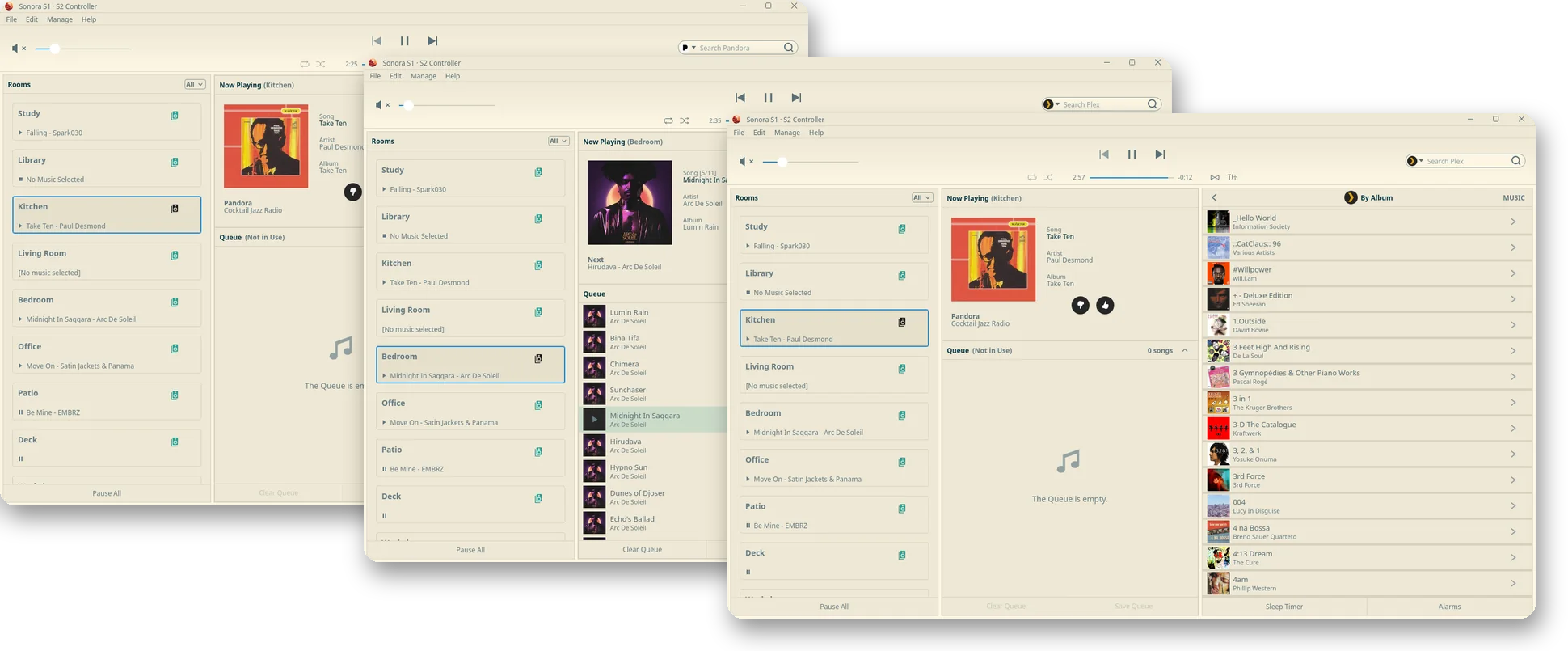
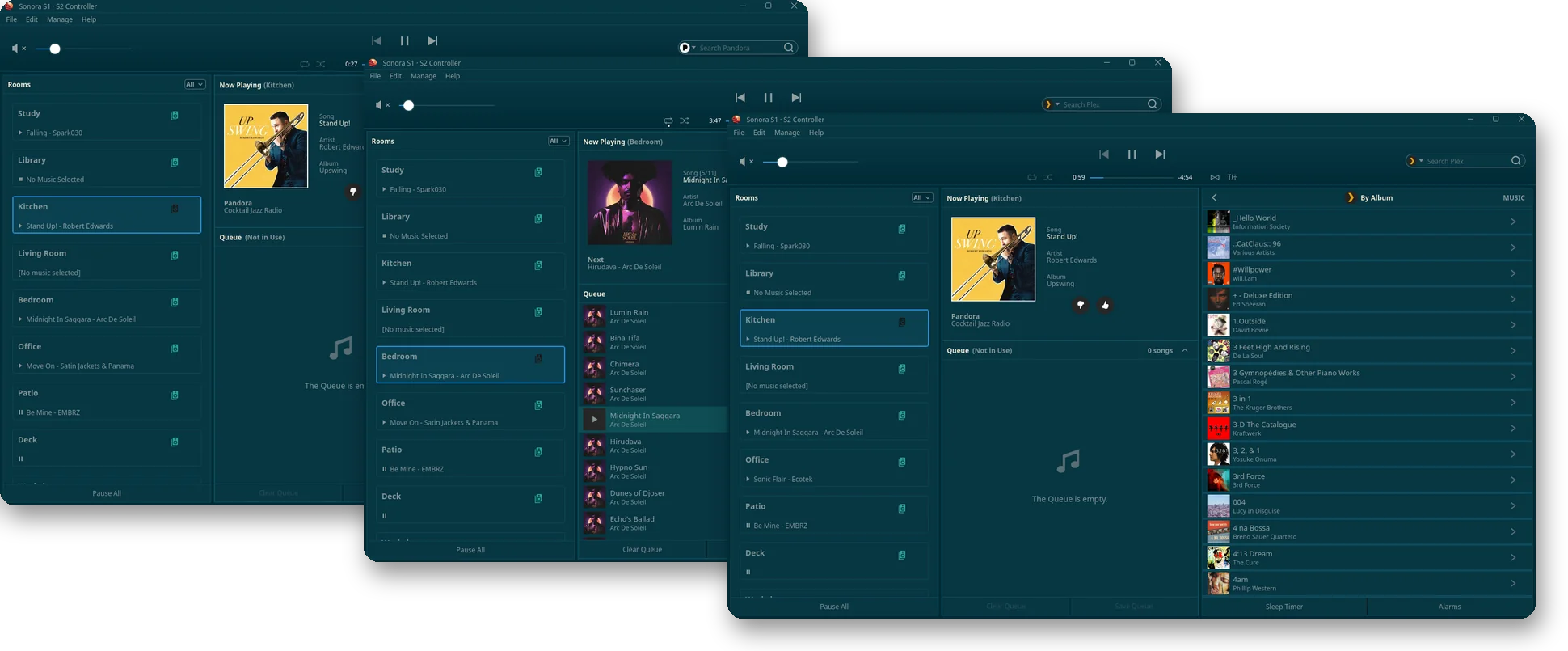
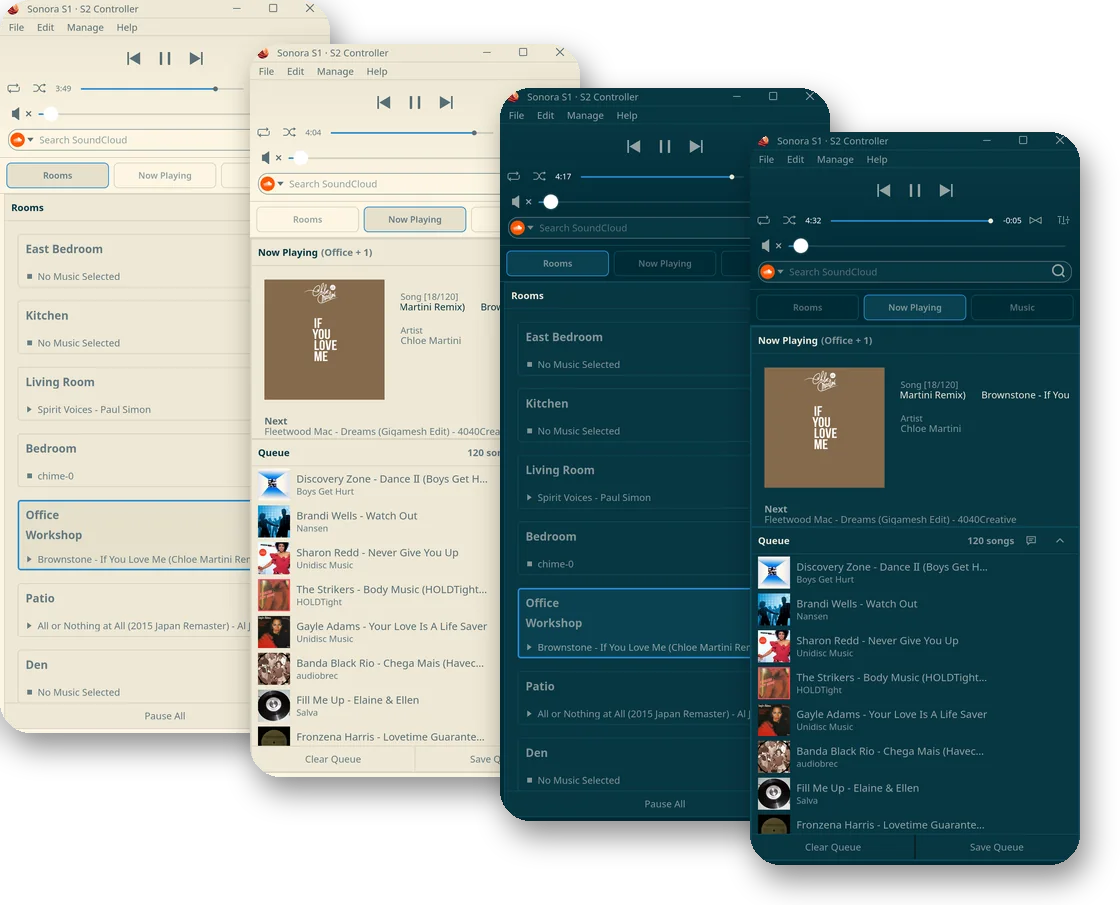
Sonora ships several themes. Six of them, Hi-Fi, Liquid Glass, Material Girl, Severed, Solarized, and Sonofuture, come in both light and dark.
You can make your own themes, too! THEMES.md shows how.
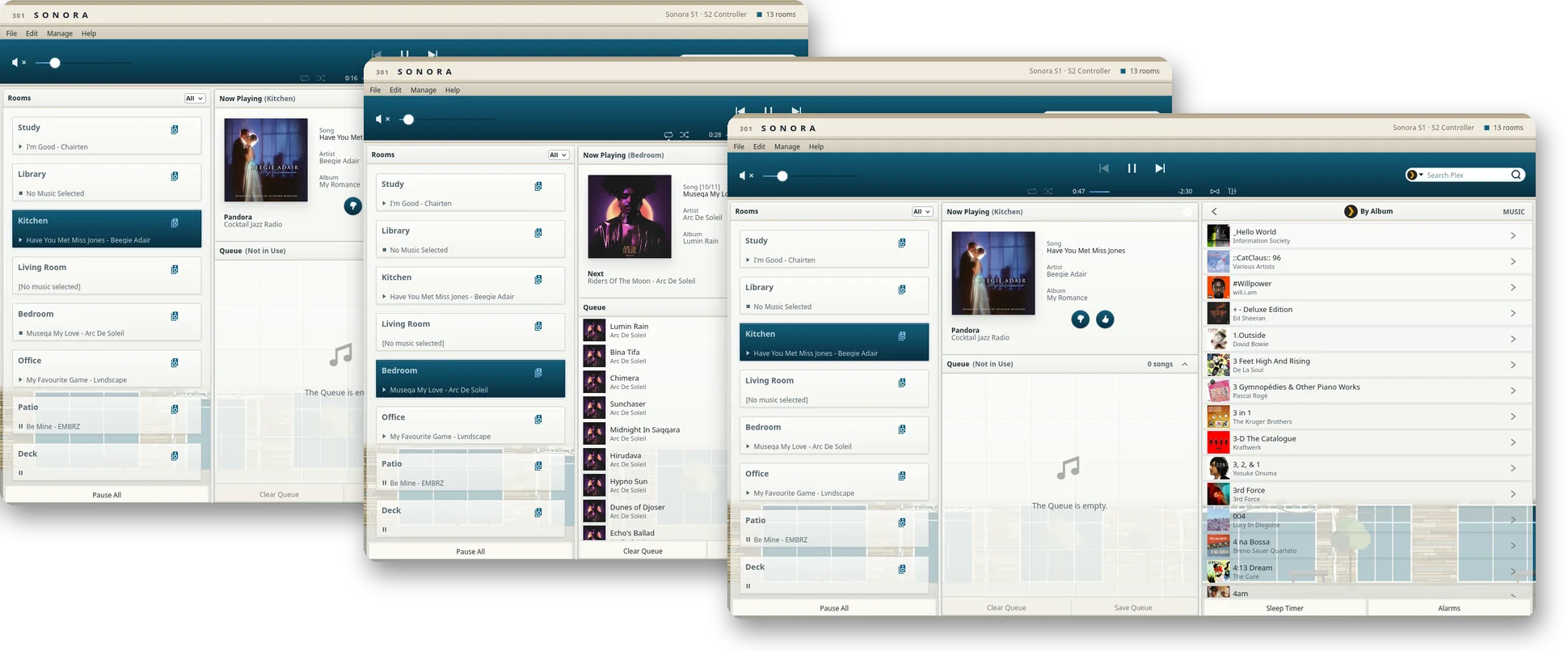
Coromar
Sonora's own default: light concrete, navy glass, tilt-up concrete walls, and stacked stone veneers. Inspired by the seaside office building Sonos calls home.
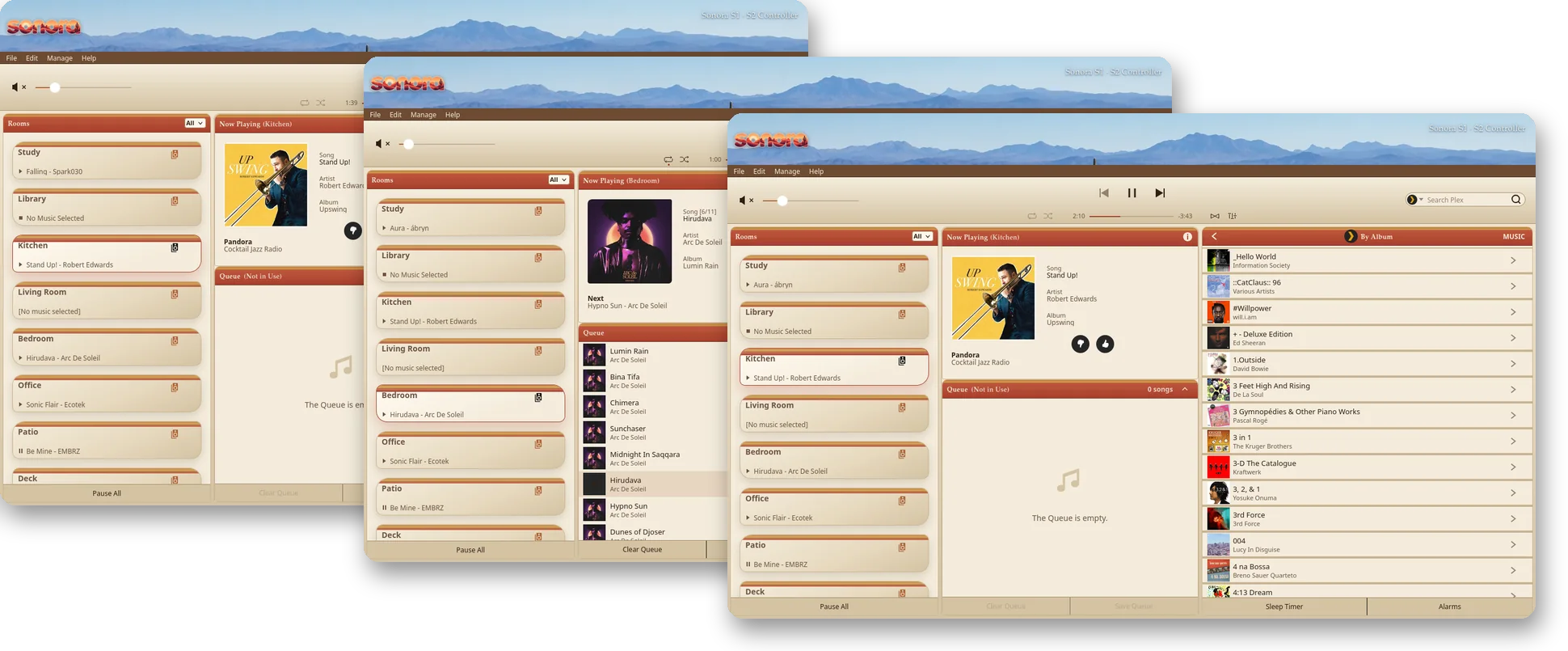
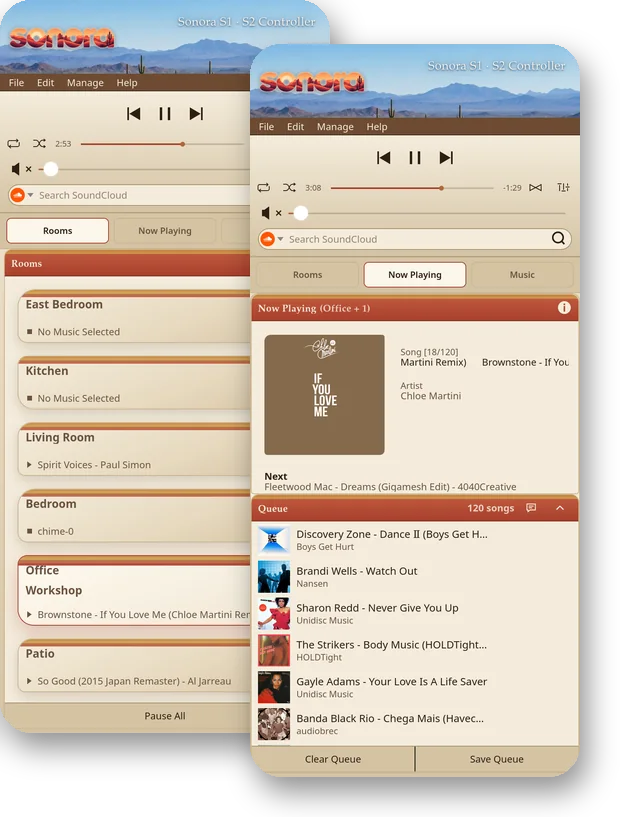
Sedona
Red rocks and a mesa horizon against a desert skyline. Gaze at sedimentary rock while you listen to progressive rock.
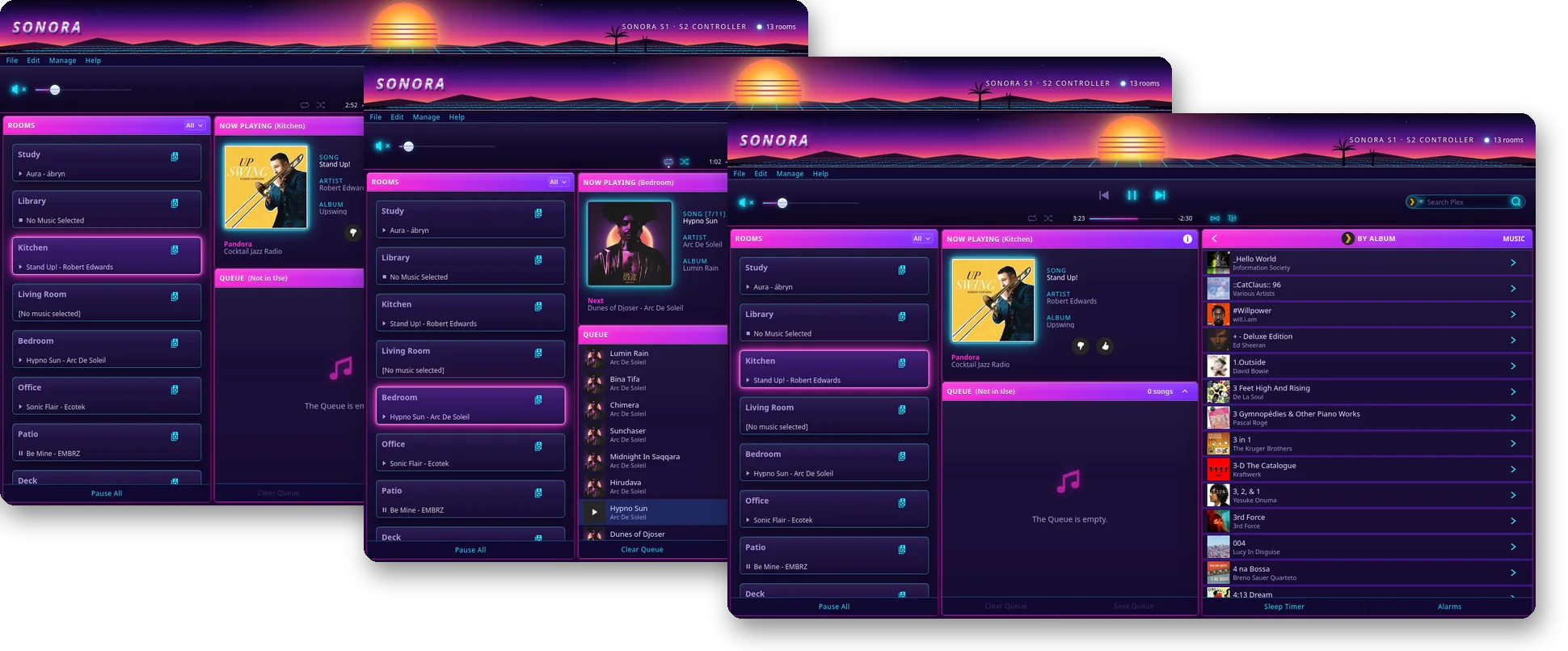
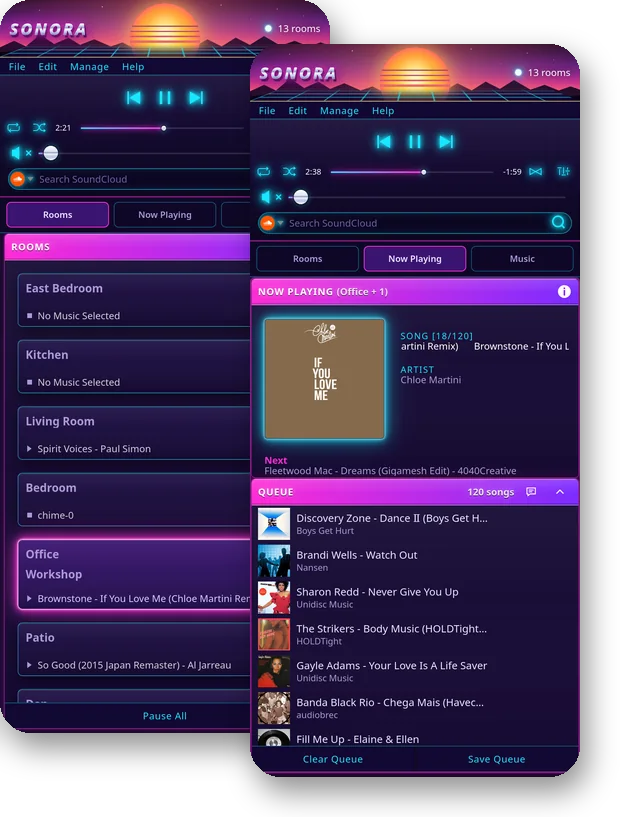
Outrun
A synthwave sunset, neon, lasers, and a nostalgic feeling. Quintessential Outrun.
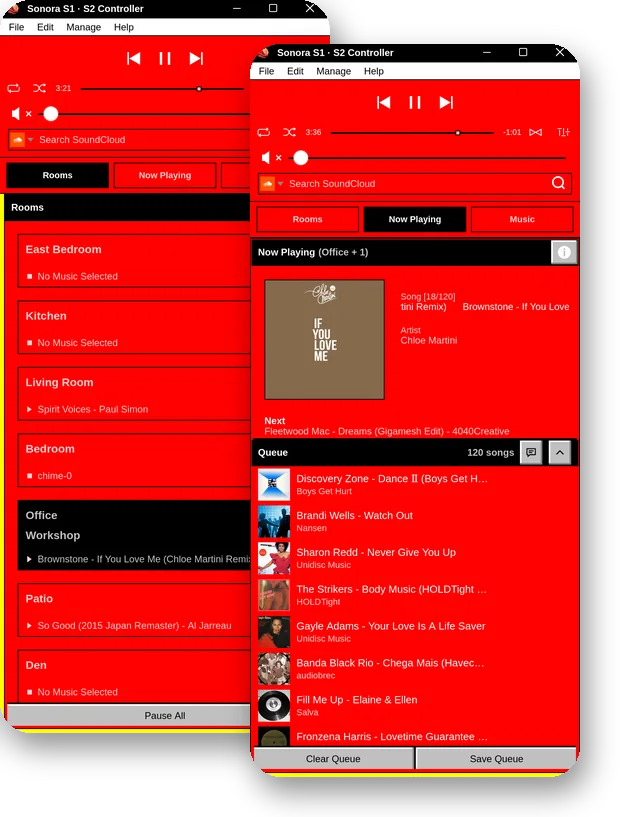
Hot Dog Stand
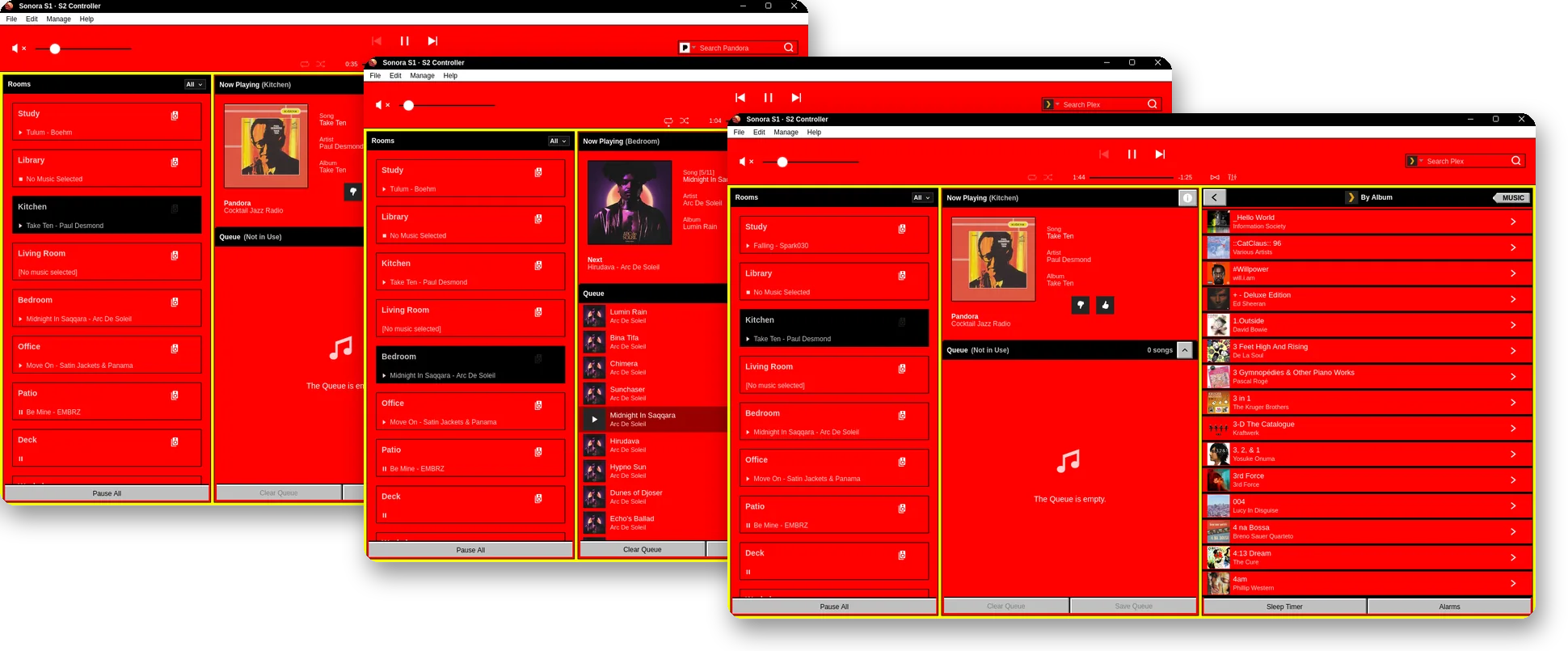
For the OGs. Windows 3.1's most infamous contribution to the world of UX. Ketchup, mustard, and a side of eye strain. Not recommended.
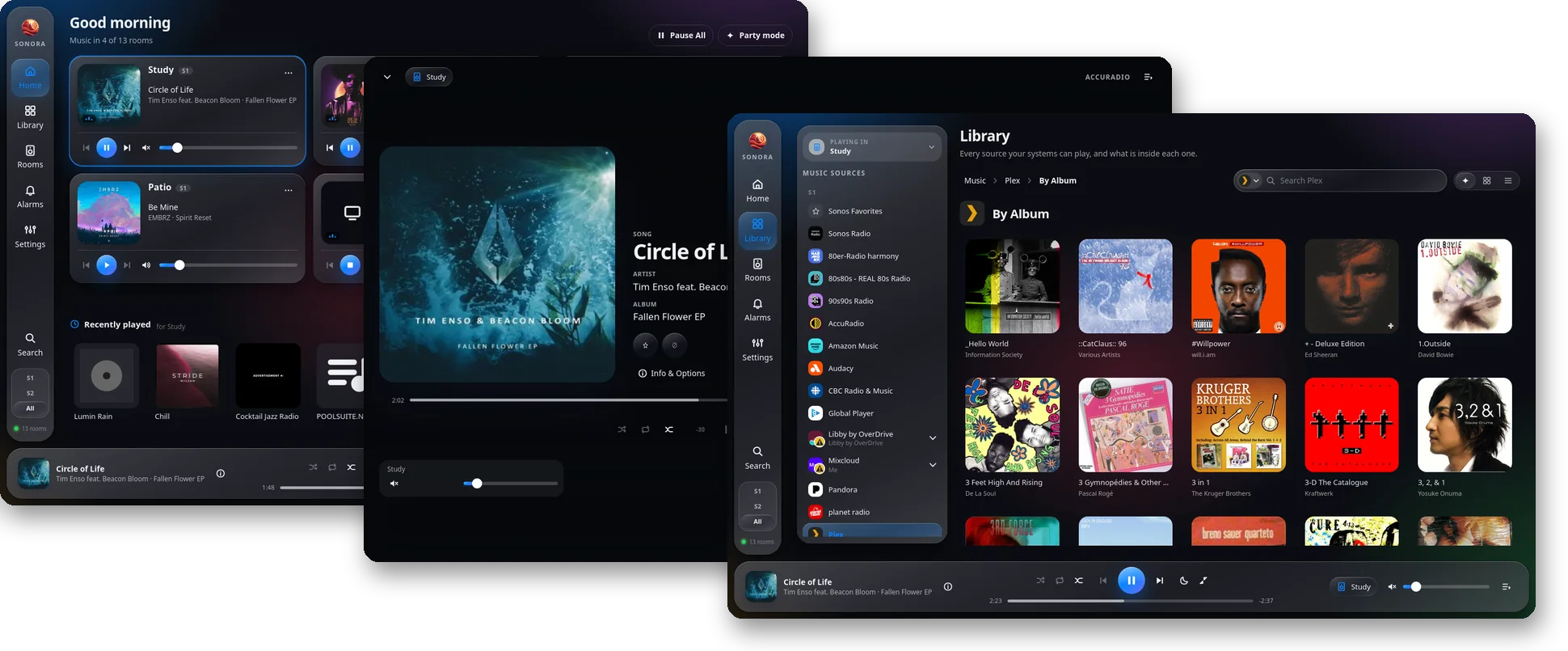
Liquid Glass
The visual design language made popular by Apple. Modern and clean. Floating panels of frosted, specular glass above a drifting mesh wallpaper, capsule controls, and concentric corners.
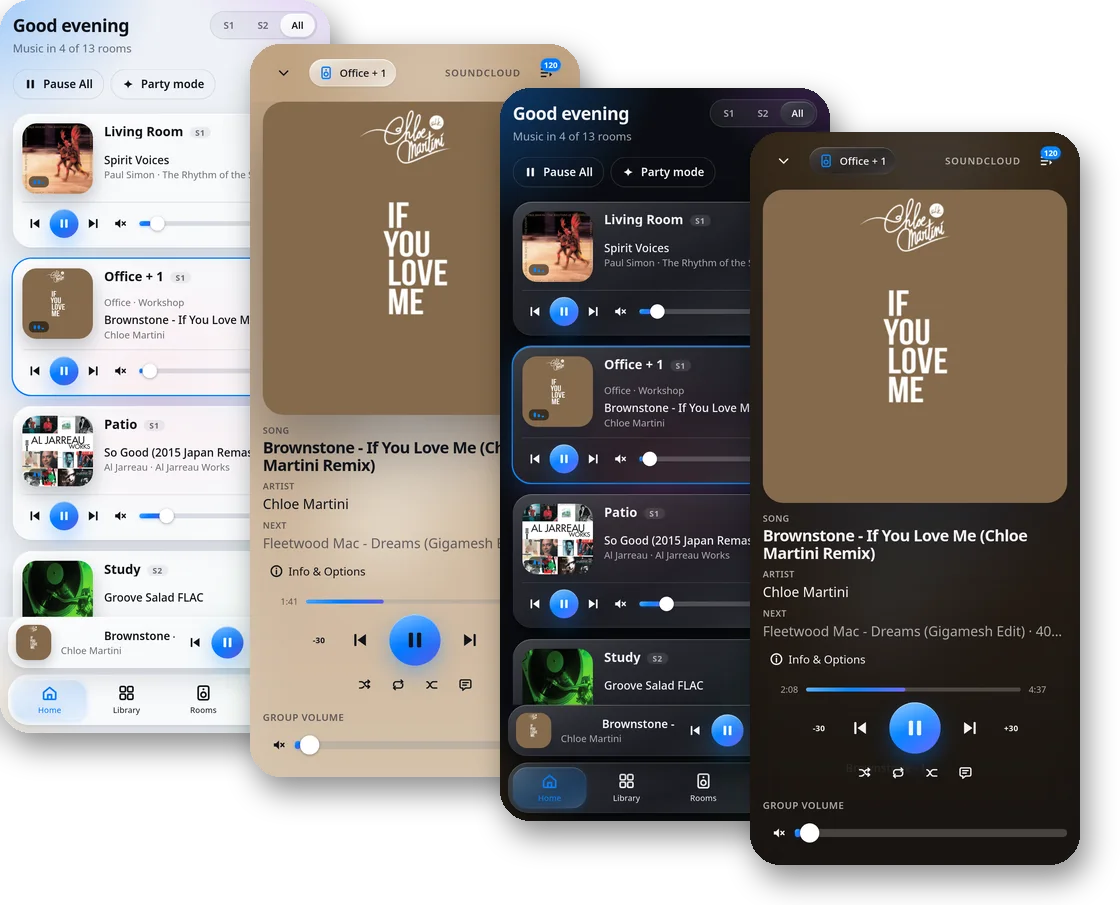
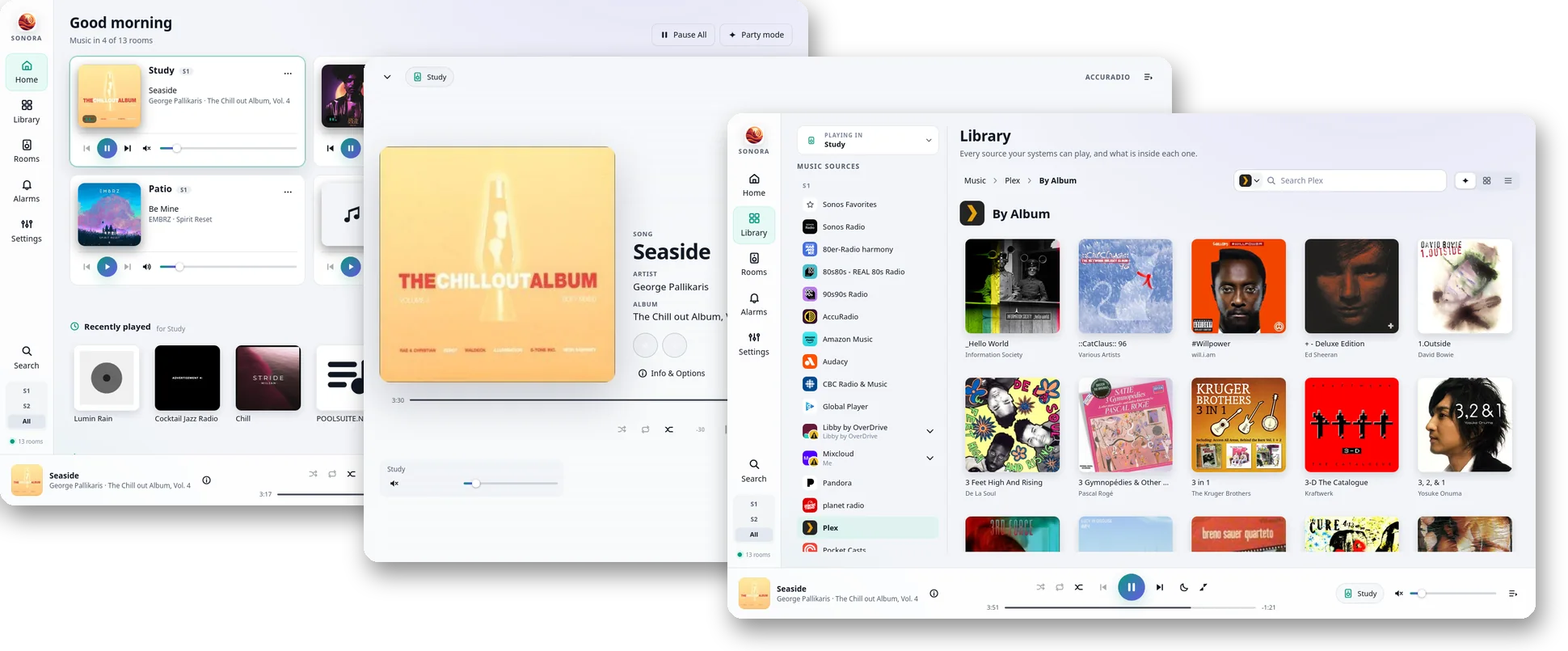
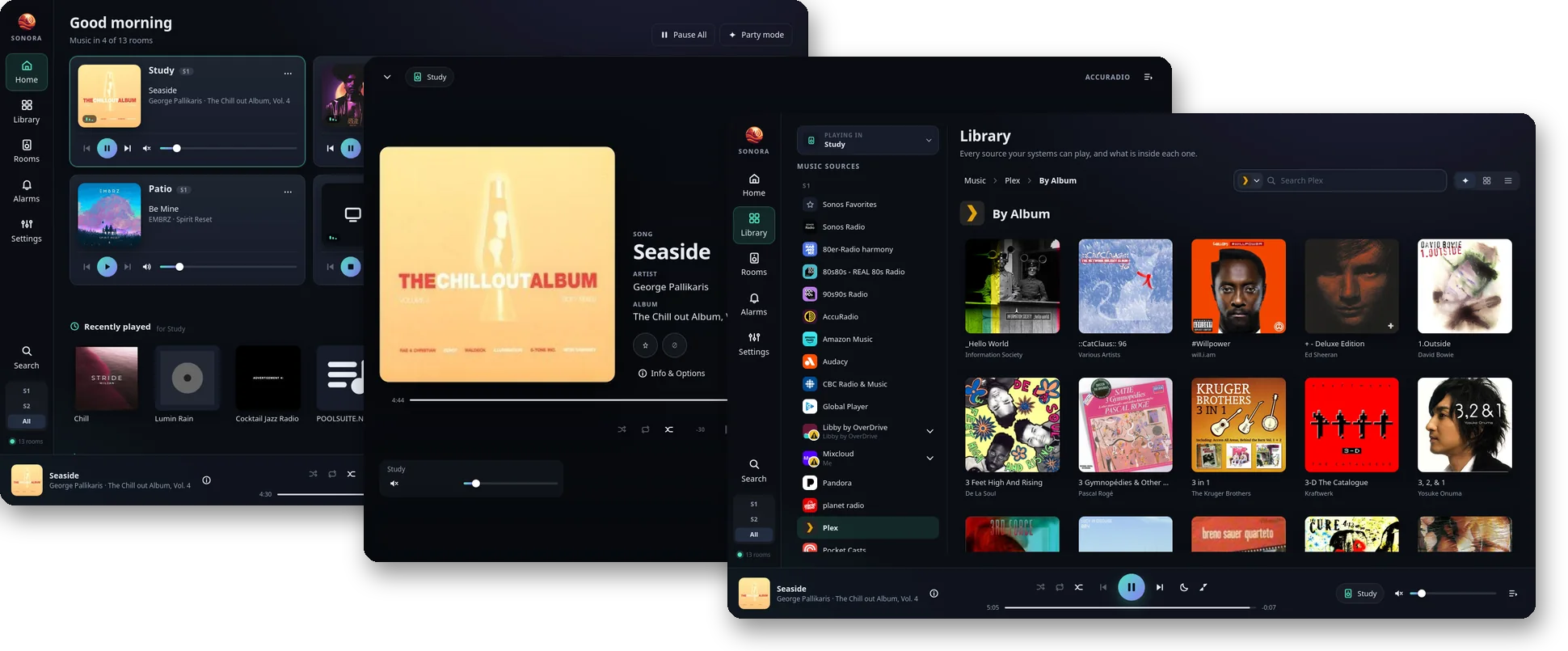
Sonofuture
The Sonos controller reimagined. Every room at a glance, with drag-to-group, and settings arranged by task. Every capability of the desktop apps, on shorter paths.
Hi-Fi
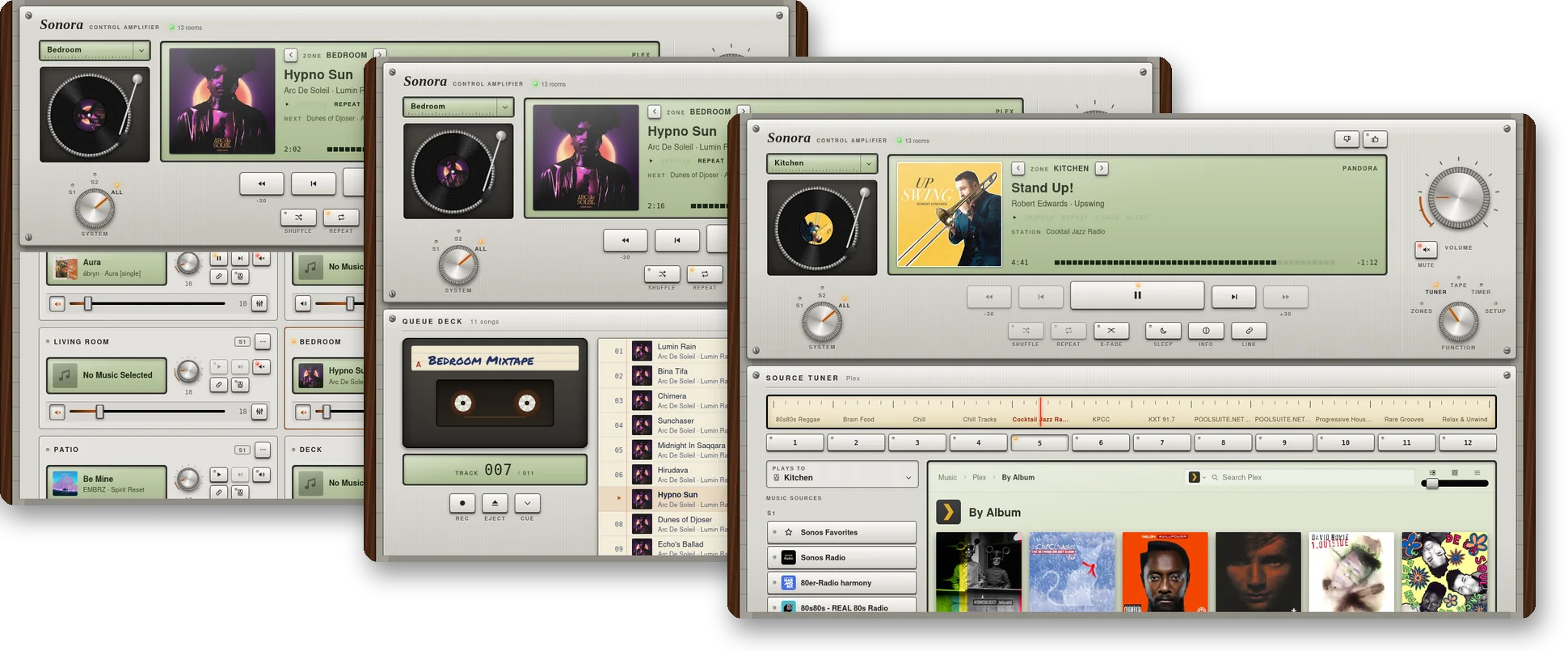
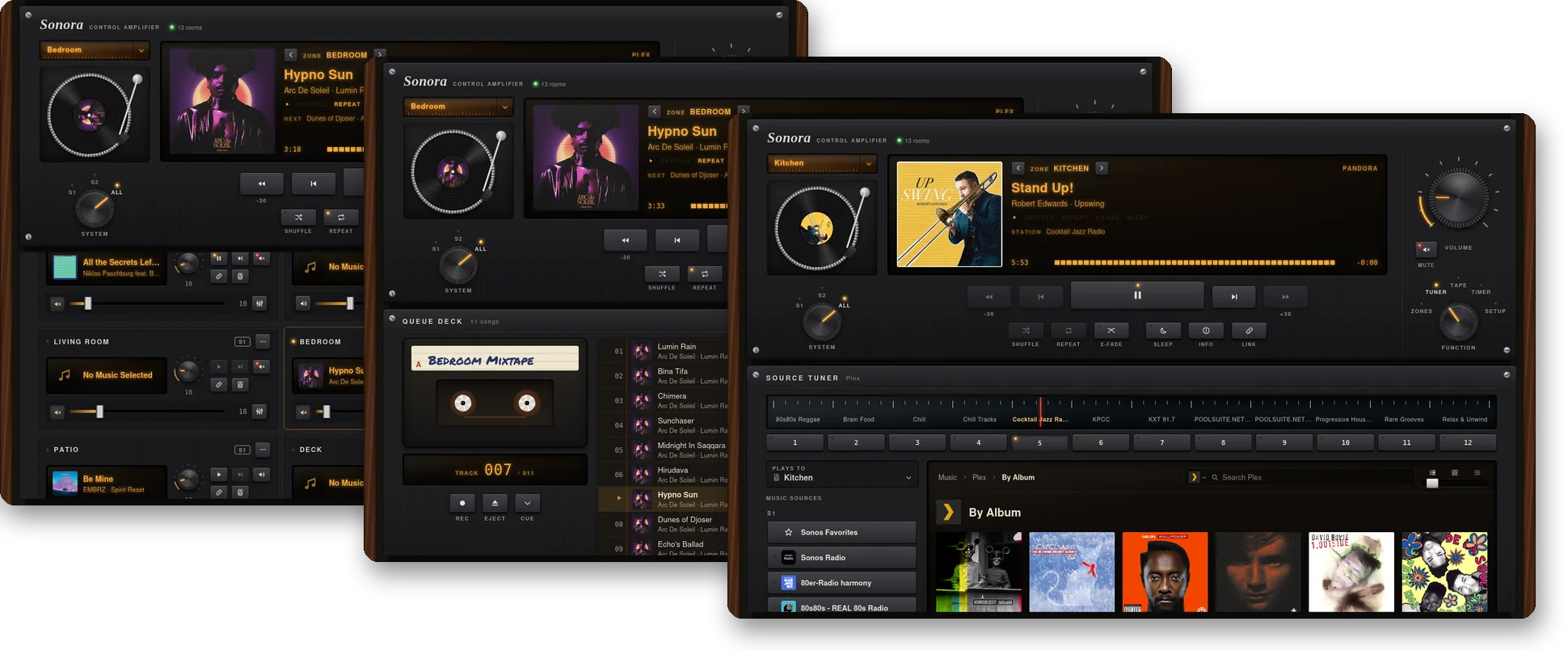
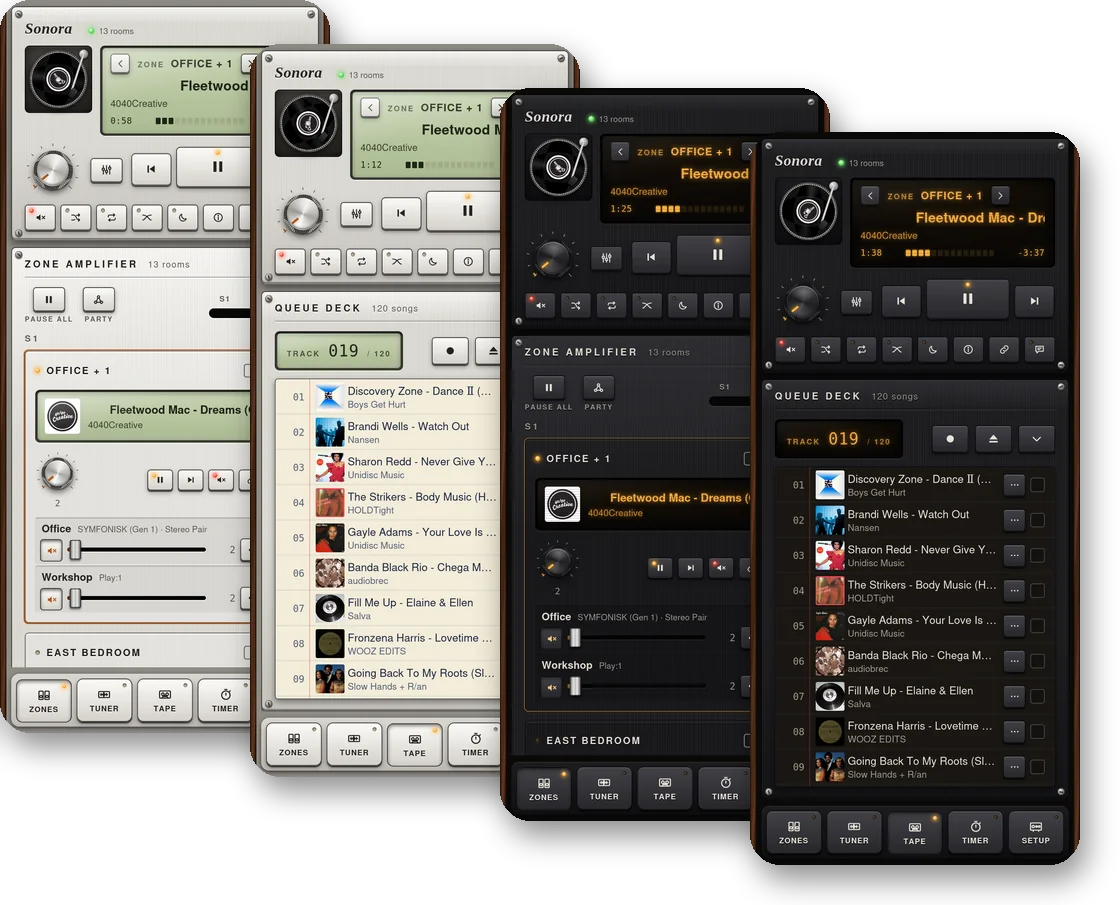
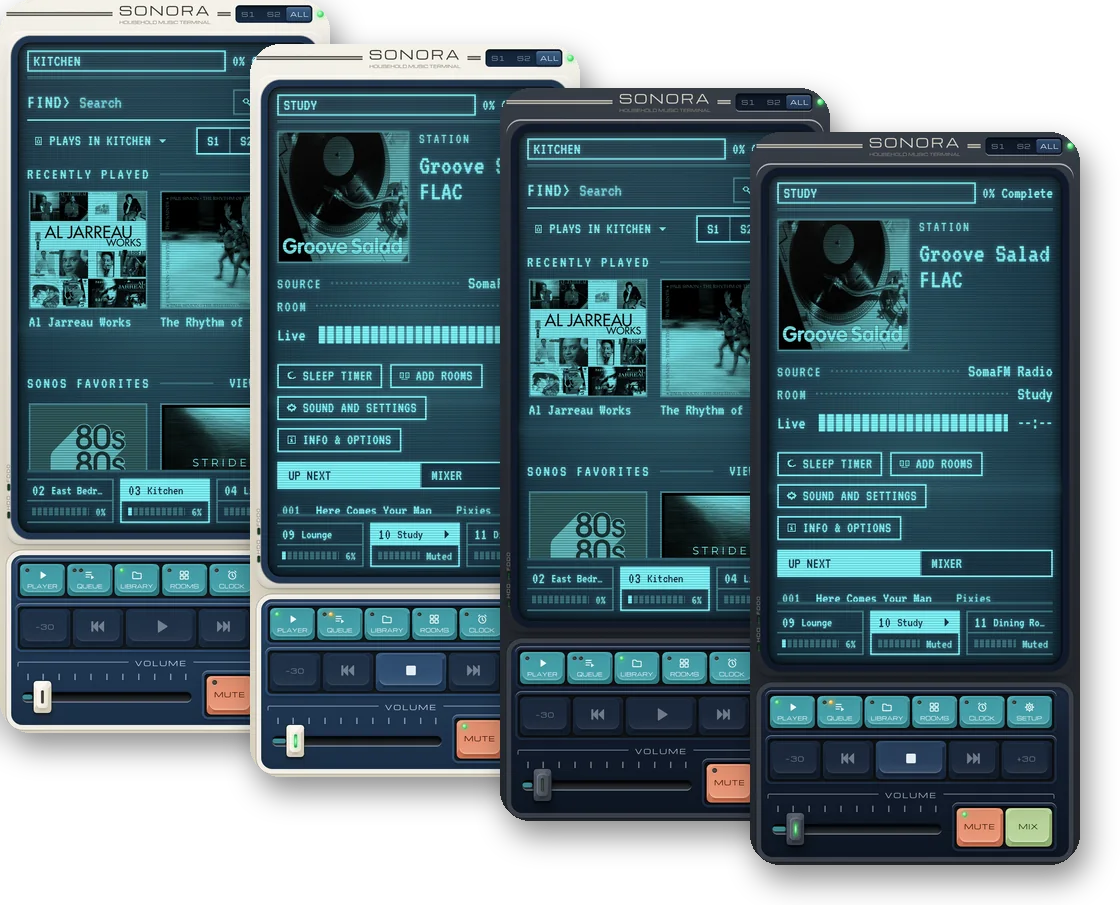
Your house as a rack of audio components: a turning record, a glowing display, knobs, and a cassette deck for the queue. Brushed silver by day, black anodized at night.
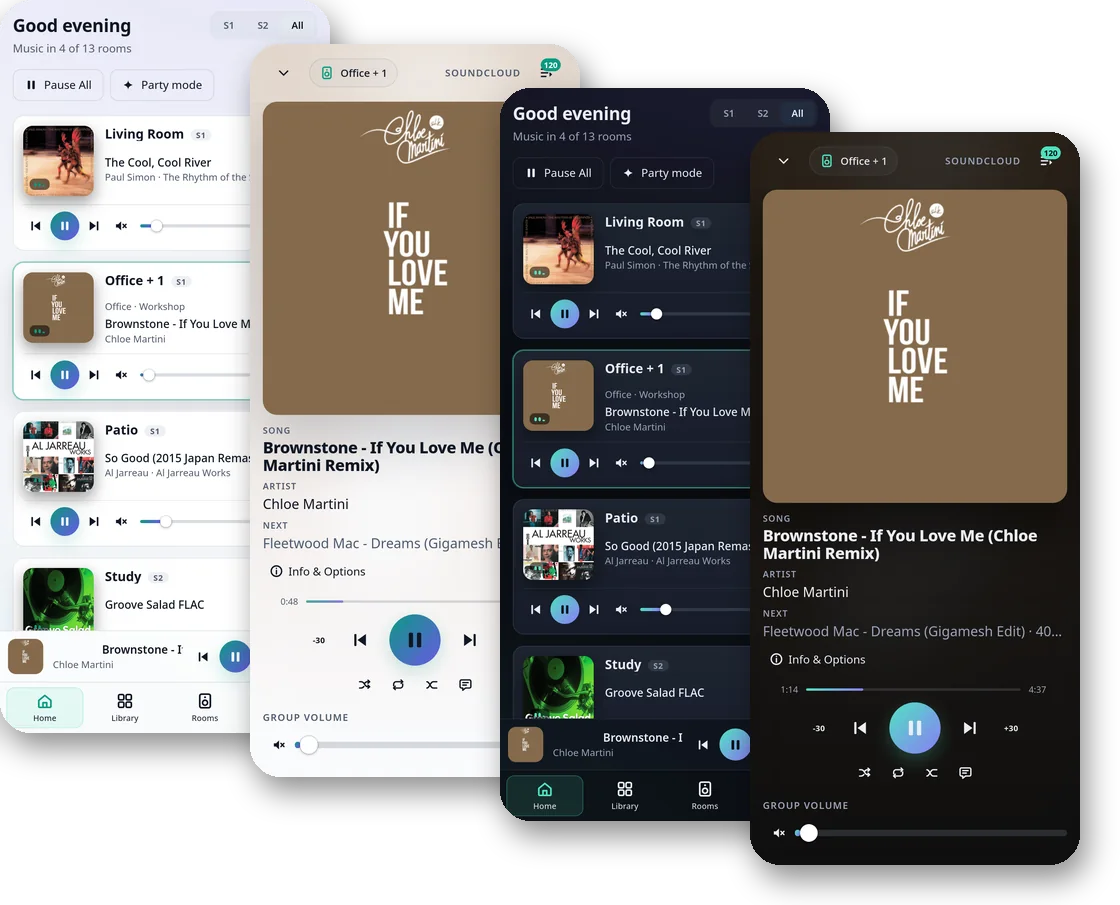
Material Girl
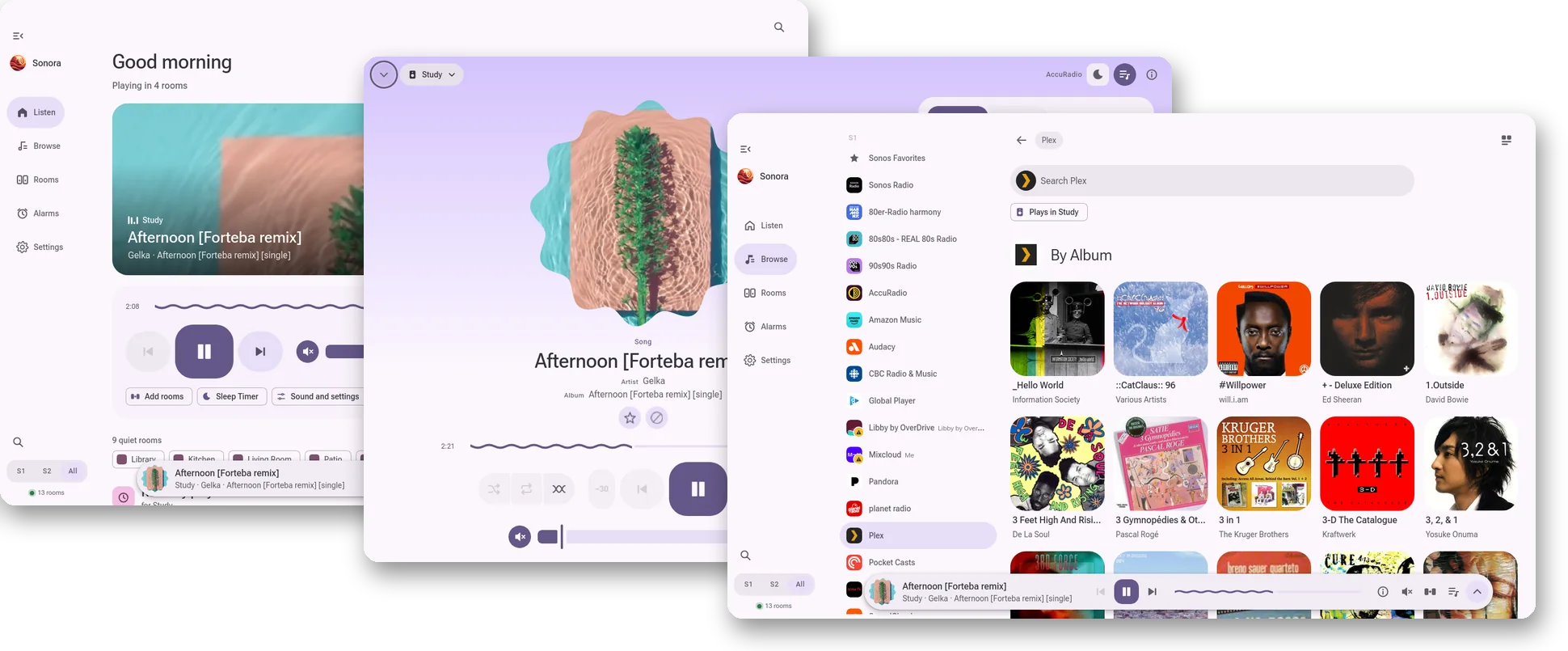
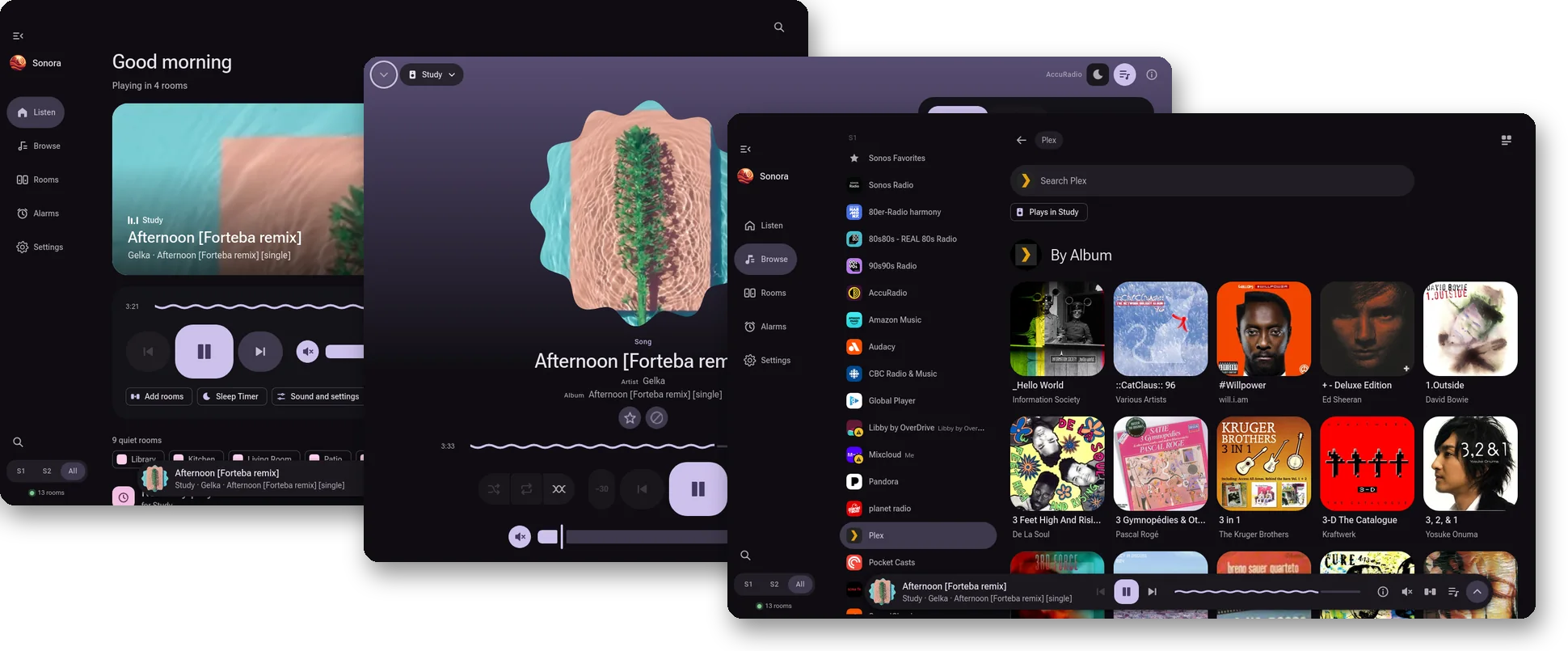
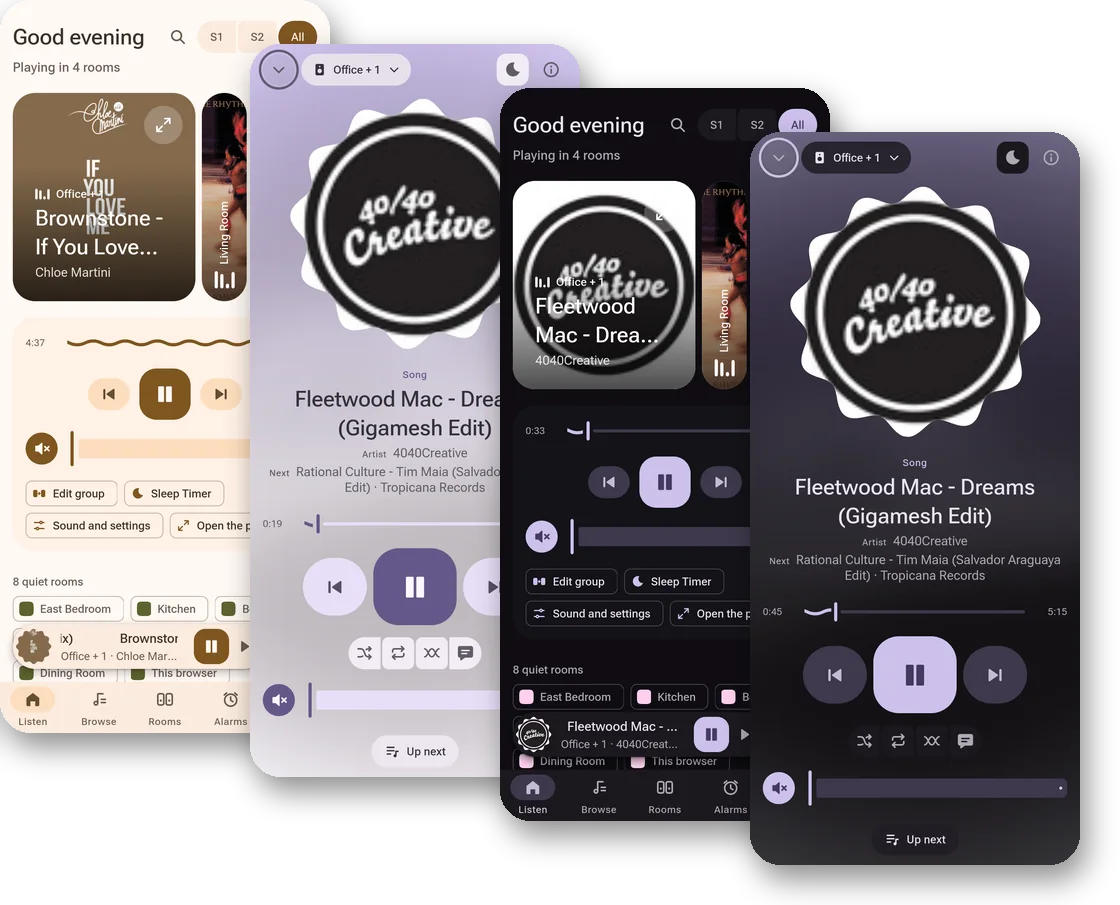
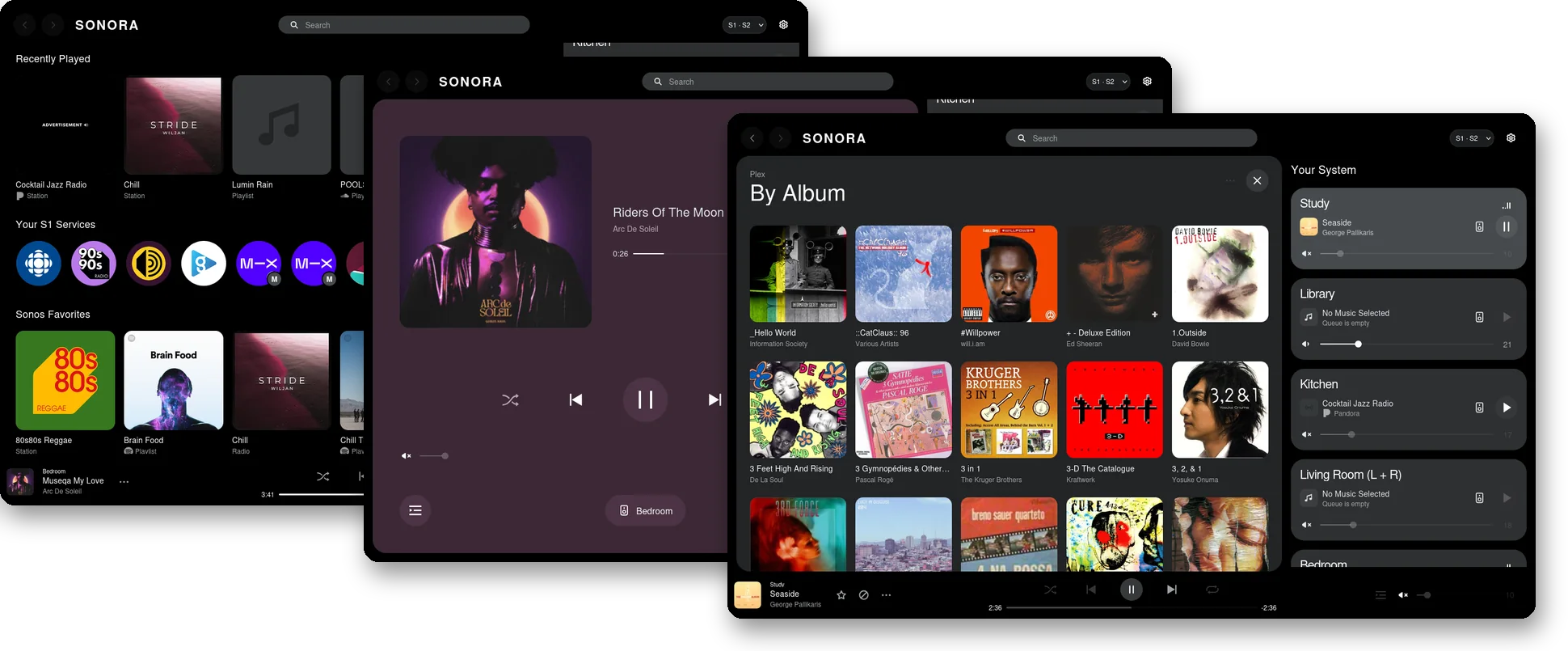
Built on Google's Material 3 Expressive design system. Shape-shifting covers, a floating player tinted by what's playing, and wavy lines in all the right places.
Severed
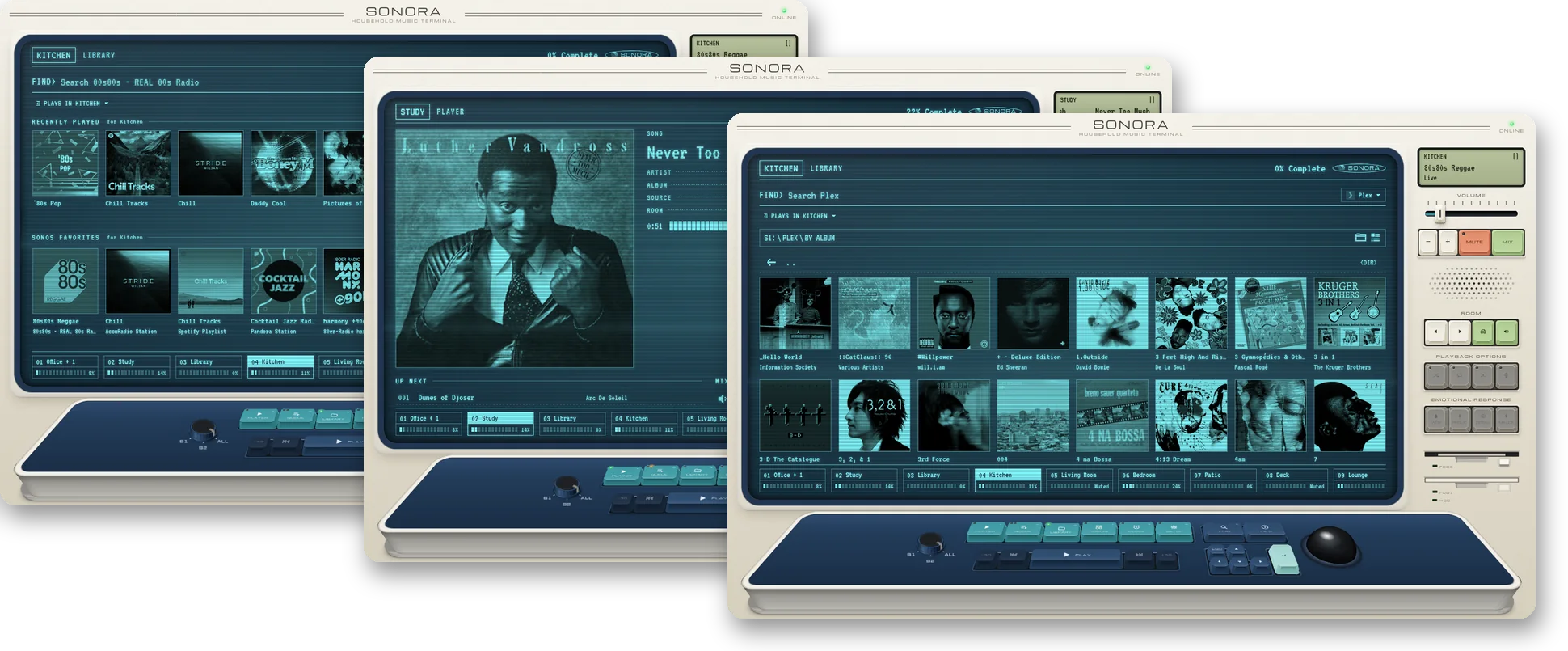
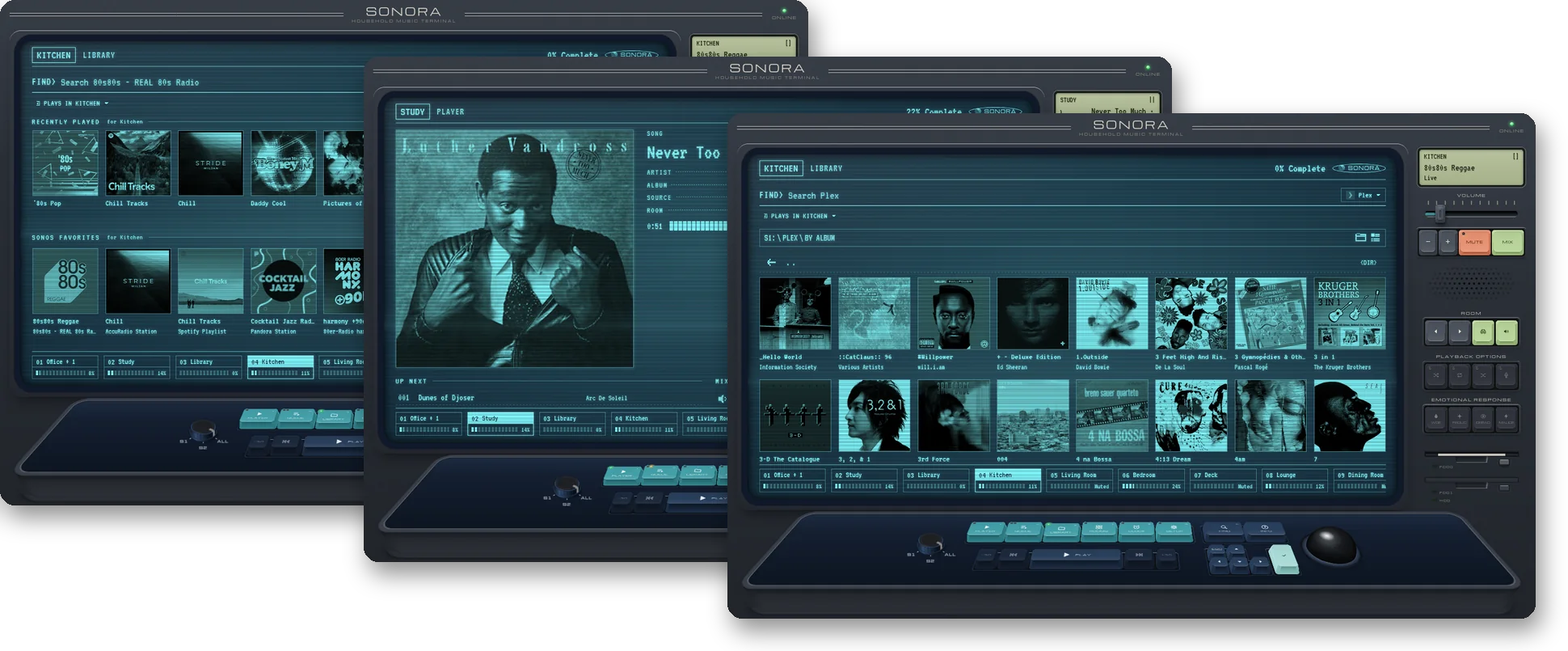
A desk terminal for doing mysterious and important work. Soothing scanlines and a phosphor glow pour over your music library. Uniquely suited for macrodata refinement.
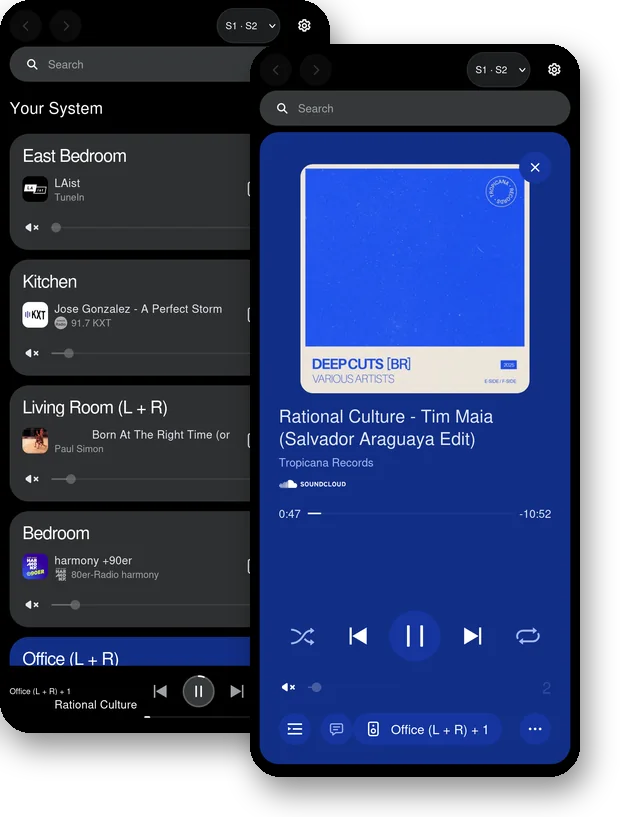
Sonos Web
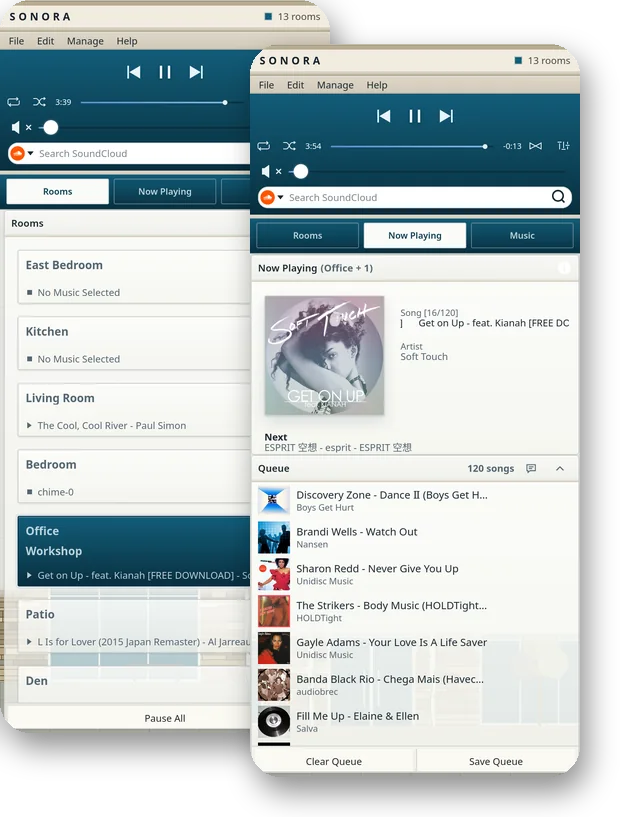
A recreation of Sonos' own web player, brought into the future (or is it the past?) with support for S1.
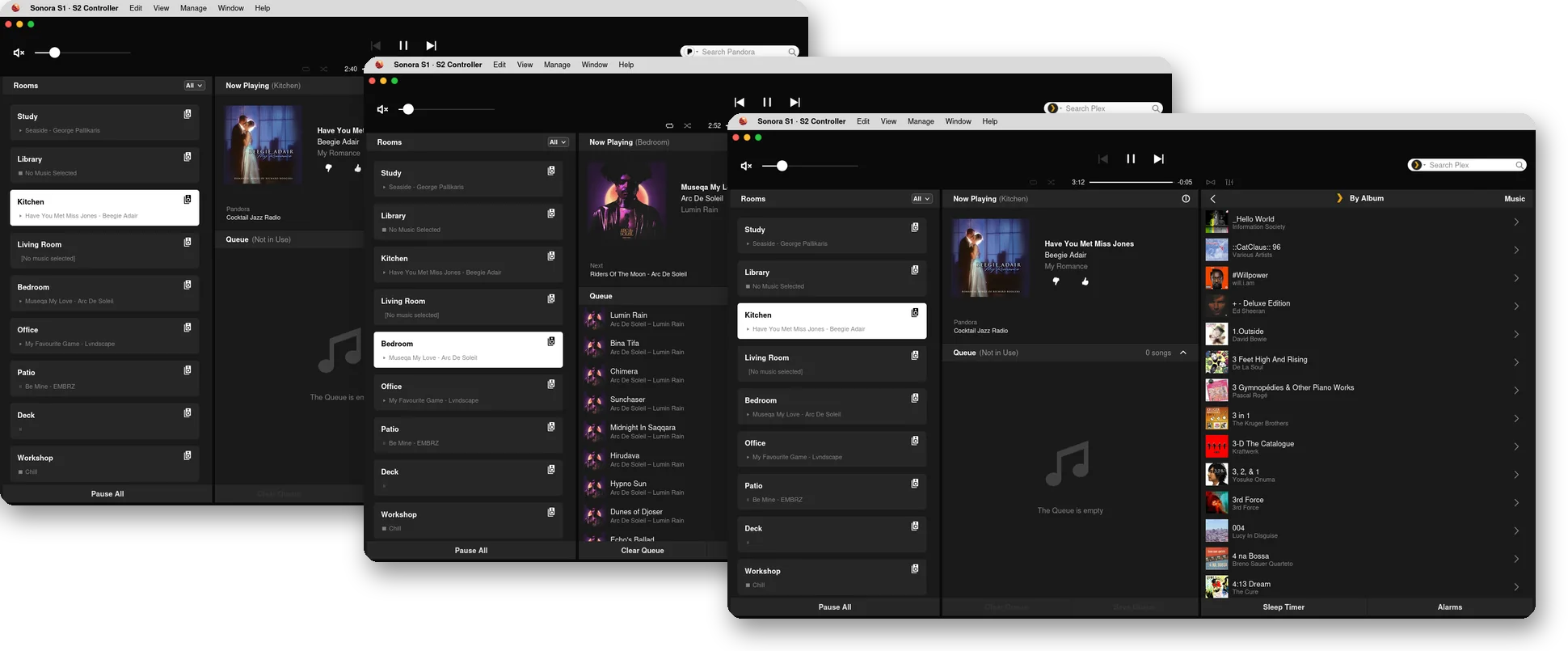
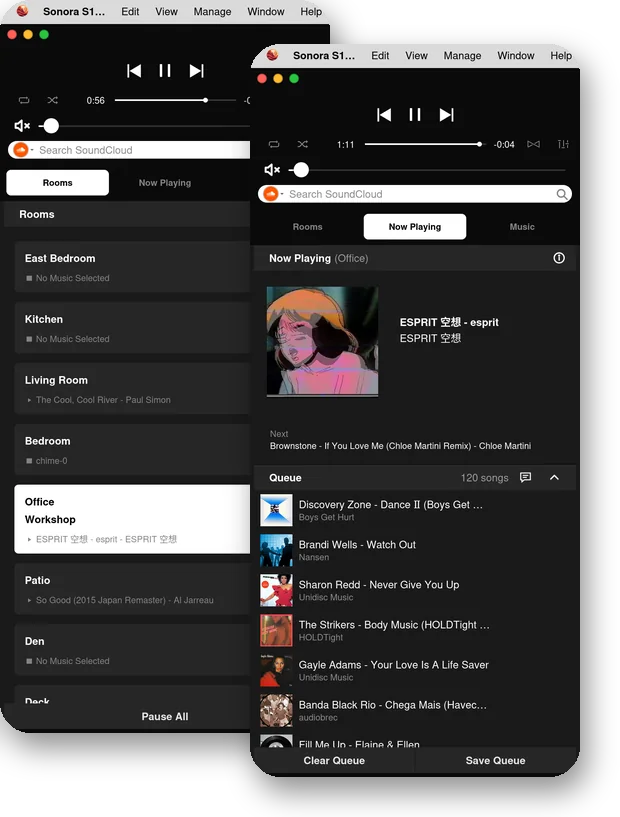
Sonos macOS Desktop
A web recreation of the Sonos desktop controller for macOS.
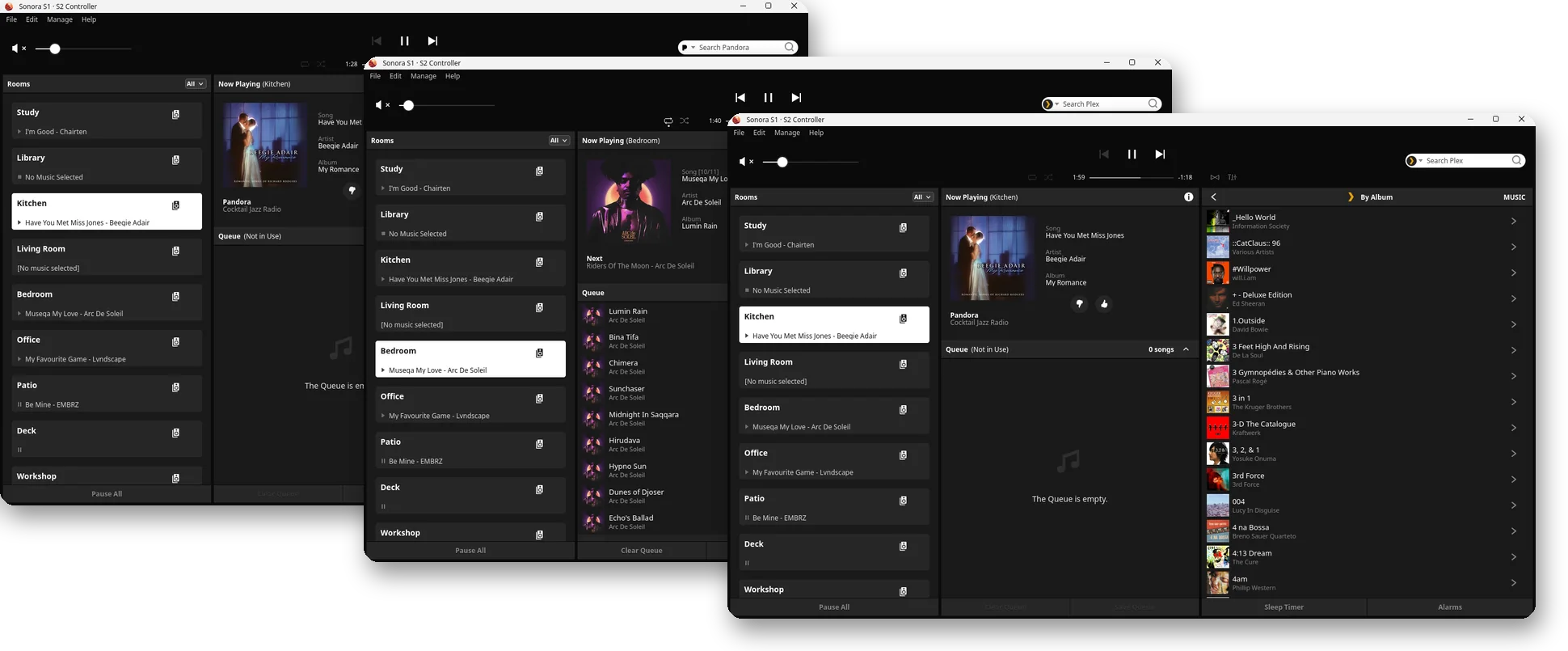
Sonos Windows Desktop
A web recreation of the Sonos desktop controller for Windows.
Three generations of hardware
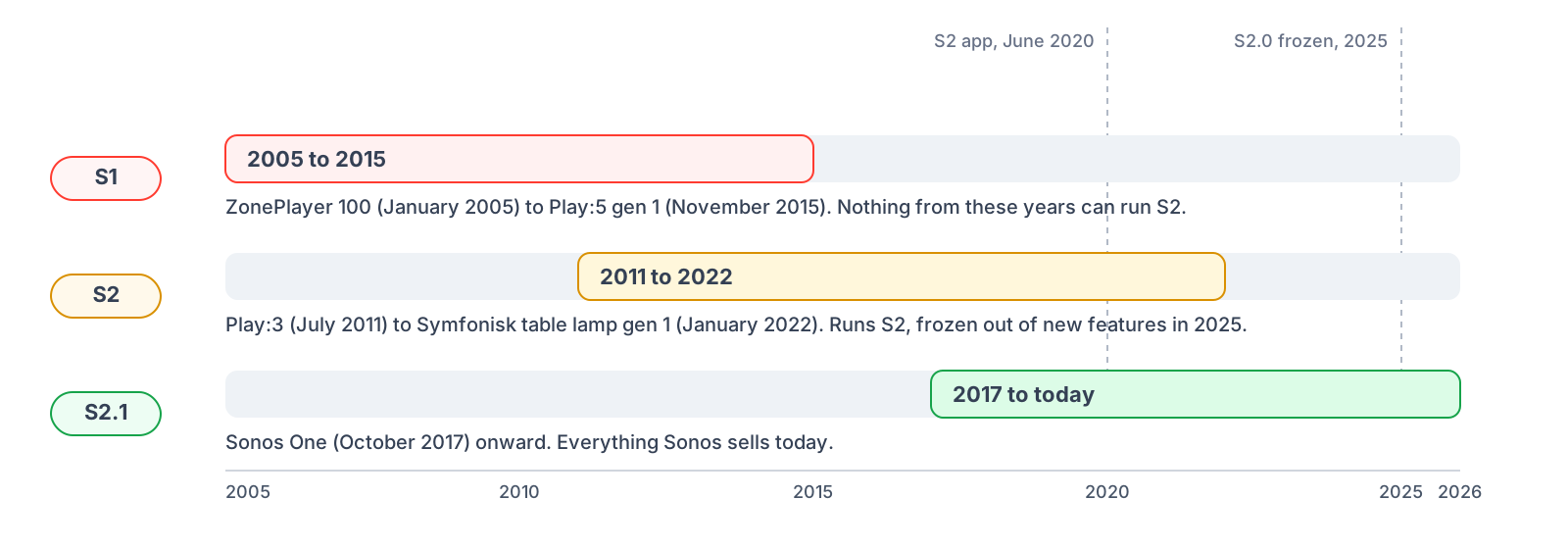
Sonos launched its first devices in 2005. They were, and still are, awesome.
In 2020 Sonos announced the move to "S2", a minimum hardware spec paired with a new, separate control app.
In August 2025 there was another split, marked by a new "S2.1" (my term) hardware tier. As of August 2025, only S2.1 devices receive new features.
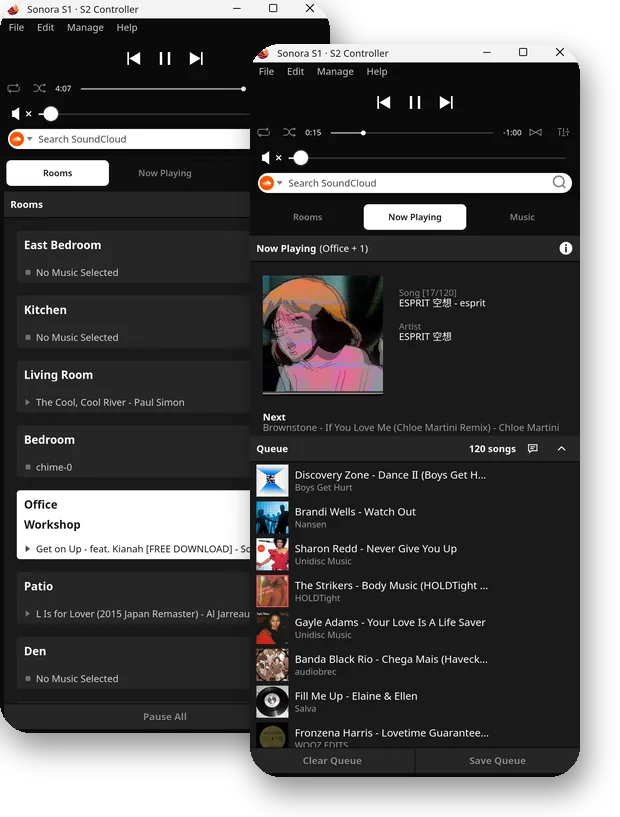
Sonora controls speakers from all three generations. A wall still exists between S1 and S2 speakers, though. (You can't group rooms across systems and streaming service links remain independent across systems.)
Sonos Platforms Through The Years
Some S1 speakers can be software-upgraded to S2. You'll need to use an official Sonos S1 controller to do so. Here's how.
🪄 Sonos Upgrade Advisor
Sonora includes an upgrade advisor that will help you understand:
- Which S1 devices can be upgraded to S2 via software
- Which devices would need to be replaced for S2 support
- How to go all-in on S2.1 if you'd like to try to future-proof your system.
Make sure you're sitting down - it'll show the MSRP cost estimates to do so. 🫠
🧐 Why Sonora exists
When I switched from Windows to Linux years ago, I lost a native desktop Sonos controller. Without realizing it, I mostly stopped using my Sonos devices as a result.
I sit in front of a computer for several hours a day, and context-switching to jump on my phone and drill through menus to play music was just annoying enough that I eventually stopped bothering.
I waited patiently for over a decade for Sonos to release a Linux desktop controller, scouring GitHub for any mature open source options every few months, finding none.
Then Claude Code came along and changed everything. Claude helped me build the Sonos controller I'd always wanted in about two months.
Sonora is platform agnostic and controls both S1 and S2 devices from any OS with a browser. I've been meticulous in working to recreate as much of Sonos' smooth interface as possible, and have included a theming engine so you can make Sonora look (and behave) however you'd like.
Sonos has built something wonderful, and Sonora helps even more of the world experience it. I'm really proud of it! I hope you like it.
Using Sonora
It's really not that hard. You'll figure it out!
Music services
To play a service that needs an account login, like AccuRadio or Spotify:
- Add the service in Sonos' own app in the Sonos S1 or S2 controller (or both).
- Add the service a second time, this time in Sonora using the same credentials. (Sonora will prompt you to do this for each unlinked account.)
Anonymous services that don't require logins (like Audacy) only need step 2.
[!NOTE] A notable few music services will not allow themselves to be used with apps like Sonora. SoundCloud is one example. For services like these, you can navigate their menus and initiate playback with an official Sonos controller, but will have only basic playback controls with Sonora.
Virtual Room
You'll see a room called "This browser". That's just what it sounds like - a virtual speaker for streaming audio to your browser.
This is experimental; many services will only permit streaming to a Sonos device.
💙 Contributions
Issue reports are welcome. If you find a bug, open an issue and say which theme you were using, which system (S1 or S2), which music service, what you did, and what you saw. Screenshots help!
My goal for Sonora is for it to feel every bit as polished as an official Sonos product.
There are many streaming services, each sending out a variety of content types (live streams, playlists, individual tracks, albums, podcasts, audiobooks, etc) and testing across all of them has taken up the bulk of development time. I'm sure there are still some lingering display issues or bugs out there, but with over 100 streaming services supported by Sonos, I can't subscribe to everything. Your reports help!
👏🏻 Credits
“I love that people are experimenting enough to build third-party solutions when we haven’t shipped something ourselves yet.”
- Sonos CEO Tom Conrad, Jan 28, 2026
Sonora stands on the shoulders of giants. It is a functional synthesis of Sonos research from others that have come before. These projects documented how the speakers worked long before Sonora existed.
Sources of Information:
Sources of Inspiration:
Sonos has been working tirelessly to create hardware and the software that drives it for over 20 years. Their early decision to create a (relatively) open platform with a local-first design allows Sonora, and tools like it, to exist and function.
The themes that follow Sonos' apps were made by using and measuring them. They contain none of Sonos' code, artwork, or translations.
Service logos, product pictures, and cover art are fetched while Sonora runs and belong to their owners.
Lyrics come from LRCLIB, a free, community-run library. Big ups to the LRCLIB project.
🔒 License
This project is licensed under AGPL-3.0-only: the GNU Affero General Public License, version 3, and no later version. The full text is in LICENSE.
Sonora is not affiliated with, endorsed by, or supported by Sonos, Inc. "Sonos" is a trademark of Sonos, Inc.
Media gallery
1 / 3Requirements
Categories
Related apps
Explore more like this
Explore allLinks
Details
ghcr.io/bretteroo/sonora:latestRuntime arguments
- Web UI
http://[IP]:[PORT:50205]/- Network
host- Shell
bash- Privileged
- false
Template configuration
Sign-ins, installed themes and caches.
- Target
- /data
- Default
- /mnt/user/appdata/sonora
- Value
- /mnt/user/appdata/sonora
The port the page is served on. With host networking there is no port mapping, so change the port here. If you change it, edit the WebUI link under Advanced View to match.
- Target
- SONORA_WEB_PORT
- Default
- 50205
- Value
- 50205
The port the speakers connect to with live updates. 0 picks any free port.
- Target
- SONORA_EVENT_PORT
- Default
- 50206
- Value
- 50206
Extra names Sonora answers to, comma-separated, such as a reverse proxy's (sonora.example.net, or .example.net for every name under it). Addresses, localhost, .local names and the server's own name already work.
- Target
- SONORA_ALLOWED_HOSTS
How much goes in the log: DEBUG, INFO, WARNING or ERROR.
- Target
- SONORA_LOG_LEVEL
- Default
- INFO
- Value
- INFO