
All apps · 0 apps

slash
Docker app from A75G's Repository
Overview
Readme
View on GitHubSlash
Slash is an open source, self-hosted platform designed to help you organize, manage, and share your most important links. Easily create customizable, human-readable shortcuts to streamline your link management. Use tags to categorize your links and share them easily with your team or publicly.
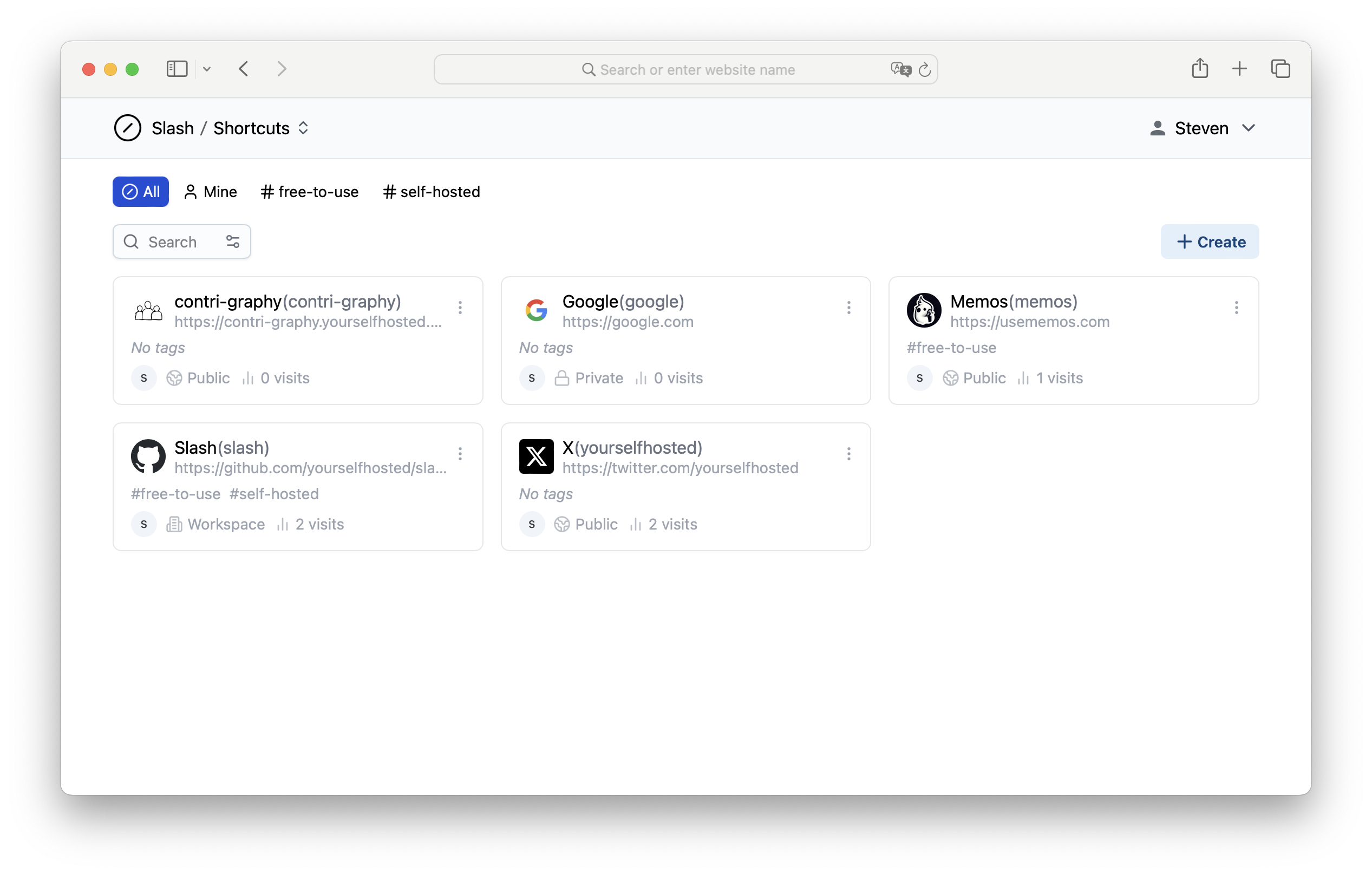
Background
In today's workplace, essential information is often scattered across the cloud in the form of links. We understand the frustration of endlessly searching through emails, messages, and websites just to find the right link. Links are notorious for being unwieldy, complex, and easily lost in the shuffle. Remembering and sharing them can be a challenge.
That's why we developed Slash, a solution that transforms these links into easily accessible, discoverable, and shareable shortcuts(e.g., s/shortcut). Say goodbye to link chaos and welcome the organizational ease of Slash into your daily online workflow.

Features
- Create customizable
s/short links for any URL. - Share short links public or only with your teammates.
- View analytics on link traffic and sources.
- Easy access to your shortcuts with browser extension.
- Share your shortcuts with Collection to anyone, on any browser.
- Open source self-hosted solution.
Deploy with Docker in seconds
docker run -d --name slash -p 5231:5231 -v ~/.slash/:/var/opt/slash yourselfhosted/slash:latest
Learn more in Self-hosting Slash with Docker. Getting started with Slash's Shortcuts and Collections.
Browser Extension
Slash provides a browser extension to help you use your shortcuts in the search bar to go to the corresponding URL.
Learn more in The Browser Extension of Slash.
Chromium based browsers
For Chromium based browsers(Chrome, Edge, Arc, ...), you can install the extension from the Chrome Web Store.
Firefox
For Firefox, you can install the extension from the Firefox Add-ons.
Categories
Download Statistics
Total Downloads Over Time
Related apps
Explore more like this
Explore allLinks
Details
yourselfhosted/slash:latestRuntime arguments
- Web UI
http://[IP]:[PORT:5231]/- Network
bridge- Shell
sh- Privileged
- false
Template configuration
- Target
- 5231
- Value
- 5231
- Target
- /var/opt/slash
- Value
- /mnt/user/appdata/slash/