
All apps · 0 apps

servas
Docker app from Jadehawk's Repository
Overview
A self-hosted bookmark management tool.
Servas is based on Laravel and Inertia.js and uses Tailwind CSS and Svelte for the frontend.
It still needs a lot of work but developer is active and available at github
MUST DO FIRST:
- Create a Local directory (ex: /mnt/user/appdata/servas) where the ".env" & "servas.db" files will be stored.
- Create a file called .env and inside on it add the line: APP_KEY=
- Create a file called servas.db
Fill in the rest of this template.
Once the container is running, open the container's console and run the following command:
php artisan key:generate --force
---> This will generate a key and it will be stored in the .env file you created.
ReStart Container.
navigate to : http://localhost:8086/register ---> Here you will generate your admin account.
navigate to: http://localhost:8086/login
========================BELLOW IF USING MYSQL/MariaDB========================
You no longer need MySQL/MariaDB but if you still want to use it, then add the following lines to the .env file:
MySQLDB_CONNECTION=mysql
DB_HOST=db
DB_PORT=3306
DB_DATABASE=servas_db
DB_USERNAME=servas_db_user
DB_PASSWORD=password
Optional Requirements if using MySQL/MariaDB:
- MySQL / Mariadb Database already running and available.
- CREATE a database (ex. servas-db)
- CREATE a User for servas-db (ex. servas)
Readme
View on GitHubServas
A self-hosted bookmark management tool.
Servas is based on Laravel and Inertia.js and uses Tailwind CSS and Svelte for the frontend.
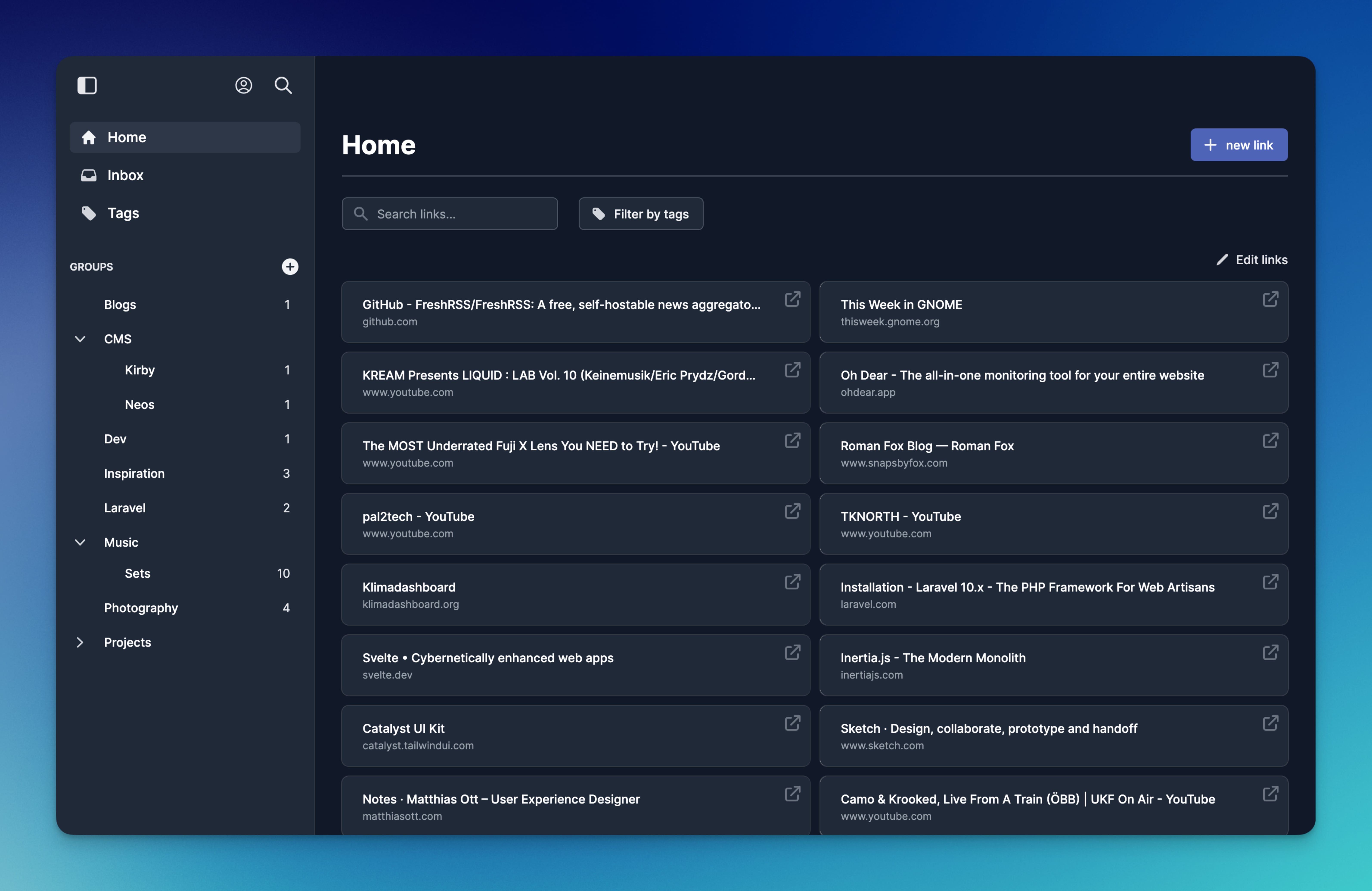
Features
- Tags: Organize your bookmarks with tags.
- Groups: Group your bookmarks. Groups can be nested.
- Smart Groups: Group your bookmarks based on their belonging tags.
- Firefox and Chrome browser extension: Add sites to Servas right from your browser.
- Multiple users: You can create multiple user accounts.
- Responsive design: Servas looks good on all your devices.
- Import/Export: Support for JSON and HTML bookmarks.
- Dark/light theme.
- Two Factor Authentication available.
How to install
Docker
Servas is available as an official Docker image.
The preferred way to use Servas is with SQLite. This variant does not need an additional database container.
You can find the example files here:
The Docker image also supports MySQL and MariaDB.
You can find the example files here:
Initial steps:
- Create
.envfile in the directory where thecompose.yamlis located. - Copy the content of the example env file into the
.envfile. - Change the
APP_URL. - Use a strong password for the
DB_PASSWORDsetting (only required if Servas is used with MariaDB). - Start the containers with
docker compose up -d. - Generate the application key:
docker exec -it servas php artisan key:generate --force
- Restart the containers with
docker compose restart. - Open your browser and create a user account at https://your-servas-instance/register.
Manual
Requirements:
- PHP 8.4
- MariaDB, MySQL or SQLite
- Git
- Node.js
- Composer
- Clone the repo.
- Install the Composer packages.
composer install --optimize-autoloader --no-dev
- Install the npm packages.
npm install
- Compile the assets.
npm run build
- Create
.envfile from the.env.examplefile. - Change the settings in the
.envfile according to your needs. - If you are using SQLite, you must remove the MySQL section in the
.envfile and uncomment the SQLite section. - Run the database migrations.
php artisan migrate
- Generate the application key.
php artisan key:generate
Configuration
You can change some application settings in the .env file.
| Description | .env key |
Options |
|---|---|---|
| Enable/Disable user registration | SERVAS_ENABLE_REGISTRATION |
true/false |
| Show/Hide version number in profile dropdown | SERVAS_SHOW_APP_VERSION |
true/false |
After making changes to the .env file, you must restart the application container.
User Guide
Register a new user at https://your-servas-instance/register.
Browser Extensions
Firefox and Chrome: https://github.com/beromir/servas-extension
Screenshots
Visit the website.
Requirements
- External database instance (MySQL/MariaDB) If using such DB. If not, then NO LONGER NEEDED
However, The preferred way to use Servas is in combination with a MariaDB container.
Categories
Download Statistics
Total Downloads Over Time
Related apps
Explore more like this
Explore allLinks
Details
beromir/servasRuntime arguments
- Web UI
http://[IP]:[PORT:80]/- Network
bridge- Shell
sh- Privileged
- false
- Extra Params
--restart unless-stopped --log-opt max-size=50m --log-opt max-file=1
Template configuration
- Target
- 80
- Value
- 8086
- Target
- DB_CONNECTION
- Default
- sqlite
- Value
- sqlite
- Target
- DB_DATABASE
- Default
- /var/www/html/database/sqlite/servas.db
- Value
- /var/www/html/database/sqlite/servas.db
- Target
- DB_FOREIGN_KEYS
- Default
- true
- Value
- true
create a .env file on servas folder
- Target
- /var/www/html/.env
- Value
- /mnt/user/appdata/servas/.env
- Target
- /var/www/html/database/sqlite/servas.db
- Value
- /mnt/user/appdata/servas/servas.db
- Default
- 99
- Value
- 99
- Default
- 100
- Value
- 100
- Target
- AP_KEY
- Default
- production
- Value
- production
- Default
- Servas
- Value
- Servas
- Default
- false
- Value
- false
- Default
- https://your-servas-instance
- Value
- https://your-servas-instance
- Default
- true
- Value
- true