
All apps · 0 apps

SerpBear
Docker app from B4rny's Repository
Overview
Readme
View on GitHub[!NOTE] Check out the new Open-source Backup management app, Pluton by the same author.

SerpBear




Documentation | Changelog | Docker Image
SerpBear is an Open Source Search Engine Position Tracking and Keyword Research App. It allows you to track your website's keyword positions in Google and get notified of their position change.
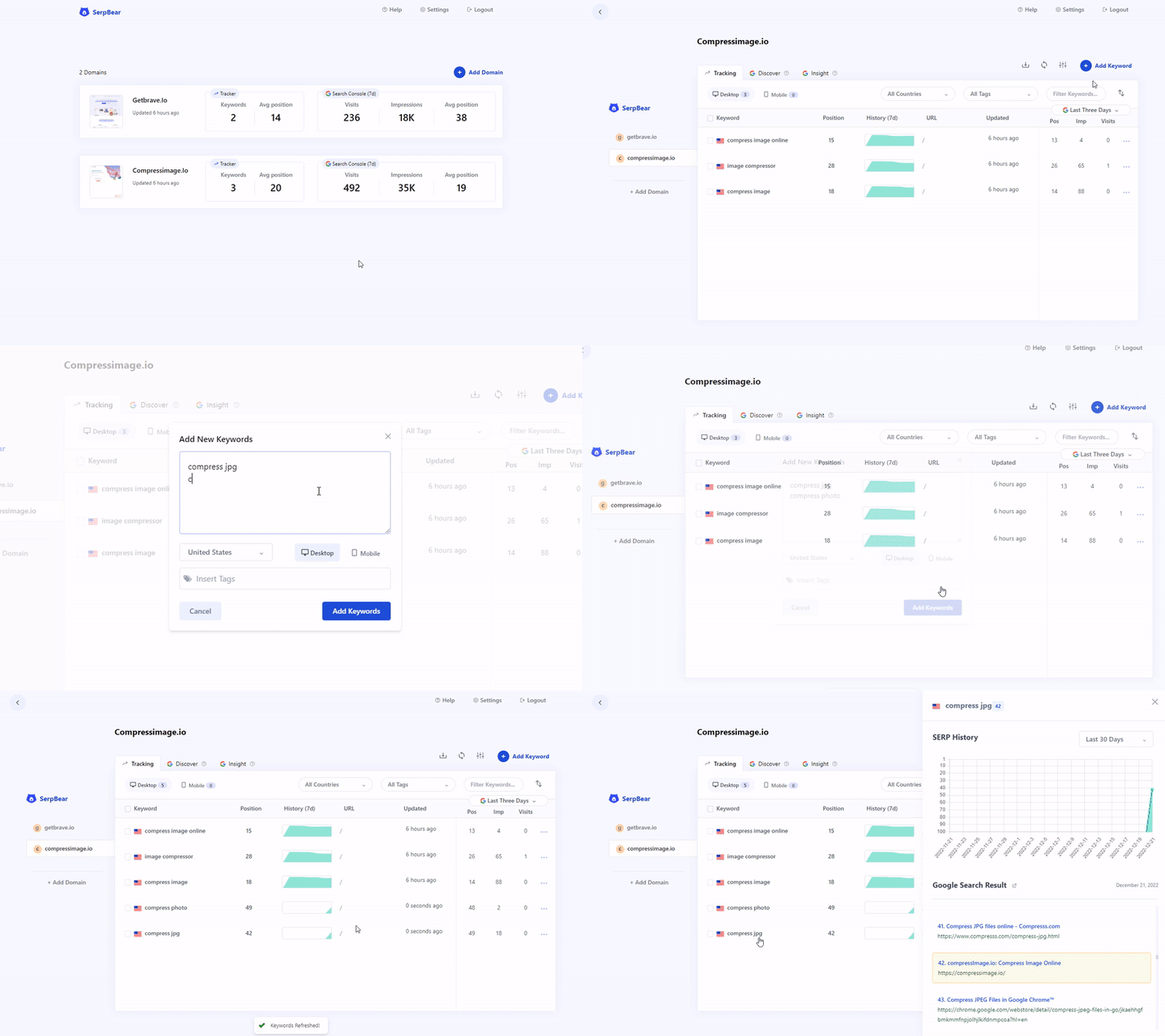
Features
- Unlimited Keywords: Add unlimited domains and unlimited keywords to track their SERP.
- Email Notification: Get notified of your keyword position changes daily/weekly/monthly through email.
- SERP API: SerpBear comes with built-in API that you can use for your marketing & data reporting tools.
- Keyword Research: Ability to research keywords and auto-generate keyword ideas from your tracked website's content by integrating your Google Ads test account.
- Google Search Console Integration: Get the actual visit count, impressions & more for Each keyword.
- Mobile App: Add the PWA app to your mobile for a better mobile experience.
- Zero Cost to RUN: Run the App on mogenius.com or Fly.io for free.
How it Works
The App uses third party website scrapers like ScrapingAnt, ScrapingRobot, SearchApi, SerpApi, HasData or Your given Proxy ips to scrape google search results to see if your domain appears in the search result for the given keyword.
The Keyword Research and keyword generation feature works by integrating your Google Ads test accounts into SerpBear. You can also view the added keyword's monthly search volume data once you integrate Google Ads.
When you integrate Google Search Console, the app shows actual search visits for each tracked keywords. You can also discover new keywords, and find the most performing keywords, countries, pages.you will be able to view the actual visits count from Google Search for the tracked keywords.
Getting Started
- Step 1: Deploy & Run the App.
- Step 2: Access your App and Login.
- Step 3: Add your First domain.
- Step 4: Get a free API key from ScrapingRobot or select a paid provider (see below) . Skip if you want to use Proxy ips.
- Step 5: Setup the Scraping API/Proxy from the App's Settings interface.
- Step 6: Add your keywords and start tracking.
- Step 7: Optional. From the Settings panel, setup SMTP details to get notified of your keywords positions through email. You can use ElasticEmail and Sendpulse SMTP services that are free.
SerpBear Integrates with popular SERP scraping services
If you don't want to use proxies, you can use third party Scraping services to scrape Google Search results.
| Service | Cost | SERP Lookup | API | Scraping Performance |
|---|---|---|---|---|
| serper.dev | Pay As You Go | $1.00/1000 req | No | Great |
| serply.io | $49/mo | 5000/mo | Yes | Good |
| serpapi.com | From $50/mo | From 5,000/mo | Yes | Good |
| SearchApi.io | From $40/mo | From 10,000/mo | Yes | Good |
| valueserp.com | Pay As You Go | $2.50/1000 req | No | Good |
| hasdata.com | From $29/mo | From 10,000/mo | Yes | Good |
| crazyserp.com | From $47/mo | From 100,000/mo | Yes | Good |
| spaceserp.com | $59/lifetime | 15,000/mo | Yes | Doesn't work Anymore |
| scrapingant.com | From $19/mo | 100,000/mo | Yes | Doesn't work Anymore |
| scrapingrobot.com | Free | 5000/mo | Yes | Doesn't work Anymore |
Tech Stack
- Next.js for Frontend & Backend.
- Sqlite for Database.
Check out Pluton By the same author
Categories
Download Statistics
Total Downloads Over Time
Related apps
Explore more like this
Explore allLinks
Details
towfiqi/serpbear:latestRuntime arguments
- Web UI
http://[IP]:[PORT:3000]- Network
bridge- Shell
sh- Privileged
- false
Template configuration
- Target
- 3000
- Default
- 3000
- Value
- 3000
- Target
- /app/data
- Default
- /mnt/user/appdata/serpbear
- Value
- /mnt/user/appdata/serpbear
Custom Username
- Value
- admin
Secure Password
- Value
- oztrSG4fpaiP9WV558mEe7Ry
- Value
- qWhcV4kw8nuXZUDkZ6B3CTotg3KbcQa9tPwDQ73thwpakLef7aS2FfSfQHrrXASYRvcn
- Value
- KGwQ63gmg6UnqkP24ivSx9CXVA3DFnv7BeKoYD
- Value
- http://localhost:3000