
All apps · 0 apps

scanopy-server
OfficialDocker app from Fallen94's Repository
Overview
Readme
View on GitHubScanopy

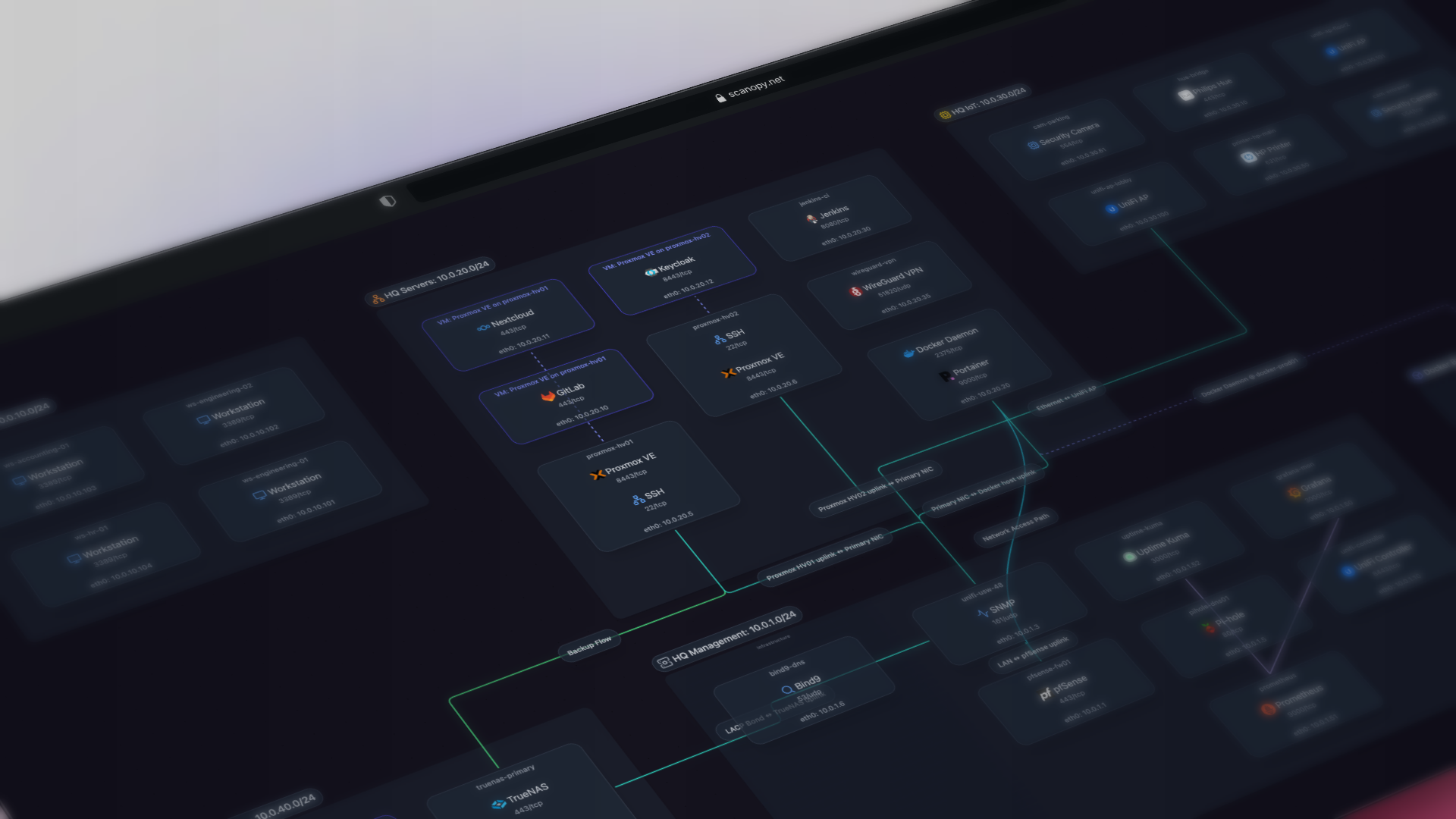
Never maintain another network diagram. Scanopy scans your network on a schedule and draws it as four views: L2, L3, workloads and applications.
curl -O https://raw.githubusercontent.com/scanopy/scanopy/refs/heads/main/docker-compose.yml
docker compose up -d
Open http://<your-server-ip>:60072 and create your account. The first discovery starts on its own.
Prefer a hosted version? Try Scanopy Cloud. Full setup options are in the docs.








Scanopy replaces manual network diagrams with a continuously maintained model of what's actually running. A single daemon scans on a schedule and produces four views from each scan: L2 (physical), L3 (logical), workloads, and applications. Unlike diagrams drawn in draw.io that go stale the week they're saved, or IaC state that misses drift and resources provisioned outside the pipeline, Scanopy reflects the current state of your infrastructure. Export as SVG, Mermaid, or Confluence; embed live maps; or feed the model into your existing source of truth.
🏢 Running Scanopy for your business? The Commercial Edition adds a commercial license, more networks and seats, Confluence export, and support, all on your own infrastructure.
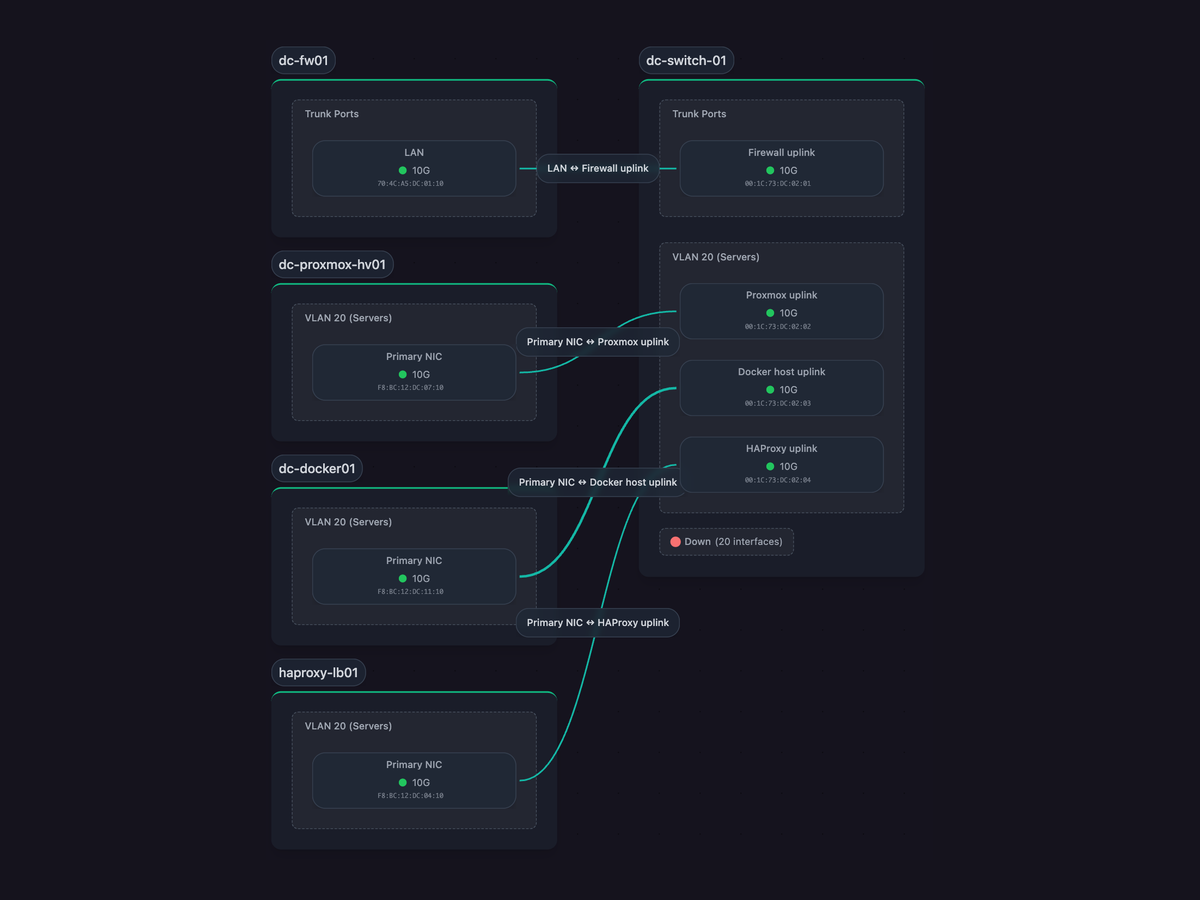
L2 (Physical) |
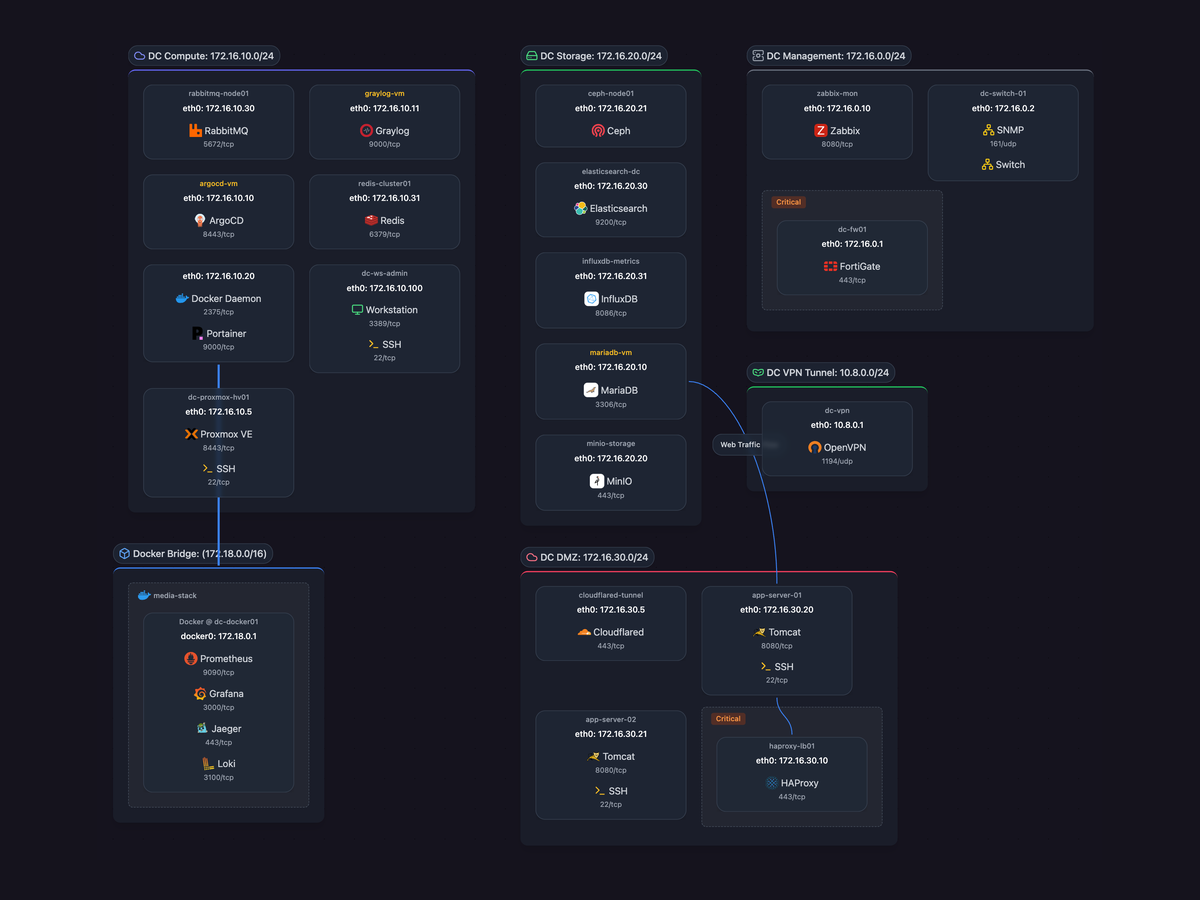
L3 (Logical) |
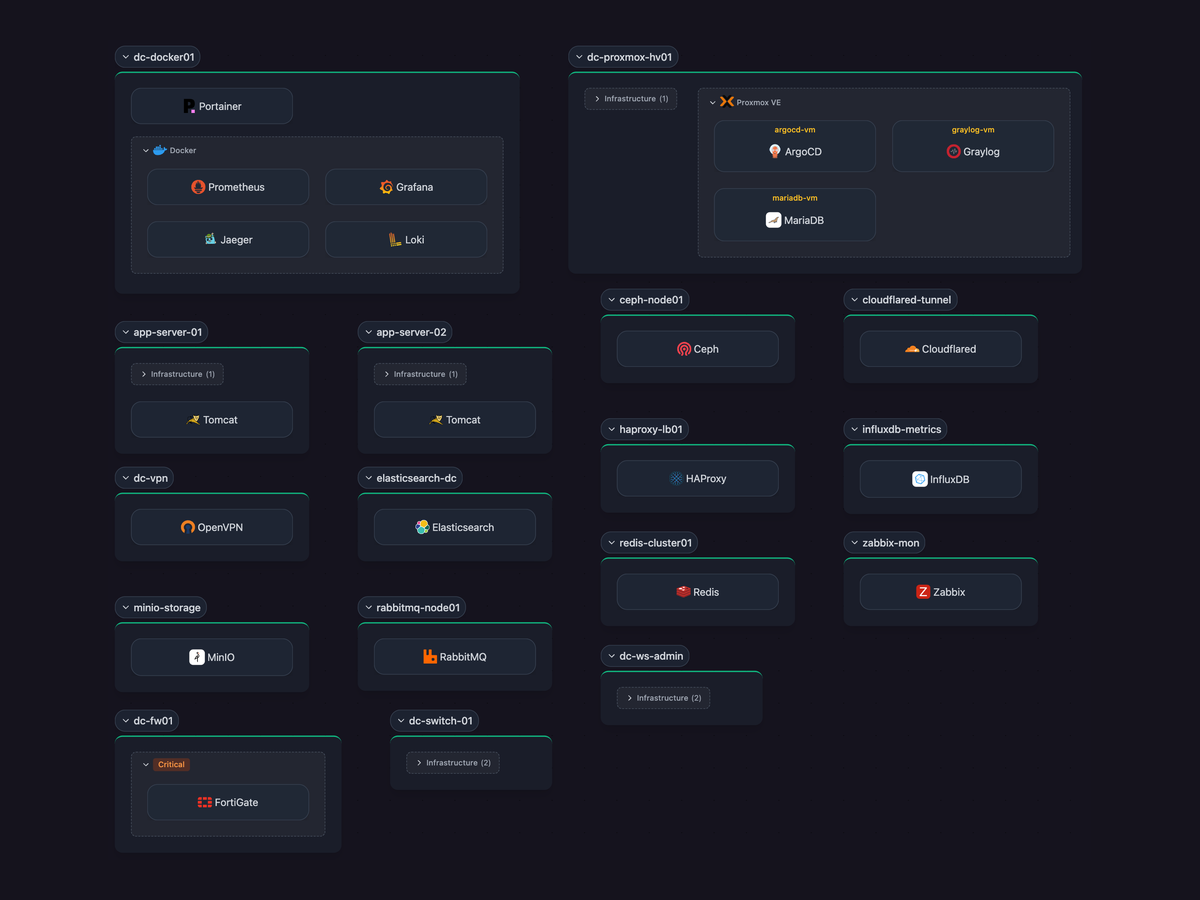
Workloads |
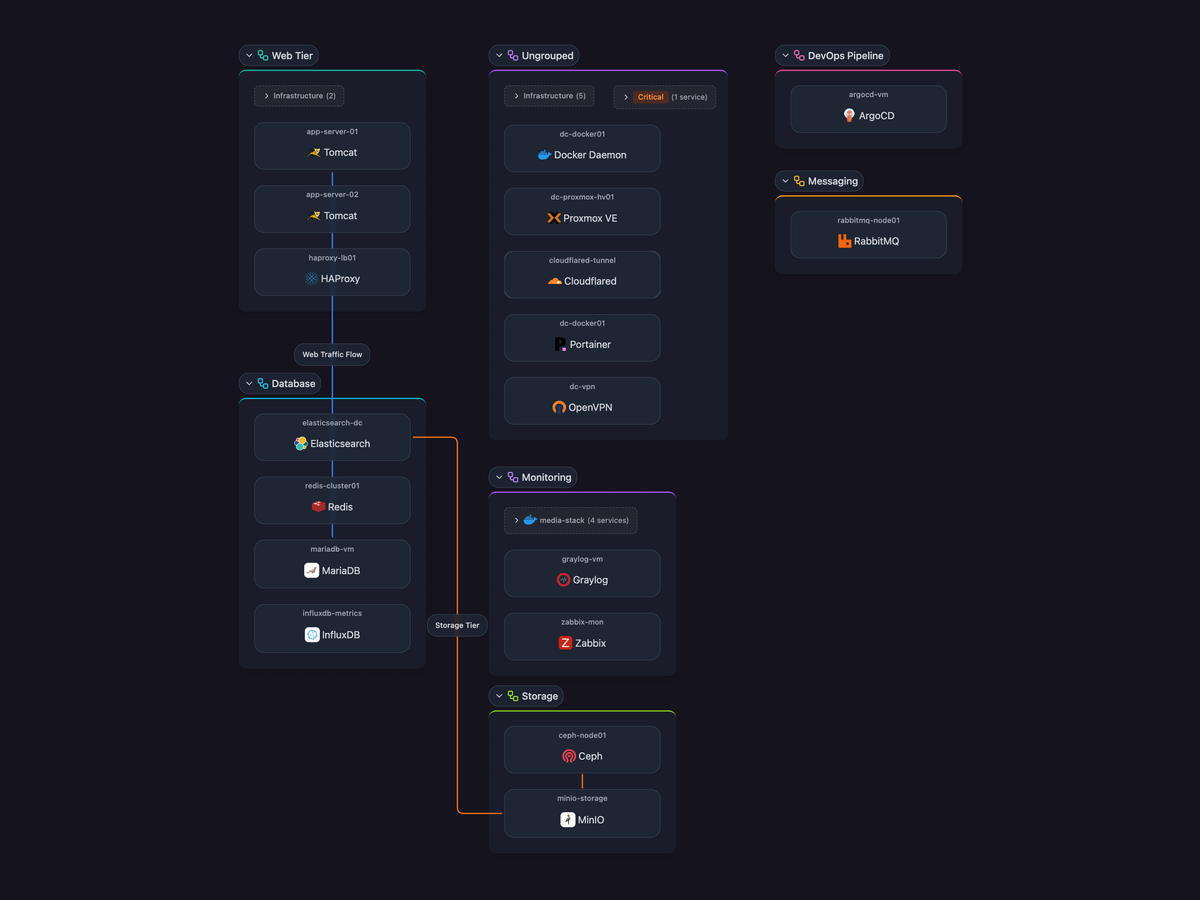
Applications |
✨ Features
- Automatic discovery: Maps hosts and services by scanning the network. One scanner, no per-device agents.
- 230+ service definitions: Auto-detects databases, web servers, containers, network infrastructure, and enterprise applications.
- Four views from one scan: L2 (physical), L3 (logical), workloads, and application dependencies.
- Distributed scanning: Deploy daemons across segments to map multi-site and multi-VLAN topologies.
- Docker & SNMP integration: Native discovery for containerized services and network hardware.
- Scheduled rescans: Documentation stays current as infrastructure changes.
- Multi-user + RBAC: Organization management, role-based access, and shareable live views for teammates or external stakeholders.
🎯 Perfect For
- Platform & DevOps teams: Trace service dependencies without APM. Map containers, VMs, and hardware in one model.
- Network engineers: Multi-VLAN, multi-site topology diagrams derived from SNMP, LLDP, and ARP. No manual drawing.
- IT operations: Keep inventory, topology, and dependencies current across teams and sites.
- MSPs: Per-client documentation with shareable live views.
- Home labs: Document your infrastructure without opening draw.io.
📋 Editions and Licensing
Every edition runs on your own infrastructure, so discovery data, topology and credentials stay inside your network.
- Community Edition (AGPL-3.0): free and open source. AGPL-3.0 requires source disclosure for network services and copyleft compliance.
- Commercial Edition (Self-Hosted Standard, Self-Hosted Plus, Enterprise): a commercial license for organizations that can't meet AGPL-3.0's terms or need more networks and seats. Adds Confluence export, invoice billing, procurement documents and support. Self-Hosted Plus adds multiple organizations, and Plus and Enterprise add offline license keys for air-gapped networks.
Compare editions and get a commercial license, or email licensing@scanopy.net.
Prefer not to run it yourself? Scanopy Cloud runs the same engine as a hosted service.
🚀 Quick Start for Self Hosting
Docker Compose
curl -O https://raw.githubusercontent.com/scanopy/scanopy/refs/heads/main/docker-compose.yml
docker compose up -d
Proxmox
Use this helper script to create a Scanopy LXC.
Unraid
Available as an Unraid community app.
Access the UI at http://<your-server-ip>:60072, create your account, and wait for the first discovery to complete.
Have a commercial license? See Deploying the Commercial Edition.
For detailed setup options and configuration, see the Installation Guide.
📚 Documentation + API
🚀 Demo
demo.scanopy.net. Hosted demo app with a sample dataset. Try the full UI without installing anything.
🤝 Contributing
We welcome contributions! See our contributing guide for details.
Great first contributions:
- Adding service definitions
- Translating Scanopy into your language
💬 Community & Support
- Discord: Join our Discord for help and discussions
- Issues: Report bugs or request features
- Discussions: GitHub Discussions
Translations powered by Weblate
Built with ❤️ in NYC
Categories
Related apps
Explore more like this
Explore allDetails
ghcr.io/scanopy/scanopy/server:latestRuntime arguments
- Web UI
http://[IP]:[PORT:60072]- Network
bridge- Shell
bash- Privileged
- false
Template configuration
- Target
- /data
- Value
- /mnt/user/appdata/scanopy/server
- Target
- 60072
- Value
- 60072
- Target
- SCANOPY_PUBLIC_URL
- Value
- http://10.100.20.250:60072
- Target
- SCANOPY_SERVER_PORT
- Value
- 60072
The full postgres URL to your database: postgresql://username:password@hostname:port/database
- Target
- SCANOPY_DATABASE_URL
- Target
- SCANOPY_LOG_LEVEL
- Value
- info
Full URL of your Daemon instance (e.g. http://192.168.0.100:60073)
- Target
- SCANOPY_INTEGRATED_DAEMON_URL
- Target
- SCANOPY_WEB_EXTERNAL_PATH
- Value
- /app/static