

Samba
Docker app from grtgbln's Repository
Overview
Readme
View on GitHub


Docker container of Samba, an implementation of the SMB networking protocol.
Features ✨
- Provides a lightweight SMB file server
- Configurable share name and credentials
- Supports multiple users via a list file
- Supports read-only and read-write shares
- Allows custom Samba configuration
- Works with Windows, macOS, and Linux clients
- Lightweight Alpine-based image
Usage 🐳
Docker Compose:
services:
  samba:
    image: dockurr/samba
    container_name: samba
    environment:
      NAME: "Shared"
      USER: "samba"
      PASS: "secret"
    ports:
      - 445:445
    volumes:
      - ./data:/shared
    restart: always
Docker CLI:
docker run -it --rm --name samba -p 445:445 -e "NAME=Shared" -e "USER=samba" -e "PASS=secret" -v "${PWD:-.}/data:/shared" docker.io/dockurr/samba
Configuration ⚙️
How do I choose which folder to share?
To choose your shared folder, include the following bind mount in your compose file:
volumes:
  - ./data:/shared
Replace the example path ./data with the desired folder or named volume.
How do I change the share name?
You can change the name displayed to SMB clients with the NAME environment variable:
environment:
  NAME: "Shared"
How do I connect to the shared folder?
On Windows, enter the following in File Explorer:
\\192.168.0.2\Shared
On macOS or Linux, use:
smb://192.168.0.2/Shared
Replace 192.168.0.2 with the IP address of the host and Shared with the configured share name.
[!NOTE]
This container only provides the SMB file server and does not run a WS-Discovery service. As a result, the server will normally not appear automatically under Network in Windows.
How do I change the credentials?
You can use the USER and PASS environment variables to configure the username and password:
environment:
  USER: "samba"
  PASS: "secret"
The default username is samba and the default password is secret.
How do I configure file ownership?
By default, the container automatically uses the user and group IDs of the /shared directory. If either ID is 0, it falls back to 1000 for that value.
You can override the detected values with the UID and GID environment variables:
environment:
  UID: "1002"
  GID: "1005"
This is useful when the ownership of the mounted directory does not match the IDs you want Samba to use.
How do I make the share read-only?
Set RW to false:
environment:
  RW: "false"
This changes the Samba share to read-only.
How do I provide a custom Samba configuration?
For advanced configuration, you can provide your own smb.conf. The default smb.conf can be used as a starting point.
Bind your custom configuration to the container like this:
volumes:
  - ./smb.conf:/etc/samba/smb.conf
How do I configure multiple users?
To configure multiple users, bind a users.conf file to the container:
volumes:
  - ./users.conf:/etc/samba/users.conf
Each non-empty line defines one user using the following format:
username:UID:groupname:GID:password:homedir
For example:
john:1001:users:1001:secret:/shared
jane:1002:users:1001:anothersecret:/shared
The fields are:
username— Username of the account.UID— Numeric user ID.groupname— Name of the primary group.GID— Numeric group ID.password— Password of the Samba account. It cannot contain:,\n, or\r.homedir— Optional home directory. Defaults to/sharedwhen omitted.
Lines starting with # and empty lines are ignored.
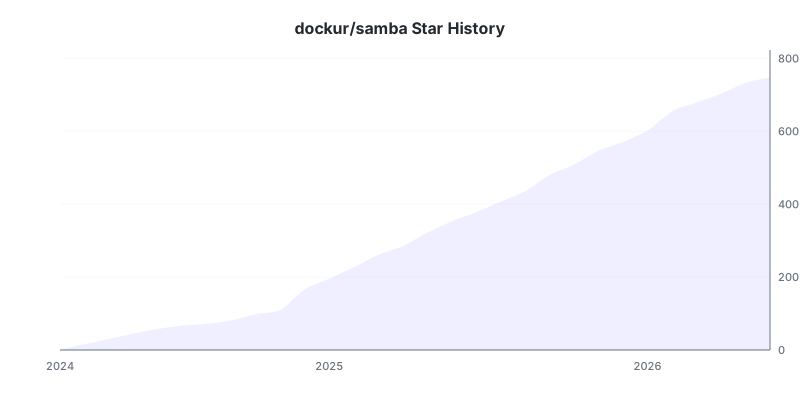
Stars 🌟
Download Statistics
Related apps
Explore more like this
Explore allDetails
dockurr/samba:latestRuntime arguments
- Network
bridge- Privileged
- false
Template configuration
Container Port: 445
- Target
- 445
- Default
- 445
- Value
- 445
- Target
- NAME
- Default
- Shared
- Target
- USER
- Default
- samba
- Target
- PASS
Path to the stored data
- Target
- /shared
- Default
- /mnt/user/appdata/samba/data
- Value
- /mnt/user/appdata/samba/data