
All apps · 0 apps

rustatio
Docker app from pbear's Repository
Overview
Readme
View on GitHub
🚀 Rustatio
A modern, cross-platform BitTorrent ratio management tool that emulates popular torrent clients. Built with Rust and Tauri for a fast, native desktop experience.
Accurately simulate seeding behavior by emulating uTorrent, qBittorrent, Transmission, Deluge, BitTorrent, or rTorrent with customizable upload/download rates and tracker interactions.
[!IMPORTANT] This tool is for educational purposes only. Manipulating upload/download statistics on BitTorrent trackers may violate the terms of service of private trackers and could result in account suspension or ban. Use at your own risk.
🎥 Demo
https://github.com/user-attachments/assets/2285bd54-95f3-4a56-b62a-978465abfa0f
📸 Screenshots
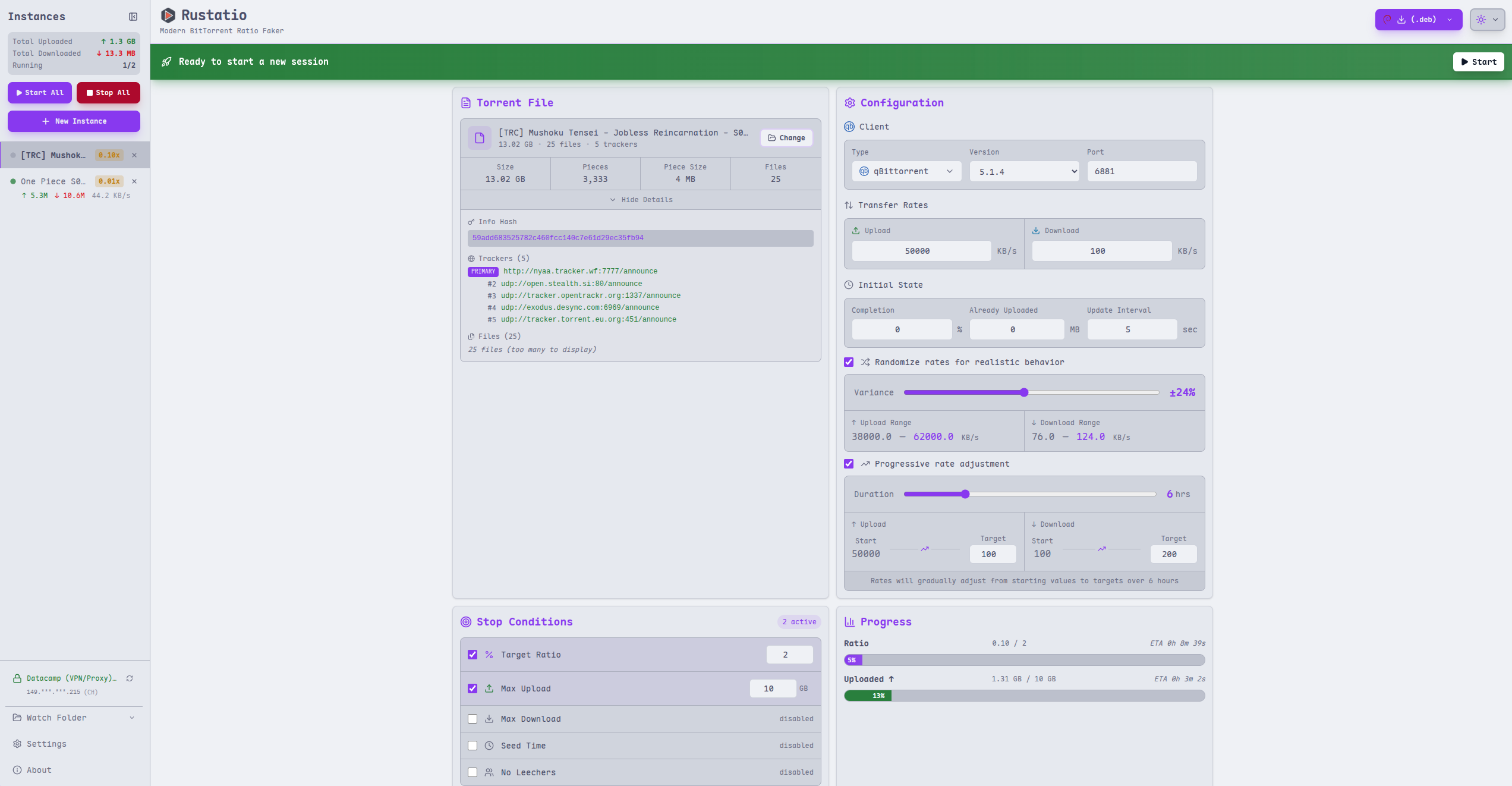
Light Theme - Main Interface |
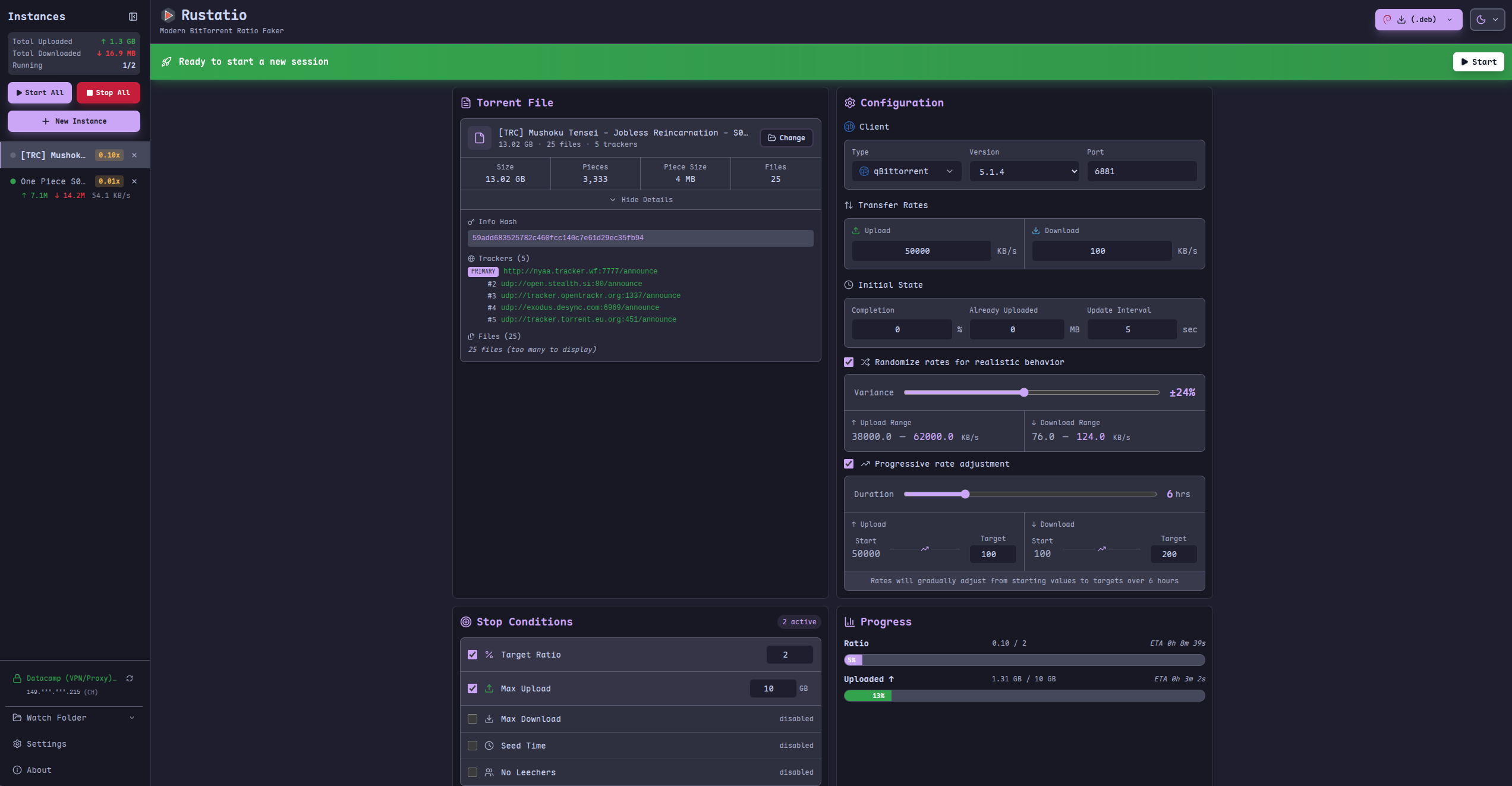
Dark Theme - Main Interface |
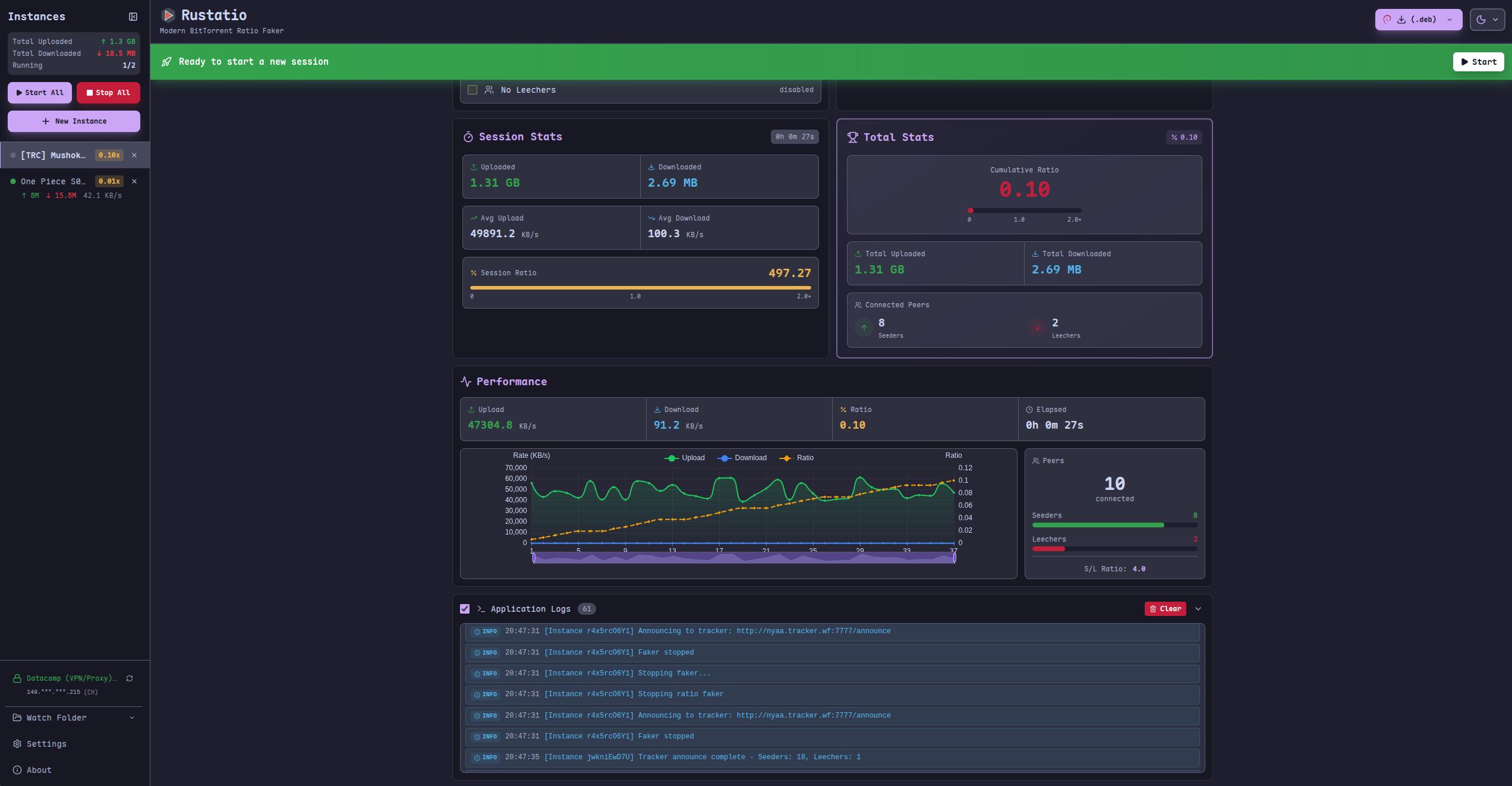
Active Torrent with Performance Charts |
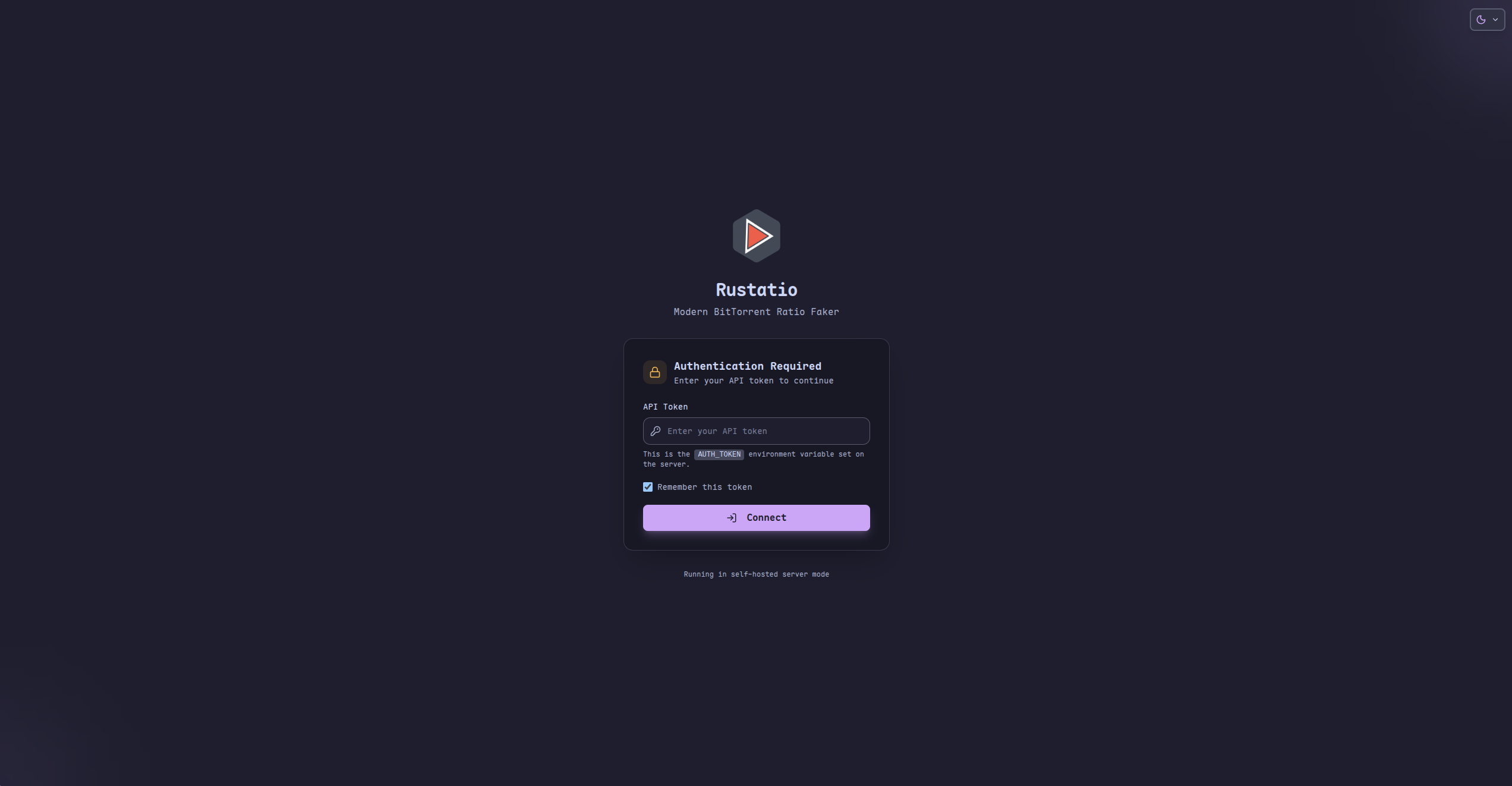
Authentication for Self-Hosted version |
Features
- Modern GUI: Built with Tauri and Svelte 5
- Cross-platform: Linux, Windows, and macOS
- Client emulation: uTorrent, qBittorrent, Transmission, Deluge, BitTorrent, and rTorrent
- Multi-instance support: Run and manage multiple torrents at the same time
- Realistic statistics: Randomize rates and ratio, or ramp them up progressively
- Stop conditions: Stop automatically at a target ratio, upload/download amount, or seed time
- Idle handling: Pause announces when there are no leechers or seeders
- Performance analytics: Live upload/download stats and interactive charts
- Watch folder: Automatically load new
.torrentfiles from a directory - VPN port sync (Docker): Follow Gluetun's forwarded port automatically
- TOML configuration and detailed console logging
Getting Started
Rustatio runs as a native desktop app or as a self-hosted Docker server with a web UI.
Desktop
Download the latest release for your platform from Releases.
Windows
- Run the setup installer
- Launch Rustatio from the Start Menu
macOS
- Open the
.dmgfile and drag Rustatio to your Applications folder - Launch it from Applications (you may need to allow it in System Settings → Privacy & Security)
Linux
Debian/Ubuntu:
sudo apt install ./Rustatio_*.deb
Fedora/RHEL/CentOS:
sudo dnf install Rustatio-*.rpm
Arch Linux (AUR):
yay -S rustatio-bin
# or
paru -S rustatio-bin
AppImage (universal):
chmod +x Rustatio_*.AppImage && ./Rustatio_*.AppImage
Docker (Self-Hosted)
Run Rustatio on a server, NAS, or any Docker-enabled system and access the web UI from any device on your network.
The recommended setup routes all tracker requests through a VPN using gluetun. The VPN is optional, but running Rustatio without one is at your own risk.
Create a docker-compose.yml:
services:
  gluetun:
    image: qmcgaw/gluetun
    cap_add:
      - NET_ADMIN
    devices:
      - /dev/net/tun:/dev/net/tun
    environment:
      # Configure your VPN provider - see https://github.com/qdm12/gluetun-wiki
      - VPN_SERVICE_PROVIDER=protonvpn # or: mullvad, nordvpn, expressvpn, etc.
      - VPN_TYPE=wireguard # or: openvpn
      - VPN_PORT_FORWARDING=on # if you want to enable port forwarding
      # Provider-specific settings (example for ProtonVPN WireGuard)
      - WIREGUARD_PRIVATE_KEY=${WIREGUARD_PRIVATE_KEY}
      - SERVER_COUNTRIES=${SERVER_COUNTRIES:-Switzerland}
      # Gluetun control server auth (v3.39.1+ defaults to private routes)
      # Generate a key with: docker run --rm qmcgaw/gluetun genkey
      - HTTP_CONTROL_SERVER_AUTH_DEFAULT_ROLE={"auth":"apikey","apikey":"${GLUETUN_API_KEY:-CHANGE_ME}"}
    ports:
      - "${WEBUI_PORT:-8080}:8080" # Rustatio Web UI
    restart: unless-stopped

  rustatio:
    image: ghcr.io/takitsu21/rustatio:latest
    container_name: rustatio
    environment:
      - PORT=8080
      - RUST_LOG=${RUST_LOG:-trace}
      - VPN_PORT_SYNC=${VPN_PORT_SYNC:-on} # follow gluetun's forwarded port
      - GLUETUN_CONTROL_SERVER_API_KEY=${GLUETUN_API_KEY:-CHANGE_ME}
      - PUID=${PUID:-1000}
      - PGID=${PGID:-1000}
      # Optional: protect the web UI with a secret token
      # - AUTH_TOKEN=${AUTH_TOKEN:-CHANGE_ME}
    volumes:
      - rustatio_data:/data
      # Optional: mount a folder to auto-load torrents from
      # - ${TORRENTS_DIR:-/path/to/your/torrents}:/torrents
    restart: unless-stopped
    network_mode: service:gluetun
    depends_on:
      gluetun:
        condition: service_healthy

volumes:
  rustatio_data:
Set your VPN provider credentials, then start it and open the web UI:
docker compose up -d
# http://localhost:8080 (or your server's IP)
| Variable | Description | Default |
|---|---|---|
PUID / PGID |
User and group ID used for file permissions on mounted volumes | 1000 |
AUTH_TOKEN |
Secret token required to access the web UI and API (generate with openssl rand -hex 32) |
disabled |
PORT |
Internal server port | 8080 |
RUST_LOG |
Log level (error, warn, info, debug, trace) |
info (trace in the example above) |
VPN_PORT_SYNC |
Follow Gluetun's forwarded port automatically (requires VPN_PORT_FORWARDING=on) |
on in the example above |
Watch folder: create the host directory before starting the container (otherwise Docker creates it as root and the container can't read it), then uncomment the volume mount. New .torrent files are picked up automatically.
Changing ports: ports are published on the gluetun service. Change the host port there (for example "3000:8080"), and update the target port too if you change PORT.
No VPN? Remove the gluetun service and the network_mode line, then publish the port on rustatio directly. This is optional and done at your own risk.
Usage
- Select Torrent: choose your
.torrentfile - Configure: pick the client to emulate, set upload/download rates, port, and other options
- Start: click Start to begin announcing
- Monitor: watch live statistics and performance charts
- Stop: click Stop when done
Supported Clients
| Client | Latest supported version |
|---|---|
| uTorrent | 3.5.5 |
| qBittorrent | 5.2.4 |
| Transmission | 4.1.3 |
| Deluge | 2.2.0 |
| BitTorrent | 7.11.0 |
| rTorrent | 0.16.24 |
Each client is emulated with its proper peer ID format, User-Agent header, HTTP protocol version, and query parameter ordering; older versions remain selectable in the UI.
How It Works
- Torrent parsing: reads the
.torrentfile and extracts the info hash and tracker URL - Client spoofing: generates authentic-looking peer IDs, keys, and headers for the selected client
- Stats simulation: announces to the tracker with fake upload/download stats and re-announces at the tracker's interval
Contributing
Contributions are welcome! See CONTRIBUTING.md for project setup and workflow.
License
MIT License - see LICENSE for details.
Credits
- Inspired by RatioMaster.NET, reimagined in Rust with a simpler cross-platform UI
- Built with Tauri, Svelte 5, Tailwind CSS, and shadcn-svelte
Categories
Related apps
Explore more like this
Explore allDetails
ghcr.io/takitsu21/rustatioRuntime arguments
- Web UI
http://[IP]:[PORT:8080]- Network
bridge- Shell
sh- Privileged
- false
Template configuration
Port for the web interface.
- Target
- 8080
- Default
- 8080
- Value
- 8080
Storage for data and configuration files.
- Target
- /data
- Default
- /mnt/user/appdata/rustatio
- Value
- /mnt/user/appdata/rustatio
Optional authentication token to secure access.
- Target
- AUTH_TOKEN
Optional folder for automatic torrent detection.
- Target
- /torrents
Automatically start faking for new torrents detected in the watch folder.
- Target
- WATCH_AUTO_START
- Default
- false
- Value
- false
Unraid User ID (default 99).
- Default
- 99
- Value
- 99
Unraid Group ID (default 100).
- Default
- 100
- Value
- 100
Logging level (info, debug, error).
- Target
- RUST_LOG
- Default
- info
- Value
- info