
Rotatarr
Docker app from Ehnkode's Repository
Overview
Readme
View on GitHub
Rotatarr
Keeps your home screen fresh, for Plex.
Plex shows the same collection rows in the same order every day. Rotatarr turns your collections into a rotating program, a bit like a streaming service.
What it does
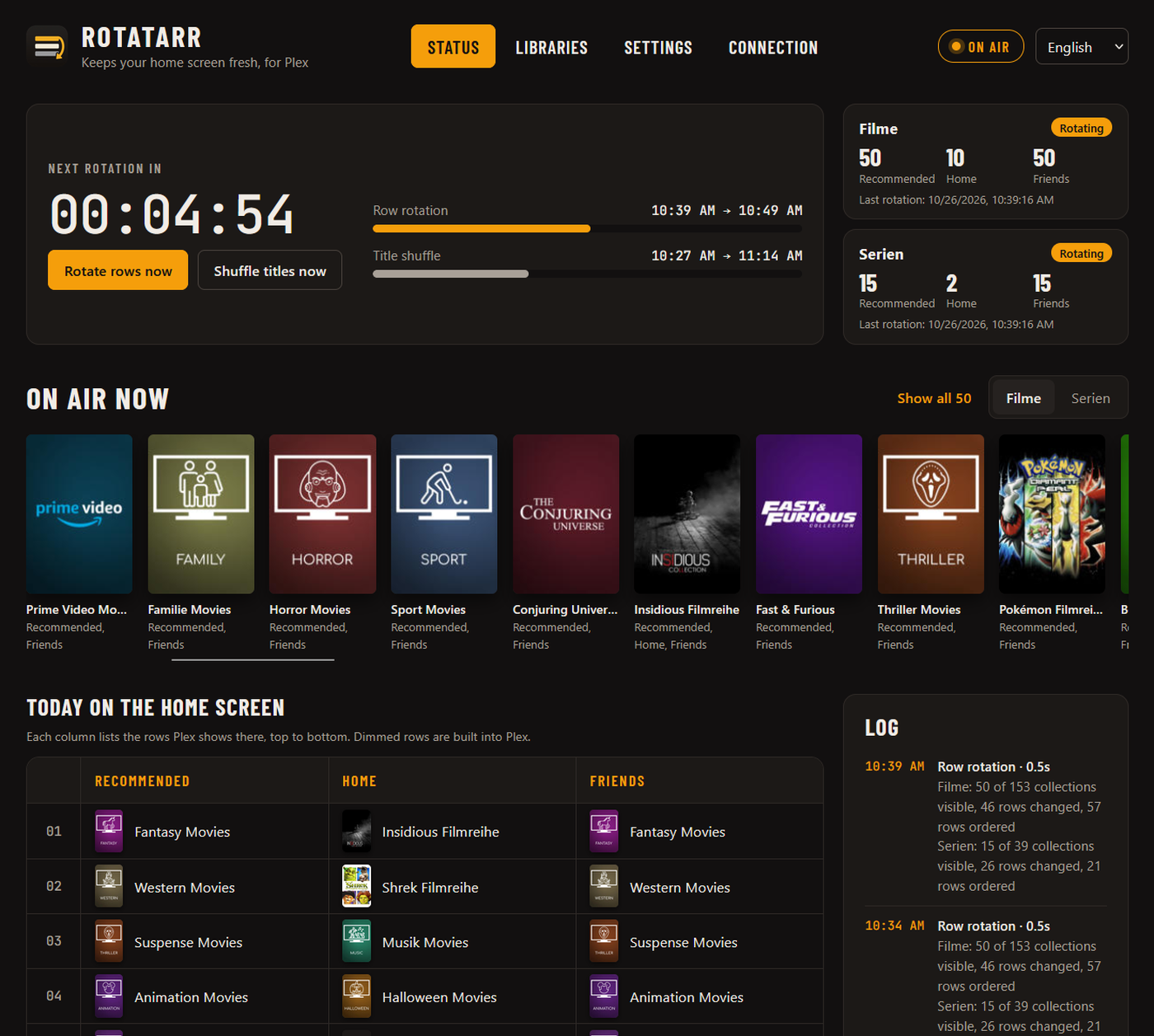
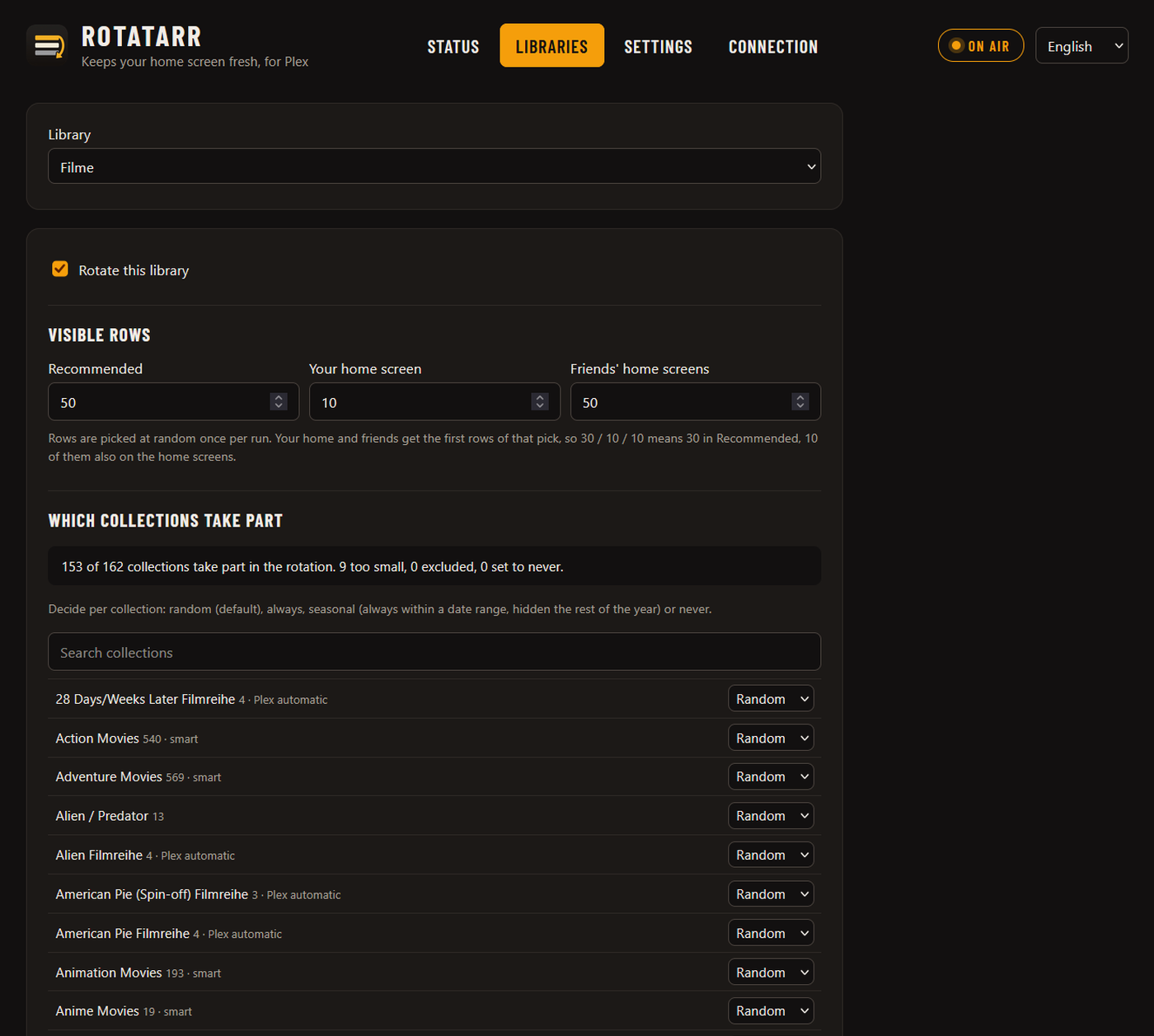
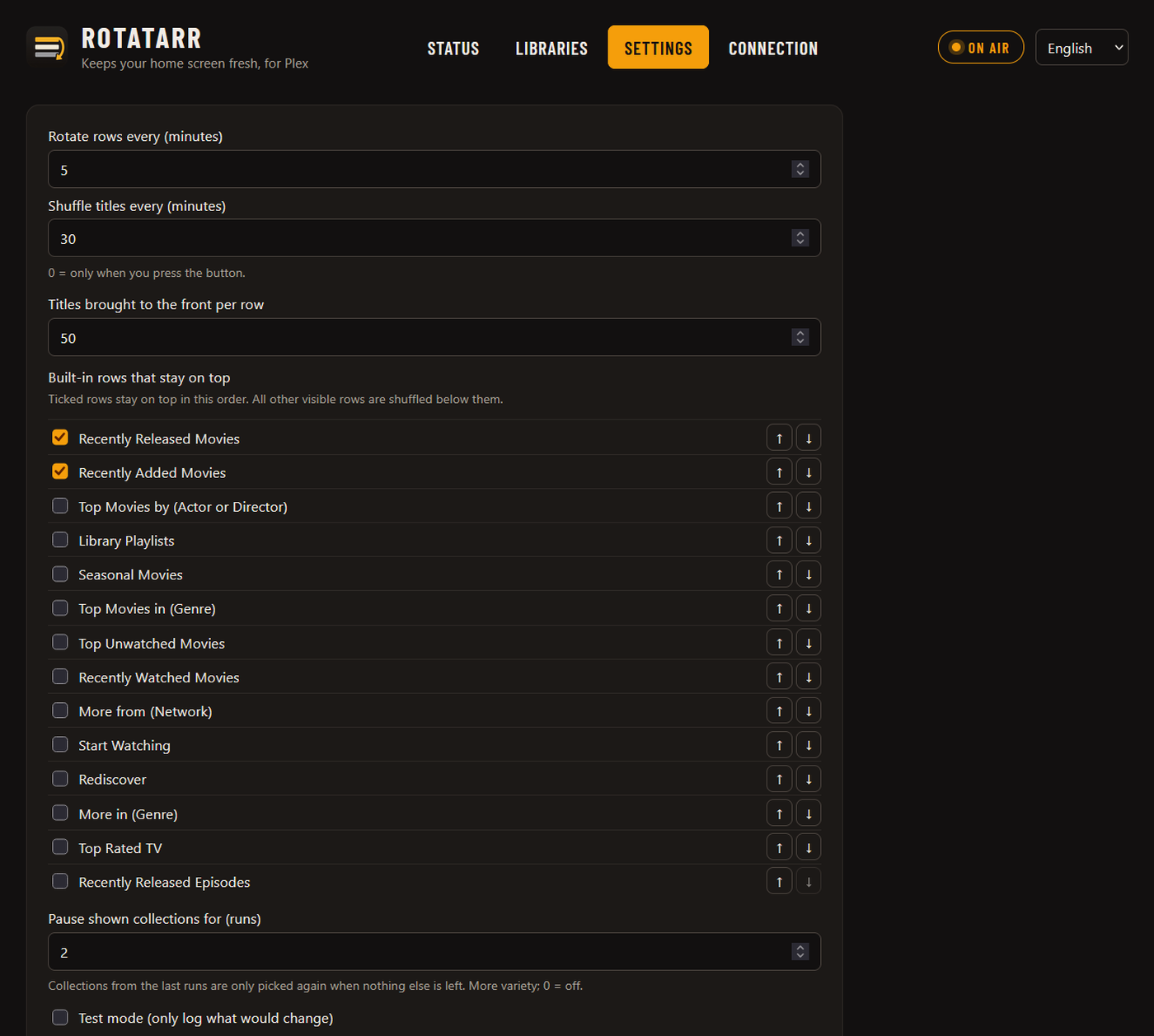
- Rotates rows: shows a random selection of your collections in Recommended, on your home screen and on your friends' home screens, and hides the rest.
- Shuffles: the row order and the titles inside the rows. Built-in rows such as Continue Watching stay on top.
- Follows your rules: always, never or seasonal per collection (e.g. Halloween only in October), plus limits and a minimum size. Plex's automatic movie collections are recognised in any language, so you can limit them separately, also just for the home screens.
- Shows what's on air: a countdown to the next rotation, the posters of the visible collections and a guide for each home screen.
- Tells you when something goes wrong: optional Discord message for failed runs.
- Works with any collections: Kometa, Plex's automatic movie collections or your own.
Rotatarr only changes visibility and order. It never deletes or edits collections, and one button puts everything back.
| Collection rules | Settings |
|---|---|
 |
 |
Install
Unraid: search for Rotatarr in the Apps tab.
Docker Compose:
services:
  rotatarr:
    image: ghcr.io/ehnkode/rotatarr:latest
    ports:
      - "7373:7373"
    volumes:
      - ./config:/config
    environment:
      - TZ=Europe/Berlin
    restart: unless-stopped
Then open http://<server>:7373, sign in with Plex and enable your libraries.
Environment variables
| Variable | Default | |
|---|---|---|
PORT |
7373 |
Port of the web UI |
TZ |
Etc/UTC |
Time zone |
PUID / PGID |
99 / 100 |
User and group that own the files in /config |
ROTATARR_USERNAME / ROTATARR_PASSWORD |
empty | Protect the web UI with a login |
LOG_LEVEL |
INFO |
Good to know
- Visibility and order apply to all users of your server, Plex has no per-user setting for this.
- TV apps cache the home screen. Restart the app if the new order does not show yet.
- If Kometa sets
visible_home,visible_libraryorvisible_shared, it overwrites Rotatarr. Let Rotatarr handle visibility instead. - Smart collections cannot be sorted by hand. Set their sort to random in the smart filter instead.
- Anyone who can open the web UI can change what Plex shows. Set
ROTATARR_USERNAMEandROTATARR_PASSWORDif others share your network, and do not expose Rotatarr to the internet without a reverse proxy with HTTPS.
Privacy: Rotatarr runs entirely on your own server and only talks to your Plex server and plex.tv. No telemetry.
Development
pip install -r requirements-dev.txt
pytest
ROTATARR_CONFIG_DIR=./config python -m rotatarr
The backend is Python (FastAPI), the web UI plain HTML and JavaScript without a build step. Texts for the UI live in rotatarr/static/i18n.js; translations are welcome.
License
Rotatarr is a community project and is not affiliated with or endorsed by Plex Inc. "Plex" is a trademark of Plex, Inc.
Categories
Related apps
Explore more like this
Explore allDetails
ghcr.io/ehnkode/rotatarr:latestRuntime arguments
- Web UI
http://[IP]:[PORT:7373]/- Network
bridge- Shell
bash- Privileged
- false
Template configuration
Port of the web interface
- Target
- 7373
- Default
- 7373
- Value
- 7373
Settings and run history
- Target
- /config
- Default
- /mnt/user/appdata/rotatarr
- Value
- /mnt/user/appdata/rotatarr
Time zone for the schedule
- Target
- TZ
- Default
- Europe/Berlin
- Value
- Europe/Berlin
User id that owns the config files
- Default
- 99
- Value
- 99
Group id that owns the config files
- Default
- 100
- Value
- 100
Optional. Protects the web UI together with the password.
- Target
- ROTATARR_USERNAME
Optional. Leave empty to disable the login.
- Target
- ROTATARR_PASSWORD