
All apps · 0 apps

romm
OfficialDocker app from arcanesada's Repository
Overview
Readme
View on GitHub
A beautiful, powerful, self-hosted ROM manager and player.




Overview
Scan, enrich, browse and play your ROM collection from one beautiful & free self-hosted app. Metadata from 10+ providers, save sync across your devices, and support for over 400 platforms. RomM is a must-have for anyone who plays on emulators.
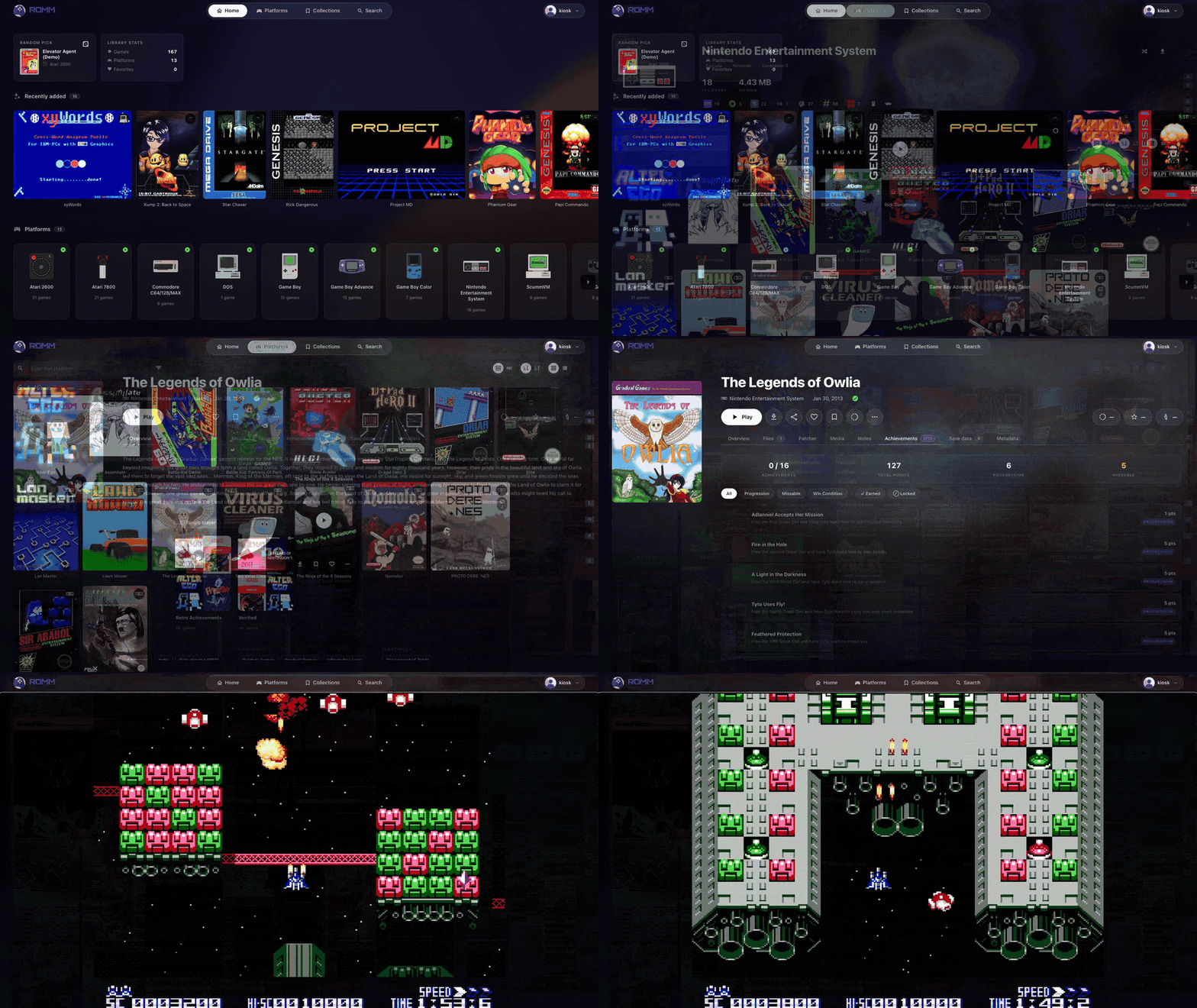
Features
- Play in your browser with EmulatorJS and RuffleRS, no setup required
- Keep saves and states in sync across your devices, with conflict resolution
- Scan and enrich your library with metadata from IGDB, Screenscraper, LaunchBox and MobyGames
- Fetch custom artwork from SteamGridDB and track your achievements from Retroachievements
- Metadata available for 400+ platforms, plus multi-disk games, DLCs, mods, hacks and manuals
- Apply romhacks and translations on the fly with the built-in ROM patcher
- Share your library with granular per-user permissions and OIDC single sign-on
- Official apps for Playnite, Android and CFWs
- Free forever: AGPL-3.0, no tracking, no paid features, and total control of your data
Installation
The easiest way to start is with the Quick Start Guide in the docs. If you're having trouble with setup, please review the page for troubleshooting steps.
Prefer a hosted deploy over wiring up the stack yourself?

Starting at $6.49/mo · Setup guide
Deployment and infrastructure support for this install is handled by Hostinger. Prices are indicative and may not reflect current offerings. Signups through the link above send a share of the revenue back to us, which helps fund the project.
Official apps
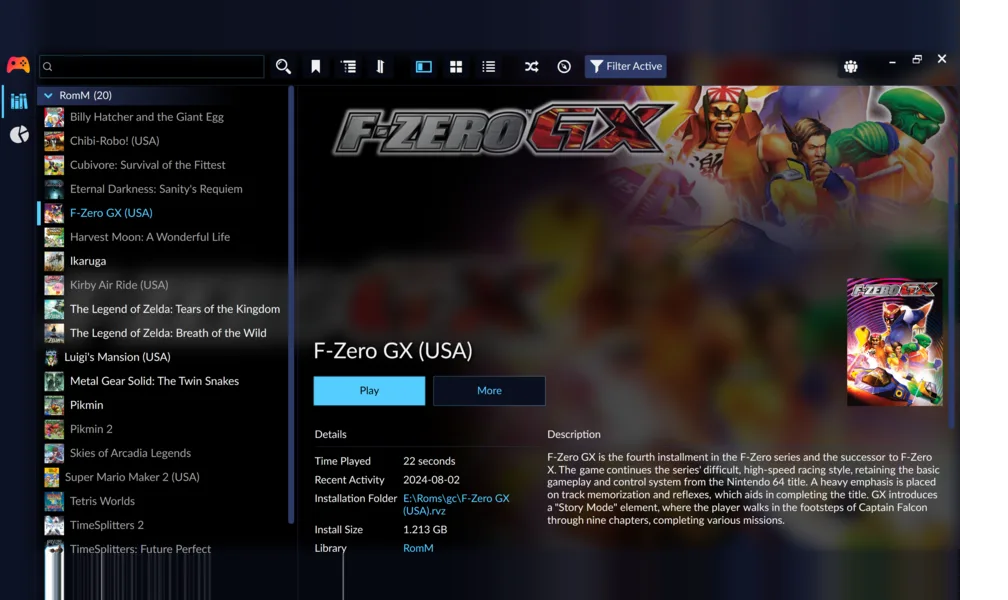
 Playnite plugin
Effortlessly integrate your retro game collection into Playnite, the open-source game library manager that provides a unified interface for all of your games on PC.
Windows Desktop QR pairing
 by @gantoine
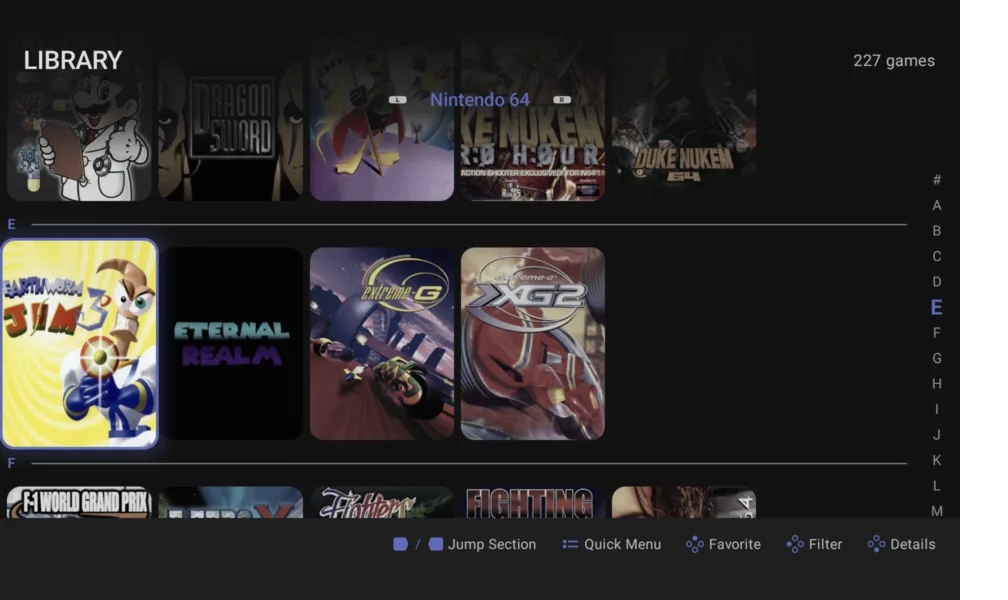
 Argosy
Sync your library, download games on demand and track your achievements, from a gamepad-first interface designed for Anbernic, Retroid Pocket, Odin, and similar devices.
Android Handhelds QR pairing Save sync
 by @tmgast
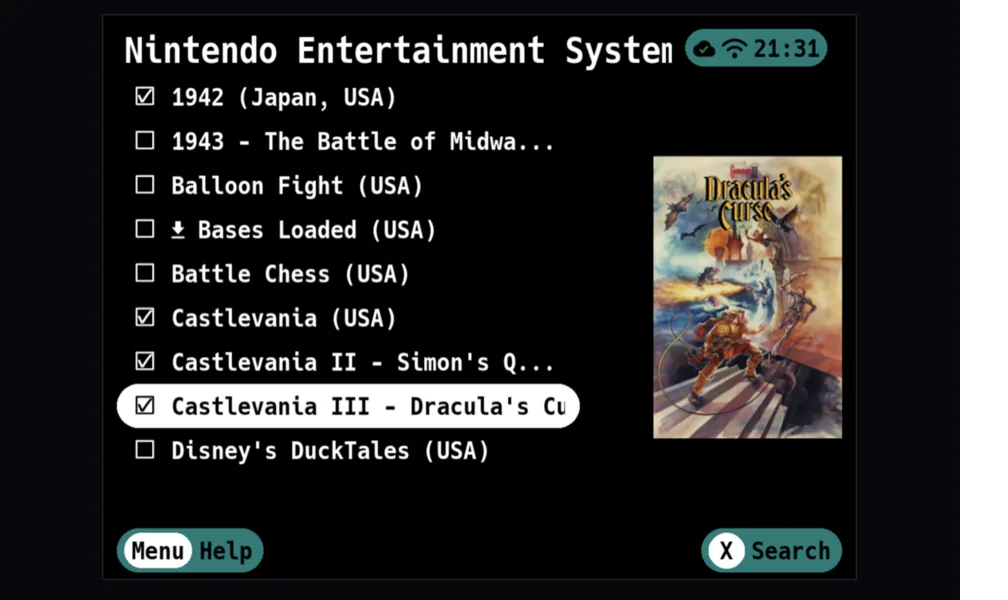
 Grout
Grout
A lightweight client for your favorite handheld custom firmwares*. Download games, box art and BIOS files wirelessly, and sync your saves automatically as you play.
Linux Handhelds Save sync

*Supports Allium, Batocera, Knulli, MinUI, muOS, NextUI, Onion, ROCKNIX, Spruce and TrimUI.
Community
Here are some cool projects maintained by members of our community. Please note that our team does not regularly review their source code.
Mobile and TV
- romm-ios-app: Native iOS app by @ilyas-hallak
- RomMulus: Android TV app with built-in emulator cores and save sync by @DEV-DUFORD
Desktop
- Freegosy: Cross-platform game manager with save sync by @abduznik
- RetroVault: Native macOS library and player by @kennethreitz
- romm-client: Desktop client by @chaun14
- RomMate: Desktop app for browsing your collection by @brenoprata10
Handhelds and Steam Deck
- Gameflow Deck: Controller-first frontend for handhelds by @simeonradivoev
- RomMix: Big Picture-style frontend for Linux and Steam Deck by @leclercb
- Tender: Decky Loader plugin with library and save sync for Steam Deck by @danielcopper
- Vita RomM: PS Vita homebrew client for browsing and downloading games by @denkacn
Sync
- RetroArch Sync: Sync RetroArch library with RomM by @Covin90
- Syncthing sync: Small tool to push a Syncthing library to RomM by @amn-96
Integrations
- GGRequestz: Game discovery and request tool by @XTREEMMAK
- romm-comm: Discord bot by @idio-sync
Support the project
Consider supporting this project on Open Collective. Funds cover hosting, development, and maintenance, and we pass some along to community projects to nurture a healthy ecosystem of apps.

Corporate Sponsors
These companies support us by providing their tools for free:


Our Friends
Here are a few projects that we think you might like:
- Lutris: Open gaming platform for Linux
- Cocoon: Controller-first Android frontend for retro handhelds
- muOS: Custom firmware for Anbernic and other handhelds
- RetroDECK: Retro gaming on SteamOS and Linux
- Steam ROM Manager: An app for managing ROMs in Steam
- Hasheous: Hash lookup service that maps ROMs to game metadata
- Gaseous: Another ROM manager with web-based emulator
- Playmatch: Microservice for matching ROM hashes to games
- EmulatorJS: An embeddable, browser-based emulator
- PortMaster: Native game ports for Linux handhelds
- MelonLoader: Universal mod loader for Unity games
- NextUI: MinUI-based custom firmware for TrimUI handhelds
- RetroAchievements: Achievements for retro games
Media gallery
1 / 4Requirements
MariaDB
Categories
Download Statistics
Total Downloads Over Time
Related apps
Explore more like this
Explore allDetails
rommapp/romm:latestRuntime arguments
- Web UI
http://[IP]:[PORT:8080]- Network
romm_net- Shell
sh- Privileged
- false
Template configuration
- Target
- 8080
- Default
- 8080
- Value
- 8080
Game files
- Target
- /romm/library/
- Default
- /romm/library
- Value
- /mnt/user/appdata/romm/library
Metadata storage (covers, screenshots, etc.)
- Target
- /romm/resources/
- Value
- /mnt/user/appdata/romm/resources
Uploaded saves, states, etc.
- Target
- /romm/assets/
- Value
- /mnt/user/appdata/romm/assets
Folder for config.yml
- Target
- /romm/config/
- Value
- /mnt/user/appdata/romm/config
Stores in-memory data
- Target
- /redis-data
- Value
- /mnt/user/appdata/romm/redis-data
Database driver to use
- Default
- mariadb
- Value
- mariadb
Host name of database instance
- Default
- mariadb
Port number of database instance
- Default
- 3306
Should match MYSQL_DATABASE in MariaDB
- Default
- romm
Database username
- Default
- romm
Database password
Extra query parameters for the database connection, in JSON format
Host name of Redis/Valkey instance
Port number of Redis/Valkey instance
Username for Redis/Valkey instance
Password for Redis/Valkey instance
Database number for Redis/Valkey instance
Enable SSL for Redis/Valkey instance
Generate a key with `openssl rand -hex 32`
Disables CSRF protection (not recommended)
- Default
- false
Disable auth on download endpoint
- Default
- false
Disables login with username and password
- Default
- false
Maximum age of a session (in seconds)
Read-only mode for public displays or kiosks
- Default
- false
Enable OpenID Connect (OIDC) authentication
- Default
- false
Name of the OIDC provider in use
Client ID for OIDC authentication
Client secret for OIDC authentication
Absolute redirect URI for OIDC authentication
Absolute URL of the OIDC server application
Path to a file containing trusted CA certificates
Client ID for IGDB API
Client secret for IGDB API
Screenscraper username
Screenscraper password
MobyGames secret API key
SteamGridDB secret API key
Retroachievements secret API key
Retroachievements metadata cache refresh (in days)
Enable LaunchBox API integration
- Default
- false
Enable PlayMatch API integration
- Default
- false
Enable Hasheous API integration
- Default
- false
Enable Flashpoint API integration
- Default
- false
Enable HowLongToBeat API integration
- Default
- false
Number of processes running the app
Waiting time for requests on a Keep-Alive connection (in seconds)
Maximum number of requests a worker will process before restarting
Random jitter to add to the maximum number of requests a worker will process before restarting
Timeout for web server requests (in seconds)
Maximum number of simultaneous clients a single process can handle
Forces color output
Disables color output
Disables playing in browser with EmulatorJS
- Default
- false
Disables playing flash games with RuffleRS
- Default
- false
Base URL for alternate frontends
Timeout for file uploads (in seconds)
Timeout for the background scan/rescan tasks (in seconds)
Number of worker processes for scanning tasks
Timeout for the rest of the background tasks (in seconds)
How long to keep task results in Valkey (in seconds)
Timeout for 7-Zip operations (in seconds)
Enable re-scanning of library when filesystem changes
- Default
- false
Delay before re-scanning library when filesystem changes (in minutes)
Enable scheduled re-scanning of library
- Default
- false
Cron expression for scheduled re-scanning
Enable scheduled updating of Switch TitleDB index
- Default
- false
Cron expression for scheduled updating of Switch TitleDB
Enable scheduled updating of LaunchBox metadata
- Default
- false
Cron expression for scheduled updating of LaunchBox metadata
Enable scheduled conversion of images to WebP format
- Default
- false
Cron expression for scheduled conversion of images to WebP format
Enable scheduled syncing of Retroachievements progress
- Default
- false
Cron expression for scheduled syncing of Retroachievements progress
Logging level for the app
- Value
- INFO
DSN for Sentry error tracking