
All apps · 0 apps
roadlog
Docker app from stomko11's Repository
Overview
Readme
View on GitHub🚗 Roadlog



A self-hosted vehicle expense tracking system. Track fuel fill-ups, other expenses, and monitor consumption across all your vehicles.
Why Roadlog?
I've long liked the idea behind self-hosted vehicle trackers, but a handful of annoyances (some I hit with tools like Hammond) kept bugging me — so I built my own take and fixed those rough edges the way I wanted. The other driver was EVCC: I run it at home for solar charging, so first-class EVCC integration was something I wanted baked in from the start.
It's a single self-hosted container (Go + embedded frontend + SQLite) — nothing external to run. Not trying to replace anything; just a scratch-my-own-itch project that others might find useful. PRs and suggestions are very welcome.
Screenshots
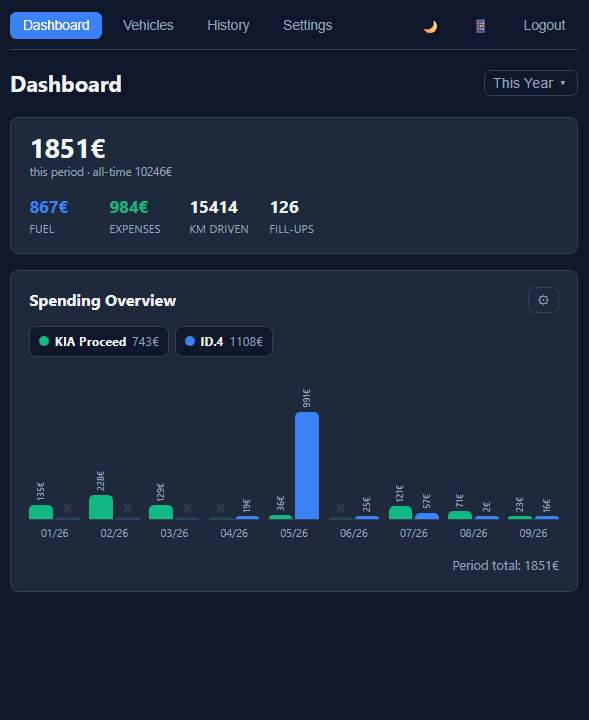 Dashboard |
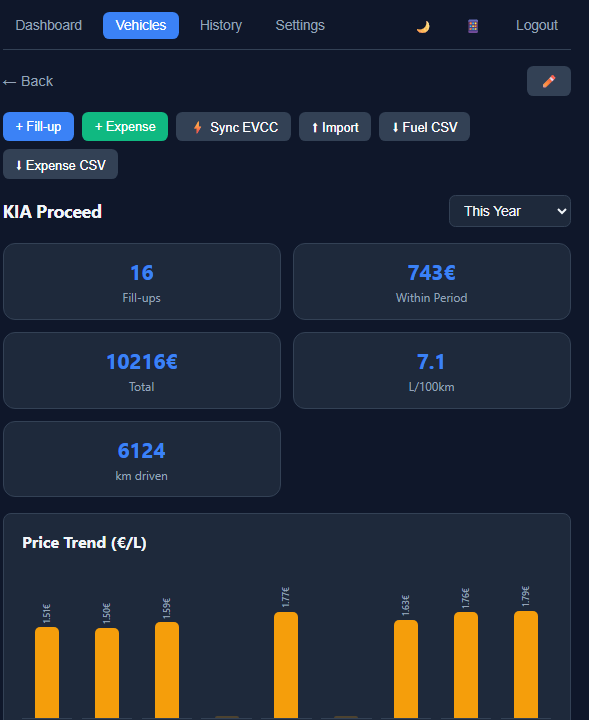 Vehicle detail |
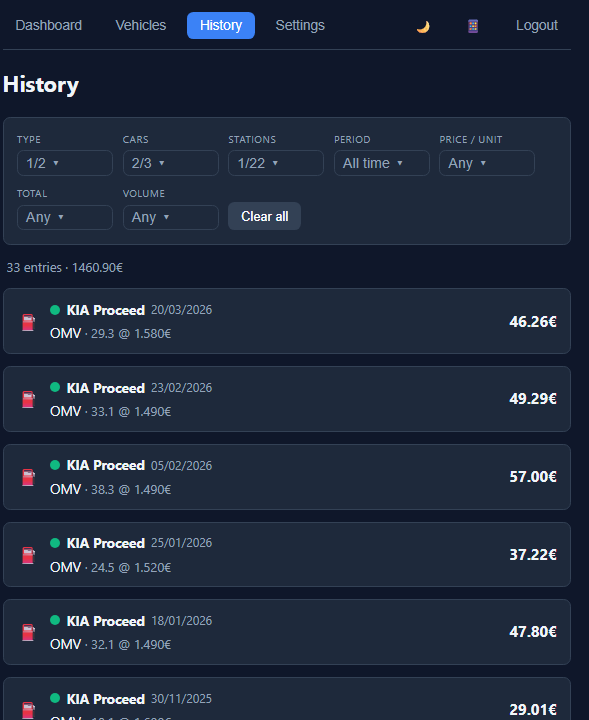 History |
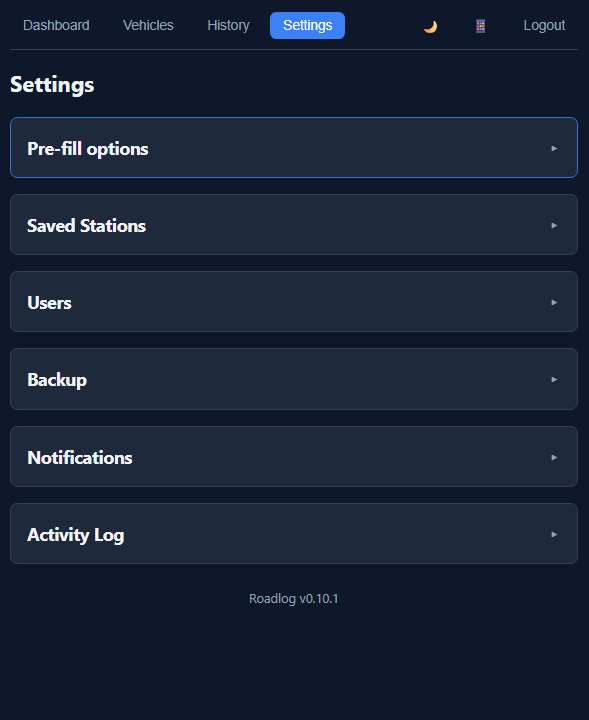 Settings |
Features
- Multi-vehicle support — petrol, diesel, LPG, CNG, electric, hybrid, plugin hybrid
- Plugin Hybrid — choose fuel or electric per fill-up
- EVCC integration — auto-import home charging sessions with solar %, actual cost from dynamic tariffs, and savings vs grid
- Vehicle lifecycle — mark vehicles as inactive (won't appear in new entries) or hide from stats
- Smart fill-up form — pre-fills last odometer, price, and station (configurable), plus per-station price memory (remembers the last price you paid at each saved station)
- Saved stations — per fuel type, with autocomplete suggestions
- Other expenses — insurance, service, repair, tires, parking, tolls, etc.
- Dashboard — grouped per-vehicle bars (side-by-side comparison), Cost/Distance view, per-month or per-day buckets, cost-type breakdown (fuel/expense), clickable per-vehicle legend, and period filters
- History — a single filterable log of all fill-ups and expenses across every vehicle: filter by type, car, station, period, price and volume
- Per-vehicle charts — consumption and price trends, plus an EV solar/grid monthly charging chart, all with a month/day toggle
- Multi-user — shared vehicles, user management
- CSV import — with smart column mapping and auto-guess
- CSV export & full backup/restore, plus scheduled auto-backup to WebDAV/local
- Responsive UI — mobile layout or a desktop sidebar, with a manual view toggle
- Theme — light, dark, or auto (follows the OS)
- Configurable units & formats — currency (EUR, USD, GBP, CZK, PLN…), volume (L, gal), distance (km, mi), and date format (DD/MM/YYYY, MM/DD/YYYY, YYYY-MM-DD…)
- Single container — Go backend + embedded frontend, SQLite database
EVCC Integration
Automatically import EV charging sessions from EVCC with full solar/cost data.
Setup:
- Go to your EV's edit page → EVCC Integration section
- Enter your EVCC instance URL (e.g.
http://192.168.x.x:7070) - Click "Connect & Discover" — select vehicle and loadpoint
- Set a label (e.g. "Home"), sync-since date, and optionally enable daily auto-sync
- Set a fallback price for sessions without tariff data (estimates cost using solar %)
What gets imported:
- Charged energy (kWh)
- Actual cost (from dynamic tariffs, accounting for solar share)
- Solar percentage per session
- Odometer reading
- Savings vs full grid price
Deduplication: Sessions are tagged with their EVCC session ID — re-syncing never creates duplicates.
Multiple sources: You can add multiple EVCC instances per vehicle (e.g. home + parents' house).
Automatic Backup
Roadlog can automatically back up your data to WebDAV (Nextcloud) or a local path on a configurable schedule.
Configure in Settings → Automatic Backup.
Schedule Options
- Daily — runs at a specific time (default 03:00)
- Weekly — runs on a chosen day of the week at a specific time
- Monthly — runs on a chosen day of the month (1–28) at a specific time
WebDAV (Nextcloud) Setup
- In Nextcloud, create a folder for backups (e.g.
Backups/Roadlog) - Go to Settings → Security → Devices & sessions
- Enter a name (e.g. "Roadlog") and click Create new app password
- Copy the generated token
In Roadlog settings:
- Type: WebDAV (Nextcloud)
- URL:
https://your-cloud.com/remote.php/dav/files/YOUR_USERNAME/Backups/Roadlog/ - Username: your Nextcloud username (found in Settings → Personal info)
- Password: the app password token from step 3
💡 Use an app password instead of your main password — it bypasses 2FA and can be revoked independently.
Local Path
Set a directory path (e.g. /backups/roadlog). Mount a volume to that path in Docker:
volumes:
  - ./data:/data
  - /mnt/nas/backups/roadlog:/backups/roadlog
Roadlog will write timestamped JSON backups and auto-clean old ones based on your retention setting.
Options
| Setting | Description | Default |
|---|---|---|
| Schedule | Daily or weekly | Daily |
| Retain | Number of backups to keep | 7 |
You can also click Run Now to trigger a backup manually.
Quick Start
Unraid
- In Unraid, go to Docker → Template Repositories
- Add:
https://github.com/stomko11/roadlog - Click Add Container, select the Roadlog template
- Click Apply — done!
Data is stored in /mnt/user/appdata/roadlog by default.
Docker Compose
services:
  roadlog:
    image: stomko11/roadlog:latest
    container_name: roadlog
    ports:
      - "3000:3000"
    volumes:
      - ./data:/data
    restart: unless-stopped
docker compose up -d
Default credentials: admin@roadlog.local / roadlog
⚠️ Change the default password after first login.
Alternative registries
- Docker Hub:
stomko11/roadlog:latest - GitHub Container Registry:
ghcr.io/stomko11/roadlog:latest
Environment Variables
| Name | Description | Default |
|---|---|---|
JWT_SECRET |
Secret for signing auth tokens | roadlog-change-me-in-production |
PORT |
Server port | 3000 |
DATA_DIR |
Directory for SQLite database | /data |
Build from Source
Requirements: Go 1.22+
cd backend
go mod tidy
go build -o roadlog .
DATA_DIR=. ./roadlog
Tech Stack
- Backend: Go, Gin, GORM, SQLite
- Frontend: Vanilla JS (embedded single HTML file)
- Container: Alpine Linux (~20MB)
Development
cd backend
DATA_DIR=. go run main.go
The frontend is embedded in backend/static/index.html. Changes require rebuilding the Go binary.
License
MIT
Categories
Download Statistics
Related apps
Explore more like this
Explore allDetails
ghcr.io/stomko11/roadlog:latestRuntime arguments
- Web UI
http://[IP]:[PORT:3000]- Network
bridge- Shell
sh- Privileged
- false
Template configuration
Port for the Roadlog web interface.
- Target
- 3000
- Default
- 3000
Persistent data storage (database).
- Target
- /data
- Default
- /mnt/user/appdata/roadlog