
All apps · 0 apps

Reubah
Docker app from grtgbln's Repository
Overview
A simple web-based tool for processing images and converting documents with a simple interface.
Readme
View on GitHubReubah - Universal File Converter & Image Processor
a simple web-based tool for processing images and converting documents with a simple interface
Features
- File Converter (Keep on adding more formats)
- Dark Mode
- API
- Background Removal for Images
Quick Start
Using Docker
git clone https://github.com/dendianugerah/reubah.git
cd reubah
docker-compose up -d
or create a folder for the project and run
docker run -d --name reubah -p 8081:8081 -v doc-temp:/tmp -e PORT=8081 --restart unless-stopped ghcr.io/dendianugerah/reubah:latest
Access at: http://localhost:8081
Local Development
Requirements:
- Go 1.22+
- LibreOffice (for document conversion)
- GCC/G++
go mod download
go run cmd/server/main.go
Images
Here are some images related to the project:
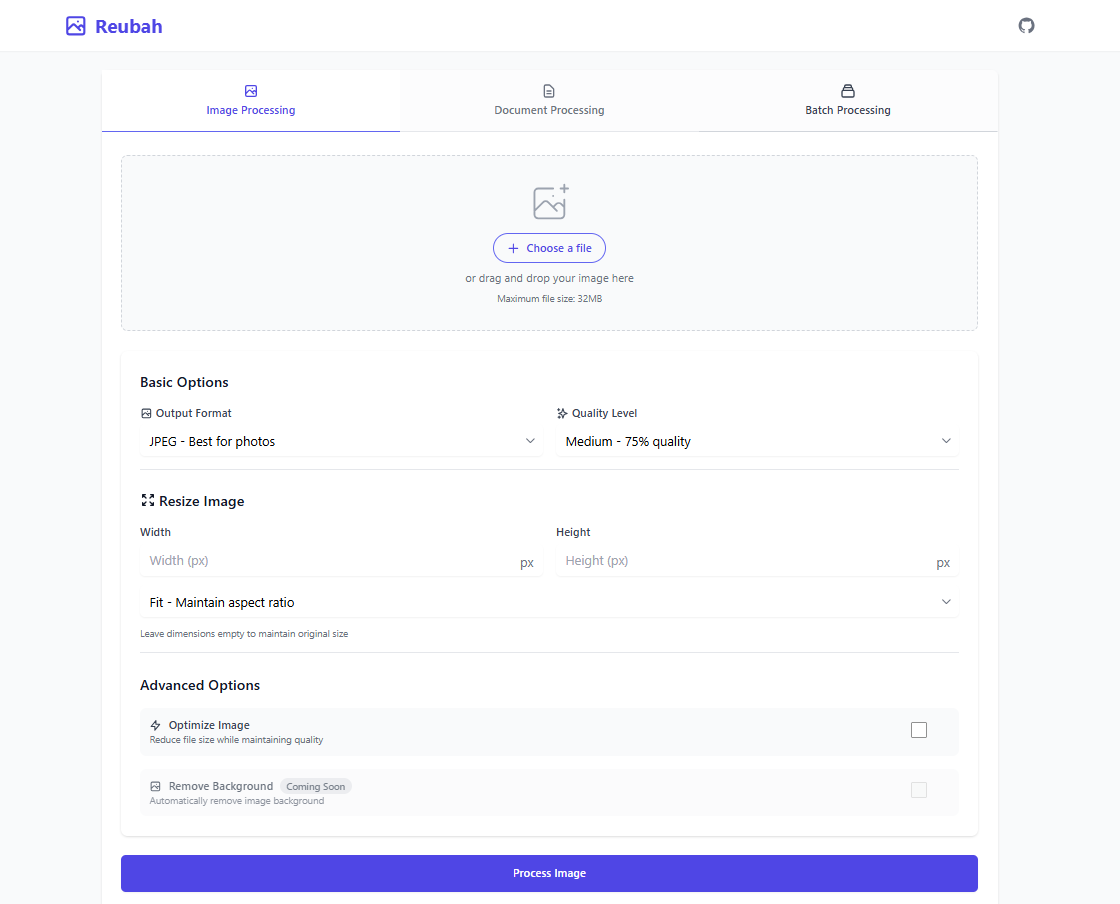
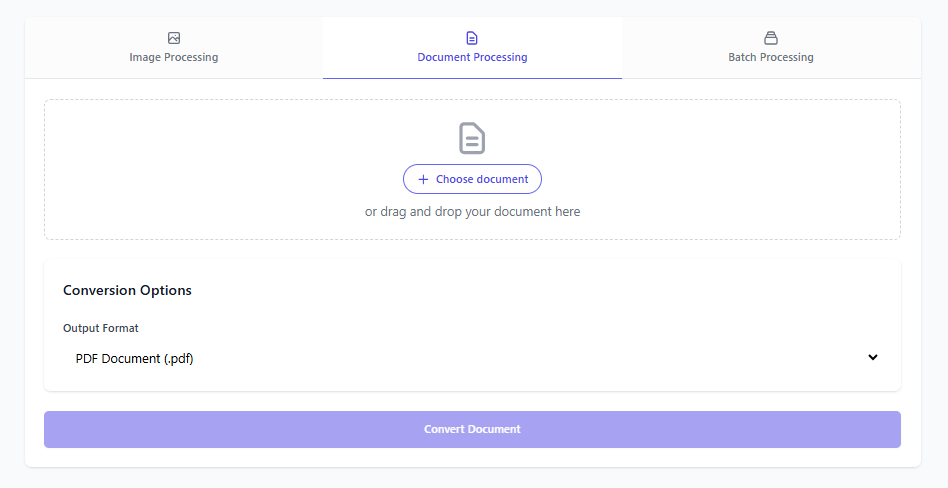
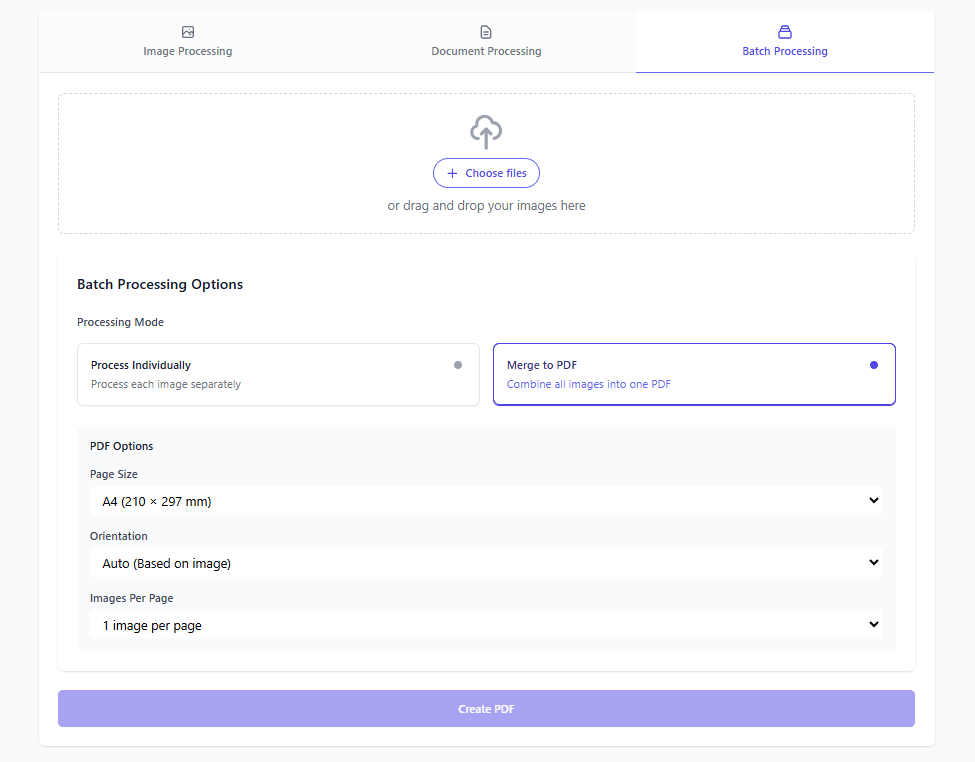
Format Support & Compatibility
Matrix Guide:
- Find your source format in the left column
- Follow the row to find available output formats
- ✅ = Supported conversion
-= Same format (no conversion needed)
Image Conversion Matrix
| From ➡️ To ⬇️ | JPG/JPEG | PNG | WebP | GIF | BMP | HEIC/HEIF | |
|---|---|---|---|---|---|---|---|
| JPG/JPEG | - | ✅ | ✅ | ✅ | ✅ | ❌ | ✅ |
| PNG | ✅ | - | ✅ | ✅ | ✅ | ❌ | ✅ |
| WebP | ✅ | ✅ | - | ✅ | ✅ | ❌ | ✅ |
| GIF | ✅ | ✅ | ✅ | - | ✅ | ❌ | ✅ |
| BMP | ✅ | ✅ | ✅ | ✅ | - | ❌ | ✅ |
| HEIC/HEIF | ✅ | ✅ | ✅ | ✅ | ✅ | - | ✅ |
Document Conversion Matrix
| From ➡️ To ⬇️ | DOCX | DOC | ODT | RTF | TXT | |
|---|---|---|---|---|---|---|
| PDF (from PDF currently still bad) | - | ✅ | ✅ | ❌ | ❌ | ❌ |
| DOCX | ✅ | - | ✅ | ✅ | ✅ | ✅ |
| DOC | ✅ | ✅ | - | ✅ | ✅ | ✅ |
| ODT | ✅ | ✅ | ✅ | - | ✅ | ✅ |
| RTF | ✅ | ✅ | ✅ | ✅ | - | ✅ |
| TXT | ✅ | ✅ | ✅ | ✅ | ✅ | - |
Additional Image Features
| Format | Background Removal (Soon) | Optimization | Batch Processing |
|---|---|---|---|
| JPG/JPEG | ❌ | ✅ | ✅ |
| PNG | ❌ | ❌ | ✅ |
| WebP | ❌ | ❌ | ✅ |
| GIF | ❌ | ❌ | ✅ |
| BMP | ❌ | ❌ | ✅ |
| HEIC/HEIF | ❌ | ❌ | ✅ |
Notes
- Isolated processing environment
- No file storage - immediate delivery
- Automatic cleanup
- Input validation
License
This project is licensed under the MIT License.
Media gallery
1 / 3Related apps
Explore more like this
Explore allDetails
Repository
ghcr.io/dendianugerah/reubah:latestLast Updated2026-10-14
First Seen2024-12-02
Runtime arguments
- Web UI
http://[IP]:[PORT:8081]/- Network
bridge- Privileged
- false
Template configuration
Web UI PortPorttcp
Container Port: 8081
- Target
- 8081
- Default
- 8081
- Value
- 8081
Temp DirectoryPath
Path to temporary files
- Target
- /app/tmp
- Default
- /mnt/user/appdata/reubah/tmp
- Value
- /mnt/user/appdata/reubah/tmp
Doc Temp DirectoryPath
Path to temporary files
- Target
- /tmp
- Default
- /mnt/user/appdata/reubah/doc_tmp
- Value
- /mnt/user/appdata/reubah/doc_tmp
Internal PortVariable
Internal Port
- Target
- PORT
- Default
- 8081
- Value
- 8081