

rclone-manager
Docker app from pires' Repository
RClone Manager is a web interface for rclone: set up remotes (Google Drive, OneDrive, S3, Backblaze B2, SFTP and many more), browse them, and run or schedule sync, copy, move and…
Overview
Readme
View on GitHub
RClone Manager
🇺🇸 English • 🇹🇷 Türkçe • 🇨🇳 简体中文 • 🇹🇼 繁體中文 • 🇫🇷 Français • 🇪🇸 Español • 🇧🇷 Português-Brasil • 🇷🇺 Русский • 🇯🇵 日本語 • 🇸🇰 Slovenčina • Help to translate • Crowdin
A powerful, cross-platform GUI for managing Rclone remotes with style and ease.
Built with Angular 22 + Tauri · Linux • Windows • macOS • Android (Beta) • ARM Support
Documentation Latest Release Downloads License Stars Crowdin Status
Overview
RClone Manager simplifies remote file management and synchronization. Using Rclone as its backbone, it offers a desktop environment with a built-in file manager (Nautilus) to transfer, mount, and serve remote files effortlessly.
- 📂 Nautilus File Manager: Browse, edit, move, copy, rename, and delete remote files.
- 👁️ File Viewer: Inline previews for videos, images, PDFs, audio, and text.
- ⚡ Visual Workflows: Design and automate multi-step cloud pipelines with an interactive node-based canvas, cron triggers, folder watchers, and instant alert notifications.
- 🚀 Quick Runs: Trigger one-click cloud operations and custom CLI flag presets directly from a status-aware card grid.
- ⚙️ Mount & Serve: Easy mount controls and serve management (WebDAV, SFTP, HTTP, FTP).
- 🔄 Job Watcher: Real-time transfer monitoring and bandwidth control.
- 📱 Android SAF & DocumentsProvider: Access cloud remotes natively in system file pickers via Storage Access Framework and in-process VFS mount bridge without root.
- 🌐 Headless Mode: Run on a VPS/NAS with RClone Manager Server. Server documentation and the Linux service template live in
backend/server/.
Screenshots
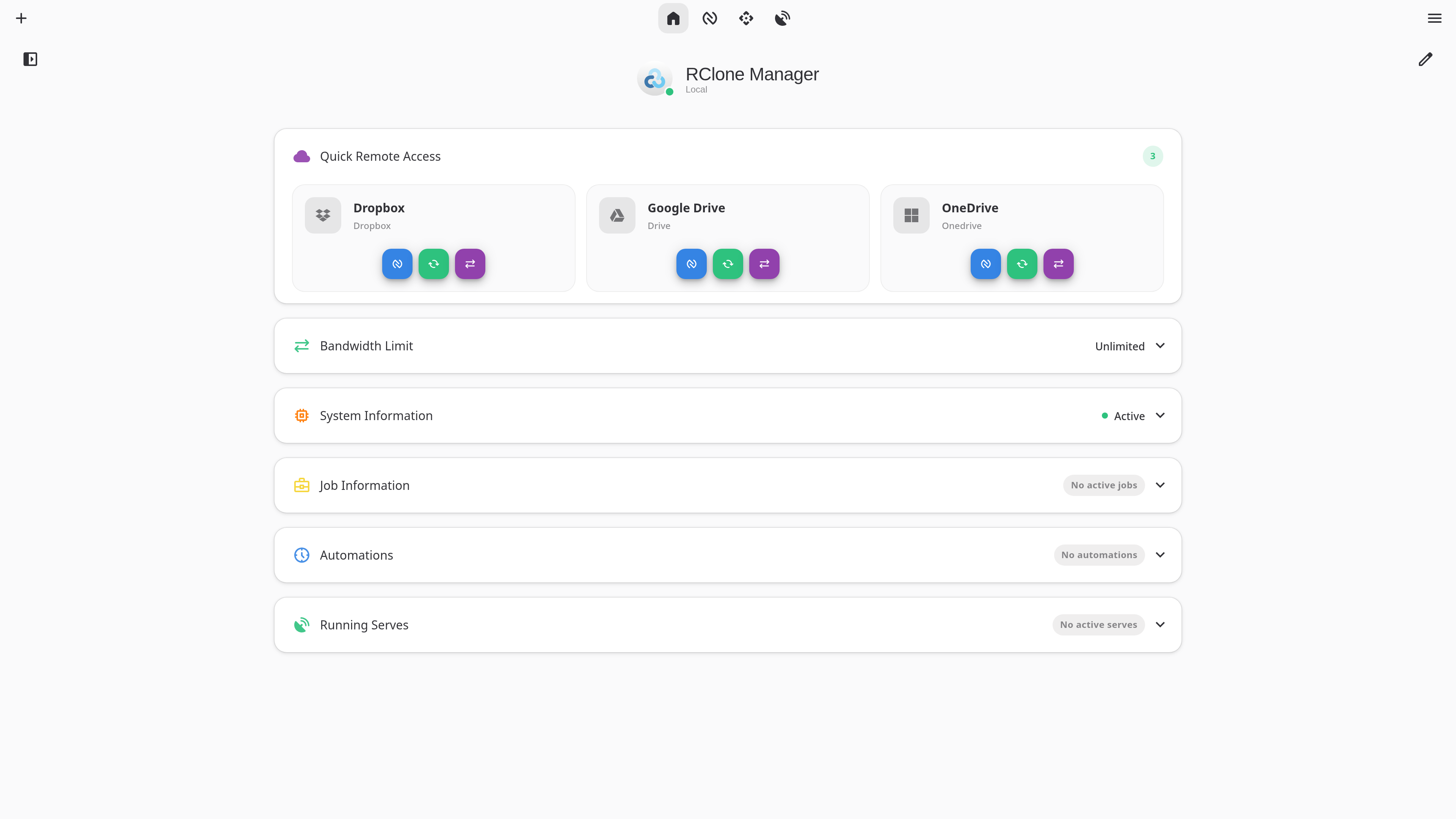
Dashboard - Quick Runs, Mounts & remote overview at a glance
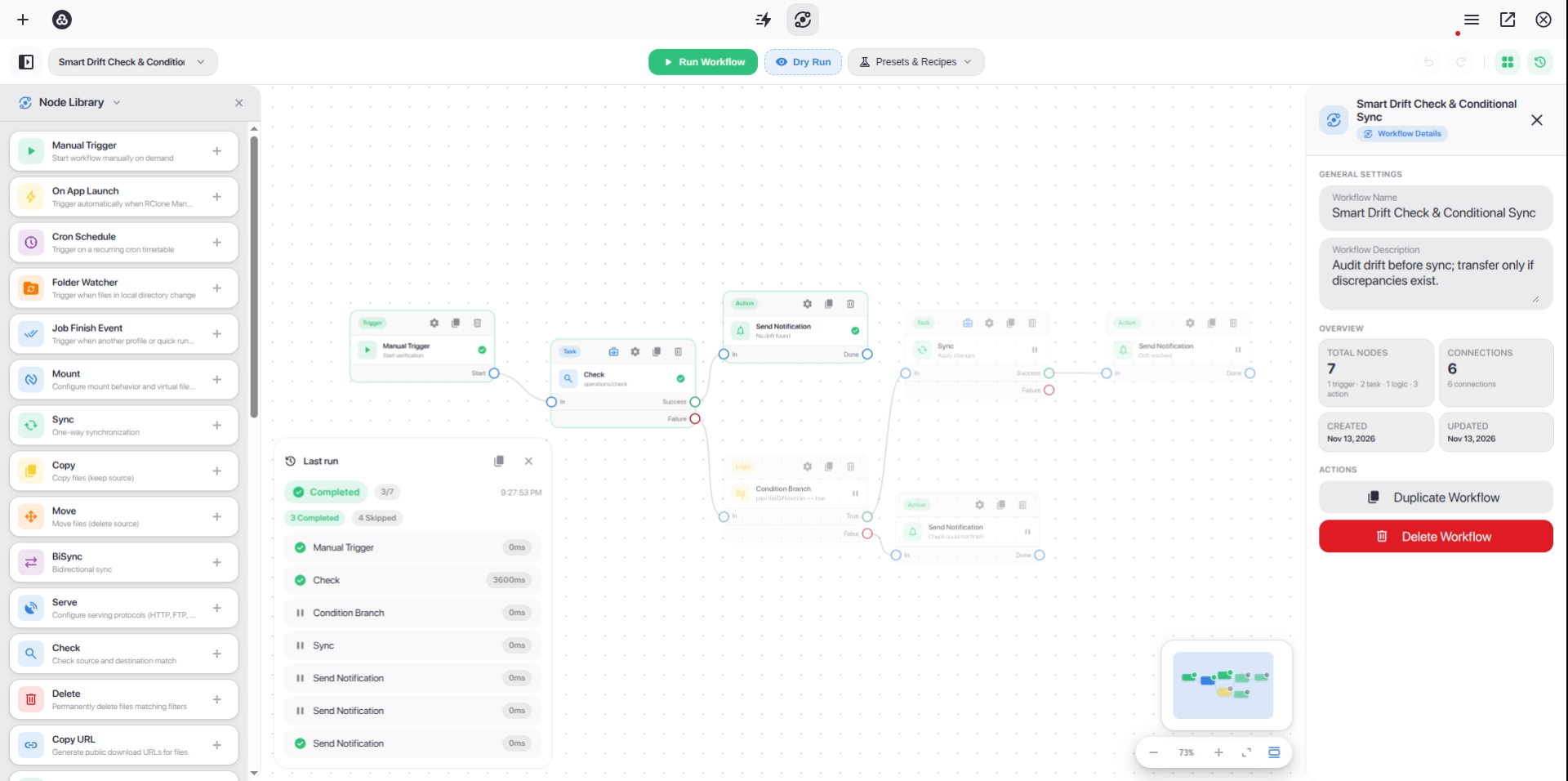
Workflow Builder - Design and automate multi-step cloud pipelines on an interactive node canvas
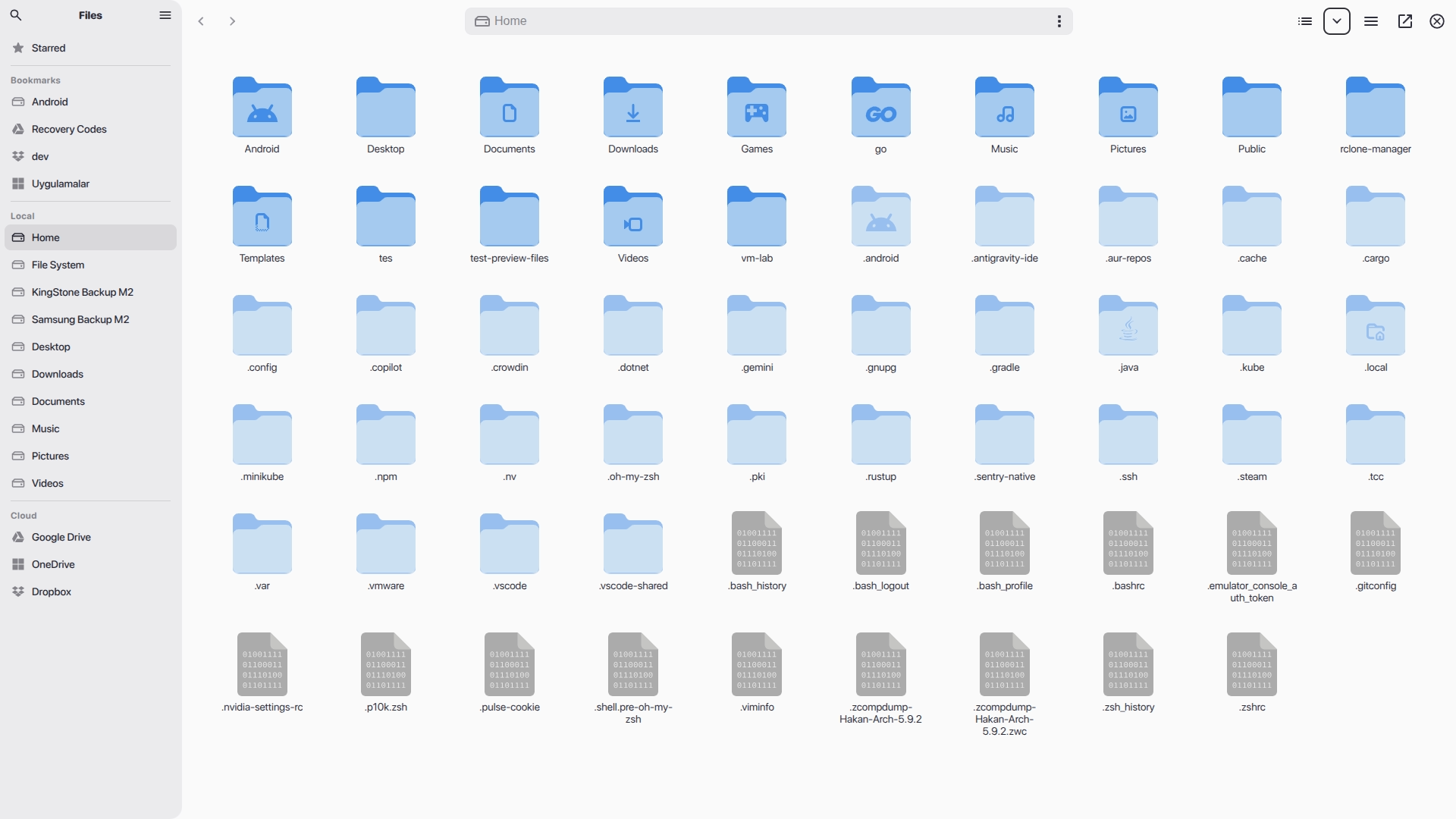
Nautilus - Browse, transfer, and manage files across all your remotes
📖 Want to see more? Check out the Wiki Gallery for all features.
Installation & Downloads
Install RClone Manager using your preferred package manager, or download standalone binaries directly from the Releases page.
Linux
| Source | Version | Install Command / Download |
|---|---|---|
| AUR | AUR Version | yay -S rclone-manager |
| AUR (Git) | AUR Version | yay -S rclone-manager-git |
| Flathub | Flathub | flatpak install io.github.zarestia_dev.rclone-manager |
| Direct Download | GitHub Release | Latest Releases (.deb, .rpm, .AppImage, Portable tar.gz) |
📚 Guide: Wiki: Installation - Linux (troubleshooting Flatpak, snapshots, etc.)
macOS
| Source | Version | Install Command / Download |
|---|---|---|
| Homebrew | Homebrew Version | brew tap Zarestia-Dev/zarestia && brew trust zarestia-dev/zarestia && brew install --cask rclone-manager |
| Direct Download | GitHub Release | DMG Installer |
📚 Guide: Wiki: Installation - macOS (macFUSE & Gatekeeper fixes)
Windows
| Source | Version | Install Command / Download |
|---|---|---|
| Winget | Winget Version | winget install RClone-Manager.rclone-manager |
| Chocolatey | Chocolatey Version | choco install rclone-manager |
| Scoop | Scoop Version | scoop bucket add extras && scoop install rclone-manager |
| Direct Download | GitHub Release | Installer / Portable EXE |
📚 Guide: Wiki: Installation - Windows (WinFsp mounting requirements & SmartScreen)
Android (Beta)
| Source | Version | Install Command / Download |
|---|---|---|
| Direct Download | GitHub Release | APK Downloads (arm64-v8a, armeabi-v7a, x86_64, x86) |
📱 Storage Access Framework (SAF): Features native
DocumentsProvider(RcloneDocumentsProvider) integration and an in-process VFS mount bridge, exposing mounted cloud remotes directly to Android system file pickers and external apps without requiring root or/dev/fuse.📚 Guide: Wiki: Android Support (Beta) (Go engine / librclone details, SAF provider & setup)
🛠️ System Requirements: Mounting drives requires WinFsp (Windows), macFUSE (macOS), or FUSE3 (Linux). Rclone itself is downloaded automatically if missing. See Wiki: System Requirements.
Development & Support
- Building from Source: Refer to the Building Guide.
- Code Quality: Check out LINTING.md for style guidelines.
- Troubleshooting: Visit our Troubleshooting Wiki or read ISSUES.md for platform-specific notes.
Contributing
We welcome contributions of all forms!
- 🌍 Translations: Join the Crowdin Project or read the Translation Guide.
- 🐛 Bugs & Features: Open an issue or check the Project Board.
- 🔧 Code changes: Please read CONTRIBUTING.md before submitting a Pull Request.
- 👥 Contributors: Check out CONTRIBUTORS.md to see everyone who has helped build RClone Manager.
License & Support
- License: Licensed under the GNU GPLv3 – free to use, modify, and distribute.
- Support: If you like this project, please consider leaving a ⭐ on GitHub!
Made with ❤️ by the Zarestia Dev Team
Powered by Rclone | Built with Angular & Tauri
Categories
Related apps
Explore more like this
Explore allLinks
Details
ghcr.io/zarestia-dev/rclone-manager:latestRuntime arguments
- Web UI
http://[IP]:[PORT:8080]/- Network
bridge- Shell
bash- Privileged
- false
- Extra Params
--restart=unless-stopped
Template configuration
Host port for the web UI. Unraid's own web UI may already use 8080; pick another port in that case.
- Target
- 8080
- Default
- 8080
- Value
- 8080
rclone.conf with your remotes.
- Target
- /config
- Default
- /mnt/user/appdata/rclone-manager/config
- Value
- /mnt/user/appdata/rclone-manager/config
App settings, jobs, logs, cache and the downloaded rclone binary.
- Target
- /data
- Default
- /mnt/user/appdata/rclone-manager/data
- Value
- /mnt/user/appdata/rclone-manager/data
Local storage for jobs. Keep it mounted outside /home/rclone-manager: the image changes ownership of everything under that folder (and /data, /config) at every start.
- Target
- /mnt/user
- Default
- /mnt/user
- Value
- /mnt/user
User ID the app runs as. 99 (nobody) matches Unraid shares.
- Default
- 99
- Value
- 99
Group ID the app runs as. 100 (users) matches Unraid shares.
- Default
- 100
- Value
- 100
Optional but recommended. Encrypts saved remote passwords and tokens; without it they are kept in memory only and must be re-entered after every restart.
- Target
- RCLONE_MANAGER_SECRET
Login for the web UI, set together with the password. Without both, anyone who can reach the port can control the app and read your stored cloud credentials. Leave both empty only behind a reverse proxy that requires its own login. Newer versions refuse to start when only one of the two is set.
- Target
- RCLONE_MANAGER_USER
Password for the web UI login, set together with the username. Use a long random password.
- Target
- RCLONE_MANAGER_PASS